Preparing your learning space...
100% through Creating Tables tutorials
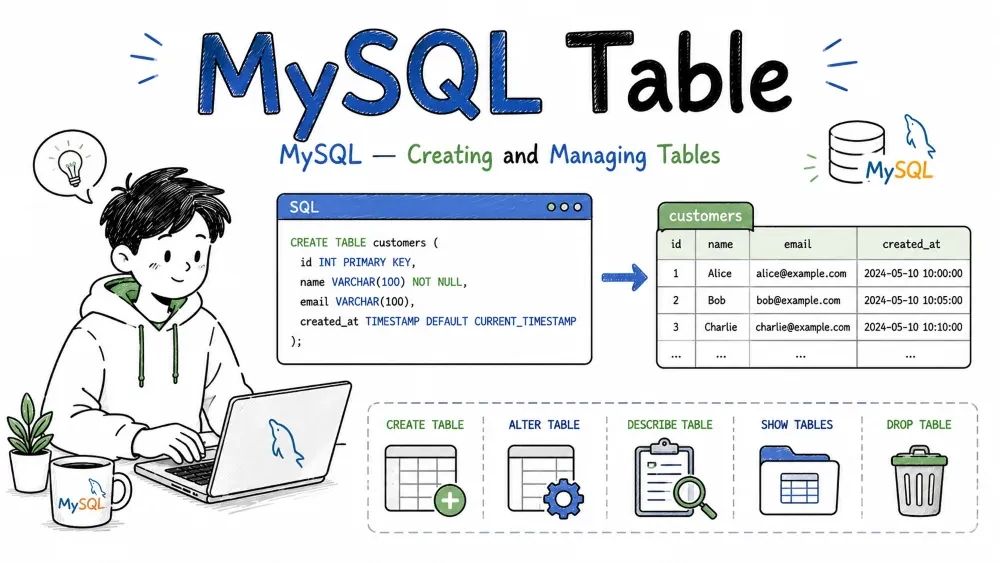
Tables are the core structure in any relational database. Data is stored in rows and columns. This tutorial covers how to create, modify, delete, and manage tables in SQL.
CREATE TABLE defines a new table and its columns. Each column has a name, a data type, and optional constraints.
Syntax
CREATE TABLE table_name (
    column1 datatype constraint,
    column2 datatype constraint,
    ...
);
Example
CREATE TABLE users (
    id INT PRIMARY KEY AUTO_INCREMENT,
    name VARCHAR(100) NOT NULL,
    email VARCHAR(255) UNIQUE NOT NULL,
    age INT DEFAULT 18,
    created_at TIMESTAMP DEFAULT CURRENT_TIMESTAMP
);
This creates a users table with five columns. id is the primary key and auto-increments. email must be unique. age defaults to 18 if not provided.
You can also create a table from an existing one using CREATE TABLE ... AS SELECT:
CREATE TABLE users_backup AS SELECT * FROM users;
This copies both the structure and data from users into users_backup. Indexes and auto-increment settings are not copied.
SHOW TABLES lists all tables in the current database.
Example
SHOW TABLES;
Output:
+-------------------+
| Tables_in_mydb    |
+-------------------+
| users             |
| orders            |
| products          |
+-------------------+
In MySQL, you can also filter by pattern:
SHOW TABLES LIKE '%user%';
This returns only tables whose names contain "user".
DESCRIBE (or DESC) shows the structure of a table — column names, types, nullability, keys, defaults, and extra info.
Example
DESCRIBE users;
Output:
+------------+------------------+------+-----+---------+----------------+
| Field      | Type             | Null | Key | Default | Extra          |
+------------+------------------+------+-----+---------+----------------+
| id         | int              | NO   | PRI | NULL    | auto_increment |
| name       | varchar(100)     | NO   |     | NULL    |                |
| email      | varchar(255)     | NO   | UNI | NULL    |                |
| age        | int              | YES  |     | 18      |                |
| created_at | timestamp        | YES  |     | NULL    |                |
+------------+------------------+------+-----+---------+----------------+
SHOW COLUMNS FROM users produces the same output.
RENAME TABLE changes a table's name. Useful when restructuring or archiving.
Syntax
RENAME TABLE old_name TO new_name;
Example
RENAME TABLE users TO old_users;
You can rename multiple tables in one statement:
RENAME TABLE users TO active_users, archived_users TO users;
In SQLite, use ALTER TABLE ... RENAME TO instead.
ALTER TABLE modifies an existing table — adding, dropping, or changing columns, constraints, and indexes.
ALTER TABLE users ADD COLUMN phone VARCHAR(20);
ALTER TABLE users DROP COLUMN phone;
ALTER TABLE users MODIFY COLUMN age TINYINT DEFAULT 0;
ALTER TABLE users RENAME COLUMN age TO user_age;
ALTER TABLE users ADD CONSTRAINT pk_id PRIMARY KEY (id);
ALTER TABLE users DROP PRIMARY KEY;
Multiple changes can be combined in some databases:
ALTER TABLE users
    ADD COLUMN bio TEXT,
    MODIFY COLUMN age TINYINT,
    DROP COLUMN phone;
DROP TABLE deletes a table and all its data permanently. This cannot be undone.
Syntax
DROP TABLE table_name;
Example
DROP TABLE users_backup;
Drop multiple tables at once:
DROP TABLE temp_data, logs_old, sessions_expired;
Use IF EXISTS to avoid an error if the table doesn't exist:
DROP TABLE IF EXISTS users_backup;
TRUNCATE TABLE removes all rows from a table but keeps the structure (columns, indexes, constraints) intact.
Syntax
TRUNCATE TABLE table_name;
Example
TRUNCATE TABLE logs;
Difference between TRUNCATE and DELETE:
| TRUNCATE | DELETE |
|---|---|
| Removes all rows, cannot use WHERE | Can remove specific rows with WHERE |
| Resets auto-increment counter | Does not reset auto-increment |
| Faster — no row-by-row logging | Slower — logs each row deletion |
| Cannot be rolled back in most DBs | Can be rolled back if inside a transaction |
Use TRUNCATE when you need to clear a table quickly (like emptying a staging or log table). Use DELETE when you need to remove specific rows.
Temporary tables exist only for the duration of a session or connection. They are automatically dropped when the session ends.
Useful for storing intermediate results, staging data, or breaking complex queries into steps.
Syntax
CREATE TEMPORARY TABLE table_name (
    column1 datatype,
    column2 datatype,
    ...
);
Example
CREATE TEMPORARY TABLE high_value_orders AS
    SELECT * FROM orders WHERE total > 1000;

SELECT * FROM high_value_orders;
The high_value_orders table is only visible to the current session. Other connections cannot see it. When the session ends, it disappears automatically.
Temporary tables can have the same name as a regular table. In a session, the temporary table hides the permanent one until the temporary one is dropped or the session ends.
Storage engines control how data is stored, indexed, and retrieved. In MySQL, you specify the engine when creating a table.
The two most common engines:
| Engine | Features | Use case |
|---|---|---|
| InnoDB (default) | Transactions, foreign keys, row-level locking, crash recovery | Most applications — it's the standard |
| MyISAM | Full-text search, table-level locking, no transactions | Read-heavy or legacy systems |
Check available engines:
SHOW ENGINES;
Set engine at creation:
CREATE TABLE users (
    id INT PRIMARY KEY AUTO_INCREMENT,
    name VARCHAR(100)
) ENGINE = InnoDB;
InnoDB is the default and recommended engine for nearly all use cases. MyISAM is useful mainly for full-text search or very old databases.
Other engines include MEMORY (data stored in RAM, fast but lost on restart) and ARCHIVE (high compression, no indexing — good for logs).
Table options let you control how a table behaves — storage engine, character set, compression, auto-increment starting value, and more.
Common table options:
| Option | Description |
|---|---|
ENGINE | Storage engine (InnoDB, MyISAM, MEMORY) |
AUTO_INCREMENT | Starting value for auto-increment |
DEFAULT CHARSET | Character set for the table |
COLLATE | Collation (sorting rules) |
COMMENT | Table description |
ROW_FORMAT | Row storage format (COMPACT, DYNAMIC, COMPRESSED) |
Example:
CREATE TABLE products (
    id INT PRIMARY KEY AUTO_INCREMENT,
    name VARCHAR(200),
    price DECIMAL(10,2),
    created_at TIMESTAMP DEFAULT CURRENT_TIMESTAMP
) ENGINE = InnoDB
  AUTO_INCREMENT = 1000
  DEFAULT CHARSET = utf8mb4
  COLLATE = utf8mb4_unicode_ci
  COMMENT = 'Product catalog table';
You can also change options after creation:
ALTER TABLE products AUTO_INCREMENT = 2000;
ALTER TABLE products COMMENT = 'Updated product catalog';
Save your progress and earn XP for completing tutorials.
Keep learning
Technology
MySQL
Lesson group
Creating Tables
Progress
100% complete

