Preparing your learning space...
100% through Databases tutorials
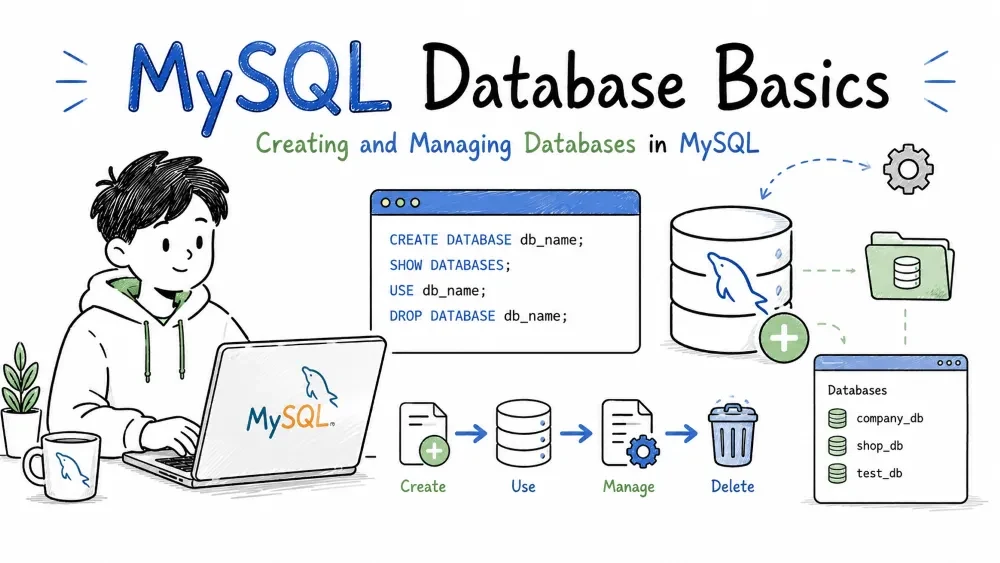
A database is a container that holds tables, views, procedures, and other objects. This tutorial covers how to create, select, rename, and delete databases, plus character sets and collations.
CREATE DATABASE creates a new database.
Syntax:
CREATE DATABASE database_name;
Example:
CREATE DATABASE shop;
To avoid an error if the database already exists:
CREATE DATABASE IF NOT EXISTS shop;
You can also specify a character set and collation at creation time (more on those later):
CREATE DATABASE shop
  CHARACTER SET utf8mb4
  COLLATE utf8mb4_unicode_ci;
List every database on the server:
SHOW DATABASES;
Output looks like:
+--------------------+
| Database           |
+--------------------+
| information_schema |
| mysql              |
| performance_schema |
| shop               |
| sys                |
+--------------------+
The first four (information_schema, mysql, performance_schema, sys) are system databases that the server uses internally. Leave them alone.
To search for a specific database:
SHOW DATABASES LIKE '%shop%';
Before you can run queries against tables, you need to tell the server which database to use.
USE shop;
Every statement after this runs inside shop until you switch to another database.
Why this matters: Tables with the same name can exist in different databases. USE removes the ambiguity without you having to type database.table every time.
To check which database is currently selected:
SELECT DATABASE();
If none is selected, it returns NULL.
MySQL does not have a single RENAME DATABASE command. You have three workarounds:
mysqldump -u root -p old_db > old_db.sql
mysql -u root -p -e "CREATE DATABASE new_db"
mysql -u root -p new_db < old_db.sql
mysql -u root -p -e "DROP DATABASE old_db"
Create the new database, then move every table into it:
CREATE DATABASE new_db;
RENAME TABLE old_db.table1 TO new_db.table1,
             old_db.table2 TO new_db.table2,
             old_db.table3 TO new_db.table3;
DROP DATABASE old_db;
Generate the RENAME statements automatically:
SELECT CONCAT('RENAME TABLE ', TABLE_SCHEMA, '.', TABLE_NAME,
              ' TO new_db.', TABLE_NAME, ';')
FROM information_schema.TABLES
WHERE TABLE_SCHEMA = 'old_db';
Copy the output and run it, then DROP DATABASE old_db;.
ALTER TABLESPACE (MySQL 8.0.13+)Only works for individual InnoDB tables, not for renaming the database as a whole.
Deletes the database and everything inside it — tables, data, views, procedures. There is no undo.
DROP DATABASE database_name;
Safe version:
DROP DATABASE IF EXISTS database_name;
Before you drop, take a backup:
mysqldump -u root -p database_name > backup.sql
shop_v2, blog_platform.crm not customer_relationship_management_database.Don't dump multiple apps into the same database. Separate databases keep things clean, make backups easier, and let you grant permissions per app.
Always use utf8mb4 for new databases. It supports the full Unicode range including emoji.
CREATE DATABASE myapp
  CHARACTER SET utf8mb4
  COLLATE utf8mb4_unicode_ci;
Set up regular automated backups. For MySQL/MariaDB:
mysqldump -u root -p --all-databases > full_backup.sql
A character set defines which symbols (letters, digits, emoji, etc.) can be stored and how they are encoded as bytes.
Common character sets:
| Name | Description | Byte size |
|---|---|---|
latin1 | Western European (ISO-8859-1) | 1 byte per char |
utf8 | Unicode, but limited (max 3 bytes) | 1–3 bytes per char |
utf8mb4 | Full Unicode including emoji | 1–4 bytes per char |
ascii | Basic English only | 1 byte per char |
Always choose utf8mb4 unless you have a specific reason not to. The old utf8 in MySQL is actually utf8mb3 — it cannot store characters like 😀 or 🤦♂️.
Check the server's default character set:
SHOW VARIABLES LIKE 'character_set_server';
Check a database's character set:
SELECT DEFAULT_CHARACTER_SET_NAME
FROM information_schema.SCHEMATA
WHERE SCHEMA_NAME = 'shop';
A collation is the set of rules that determines how strings are compared and sorted. It builds on top of a character set.
Example: In English, A and a are the same letter. In some collations they compare as equal; in others they don't.
utf8mb4_general_ci
│      │       │
│      │       └─ ci = case-insensitive / cs = case-sensitive / bin = binary
│      └───────── language or rule variant
└──────────────── character set it belongs to
| Collation | Meaning | Use case |
|---|---|---|
utf8mb4_unicode_ci | Unicode standard sorting | General use (default recommendation) |
utf8mb4_general_ci | Simpler, slightly faster | Legacy apps, performance-critical |
utf8mb4_unicode_520_ci | Updated Unicode 5.2 standard | When you need newer Unicode rules |
utf8mb4_bin | Binary comparison | Passwords, hashes, exact matching |
utf8mb4_spanish_ci | Spanish language rules | Spanish text sorting (ch treated as one letter) |
With _ci (case-insensitive):
SELECT 'apple' = 'APPLE'; -- 1 (true)
With _cs (case-sensitive):
SELECT 'apple' = 'APPLE'; -- 0 (false)
With _bin (binary):
SELECT 'A' = 'a'; -- 0 (false) — different byte values
Check server collation:
SHOW VARIABLES LIKE 'collation_server';
Set at database level:
CREATE DATABASE blog
  CHARACTER SET utf8mb4
  COLLATE utf8mb4_unicode_ci;
Change an existing database:
ALTER DATABASE blog
  CHARACTER SET utf8mb4
  COLLATE utf8mb4_unicode_ci;
Note: Changing a database's character set or collation does not affect existing tables. You must alter each table separately:
ALTER TABLE posts CONVERT TO CHARACTER SET utf8mb4 COLLATE utf8mb4_unicode_ci;
| Situation | Recommendation |
|---|---|
| English text, no special needs | utf8mb4_unicode_ci |
| Case-sensitive searches | utf8mb4_bin or utf8mb4_unicode_cs |
| Non-English languages | Language-specific collation (e.g. utf8mb4_spanish_ci) |
| Storing hashes or codes | utf8mb4_bin — faster, no language rules needed |
Legacy app already using latin1 | Keep latin1_swedish_ci (MySQL default) unless migrating |
Save your progress and earn XP for completing tutorials.
Keep learning
Technology
MySQL
Lesson group
Databases
Progress
100% complete

