

MySQL Events — Automate Recurring Tasks Inside Your Database
Preparing your learning space...
MySQL Events — Automate Recurring Tasks Inside Your Database
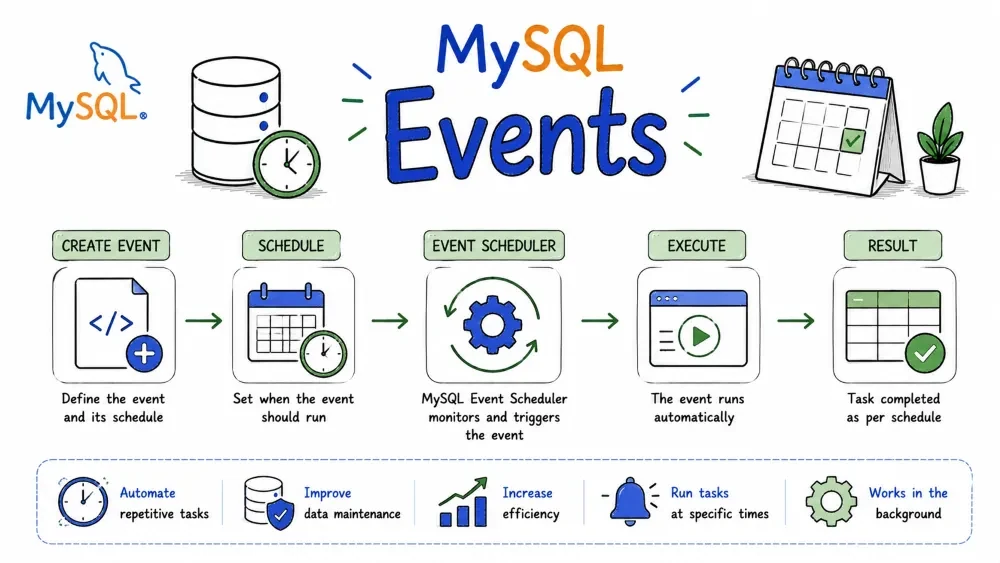
If you've ever needed something to run automatically in your database — clean up old data at midnight, generate a report every Monday, or archive records after 90 days — MySQL Events are exactly what you need. Think of them as cron jobs, but living inside your database.
Before anything runs, you need the Event Scheduler turned on. It's a background process in MySQL that watches your events and fires them when the time comes.
To check if it's running:
SHOW VARIABLES LIKE 'event_scheduler';
If it's OFF, you won't get errors — your events just silently never run. That one has tripped up plenty of people.
Turn it on with:
SET GLOBAL event_scheduler = ON;
To make it permanent (so it survives a server restart), add this under [mysqld] in your my.cnf or my.ini:
event_scheduler=ON
CREATE EVENT is how you define a scheduled task. You give it a name, tell it when to run, and what SQL to execute.
The basic shape:
CREATE EVENT event_name
ON SCHEDULE schedule
DO
    sql_statement;
Let's look at the different ways to schedule things.
This runs once, at a specific date and time. Good for things like "clean up on New Year's":
CREATE EVENT new_year_cleanup
ON SCHEDULE AT '2025-01-01 00:00:00'
DO
    DELETE FROM temp_logs WHERE created_at < '2024-01-01';
This runs on an interval. The most common use case:
CREATE EVENT hourly_cleanup
ON SCHEDULE EVERY 1 HOUR
DO
    DELETE FROM temp_data WHERE created_at < NOW() - INTERVAL 1 DAY;
You can also set a start and end date if you only want the event to exist within a certain window:
CREATE EVENT summer_archive
ON SCHEDULE EVERY 1 DAY
    STARTS '2025-06-01 00:00:00'
    ENDS '2025-09-01 00:00:00'
DO
    DELETE FROM archive WHERE created_at < NOW() - INTERVAL 30 DAY;
Pretty much anything you'd expect: YEAR, QUARTER, MONTH, DAY, HOUR, MINUTE, SECOND, WEEK. You can also combine them with a number:
EVERY 2 DAY       -- every 2 days
EVERY 3 MONTH     -- every quarter
EVERY 30 MINUTE   -- every half hour
Need to do more than one thing? Wrap it in BEGIN ... END:
DELIMITER $$

CREATE EVENT nightly_report
ON SCHEDULE EVERY 1 DAY
    STARTS '2025-01-01 23:00:00'
DO
BEGIN
    INSERT INTO report_log(event_name, ran_at)
    VALUES('nightly_report', NOW());

    UPDATE users SET status = 'inactive'
    WHERE last_login < NOW() - INTERVAL 90 DAY;
END$$

DELIMITER ;
Notice the DELIMITER trick — without it, MySQL would think the ; inside BEGIN ... END ends the whole CREATE EVENT statement.
If you're on a newer MySQL, you can create a reusable schedule and reference it from multiple events. Keeps things DRY:
CREATE SCHEDULE every_hour
    EVERY 1 HOUR
    STARTS '2025-01-01 00:00:00';

CREATE EVENT hourly_sync
ON SCHEDULE every_hour
DO
    CALL sync_data();
IF NOT EXISTS — skip creating if it's already there, no error:
CREATE EVENT IF NOT EXISTS my_event ...
ON COMPLETION PRESERVE — normally, one-time events delete themselves after running. If you want to keep it around (maybe to re-enable later), add this:
CREATE EVENT one_time_task
ON SCHEDULE AT '2025-06-01 00:00:00'
ON COMPLETION PRESERVE
DO
    DELETE FROM staging;
DISABLE — create the event but don't start it yet. Useful if you want to set everything up and enable it later:
CREATE EVENT my_event
ON SCHEDULE EVERY 1 HOUR
DISABLE
DO
    DELETE FROM cache;
Say you set an event to run every hour, but now you need it every 30 minutes. You don't have to drop and recreate it — just ALTER it.
ALTER EVENT hourly_cleanup
ON SCHEDULE EVERY 30 MINUTE;
Need to change what it does?
ALTER EVENT hourly_cleanup
DO
    DELETE FROM temp_data WHERE created_at < NOW() - INTERVAL 3 DAY;
Toggle it on and off without dropping it:
ALTER EVENT my_event ENABLE;
ALTER EVENT my_event DISABLE;
Rename it:
ALTER EVENT old_name
RENAME TO new_name;
When an event isn't needed anymore, just drop it:
DROP EVENT hourly_cleanup;
If you're not sure it exists (and don't want an error if it doesn't):
DROP EVENT IF EXISTS hourly_cleanup;
Here's a real scenario: you run an online store and want to move orders older than a year into an archive table every night at 2 AM.
-- First, create the archive table with the same structure
CREATE TABLE orders_archive LIKE orders;

-- Now set up the event
DELIMITER $$

CREATE EVENT archive_old_orders
ON SCHEDULE EVERY 1 DAY
    STARTS '2025-01-01 02:00:00'
ON COMPLETION PRESERVE
DO
BEGIN
    INSERT INTO orders_archive
    SELECT * FROM orders
    WHERE order_date < NOW() - INTERVAL 1 YEAR;

    DELETE FROM orders
    WHERE order_date < NOW() - INTERVAL 1 YEAR;
END$$

DELIMITER ;
To see all events in your database:
SHOW EVENTS;
Or for a specific database:
SHOW EVENTS FROM database_name;
To see the exact CREATE EVENT statement that made an event (useful when you want to recreate it elsewhere):
SHOW CREATE EVENT archive_old_orders;
DISABLE ON SLAVE is your friend there.EVENT privilege to create, alter, or drop events. Most users won't have it by default.Save your progress and earn XP for completing tutorials.
Keep learning
Technology
MySQL
Lesson group
Events
Progress
100% complete