Preparing your learning space...
100% through Performance Optimization tutorials
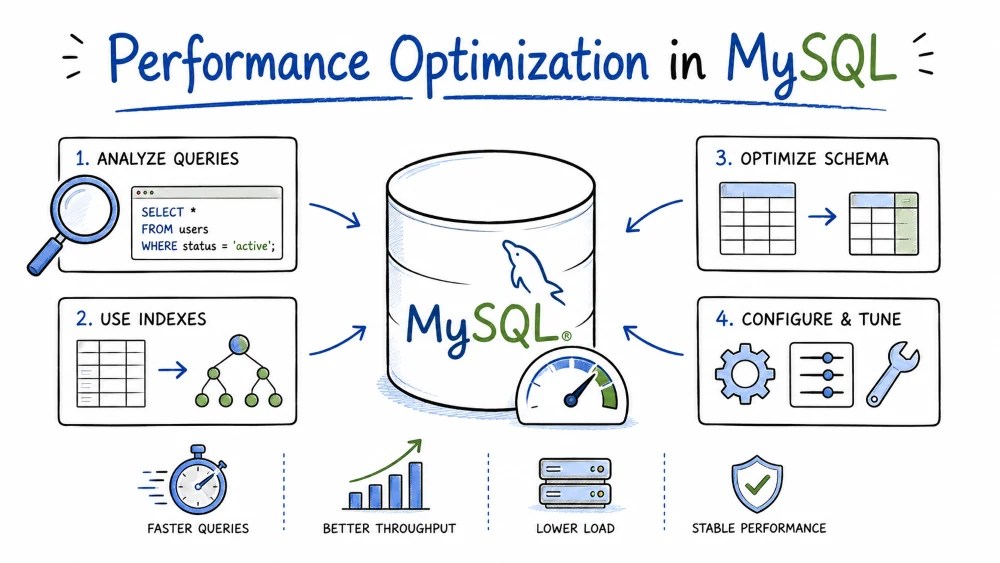
This tutorial covers the practical tools and techniques for making MySQL queries faster: reading execution plans, finding slow queries, fixing them with indexes and better SQL, and knowing when heavier machinery like partitioning makes sense.
It targets MySQL 8.0, the current mainstream release. Where a feature differs in MySQL 5.x or a third-party fork like MariaDB, the difference is called out in that section. Examples assume the mysql command-line client and InnoDB tables.
EXPLAIN shows the execution plan MySQL chose for your query — how it reads tables, in what order, and how many rows it expects to touch. It is the first thing to run whenever a query is slow.
EXPLAIN SELECT name, email FROM users WHERE city = 'Berlin';
The output is a table. The columns that matter most:
| Column | What it tells you |
|---|---|
type | Access method, from best to worst: system, const, eq_ref, ref, range, index, ALL. ALL means a full table scan. |
possible_keys | Indexes MySQL could use |
key | The index it actually used (NULL = none) |
key_len | Bytes of the index that were used. Shorter than the full index length means only part of a composite index applied. |
rows | Estimated rows examined. Big number = expensive. |
Extra | Notes like Using index, Using where, Using filesort, Using temporary. filesort and temporary usually signal trouble. |
A type of ALL with a large rows value means the query reads the whole table. The fix is usually an index:
CREATE INDEX idx_city ON users (city);

EXPLAIN SELECT name, email FROM users WHERE city = 'Berlin';
-- type: ref, key: idx_city, rows: 12
With joins, read the rows top to bottom, top table first. Check that each later table has an index on its join column.
EXPLAIN SELECT o.id FROM orders o JOIN customers c ON c.id = o.customer_id WHERE c.country = 'DE';
If customers shows type: ALL, add CREATE INDEX idx_country ON customers (country);. If orders shows type: ALL, add CREATE INDEX idx_customer ON orders (customer_id);.
On MySQL 8.0.18+, EXPLAIN ANALYZE runs the query and returns actual timings per step, not estimates. Use it when you need real numbers.
EXPLAIN ANALYZE SELECT * FROM orders WHERE status = 'pending';
Most slow queries are fixed by rewriting the SQL, not by changing server settings. These patterns cover the common wins.
Fetch only the columns you need. SELECT * pulls every column, filling buffers with data you discard. List columns explicitly.
-- avoid
SELECT * FROM orders WHERE customer_id = 7;
-- prefer
SELECT id, total FROM orders WHERE customer_id = 7;
Don't wrap indexed columns in functions. A function on the column kills index usage; MySQL has to evaluate it on every row.
-- slow: must compute DAY() on every row
SELECT * FROM orders WHERE DAY(created_at) = 15;

-- fast: range on the raw column
SELECT * FROM orders WHERE created_at >= '2026-06-15' AND created_at < '2026-06-16';
Leading wildcards can't use the index. LIKE '%abc%' forces a scan. A trailing wildcard, LIKE 'abc%', can use an index.
SELECT * FROM products WHERE name LIKE '%phone%';  -- scan
SELECT * FROM products WHERE name LIKE 'phone%';   -- index-friendly
Add LIMIT when you only need a few rows. But don't expect it to fix a sort: with ORDER BY, MySQL still sorts the full result set before trimming to LIMIT. The saving shows up when there's no ORDER BY (the server stops scanning once it has enough rows) or when an index already returns rows in the wanted order.
-- no ORDER BY: stops as soon as it has 10 matching rows
SELECT id FROM logs WHERE level = 'error' LIMIT 10;

-- ORDER BY on the primary key: reads in index order, stops at 10
SELECT id FROM logs ORDER BY id DESC LIMIT 10;

-- ORDER BY on an unindexed column: still sorts everything first
SELECT id FROM logs WHERE level = 'error' ORDER BY created_at DESC LIMIT 10;
Avoid SELECT DISTINCT when it's not needed — it adds a sort pass. The same applies to ORDER BY on columns that aren't indexed: you get an extra filesort.
Be careful with OR. Across different columns it can force a full scan (MySQL 8 sometimes handles it automatically with index merge). Rewriting as two queries joined with UNION ALL uses indexes on both sides:
-- may scan
SELECT * FROM users WHERE first_name = 'Anna' OR email = 'anna@x.com';

-- two indexed lookups, unioned
SELECT * FROM users WHERE first_name = 'Anna'
UNION ALL
SELECT * FROM users WHERE email = 'anna@x.com';
Always run EXPLAIN after rewriting to confirm the plan actually improved. Guessing without checking is how you "fix" a query and make it slower.
The slow query log records queries that take longer than a threshold. It tells you which queries deserve your attention instead of making you guess.
In my.cnf (or my.ini on Windows), under [mysqld]:
slow_query_log = ON
slow_query_log_file = /var/log/mysql/slow.log
long_query_time = 1
long_query_time is in seconds; 1 catches anything over one second. Queries are only logged after they finish.
Apply with a server restart, or at runtime without restarting:
SET GLOBAL slow_query_log = 'ON';
SET GLOBAL long_query_time = 1;
SET GLOBAL slow_query_log_file = '/var/log/mysql/slow.log';
A raw entry looks like:
# Query_time: 4.128  Lock_time: 0.001  Rows_sent: 5  Rows_examined: 480312
SET timestamp=1782899000;
SELECT * FROM orders WHERE status = 'pending' ORDER BY created_at;
Query_time is the total time, Rows_examined how many rows were touched. That 480k examined for 5 returned is the smell: a missing index.
The log fills up fast. mysqldumpslow groups identical queries (ignoring literal values). -s t sorts by total time, -s c by execution count.
mysqldumpslow -s t /var/log/mysql/slow.log
Output groups each repeated slow query into one line with totals and an average. That's your work list: take the top entry, run EXPLAIN, add an index.
An index is a sorted copy of one or more columns that lets MySQL find rows without scanning the whole table. Tuning means creating the right ones and removing the useless ones.
CREATE INDEX idx_email ON users (email);          -- normal index, allows duplicates
CREATE UNIQUE INDEX idx_email ON users (email);   -- also enforces uniqueness
CREATE FULLTEXT INDEX idx_body ON posts (body);   -- for text search, not LIKE
CREATE INDEX idx_city_age ON users (city, age);   -- composite (multi-column)
A composite index on (city, age) can serve lookups on city, and on city and age, but not on age alone. The leftmost column is required.
CREATE INDEX idx_city_age ON users (city, age);

EXPLAIN SELECT * FROM users WHERE city = 'Paris';          -- uses idx_city_age
EXPLAIN SELECT * FROM users WHERE city = 'Paris' AND age > 30;  -- uses it
EXPLAIN SELECT * FROM users WHERE age > 30;                -- CANNOT use it
When building a composite index, put columns used with = (equality) before columns used with ranges (>, <, BETWEEN), and mirror your most common query's columns. "Put the rarest value first" is a myth for MySQL equality lookups — column order should follow the queries you actually run.
When the index contains every column the query needs, MySQL can answer entirely from the index without touching table rows. You'll see Using index in the Extra column of EXPLAIN.
CREATE INDEX idx_email_name ON users (email, name);

EXPLAIN SELECT name FROM users WHERE email = 'a@b.com';
-- Extra: Using index
Indexes cost space, slow down INSERT/UPDATE/DELETE, and add to query-planning time. Check usage:
-- usage counters per index
SELECT * FROM performance_schema.table_io_waits_summary_by_index_usage
WHERE object_schema = 'mydb' AND index_name IS NOT NULL;
Columns with COUNT_READ near zero are candidates for removal:
ALTER TABLE users DROP INDEX idx_unused;
A good general rule: index columns that appear in WHERE, JOIN, ORDER BY, and GROUP BY — not every column you can think of.
Partitioning splits a large table into smaller physical segments while keeping it one logical table. Queries that filter on the partition key only read the relevant partitions.
CREATE TABLE orders (
    id INT,
    order_date DATE,
    total DECIMAL(10,2)
)
PARTITION BY RANGE (YEAR(order_date)) (
    PARTITION p2024 VALUES LESS THAN (2025),
    PARTITION p2025 VALUES LESS THAN (2026),
    PARTITION p2026 VALUES LESS THAN (2027),
    PARTITION p_future VALUES LESS THAN MAXVALUE
);
Now WHERE order_date BETWEEN '2026-01-01' AND '2026-06-30' only reads p2026. Verify with:
EXPLAIN SELECT * FROM orders WHERE order_date = '2026-03-05';
You want to see only the matching partition listed in partitions, not all of them. If the query doesn't filter on the partition key, partitioning buys you nothing — it scans every partition anyway.
RANGE — by value ranges (dates, ids). Best for time-series data.LIST — by explicit value lists, e.g. region codes.HASH — spreads rows across N partitions by hashing the key.KEY — like HASH, but MySQL picks the hash function, on a key that must be a real column.Partitioning is not a performance silver bullet. A single partition is not faster than a similarly-sized index — partitioning and indexing are separate mechanisms. It helps most with:
DROP PARTITION p2024 is instant, unlike DELETE of millions of rows)EXCHANGE PARTITIONBefore partitioning, verify an index alone doesn't solve the problem. Many "I need partitioning" cases are really "I need a better index."
The query cache stored the exact result set of a SELECT in memory and returned it on the identical next query, skipping execution entirely. It was removed in MySQL 8.0.
# MySQL 5.x only — these do nothing in 8.0
query_cache_type = 1
query_cache_size = 64M
The cache had to be invalidated (cleared) on every write to any table in the query. Under write-heavy or mixed workloads, the constant invalidation cost more than the hits saved. The design also added global locking overhead that hurt multi-core scaling.
Modern MySQL relies on the InnoDB buffer pool — the data lives in memory, so repeat queries mostly read from RAM anyway. For true application-level caching, tools like Redis or Memcached are the normal answer today.
If you see old articles or configs mentioning query_cache_size, treat them as outdated. MySQL 8 removed the feature and its config variables. MariaDB still ships a query cache, but it's disabled by default and deprecated there too — don't build anything new on it.
The Performance Schema is a built-in database that collects low-level runtime statistics — wait times, statement timing, lock waits, I/O — while MySQL runs. It's on by default and costs little overhead.
SHOW VARIABLES LIKE 'performance_schema';
Every executed statement gets a digest (a fingerprint with literal values stripped). This groups repeated queries so you can rank them:
SELECT SCHEMA_NAME, DIGEST_TEXT,
       COUNT_STAR AS executions,
       ROUND(SUM_TIMER_WAIT/1e12, 2) AS total_seconds
FROM performance_schema.events_statements_summary_by_digest
ORDER BY SUM_TIMER_WAIT DESC
LIMIT 10;
SELECT DIGEST_TEXT, ROUND(SUM_ROWS_EXAMINED/SUM_ROWS_SENT) AS examined_per_row
FROM performance_schema.events_statements_summary_by_digest
WHERE SUM_ROWS_SENT > 0
ORDER BY examined_per_row DESC
LIMIT 10;
A high examined_per_row is a missing-index signal — the same story the slow log and EXPLAIN tell.
SELECT EVENT_NAME, ROUND(SUM_TIMER_WAIT/1e12, 2) AS total_seconds,
       COUNT_STAR
FROM performance_schema.events_waits_summary_global_by_event_name
WHERE SUM_TIMER_WAIT > 0
ORDER BY SUM_TIMER_WAIT DESC
LIMIT 10;
Look for dominant categories:
wait/io/table/sql/handler — table/disk I/O; indexes or buffer pool tuning helpswait/synch/* and wait/lock/* — concurrency or lock contentionwait/io/file/innodb — disk throughputThe Performance Schema is diagnostic, not magical: it tells you where the time goes, then you fix it with the earlier tools (EXPLAIN, indexes, query rewrites).
Save your progress and earn XP for completing tutorials.
Keep learning
Technology
MySQL
Lesson group
Performance Optimization
Progress
100% complete

