Preparing your learning space...
100% through Data Types tutorials
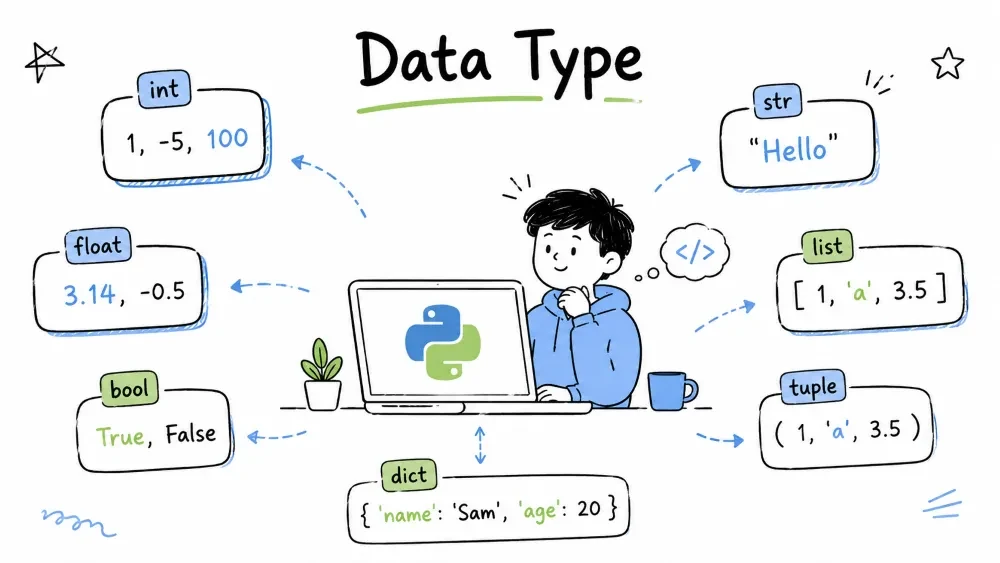
Comprehensive coverage of all Python data types —
str,int,float,complex,bool,NoneType,list,tuple,range,dict,set,frozenset,bytes,bytearray,memoryview, plus type conversion and checking.
int)float)complex)bool)
NoneType)A data type defines what kind of data a value can hold and what operations can be performed on it.
Value:    42      → type: int      → can: +, -, *, /
Value:    "Hello" → type: str      → can: upper(), split(), replace()
Value:    [1,2,3] → type: list     → can: append(), sort(), pop()
Every value in Python has a type. The type determines:
# Different types behave differently — even with the same operator!
print(10 + 5)         # 15       — int:   arithmetic addition
print("10" + "5")     # "105"    — str:   string concatenation
print([10] + [5])     # [10, 5]  — list:  list concatenation

# Wrong type = error
# print("Hello" + 42)  #  TypeError: can only concatenate str to str
Python has these major type categories:
| Category | Types | Description |
|---|---|---|
| Text | str | Strings — sequence of characters |
| Numeric | int, float, complex | Numbers — integers, decimals, imaginary |
| Boolean | bool | True / False |
| Sequence | list, tuple, range | Ordered collections |
| Mapping | dict | Key-value pairs |
| Set | set, frozenset | Unique elements, set operations |
| Binary | bytes, bytearray, memoryview | Raw binary data |
| None | NoneType | Absence of a value |
One of the most important concepts in Python data types:
| Mutable (can change) | Immutable (cannot change) |
|---|---|
list | int, float, complex |
dict | str |
set | tuple |
bytearray | bytes |
| — | frozenset |
| — | bool |
| — | NoneType |
# Mutable — changes in place
lst = [1, 2, 3]
lst.append(4)
print(lst)  # [1, 2, 3, 4] — same object, modified

# Immutable — creates a new object
s = "Hello"
s.upper()
print(s)  # "Hello" — original unchanged! upper() returns a new string
s2 = s.upper()
print(s2)  # "HELLO" — new object
# Use type() to check what type something is
print(type(42))          # <class 'int'>
print(type("hello"))     # <class 'str'>
print(type([1, 2]))      # <class 'list'>
print(type(None))        # <class 'NoneType'>

# Use isinstance() to check (recommended)
print(isinstance(42, int))  # True
A string is an ordered sequence of characters. In computer memory, each character is stored as a numeric code (ASCII or Unicode). Python strings are immutable — once created, they can never be changed. Any operation that seems to modify a string actually creates a new string in memory.
| Encoding | Range | Example |
|---|---|---|
| ASCII | 0–127 (7-bit) | A = 65, a = 97 |
| Unicode (UTF-8) | 0–1,114,112 (variable-length) | A = U+0041, 世 = U+4E16 |
str can hold any character from any language# String interning example
a = "hello_world_python"
b = "hello_world_python"
print(a is b) # True — same object in memory (sometimes)
# Long strings may not be interned
c = "hello_" + "world_" * 50
d = "hello_" + "world_" * 50
print(c is d) # False — created at runtime, not interned
Python uses flexible string representation depending on the content:
This optimization saves memory automatically — you don't need to think about it.
# Single quotes, double quotes — both work
name = 'Alice'
greeting = "Hello, World!"

# Multi-line strings
poem = """Roses are red,
Violets are blue,
Python is fun,
And so are you!"""

# Raw strings (ignore escape sequences)
path = r"C:\Users\name\docs"

# f-strings (modern string formatting)
age = 25
print(f"{name} is {age} years old.")  # Alice is 25 years old.
s = "Python"

print(s[0])     # P  (first char)
print(s[-1])    # n  (last char)
print(s[0:3])   # Pyt (slice: start:end)
print(s[2:])    # thon
print(s[:4])    # Pyth
print(s[::-1])  # nohtyP (reversed)
text = " Hello Python World!  "

print(text.upper())              # " HELLO PYTHON WORLD!  "
print(text.lower())              # " hello python world!  "
print(text.strip())              # "Hello Python World!"  — trim whitespace
print(text.replace("World", "Universe"))  # " Hello Python Universe!  "
print(text.split())              # ['Hello', 'Python', 'World!']  — split on whitespace
print("-".join(["a", "b", "c"]))  # "a-b-c"

# Checking content
print(text.startswith(" Hello"))  # True
print(text.endswith("!  "))       # True
print("Python" in text)           # True
print(text.isalpha())             # False (has spaces)
name, score = "Bob", 95

# f-string (Python 3.6+) — recommended
print(f"{name} scored {score}%")

# .format() method
print("{} scored {}%".format(name, score))

# Old style (%)
print("%s scored %d%%" % (name, score))

# Number formatting
pi = 3.14159265
print(f"Pi rounded: {pi:.2f}")    # Pi rounded: 3.14
print(f"Left pad: {name:>10}")    # "       Bob"
print(f"Right pad: {name:<10}")   # "Bob       "
print("Line1\nLine2")     # newline
print("Tab\there")        # tab
print("Quote: \"Hello\"") # double quote
print("Backslash: \\")    # backslash
== compares value (unlike some languages)# 1. Reverse a string
s = "Python"; print(s[::-1]) # nohtyP
# 2. Check palindrome
word = "racecar"; print(word == word[::-1]) # True
# 3. Count vowels
text = "Hello World"
vowels = sum(1 for c in text.lower() if c in "aeiou")
print(vowels) # 3
# 4. Title case
name = "john doe"; print(name.title()) # John Doe
Python integers (int) are arbitrary-precision — they can grow as large as memory allows. Unlike C/Java where int is fixed at 32 or 64 bits, Python can handle numbers like 2**1000 without overflow. This comes at a memory cost: small ints (~28 bytes each vs 4 bytes in C).
Floats (float) follow the IEEE 754 double-precision standard — 64 bits total:
This gives ~15–17 decimal digits of precision. This is why 0.1 + 0.2 != 0.3 — 0.1 has no exact binary representation, just like 1/3 has no exact decimal representation.
0.1 in binary (repeating): 0.00011001100110011001100110011... (repeats forever!)
# Python supports multiple number systems
print(bin(42))    # 0b101010  — binary
print(oct(42))    # 0o52      — octal
print(hex(42))    # 0x2a      — hexadecimal

# Going back
print(int("101010", 2))   # 42
print(int("52", 8))       # 42
print(int("2a", 16))      # 42
None is Python's null value. It's a singleton — only one instance exists in the entire program. That's why you use is None, not == None. is checks identity (same object), which is both faster and semantically correct.
# Singleton pattern proof
a = None
b = None
print(a is b)       # True — same exact object
print(id(a))        # some memory address
print(id(b))        # same memory address
bool is a subclass of int in Python. True literally equals 1, False equals 0. This enables concise patterns but can lead to subtle bugs:
# bool is int subclass
print(True == 1)              # True
print(False == 0)             # True
print(isinstance(True, int))  # True
print(True + False + True)    # 2

# Danger — this works but is bad practice
count = ["apple", "banana", "cherry"].count
total = count("apple") + count("banana")  # fine
# BUT: sum of booleans works
print(True + True + False)    # 2
int)# Signed integers — unlimited precision
a = 42
b = -10
big = 1_000_000_000 # underscore for readability
hex_num = 0xFF # 255
binary = 0b1010 # 10
octal = 0o77 # 63
print(type(a)) # <class 'int'>
float)# Floating-point numbers (double precision)
pi = 3.14159
small = 0.0001
scientific = 1.5e-4 # 0.00015
inf = float('inf')
nan = float('nan')
# Precision warning!
print(0.1 + 0.2) # 0.30000000000000004 (not exactly 0.3!)
from decimal import Decimal
print(Decimal('0.1') + Decimal('0.2')) # 0.3 (exact)
complex)z = 3 + 4j
print(z.real) # 3.0
print(z.imag) # 4.0
print(z.conjugate()) # (3-4j)
print(abs(z)) # 5.0 (magnitude: sqrt(3²+4²))
a, b = 15, 4

print(a + b)    # 19   — addition
print(a - b)    # 11   — subtraction
print(a * b)    # 60   — multiplication
print(a / b)    # 3.75 — true division (always float)
print(a // b)   # 3    — floor division
print(a % b)    # 3    — modulus (remainder)
print(a ** b)   # 50625 — exponentiation
print(divmod(a, b))  # (3, 3) — quotient & remainder
bool)# Only two values: True and False (capital T, F!)
is_active = True
is_admin = False
# Booleans are integers underneath
print(True + True) # 2 (True = 1)
print(False * 5) # 0 (False = 0)
print(True == 1) # True
print(False == 0) # True
# Comparisons return booleans
print(10 > 5) # True
print(10 == 5) # False
print(10 != 5) # True
In Python, every value can be evaluated as True or False in a boolean context:
0, 0.0, "" (empty string), [] (empty list), {} (empty dict), None, set()"False" (non-empty string!) and [0] (non-empty list)# Practical use: check if a list is empty
items = []
if not items: # empty list is falsy
print("No items!")
a, b = 10, 5

print(a > 5 and b < 10)   # True  — both True
print(a > 5 or b > 10)    # True  — at least one True
print(not(a > 5))         # False — negation

# Short-circuit evaluation
def get_user():
    print("get_user called"); return "Alice"

name = "" or get_user()  # get_user() called — prints message
print(name)              # Alice
NoneType)result = None
print(result) # None
print(type(result)) # <class 'NoneType'>
print(result is None) # True (use `is`, not ==)
# Common use cases
def find_user(id):
if id == 1:
return "Alice"
return None # user not found
user = find_user(999)
if user is None:
print("User not found!")
# None in functions
def greet(name=None):
if name is None:
name = "Guest"
print(f"Hello, {name}!")
greet() # Hello, Guest!
greet("Bob") # Hello, Bob!
# None vs 0 vs ""
print(None == 0) # False
print(None == "") # False
print(None is None) # True
int — arbitrary precision, grows as neededfloat — IEEE 754 double precision (64-bit)bool — subclass of int (True=1, False=0)None — singleton, use is None to compare0.1 + 0.2 ≠ 0.3 — floating-point precision limitationbool("False") is True — non-empty string is truthy# 1. Even or odd?
n = 7; print("Even" if n % 2 == 0 else "Odd") # Odd
# 2. Swap two numbers (Python trick)
a, b = 5, 10; a, b = b, a; print(a, b) # 10 5
# 3. Celsius to Fahrenheit
c = 25; f = (c * 9/5) + 32; print(f"{c}°C = {f}°F") # 25°C = 77.0°F
# 4. Check truthiness
items = []; print("Empty!" if not items else "Has items") # Empty!
A sequence is an ordered collection that supports:
__getitem__ — index access (obj[0])__len__ — length (len(obj))__contains__ — membership (x in obj)for item in obj:Both list and tuple implement the sequence protocol. range also implements it but with lazy evaluation.
Python's list is implemented as a dynamic array (not a linked list!):
Memory layout: [ptr0][ptr1][ptr2][ptr3][  empty  ][  empty  ]
                │      │      │      │
                │      │      │      └──> object C
                │      │      └──────────> object B
                │      └─────────────────> object A
                └────────────────────────> object D
list[5]) is O(1) — direct pointer arithmeticlist.insert(0, x)) is O(n) — all elements must shiftx in list) is O(n) — must check each elementimport sys
# A list grows dynamically
lst = []
for i in range(10):
print(f"Length: {len(lst):2d}, Size: {sys.getsizeof(lst):4d} bytes")
lst.append(i)
Tuples are fixed-size arrays — once created, the number of elements never changes:
Memory: [ptr0][ptr1][ptr2]
          │      │      │
          │      │      └──> object "c"
          │      └──────────> object "b"
          └─────────────────> object "a"
range does not store all numbers in memory. It stores only start, stop, and step, and computes each value on demand using the formula:
value[i] = start + i * step
# Proving range is lazy
r = range(10_000_000)
import sys
print(sys.getsizeof(r))  # 48 bytes — same as range(5)!
print(list(r[:5]))       # [0, 1, 2, 3, 4] — computed on demand
# Creating lists
fruits = ["apple", "banana", "mango"]
mixed = [1, "hello", 3.14, True]
empty = []
nested = [[1, 2], [3, 4]]
from_list = list("hello")  # ['h', 'e', 'l', 'l', 'o']

# Indexing & slicing (same as strings)
nums = [10, 20, 30, 40, 50]
print(nums[0])      # 10
print(nums[-1])     # 50
print(nums[1:4])    # [20, 30, 40]
print(nums[::-1])   # [50, 40, 30, 20, 10]
items = ["apple", "banana"]

# Adding
items.append("mango")            # ["apple", "banana", "mango"]
items.insert(1, "grape")         # ["apple", "grape", "banana", "mango"]
items.extend(["kiwi", "pear"])   # add multiple

# Removing
items.remove("banana")           # remove by value
last = items.pop()               # remove & return last
first = items.pop(0)             # remove & return index 0
del items[0]                     # delete by index
items.clear()                    # []

# Searching & counting
items = ["apple", "banana", "apple"]
print(items.index("banana"))     # 1
print(items.count("apple"))      # 2
print("apple" in items)          # True

# Sorting & reversing
nums = [3, 1, 4, 1, 5]
nums.sort()                      # [1, 1, 3, 4, 5]
nums.sort(reverse=True)          # [5, 4, 3, 1, 1]
nums.reverse()                   # reverse order

# Copying ( don't use =)
original = [1, 2, 3]
copy1 = original.copy()
copy2 = list(original)
copy3 = original[:]
# [expression for item in iterable if condition]

squares = [x**2 for x in range(10)]
print(squares)  # [0, 1, 4, 9, 16, 25, 36, 49, 64, 81]

evens = [x for x in range(20) if x % 2 == 0]
print(evens)    # [0, 2, 4, 6, 8, 10, 12, 14, 16, 18]

matrix = [[i*j for j in range(3)] for i in range(3)]
print(matrix)   # [[0, 0, 0], [0, 1, 2], [0, 2, 4]]
# Creating tuples
point = (3, 4)
colors = ("red", "green", "blue")
single = (5,)           # comma required!
empty = ()
without_parens = 1, 2, 3  # (1, 2, 3)

# Access (same as list)
t = (10, 20, 30, 40)
print(t[0])       # 10
print(t[-1])      # 40
print(t[1:3])     # (20, 30)

# Immutable — can't change!
# t[0] = 99  #  TypeError

# Only 2 methods
t = (1, 2, 2, 3, 2)
print(t.count(2))  # 3
print(t.index(3))  # 3
# Basic unpacking
x, y = (3, 4)
print(x, y)  # 3 4

# Swap variables
a, b = 10, 20
a, b = b, a
print(a, b)  # 20 10

# Multiple return values
def min_max(nums):
    return min(nums), max(nums)

low, high = min_max([3, 1, 7, 2, 9])
print(low, high)  # 1 9

# Extended unpacking (Python 3)
first, *middle, last = [1, 2, 3, 4, 5]
print(first)   # 1
print(middle)  # [2, 3, 4]
print(last)    # 5
# Fixed data (days of week, coordinates)
DAYS = ("Mon", "Tue", "Wed", "Thu", "Fri", "Sat", "Sun")

# Dictionary keys
lookup = {(0, 0): "origin", (1, 2): "point"}

# Function arguments
DEFAULT_CONFIG = ("localhost", 8080, "admin")

# Faster than list for iteration
from timeit import timeit
print(timeit("for x in (1,2,3): pass"))  # faster
print(timeit("for x in [1,2,3]: pass"))  # slower
# range(start, stop, step)
# stop is exclusive! step defaults to 1, start defaults to 0

# range(stop) — 0 to stop-1
print(list(range(5)))         # [0, 1, 2, 3, 4]

# range(start, stop)
print(list(range(2, 7)))      # [2, 3, 4, 5, 6]

# range(start, stop, step)
print(list(range(0, 10, 2)))  # [0, 2, 4, 6, 8]
print(list(range(10, 0, -2))) # [10, 8, 6, 4, 2]

# Memory efficient — only stores start, stop, step
r = range(1_000_000)
print(r[0])      # 0  — O(1) access
print(r[-1])     # 999999
# Loop N times
for i in range(5):
    print(f"Count: {i}")

# Indexed loop
fruits = ["apple", "banana", "mango"]
for i in range(len(fruits)):
    print(f"{i}: {fruits[i]}")

# Better: use enumerate
for i, fruit in enumerate(fruits):
    print(f"{i}: {fruit}")

# Multiplication table
n = 7
for i in range(1, 11):
    print(f"{n} × {i} = {n*i}")

# Reverse loop
for i in range(10, 0, -1):
    print(i, end=" ")  # 10 9 8 7 6 5 4 3 2 1
| Feature | List | Tuple |
|---|---|---|
| Syntax | [1, 2, 3] | (1, 2, 3) |
| Mutable? | Yes | No |
| Hashable? | No | Yes (if immutable elements) |
| Methods | Many | 2 (count, index) |
| Speed | Slower | Faster |
| Memory | More | Less |
| Use case | Dynamic data | Fixed data |
list — mutable, dynamic array with amortized O(1) appendtuple — immutable, faster & uses less memory than listrange — lazy, stores only (start, stop, step), not all valuesfor loopslist.insert(0, x) is O(n) — expensive for large liststuple([1]) is not the same as (1) — trailing comma matters: (1,)# 1. Remove duplicates (list → set → list)
nums = [1, 2, 2, 3, 3, 4]
unique = list(set(nums))
print(unique) # [1, 2, 3, 4] — order not preserved
# 2. List comprehension — odd squares
odds_sq = [x**2 for x in range(10) if x % 2 == 1]
print(odds_sq) # [1, 9, 25, 49, 81]
# 3. Tuple as return value
def divide(a, b):
return a // b, a % b
q, r = divide(17, 5)
print(q, r) # 3 2
# 4. Range sum
print(sum(range(1, 101))) # 5050
At its core, a Python dictionary is a hash table. A hash table uses a hash function to convert a key into an array index, giving O(1) average-case lookup:
Key "Alice" → hash("Alice") = 1234567 → index = 1234567 % array_size → [value]
For a key to work in a dict, it must:
__hash__() — returns an integer__eq__() — for collision resolutionIf two objects are equal (==), they must have the same hash. The reverse is not required — different objects can have the same hash (that's called a collision).
# Hashable vs Unhashable
print(hash("hello"))       #  string (immutable)
print(hash(42))            #  int (immutable)
print(hash((1, 2)))        #  tuple (immutable elements)
# print(hash([1, 2]))      #  list (mutable!)
# print(hash({"a": 1}))    #  dict (mutable!)
When two different keys produce the same hash index, Python uses open addressing with quadratic probing:
i = hash(key) % sizei + 1, i + 4, i + 9, i + 16, ... (quadratic)# Dictionary memory demonstration
d = {}
import sys
for i in range(10):
d[i] = i
print(f"Entries: {i+1:2d}, Size: {sys.getsizeof(d):5d} bytes")
Since Python 3.7, dicts preserve insertion order as a language guarantee. This is implemented using a compact dict — an array of entries (insertion order) plus a sparse hash index:
hash_index: [2, empty, 0, 3, 1, empty, ...]
entries:    [(k0,v0), (k1,v1), (k2,v2), (k3,v3), ...]
               ↑───────── insertion order ──────────→
This design gives O(1) lookup while maintaining order with minimal overhead.
| Operation | Average Case | Worst Case |
|---|---|---|
Get/Set d[k] | O(1) | O(n) |
k in d | O(1) | O(n) |
Delete d[k] | O(1) | O(n) |
| Iteration | O(n) | O(n) |
Worst case O(n) happens when many keys hash to the same bucket (rare with good hash functions).
# Curly braces
student = {
    "name": "Alice",
    "age": 20,
    "course": "B.Tech",
    "marks": 85.5
}

# dict() constructor
person = dict(name="Bob", age=22, city="Delhi")

# From list of tuples
pairs = [("a", 1), ("b", 2)]
d = dict(pairs)  # {'a': 1, 'b': 2}

# zip() trick
keys = ["name", "age", "city"]
values = ["Alice", 20, "Mumbai"]
d = dict(zip(keys, values))
print(d)  # {'name': 'Alice', 'age': 20, 'city': 'Mumbai'}
#  Valid keys — immutable only
d = {
    "string": 1,      # str
    42: "answer",     # int
    3.14: "pi",       # float
    (1, 2): "point",  # tuple
    True: "yes"       # bool
}

#  Invalid keys — mutable
# d[["list"]] = 1    # TypeError: unhashable type: 'list'
# d[{"key"}] = 1     # TypeError: unhashable type: 'set'

# Keys must be unique — last one wins
d = {"a": 1, "a": 2}
print(d)  # {'a': 2}
student = {"name": "Alice", "age": 20, "city": "Delhi"}

# Bracket notation — error if missing
print(student["name"])        # Alice
# print(student["grade"])     #  KeyError!

# .get() — safe, no error
print(student.get("name"))        # Alice
print(student.get("grade"))       # None
print(student.get("grade", "N/A")) # "N/A" (default)

# Check key exists
print("age" in student)  # True
d = {"name": "Alice"}

# Add new key
d["age"] = 20
d.update({"city": "Delhi", "course": "B.Tech"})

# Update existing
d["age"] = 21

# setdefault — set if missing, return value
d.setdefault("grade", "A")   # adds "grade": "A"
d.setdefault("grade", "B")   # doesn't change — already exists
print(d)  # {'name': 'Alice', 'age': 21, 'city': 'Delhi', 'course': 'B.Tech', 'grade': 'A'}
d = {"a": 1, "b": 2, "c": 3, "d": 4}

removed = d.pop("b")        # remove key, return value
print(removed)              # 2
print(d)                    # {'a': 1, 'c': 3, 'd': 4}

last = d.popitem()          # remove & return last inserted (Python 3.7+)
print(last)                 # ('d', 4)

del d["a"]                  # delete by key
d.clear()                   # remove all

# Merging (Python 3.9+)
d1 = {"a": 1, "b": 2}
d2 = {"c": 3, "d": 4}
merged = d1 | d2
print(merged)  # {'a': 1, 'b': 2, 'c': 3, 'd': 4}
d = {"name": "Alice", "age": 20, "city": "Delhi"}

# Keys only
for k in d:
    print(k)

# Keys & values
for k, v in d.items():
    print(f"{k}: {v}")

# Values only
for v in d.values():
    print(v)

# Keys only
for k in d.keys():
    print(k)
# Squares
squares = {x: x**2 for x in range(6)}
print(squares)  # {0: 0, 1: 1, 2: 4, 3: 9, 4: 16, 5: 25}

# Filter
nums = {1: "one", 2: "two", 3: "three", 4: "four"}
odds = {k: v for k, v in nums.items() if k % 2 == 1}
print(odds)  # {1: 'one', 3: 'three'}

# Transform
words = ["apple", "banana", "mango"]
lengths = {w: len(w) for w in words}
print(lengths)  # {'apple': 5, 'banana': 6, 'mango': 5}

# Swap keys & values (unique values required)
orig = {"a": 1, "b": 2, "c": 3}
swapped = {v: k for k, v in orig.items()}
print(swapped)  # {1: 'a', 2: 'b', 3: 'c'}
company = {
    "name": "TechCorp",
    "departments": {
        "dev": {"count": 50, "lead": "Alice"},
        "design": {"count": 20, "lead": "Bob"},
        "marketing": {"count": 15, "lead": "Charlie"}
    },
    "location": "Bangalore"
}

# Access nested
print(company["departments"]["dev"]["lead"])  # Alice

# Safe nested access
dev_lead = company.get("departments", {}).get("dev", {}).get("lead")
print(dev_lead)  # Alice
from collections import defaultdict, Counter

# defaultdict — auto-initialize missing keys
words = ["apple", "banana", "apple", "mango", "banana", "apple"]
count = defaultdict(int)  # missing key → 0
for word in words:
    count[word] += 1
print(dict(count))  # {'apple': 3, 'banana': 2, 'mango': 1}

# Grouping
names = ["Alice", "Bob", "Amit", "Anil", "Charlie"]
by_letter = defaultdict(list)
for name in names:
    by_letter[name[0]].append(name)
print(dict(by_letter))  # {'A': ['Alice', 'Amit', 'Anil'], 'B': ['Bob'], 'C': ['Charlie']}

# Counter — counting made easy
colors = ["red", "blue", "red", "green", "blue", "red"]
c = Counter(colors)
print(c)                    # Counter({'red': 3, 'blue': 2, 'green': 1})
print(c.most_common(2))     # [('red', 3), ('blue', 2)]
# Dictionary lookup is O(1) — super fast!
# List lookup is O(n) — slow for large data

phonebook = {"Alice": "1234", "Bob": "5678"}
print(phonebook["Alice"])  # Instant O(1) lookup
dict — hash table under the hood, O(1) average lookupstr, int, tuple, frozenset.get() is safer than [] — returns None instead of raising KeyErrordefaultdict and Counter are powerful dict variants in collections# 1. Count character frequency
s = "hello world"
freq = {}
for c in s:
freq[c] = freq.get(c, 0) + 1
print(freq) # {'h': 1, 'e': 1, 'l': 3, 'o': 2, ' ': 1, 'w': 1, 'r': 1, 'd': 1}
# 2. Merge with update
d1, d2 = {"a": 1, "b": 2}, {"b": 3, "c": 4}
d1.update(d2)
print(d1) # {'a': 1, 'b': 3, 'c': 4}
# 3. Invert dict
d = {"a": 1, "b": 2, "c": 3}
inverted = {v: k for k, v in d.items()}
print(inverted) # {1: 'a', 2: 'b', 3: 'c'}
Internally, Python's set is implemented as a hash table — the same data structure as dict. The only difference is that sets store only keys (no associated values). This means:
x in s)# Proof: sets use hash tables internally
s = {1, 2, 3, 4, 5}
print(hash(1), hash(2), hash(3)) # hash determines position
Sets implement the same operations you learned in math class:
| Operation | Symbol | Math Notation | Python Code | Meaning |
|---|---|---|---|---|
| Union | ∪ | A ∪ B | A | B | All elements from both sets |
| Intersection | ∩ | A ∩ B | A & B | Elements in both sets |
| Difference | − | A − B | A - B | Elements in A but not B |
| Symmetric Diff | Δ | A Δ B | A ^ B | Elements in A or B but not both |
| Subset | ⊆ | A ⊆ B | A <= B | All A elements are in B |
| Superset | ⊇ | A ⊇ B | A >= B | B is a subset of A |
| Operation | Set | List |
|---|---|---|
x in collection | O(1) | O(n) |
add/append | O(1)* | O(1) |
remove | O(1) | O(n) |
union/intersection | O(len(s)) | O(n²) manually |
*Set add is O(1) amortized, same as dict insertion.
Sets can only contain hashable (immutable) objects. Why? When you add an element, Python:
hash(element) to get its hash# Good — immutable elements
good_set = {1, "hello", (1, 2), frozenset({3, 4})}
# Bad — unhashable elements
# bad_set = {[1, 2], {"key": "value"}, {1, 2, 3}}
# Creating sets
fruits = {"apple", "banana", "mango", "apple"}
print(fruits)  # {'apple', 'banana', 'mango'} — duplicates removed!

# From any iterable
numbers = set([1, 2, 3, 2, 1])  # {1, 2, 3}
word = set("hello")               # {'h', 'e', 'l', 'o'}

# Empty set — must use set(), not {}
empty = set()
# not_empty = {}  #  This is a dictionary, not set!
Set Rules:
# 1. Unique — duplicates auto-removed
s = {1, 2, 2, 3, 3, 3, 4}
print(s)  # {1, 2, 3, 4}

# 2. Unordered — no indexing
# s[0]  #  TypeError

# 3. Mutable — can add/remove
s.add(5)

# 4. Only immutable items
# s.add([1, 2])  #  TypeError: unhashable type: 'list'
s.add((1, 2))    #  tuple is fine
s.add(frozenset((3, 4)))  #  frozenset is fine
s = {1, 2, 3}

# Add
s.add(4)
print(s)  # {1, 2, 3, 4}

# Add multiple
s.update([5, 6, 7])
print(s)  # {1, 2, 3, 4, 5, 6, 7}

# Remove — error if missing
s.remove(3)
# s.remove(99)  #  KeyError!

# Discard — no error if missing
s.discard(99)  # safe
s.discard(7)

# Pop — remove & return arbitrary element
x = s.pop()
print(x)  # some element (usually smallest)

# Clear
s.clear()
print(s)  # set()
fruits = {"apple", "banana", "mango", "orange"}

print("apple" in fruits)   # True  — instant O(1)
print("grape" in fruits)   # False

# Set is MUCH faster than list for large data
import time
data = list(range(100_000))
data_set = set(data)

start = time.perf_counter()
print(99_999 in data)      # list: O(n)
print(f"List: {time.perf_counter()-start:.5f}s")

start = time.perf_counter()
print(99_999 in data_set)  # set: O(1)
print(f"Set: {time.perf_counter()-start:.5f}s")
a = {1, 2, 3, 4}
b = {3, 4, 5, 6}

# Union — all unique elements
print(a | b)                # {1, 2, 3, 4, 5, 6}
print(a.union(b))           # same

# Intersection — common elements
print(a & b)                # {3, 4}
print(a.intersection(b))    # same

# Difference — in a but not in b
print(a - b)                # {1, 2}
print(a.difference(b))      # same
print(b - a)                # {5, 6}

# Symmetric Difference — in either, not both
print(a ^ b)                      # {1, 2, 5, 6}
print(a.symmetric_difference(b))  # same
a = {1, 2, 3}
b = {1, 2, 3, 4, 5}
c = {1, 2}

print(c.issubset(a))    # True
print(a.issuperset(c))  # True
print(a.isdisjoint(b))  # False (have common elements)
print({10, 20}.isdisjoint(a))  # True (nothing in common)
# Immutable version of set
fs = frozenset([1, 2, 3, 3, 4])
print(fs)  # frozenset({1, 2, 3, 4})

#  Can't modify
# fs.add(5)     # AttributeError
# fs.remove(1)  # AttributeError

#  Set operations work
fs1 = frozenset([1, 2, 3])
fs2 = frozenset([3, 4, 5])
print(fs1 | fs2)  # frozenset({1, 2, 3, 4, 5})
print(fs1 & fs2)  # frozenset({3})

#  Hashable — can be dict key or set element
lookup = {frozenset([1, 2]): "point A", frozenset([3, 4]): "point B"}
nested_sets = {frozenset([1, 2]), frozenset([3, 4])}
| Feature | Set | Frozenset |
|---|---|---|
| Mutable? | Yes | No |
| Hashable? | No | Yes |
| Dict key? | No | Yes |
| Nested in set? | No | Yes |
| add/remove/discard | Yes | No |
Remove Duplicates:
numbers = [1, 2, 2, 3, 4, 3, 5, 1, 6]
unique = list(set(numbers))
print(unique)  # [1, 2, 3, 4, 5, 6] (order not preserved)

# Order-preserving
seen = set()
ordered = []
for n in numbers:
    if n not in seen:
        seen.add(n)
        ordered.append(n)
print(ordered)  # [1, 2, 3, 4, 5, 6]
Find Common / Unique Elements:
list1 = ["apple", "banana", "mango", "orange"]
list2 = ["banana", "kiwi", "orange", "grapes"]

common = set(list1) & set(list2)
print(common)  # {'banana', 'orange'}

only_in_first = set(list1) - set(list2)
print(only_in_first)  # {'apple', 'mango'}
Data Validation:
VALID_ROLES = {"admin", "editor", "viewer"}
user_roles = {"admin", "editor", "superuser"}

if user_roles.issubset(VALID_ROLES):
    print("All valid!")
else:
    invalid = user_roles - VALID_ROLES
    print(f"Invalid roles: {invalid}")  # {'superuser'}
set — mutable, hash-table based, O(1) membership testfrozenset — immutable, hashable, usable as dict key or nested in sets|, intersection &, difference -) match math set theoryx in set is much faster than x in list for large collections{} creates an empty dict, not a set — use set() for empty set# 1. Find unique characters in a string
text = "hello world"
chars = set(text)
print(chars) # {'h', 'e', 'l', 'o', ' ', 'w', 'r', 'd'}
# 2. Two lists — common elements
a = [1, 2, 3, 4, 5]; b = [4, 5, 6, 7, 8]
print(set(a) & set(b)) # {4, 5}
# 3. Check if all elements unique
def all_unique(items):
return len(items) == len(set(items))
print(all_unique([1, 2, 3, 4])) # True
print(all_unique([1, 2, 3, 3, 4])) # False
# 4. Remove vowels from text
text = "hello world"
vowels = set("aeiou")
result = "".join(c for c in text if c not in vowels)
print(result) # hll wrld
A byte is 8 bits (binary digits), representing values 0–255:
bit:    0   0   0   0   0   0   0   0
value: 128  64  32  16  8   4   2   1

Example: 01000001 = 64 + 1 = 65 = ASCII 'A'
Every file on your computer, every network packet, every image — it's all bytes underneath. Python's binary types give you direct access to this layer.
When you see text, it's actually bytes interpreted through an encoding:
| Character | ASCII (1 byte) | UTF-8 (variable) | UTF-16 (2-4 bytes) |
|---|---|---|---|
A | 01000001 (1B) | 01000001 (1B) | 00000000 01000001 (2B) |
世 | not available | 11100111 10011000 10010110 (3B) | 01001110 00010110 (2B) |
str (text)                    bytes (data)
   │                              │
   │  encode("utf-8")             │
   ├─────────────────────────────>│
   │                              │
   │<─────────────────────────────│
   │  decode("utf-8")             │
str when working with text (what humans read)bytes when working with data (files, network, encryption)Python objects that hold binary data (bytes, bytearray, array.array, numpy arrays, PIL images) implement the buffer protocol — a low-level interface that lets other objects access their memory directly without copying.
memoryview is a Python wrapper around the buffer protocol. It lets you:
    bytes object          memoryview
  ┌────────────────┐     ┌──────────────┐
  │ H e l l o   W  │ ──> │  view[0:5]   │  (no copy!)
  │ o r l d        │     │  = "Hello"   │
  └────────────────┘     └──────────────┘
        ↑                      ↑
     same memory            zero-copy reference
When multi-byte values are stored, the order matters:
value = 0x12345678
# Little-endian: 78 56 34 12
# Big-endian:    12 34 56 78
# Creating bytes
b1 = b"hello"                    # b-prefix
b2 = bytes([104, 101, 108, 108, 111])  # from list of ints (0-255) — 'h'=104
b3 = bytes(5)                    # zero-filled: b'\x00\x00\x00\x00\x00'
b4 = "hello".encode("utf-8")     # encode string → bytes
b5 = bytes.fromhex("68656c6c6f") # from hex string — 'h'=68

print(b1)      # b'hello'
print(type(b1))  # <class 'bytes'>
Bytes Operations:
data = b"Python"

# Indexing returns int (ASCII value), not byte character!
print(data[0])      # 80 (P)
print(data[1])      # 121 (y)
print(data[0:3])    # b'Pyt'

# Iteration yields ints
for byte in data:
    print(byte, end=" ")  # 80 121 116 104 111 110

print()
print(len(data))       # 6
print(data.count(116)) # 1 (count byte value 116 = 't')
Bytes ↔ String Conversion:
# String → Bytes (encode)
text = "Hello 世界"
encoded = text.encode("utf-8")
print(encoded)   # b'Hello \xe4\xb8\x96\xe7\x95\x8c'

# Bytes → String (decode)
decoded = encoded.decode("utf-8")
print(decoded)   # Hello 世界

# Error handling
text = "Hello Café"
try:
    text.encode("ascii")  #  UnicodeEncodeError
except UnicodeEncodeError:
    pass

# Strategies
print(text.encode("ascii", errors="ignore"))    # b'Hello Caf'
print(text.encode("ascii", errors="replace"))   # b'Hello Caf?'
Bytes Methods:
data = b"Hello Python World"

print(data.upper())                    # b'HELLO PYTHON WORLD'
print(data.lower())                    # b'hello python world'
print(data.replace(b"World", b"Universe"))  # b'Hello Python Universe'
print(data.split())                    # [b'Hello', b'Python', b'World']
print(data.startswith(b"Hello"))       # True
print(data.hex())                      # hex string
# Creating bytearray
ba1 = bytearray(b"hello")
ba2 = bytearray([104, 101, 108, 108, 111])
ba3 = bytearray(5)  # zero-filled

print(ba1)  # bytearray(b'hello')
Mutable Operations:
ba = bytearray(b"Python")
print(ba)  # bytearray(b'Python')

# Modify by index
ba[0] = 74  # J (ASCII 74)
print(ba)   # bytearray(b'Jython')

# Slice assignment
ba[1:4] = b"AVA"
print(ba)   # bytearray(b'JAVAon')

# Append / Extend
ba.append(33)       # '!'
ba.extend(b"!!")
print(ba)           # bytearray(b'JAVAon!!!')

# Insert
ba.insert(4, 89)    # 'Y'
print(ba)           # bytearray(b'JAVAYon!!!')

# Pop / Remove
popped = ba.pop()   # last byte
ba.remove(33)       # remove first occurrence of '!'
Bytes vs Bytearray:
# Bytes — immutable
b = b"hello"
# b[0] = 72  #  TypeError

# Bytearray — mutable
ba = bytearray(b"hello")
ba[0] = 72   #  OK
# ba[0] = 300  #  ValueError (must be 0-255)
Access the buffer of an object without copying the data. Critical for large binary data performance.
import array

data = bytearray(b"Hello World" * 1_000_000)

# Without memoryview — slicing creates a COPY
chunk1 = data[10:20]  # 10 bytes copied

# With memoryview — ZERO copy
mv = memoryview(data)
chunk2 = mv[3:13]    # no copy, just a view!
print(bytes(chunk2))  # b'lo WorldHe'

# Modify through view affects original
ba = bytearray(b"Hello World")
mv = memoryview(ba)
mv[0:5] = b"Hi!!!"
print(ba)  # bytearray(b'Hi!!! World') — original changed!

# Cast to different type
arr = array.array('i', [1, 2, 3, 4])  # native ints
mv = memoryview(arr)
byte_view = mv.cast('B')  # cast to unsigned byte
print(byte_view.tolist())  # bytes representation
Performance Comparison:
import time

big = b"x" * 100_000_000  # 100 MB

# Copy approach — slow
start = time.perf_counter()
chunk = big[10_000:20_000]  # creates new bytes object
print(f"Copy: {time.perf_counter()-start:.5f}s")

# Memoryview approach — fast
start = time.perf_counter()
mv = memoryview(big)
view = mv[10_000:20_000]  # no copy!
print(f"View: {time.perf_counter()-start:.5f}s")
Practical Applications:
# File I/O — Binary Mode
with open("image.jpg", "rb") as f:
    data = f.read()  # bytes
    print(f"File size: {len(data)} bytes")

with open("output.bin", "wb") as f:
    f.write(b"\x00\x01\x02\x03\xFF")

# Simple XOR Encryption
def xor(data: bytes, key: bytes) -> bytes:
    result = bytearray(data)
    for i in range(len(result)):
        result[i] ^= key[i % len(key)]
    return bytes(result)

msg = b"Secret Message"
key = b"key"
encrypted = xor(msg, key)
decrypted = xor(encrypted, key)
print(decrypted)  # b'Secret Message'

# Checking File Header (BMP)
with open("image.bmp", "rb") as f:
    header = f.read(54)
    width = int.from_bytes(header[18:22], "little")
    height = int.from_bytes(header[22:26], "little")
    print(f"Image: {width} x {height}")
| Feature | bytes | bytearray | memoryview |
|---|---|---|---|
| Mutable? | No | Yes | Depends on source |
| Memory | Normal | Normal | Zero-copy |
| Index returns | int | int | int |
| Hashable? | Yes | No | No |
| Best for | Immutable binary | Build binary data | Large data, no-copy |
bytes — immutable, hashable, best for fixed binary databytearray — mutable, good for building/modifying binary datamemoryview — zero-copy buffer access, essential for large data performanceencode() converts str → bytes, decode() converts bytes → str"rb" / "wb" modes for reading/writing binary filesbytes[0] returns an int (0–255), not a single-byte valueUnicodeDecodeErrormemoryview slice is a view — not a copy; modifying it changes the original# 1. String to bytes and back
text = "Python Programming"
b = text.encode("utf-8")
print(b) # b'Python Programming'
print(b.decode("utf-8")) # Python Programming
# 2. XOR checksum
data = b"hello"
checksum = bytes([sum(data) % 256])
print(checksum.hex()) # hex of checksum byte
# 3. Hex to bytes
hex_str = "48656c6c6f"
b = bytes.fromhex(hex_str)
print(b) # b'Hello'
Python is a dynamically typed language — variables don't have fixed types, only values do:
x = 42       # x is an int
x = "hello"  # now x is a str — perfectly fine in Python
x = [1, 2]   # now x is a list
This is different from statically typed languages like C, Java, or Rust where a variable's type is fixed at declaration.
Python is strongly typed — it won't silently convert between unrelated types:
# Python — error (strong typing)
# print("hello" + 42)  #  TypeError: can only concatenate str to str

# JavaScript — silent coercion (weak typing)
# "hello" + 42 → "hello42"
Python does implicit conversion only between related numeric types (int → float → complex), where conversion is safe and unambiguous.
Python's philosophy is: don't check what an object is, check what it can do:
# Duck typing — check behavior, not type
def process(x):
    if hasattr(x, "read"):       # behaves like a file?
        return x.read()
    if hasattr(x, "items"):      # behaves like a dict?
        return dict(x.items())
    if hasattr(x, "__iter__"):   # behaves like an iterable?
        return list(x)
    return x
Python offers three levels of type checking:
| Approach | Tool | Philosophy | Best For |
|---|---|---|---|
| Runtime | type(), isinstance() | "Check and guard" | Input validation, error handling |
| Static | mypy, pyright | "Verify before running" | Large codebases, APIs |
| Duck | hasattr(), EAFP | "Ask forgiveness, not permission" | Polymorphic code, protocols |
Convert one data type to another. Python does both implicit (automatic) and explicit (manual) conversion.
# Python auto-converts to prevent data loss
x = 10       # int
y = 3.14     # float
z = x + y    # int + float → float
print(z)     # 13.14
print(type(z))  # <class 'float'>

# int + complex → complex
x = 5
y = 2 + 3j
print(x + y)  # (7+3j)
You call int(), float(), str(), bool(), list(), etc.
To Integer — int():
# From float (truncates, doesn't round!)
print(int(3.14))     # 3
print(int(3.99))     # 3
print(int(-3.99))    # -3

# From string
print(int("42"))     # 42
print(int("FF", 16)) # 255 (hex→int)
print(int("1010", 2)) # 10  (binary→int)

# From bool
print(int(True))     # 1
print(int(False))    # 0

# Errors!
# int("3.14")  #  ValueError: invalid literal
# int("abc")   #  ValueError
To Float — float():
print(float(10))      # 10.0
print(float("3.14"))  # 3.14
print(float("1.5e-4")) # 0.00015
# float("abc")  #  ValueError
To String — str():
print(str(42))        # "42"
print(str(3.14))      # "3.14"
print(str(True))      # "True"
print(str([1, 2, 3])) # "[1, 2, 3]"
print(str(None))      # "None"

# Practical: concatenate number with string
age = 25
print("I am " + str(age) + " years old.")  # I am 25 years old.
# Better: f-string
print(f"I am {age} years old.")
To Boolean — bool():
# Falsy values → False
print(bool(0))         # False
print(bool(0.0))       # False
print(bool(""))        # False
print(bool([]))        # False
print(bool({}))        # False
print(bool(None))      # False
print(bool(set()))     # False

# Everything else → True
print(bool(1))         # True
print(bool(-1))        # True
print(bool("False"))   # True! (non-empty string)
print(bool([0]))       # True! (non-empty list)
To List — list():
print(list("hello"))        # ['h', 'e', 'l', 'l', 'o']
print(list((1, 2, 3)))      # [1, 2, 3]
print(list(range(5)))       # [0, 1, 2, 3, 4]
print(list({"a": 1, "b": 2}))  # ['a', 'b'] (keys only)
To Tuple — tuple():
print(tuple([1, 2, 3]))     # (1, 2, 3)
print(tuple("hello"))       # ('h', 'e', 'l', 'l', 'o')
To Set — set():
print(set([1, 2, 2, 3, 3])) # {1, 2, 3} (duplicates removed!)
print(set("hello"))         # {'h', 'e', 'l', 'o'}
To Dict — dict():
print(dict(name="Alice", age=20))      # {'name': 'Alice', 'age': 20}
print(dict([("a", 1), ("b", 2)]))       # {'a': 1, 'b': 2}
print(dict(zip(["x", "y"], [10, 20])))  # {'x': 10, 'y': 20}
Conversion Table:
| From \ To | int | float | str | bool | list | set |
|---|---|---|---|---|---|---|
int | — | float(x) | str(x) | bool(x) | ||
float | truncates | — | str(x) | bool(x) | ||
str | int("42") | float("3.14") | — | bool(x) | list(x) | set(x) |
list | str(x) | bool(x) | — | set(x) | ||
tuple | str(x) | bool(x) | list(x) | set(x) | ||
set | str(x) | bool(x) | list(x) | — |
type() — Get the Typeprint(type(42)) # <class 'int'>
print(type("hello")) # <class 'str'>
print(type([1, 2, 3])) # <class 'list'>
print(type({"a": 1})) # <class 'dict'>
print(type(None)) # <class 'NoneType'>
# Compare
print(type(42) == int) # True
print(type("hi") == str) # True
isinstance() — Check Type (Recommended!)# Check if x is an instance of a type
print(isinstance(42, int)) # True
print(isinstance("hi", str)) # True
print(isinstance([1,2], list)) # True
# Check multiple types at once
print(isinstance(42, (int, float))) # True
print(isinstance(3.14, (int, float))) # True
print(isinstance("hi", (int, float))) # False
# Inheritance aware — better than type()!
class Animal: pass
class Dog(Animal): pass
d = Dog()
print(type(d) == Animal) # False (type checks exact)
print(isinstance(d, Animal)) # True (isinstance handles inheritance)
isinstance() Over type()?# isinstance handles subclasses, type() doesn't
numbers = [1, 2, 3]
# type check — fails for subclasses
if type(numbers) == list:
print("It's a list")
# isinstance check — works for subclasses too
if isinstance(numbers, list):
print("It's a list or subclass of list")
# Checking multiple types
def process(value):
if isinstance(value, (int, float)):
return value * 2
elif isinstance(value, str):
return value.upper()
elif isinstance(value, (list, tuple)):
return list(value)
else:
return str(value)
print(process(5)) # 10
print(process("hello")) # HELLO
print(process([1, 2, 3])) # [1, 2, 3]
hasattr() — Check by Attribute# Sometimes you don't care about exact type, just "does it have this method?"
def double(x):
if hasattr(x, "__len__"):
return len(x) * 2
if hasattr(x, "__add__"):
return x + x
return None
print(double("hi")) # 4 (length * 2)
print(double([1, 2])) # 4 (length * 2)
print(double(5)) # 10 (add to itself)
# 1. int("3.14") doesn't work!
# Correct:
print(int(float("3.14")))  # 3

# 2. bool("False") is True!
print(bool("False"))  # True (non-empty string!)
print(bool("") and ("False"))  # False — careful with this

# 3. type() vs isinstance() with inheritance
class MyInt(int): pass
x = MyInt(5)
print(type(x) == int)  # False
print(isinstance(x, int))  # True

# 4. Lists are not hashable — can't use as dict keys
# lookup = {[1,2]: "value"}  #  TypeError
# Convert to tuple first
lookup = {(1, 2): "value"}  #
Safe Division:
def safe_divide(a, b):
    """Divide with type checking and error handling."""
    if not isinstance(a, (int, float)):
        return f"Error: a must be number, got {type(a).__name__}"
    if not isinstance(b, (int, float)):
        return f"Error: b must be number, got {type(b).__name__}"
    if b == 0:
        return "Error: Division by zero"
    return a / b

print(safe_divide(10, 3))     # 3.333...
print(safe_divide(10, "x"))   # Error: b must be number, got str
print(safe_divide(10, 0))     # Error: Division by zero
Flexible Sum:
def flexible_sum(data):
    """Sum numbers from various container types."""
    if isinstance(data, (list, tuple, set)):
        return sum(x for x in data if isinstance(x, (int, float)))
    elif isinstance(data, dict):
        return sum(v for v in data.values() if isinstance(v, (int, float)))
    elif isinstance(data, str):
        return sum(ord(c) for c in data)
    return 0

print(flexible_sum([1, 2, 3, "a", 4.5]))     # 10.5
print(flexible_sum({"a": 1, "b": 2, "c": "x"}))  # 3
print(flexible_sum("ABC"))  # 198 (A=65, B=66, C=67)
int("42") — string → int (but int("3.14") fails; use int(float("3.14")))float, str, bool, list, tuple, set, dict — all have constructor functionsisinstance(x, type) — recommended over type(x) == type (handles inheritance)isinstance(x, (type1, type2)) — check multiple types at oncetype(x) == SomeClass breaks with subclasses — use isinstance()bool("False") is True — non-empty string, not the string "False"hasattr), not exact type, when appropriate# 1. Convert "3.14" string to int (two steps)
s = "3.14"
print(int(float(s))) # 3
# 2. Check if value is a number
def is_number(x):
return isinstance(x, (int, float, complex))
print(is_number(42)) # True
print(is_number("42")) # False
# 3. Type-safe addition
def add_safe(a, b):
if type(a) != type(b):
return "Type mismatch!"
return a + b
print(add_safe(5, 10)) # 15
print(add_safe(5, "10")) # Type mismatch!
# 4. Duck typing — check by behavior
def quack(x):
if hasattr(x, "lower"): # has .lower()? treat as string
return x.lower()
if hasattr(x, "append"): # has .append()? treat as list
x.append("processed")
return x
return x
print(quack("HELLO")) # hello
print(quack([1, 2])) # [1, 2, 'processed']
Save your progress and earn XP for completing tutorials.
Keep learning
Technology
Python
Lesson group
Data Types
Progress
100% complete

