Preparing your learning space...
25% through The Future Ready Teacher tutorials
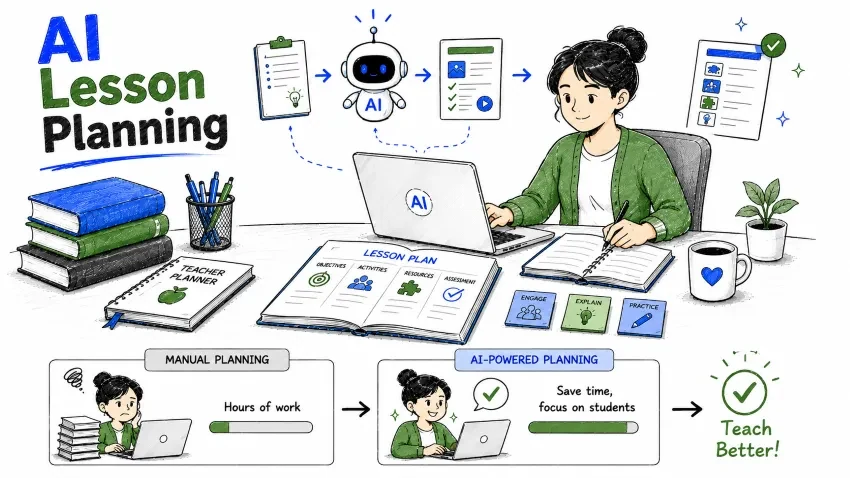
In this tutorial, you will learn how teachers can use AI to:
You do not need technical knowledge to start.
AI lesson planning means using AI tools to help teachers design, organize, and generate teaching materials more efficiently.
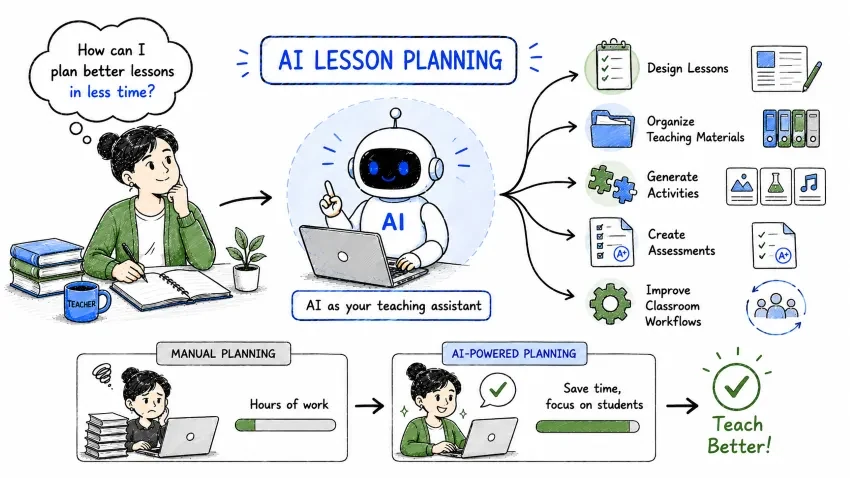
AI lesson planning means using AI tools to help teachers:
AI acts like a teaching assistant that helps reduce repetitive planning work.
Instead of spending hours creating materials manually, teachers can use AI to speed up the process.
This section explains why AI lesson planning is important for reducing teacher workload and improving classroom outcomes.
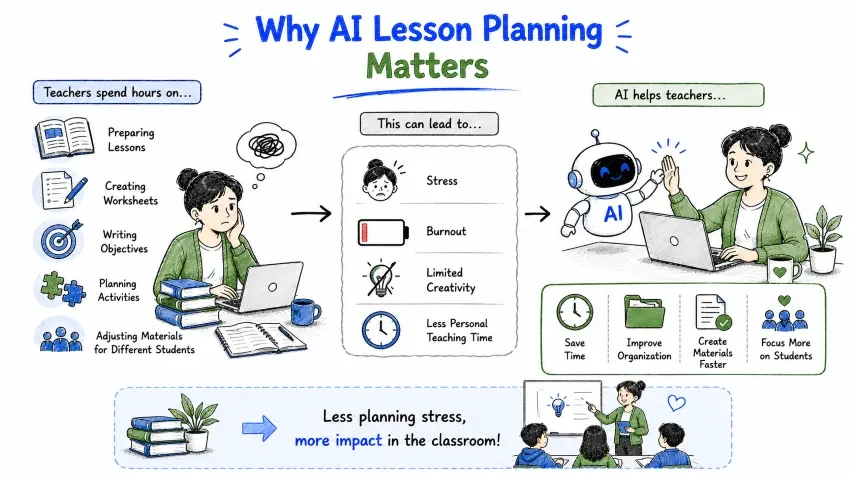
Teachers often spend large amounts of time on:
This can lead to:
AI helps teachers:
A practical story showing how a real teacher (Mrs. Sharma) uses AI to save time and create better lessons.
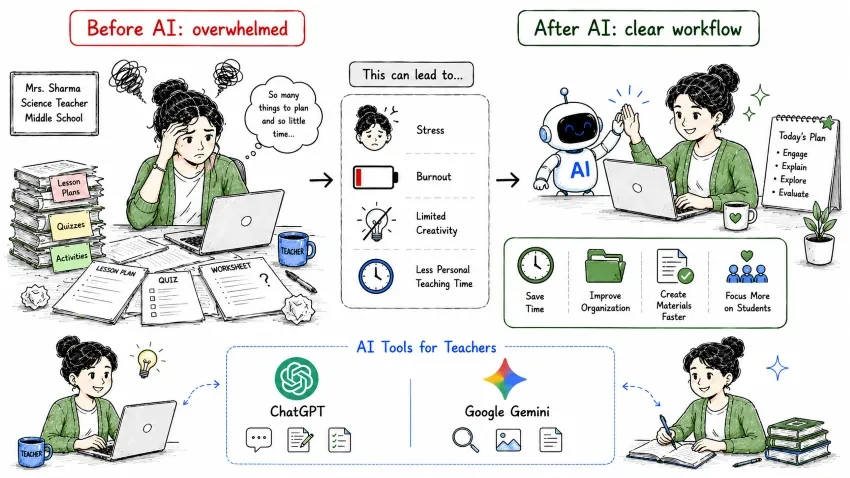
Mrs. Sharma teaches science in middle school.
Every week she spends:
Using AI, Mrs. Sharma:
As a result:
A quick overview of popular AI assistants teachers can use for lesson planning and classroom preparation.
Teachers commonly use:
These tools help with:
AI should support teachers — not replace them. Always review AI-generated content before classroom use.
AI should support teachers — not replace them.
Teachers still provide:
AI-generated lesson plans should always be reviewed before classroom use.
Learn how to use AI to quickly create structured lesson plans with objectives, activities, and assessments.
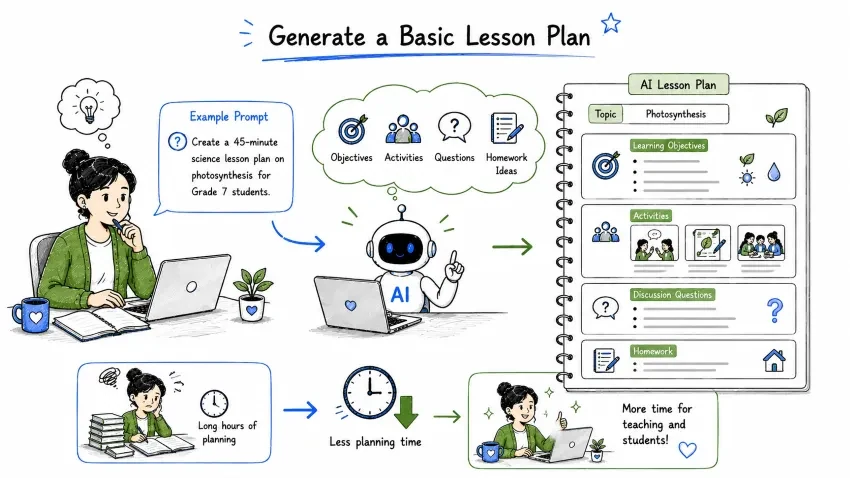
AI can quickly create lesson structures.
Example Prompt:
Create a 45-minute science lesson plan on photosynthesis for Grade 7 students.
AI may generate:
Topic — Photosynthesis
Learning Objectives Students will:
Activities
Homework Write a short explanation of photosynthesis.
This saves significant planning time.
Use AI to generate clear, SMART learning objectives that improve teaching focus and student outcomes.
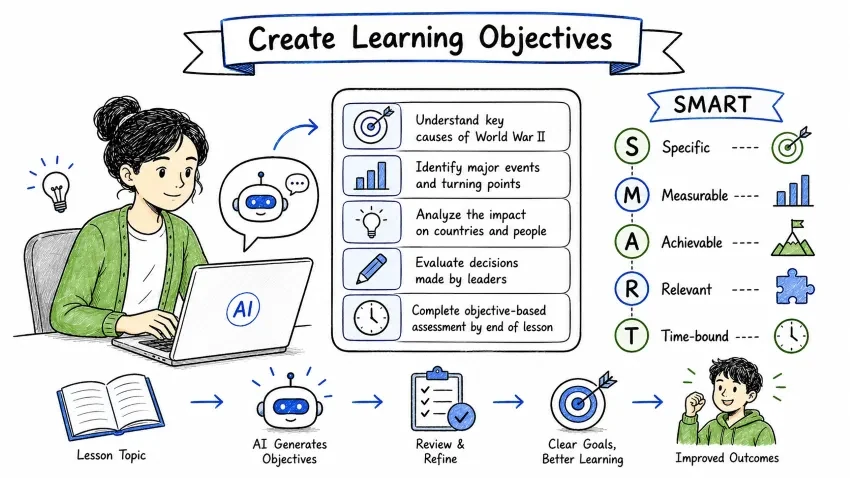
Clear objectives improve teaching quality.
Example Prompt:
Generate SMART learning objectives for a history lesson on World War II.
| Letter | Meaning |
|---|---|
| S | Specific |
| M | Measurable |
| A | Achievable |
| R | Relevant |
| T | Time-bound |
AI helps teachers create clearer educational goals.
Let AI create interactive activities, games, discussions, and projects to make your lessons more engaging.
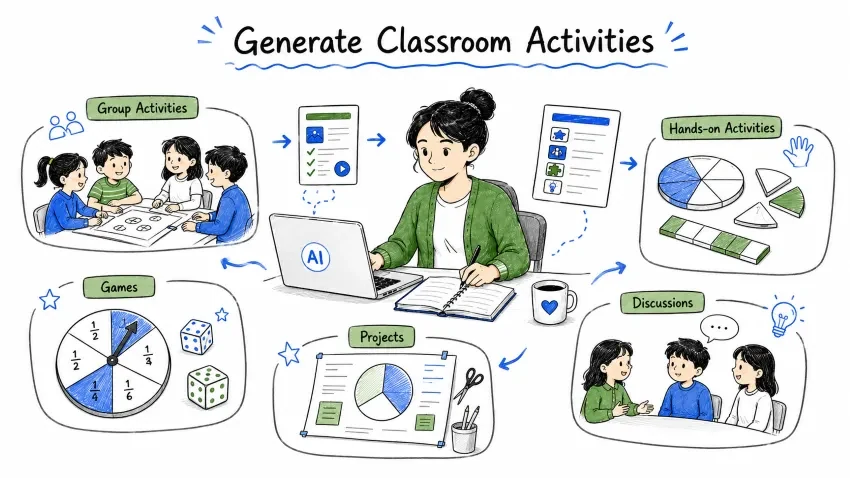
AI can create:
Example Prompt:
Generate interactive classroom activities for teaching fractions to elementary students.
Interactive activities improve student engagement.
Adapt your lessons for beginners, advanced learners, and struggling students with AI-powered differentiation.
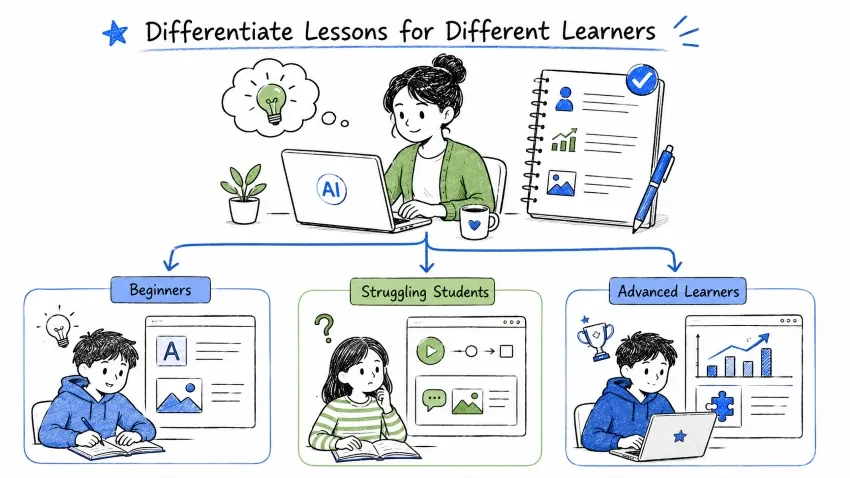
Students learn at different speeds.
AI can adapt lessons for:
Example Prompt:
Modify this lesson plan for students with different learning abilities.
AI may create:
This improves inclusive teaching.
Save hours by using AI to create practice worksheets, exercises, and problem sets in seconds.
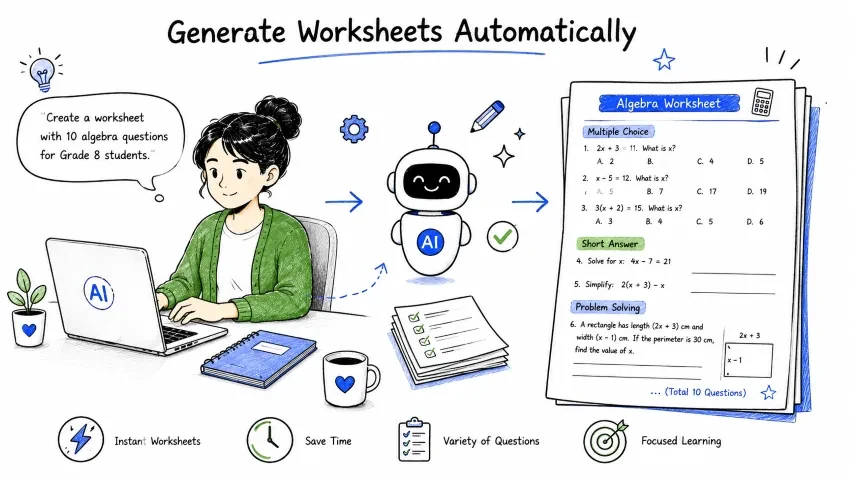
AI can create worksheets instantly.
Example Prompt:
Create a worksheet with 10 algebra questions for Grade 8 students.
Worksheets may include:
Generate critical-thinking questions that spark meaningful classroom discussions and student participation.
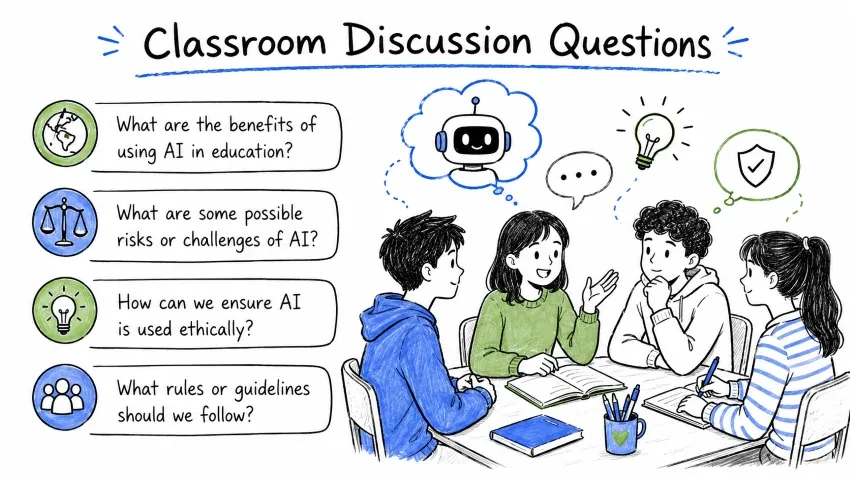
Discussion improves student participation.
Example Prompt:
Generate critical-thinking discussion questions about climate change.
Critical-thinking questions improve engagement.
Get creative storytelling, roleplay, games, and project-based learning ideas generated by AI.
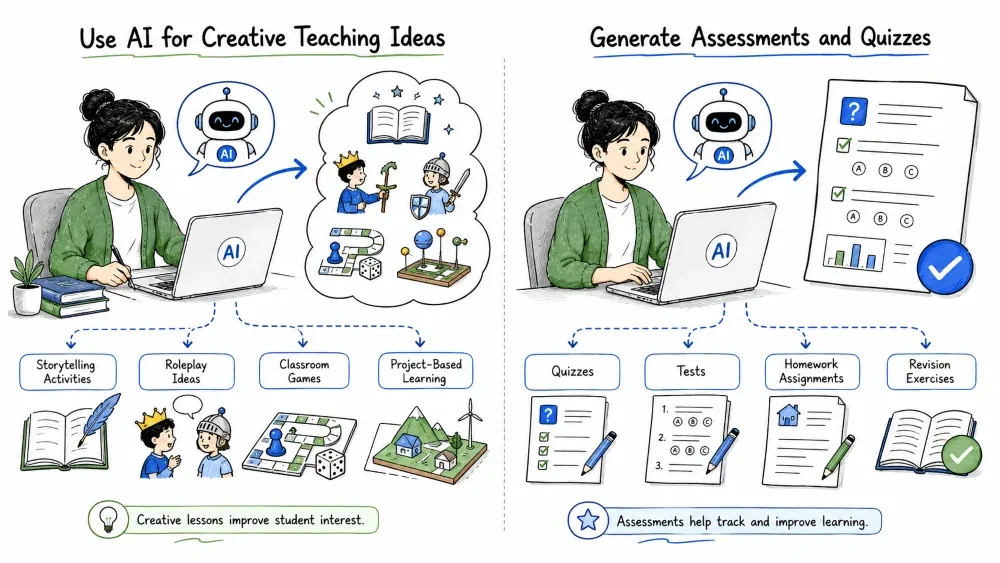
AI can generate:
Example Prompt:
Suggest creative teaching ideas for introducing the solar system.
Creative lessons improve student interest.
Use AI to create quizzes, tests, homework assignments, and revision exercises complete with answers.
AI can create:
Example Prompt:
Create a quiz on the water cycle with answers.
Question: What causes evaporation?
A. Cold temperatures
B. Heat energy
C. Wind only
D. Gravity
Answer: B. Heat energy
Assessments become easier to create.
Generate meaningful homework tasks quickly with AI for any subject or grade level.
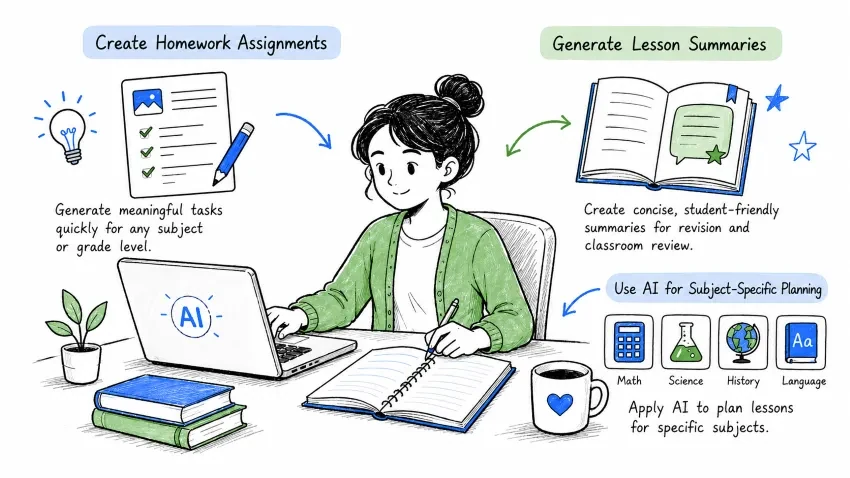
AI can generate homework quickly.
Example Prompt:
Generate homework assignments for a Grade 5 English lesson.
Homework may include:
Create concise, student-friendly summaries of any lesson for revision and classroom review.
AI can create concise summaries for:
Example Prompt:
Summarize this lesson into student-friendly revision notes.
Apply AI to plan lessons for specific subjects like Mathematics, Science, History, and Language Learning.
AI helps create:
Example Prompt:
Create a geometry lesson plan with activities.
AI can generate:
Example Prompt:
Generate a biology lesson plan with classroom experiments.
AI can create:
Example Prompt:
Create an engaging lesson plan about the French Revolution.
AI helps generate:
Example Prompt:
Generate English grammar activities for beginners.
Create reusable AI prompt templates for consistent, efficient lesson planning across all your classes.
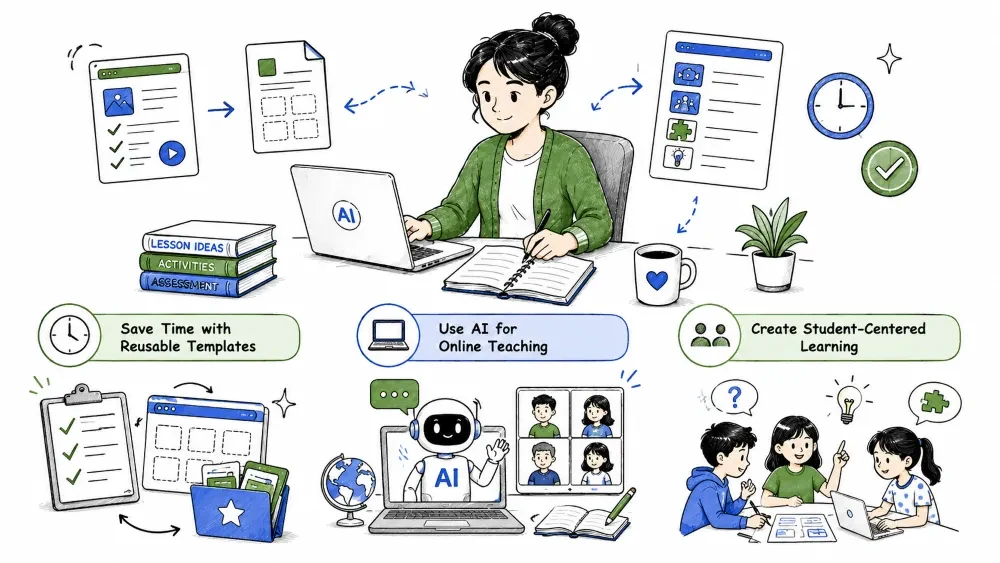
Teachers can create reusable AI prompts.
Example Prompt Template:
Create a [duration]-minute lesson plan on [topic] for [grade level] students including:
- learning objectives
- activities
- discussion questions
- assessment
- homework
Templates improve consistency and efficiency.
Discover how AI helps with virtual classrooms, online assignments, and digital learning activities.
AI is especially useful for:
Example Prompt:
Create an online-friendly lesson plan for remote students.
Shift from lecture-only teaching to interactive, activity-based, and inquiry-based learning with AI support.
AI can help teachers shift from:
to:
This improves participation and understanding.
A quick-reference collection of the most useful AI prompts for lesson planning tasks.
Create a complete lesson plan for this topic.
Generate engaging classroom activities for this lesson.
Create a quiz with answers for this chapter.
Generate practice worksheets for students.
Adapt this lesson for different learning levels.
Pro tips and strategies to get the most out of AI for your lesson planning workflow.
Good lessons begin with clear goals.
Always define:
Students learn better through:
AI can help generate active learning ideas.
Every classroom is different.
Teachers should adapt AI-generated lessons based on:
Always verify:
Teacher oversight is essential.
Learn what common mistakes teachers make with AI lesson planning — and how to avoid them.
AI may:
Always review materials.
Too many activities can confuse students.
Keep lessons focused and balanced.
AI cannot fully understand:
Teachers still make final decisions.
AI supports teaching.
It does not replace:
Understand the right and wrong ways to use AI for lesson planning — use it as a tool, not a shortcut.
Teachers should use AI responsibly.
Good Uses:
Bad Uses:
Student privacy and safety remain important.
A hands-on task to apply everything you have learned in this tutorial.
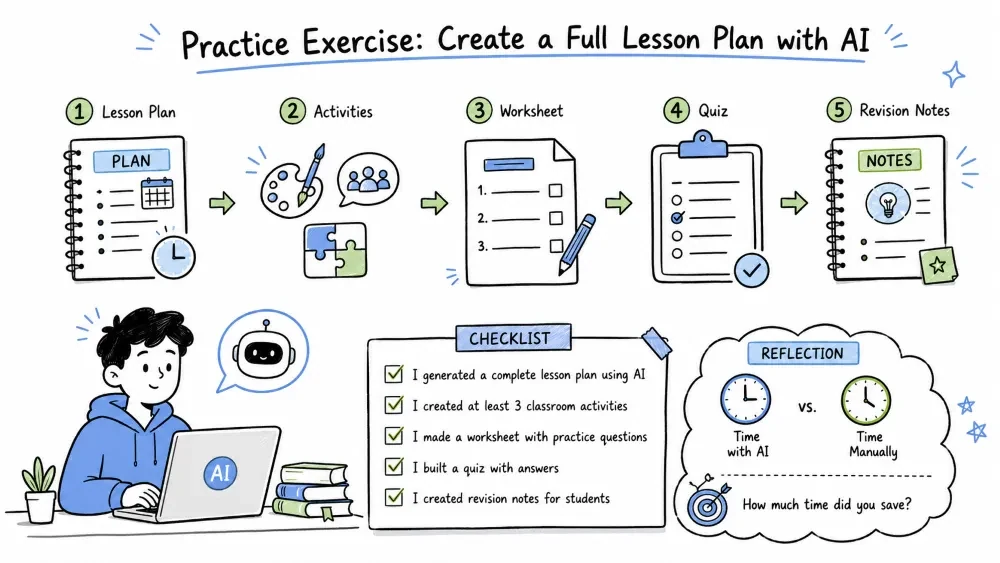
Choose one topic you currently teach or plan to teach.
| # | Task | AI Prompt to Use |
|---|---|---|
| 1 | Create a lesson plan | Create a complete lesson plan on [topic] for [grade level]. |
| 2 | Generate activities | Generate engaging classroom activities for [topic]. |
| 3 | Create a worksheet | Create a worksheet with questions for [topic]. |
| 4 | Build a quiz | Create a quiz with answers for [topic]. |
| 5 | Generate revision notes | Summarize this lesson into student-friendly revision notes. |
Reflection: After completing all 5 tasks, compare the time it took vs. doing it manually. How much time did you save?
A one-week challenge to build a consistent AI lesson planning habit and track your time savings.
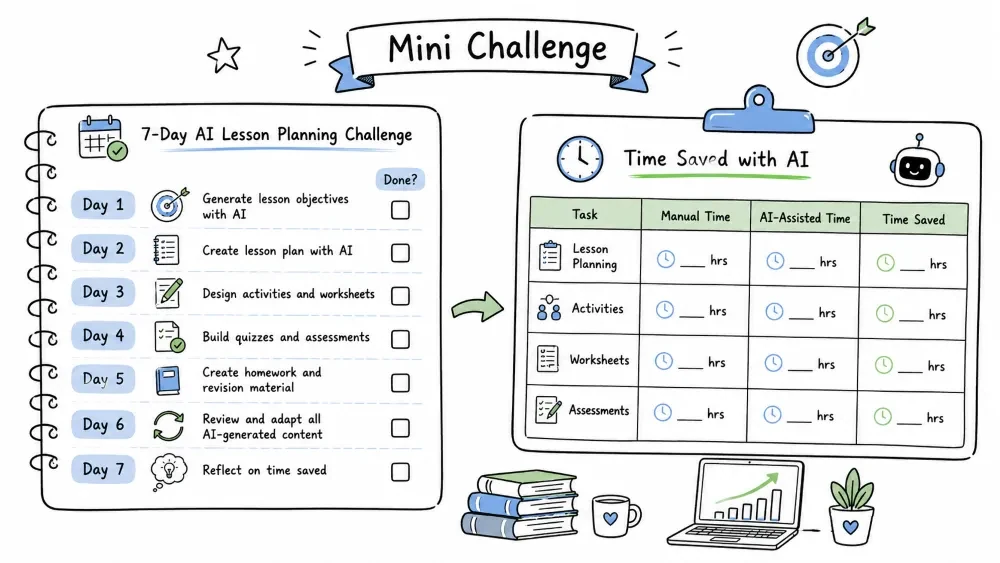
Use AI to plan one full week of lessons.
| Day | Task | Done? |
|---|---|---|
| Day 1 | Generate lesson objectives with AI | ☐ |
| Day 2 | Create lesson plan with AI | ☐ |
| Day 3 | Design activities and worksheets | ☐ |
| Day 4 | Build quizzes and assessments | ☐ |
| Day 5 | Create homework and revision material | ☐ |
| Day 6 | Review and adapt all AI-generated content | ☐ |
| Day 7 | Reflect on time saved | ☐ |
Track how much time you saved:
| Task | Manual Time | AI-Assisted Time | Time Saved |
|---|---|---|---|
| Lesson Planning | hrs | hrs | hrs |
| Activities | hrs | hrs | hrs |
| Worksheets | hrs | hrs | hrs |
| Assessments | hrs | hrs | hrs |
Observe how AI reduces preparation time.
A summary of the key advantages you gain by using AI for your lesson planning workflow.
AI helps teachers:
A realistic look at what AI cannot do — so you know when to rely on your own teaching expertise instead.
AI cannot:
Teachers must still:
Ready for more? In the next tutorial, you will learn how to use AI for grading, feedback, and assessment.
Learn how teachers can use AI to:
Save your progress and earn XP for completing tutorials.
Technology
AI for everyone
Lesson group
The Future Ready Teacher
Progress
25% complete

