Preparing your learning space...
100% through The High Performance Student tutorials
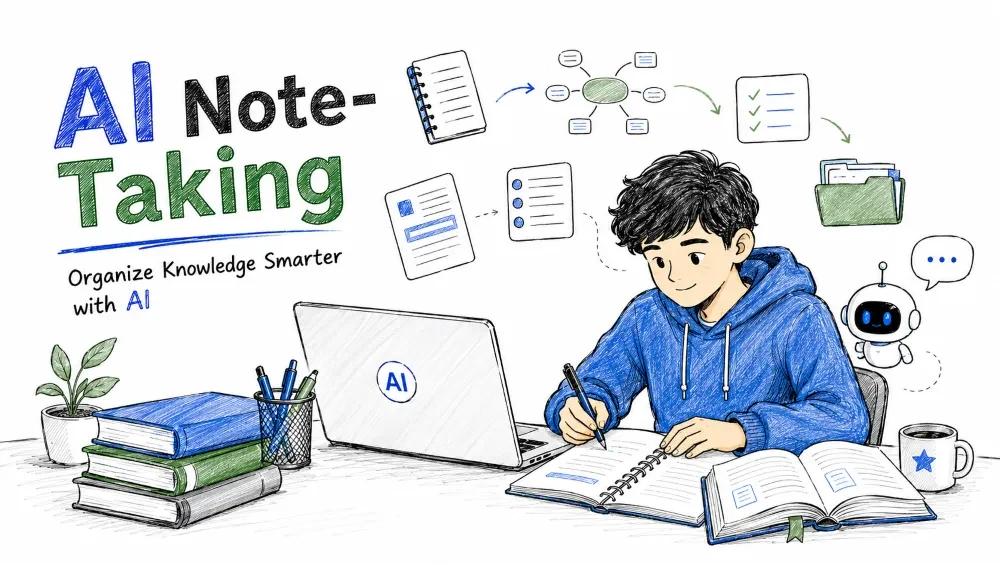
In this tutorial, you will learn how to use AI to:
You do not need technical skills to start.
AI Note-Taking is the practice of using artificial intelligence tools to capture, summarize, organize, and transform information into structured, easy-to-review study material.
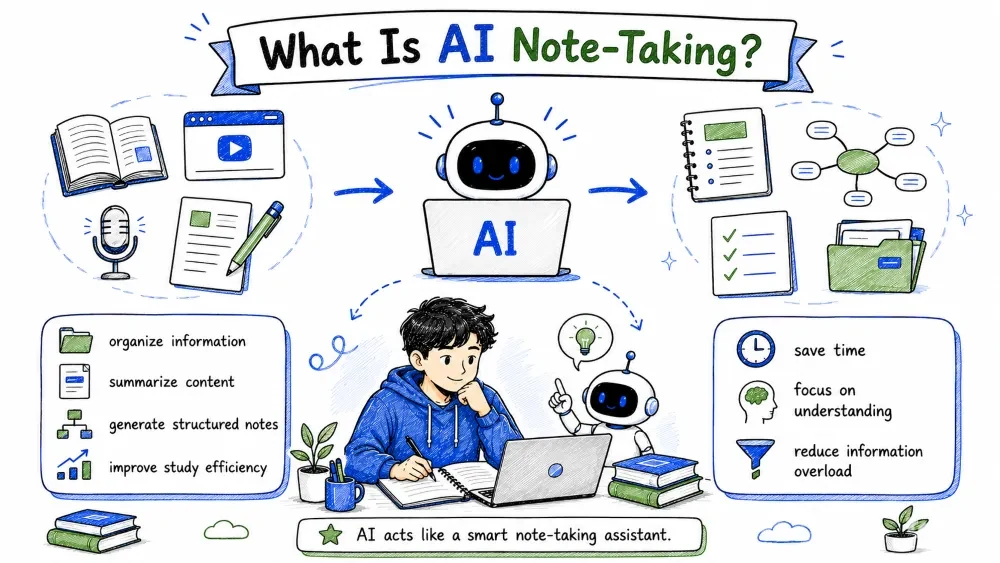
AI note-taking means using AI tools to:
Instead of manually writing everything, AI helps students:
AI acts like a smart note-taking assistant.
This section explains why high-quality notes are essential for effective learning and how AI can transform your note-taking process.
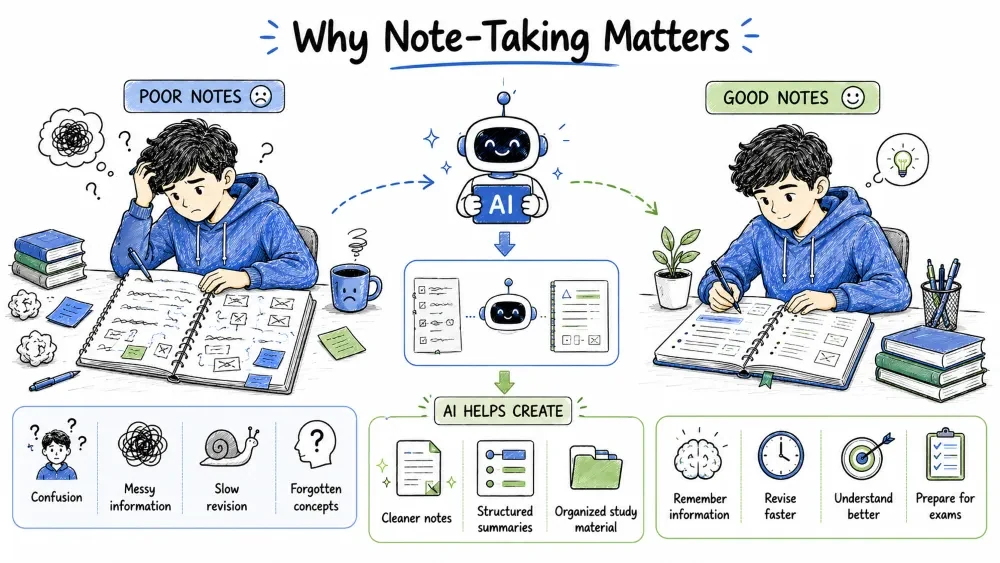
Good notes help students:
Poor notes often lead to:
AI helps create:
A practical story showing how a real student (Kabir) uses AI note-taking to solve everyday study problems.
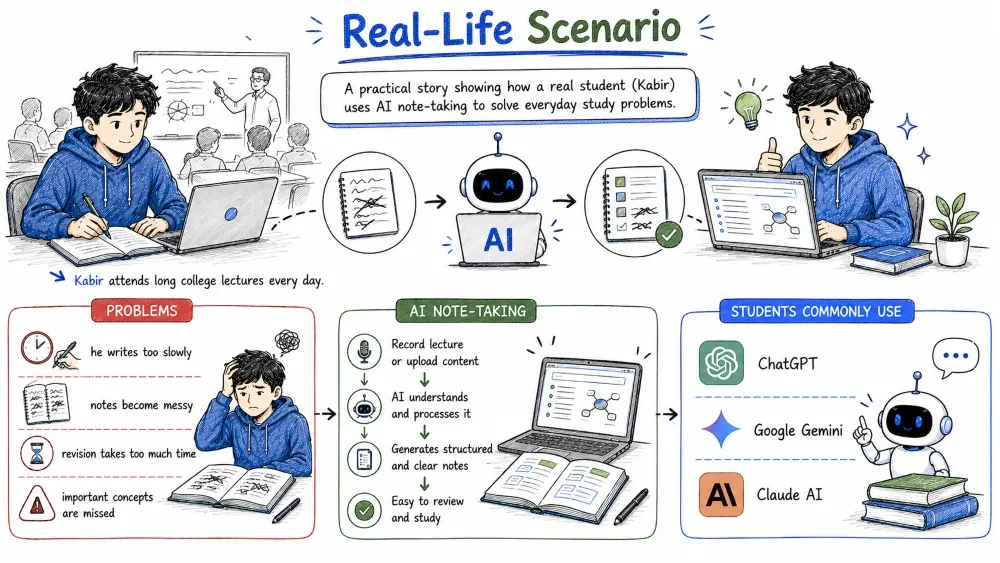
Kabir attends long college lectures every day.
Problems:
Using AI, Kabir:
As a result:
A quick overview of popular AI assistants you can use for note-taking and what each one helps you accomplish.
Students commonly use:
These tools help with:
A critical reminder that AI tools are assistants — not replacements — for your own understanding and critical thinking.
AI-generated notes are not always perfect.
AI can:
Always:
AI should support learning — not replace understanding.
Learn how to use AI to condense long lecture notes into short, clear summaries that are easy to revise.
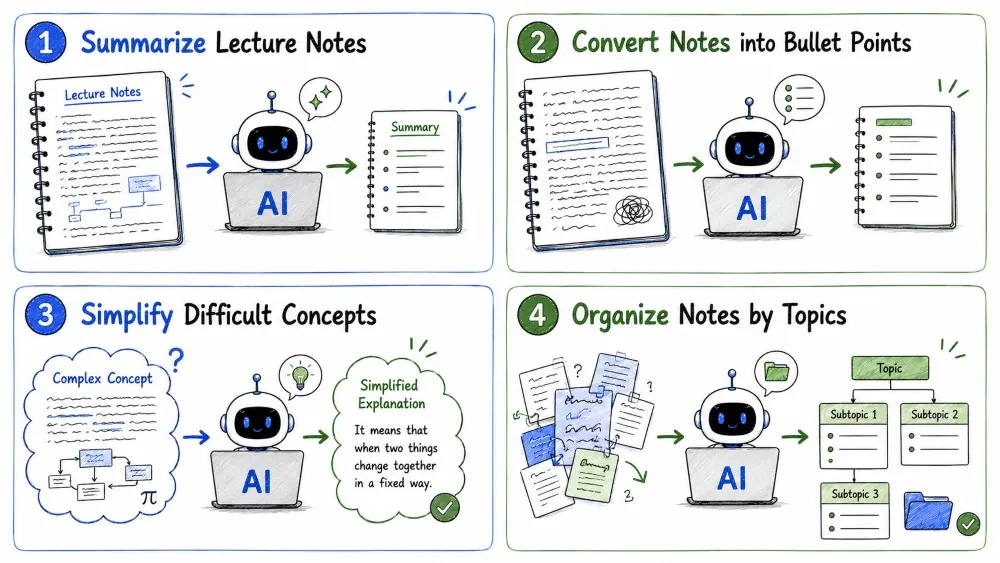
AI can convert large lecture notes into concise summaries.
Example Prompt:
Summarize these lecture notes into clear study notes.
Paste your lecture notes below the prompt.
Original Lecture — 10 pages about climate change.
AI Summary
Climate Change Overview
Main Causes
Effects
This makes revision much faster.
Transform long, messy paragraphs into clean, scannable bullet points for faster revision.
Messy paragraphs are difficult to revise.
AI can organize notes into bullet points.
Example Prompt:
Convert these notes into clean bullet points.
Human Digestive System
Bullet points improve readability.
Use AI to rewrite complex or technical content into beginner-friendly language that is easier to understand.
AI can rewrite complex notes into simple language.
Example Prompt:
Explain these notes in beginner-friendly language.
Useful for:
Let AI automatically group related information into categories and subtopics so your notes have a clear structure.
AI can categorize information automatically.
Example Prompt:
Organize these notes into categories and subtopics.
Artificial Intelligence
Organized notes improve understanding.
Learn the popular Cornell note-taking method and how AI can automatically format your notes into this structured layout.
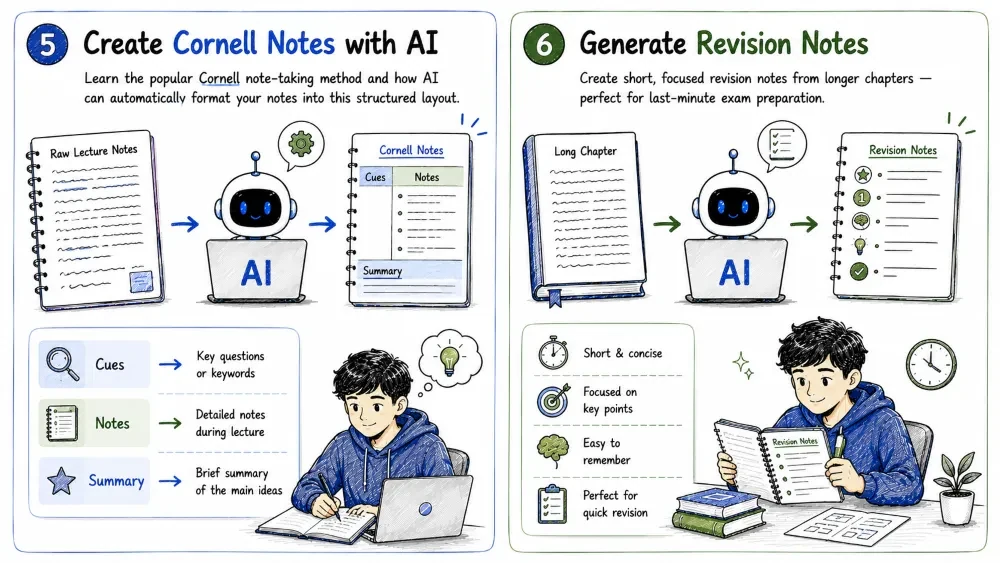
Cornell Notes are a popular study method.
Structure:
| Section | Purpose |
|---|---|
| Notes | Main information |
| Questions | Key questions |
| Summary | Quick review |
AI can generate Cornell Notes automatically.
Example Prompt:
Convert these notes into Cornell note format.
Create short, focused revision notes from longer chapters — perfect for last-minute exam preparation.
AI can create short revision-friendly summaries.
Example Prompt:
Create concise revision notes from this chapter.
Newton's Laws
Short notes improve exam revision speed.
Turn your notes into question-and-answer flashcards automatically — a proven method to boost memory retention.
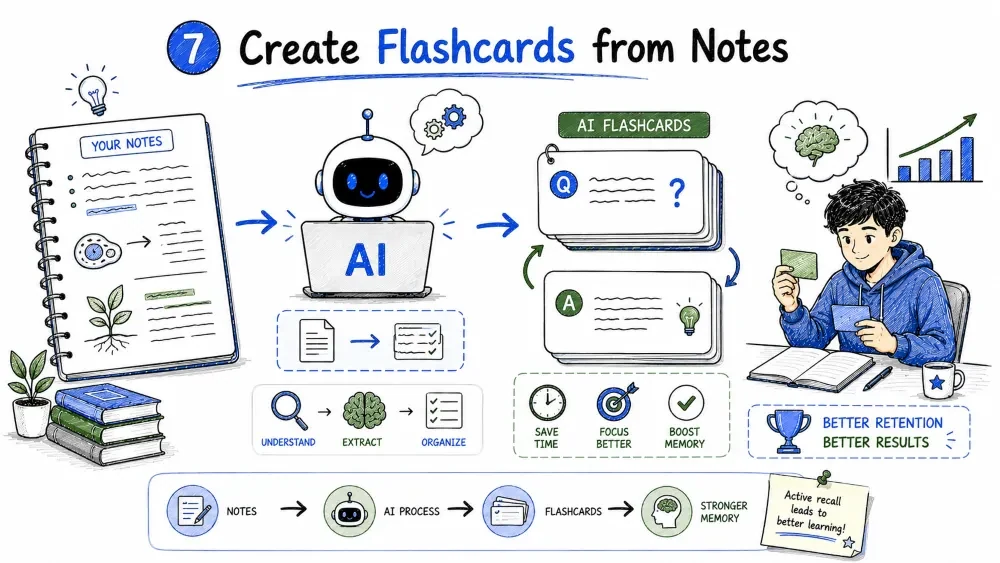
AI can generate flashcards instantly.
Example Prompt:
Create flashcards from these study notes.
Example Output:
| Front | Back |
|---|---|
| What is gravity? | Force attracting objects |
| What is acceleration? | Change in velocity |
Flashcards improve memory retention.
Use AI to generate self-testing quizzes from your notes — a powerful way to practice active recall.
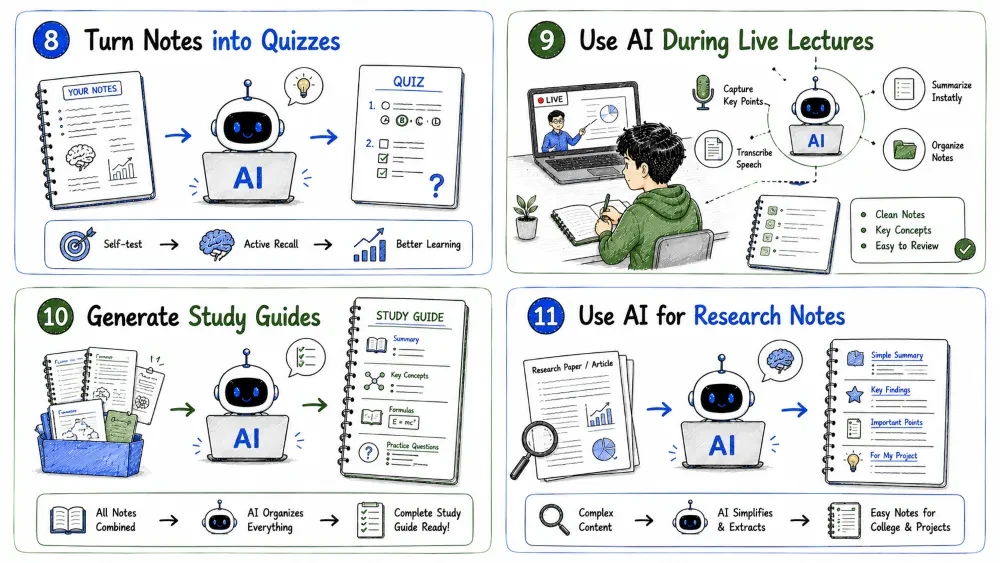
AI can generate self-testing material.
Example Prompt:
Generate quiz questions from these notes.
Example Output:
Question: What causes climate change?
A. Pollution
B. Greenhouse gases
C. Deforestation
D. All of the above
Answer: D. All of the above
Testing improves learning.
A practical workflow for using AI to improve your notes while attending live lectures or online classes.
Students can use AI while studying lectures.
Workflow:
This improves note quality significantly.
Combine all your notes on a topic into a complete study guide with summaries, key concepts, formulas, and practice questions.
AI can combine notes into complete study guides.
Example Prompt:
Create a complete study guide from these lecture notes.
Study guides may include:
Simplify research papers and academic articles into easy-to-understand notes for college and project work.
AI can simplify research note-taking.
Example Prompt:
Summarize this research paper into easy-to-understand notes.
Useful for:
Use AI to present information visually using timelines, comparison tables, hierarchies, and structured formats.
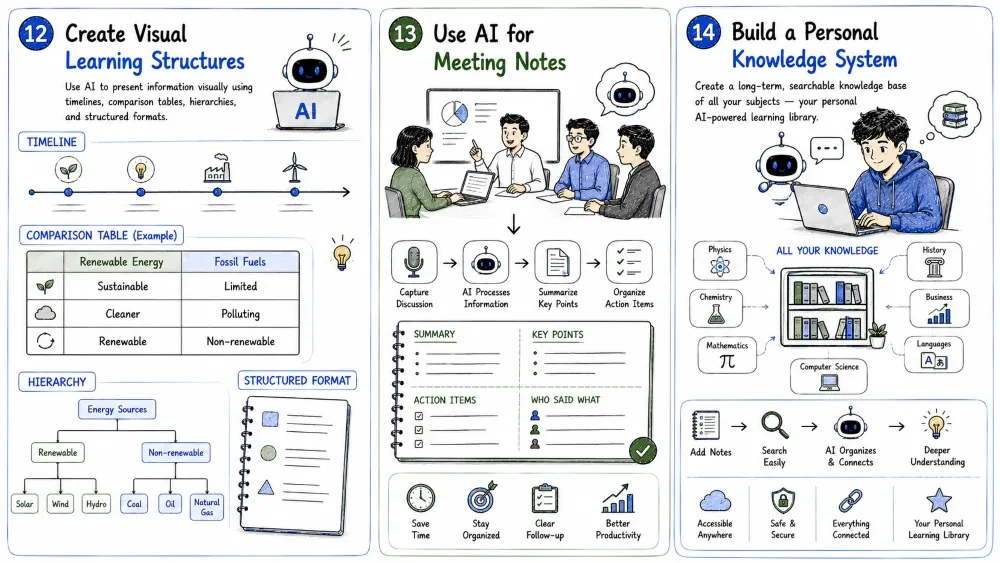
AI can organize information into:
Example Prompt:
Convert these notes into a comparison table.
| Renewable Energy | Fossil Fuels |
|---|---|
| Sustainable | Limited |
| Cleaner | Polluting |
| Renewable | Non-renewable |
Visual organization improves memory.
Apply AI note-taking beyond academics — summarize meetings, extract tasks, and organize professional discussions.
AI note-taking is useful beyond academics.
Professionals use AI to:
Example Prompt:
Summarize this meeting transcript into key points and action items.
Create a long-term, searchable knowledge base of all your subjects — your personal AI-powered learning library.
AI can help organize long-term learning.
Students can create:
This creates smarter learning systems.
A quick-reference collection of the most useful AI prompts for note-taking tasks.
Summarize these notes clearly and concisely.
Convert this content into bullet-point notes.
Explain these notes in simple language.
Create flashcards from these notes.
Generate quiz questions from this chapter.
Pro tips and strategies to get the most out of AI for your study routine.
Do not rely completely on AI during lectures.
Write:
Then improve notes using AI later.
Long notes reduce revision efficiency.
Focus on:
After reading notes:
This improves memory.
Revision strengthens long-term retention.
AI can help schedule revision sessions.
Learn what mistakes students commonly make with notes — and how to avoid them with AI.
Trying to write every word wastes time.
Focus on important ideas.
Understanding matters more than collecting information.
Messy notes slow down revision.
Structure is important.
AI-generated notes still require:
Understand the right and wrong ways to use AI for note-taking — use it as a learning tool, not a shortcut.
Good Uses:
Bad Uses:
Students should use AI responsibly.
A hands-on task to apply everything you have learned in this tutorial.
Choose one chapter from any subject you are currently studying.
| # | Task | AI Prompt to Use |
|---|---|---|
| 1 | Summarize the chapter | Summarize this chapter clearly and concisely. |
| 2 | Create bullet-point notes | Convert this content into bullet-point notes. |
| 3 | Generate flashcards | Create flashcards from these notes. |
| 4 | Create quiz questions | Generate quiz questions from this chapter. |
| 5 | Generate revision notes | Create concise revision notes from this chapter. |
Reflection: After completing all 5 tasks, compare your AI-organized notes with your original notes. What improved?
A one-week challenge to build a consistent AI note-taking habit and track your progress.
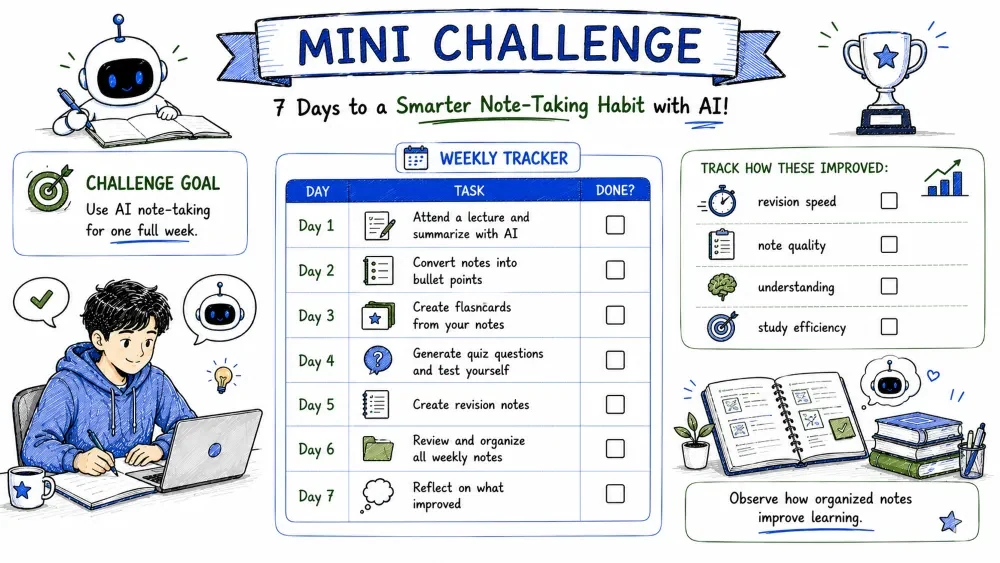
Use AI note-taking for one full week.
| Day | Task | Done? |
|---|---|---|
| Day 1 | Attend a lecture and summarize with AI | ☐ |
| Day 2 | Convert notes into bullet points | ☐ |
| Day 3 | Create flashcards from your notes | ☐ |
| Day 4 | Generate quiz questions and test yourself | ☐ |
| Day 5 | Create revision notes | ☐ |
| Day 6 | Review and organize all weekly notes | ☐ |
| Day 7 | Reflect on what improved | ☐ |
Track how these improved:
Observe how organized notes improve learning.
A summary of the key advantages you gain by using AI for your note-taking workflow.
AI helps:
A realistic look at what AI cannot do — so you know when to rely on your own understanding instead.
AI cannot:
Students must still:
Ready for more? In the next tutorial, you will learn how teachers can use AI to plan lessons and create classroom activities.
Learn how teachers can use AI to:
Save your progress and earn XP for completing tutorials.
Technology
AI for everyone
Lesson group
The High Performance Student
Progress
100% complete

