Preparing your learning space...
27% through Projects tutorials
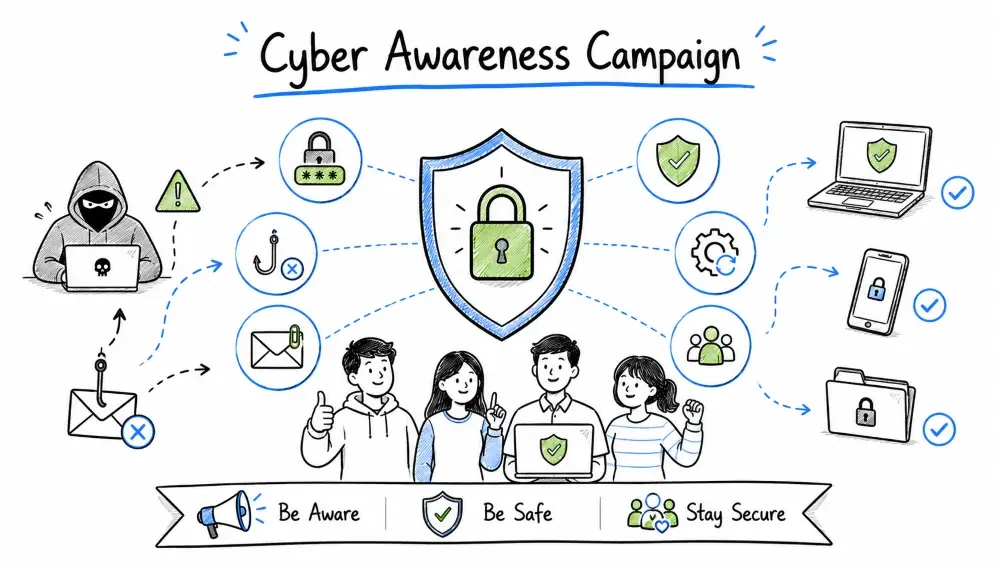
In this project, you will design and develop a complete cyber awareness campaign for an organization. The goal is to educate employees, promote security-conscious behavior, and reduce human-related security risks. You'll create campaign materials, plan training sessions, design phishing simulations, and develop metrics to measure success.
You are the Security Awareness Officer at MediCare Health Services, a mid-sized healthcare company with 200 employees. After a recent phishing incident that compromised patient data, management has approved a comprehensive cyber awareness campaign.
Campaign Goal: Reduce human-related security incidents by 60% within 6 months.
** Free Lab Setup**: This entire campaign can be run using only free tools:
- Canva — Design posters and graphics (free tier)
- Google Forms — Surveys and quizzes (free)
- GoPhish — Phishing simulations (free, self-hosted)
- Mailchimp — Newsletter distribution (free tier, up to 500 contacts)
- Google Slides / PowerPoint Online — Presentation creation (free)
- Moodle / TalentLMS — Training platform (free tier)
- No paid software required!
📋 Your Step-by-Step Task:
- Read the campaign framework and understand your audience (sections below)
- Segment your audience and tailor messaging for each group
- Design monthly topics for a 6-month campaign calendar
- Create phishing simulation email templates using GoPhish (free)
- Design 3-5 posters using Canva (free tier)
- Write one newsletter using the provided template
- Set up a gamification system with points and rewards
- Create pre- and post-campaign surveys using Google Forms (free)
- Complete the deliverables checklist
- Take the quick quiz
After completing this project, you will be able to:
Studies consistently show that human error is involved in over 80% of data breaches. Even the best technical security controls can be bypassed by a single employee clicking a malicious link, sharing a password, or falling for a social engineering attack.
| Incident Type | Average Cost (Per Incident) |
|---|---|
| Phishing attack | $4.91 million |
| Insider threat (accidental) | $307,000 |
| Ransomware (healthcare) | $1.85 million |
| Credential theft | $2.79 million |
Research shows that organizations with effective security awareness programs see:
┌─────────────────────────────────────────────────────┐
│  Step 1: ASSESS                                      │
│  └─ Current state, risks, culture, available budget  │
├─────────────────────────────────────────────────────┤
│  Step 2: PLAN                                         │
│  └─ Goals, audience, topics, timeline, channels       │
├─────────────────────────────────────────────────────┤
│  Step 3: CREATE                                       │
│  └─ Materials, content, simulations, training         │
├─────────────────────────────────────────────────────┤
│  Step 4: EXECUTE                                      │
│  └─ Launch campaign, run events, send communications  │
├─────────────────────────────────────────────────────┤
│  Step 5: MEASURE                                      │
│  └─ Metrics, surveys, phishing results, improvements  │
└─────────────────────────────────────────────────────┘
| Goal Type | Example |
|---|---|
| Specific | Reduce phishing click-through rate from 25% to 10% |
| Measurable | Track via phishing simulation platform |
| Achievable | Monthly simulations, training, and reinforcement |
| Relevant | Directly addresses recent phishing incident |
| Time-bound | Achieve within 6 months |
| Group | Size | Risk Level | Technical Skill | Preferred Channel |
|---|---|---|---|---|
| Executives | 10 | High (targeted attacks) | Low-Medium | Email, in-person briefings |
| IT Staff | 15 | High (system access) | High | Slack, technical bulletins |
| Clinical Staff | 80 | Medium (patient data) | Low | Email, posters, huddles |
| Admin Staff | 60 | Medium (sensitive data) | Low-Medium | Email, training sessions |
| Remote Workers | 35 | High (home networks) | Medium | Email, virtual workshops |
For Executives:
For IT Staff:
For General Staff:
| Month | Theme | Key Message |
|---|---|---|
| Month 1 | Phishing Prevention | "Think Before You Click" |
| Month 2 | Password Security | "Make Passwords Your Superpower" |
| Month 3 | Data Privacy | "Protect Patient Data, Protect Our Reputation" |
| Month 4 | Social Engineering | "Trust But Verify" |
| Month 5 | Device Security | "Secure Devices, Secure Work" |
| Month 6 | Incident Response | "See Something? Say Something!" |
Key Concepts:
  - What is phishing? (Email, SMS, Voice, Social media)
  - Red flags to look for
  - URL inspection techniques
  - Reporting suspicious emails
  - Real phishing examples from healthcare

Training Outcomes:
  - Employees can identify 5+ phishing indicators
  - Use the "Hover, Don't Click" technique
  - Report phishing using the designated button
  - Know to verify unusual requests via a different channel
Key Concepts:
  - Why passwords matter
  - Password manager basics
  - Multi-factor authentication (MFA)
  - Creating memorable, strong passphrases
  - Never share passwords (even with IT)

Training Outcomes:
  - 100% adoption of password managers
  - 95% MFA enrollment
  - No password sharing
  - Use of passphrases (minimum 15 characters)
Key Concepts:
  - HIPAA basics for healthcare context
  - Personally Identifiable Information (PII)
  - Data classification (Public, Internal, Confidential, Restricted)
  - Secure file sharing practices
  - Clean desk policy
  - Screen locking when away

Training Outcomes:
  - Proper data handling procedures followed
  - Encrypted file sharing used for sensitive data
  - Screens locked when unattended
  - Documents stored securely
Key Concepts:
  - Pretexting (creating a fabricated scenario)
  - Baiting (USB drops, free downloads)
  - Tailgating (following through secure doors)
  - Vishing (voice phishing calls)
  - Quizzes/quid pro quo (fake surveys, fake IT support)

Training Outcomes:
  - Challenge unknown visitors
  - Don't plug in unknown USB drives
  - Verify caller identity before sharing info
  - Report suspicious interactions
Key Concepts:
  - Keep software and OS updated
  - Anti-virus/malware protection
  - Secure WiFi usage (avoid public WiFi)
  - Mobile device security (PIN/biometrics, encryption)
  - Remote work security (VPN usage)
  - Physical security (lock laptops, secure phones)

Training Outcomes:
  - Updates installed promptly
  - VPN used for remote work
  - Devices encrypted
  - Lost device reporting procedure known
Key Concepts:
  - What counts as a security incident
  - When and how to report
  - Who to contact
  - Do's and Don'ts (don't delete evidence)
  - No blame culture — reporting helps everyone
  - Actual incident reporting process

Training Outcomes:
  - Incidents reported within 1 hour of discovery
  - No evidence destroyed
  - Employees feel safe reporting mistakes
  - Reporting channels known by 100% of staff
| Material | Best For | Cost | Effort | Engagement |
|---|---|---|---|---|
| Posters | Passive awareness | Low | Low | Low |
| Email newsletters | Regular reminders | Low | Medium | Medium |
| Training workshops | Deep learning | Medium | High | High |
| Phishing simulations | Behavioral change | Medium | Medium | High |
| Videos | Engaging content | Medium | High | High |
| Quizzes | Knowledge check | Low | Low | Medium |
| Infographics | Quick reference | Medium | Medium | Medium |
| Desktop wallpapers | Constant reminder | Low | Low | Medium |
| Screensavers | Passive awareness | Low | Low | Low |
| Swag (stickers, merch) | Culture building | Medium | Low | High |
For a 6-month campaign, use a multi-channel approach:
| Frequency | Channel | Content |
|---|---|---|
| Monthly | Email newsletter | Topic summary, tips, quiz |
| Monthly | Phishing simulation | Simulated attacks (increasing difficulty) |
| Monthly | Poster campaign | Visual reminder of monthly topic |
| Quarterly | Live training workshop | Deep dive into key topics |
| Quarterly | All-hands presentation | Metrics, wins, improvement areas |
| Bi-weekly | Slack/Teams tip | Quick security tip |
| Weekly | Digital signage | Rotating security messages |
| Ongoing | Incident reporting | Real examples and lessons learned |
PHISHING SIMULATION PLAN
──────────────────────────
Campaign Name: Project Sea Lion
Frequency: Monthly
Platform: GoPhish (free and open source — recommended)

Simulation Schedule:
  Month 1: Generic phishing (easy) — "Package delivery notification"
  Month 2: Healthcare-themed — "Patient portal update required"
  Month 3: HR-themed — "Update your benefits information"
  Month 4: Executive impersonation — "CEO requests urgent wire transfer"
  Month 5: Sophisticated spear-phish — Personalized to department
  Month 6: Multi-channel — Phishing email + follow-up voice call
FROM: noreply@medicare-portal.com
SUBJECT: Action Required: Verify Your Account Access

Dear Employee,

Due to recent security updates, ALL MediCare employees
must verify their account credentials by end of day.

Click here to verify: http://medicare-portal.com/verify

Failure to verify will result in account suspension.

Thank you,
IT Security Team

─────────────────────────────────────────
RED FLAGS in this email:
  1. Suspicious sender domain (not medicare-health.com)
  2. Creates urgency ("end of day")
  3. Threatens negative consequences ("account suspension")
  4. Generic greeting (not addressed to you by name)
  5. Suspicious link (hover to check before clicking)
─────────────────────────────────────────
| Month | Emails Sent | Clicks | Credentials Entered | Reported | Click Rate | Report Rate |
|---|---|---|---|---|---|---|
| 1 | 200 | 50 | 15 | 20 | 25% | 10% |
| 2 | 200 | 40 | 10 | 35 | 20% | 17.5% |
| 3 | 200 | 30 | 5 | 50 | 15% | 25% |
| 4 | 200 | 22 | 3 | 60 | 11% | 30% |
| 5 | 200 | 16 | 2 | 72 | 8% | 36% |
| 6 | 200 | 14 | 1 | 80 | 7% | 40% |
Target: Click rate < 10%, Report rate > 30%
For employees who click:
  1. Immediate: Automated training video plays
  2. Same day: Manager notified (if repeated offender)
  3. Within week: 1-on-1 coaching session with security team
  4. Follow-up: Re-tested within 30 days

For employees who report:
  1. Immediate: Thank you message (auto-reply)
  2. Weekly: "Reporters' Wall of Fame" recognition
  3. Monthly: Prize drawing for reporters
  4. Positive reinforcement: "Good catch!" certificate
SECURITY AWARENESS WORKSHOP
Duration: 60 minutes
Format: Interactive (not lecture!)
Maximum Participants: 20 per session

Agenda:
  0:00-0:05 — Welcome & Icebreaker
  0:05-0:15 — Real-World Breach Story (with local relevance)
  0:15-0:30 — Interactive Activity (see below)
  0:30-0:45 — Key Takeaways & Practical Tips
  0:45-0:55 — Quiz / Challenge Exercise
  0:55-1:00 — Q&A & Resources
Activity 1: "Spot the Phish"
Activity 2: "Password Crackdown"
Activity 3: "Social Engineering Roleplay"
Activity 4: "Security Escape Room"
Facilitator Guide:
  - Script and talking points
  - Timing suggestions
  - FAQs and answers
  - Backup activities (if tech fails)

Participant Handout:
  - Key takeaways summary
  - Quick reference cards
  - Emergency contact numbers
  - Resources for further learning

Presentation Slides:
  - Visual, not text-heavy
  - Real screenshots and examples
  - Embedded quiz questions
  - Organization-specific examples
┌──────────────────────────────────────┐
│                                      │
│      CYBER SECURITY MONTH            │
│                                      │
│    THINK BEFORE YOU CLICK            │
│                                      │
│       Check the sender               │
│       Hover over links               │
│       Look for poor grammar          │
│       Don't rush — take your time    │
│                                      │
│    Report suspicious emails to:      │
│    security@medicare-health.com      │
│                                      │
└──────────────────────────────────────┘
       Design: Clean, branded, one key message
       Size: A3 (297mm x 420mm) or Tabloid (11"x17")
       Placement: Break rooms, by printers, entrances
       Rotate: Monthly (tie to monthly theme)
| Month | Title | Visual |
|---|---|---|
| 1 | "Is This Email Safe?" | Split-screen: safe vs phishing |
| 2 | "Your Password is Your Shield" | Shield icon with password rules |
| 3 | "Patient Data is Personal" | Medical file with lock |
| 4 | "Who's Really Calling?" | Phone with question mark |
| 5 | "Lock It or Lose It" | Laptop with lock screen |
| 6 | "See Something? Say Something!" | Speech bubble with report button |
| 7 | "Clean Desk, Clear Mind" | Desk before/after |
| 8 | "Update for Protection" | Software update shield |
| 9 | "Public WiFi is Public" | Coffee shop with warning |
| 10 | "Think Before You Share" | Social media sharing graphic |
| 11 | "Secure Your Home Office" | Home office with security icons |
| 12 | "You Are the Security Hero" | Employee with cape, stats |
━━━━━━━━━━━━━━━━━━━━━━━━━━━━━━━━━━━━━━━
 The Secure Sentinel — [Month] Edition
━━━━━━━━━━━━━━━━━━━━━━━━━━━━━━━━━━━━━━━

 THIS MONTH'S METRICS
  ┌─────────────────────────────────────────┐
  │  Phishing click rate: 12% ↓             │
  │  Incidents reported: 45 ↑               │
  │  Training completed: 85%                │
  │  MFA adoption: 92% ↑                    │
  └─────────────────────────────────────────┘

 FEATURE: [Monthly Topic Title]
  [3-4 paragraph article on monthly theme]
  [Real example relevant to our industry]

 3 SECURITY TIPS FOR THIS MONTH
  1. [Tip 1]
  2. [Tip 2]
  3. [Tip 3]

 THIS MONTH'S CHALLENGE
  [Quick quiz question or task]
  [Prize for participants]

 HERO OF THE MONTH
  [Name] reported a phishing email!
  "I noticed the sender address didn't match..."

 UPCOMING EVENTS
  [Date] — Security Workshop (register here)
  [Date] — Phishing Simulation (be ready!)

 RESOURCES
  [Link to security policy]
  [Link to training materials]
  [Link to report an incident]

━━━━━━━━━━━━━━━━━━━━━━━━━━━━━━━━━━━━━━━
Stay secure, stay vigilant!
 Security Team
━━━━━━━━━━━━━━━━━━━━━━━━━━━━━━━━━━━━━━━
| Action | Points |
|---|---|
| Complete monthly training | 100 |
| Report phishing email | 50 |
| Pass phishing simulation | 25 |
| Score 100% on quiz | 75 |
| Attend live workshop | 150 |
| Report real security incident | 200 |
| Share security tip in meeting | 25 |
| Find and fix a security issue | 500 |
Recognition-Based Rewards (Zero Cost):
  - "Security Champion" certificate (printable PDF — free)
  - Shoutout in company all-hands meeting (free)
  - Name on digital "Wall of Fame" (use Google Site — free)
  - "Hero of the Month" featured in newsletter (free)
  - Team trophy (use a free 3D printable design)

 Research shows recognition-based rewards are often MORE
   motivating than small monetary prizes. No budget needed!
┌─────────────────────────────────────────┐
│    SECURITY CHAMPIONS LEADERBOARD       │
├─────────────────────────────────────────┤
│  🥇 Sarah M. (IT) ──── 2,450 pts       │
│  🥈 James L. (Admin) ─ 2,100 pts       │
│  🥉 Priya K. (Finance)  1,875 pts      │
│   4. Mike T. (Clinical) ─ 1,650 pts     │
│   5. Anna W. (HR) ────── 1,420 pts      │
│  ...                                    │
│  Your Points: 950                       │
│  Next Reward at: 1,000 pts (25 away!)   │
└─────────────────────────────────────────┘
| KPI | Baseline | Target (6 months) | Measurement Method |
|---|---|---|---|
| Phishing click rate | 25% | <10% | Simulation platform |
| Phishing report rate | 10% | >30% | Simulation platform |
| Training completion | 40% | >90% | LMS tracking |
| MFA adoption | 60% | >95% | System logs |
| Incident reporting time | ~48 hours | <1 hour | Incident tracking |
| Password manager usage | 10% | >80% | System logs |
| Security culture score | 3.2/5 | >4.0/5 | Employee survey |
EMPLOYEE SECURITY AWARENESS SURVEY
Scale: 1 (Strongly Disagree) to 5 (Strongly Agree)

1. I can identify a phishing email
   [ ] 1 [ ] 2 [ ] 3 [ ] 4 [ ] 5

2. I know how to report a security incident
   [ ] 1 [ ] 2 [ ] 3 [ ] 4 [ ] 5

3. I use a password manager for work accounts
   [ ] Yes [ ] No [ ] What's a password manager?

4. I believe security is everyone's responsibility
   [ ] 1 [ ] 2 [ ] 3 [ ] 4 [ ] 5

5. I feel comfortable reporting if I make a security mistake
   [ ] 1 [ ] 2 [ ] 3 [ ] 4 [ ] 5

6. The security training I've received is relevant and useful
   [ ] 1 [ ] 2 [ ] 3 [ ] 4 [ ] 5

7. I have seen security awareness materials in the office
   [ ] Yes [ ] No [ ] Not sure

8. What topic would you like more training on?
   [Open text]
CAMPAIGN ROI (Example Calculation)
─────────────────────────────────────
When organizations run security awareness campaigns, they typically
see a significant return on investment through reduced incidents.
The example below uses industry averages:

Investment (6 months — if using paid tools):
  Using free tools (GoPhish, Canva, Google Forms): $0
  Using commercial platforms: $5,000-15,000

Benefits Avoided (Industry Averages):
  Phishing incident cost avoided: $50,000
  Ransomware incident cost avoided: $180,000
  Data breach cost avoided: $200,000

ROI with free tools = ∞ (no cost, all benefit)
ROI with commercial platforms = typically 10:1 to 30:1
─────────────────────────────────────
WEEK 1-2: Preparation
  - Set up phishing simulation platform
  - Create training content
  - Design posters and materials
  - Configure reporting tools
  - Send pre-campaign survey

WEEK 3-4: Launch
  - CEO kickoff email
  - Distribute first posters
  - Send first newsletter
  - Launch phishing simulation #1 (easy)
  - Announce rewards program

MONTH 2: Focus on Passwords
  - Newsletter: "Password Security"
  - Phishing simulation #2
  - Workshop: "Password Managers Made Easy"
  - Roll out MFA (if not already active)
  - Poster rotation

MONTH 3: Data Privacy
  - Newsletter: "Protect Patient Data"
  - Phishing simulation #3 (healthcare-themed)
  - Data handling refresher for clinical staff
  - Clean desk policy audit
  - Quarterly survey

MONTH 4: Social Engineering
  - Newsletter: "Trust But Verify"
  - Phishing simulation #4 (CEO fraud)
  - Tailgating awareness campaign
  - Workshop: "Social Engineering Deep Dive"
  - USB drop test (with permission)

MONTH 5: Device Security
  - Newsletter: "Secure Devices, Secure Work"
  - Phishing simulation #5 (spear-phishing)
  - Device security checklist distributed
  - Remote work security webinar
  - Software update compliance drive

MONTH 6: Incident Response & Review
  - Newsletter: "See Something, Say Something"
  - Phishing simulation #6 (multi-channel)
  - Incident response drill
  - Post-campaign survey
  - Final report to management
  - Awards ceremony
This entire campaign can be run for FREE! All the tools you need have free tiers or are completely free and open source. No money required.
| Tool | Purpose | Cost |
|---|---|---|
| Canva | Poster and graphic design | Free tier |
| GoPhish | Phishing simulations | Free (self-hosted) |
| Moodle / TalentLMS | Training platform | Free tier |
| Google Forms | Surveys and quizzes | Free |
| Mailchimp | Newsletter distribution | Free (up to 500 contacts) |
| Google Slides | Presentation creation | Free |
| Google Docs | Documentation and guides | Free |
| Slack / Discord | Team communication | Free tier |
| Notion / Trello | Campaign planning | Free tier |
| Campaign Element | Free Tool to Use |
|---|---|
| Design posters | Canva (free tier has hundreds of templates) |
| Send phishing simulations | GoPhish (free, self-hosted on any PC) |
| Create training content | Google Slides (free) |
| Run quizzes | Google Forms (free, auto-grading) |
| Send newsletters | Mailchimp (free up to 500 contacts) |
| Track metrics | Google Sheets (free) |
| Host workshops | Zoom/Google Meet (free tier) |
Pro tip: Instead of spending money on prizes and swag, use recognition-based rewards — "Security Champion" certificates, shoutouts in company meetings, or a digital "Wall of Fame." These are free and often more motivating than small prizes.
CAMPAIGN: "Guardians of MediCare"
DURATION: July - December (6 months)
AUDIENCE: 200 Employees

EXECUTIVE SPONSOR: CEO + CISO
CAMPAIGN LEAD: Security Awareness Officer

GOAL: Reduce security incidents by 60%
BUDGET: $0 — using free tools (GoPhish, Canva, Google Forms)

MESSAGE PILLARS:
  1. "You are the first line of defense"
  2. "Security enables patient care"
  3. "Reporting helps everyone"
  4. "Continuous improvement, not perfection"

SUCCESS CRITERIA:
  - Phishing click rate: 25% → <10%
  - Phishing report rate: 10% → >30%
  - Training completion: 40% → >90%
  - MFA adoption: 60% → >95%
  - Overall satisfaction: >4.0/5
FROM: CEO, MediCare Health Services
SUBJECT: Introducing "Guardians of MediCare" — Our New Security Program

Team,

As you know, we recently experienced a phishing incident that
could have compromised patient data. I'm grateful no data was
lost, but it was a wake-up call for all of us.

Starting today, we're launching "Guardians of MediCare" — a
6-month program to strengthen our security culture.

This is NOT about blaming anyone who makes a mistake.
It's about learning together and building good habits.

What to expect:
  → Monthly security tips and challenges
  → Phishing simulations (they'll help us learn!)
  → Fun workshops and prizes
  → Simple, practical guidance

Here's the honest truth: The best firewall in the world
can't stop a well-crafted phishing email. That's why YOU
are our most important defense.

Let's make MediCare a model for security in healthcare.

[CEO Signature]
Before marking this project complete:
Save your progress and earn XP for completing tutorials.
Technology
Cyber Security & Networking
Lesson group
Projects
Progress
27% complete

