Preparing your learning space...
63% through AI + Excel Projects tutorials
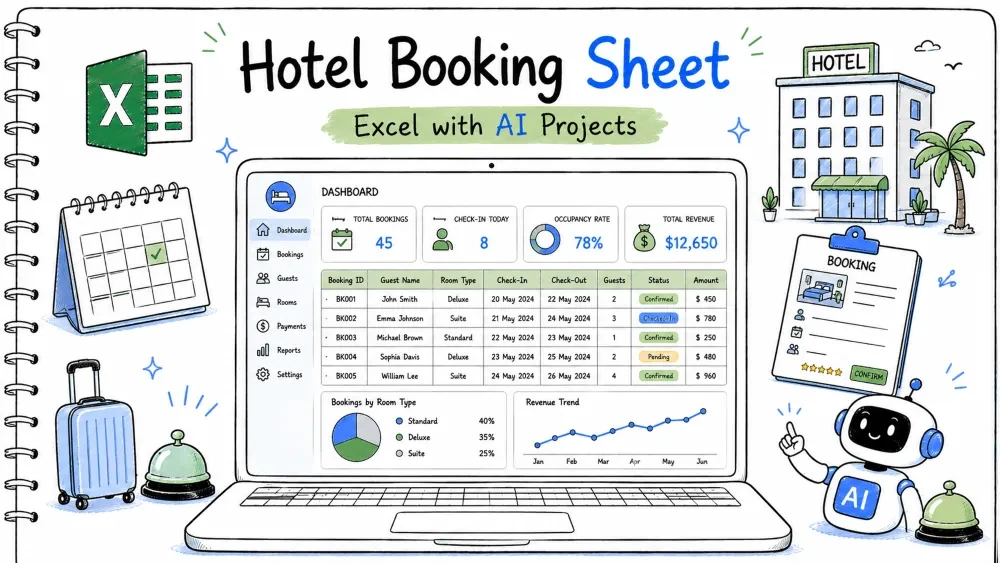
A hotel booking sheet checks room availability, records stays, and shows occupancy. You build it in Excel and use Copilot and ChatGPT for the availability lookup and the booking form.
hotel-booking-sheet.xlsx
│
├── Sheet: Rooms    (RoomID, Type, Price)
├── Sheet: Bookings (RoomID, CheckIn, CheckOut, Guest)
├── Sheet: Check    (availability lookup)
└── Module: HotelMacros (VBA)
Two tables: Room and Book.
Availability compares a request against booked ranges.
Create both tables from your data.
=COUNTA(Room[RoomID])
Ask ChatGPT:
"How do I make two related Excel tables, one for rooms and one for bookings?"
A formula that returns "Booked" if any booking overlaps the requested dates.
You must not double-book a room.
On Check, request Room in B1, Start in B2, End in B3.
=IF(COUNTIFS(Book[RoomID], B1, Book[CheckIn], "<="&B3, Book[CheckOut], ">="&B2)>0, "Booked", "Free")
CheckIn <= request end and CheckOut >= request start is the overlap test.Ask Copilot:
"Write a COUNTIFS that finds date overlap: same room, booked check-in <= request end and booked check-out >= request start."
A percentage of rooms occupied on a given night.
Occupancy is the hotel's key metric.
=IFERROR(COUNTIFS(Book[CheckIn], "<="&B2, Book[CheckOut], ">="&B2)/COUNTA(Room[RoomID]), 0)
Ask ChatGPT:
"Write an Excel occupancy rate: rooms occupied on a date divided by total rooms, with error handling."
A form to add a booking.
Faster and safer than typing rows.
UserForm with Room, CheckIn, CheckOut, Guest and a button.
Private Sub cmdBook_Click()
    Dim ws As Worksheet
    Set ws = Sheets("Bookings")
    Dim r As Long
    r = ws.Cells(ws.Rows.Count, 1).End(xlUp).Row + 1
    ws.Cells(r, 1).Value = txtRoom.Value
    ws.Cells(r, 2).Value = txtIn.Value
    ws.Cells(r, 3).Value = txtOut.Value
    ws.Cells(r, 4).Value = txtGuest.Value
    MsgBox "Booked"
End Sub
txtRoom.Value reads the room from the form.Ask ChatGPT:
"Write VBA that adds a booking row with Room, CheckIn, CheckOut, Guest from a user form."
=IF(COUNTIFS(Book[RoomID], B1, Book[CheckIn], "<="&B3, Book[CheckOut], ">="&B2)>0, "Booked", "Free")
=IFERROR(COUNTIFS(Book[CheckIn], "<="&B2, Book[CheckOut], ">="&B2)/COUNTA(Room[RoomID]), 0)
Private Sub cmdBook_Click()
    Dim ws As Worksheet
    Set ws = Sheets("Bookings")
    Dim r As Long
    r = ws.Cells(ws.Rows.Count, 1).End(xlUp).Row + 1
    ws.Cells(r, 1).Value = txtRoom.Value
    ws.Cells(r, 2).Value = txtIn.Value
    ws.Cells(r, 3).Value = txtOut.Value
    ws.Cells(r, 4).Value = txtGuest.Value
    MsgBox "Booked"
End Sub
ChatGPT: "Two related tables rooms and bookings."
Copilot: "COUNTIFS date overlap same room."
ChatGPT: "Occupancy rate with error handling."
ChatGPT: "VBA add booking row from form."
hotel-booking-sheet.xlsx.Input: Room 101 booked Jan 1–5; request Jan 3–4. Expected Output: "Booked". Explanation: Request overlaps the stay.
Input: Same room; request Jan 6–7. Expected Output: "Free". Explanation: No overlap.
Input: 10 rooms, 4 occupied on Jan 2. Expected Output: Occupancy 40%. Explanation: 4/10.
Problem: Every room shows booked.
Reason: Overlap test wrong (used < instead of <=).
Solution: Use CheckIn <= request end and CheckOut >= request start.
Problem: Percent too high. Reason: Divided by wrong count. Solution: Divide by total rooms, not bookings.
Problem: Type mismatch on date.
Reason: Text box held text, not date.
Solution: Convert with CDate(txtIn.Value).
Save your progress and earn XP for completing tutorials.
4 questions · Pass with 70%+
1Availability uses?
2Overlap condition is?
3 Occupancy rate = ?
4ChatGPT can?
Technology
Excel with AI
Lesson group
AI + Excel Projects
Progress
63% complete

