Preparing your learning space...
94% through AI + Excel Projects tutorials
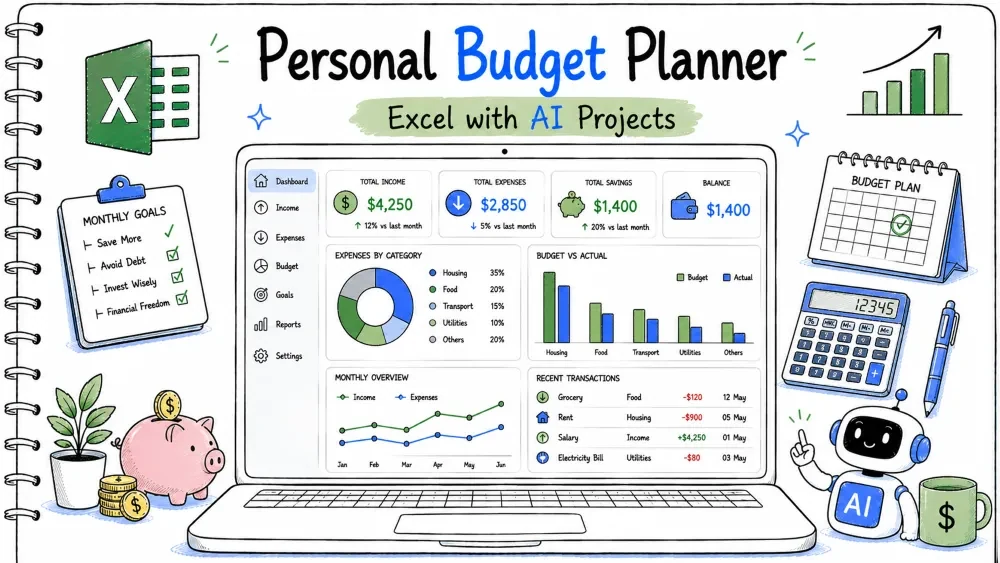
A personal budget planner helps you plan monthly income and spending, track savings, and see variance. You build it in Excel and use Copilot and ChatGPT for the budget formulas and saving tips.
personal-budget-planner.xlsx
│
├── Sheet: Plan    (Category, Planned, Actual, Variance)
├── Sheet: Summary (income, saved, goal)
└── Module: PerMacros (optional VBA)
A table with planned and actual per category, split into income and expense.
You compare the plan to reality per line.
=SUMIFS(Plan[Actual], Plan[Type], "Expense")
Ask ChatGPT:
"Write SUMIFS that sums Actual where Type is Expense in a budget table."
A variance column and a saved amount.
Savings is what is left after expenses.
=[@Planned]-[@Actual]
=IncomeTotal - ExpenseTotal
Ask Copilot:
"Write variance as planned minus actual, and saved as income minus total expenses."
A check against a savings goal.
Tells you if you hit the target.
=IF(Saved >= Goal, "Goal met", "Short by " & TEXT(Goal-Saved, "0.00"))
TEXT(Goal-Saved, "0.00") formats the shortfall.Ask ChatGPT:
"Write an Excel IF that says Goal met if saved >= goal, else Short by the difference formatted to 2 decimals."
A plan vs actual chart and AI saving advice.
Visuals and tips improve habits.
Chart Planned vs Actual, then paste the plan into ChatGPT.
Ask ChatGPT:
"From this monthly budget, give three practical tips to save more."
=SUMIFS(Plan[Actual], Plan[Type], "Expense")
=[@Planned]-[@Actual]
=IncomeTotal - ExpenseTotal
=IF(Saved >= Goal, "Goal met", "Short by " & TEXT(Goal-Saved, "0.00"))
ChatGPT: "SUMIFS Actual where Type Expense."
Copilot: "Variance planned minus actual; saved income minus expenses."
ChatGPT: "IF goal met else short by difference."
ChatGPT: "Three tips to save more from this budget."
personal-budget-planner.xlsx.Input: Income 2000, Expense 1500. Expected Output: Saved 500. Explanation: 2000 − 1500.
Input: Goal 600, Saved 500. Expected Output: "Short by 100.00". Explanation: Goal not met; gap shown.
Input: Goal 400, Saved 500. Expected Output: "Goal met". Explanation: Saved exceeds goal.
Problem: Shows a loss. Reason: Expenses exceed income. Solution: Lower planned expenses or raise income.
Problem: Shortfall shows as a number without label.
Reason: Missing TEXT wrap.
Solution: Use TEXT(...,"0.00") inside the string.
Problem: Bars wrong. Reason: Selected one column. Solution: Select both Planned and Actual.
Save your progress and earn XP for completing tutorials.
4 questions · Pass with 70%+
1Saved amount = ?
2=[@Planned]-[@Actual] is?
3Goal check uses?
4 ChatGPT can?
Technology
Excel with AI
Lesson group
AI + Excel Projects
Progress
94% complete

