Preparing your learning space...
20% through Customer-Facing Engineering tutorials
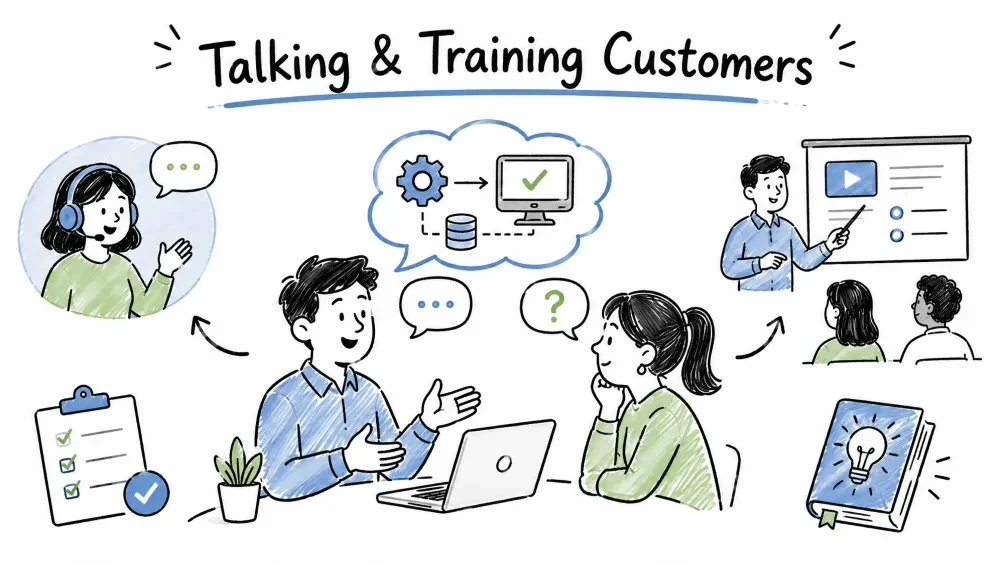
Most FDE failures are understanding failures, not coding failures. This tutorial covers the whole "translation" side of the role: how to talk to customers, how to explain technical ideas in plain language, how to work with people who have no technical background, and how to run formal training so they can use what you built without you. It moves from everyday communication to structured teaching.
Communicating with customers means exchanging information clearly enough that both sides leave with the same picture — what is being built, why, and what it takes. The trap is assuming "communicating" means "talking clearly." It means being understood. A perfect sentence that lands wrong still failed.
Why it is useful: a customer who misunderstands the deliverable will call working software "broken." Clear communication is what prevents that — it is the daily plumbing of the role, present in every meeting, email, demo, and doc.
There is a gap between how engineers describe a system and how customers experience it. Engineers think in components, data, and edge cases; customers think in tasks, time saved, and fears.
| Engineer says | Customer hears |
|---|---|
| "We'll add a synchronous job queue with retries." | "You'll be able to upload without it breaking?" |
| "Latency is under 200ms p95." | "It'll feel instant?" |
| "We refactored the auth layer." | "Did you change my password?" |
The fix is not to dumb things down. It is to translate into the customer's outcome language and keep the technical detail for when they ask.
Best Practice: when you write or say something technical, ask "what does this mean for the customer's day?" Lead with that; put the detail second, if at all.
Explaining a concept simply means giving a non-expert just enough of a mental model to decide or act — no more. You are not teaching them to code; you are giving them a working picture.
The method:
BAD:  "We'll expose a REST endpoint returning a paginated JSON payload."
GOOD: "You'll get a link that always shows your latest 50 orders as raw
       data — handy if you want to pipe it into your own spreadsheet."
Explanation: the second states the capability in the customer's terms; the first is accurate but tells them nothing they can act on.
A good analogy is the fastest way to make a concept land. The test: can the customer repeat it back to someone else? If yes, they understood.
| Concept | Analogy that works |
|---|---|
| API | A waiter taking your order to the kitchen and bringing food back |
| Database | A filing cabinet with labelled folders |
| Cache | A bookmark so you don't walk to the shelf again |
| Sandbox / test env | A practice field, not the real game |
Note: analogies break at the edges — that's fine, your job is understanding, not perfect isomorphism. Say "it's like that, roughly" and move on.
Common Mistake: over-analogizing until the customer thinks the system is simpler than it is. If the analogy implies "free and instant," correct it: "like a waiter — but the kitchen closes at 6pm," meaning there are limits.
Non-technical users aren't less intelligent — they lack the vocabulary and mental models you take for granted. Working with them well means removing friction, not adding it.
Habits that work:
Instead of: "Just authenticate via the SSO modal, then POST to the webhook."
Say:       "Log in like you normally do. Then, whenever a new order comes
            in, this box updates by itself — no export button needed."
Explanation: the rewrite removes three jargon words and describes the experience, which is all a non-technical user can act on.
"Register" is your tone and vocabulary for the audience. An FDE shifts it constantly — technical with the customer's engineer, plain with the VP.
| Audience | Use | Avoid |
|---|---|---|
| Customer engineer | Exact terms, trade-offs, code snippets | Oversimplifying (they'll distrust you) |
| Business stakeholder | Outcomes, risk, timeline | Implementation detail they can't use |
| End user | Steps, screens, "what you'll see" | Architecture, acronyms |
Best Practice: match the most non-technical person in the room. The engineer won't be confused by plain language; the VP will be lost by jargon. Default to the lowest common denominator and let experts pull you deeper.
Handing over a working system isn't the finish line — the customer has to be able to use it. Customer training is a planned session (or set) where you teach their people to use the system live, on their own tasks. It is distinct from the everyday explaining above: that's one-off translation; this is a designed curriculum whose goal is independence. (The written side of handoff — docs and guides — is Tutorial 5.)
Why it is useful: a system nobody knows how to use is a system nobody uses. Training converts a delivered tool into a daily habit — and stops you becoming the customer's permanent support line.
The mistake is walking through every button. Users retain tasks they can now do, not features. Train the job, not the interface.
FEATURE TRAINING:  "Here's the sidebar, here's settings, here's export,
                    here's the filter dropdown, here's preferences…"
TASK TRAINING:     "By the end you'll have pulled last month's report,
                    filtered it to your region, and exported it to PDF —
                    we'll do exactly that, live."
Explanation: the task version gives a win they'll repeat forever; the feature version is a tour they forget by lunch. People remember "I can get my report," not "there's a filter dropdown."
Best Practice: pick the three tasks the user does most. Teach those deeply; mention the rest exists and point to the docs. Depth on the vital few beats breadth on everything.
Design before you present: an audience, a goal, and a path — same as any build.
| Design question | Answer it by… |
|---|---|
| Who's in the room? | Role + comfort with tech (sets your pace) |
| What can they do after? | One sentence: "export a weekly report unaided" |
| What's the critical task? | The one they'll do daily — center the session on it |
| What do they already know? | Reuse their existing workflow as the bridge |
A 60-minute session has a shape (winging it produces a feature tour):
TRAINING ARC (60 min)
0:00  Why — "This replaces the Monday copy-paste." (motivate)
0:05  Watch — you do the core task once, slowly.
0:20  Do — they do it, on their own data; you circulate and unstick.
0:45  Extend — one second task they'll need (export / share).
0:55  Recap + docs — "You can now X; full detail in the guide."
Explanation: watch → do is the load-bearing pair. They learn by doing, not watching you. Circulating during "do" catches the one person silently lost — the one who'd otherwise churn. End by having them do the core task unaided; if they can't, the training didn't land — extend, don't ship.
Note: tailor by audience. Train the analyst on the report; train the admin on config and access. One mixed session trying to do both bores half the room.
The single biggest lever in training is hands-on time. A session where you present and they watch teaches far less than one where they drive.
RATIO TO AIM FOR
You talking:          20%
You demonstrating:     20%
They doing it:        60%
Explanation: the 60% "they do it" is where retention happens. If your slide deck does the talking, you've inverted the ratio and the room forgets most of it.
Common Mistake: training via screenshare-only while they watch, then wondering why they can't reproduce it alone. They need their hands on the keyboard, not their eyes on yours. Slow at hesitations, use their real data, and mean "interrupt me any time."
The test of training isn't the session — it's next week, alone, with a real task. Set them up to succeed without you:
Note: your exit signal is a user doing the core task without pinging you. Until then, the handoff isn't done — and you're still the help desk.
Save your progress and earn XP for completing tutorials.
4 questions · Pass with 70%+
1When explaining a technical concept to a non-technical customer, what should you lead with?
2According to the training section, what share of a session should the customer spend doing the task?
3With a non-technical user, the most helpful habit is to…
4The "analogy test" passes when the customer can…
Technology
Forward Deployed Engineer
Lesson group
Customer-Facing Engineering
Progress
20% complete

