Preparing your learning space...
20% through FDE Programming Foundations tutorials
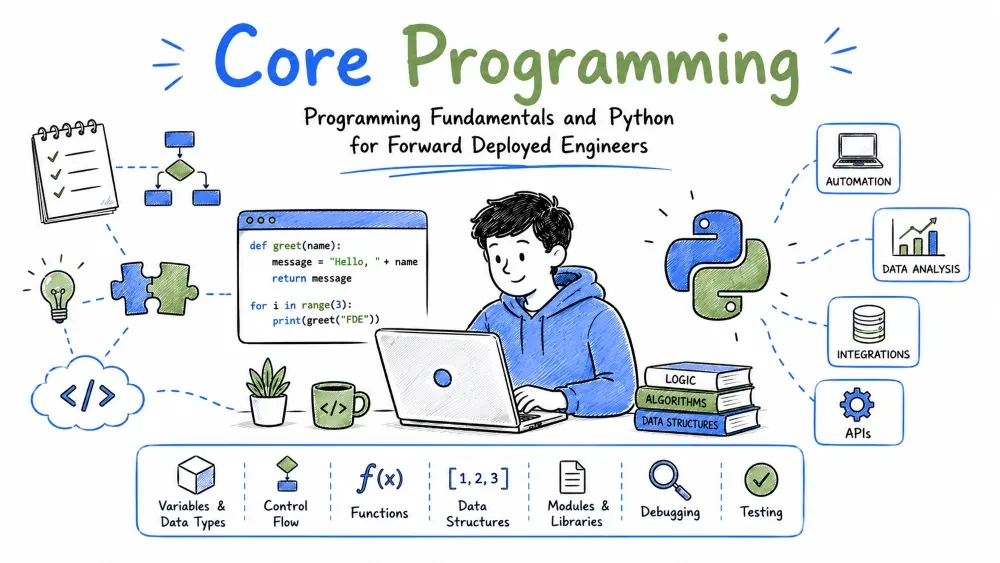
Before you touch customer systems, you need two things: the core ideas behind all programming, and a language to write them in. This tutorial covers both — programming fundamentals in a language-agnostic way, then Python, the default tool for most FDEs.
Programming is giving a computer step-by-step instructions to solve a problem. You write code in a language the computer can run, and it executes your instructions precisely and repeatedly.
Why it's useful: FDEs use programming to turn a customer's messy problem into an automated, repeatable solution.
A variable is a named box that holds a value. The type tells the computer what kind of data it is — text, numbers, true/false, or collections.
name = "Acme Corp"      // text (string)
ticket_count = 1420     // number (integer)
is_active = true        // boolean (true/false)
Explanation: name stores text, ticket_count stores a number, is_active stores a yes/no. Knowing the type matters because you can't add text to a number.
Best Practice: Name variables for what they hold, not their type (ticket_count, not data2).
Common Mistake: Mixing types — trying to do math on text (e.g. "1420" + 5) fails or behaves unexpectedly.
Control flow decides which instructions run, based on conditions or repetition. The two basics are if (choose) and loops (repeat).
if ticket_count > 1000:
    send_alert("High volume")

for ticket in tickets:
    summarize(ticket)
Explanation: the if runs the alert only when volume is high; the for loop summarizes every ticket one by one.
Note: Loops are how FDEs process thousands of customer records without writing the same code thousands of times.
A function is a reusable block of code with a name. You call it, optionally pass data in (arguments), and it returns a result.
def summarize(text):
    return text[:100] + "..."

summary = summarize("Long support ticket description...")
Explanation: summarize takes a text argument and returns a shortened version. Defining it once lets you call it on any ticket.
Best Practice: Keep functions small and focused on one job — easier to test and reuse at a customer site.
Python balances readability and power. You can prototype a customer integration in an afternoon and hand over clean code the customer's team can read.
Why useful: Most data, AI, and automation work an FDE does is faster in Python than in stricter languages.
Python uses indentation (not braces) to group code. Its core data structures — lists and dictionaries — cover most real-world needs.
# list: ordered items
tickets = ["#101", "#102", "#103"]

# dictionary: key-value pairs
customer = {"name": "Acme", "region": "EU", "active": True}

# loop over a list
for t in tickets:
    print(t)

# access a dict value
print(customer["region"])  # EU
Explanation: tickets is a list you loop through; customer is a dict where you look up values by key. Indentation under for shows what repeats.
Common Mistake: Mixing tabs and spaces for indentation — Python errors out. Use spaces consistently.
Best Practice: Use meaningful dict keys; customers think in terms like region and active, not col_3.
FDEs constantly read customer files and write outputs. Python's open() and the csv module make this simple.
import csv

with open("tickets.csv") as f:
    reader = csv.DictReader(f)
    for row in reader:
        print(row["id"], row["subject"])
Explanation: csv.DictReader reads each row as a dict keyed by column name. The with block closes the file automatically — important when handling large customer files.
Best Practice: Always use with open(...) so files close even if an error occurs.
Most FDE work involves pulling data from a customer's or vendor's API. The requests library is the standard tool.
import requests

resp = requests.get(
    "https://api.example.com/tickets",
    headers={"Authorization": "Bearer YOUR_KEY"}
)
data = resp.json()
print(len(data["tickets"]))
Explanation: requests.get sends an HTTP GET; resp.json() parses the response into Python objects you can work with. (APIs, auth, and safe key handling are covered in depth in the APIs tutorial.)
Note: Never hard-code the key — load it from an environment variable (covered in the APIs & Integrations tutorial).
Save your progress and earn XP for completing tutorials.
4 questions · Pass with 70%+
1What is a variable?
2Why does type matter in programming?
3Which Python structure stores key-value pairs?
4Why should you use with open(...) when reading files in Python?
Technology
Forward Deployed Engineer
Lesson group
FDE Programming Foundations
Progress
20% complete

