Preparing your learning space...
67% through Real-World FDE Case Studies tutorials
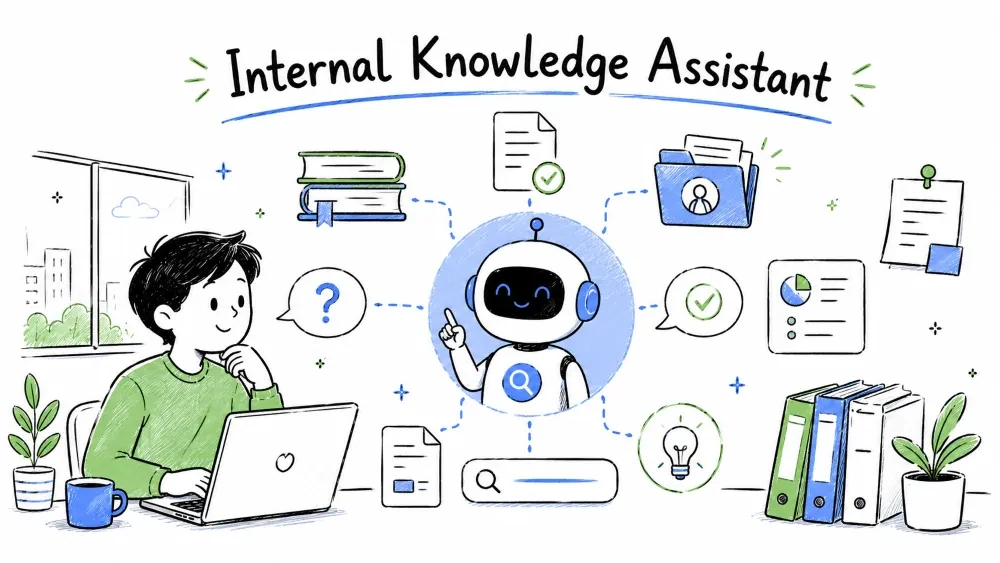
A hands-on FDE case study: turn 5,000 scattered company documents into an AI assistant employees can actually ask questions — using embeddings, a vector database, and RAG.
A 300-person company stores policies, HR docs, engineering runbooks, and product specs across Google Drive, Confluence, Notion, and email attachments.
Employees spend 30+ minutes hunting for answers like "How many vacation days do I have after 2 years?" HR answers the same onboarding questions every week. Knowledge exists — it's just unfindable.
The fix: an internal chat assistant that answers from company documents only, with citations.
Before any code, answer these questions:
Note: A RAG assistant is only as good as the documents behind it. In practice, cleaning up 20 badly-written core documents beats ingesting 5,000 messy ones.
RAG (Retrieval-Augmented Generation) = find the relevant documents first, then let the LLM answer using them.
Company documents ──► chunk ──► embed ──► vector DB
                                          │
User question ──► embed ──► similarity search ──► top 5 chunks
                                          │
                            LLM prompt = question + chunks ──► answer + citations
Why not just dump all documents into the LLM prompt? Context windows are limited, costs explode, and the model gets distracted. Retrieval fetches only the 5 relevant chunks.
Pull raw text out of PDFs, DOCX files, and web pages.
# pip install pypdf python-docx
from pypdf import PdfReader
from docx import Document

def extract_pdf(path: str) -> str:
    reader = PdfReader(path)
    return "\n".join(page.extract_text() for page in reader.pages)

def extract_docx(path: str) -> str:
    doc = Document(path)
    return "\n".join(p.text for p in doc.paragraphs if p.text.strip())
Simple explanation: extraction turns binary files into plain text. Always spot-check the output — scanned PDFs need OCR (pytesseract), and tables often come out garbled.
LLMs and embedding models work best on small, self-contained pieces. Split documents into chunks of ~500–800 characters with slight overlap.
def chunk_text(text: str, size: int = 700, overlap: int = 100) -> list[str]:
    chunks = []
    start = 0
    while start < len(text):
        end = start + size
        chunk = text[start:end]
        # don't cut mid-sentence
        if end < len(text):
            last_period = chunk.rfind(". ")
            if last_period > size // 2:
                end = start + last_period + 1
                chunk = text[start:end]
        chunks.append(chunk.strip())
        start = end - overlap
    return chunks
Simple explanation: overlapping chunks mean a fact that straddles a boundary still appears fully inside at least one chunk. Ending on a sentence keeps each chunk readable on its own.
Best practice: store metadata with every chunk — source file, section title, last-updated date. You need it for citations and for re-indexing.
An embedding turns text into a vector (a list of numbers) where similar meanings sit close together in vector space.
import openai

def get_embedding(text: str) -> list[float]:
    response = openai.embeddings.create(
        model="text-embedding-3-small",
        input=text,
    )
    return response.data[0].embedding
Simple explanation: "How many vacation days do I get?" and "annual leave policy" end up with nearby vectors even though they share no keywords. That's why embeddings beat keyword search for this use case.
A vector database stores embeddings and answers "which stored vectors are closest to this query vector?" fast.
# pip install chromadb
import chromadb

client = chromadb.PersistentClient(path="./kb_db")
collection = client.get_or_create_collection("company_docs")

def index_documents(docs: list[dict]):
    """docs = [{"id": ..., "text": ..., "metadata": {...}}]"""
    collection.add(
        ids=[d["id"] for d in docs],
        documents=[d["text"] for d in docs],
        metadatas=[d["metadata"] for d in docs],
    )

def search(query: str, k: int = 5):
    results = collection.query(query_texts=[query], n_results=k)
    return list(zip(results["documents"][0], results["metadatas"][0]))
Simple explanation: index_documents embeds and stores every chunk once (the ingestion pipeline). search embeds the question at runtime and returns the top-k most similar chunks with their metadata — which becomes your citation.
Note: when you don't pass embeddings explicitly, Chroma silently uses its own built-in embedding model — which ignores the OpenAI embeddings from Step 3 entirely. To use them, compute embeddings yourself and pass embeddings=[...] to both add() and query(), or configure a custom embedding_function. Whichever you choose, use one embedding model for both indexing and querying — mixing two models silently destroys search quality.
Options at different scales: Chroma or SQLite for prototypes, Pinecone/Weaviate/Qdrant for production, pgvector if the company already runs Postgres.
Now combine retrieval and generation into the assistant's answer flow.
def ask(question: str) -> str:
    chunks = search(question, k=5)
    context = "\n\n---\n\n".join(
        f"[Source: {meta['source']}]\n{text}" for text, meta in chunks
    )
    prompt = f"""Answer the question using ONLY the context below.
If the answer is not in the context, say "I couldn't find this in the company docs."
Cite the source name(s) you used.

Context:
{context}

Question: {question}
"""
    response = openai.chat.completions.create(
        model="gpt-4o-mini",
        messages=[{"role": "user", "content": prompt}],
        temperature=0.2,
    )
    return response.choices[0].message.content
Simple explanation: the retrieved chunks go into the prompt as the only allowed source of truth. The "I couldn't find this" rule prevents the model from filling gaps with plausible-sounding nonsense — the #1 failure mode of internal assistants.
Build a test set of 50 real questions with known correct answers before launch. Then measure:
| Metric | How to measure | Good target |
|---|---|---|
| Retrieval hit rate | Is the right chunk in the top 5? | > 90% |
| Answer correctness | Human review against the doc | > 85% |
| Refusal quality | Does it say "not found" for unanswerable questions? | No hallucinations |
| Latency | End-to-end response time | < 5 seconds |
Practical improvement levers, in order of impact:
Keep the index fresh: re-run ingestion nightly on changed documents, or the assistant will confidently quote last year's policy — a worse failure than not answering at all.
The code samples above are the pieces. Here is how they connect into one runnable pipeline with an index that tracks document versions.
# ingest.py — run nightly or on document change
import hashlib, chromadb
from sources import drive, confluence          # thin wrappers around each system
from processing import extract, chunk_text

client = chromadb.PersistentClient(path="./kb_db")
collection = client.get_or_create_collection("company_docs")
seen = load_seen_hashes()   # {source_path: content_hash}, persisted to seen_hashes.json

def content_hash(text: str) -> str:
    return hashlib.sha256(text.encode()).hexdigest()

def ingest_source(name: str, docs: list[dict]):
    """name = source label ("drive"/"confluence"); docs: [{"path", "text", "metadata"}]"""
    for doc in docs:
        h = content_hash(doc["text"])
        if seen.get(doc["path"]) == h:
            continue                            # unchanged — skip, saves cost

        # delete old chunks of this document, then re-add
        collection.delete(where={"source": doc["path"]})
        chunks = chunk_text(doc["text"])
        collection.add(
            ids=[f"{doc['path']}::{i}" for i in range(len(chunks))],
            documents=chunks,
            metadatas=[{**doc["metadata"], "source": doc["path"], "hash": h}
                       for _ in chunks],
        )
        seen[doc["path"]] = h

def main():
    # extract() picks extract_pdf / extract_docx by file extension (Step 1)
    ingest_source("drive", [extract(d) for d in drive.list_docs(folder="HR Policies")])
    ingest_source("confluence", [extract(d) for d in confluence.list_pages(space="ENG")])
    save_seen_hashes(seen)

if __name__ == "__main__":
    main()
Simple explanation: the content hash is the trick that makes nightly runs cheap — a document only gets re-chunked and re-embedded when its text actually changed. Deleting old chunks by source path before re-adding prevents the classic RAG bug where an updated policy and an outdated policy both live in the index, and the assistant answers with whichever chunk ranks higher.
# assistant.py — what the chat UI calls
import time, logging
from retrieval import search_for_user
from generation import build_prompt, call_llm

logger = logging.getLogger("assistant")

def ask(question: str, user: dict) -> dict:
    start = time.time()
    chunks = search_for_user(question, user, k=5)

    if not chunks:
        answer = "I couldn't find this in the company docs. Try rephrasing, or ask in #help."
        sources = []
    else:
        answer = call_llm(build_prompt(question, chunks))
        sources = [{"source": m.get("source", "unknown"), "title": m.get("title")} for _, m in chunks[:3]]

    logger.info("qa", extra={
        "user": user["id"], "question": question,
        "retrieved": [m.get("source", "unknown") for _, m in chunks],
        "latency_s": round(time.time() - start, 2),
    })
    return {"answer": answer, "sources": sources}
Simple explanation: every question is logged with what was retrieved and how long it took. After two weeks, that log is a goldmine: the questions that retrieved nothing tell you exactly which documents are missing or badly written — a prioritized to-do list for the doc owners.
An assistant quoting a deprecated policy destroys trust faster than never launching. Three mechanisms, in order of importance:
from datetime import datetime

def is_stale(metadata: dict) -> bool:
    reviewed_on = metadata.get("last_reviewed")
    if not reviewed_on:
        return True                              # undated docs are untrustworthy
    age_days = (datetime.now() - datetime.fromisoformat(reviewed_on)).days
    return age_days > 365
Simple explanation: chunks from stale documents are either filtered out or labeled in the answer ("this policy hasn't been reviewed in over a year"). Forcing that conversation with doc owners is one of the most valuable side effects of the whole project — the company's documents get better because the assistant exposes them.
This is where RAG projects fail compliance review. The rule: filter at retrieval time, using the user's identity — never at the prompt level.
def search_for_user(query: str, user: dict, k: int = 5):
    allowed_teams = user["teams"]                # from your SSO/HR system
    results = collection.query(
        query_texts=[query],
        n_results=k,
        where={"visibility": {"$in": ["all_staff"] + allowed_teams}},
    )
    # same (text, metadata) pairs as the plain search() from Step 4
    return list(zip(results["documents"][0], results["metadatas"][0]))
Simple explanation: the vector DB filters on metadata before similarity ranking, so a restricted document's chunks are never even candidates. Trying to handle this in the prompt ("don't reveal salary info") is not security — the content already left the database.
Practical rules:
visibility (e.g. all_staff, hr, finance, engineering) on every chunk at ingestion time.A realistic 5-week timeline:
| Week | Work | Output |
|---|---|---|
| 1 | Document audit, source mapping, confidentiality rules, 50-question eval set | Scope doc signed by HR + Eng leads |
| 2 | Extraction + chunking for the top 3 sources; ingestion pipeline | Index built for ~500 core documents |
| 3 | Retrieval tuning (chunk size, metadata filters) against the eval set | Retrieval hit rate ≥ 90% |
| 4 | Answer flow, citations, permission filtering, chat UI (Slack bot or simple web) | Pilot with 20 employees |
| 5 | Feedback fixes, freshness job, runbook, handover | Launch to all staff |
Estimated monthly running cost at 300 employees:
| Item | Math | Monthly |
|---|---|---|
| Embeddings (one-time index + nightly changes) | ~5k chunks + updates | ~$1 |
| LLM answers (~1,500 questions/month) | 1,500 × ~$0.002 | ~$3 |
| Vector DB + hosting | small VM, Chroma/pgvector | ~$20 |
| Total | ~$25/month |
Simple explanation: RAG is one of the cheapest AI systems to run because the expensive part (embedding the corpus) happens once, and each question only pays for one retrieval plus one small LLM call. The real cost is human: keeping documents fresh.
| Failure mode | What it looks like | Fix |
|---|---|---|
| Confident hallucination | Answer cites no source, or invents a policy | Strengthen the "only from context" rule; require citations in output |
| Wrong document retrieved | Answer is correct for a different product/year | Add metadata filters (product, year); hybrid keyword+vector search |
| Chunk cut a table or list | Garbled or incomplete answer | Fix chunking to respect structure (split on headings, not character count) |
| Stale answer | Policy changed last month, assistant quotes the old one | Nightly sync + stale-document flags |
| "I couldn't find it" too often | Users stop trusting the tool | Check retrieval logs — usually missing/empty documents, not a model problem |
| Permission leak (worst case) | Restricted content appears for the wrong user | Retrieval-time metadata filtering + audit log; treat as a P1 incident |
Save your progress and earn XP for completing tutorials.
4 questions · Pass with 70%+
1Why is chunking important in RAG systems?
2What happens if you mix two different embedding models for indexing and querying?
3How should permissions for confidential documents be handled?
4What is the #1 failure mode of internal assistants?
Technology
Forward Deployed Engineer
Lesson group
Real-World FDE Case Studies
Progress
67% complete

