Preparing your learning space...
50% through Security & Administration tutorials
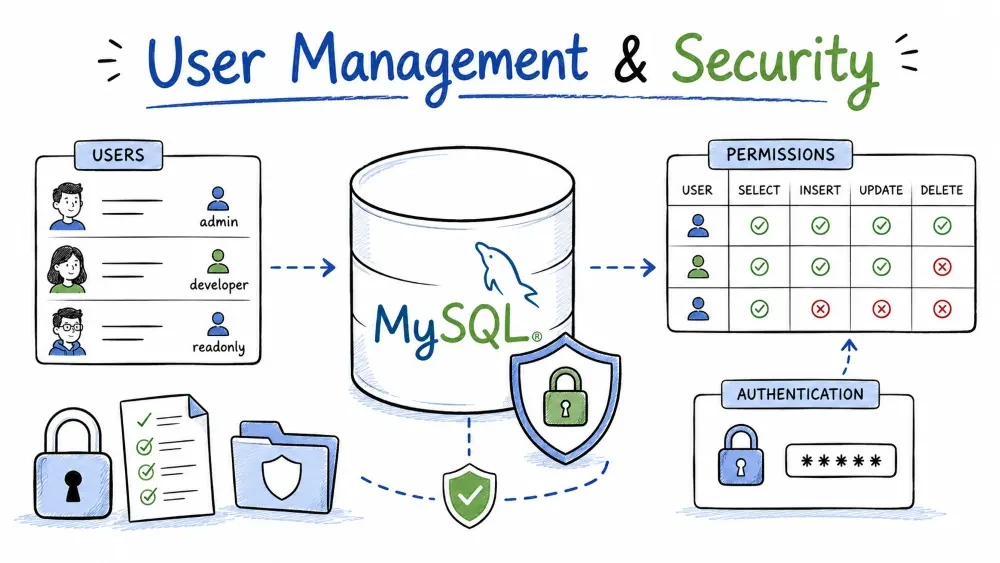
When more than one person touches a database, you need control over who can connect, what they can see, and what they can change. This tutorial covers creating users, granting and removing permissions, roles, encrypted connections, and defending your queries from SQL injection.
All commands run in the MySQL client (mysql) or MySQL Workbench and follow MySQL 8 syntax.
A user in MySQL is identified by two parts: 'username'@'host'. The host decides which machine the account may connect from. localhost allows only the server machine itself, % allows any host.
Syntax:
CREATE USER 'username'@'host' IDENTIFIED BY 'password';
Example:
-- Local-only account
CREATE USER 'jane'@'localhost' IDENTIFIED BY 'R3d!Whale9';

-- Account reachable from any host
CREATE USER 'bob'@'%' IDENTIFIED BY 'S3curePass!';

-- Skip the error if the account already exists
CREATE USER IF NOT EXISTS 'jane'@'localhost' IDENTIFIED BY 'R3d!Whale9';
MySQL 8 uses the caching_sha2_password plugin by default. Modern clients handle it fine. If an old tool refuses to connect, force the legacy plugin at creation time:
CREATE USER 'legacy'@'localhost' IDENTIFIED WITH mysql_native_password BY 'Pass!23';
A new user has zero privileges. They can log in and nothing more — you must grant rights explicitly (see Granting Privileges).
To list existing accounts:
SELECT user, host, plugin FROM mysql.user;
ALTER USER modifies an existing account. Its most common job is changing a password. SET PASSWORD is the older command and still works.
Syntax:
ALTER USER 'username'@'host' IDENTIFIED BY 'new_password';
Example:
ALTER USER 'jane'@'localhost' IDENTIFIED BY 'N3wPass!2026';

-- Change your own password without naming yourself
ALTER USER USER() IDENTIFIED BY 'MyOwnN3wPass!';

-- Legacy command
SET PASSWORD FOR 'jane'@'localhost' IDENTIFIED BY 'N3wPass!2026';
ALTER USER also handles other account settings:
-- Block login temporarily
ALTER USER 'jane'@'localhost' ACCOUNT LOCK;

-- Re-enable login
ALTER USER 'jane'@'localhost' ACCOUNT UNLOCK;

-- Force a password change at the next login
ALTER USER 'jane'@'localhost' PASSWORD EXPIRE;
Good hygiene for a server: nobody shares the root password for daily work. Give each person an account, change passwords when someone leaves, and expire them on a schedule.
DROP USER deletes the account and, since MySQL 5.7, removes all of its privileges in one step. It does not delete the rows the user put in your tables — that data stays.
Syntax:
DROP USER 'username'@'host';
Example:
-- Remove one account
DROP USER 'jane'@'localhost';

-- Remove several at once, ignoring missing accounts
DROP USER IF EXISTS 'bob'@'%', 'legacy'@'localhost';
If you only need to stop someone temporarily, prefer ALTER USER ... ACCOUNT LOCK over dropping them. Their privileges stay intact for when they return.
Privileges control what an account can do. A user who only reads reports should never have DELETE on your customer table. Grant the least privilege the job needs.
Syntax:
GRANT privilege_list ON scope TO 'user'@'host';
Privileges can target a whole server, one database, one table, or even one column:
-- All databases, all objects (full control)
GRANT ALL PRIVILEGES ON *.* TO 'admin'@'localhost';

-- Everything inside the shop database
GRANT ALL PRIVILEGES ON shop.* TO 'jane'@'localhost';

-- Just reading and editing the orders table
GRANT SELECT, INSERT, UPDATE ON shop.orders TO 'clerk'@'localhost';

-- Read-only across the whole server
GRANT SELECT ON *.* TO 'analyst'@'%';
Common privileges: SELECT, INSERT, UPDATE, DELETE, CREATE, ALTER, DROP, INDEX. GRANT OPTION lets the account hand out the privileges it already owns:
GRANT SELECT ON shop.* TO 'jane'@'localhost' WITH GRANT OPTION;
ALL PRIVILEGES covers everything except GRANT OPTION. An account with ALL ... WITH GRANT OPTION on *.* can do anything — treat it like a second root.
Grant changes apply immediately. Run FLUSH PRIVILEGES only when you edited the grant tables directly.
REVOKE is the mirror image of GRANT. It takes privileges away.
Syntax:
REVOKE privilege_list ON scope FROM 'user'@'host';
Example:
-- Take away the right to delete
REVOKE DELETE ON shop.* FROM 'clerk'@'localhost';

-- Remove everything, including GRANT OPTION
REVOKE ALL PRIVILEGES, GRANT OPTION FROM 'jane'@'localhost';
Check what an account currently has:
SHOW GRANTS FOR 'clerk'@'localhost';
The rule of revoking: when a person changes roles, remove the old privileges the same day you add the new ones. A forgotten DROP hanging around is an accident waiting to happen.
A role is a named bundle of privileges you can assign to many users. Instead of granting the same five privileges to twenty people, you grant them to one role and hand that role out.
Syntax:
CREATE ROLE 'role_name';
GRANT privileges TO 'role_name';
GRANT 'role_name' TO 'user'@'host';
Example:
-- Create the role
CREATE ROLE 'app_read';

-- Fill it with privileges
GRANT SELECT ON shop.* TO 'app_read';

-- Hand the role to two users
GRANT 'app_read' TO 'jane'@'localhost', 'bob'@'%';

-- Check a user's roles
SHOW GRANTS FOR 'jane'@'localhost';
An assigned role is active automatically only if you set it as the default:
-- Role active at login
SET DEFAULT ROLE 'app_read' TO 'jane'@'localhost';

-- Activate a role for the current session
SET ROLE 'app_read';

-- Turn on everything the user is allowed to use
SET ROLE ALL;
Roles shine when the team changes. Someone moves teams: unassign the old role, assign the new one. You never touch the privileges themselves.
By default, MySQL connections are unencrypted — anyone on the network path can read the traffic. SSL (TLS) encrypts it, and you want it on for anything that crosses the internet.
First, point the server at its certificate files in my.cnf (or my.ini on Windows):
[mysqld]
ssl-ca=ca.pem
ssl-cert=server-cert.pem
ssl-key=server-key.pem
Restart MySQL and confirm SSL is available:
SHOW VARIABLES LIKE 'have_ssl';
Then require an encrypted connection for specific accounts:
-- At creation time
CREATE USER 'secure'@'%' IDENTIFIED BY 'Pass!23' REQUIRE SSL;

-- Or upgrade an existing account
ALTER USER 'jane'@'%' REQUIRE SSL;
For maximum trust, demand a client certificate:
ALTER USER 'partner'@'%' IDENTIFIED BY 'Pass!23' REQUIRE X509;
To check whether your own session is encrypted:
SHOW STATUS LIKE 'Ssl_cipher';
An empty result means plaintext; a value like TLS_AES_256_GCM_SHA384 means encrypted. On the command line, force encryption with mysql --ssl-mode=REQUIRED.
SQL injection happens when user input is pasted straight into an SQL string. A quote in the input can break out of the string and change your query.
The bad way:
// NEVER build SQL by concatenating user input
$sql = "SELECT * FROM users WHERE email = '$email'";
If $email is admin' OR '1'='1, the query becomes SELECT * FROM users WHERE email = 'admin' OR '1'='1' — the whole table leaks.
The safe way is a prepared statement with placeholders. The database treats ? as a value, never as SQL. In PHP, use PDO with the MySQL driver:
$pdo = new PDO('mysql:host=localhost;dbname=shop', 'app_user', 'AppPass!23');
$stmt = $pdo->prepare('SELECT * FROM users WHERE email = ?');
$stmt->execute([$email]);
Same idea in MySQL directly:
PREPARE stmt FROM 'SELECT * FROM users WHERE email = ?';
SET @email = 'someone@example.com';
EXECUTE stmt USING @email;
DEALLOCATE PREPARE stmt;
Injection isn't only about the WHERE clause. It affects any spot where text lands inside SQL: search boxes, sort columns, INSERT values, LIKE filters. Use prepared statements everywhere input touches SQL, and combine them with two more habits:
Save your progress and earn XP for completing tutorials.
4 questions · Pass with 70%+
1What does % mean in 'bob'@'%'?
2A user who only views reports should be given which privilege?
3What is a "role" in MySQL?
4Which is the correct way to prevent SQL injection?
Technology
MySQL
Lesson group
Security & Administration
Progress
50% complete

