

MySQL Events — Automate Recurring Tasks Inside Your Database
Preparing your learning space...
80% through Stored Programs tutorials
MySQL Events — Automate Recurring Tasks Inside Your Database
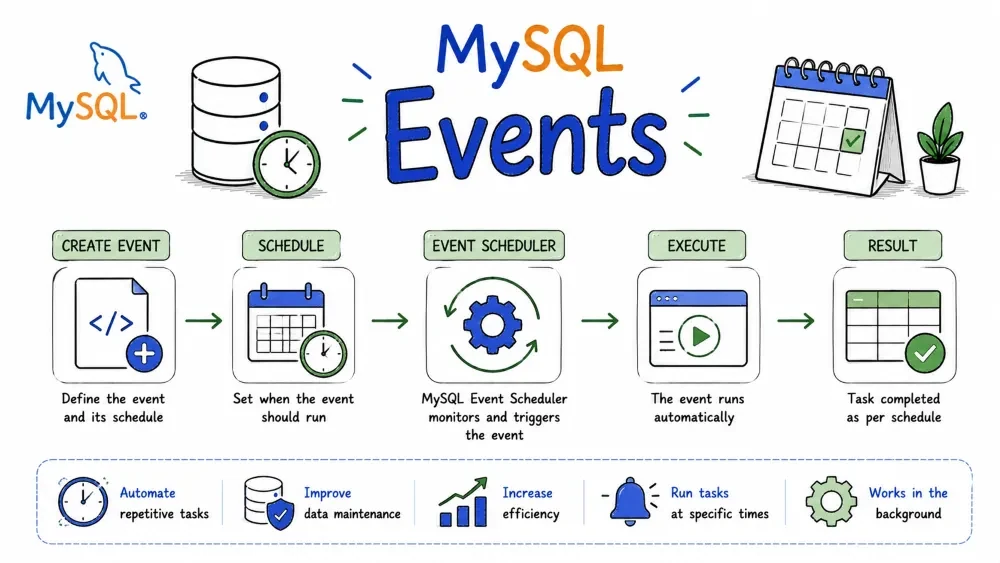
If you've ever needed something to run automatically in your database — clean up old data at midnight, generate a report every Monday, or archive records after 90 days — MySQL Events are exactly what you need. Think of them as cron jobs, but living inside your database.
Before anything runs, you need the Event Scheduler turned on. It's a background process in MySQL that watches your events and fires them when the time comes.
To check if it's running:
SHOW VARIABLES LIKE 'event_scheduler';
If it's OFF, you won't get errors — your events just silently never run. That one has tripped up plenty of people.
Turn it on with:
SET GLOBAL event_scheduler = ON;
To make it permanent (so it survives a server restart), add this under [mysqld] in your my.cnf or my.ini:
event_scheduler=ON
CREATE EVENT is how you define a scheduled task. You give it a name, tell it when to run, and what SQL to execute.
The basic shape:
CREATE EVENT event_name
ON SCHEDULE schedule
DO
    sql_statement;
Let's look at the different ways to schedule things.
This runs once, at a specific date and time. Good for things like "clean up on New Year's":
CREATE EVENT new_year_cleanup
ON SCHEDULE AT '2025-01-01 00:00:00'
DO
    DELETE FROM temp_logs WHERE created_at < '2024-01-01';
This runs on an interval. The most common use case:
CREATE EVENT hourly_cleanup
ON SCHEDULE EVERY 1 HOUR
DO
    DELETE FROM temp_data WHERE created_at < NOW() - INTERVAL 1 DAY;
You can also set a start and end date if you only want the event to exist within a certain window:
CREATE EVENT summer_archive
ON SCHEDULE EVERY 1 DAY
    STARTS '2025-06-01 00:00:00'
    ENDS '2025-09-01 00:00:00'
DO
    DELETE FROM archive WHERE created_at < NOW() - INTERVAL 30 DAY;
Pretty much anything you'd expect: YEAR, QUARTER, MONTH, DAY, HOUR, MINUTE, SECOND, WEEK. You can also combine them with a number:
EVERY 2 DAY       -- every 2 days
EVERY 3 MONTH     -- every quarter
EVERY 30 MINUTE   -- every half hour
Need to do more than one thing? Wrap it in BEGIN ... END:
DELIMITER $$

CREATE EVENT nightly_report
ON SCHEDULE EVERY 1 DAY
    STARTS '2025-01-01 23:00:00'
DO
BEGIN
    INSERT INTO report_log(event_name, ran_at)
    VALUES('nightly_report', NOW());

    UPDATE users SET status = 'inactive'
    WHERE last_login < NOW() - INTERVAL 90 DAY;
END$$

DELIMITER ;
Notice the DELIMITER trick — without it, MySQL would think the ; inside BEGIN ... END ends the whole CREATE EVENT statement.
If you're on a newer MySQL, you can create a reusable schedule and reference it from multiple events. Keeps things DRY:
CREATE SCHEDULE every_hour
    EVERY 1 HOUR
    STARTS '2025-01-01 00:00:00';

CREATE EVENT hourly_sync
ON SCHEDULE every_hour
DO
    CALL sync_data();
IF NOT EXISTS — skip creating if it's already there, no error:
CREATE EVENT IF NOT EXISTS my_event ...
ON COMPLETION PRESERVE — normally, one-time events delete themselves after running. If you want to keep it around (maybe to re-enable later), add this:
CREATE EVENT one_time_task
ON SCHEDULE AT '2025-06-01 00:00:00'
ON COMPLETION PRESERVE
DO
    DELETE FROM staging;
DISABLE — create the event but don't start it yet. Useful if you want to set everything up and enable it later:
CREATE EVENT my_event
ON SCHEDULE EVERY 1 HOUR
DISABLE
DO
    DELETE FROM cache;
Say you set an event to run every hour, but now you need it every 30 minutes. You don't have to drop and recreate it — just ALTER it.
ALTER EVENT hourly_cleanup
ON SCHEDULE EVERY 30 MINUTE;
Need to change what it does?
ALTER EVENT hourly_cleanup
DO
    DELETE FROM temp_data WHERE created_at < NOW() - INTERVAL 3 DAY;
Toggle it on and off without dropping it:
ALTER EVENT my_event ENABLE;
ALTER EVENT my_event DISABLE;
Rename it:
ALTER EVENT old_name
RENAME TO new_name;
When an event isn't needed anymore, just drop it:
DROP EVENT hourly_cleanup;
If you're not sure it exists (and don't want an error if it doesn't):
DROP EVENT IF EXISTS hourly_cleanup;
Here's a real scenario: you run an online store and want to move orders older than a year into an archive table every night at 2 AM.
-- First, create the archive table with the same structure
CREATE TABLE orders_archive LIKE orders;

-- Now set up the event
DELIMITER $$

CREATE EVENT archive_old_orders
ON SCHEDULE EVERY 1 DAY
    STARTS '2025-01-01 02:00:00'
ON COMPLETION PRESERVE
DO
BEGIN
    INSERT INTO orders_archive
    SELECT * FROM orders
    WHERE order_date < NOW() - INTERVAL 1 YEAR;

    DELETE FROM orders
    WHERE order_date < NOW() - INTERVAL 1 YEAR;
END$$

DELIMITER ;
To see all events in your database:
SHOW EVENTS;
Or for a specific database:
SHOW EVENTS FROM database_name;
To see the exact CREATE EVENT statement that made an event (useful when you want to recreate it elsewhere):
SHOW CREATE EVENT archive_old_orders;
DISABLE ON SLAVE is your friend there.EVENT privilege to create, alter, or drop events. Most users won't have it by default.Save your progress and earn XP for completing tutorials.
4 questions · Pass with 70%+
1Your events never seem to run, but you don't get any errors. What's the most likely reason?
2Which statement creates an event that runs once every 3 months?
3What does ON COMPLETION PRESERVE do?
4You want to pause an event temporarily without deleting it. Which command do you use?
Technology
MySQL
Lesson group
Stored Programs
Progress
80% complete