Preparing your learning space...
100% through Exception Handling tutorials
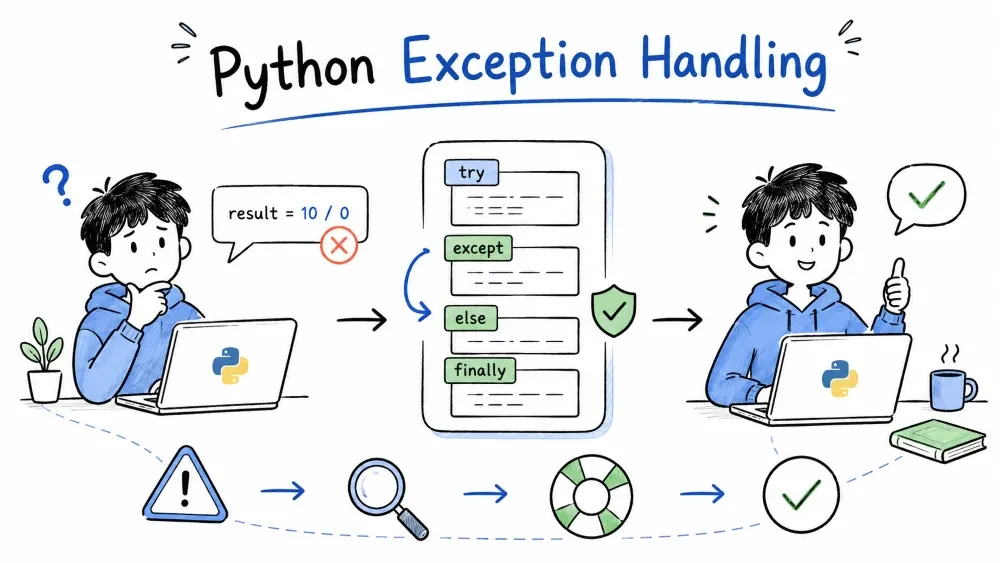
Programs break. Users enter text where numbers belong, files vanish, networks fail. Exception handling catches those failures and keeps your program running instead of crashing.
Errors are problems that stop your program from running or cause it to fail unexpectedly.
Two categories of errors exist in Python.
Python cannot parse your code. The program never executes.
# Missing colon → SyntaxError
if x > 5
    print("too big")

# Unclosed string
name = "John
The interpreter points exactly at the problem. Fix these before running.
The code is valid, but something fails during execution.
print(10 / 0)           # ZeroDivisionError

int("hello")            # ValueError

my_list = [1, 2, 3]
print(my_list[10])      # IndexError
Exceptions are runtime errors. They can be caught and handled — that's what the rest of this tutorial covers.
When an exception isn't handled, Python prints a traceback — a report showing exactly where the error happened and the call chain that led to it.
Traceback (most recent call last):
  File "demo.py", line 3, in <module>
    print(my_list[10])
    ~~~~~~~~^^^^^^
IndexError: list index out of range
Read tracebacks from bottom to top: the last line tells you the exception type and message. The lines above show the path your code took.
try marks a block of code that might raise an exception so Python can watch it for errors.
try:
    number = int(input("Enter a number: "))
    result = 100 / number
    print("Result:", result)
Rules:
except or finally after try.try stops at the first exception — lines after the error inside try are skipped.try run normally.try:
print("Step 1")
x = 10 / 0 # crashes here
print("Step 2") # never runs
except ZeroDivisionError:
print("Caught error")
# Output:
# Step 1
# Caught error
except catches exceptions and runs recovery code when an error occurs.
try:
    number = int(input("Enter: "))
except:
    print("Something went wrong")
A bare except catches every possible exception — KeyboardInterrupt, SystemExit, everything. This makes debugging hard and can lock up your program. Avoid it.
try:
    number = int(input("Enter a number: "))
except ValueError:
    print("That's not a valid number.")
Now only ValueError is caught. Other exceptions (like KeyboardInterrupt) still propagate.
try:
    file = open("config.txt")
    data = file.read()
    config = json.loads(data)
except FileNotFoundError:
    print("Config file missing. Using defaults.")
except json.JSONDecodeError:
    print("Config file is corrupted.")
Python checks except blocks in order and runs the first match. Order specific exceptions before general ones.
try:
    x = int(input("Number: "))
    result = 100 / x
except (ValueError, ZeroDivisionError) as e:
    print("Problem:", e)
Use as to get the exception instance and read its message or attributes.
try:
    x = 10 / 0
except ZeroDivisionError as e:
    print(type(e).__name__)     # ZeroDivisionError
    print(e)                    # division by zero
    print(e.args)               # ('division by zero',)
else runs only when try completes without an exception.
try:
    number = int(input("Enter: "))
except ValueError:
    print("Not a number.")
else:
    print("You entered", number)
Putting success code in else is better than putting it in try — it prevents accidentally catching an exception from code you didn't intend to guard.
finally always runs — whether an exception occurred or not. Used for cleanup.
file = open("data.txt")
try:
    content = file.read()
    number = int(content)
except ValueError:
    print("Not a valid number.")
finally:
    file.close()
This guarantees file.close() runs, preventing resource leaks.
Even if try or except has a return, finally runs before the function actually exits.
def demo():
    try:
        return "from try"
    finally:
        print("finally runs first")

print(demo())
# Output:
# finally runs first
# from try
A complete try block follows this order:
try:
    # risky code
except SomeError:
    # runs on that specific error
else:
    # runs if try succeeded (no exception)
finally:
    # always runs
raise triggers an exception manually or re-raises a caught one.
def set_age(age):
    if age < 0:
        raise ValueError("Age cannot be negative")
    if age > 150:
        raise ValueError("Age seems unrealistic")
    print(f"Age set to {age}")
set_age(-5) # ValueError: Age cannot be negative
raise ValueError("Something specific went wrong")
The message is captured in the exception object and displayed in the traceback.
Catch an exception, do local cleanup or logging, then let it propagate.
def process_file(filename):
    try:
        with open(filename) as f:
            return f.read()
    except FileNotFoundError:
        print(f"[LOG] File {filename} was missing")
        raise       # re-raise the same exception
A bare raise inside except re-raises the same exception with its original traceback intact. Never write raise e for re-raising — that creates a new traceback and loses the call site.
try:
    do_something()
except ValueError:
    log_error()
    raise          # correct — preserves original traceback
    # raise e      # wrong — resets the traceback
When you catch one exception and want to raise a different one, use raise ... from ... to chain them.
try:
    result = int("abc")
except ValueError as e:
    raise RuntimeError("Conversion failed") from e
The traceback shows both exceptions: "The above exception was the direct cause of the following exception."
| Exception | Common Cause |
|---|---|
ValueError | Wrong value type — int("abc") |
TypeError | Wrong operation type — "hello" + 5 |
IndexError | List index out of range |
KeyError | Dictionary key missing |
FileNotFoundError | File doesn't exist |
ZeroDivisionError | Division by zero |
AttributeError | Object has no such attribute |
ImportError | Module not found or import fails |
StopIteration | Iterator exhausted |
KeyboardInterrupt | User pressed Ctrl+C |
# Bad
try:
    process(data)
except:
    pass          # hides every possible error

# Good
try:
    process(data)
except ValueError:
    handle_bad_data(data)
Only wrap the code that actually might fail. Don't put 50 lines inside try — you might catch an exception you didn't anticipate.
# Good
name = input("Name: ")         # not risky
try:
    age = int(input("Age: "))  # only this can fail
except ValueError:
    age = 0
Swallowing exceptions silently makes bugs impossible to find. At minimum log the error.
# Bad
try:
    risky()
except:
    pass

# Better
try:
    risky()
except Exception as e:
    print(f"Error: {e}")
finally — resources, cleanup, guarantees.else — code that should run only on success.Check for invalid input at the function boundary (raise early). Let the caller decide how to handle it (catch late).
def divide(a, b):
    if b == 0:
        raise ValueError("Division by zero")   # raise early
    return a / b

# Caller handles it
try:
    result = divide(10, 0)                      # catch late
except ValueError as e:
    print(e)
try block
    │
    ├── no error ──► else block ──► finally block ──► continue
    │
    └── error ──► matching except ──► finally block ──► continue
                         │
                    no matching except ──► error propagates up
A concrete example:
def calculate():
    try:
        print("try: running")
        x = int("abc")
        print("try: this won't print")
    except ValueError:
        print("except: invalid value")
    else:
        print("else: success (won't run)")
    finally:
        print("finally: cleanup")

    print("after try block")

calculate()
Output:
try: running
except: invalid value
finally: cleanup
after try block
If except weren't there (or didn't match), finally still runs before the error propagates and crashes the program.
A calculator that handles bad input and errors gracefully.
def safe_float(prompt):
    """Get a number from the user. Keep asking until valid."""
    while True:
        try:
            value = float(input(prompt))
            return value
        except ValueError:
            print("Invalid number. Please try again.")


def calculate(a, op, b):
    """Perform an operation. Raises on errors."""
    if op == "+":
        return a + b
    elif op == "-":
        return a - b
    elif op == "*":
        return a * b
    elif op == "/":
        if b == 0:
            raise ValueError("Division by zero is not allowed")
        return a / b
    else:
        raise ValueError(f"Unknown operator: {op}")


# --- Main program ---

print("Simple Calculator (+, -, *, /)")

try:
    a = safe_float("First number: ")
    op = input("Operator (+, -, *, /): ").strip()
    b = safe_float("Second number: ")

    result = calculate(a, op, b)

except ValueError as e:
    print("Error:", e)
else:
    print(f"{a} {op} {b} = {result}")
finally:
    print("Calculator closed.")
Save your progress and earn XP for completing tutorials.
Technology
Python
Lesson group
Exception Handling
Progress
100% complete

