Preparing your learning space...
100% through Modules tutorials
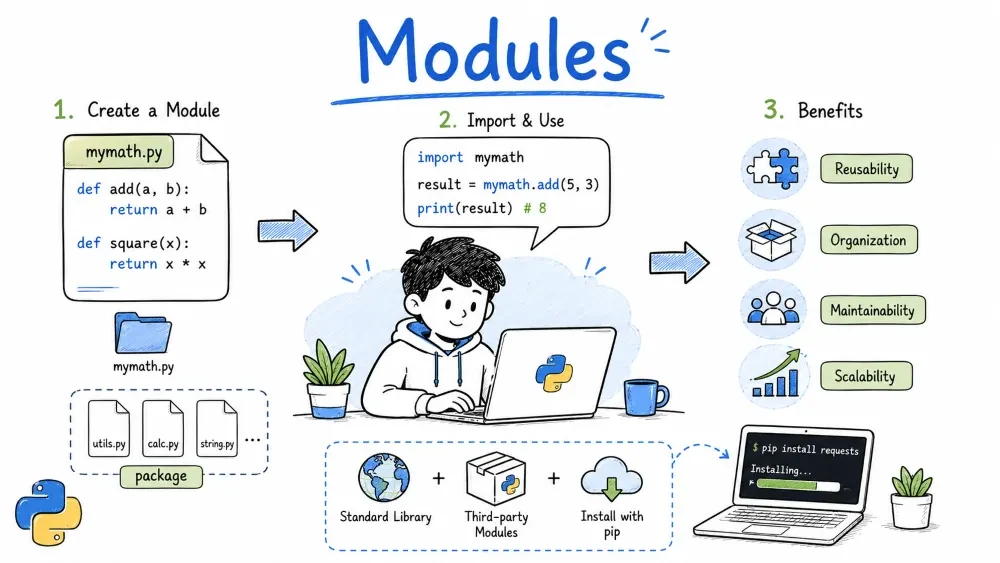
As your programs grow, putting everything in one file becomes messy. Modules let you split code across files, reuse functions, and keep things organized.
import Statementif __name__ == "__main__"A module is simply a .py file. You write functions, classes, or variables in it, and then use them from another file.
Why bother?
# Example: using the math module
import math

print(math.sqrt(16))       # 4.0
print(math.pi)             # 3.141592653589793
Any .py file is a module. Create one, save it, and import it.
File structure:
project/
├── main.py
└── greetings.py
greetings.py:
def hello(name):
    return f"Hello, {name}!"

def goodbye(name):
    return f"Goodbye, {name}!"
main.py:
import greetings

print(greetings.hello("Alice"))
print(greetings.goodbye("Alice"))
Run main.py and you'll see both messages. That's it — you just created and used your first module.
import StatementPython gives you a few ways to import. Each has its place.
import math
print(math.floor(3.7))   # need math. prefix
from math import floor, pi
print(floor(3.7))        # no prefix needed
print(pi)
import numpy as np # common convention
from math import * # brings everything into your namespace
This can silently overwrite your own variables. Avoid it in real projects — it makes code harder to debug.
Python searches these locations (in order):
PYTHONPATH environment variableYou can see the full list yourself:
import sys
print(sys.path)
if __name__ == "__main__"This line checks whether the file is being run directly or imported somewhere else.
__name__ is "__main__"__name__ is the module's filenameWhy it matters: you might want test code that only runs when you execute the file directly, not when someone imports it.
# calculator.py
def add(a, b):
    return a + b

def subtract(a, b):
    return a - b

if __name__ == "__main__":
    # This only runs when you execute calculator.py directly
    print("Testing calculator...")
    print(f"3 + 5 = {add(3, 5)}")
    print(f"10 - 4 = {subtract(10, 4)}")
# main.py
import calculator                # test code does NOT run
print(calculator.add(2, 2))      # just uses the functions
A package is a folder that contains multiple modules, plus a special file called __init__.py.
File structure:
project/
├── main.py
└── shapes/
    ├── __init__.py
    ├── circle.py
    └── rectangle.py
__init__.py tells Python: "treat this folder as a package." It can be empty, or you can use it to control what gets exported.
circle.py:
pi = 3.14159

def area(radius):
    return pi * radius * radius

def circumference(radius):
    return 2 * pi * radius
rectangle.py:
def area(length, width):
    return length * width

def perimeter(length, width):
    return 2 * (length + width)
Importing from the package:
# main.py
from shapes import circle, rectangle

print(circle.area(5))
print(rectangle.area(4, 6))
Using __init__.py to simplify imports:
# shapes/__init__.py
from .circle import area as circle_area
from .rectangle import area as rect_area
Now in main.py:
import shapes
print(shapes.circle_area(5))
print(shapes.rect_area(4, 6))
Packages can contain subpackages — just nest folders, each with their own __init__.py.
project/
└── app/
    ├── __init__.py
    ├── models/
    │   └── __init__.py
    └── views/
        └── __init__.py
from app.models import user
Pip downloads and installs packages from the Python Package Index (PyPI) — a huge collection of third-party libraries.
| Command | What it does |
|---|---|
pip install requests | Installs the requests library |
pip install requests==2.28.0 | Installs a specific version |
pip uninstall requests | Removes a package |
pip list | Shows all installed packages |
pip freeze | Lists installed packages in requirements format |
A text file listing your project's dependencies. Share it so others can install everything at once.
requests==2.28.0
numpy==1.24.0
flask==2.2.0
Install all of them:
pip install -r requirements.txt
A virtual environment keeps dependencies separate per project, avoiding version conflicts.
python -m venv venv      # create
source venv/bin/activate  # activate (Linux/Mac)
venv\Scripts\activate     # activate (Windows)
Once activated, pip install installs into that environment, not globally.
Python ships with a rich standard library — no installation needed. Here are the ones you'll reach for most often.
os — operating system interfaceimport os
print(os.getcwd()) # current directory
print(os.listdir(".")) # files in current directory
print(os.environ.get("PATH")) # environment variable
os.rename("old.txt", "new.txt") # rename file
sys — system-specific parametersimport sys
print(sys.argv) # command-line arguments
# sys.argv[0] is the script name
sys.exit(0) # exit the program (0 = success)
math — mathematical functionsimport math
print(math.sqrt(25)) # 5.0
print(math.ceil(4.2)) # 5
print(math.floor(4.8)) # 4
print(math.pi) # 3.141592653589793
random — generate random valuesimport random
print(random.randint(1, 10)) # random integer between 1 and 10
print(random.choice(["a", "b", "c"])) # pick one randomly
deck = [1, 2, 3, 4, 5]
random.shuffle(deck) # shuffle in place
print(deck)
datetime — dates and timesfrom datetime import datetime, date
now = datetime.now()
print(now) # 2025-07-25 14:30:00.123456
print(now.strftime("%Y-%m-%d")) # format as string: 2025-07-25
today = date.today()
print(today) # 2025-07-25
json — read and write JSONimport json
# Python dict to JSON string
data = {"name": "Alice", "age": 30}
json_str = json.dumps(data)
print(json_str) # {"name": "Alice", "age": 30}
# JSON string back to Python dict
parsed = json.loads(json_str)
print(parsed["name"]) # Alice
re — regular expressionsimport re
text = "My email is alice@example.com"
match = re.search(r"\w+@\w+\.\w+", text)
if match:
print(match.group()) # alice@example.com
pathlib — modern file paths (Python 3.4+)from pathlib import Path
p = Path("data") / "files" / "notes.txt"
print(p) # data/files/notes.txt
print(p.suffix) # .txt
print(p.stem) # notes
# Read and write files
Path("hello.txt").write_text("Hello, world!")
print(Path("hello.txt").read_text()) # Hello, world!
A small program that uses a custom module, a package, the standard library, and a pip-installed library (requests).
File structure:
project/
├── main.py
├── utils/
│   ├── __init__.py
│   └── formatter.py
└── config.py
config.py — custom module with settings:
API_URL = "https://api.github.com"
TIMEOUT = 10
utils/formatter.py — inside a package:
def pretty_date(dt):
    """Convert a datetime object to a readable string."""
    return dt.strftime("%B %d, %Y at %I:%M %p")
main.py — ties everything together:
import sys
from datetime import datetime
import requests

import config
from utils import formatter


def main():
    # Check command-line arguments
    if len(sys.argv) < 2:
        print("Usage: python main.py <github-username>")
        sys.exit(1)

    username = sys.argv[1]
    url = f"{config.API_URL}/users/{username}"
    print(f"Fetching {url}...")

    try:
        response = requests.get(url, timeout=config.TIMEOUT)
        response.raise_for_status()
        data = response.json()

        now = datetime.now()
        print(f"\n--- GitHub Profile: {data['login']} ---")
        print(f"Name: {data.get('name', 'N/A')}")
        print(f"Public repos: {data['public_repos']}")
        print(f"Followers: {data['followers']}")
        print(f"Fetched at: {formatter.pretty_date(now)}")

    except requests.exceptions.RequestException as e:
        print(f"Error: {e}")
        sys.exit(1)


if __name__ == "__main__":
    main()
Run it:
pip install requests
python main.py torvalds
Save your progress and earn XP for completing tutorials.
Technology
Python
Lesson group
Modules
Progress
100% complete

