Preparing your learning space...
100% through Computer Networking tutorials
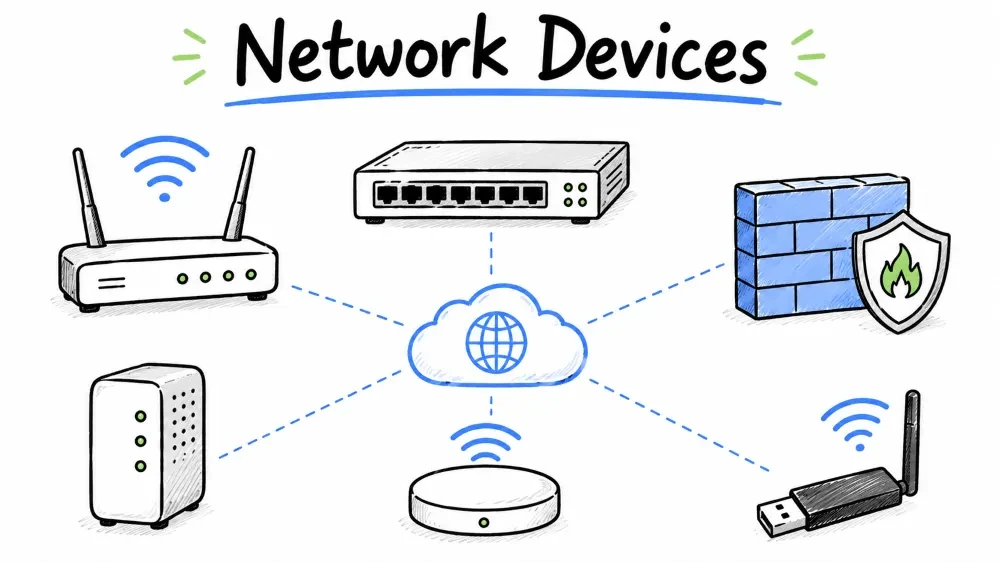
Network Devices are hardware components used to connect computers and other devices together to form a network. They handle the transmission, routing, filtering, and management of data as it travels across the network.
                         NETWORK DEVICES

    ┌─────────────────────────────────────────────────────────────┐
    │                                                             │
    │   NIC ── Repeater ── Hub ── Bridge ── Switch ── Router      │
    │     ── Access Point ── Modem ── Gateway ── Firewall         │
    │                                                             │
    │   (Local)                         (Internetworking/Security)│
    │                                                             │
    └─────────────────────────────────────────────────────────────┘
This tutorial covers all major network devices — from basic local connectivity (NIC, Hub, Switch) to internetworking (Router, Modem) and security (Firewall).
NIC (Network Interface Card) is a hardware component installed inside a computer or device that provides a physical connection to the network. It converts data from the computer into a format that can travel over the network cable or wireless signal.
                    ┌─────────────────┐
                    │    Computer     │
                    │   ┌──────────┐  │
                    │   │   NIC    │  │
                    │   │ ┌──────┐ │  │
                    │   │ │ Port │ │  │
                    │   │ └──┬───┘ │  │
                    │   └────┼─────┘  │
                    └────────┼────────┘
                             │
                    Ethernet │ Cable (RJ45)
                             │
                    ┌────────┴────────┐
                    │     Switch      │
                    └─────────────────┘
| Aspect | Detail |
|---|---|
| Full Name | Network Interface Card (also called Network Adapter) |
| OSI Layer | Layer 1 (Physical) & Layer 2 (Data Link) |
| Types | Ethernet NIC (wired), WiFi NIC (wireless), Fiber NIC |
| Unique ID | Each NIC has a unique MAC address burned into it |
| Speed | 10/100 Mbps, 1 Gbps, 10 Gbps (modern) |
| Form Factor | PCIe (desktop), USB (external), Built-in (laptops) |
Computer sends data → NIC formats it into frames
→ Adds source & destination MAC addresses
→ Sends over the cable or wireless signal
→ NIC on receiving computer checks MAC and accepts if match
| Type | Connection | Speed | Use |
|---|---|---|---|
| Ethernet NIC | RJ45 port | Up to 10 Gbps | Desktops, servers |
| WiFi NIC | Wireless antenna | Up to 1.2 Gbps (WiFi 6) | Laptops, phones |
| Fiber NIC | Fiber optic port | Up to 100 Gbps | Data centers |
| USB NIC | USB port | Up to 1 Gbps | Laptops without Ethernet |
Every device on a network needs a NIC. The MAC address of the NIC is fundamental to Layer 2 switching and ARP protocol.
Repeater is a network device that regenerates and amplifies signals so they can travel longer distances without degradation. It operates at the Physical Layer (Layer 1).
    ┌────────┐    Weak Signal     ┌──────────┐    Strong Signal    ┌────────┐
    │  PC 1  │───────▬▬▬────────► │ Repeater │───────▬▬▬────────►  │  PC 2  │
    └────────┘                    └──────────┘                     └────────┘

    Without Repeater:
    PC 1 ──────▬▬▬▬▬▬▬▬►  (Signal becomes too weak after 100m)

    With Repeater:
    PC 1 ────▬▬► [Repeater] ────▬▬► PC 2  (Signal restored)
| Aspect | Detail |
|---|---|
| OSI Layer | Layer 1 (Physical) |
| Function | Regenerates signal to extend network distance |
| Intelligence | None — does not filter or interpret data |
| Ports | 2 ports (input and output) |
| Max Cascade | Usually limited to 4 repeaters in series |
Repeaters extend the maximum cable length of a network segment. For Ethernet, the 5-4-3 rule limits repeater usage.
Hub is a basic network device that connects multiple devices in a LAN. It works at the Physical Layer (Layer 1) and simply copies incoming data to all other ports — it has no intelligence.
                   ┌─────┐
        ┌──────────┤ PC 1│
        │          └─────┘
        │
   ┌────┴─────┐
   │          │
   │   HUB    │  (Broadcasts data to ALL ports)
   │          │
   └────┬─────┘
        │
   ┌────┴─────┐
   │   PC 2   │
   └──────────┘
| Aspect | Detail |
|---|---|
| OSI Layer | Layer 1 (Physical) |
| Function | Connects multiple devices, broadcasts data to all ports |
| Ports | Typically 4, 8, 16, or 24 ports |
| Data Handling | No intelligence — broadcasts everything |
| Collision Domain | All ports are in one collision domain |
| Status | Almost obsolete — replaced by switches |
PC 1 sends data to PC 2:

   PC 1 ──► HUB ──► PC 2  (receives)
                ──► PC 3  (receives — unneeded traffic!)
                ──► PC 4  (receives — unneeded traffic!)
                ──► All other ports get the data
Hubs are legacy devices. CCNA focuses on switches, not hubs. However, understanding hubs helps explain why switches were invented.
Bridge is a network device that connects two separate network segments and filters traffic between them based on MAC addresses. It operates at Layer 2 (Data Link) and helps reduce collisions.
   ┌───────────┐          ┌───────────┐
   │ Segment A │          │ Segment B │
   │           │          │           │
   │  ┌────┐   │          │  ┌────┐   │
   │  │ PC1│   │          │  │ PC3│   │
   │  └────┘   ├──────────┤  └────┘   │
   │  ┌────┐   │  Bridge  │  ┌────┐   │
   │  │ PC2│   │          │  │ PC4│   │
   │  └────┘   │          │  └────┘   │
   └───────────┘          └───────────┘

   PC1 to PC2  → Traffic stays in Segment A (bridge blocks it)
   PC1 to PC3  → Bridge forwards traffic to Segment B
| Aspect | Detail |
|---|---|
| OSI Layer | Layer 2 (Data Link) |
| Function | Connects two network segments, filters using MAC addresses |
| Ports | 2 ports (one per segment) |
| Collision Domain | Each segment has its own collision domain |
| Forwarding Decision | Based on MAC address table (learned dynamically) |
1. Bridge starts with empty MAC table
2. PC1 (MAC: AA) sends data → Bridge learns "AA is on Port 1"
3. If data is for PC2 (same segment) → Bridge blocks it (filtering)
4. If data is for PC3 (other segment) → Bridge forwards it
5. Bridge builds MAC table over time
A Switch is essentially a multi-port bridge. The bridge concept is important to understand how switches learn MAC addresses.
Switch is an intelligent network device that connects multiple devices within a LAN and forwards data only to the specific destination device using MAC addresses. It operates at Layer 2 (Data Link) and is the core device in modern networks.
                    ┌──────┐
                    │ PC 1 │
                    └──┬───┘
                       │
    ┌──────┐    ┌──────┼──────┐    ┌──────┐
    │ PC 2 │────│   SWITCH    │────│ PC 3 │
    └──────┘    └──────┼──────┘    └──────┘
                       │
                    ┌──┴───┐
                    │ PC 4 │
                    └──────┘

   PC1 to PC4  →  Data goes directly from Port 1 to Port 4
                   Other ports are NOT affected
| Aspect | Detail |
|---|---|
| OSI Layer | Layer 2 (Data Link) |
| Function | Connects multiple devices, forwards data based on MAC addresses |
| Ports | Typically 8, 16, 24, 48 ports |
| Collision Domain | Each port is its own collision domain |
| Forwarding | Store-and-forward, Cut-through, Fragment-free |
| Status | Most common device in modern networks |
1. Switch starts with empty MAC address table
2. PC1 sends data to PC3
3. Switch records "PC1 is on Port 1" in its MAC table
4. If PC3's MAC is unknown → Switch floods to all ports (except Port 1)
5. PC3 responds → Switch records "PC3 is on Port 3"
6. Next time PC1 sends to PC3 → Switch forwards directly to Port 3 only
HUB:    PC1 ──► HUB ──► PC2, PC3, PC4, PC5 (all get data — waste)
SWITCH: PC1 ──► SWITCH ──► PC3 (only destination gets data — efficient)
| Type | Description | Use |
|---|---|---|
| Unmanaged Switch | Plug and play, no configuration | Home, small office |
| Managed Switch | Configurable — VLANs, QoS, SNMP | Enterprise networks |
| PoE Switch | Provides power + data over Ethernet | IP cameras, VoIP phones |
| Layer 3 Switch | Can route between VLANs (like a router) | Large enterprise LANs |
Switching is a major topic in CCNA. You need to understand MAC address tables, VLANs, STP, and trunking.
Router is a network device that connects two or more different networks and forwards data packets between them based on IP addresses. It operates at Layer 3 (Network Layer) and is responsible for routing traffic across the internet.
              ┌──────────────────────────────────┐
              │           INTERNET               │
              └──────────┬───────────┬───────────┘
                         │           │
                   ┌─────┴─────┐ ┌───┴────────┐
                   │  Router   │ │  Router    │
                   │   (HQ)    │ │ (Branch)   │
                   └─────┬─────┘ └─────┬──────┘
                         │              │
                   ┌─────┴─────┐  ┌─────┴──────┐
                   │  Switch   │  │   Switch   │
                   └─────┬─────┘  └─────┬──────┘
                         │              │
                   ┌─────┴─────┐  ┌─────┴──────┐
                   │  PC Farm  │  │  PC Lab    │
                   └───────────┘  └────────────┘
| Aspect | Detail |
|---|---|
| OSI Layer | Layer 3 (Network) |
| Function | Connects different networks, routes packets using IP addresses |
| Key Feature | Maintains a routing table to determine the best path |
| Home Router | Often combines Router + Switch + Access Point + Modem in one box |
| Enterprise Router | High-end routers like Cisco ISR, ASR series |
PC1 (192.168.1.10) sends data to Server (203.0.113.5):

1. PC1 checks: Is destination on the same network? No.
2. PC1 sends data to its default gateway (Router)
3. Router checks its routing table:
   - 192.168.1.0/24  → Local network (out port 1)
   - 203.0.113.0/24  → Next hop: 10.0.0.2 (out port 2)
4. Router forwards packet to the next-hop router
5. Eventually reaches the destination server
| Destination Network | Next Hop | Outgoing Interface |
|---|---|---|
| 192.168.1.0/24 | Directly connected | GigabitEthernet0/0 |
| 10.0.0.0/24 | Directly connected | GigabitEthernet0/1 |
| 203.0.113.0/24 | 10.0.0.2 | GigabitEthernet0/1 |
| 0.0.0.0/0 (default) | ISP Router | GigabitEthernet0/1 |
Routing is the core of CCNA. You need to understand static routing, OSPF, and how routers build their routing tables.
Access Point (AP) is a network device that allows wireless devices (WiFi) to connect to a wired network. It acts as a bridge between the wired Ethernet network and wireless clients.
                    ┌──────────────────┐
                    │   INTERNET       │
                    └────────┬─────────┘
                             │
                    ┌────────┴─────────┐
                    │      Router      │
                    └────────┬─────────┘
                             │
                    ┌────────┴─────────┐
                    │      Switch      │
                    └────────┬─────────┘
                             │
                    ┌────────┴─────────┐
                    │  Access Point    │
                    │  (WiFi)          │
                    └────────┬─────────┘
                             │
                    WiFi Signals (2.4 GHz / 5 GHz)
                             │
             ┌───────────────┼───────────────┐
             │               │               │
         ┌───┴───┐      ┌────┴────┐      ┌───┴───┐
         │Phone  │      │ Laptop  │      │Tablet │
         └───────┘      └─────────┘      └───────┘
| Aspect | Detail |
|---|---|
| OSI Layer | Layer 2 (Data Link) |
| Function | Provides wireless connectivity to wired networks |
| Standard | IEEE 802.11 (WiFi 4/5/6/7) |
| Modes | Standalone AP, Controller-based AP, Mesh AP |
| Range | Indoor: ~30m, Outdoor: ~100m+ |
| SSID | Network name broadcast by the AP |
| Type | Description | Use |
|---|---|---|
| Standalone AP | Configured individually | Small office, home |
| Controller-based AP | Managed centrally by a Wireless LAN Controller (WLC) | Enterprise (schools, hospitals) |
| Mesh AP | APs wirelessly connect to each other | Large areas, outdoor |
Wireless networking is covered in CCNA. Key topics: SSID, WPA3, roaming, channel selection, and WLC configuration.
Modem (Modulator-Demodulator) is a device that converts digital signals from a computer into analog signals for transmission over telephone or cable lines, and vice versa. It connects your local network to your Internet Service Provider (ISP).
    ┌──────────┐    Digital    ┌─────────┐    Analog    ┌──────────┐
    │  Router  │◄─────────────►│  Modem  │◄────────────►│   ISP    │
    │ (LAN)    │    Ethernet   │         │   Coaxial/   │(Internet)│
    └──────────┘               └─────────┘   DSL/Fiber  └──────────┘

    Digital:  101010 (Computer language)
    Analog:   ~~~~~~~~ (Signal traveling over wires)
    Modem converts between the two
| Aspect | Detail |
|---|---|
| Full Name | Modulator-Demodulator |
| Function | Converts digital ↔ analog signals for ISP connectivity |
| Types | DSL Modem, Cable Modem, Fiber ONT, Dial-up Modem |
| Speed | DSL: up to 100 Mbps, Cable: up to 1 Gbps, Fiber: up to 10 Gbps |
| Connection | Connects to ISP on one side, Router on the other |
| Type | Medium | Max Speed | Use |
|---|---|---|---|
| DSL Modem | Telephone line | 100 Mbps | Home broadband |
| Cable Modem | Coaxial cable | 1 Gbps | Cable internet |
| Fiber ONT | Fiber optic | 10 Gbps | Fiber-to-home (FTTH) |
| Dial-up Modem | Telephone line | 56 Kbps | Legacy — extremely slow |
In modern home routers, the Modem is often built into the same box (e.g., a cable modem/router combo).
Modems are less emphasized in CCNA. The focus is on connecting to the WAN via routers. However, understanding DSL and Cable technologies is useful.
Gateway is a network device that connects two networks using different protocols and translates data between them. It operates at multiple OSI layers and can act as an entry/exit point between networks.
    ┌──────────────┐          ┌──────────────┐
    │  LAN Network │          │  WAN/Internet │
    │ (TCP/IP)     │◄────────►│ (Different    │
    │              │  Gateway │   Protocol)   │
    └──────────────┘          └──────────────┘

    Example: A router configured as a gateway between your
    home network and the internet.

    ┌─────────────────────────────────────────────────────┐
    │  Default Gateway = The router that connects your    │
    │  LAN to other networks (usually the internet)       │
    └─────────────────────────────────────────────────────┘
| Aspect | Detail |
|---|---|
| Function | Translates data between different network protocols |
| Layer | Multi-layer (can work up to Layer 7 - Application) |
| Default Gateway | The router IP configured on each device to reach other networks |
| Protocol Translation | Can convert between TCP/IP and IPX, IPv4 and IPv6, etc. |
| Examples | VoIP Gateway (phone ↔ internet), Email Gateway |
| Aspect | Router | Gateway |
|---|---|---|
| Primary function | Route packets between networks | Translate between different protocols |
| Layer | Layer 3 | Multi-layer (up to Layer 7) |
| Protocol | Same protocol (e.g., IP to IP) | Different protocols (e.g., IP to IPX) |
| Every network has | At least one router | At least one default gateway |
In home networking, the router acts as the default gateway. The terms are often used interchangeably, but technically a gateway translates protocols, while a router forwards packets.
The "default gateway" concept is critical in CCNA. Every device that needs to communicate outside its own network must have a default gateway configured.
Firewall is a network security device that monitors and controls incoming and outgoing traffic based on predetermined security rules. It creates a barrier between a trusted internal network and untrusted external networks (like the internet).
    ┌─────────────────────────────────────────────────────┐
    │                   INTERNET                          │
    │                (Untrusted)                          │
    └──────────────────────┬──────────────────────────────┘
                           │
                           ▼
                   ┌───────────────┐
                   │   FIREWALL    │ ← Blocks bad traffic
                   │   (Security)  │ ← Allows good traffic
                   └───────┬───────┘
                           │
                           ▼
                   ┌───────────────┐
                   │  LAN Network  │
                   │  (Trusted)    │
                   └───────────────┘

    Firewall Rules Example:
    ✓ Allow HTTP/HTTPS traffic from inside to outside
    ✓ Allow responses to internal requests
    ✗ Block incoming SSH from outside
    ✗ Block known malicious IP addresses
| Aspect | Detail |
|---|---|
| Function | Filters traffic based on security rules |
| Types | Packet Filtering, Stateful Inspection, Next-Gen Firewall (NGFW) |
| Deployment | Hardware appliance, Software (Windows Defender), Cloud (AWS WAF) |
| Inspection | Can inspect packets, sessions, and applications |
| Default Action | Block all — only allow what is explicitly permitted |
| Type | How it works | Example |
|---|---|---|
| Packet Filtering | Checks source/destination IP and port only | Basic ACL on router |
| Stateful Firewall | Tracks the state of connections | Cisco ASA, Windows Firewall |
| Next-Gen Firewall (NGFW) | Inspects application-layer data | Palo Alto, Fortinet |
| Proxy Firewall | Acts as an intermediary | Squid, Blue Coat |
| Web App Firewall (WAF) | Protects web applications | Cloudflare, AWS WAF |
1. Internal user requests google.com (outbound — ALLOWED)
2. Firewall records: "192.168.1.10:54321 → google.com:80 (ACTIVE)"
3. Google responds → Firewall sees response matches recorded state → ALLOWED
4. External attacker tries to connect to 192.168.1.10:22 →
   Firewall checks: "Is there a matching outbound request?" → No → BLOCKED
CCNA covers Access Control Lists (ACLs) which are the basic form of packet filtering on Cisco routers. NGFW concepts are covered in higher-level Cisco certifications.
| Feature | NIC | Repeater | Hub | Bridge | Switch | Router | AP | Modem | Gateway | Firewall |
|---|---|---|---|---|---|---|---|---|---|---|
| OSI Layer | L1/L2 | L1 | L1 | L2 | L2 | L3 | L2 | L1/L2 | L3-L7 | L3-L7 |
| Intelligence | Low | None | None | Medium | High | High | Medium | Low | High | High |
| Filtering | No | No | No | MAC | MAC | IP/ACL | No | No | Protocol | Rules |
| Collision Domain | Per device | Shared | Shared | Per seg | Per port | N/A | N/A | N/A | N/A | N/A |
| Ports | 1 | 2 | 4-24 | 2 | 8-48 | 2-8+ | 1 | 2-4 | 2+ | 4-12+ |
| Speed | 10M-10G | Same | 10-100M | 10-100M | 100M-100G | 100M-100G | 100M-1G | Up to 10G | Varies | 100M-100G |
| Learning | No | No | No | Yes | Yes | Yes | No | No | Yes | No |
| Status | Active | Obsolete | Obsolete | Obsolete | Most Used | Active | Active | Active | Active | Active |
| CCNA Importance | High | Low | Low | Medium | Very High | Very High | Medium | Low | Medium | High |
| # | Scenario | Your Answer |
|---|---|---|
| a | A device that regenerates a weakening signal to extend cable distance | |
| b | A device that connects 30 computers and sends data only to the correct destination port | |
| c | A hardware card inside a computer that provides a network port and has a unique MAC address | |
| d | A device that connects two network segments and filters traffic using MAC addresses | |
| e | A device that broadcasts incoming data to all other connected ports | |
| f | A device that forwards data between different networks using IP addresses and routing tables | |
| g | A device that allows laptops and phones to connect to the network without cables | |
| h | A device that connects your home network to your ISP and converts digital signals to analog | |
| i | A security device that monitors traffic and blocks unauthorized access based on rules |
A small office currently uses a Hub to connect 8 computers. They are experiencing slow speeds because when one computer sends data, all others receive the traffic.
Your task: Explain in 3-4 sentences why upgrading to a Switch would solve their problem. Mention collision domain, filtering, and performance in your answer.
A small business has:
Your task: List all the network devices needed to set up this network. Explain in 2-3 sentences how they should be connected (draw a simple text diagram if you can).
Save your progress and earn XP for completing tutorials.
Technology
Cyber Security & Networking
Lesson group
Computer Networking
Progress
100% complete

