Preparing your learning space...
25% through Email Security tutorials
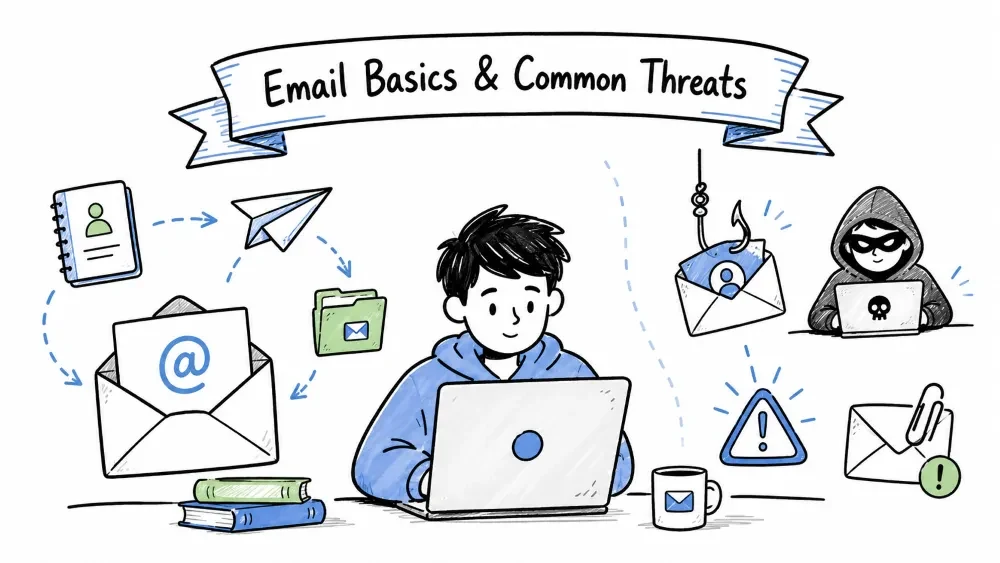
Email (Electronic Mail) is one of the most fundamental and widely used communication tools on the internet. It was invented in the early 1970s and has evolved into a global communication system handling over 350 billion messages per day. However, due to its popularity and open nature, it is also one of the most attacked vectors in cybersecurity. This tutorial covers the basics of how email works and the common threats that target email users.
Email is a method of exchanging digital messages between people using electronic devices. It was invented by Ray Tomlinson in 1971 when he sent the first email message (QWERTYUIOP) between two computers sitting next to each other. The @ symbol was chosen to separate the user's name from the machine's name — a convention still used today.
Today, email serves multiple purposes:
| Component | Description | Examples |
|---|---|---|
| Mail User Agent (MUA) | Client software used to compose, read, and manage emails | Outlook, Gmail app, Thunderbird, Apple Mail |
| Mail Transfer Agent (MTA) | Server that routes and forwards emails between domains | Postfix, Sendmail, Exchange, Gmail's servers |
| Mail Delivery Agent (MDA) | Server that stores incoming emails for user retrieval | Dovecot, Courier, Cyrus |
| SMTP | Simple Mail Transfer Protocol — used to send emails | Ports 25, 587 (submission), 465 (SMTPS) |
| POP3 | Post Office Protocol 3 — used to receive and download emails | Port 110, 995 (POP3S) |
| IMAP | Internet Message Access Protocol — used to receive and sync emails | Port 143, 993 (IMAPS) |
| MIME | Multipurpose Internet Mail Extensions — allows attachments, rich text, and non-ASCII characters | Base64 encoding for attachments |
| Email Address | Unique identifier in format local-part@domain.com | john.doe@gmail.com |
| DNS | Domain Name System — translates domain to mail server IP via MX records | MX record points to mail.example.com |
When you send an email, it goes through multiple hops across the internet:
Sender's MUA → Sender's MTA (SMTP) → Internet → Recipient's MTA → Recipient's MDA → Recipient's MUA (POP3/IMAP)
Step-by-step breakdown:
Step 1:  You compose an email in Outlook/Gmail and click Send
         ↓
Step 2:  Your mail client connects to an SMTP server (port 587 or 465)
         ↓
Step 3:  SMTP server performs DNS lookup — queries MX (Mail Exchange) record
         for the recipient's domain (e.g., gmail.com → gmail-smtp-in.l.google.com)
         ↓
Step 4:  SMTP server routes the email across the internet, possibly through
         multiple intermediate MTA hops
         ↓
Step 5:  Recipient's MTA receives the email, checks SPF/DKIM/DMARC, scans
         for spam/malware
         ↓
Step 6:  Email is delivered to the recipient's MDA (mailbox storage)
         ↓
Step 7:  Recipient opens their mail client → client uses IMAP (syncs) or
         POP3 (downloads) to fetch the email from the MDA
Every email has two main parts:
The header contains metadata about the message. This is critical for forensic investigation when analyzing suspicious emails.
| Header Field | Description | Example |
|---|---|---|
| From | Sender's address (can be spoofed!) | From: "CEO" <ceo@company.com> |
| To | Primary recipient(s) | To: employee@company.com |
| Subject | Email subject line | Subject: Urgent: Wire Transfer Needed |
| Date | Timestamp when sent | Date: Mon, 15 Jul 2026 09:30:00 +0530 |
| Message-ID | Unique identifier (every email has one) | Message-ID: <abc123@mail.company.com> |
| Received | Chain of servers the email passed through | Received: from mail.company.com (IP: 203.0.113.5) |
| Return-Path | Where bounces go (envelope sender) | Return-Path: <bounce@company.com> |
| Reply-To | Where replies go (can differ from From) | Reply-To: scammer@evil.com |
| SPF | Authentication result | spf=pass (google.com: domain ... designates 209.85.220.41 as permitted sender) |
| DKIM | Signature verification result | dkim=pass header.i=@company.com |
| DMARC | Policy enforcement result | dmarc=pass (p=QUARANTINE, sp=REJECT, dis=NONE) |
| X-Originating-IP | Original sender's IP (useful for tracing) | X-Originating-IP: [192.168.1.100] |
The actual content of the message. It can be:
Security Tip: When investigating a suspicious email, always view the full headers (called "Show Original" in Gmail, "Message Source" in Outlook). The headers reveal whether SPF/DKIM/DMARC passed, the actual originating IP, and the real path the email took.
SMTP is the protocol for sending emails. It was defined in RFC 821 (1982) and later updated in RFC 5321.
SMTP Commands:
  HELO/EHLO  → Identify the sending server
  MAIL FROM  → Specify the sender (envelope from)
  RCPT TO    → Specify the recipient
  DATA       → Begin message content
  QUIT       → End the session

SMTP Ports:
  Port 25   → Default SMTP (often blocked by ISPs to prevent spam)
  Port 587  → SMTP Submission (requires authentication — recommended)
  Port 465  → SMTPS (SMTP over SSL — deprecated but still used)
  Port 2525 → Alternative SMTP (used by some providers)
POP3 is used to receive emails by downloading them from the server to the client.
Key Characteristics:
  ✅ Downloads emails to your device
  ✅ By default, deletes emails from server after download
  ✅ Works offline — emails are stored locally
  ❌ Changes on one device don't sync to others
  ❌ If device is lost, emails are gone (unless backed up)

POP3 Commands:
  USER  → Send username
  PASS  → Send password
  STAT  → Get mailbox status (number of messages, total size)
  LIST  → List messages
  RETR  → Retrieve a specific message
  DELE  → Mark a message for deletion
  QUIT  → End session and apply changes

Best for: Single-device users who want offline access
IMAP is used to receive emails by syncing with the server. Emails stay on the server.
Key Characteristics:
  ✅ Emails stay on the server
  ✅ Changes sync across all devices
  ✅ Partial fetch — can read headers before downloading full email
  ✅ Server-side folders and search
  ❌ Requires internet connection to access emails
  ❌ Uses more server storage

IMAP Commands:
  LOGIN        → Authenticate user
  SELECT       → Select a mailbox/folder
  FETCH        → Retrieve message data (headers, body, attachments)
  SEARCH       → Search messages on the server
  STORE        → Change message flags (read, deleted, flagged)
  EXPUNGE      → Permanently remove deleted messages
  LOGOUT       → End session

Best for: Multi-device users (phone, laptop, desktop)
MIME extends email to support:
MIME Header Example:
  MIME-Version: 1.0
  Content-Type: multipart/mixed; boundary="boundary123"
  Content-Transfer-Encoding: base64

Structure:
  ┌──────────────────────────────────┐
  │  Multipart/Mixed                  │
  │  ├── Text/Plain (simple message)  │
  │  ├── Text/HTML (formatted message)│
  │  └── Application/PDF (attachment) │
  └──────────────────────────────────┘
Email threats are malicious activities that use email as the primary attack vector to compromise users, steal data, spread malware, or commit fraud. According to Verizon's 2024 Data Breach Investigations Report, over 94% of malware is delivered via email, and email is the primary vector in 36% of all data breaches.
| Malware Type | Description | How It Spreads via Email |
|---|---|---|
| Virus | Malicious code that replicates by attaching to files | Attached infected documents or executables |
| Ransomware | Encrypts files and demands payment for decryption | Fake invoices, job applications, delivery notices |
| Trojan | Disguised as legitimate software to trick users | "Your package tracking link" or "Important update" |
| Worm | Self-replicates without user action | Sends copies to all email contacts automatically |
| Spyware | Silently monitors user activity | Keylogging via malicious email attachments |
| RAT (Remote Access Trojan) | Gives attacker remote control of the device | Embedded in seemingly harmless PDFs or Office docs |
| Rootkit | Hides deep in the OS to maintain persistent access | Delivered via exploit kits from malicious links |
| Threat | Description | Example |
|---|---|---|
| Phishing | Mass-scale fake emails tricking users to reveal info | Fake Netflix login page email |
| Spear Phishing | Targeted phishing with personal research | Email referencing your actual job role and recent projects |
| Whaling | Spear phishing targeting executives/CEOs | Fake legal subpoena sent to the CFO |
| BEC / CEO Fraud | Impersonating executives to authorize fake payments | "CEO" emails finance to wire $50,000 "urgently" |
| Pretexting | Creating a fabricated scenario to extract info | Posing as IT support to ask for your password |
| Quid Pro Quo | Offering a benefit in exchange for info | "Complete this survey and win an iPhone" |
| Tailgating / Social | Manipulating people to bypass security | Posing as a delivery person to get into a building |
| Threat | Description | How It Works |
|---|---|---|
| Email Spoofing | Forging the "From" address to impersonate someone | Exploits SMTP's lack of built-in authentication |
| Man-in-the-Middle (MITM) | Intercepting and reading email in transit | Attacker positions themselves between sender and receiver |
| Email Bombing | Flooding an inbox with thousands of emails | Automated scripts send massive volume to hide one phishing email |
| Directory Harvesting | Collecting valid email addresses for future attacks | Using undeliverable vs deliverable responses |
| Reply-Chain Hijacking | Inserting malicious replies into existing email threads | Attacker compromises one participant, then replies with malware |
| Pharming | Redirecting email traffic to fake servers | DNS poisoning or local hosts file modification |
| Zero-Day Exploit | Unknown vulnerability in email client or protocol | Before the vendor has a patch available |
| Statistic | Value | Source |
|---|---|---|
| Total emails sent daily (2024) | ~350 billion | Statista |
| Percentage that is spam | 45% — 55% | Cisco Talos, Spamhaus |
| Data breaches involving email | 94% of malware delivered via email | Verizon DBIR 2024 |
| BEC losses (2013-2023 cumulative) | ~$55+ billion | FBI IC3 |
| Average cost of a BEC attack | ~$120,000 | FBI IC3 |
| Phishing attacks increased (2023) | +47% from 2022 | APWG |
| Percentage of ransomware via email | ~75% | Sophos Threat Report |
| Spear phishing success rate | ~30% vs ~3% for mass phishing | KnowBe4 |
Spam refers to unsolicited, unwanted, or junk emails sent in bulk, typically to large numbers of recipients. While often just annoying, spam can also be a vehicle for scams, malware, and fraud. The term originates from the Monty Python "Spam" sketch — signifying something unwanted and repetitive.
| Type | Description | Example |
|---|---|---|
| Commercial Spam | Unsolicited ads and promotions | "Buy Viagra 80% off!" |
| Nigerian 419 Scam | Advance-fee fraud promising huge returns | "I am a prince who needs help transferring $10M" |
| Lottery Scam | Fake lottery winnings requiring advance fees | "You won $1M! Pay processing fee to claim" |
| Phishing Spam | Bulk phishing emails | "Your PayPal account has been limited" |
| Pornographic Spam | Unwanted adult content | Explicit images or links |
| Hoax Emails | Chain letters spreading false information | "Microsoft will pay you $1000 to forward this!" |
| Spam Botnet | Automated networks of infected computers sending spam | Mirai botnet variants |
| Snowshoe Spam | Spreading spam across many IPs/domains to evade filters | Also called "skirt" spamming |
| Dictionary Attack Spam | Spam sent to common username patterns | john@domain.com, info@domain.com |
Timeline of a Classic 419 Scam:

Email Sent:
  "Dear Friend, I am Prince Abubakar of Nigeria. I have $25M tied up
   in a bank account and need your help transferring it. In return,
   I will give you 20% — that's $5,000,000! Please send your bank
   details and a processing fee of $5,000 to proceed."

Step 1: Victim responds → Scammer builds trust with fake documents
Step 2: Scammer requests "fees": processing, legal, tax, customs
Step 3: Victim sends money multiple times (each time a new "obstacle")
Step 4: Eventually, scammer disappears or victim is asked to travel
Step 5: In extreme cases, victim is lured to Nigeria and kidnapped

Losses: Victims lose an average of $10,000 — $100,000+
| Method | Description | How to Protect |
|---|---|---|
| Data Breaches | Your email leaked from compromised services | Use unique emails per service, check haveibeenpwned.com |
| Web Scraping | Bots harvest emails from websites, forums, social media | Obfuscate email on public pages |
| Purchased Lists | Companies buy/sell email databases illegally | Never use your primary email for unknown signups |
| Dictionary Attacks | Guessing common email patterns | Use unique prefixes, avoid common patterns |
| Malware | Stealing contacts from infected computers | Keep antivirus updated |
| Email Harvesting Bots | Automated crawlers scanning the web for mailto: links | Use contact forms instead of direct email links |
| WHOIS Lookups | Domain registration details often include email | Use WHOIS privacy protection |
| Referral Spam | Friends' compromised accounts leak your contact | Still vulnerable even if you're careful yourself |
| Formjacking | Malicious code on websites captures submitted emails | Use browser extensions that block malicious scripts |
| Directory Harvesting | Sending to common usernames to see which bounce | Hard to prevent at user level — requires server-side filtering |
| Indicator | Spam Signal | Threat Level |
|---|---|---|
| 📍 Sender Address | Unknown, misspelled, or look-alike domain | 🔴 High |
| 📍 Grammar/Spelling | Poor language, odd phrasing, excessive capitalization | 🔴 High |
| 📍 Urgency | "Act Now!", "Limited Time!", "24 hours left" | 🔴 High |
| 📍 Too Good To Be True | "You won!", "Free iPhone!", "$1000 gift card" | 🔴 High |
| 📍 Generic Greeting | "Dear Customer", "Dear User", "Dear Sir/Madam" | 🟠 Medium |
| 📍 Suspicious Links | Hover shows URL that doesn't match the text | 🔴 High |
| 📍 Unsolicited Attachments | You weren't expecting any file | 🔴 High |
| 📍 Request for Personal Info | Password, SSN, credit card, bank details | 🔴 Critical |
| 📍 Threats | "Account suspended", "Legal action", "FBI notice" | 🔴 High |
| 📍 Odd Reply-To | Reply-To is different from From address | 🟠 Medium |
| 📍 Emotional Manipulation | "Please help me", "Your friend is in trouble" | 🟠 Medium |
| 📍 Mismatched Branding | Logo looks wrong, colors are off, low-quality images | 🟠 Medium |
| Technique | How It Works | Effectiveness |
|---|---|---|
| Bayesian Filtering | Analyzes word frequency patterns — calculates probability that an email is spam | ⭐⭐⭐⭐ Good for known patterns |
| DNSBL (DNS Blocklists) | Checks sender IP against real-time blocklists (Spamhaus, Barracuda) | ⭐⭐⭐⭐⭐ Excellent |
| Greylisting | Temporarily rejects email from unknown senders — legitimate MTAs retry | ⭐⭐⭐⭐ Good |
| SPF/DKIM/DMARC | Validates sender authenticity at the domain level | ⭐⭐⭐⭐⭐ Essential |
| AI/ML Filters | Neural networks that learn and adapt to new spam patterns automatically | ⭐⭐⭐⭐⭐ Best |
| Content Filtering | Scans email body for spam keywords, patterns, and signatures | ⭐⭐⭐ Moderate |
| Rate Limiting | Limits number of emails from a single IP/sender in a given time | ⭐⭐⭐⭐ Good |
| Heuristic Analysis | Assigns spam scores based on multiple rules and characteristics | ⭐⭐⭐⭐ Good |
| Honeypots | Fake email addresses placed publicly to trap spammers | ⭐⭐⭐⭐⭐ Excellent |
| Fingerprinting | Creates hash/signature of known spam and blocks duplicates | ⭐⭐⭐ Moderate |
Bayesian filter calculates:
  P(spam|word) = P(word|spam) * P(spam) / P(word)

For email containing: "Congratulations! You won a FREE iPhone!"

Word            P(spam|word)
─────────────────────────────
Congratulations  0.85 (85% chance spam)
won              0.70
FREE             0.90 (CAPS + FREE = very spammy)
iPhone           0.40 (legitimate use too)
!                0.75

Combined probability: ~95% SPAM
1. Receiving server gets an email from IP: 198.51.100.45
2. Server queries DNSBL: 45.100.51.198.zen.spamhaus.org
3. Response:
   - 127.0.0.2 → Listed in SBL (Spamhaus Block List)
   - 127.0.0.3 → Listed in CSS (Exploit Block List)
   - 127.0.0.4 → Listed in XBL (CBL Block List)
   - NXDOMAIN  → Not listed (clean)
4. If listed → Reject or flag email
| Law | Jurisdiction | Key Requirements |
|---|---|---|
| CAN-SPAM Act | United States | Must have opt-out mechanism, cannot use false headers, must identify as ad |
| GDPR | European Union | Requires explicit consent for marketing emails, right to erasure |
| CASL | Canada | Strict opt-in consent required, clear sender identification |
| Spam Act 2003 | Australia | Prohibits unsolicited commercial emails, requires functional unsubscribe |
| PECR | UK | Privacy regulations for electronic communications |
| IT Act 2000 | India | Prohibits unauthorized sending of unsolicited emails |
✅ Never publish your email publicly — Use contact forms instead
✅ Use disposable email addresses — temp-mail.org, guerrillamail.com for one-time signups
✅ Create email aliases — Gmail: you+shopping@gmail.com, you+bank@gmail.com
✅ Never reply to spam — Confirms your email is active and gets you added to more lists
✅ Never click "Unsubscribe" in suspicious emails — Legit unsubscribe only for services YOU signed up for
✅ Use a separate email for financial accounts — Keep banking separate from shopping/social
✅ Use strong spam filters — Gmail's filtering is excellent; Outlook's is very good
✅ Report spam — Gmail: Mark as spam; Outlook: Mark as junk
✅ Use catch-all blocking — If you own a domain, block catch-all to prevent directory harvest
✅ Consider a spam-blocking service — For businesses: Proofpoint, Mimecast, Barracuda
Save your progress and earn XP for completing tutorials.
Technology
Cyber Security & Networking
Lesson group
Email Security
Progress
25% complete

