Preparing your learning space...
50% through Email Security tutorials
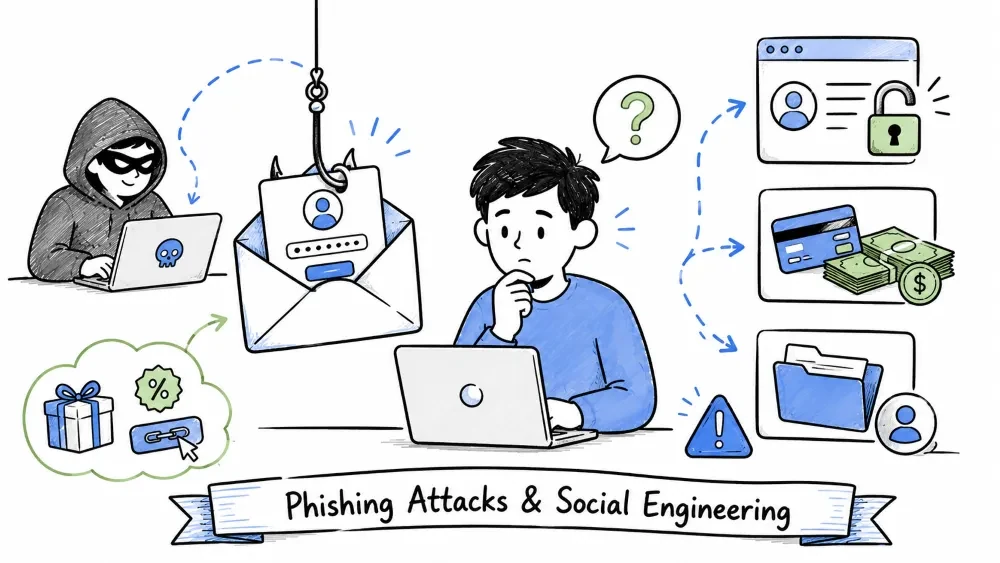
Phishing is the most common cyberattack method today. Attackers use deceptive emails to trick recipients into revealing sensitive information, clicking malicious links, or transferring money. According to the APWG Phishing Activity Trends Report, over 5 million phishing attacks were detected in 2024 alone. This tutorial covers Phishing, Spear Phishing, and Business Email Compromise (BEC) — ranging from mass-scale attacks to highly targeted operations.
Phishing is a cyberattack where criminals send fraudulent emails that appear to come from legitimate sources (banks, social media platforms, government agencies, etc.) to trick recipients into:
The term "phishing" was coined in the mid-1990s by hackers who were "fishing" for AOL account passwords. The "ph" is a nod to the earlier term "phreaking" (phone hacking).
Phishing exploits cognitive biases — shortcuts in human thinking that attackers manipulate:
| Cognitive Bias | How Phishing Exploits It | Example |
|---|---|---|
| Authority Bias | People tend to obey authority figures | Email from "CEO", "FBI", "IRS", "Bank Manager" |
| Scarcity | Limited-time offers create urgency | "Offer expires in 24 hours!" |
| Social Proof | People follow what others do | "5000 customers already claimed their reward" |
| Liking | People say yes to people they like | Fake friend request or message from a "colleague" |
| Commitment/Consistency | People stick with prior commitments | "You requested a password reset — confirm here" |
| Fear | Threat of negative consequences | "Your account will be closed", "Legal action pending" |
| Curiosity | Desire to know more | "Someone mentioned you in a comment — click to see" |
| Greed | Promise of easy money | "You won $1,000,000 in our lottery!" |
┌────────────────────────────────────────────────────────┐
│  From:    support@secure-bank-verify.com               │  ← Suspicious domain
│  Subject: Urgent: Your Account Has Been Locked         │  ← Creates urgency
│                                                        │
│  ┌────────────────────────────────────────────────┐    │
│  │                                                │    │
│  │  [BANK LOGO — often copied from real site]     │    │
│  │                                                │    │
│  └────────────────────────────────────────────────┘    │
│                                                        │
│  Dear Valued Customer,                          ← Generic greeting
│                                                        │
│  We detected unusual login activity on your account     │
│  from an unrecognized device. To protect your funds,   │
│  we have temporarily limited your account access.      │
│                                                        │
│  ⚠ ACTION REQUIRED: Verify your identity within        │
│    24 hours or your account will be permanently        │
│    suspended.                                          │
│                                                        │
│  ┌─────────────────────────────────────────┐           │
│  │                                         │           │
│  │     [ VERIFY ACCOUNT NOW ]              │  ← Fake   │
│  │                                         │           │
│  └─────────────────────────────────────────┘           │
│                                                        │
│  Actual link: https://secure-bank-verify.tk/login      │  ← Fake URL
│  Displayed:  https://realbank.com/security             │
│                                                        │
│  Regards,                                              │
│  Security Team, National Bank                          │
│  ┌─────────────────────────────────────────┐           │
│  │ © 2025 National Bank. All rights        │           │
│  │ reserved. This is an automated          │           │
│  │ security notification.                  │           │
│  └─────────────────────────────────────────┘           │
└────────────────────────────────────────────────────────┘

Red Flags Identified:
  1. ❌ Suspicious domain (secure-bank-verify.com ≠ realbank.com)
  2. ❌ Generic greeting ("Valued Customer")
  3. ❌ Creates false urgency (24 hours)
  4. ❌ Threatens negative consequence (account suspended)
  5. ❌ Mismatched link (text says realbank.com, goes to fake site)
  6. ❌ Request for personal verification
| Red Flag | Example | Why It's Suspicious |
|---|---|---|
| ❗ Urgency/Threats | "Your account will be closed in 24 hours" | Creates panic to override rational thinking |
| ❗ Generic Greeting | "Dear Customer" instead of your name | Real companies know your name |
| ❗ Suspicious Sender | support@g00gle.com (note the zero) | Look-alike domains with subtle changes |
| ❗ Spelling/Grammar | "We have detcted unusual activty" | Professional companies proofread their emails |
| ❗ Mismatched Links | Hover shows bit.ly/xyz but says "Google" | The link text lies about the destination |
| ❗ Requests for Credentials | "Confirm your password by replying" | Legitimate companies never ask for passwords via email |
| ❗ Too Good To Be True | "You won $1,000,000 Lottery!" | If it sounds too good to be true, it is |
| ❗ Unsolicited Attachments | Invoice.pdf (actually .exe) | Double-extension tricks hide the real file type |
| ❗ Unusual Request | "Wire $50,000 to this account urgently" | Verify any money requests out-of-band (phone call) |
| ❗ Threatening Language | "FBI will arrest you", "Legal action pending" | Government agencies don't threaten via email |
| ❗ Mismatched Reply-To | From: boss@co.com, Reply-To: scam@evil.com | Replies go to the attacker, not the claimed sender |
| Type | Description | Scale | Example |
|---|---|---|---|
| Mass Phishing | Bulk emails sent to millions of random recipients | 📡 Massive | "Your Netflix account is suspended" sent to 10M people |
| Spear Phishing | Targeted at specific individuals or small groups | 🎯 Small | Fake email to company employees referencing internal projects |
| Whaling | Targeting high-profile executives or VIPs | 🐋 Very targeted | Fake legal subpoena sent to the CEO/CFO |
| Smishing | Phishing via SMS text messages | 📱 Mobile | "Your package is delayed — track here: bit.ly/fake" |
| Vishing | Phishing via voice calls | 📞 Phone | Fake IRS agent calling to demand payment |
| Clone Phishing | Legitimate email cloned with malicious link swapped in | 🔄 Targeted | Copy of a real Amazon order confirmation with fake tracking link |
| Angler Phishing | Fake customer support accounts on social media | 🐦 Social | Fake Twitter/X account replying to complaints |
| QRishing | Phishing via QR codes | 📷 QR | QR code on fake parking ticket that leads to payment site |
| Deepfake Phishing | AI-generated voice/video impersonation | 🤖 Advanced | Fake CEO voice call to authorize transfer |
Attackers use phishing kits — pre-built packages sold on dark web forums that make it easy for anyone to launch phishing attacks:
Typical Phishing Kit Contents:
  📁 /phishing-kit/
    ├── index.html          ← Fake login page (mimics Gmail, Outlook, bank, etc.)
    ├── style.css           ← Stolen CSS from the real website
    ├── images/             ← Logos and icons scraped from the real site
    ├── capture.php         ← Script that saves credentials to a file
    ├── capture.txt         ← Stolen credentials accumulate here
    ├── redirect.php        ← Redirects victim to real site after capture
    ├── .htaccess           ← Blocks security bots and crawlers
    ├── /admin/             ← Panel to view stolen credentials
    │   ├── index.php
    │   └── logs.php
    ├── /telegram/          ← Sends stolen data to Telegram bot in real-time
    └── README.txt          ← Setup instructions (hosting, domain, etc.)

Cost on Dark Web:
  Basic phishing kit:        $50 — $200
  Premium kit with 2FA Bypass: $500 — $2,000
  Custom engineered kit:     $2,000 — $10,000+
💡 Some advanced kits include real-time 2FA bypass using a reverse proxy: the victim logs in through the attacker's server which forwards credentials to the real site in real-time. The attacker captures both the password AND the 2FA code.
In May 2017, a sophisticated phishing attack targeted Gmail users worldwide:
Email Appeared From: A known contact (someone in your address book)
Subject:             "Documents"
Content:             "[Contact Name] has invited you to view the following
                     document. Click here to open."
Link:                Fake Google sign-in page (looked identical to real)

What Made It Advanced:
  ✅ Used real contact names from compromised accounts
  ✅ Used legitimate-looking Google URLs with open redirects
  ✅ Phishing page redirected to real Google Docs after capture
  ✅ Spread automatically by sending the email to all contacts

Impact: Over 1 million Google accounts compromised in a few hours
        Google took down the attack within approximately 1 hour
Spear Phishing is a highly targeted form of phishing where the attacker researches the victim extensively and crafts a highly personalized email. Unlike mass phishing ("spray and pray"), spear phishing uses specific details to appear completely legitimate. The investment per victim is much higher, but so is the success rate.
Phase 1: Target Selection
    ↓
  Who has access to valuable data or money?
    → Finance team, HR executives, IT admins, Executives

Phase 2: Information Gathering (OSINT)
    ↓
  Public sources the attacker mines:
  ┌──────────────────────────────────────────────┐
  │ LinkedIn       → Job title, department,         │
  │                   connections, skills           │
  │ Facebook       → Friends, interests, check-ins, │
  │                   vacation plans                │
  │ Twitter/X      → Recent posts, complaints,      │
  │                   who they follow               │
  │ Company Website → Org chart, team structure,    │
  │                   email format (jdoe@co.com)    │
  │ Google News    → Recent company announcements,  │
  │                   mergers, partnerships         │
  │ Data Breaches  → Leaked passwords, email lists  │
  │                     (Have I Been Pwned)         │
  │ GitHub         → Code commits, internal project │
  │                   names, employee emails         │
  └──────────────────────────────────────────────┘

Phase 3: Crafting the Email
    ↓
  Using gathered intel to create a believable message:
  ✓ Correct name and title
  ✓ References real projects and colleagues
  ✓ Mimics internal communication style
  ✓ Uses company-specific terminology
  ✓ Matches timezone and working hours

Phase 4: Delivery
    ↓
  Send at the optimal time (usually Tuesday-Thursday,
  9-11 AM local time when people are most productive)

Phase 5: Exploitation
    ↓
  Victim clicks → Credentials stolen / Malware installed / Money transferred
| Scenario | Email Content | Why It's Convincing |
|---|---|---|
| IT Support | "Hi John, we're updating the VPN client for all remote staff. Click here to download the new installer." | Uses real company IT language; remote staff context feels relevant |
| HR Email | "Dear Sarah, your Q3 performance bonus has been approved. Please review the attached statement." | Bonus email is exciting — people let their guard down |
| Colleague Request | "Hey Mike, can you review this document for the Acme project? I need your feedback before the 3 PM meeting." | References a real project and deadline |
| Conference Invite | "Congratulations! You've been selected to speak at [Real Conference]. Confirm your slot here." | Flattering content makes people less suspicious |
| Invoice from Vendor | "[Finance person], please process payment for invoice INV-2024-8934. Updated banking details attached." | References real vendors and real invoice numbering |
| Travel Booking | "Your flight to [city] has been changed. Confirm your seat assignment here." | Works if the employee actually has a trip planned |
Comparison: Mass Phishing vs Spear Phishing

                    Mass Phishing        Spear Phishing
                    ─────────────        ─────────────
Emails Sent:        1,000,000            100
Time to Craft:      5 minutes            2-5 hours
Personalization:    None                 Extensive research
Success Rate:       ~0.1% - 3%          30% - 60%
Detection:          Easy (filters)       Hard (bypasses filters)
Target Value:       Any user             Specific high-value user
Damage per Attack:  $100 - $500          $10,000 - $100,000+
Company:  Ubiquiti Networks (tech company, $1B+ revenue)
Attack:   Spear phishing + CEO Fraud
Method:   Attacker posed as executives requesting wire transfers

Timeline:
  Jan 2015: Attackers research Ubiquiti's finance team on LinkedIn
  Feb 2015: Fake emails sent to finance, impersonating company lawyers
  Mar 2015: Finance processes multiple wire transfers to attacker accounts
  Jun 2015: Discovery — company realizes $46.7 million was stolen
  Result:  FBI recovered most funds, but Ubiquiti lost millions in costs

Key Lesson: Even a technology company with advanced security fell victim
             to a well-crafted spear phishing attack.
Business Email Compromise (BEC) — also known as CEO Fraud or Email Account Compromise — is a sophisticated scam targeting companies who conduct wire transfers and work with foreign suppliers. Attackers impersonate executives, vendors, or trusted partners to trick employees into making fraudulent payments. According to the FBI IC3 report, BEC attacks have resulted in over $55 billion in losses globally between 2013 and 2023.
| Attack Type | Description | Typical Request |
|---|---|---|
| CEO Fraud | Attacker impersonates the CEO or another executive | "Wire $100,000 for the acquisition — keep confidential" |
| Account Compromise | Hacked employee email used to send requests to vendors/suppliers | "Please update our bank account details for future payments" |
| Fake Invoice | Attacker poses as a supplier requesting payment to a fraudulent account | "Payment for Invoice INV-2024-8934 is overdue. New banking details attached." |
| Attorney Impersonation | Fake lawyer handling time-sensitive, confidential matters | "I'm handling a confidential acquisition. Funds must be in escrow by 5 PM today." |
| Data Theft (W-2 Phishing) | Requesting employee tax forms or PII from HR | "Please send me the 2024 W-2 forms for all employees for our audit." |
| Gift Card Scam | Executive asks employee to buy gift cards for a "client gift" | "I need $500 in Amazon gift cards for our partner. Send codes when ready." |
| Vendor Email Compromise | Hacking a vendor's email to send fake invoices to their customers | "Our bank account has changed. Please send all future payments to this new account." |
| Real Estate Fraud | Posing as title companies or real estate agents | "Your closing funds should be wired to this account for the property purchase." |
Email To:        Susan (Finance Manager)
From Display:    Mark Adams, CEO
From Address:    m.adams@cornpany.com (look-alike: 'rn' instead of 'm')
Subject:         Urgent — Acme Acquisition

Body:
Susan,

I'm in a closed-door meeting with our legal team finalizing the
Acme acquisition. We need to wire $85,000 to our escrow attorney
by 3 PM today. I'll text you the wire details shortly.

Keep this strictly confidential — my phone is off and I don't
want any leaks. Confirm receipt.

Mark

Why It Worked:
  • Urgency (3 PM deadline) → No time to verify
  • Authority (CEO) → Difficult to question
  • Confidentiality → Prevents discussion with colleagues
  • Look-alike domain → Hard to spot
Attack:  Fraudsters impersonated a Toyota supplier
Method:  Sent fake invoices to Toyota's accounting department
         with updated "bank account details"
Loss:    $37 million (before detection)
         (Majority was recovered)

Lesson:  Even Fortune 500 companies with dedicated security
         teams can fall victim to well-crafted BEC attacks.
| Statistic | Value | Source |
|---|---|---|
| Total global losses (2013-2023) | ~$55+ billion | FBI IC3 |
| Average loss per BEC attack | ~$120,000 | FBI IC3 |
| Median loss per attack | ~$50,000 | FBI IC3 |
| Most targeted industries | Finance, Real Estate, Technology | FBI |
| Percentage using fake domains | ~30% | Proofpoint |
| Percentage using compromised accounts | ~45% | Proofpoint |
| Recovery rate (funds frozen) | ~25% | FBI IC3 |
| Increase in BEC (2023 vs 2022) | +17% | FBI IC3 |
| Countries most targeted | US, UK, Germany, India | APWG |
Phase 1: RECONNAISSANCE (Days 1-5)
  • Identify target company and key personnel
  • Map org structure: CEO, CFO, Finance Manager, Vendors
  • Research email formats: firstname.lastname@company.com
  • Gather publicly available info (LinkedIn, website)

Phase 2: SPOOF or COMPROMISE (Days 3-10)
  • Register look-alike domain (cornpany.com vs company.com)
  OR
  • Send credential harvesting email to compromise a real account
  • Set up mailbox forwarding rules to hide activity

Phase 3: CRAFT (Days 5-15)
  • Write email matching the executive's communication style
  • Use urgency, authority, and confidentiality
  • Specify exact amount, account, and deadline

Phase 4: SEND (Day 10-20)
  • Send to the right person at the right time
  • Follow up if no response (reinforce urgency)

Phase 5: COLLECT (Minutes after transfer)
  • Funds are immediately moved through multiple accounts
  • Often converted to cryptocurrency (irreversible)
  • Mule accounts are used to obscure trail

Phase 6: DISAPPEAR (After collection)
  • Domain is abandoned
  • Email accounts deleted
  • Mules withdraw and disappear
| Factor | Why It Matters |
|---|---|
| No Malware | Traditional antivirus doesn't detect social engineering — there's no malicious code to find |
| Human Targeting | Exploits trust in authority rather than technical vulnerabilities |
| Irreversible | Wire transfers and crypto are nearly impossible to reverse |
| Cross-Border | Funds move across countries quickly, complicating law enforcement |
| Low Reporting | Companies fear reputational damage and often don't report publicly |
| AI Enhancement | AI-generated emails are now almost indistinguishable from real ones |
| Measure | Description | Implementation |
|---|---|---|
| ✅ Think Before You Click | Hover over links to see the real URL before clicking | Make it a habit — always check before clicking |
| ✅ Verify Sender | Check the actual email address, not just the display name | Click on "From" to reveal the full email |
| ✅ Don't Share Credentials | No legitimate company asks for passwords via email | If asked, it's 100% a scam |
| ✅ Use 2FA/MFA | Even if password is stolen, attacker can't log in | Use authenticator app, not SMS when possible |
| ✅ Use a Password Manager | Auto-fills on the real site, won't fill on fake pages | Built-in anti-phishing protection |
| ✅ Check for HTTPS | Legitimate login pages use HTTPS (but not a guarantee) | Look for padlock + correct domain |
| ✅ Keep Software Updated | Security patches fix known vulnerabilities | Enable automatic updates |
| ✅ Use Browser Protections | Safe Browsing (Chrome), SmartScreen (Edge) | Both provide real-time URL checking |
| ✅ Slow Down | Attackers create urgency — take a moment to think | Pause and verify before taking action |
| Strategy | Implementation | Why It Works |
|---|---|---|
| Dual Approval | All wire transfers over $X require two authorized people | One compromised account can't authorize a payment alone |
| Out-of-Band Verification | Verify payment requests via PHONE CALL to a KNOWN number | Email can be compromised; a call confirms identity |
| DMARC Enforcement (p=reject) | Prevents domain spoofing at the DNS level | Blocks spoofed emails before they reach inbox |
| Employee Training | Regular security awareness training with simulations | Builds a human firewall against social engineering |
| Anomaly Detection | Flag emails with unusual language, urgency, or payment requests | ML can detect patterns humans miss |
| Payment Amount Limits | Set maximum amounts for automatic approvals | Limits damage from a single successful attack |
| Incident Response Plan | Clear process for reporting and stopping fraudulent transfers | Every minute counts — know exactly what to do |
| Email Banner Warnings | External emails marked with "[EXTERNAL]" banner | Makes it obvious when an email originates outside the company |
| Defense | How It Helps | Best For |
|---|---|---|
| SPF/DKIM/DMARC | Validates email sender authenticity at the DNS level | Preventing domain spoofing |
| AI-Powered Filters | Google/Microsoft use ML to detect phishing patterns | Catching known and unknown phishing |
| URL Sandboxing | Opens links in a safe virtual environment to check | Detecting malicious URLs in real-time |
| Attachment Sandboxing | Opens attachments in isolated environment | Detecting malware in files |
| Anti-Spoofing | BEC-specific checks for look-alike domains | Detecting CEO fraud attempts |
| Mail Flow Rules | Custom rules to flag or block certain patterns | Blocking emails with payment-related keywords |
| SIEM Integration | Correlates email alerts with other security events | Enterprise threat detection |
┌─────────────────────────────────────────────────────┐
│           SUSPICIOUS EMAIL DETECTED                 │
└─────────────────────────────────────────────────────┘
                          ↓
    ┌─────────────────────────────────────────────────┐
    │  1. DO NOT click any links or open attachments   │
    │  2. DO NOT reply to the email                    │
    │  3. DO NOT forward it to anyone (yet)             │
    └─────────────────────────────────────────────────┘
                          ↓
    ┌─────────────────────────────────────────────────┐
    │  4. HOVER over links to inspect the real URL     │
    │  5. CHECK the sender's full email address         │
    │  6. CHECK Reply-To vs From address               │
    └─────────────────────────────────────────────────┘
                          ↓
    ┌─────────────────────────────────────────────────┐
    │  If confirmed as phishing:                       │
    │  7. REPORT to your IT/security team              │
    │  8. FORWARD to anti-phishing organizations:      │
    │     → reportphishing@apwg.org (US)               │
    │     → report@phishing.gov.uk (UK)                │
    │     → phishing-report@us-cert.gov (CISA)         │
    │  9. REPORT to the platform:                      │
    │     → Gmail: ⋮ → Report phishing                │
    │     → Outlook: Report → Report phishing         │
    │  10. DELETE the email                            │
    └─────────────────────────────────────────────────┘
🚨 Immediate Action Plan (within first 5 minutes):
| Priority | Action | How |
|---|---|---|
| 🥇 1 | Change your password | On a CLEAN device (not the compromised one) |
| 🥇 2 | Enable 2FA | If not already enabled, set it up immediately |
| 🥇 3 | Contact IT/Security | Notify your organization's security team |
| 🥇 4 | Disconnect from network | If malware is suspected, disconnect WiFi/Ethernet |
| 🥇 5 | Notify your bank | If financial info was compromised, freeze accounts |
| 🥇 6 | Check email rules | Look for auto-forwarding rules the attacker may have set up |
| 🥇 7 | Run antivirus scan | Full system scan with updated antivirus |
| 🥇 8 | Check recent logins | Look for unrecognized login locations/IPs |
| 🥇 9 | Report to law enforcement | FBI IC3 (ic3.gov), Action Fraud (UK), local cyber police |
| 🥇 10 | Monitor accounts | Watch for suspicious activity in the coming weeks |
Organizations should conduct regular security awareness training covering:
Training Topics:
  ┌─────────────────────────────────────────┐
  │ 📘 Module 1: Recognizing Phishing Emails   │
  │    • Red flags and warning signs          │
  │    • Anatomy of a phishing email          │
  │    • Interactive email review exercise    │
  ├─────────────────────────────────────────┤
  │ 📘 Module 2: Safe Browsing & Links         │
  │    • How to inspect URLs                  │
  │    • URL shortener dangers                │
  │    • Password manager auto-fill benefits  │
  ├─────────────────────────────────────────┤
  │ 📘 Module 3: BEC & CEO Fraud               │
  │    • Real-world case studies              │
  │    • Out-of-band verification protocol    │
  │    • Payment approval processes           │
  ├─────────────────────────────────────────┤
  │ 📘 Module 4: Reporting & Response          │
  │    • How to report suspicious emails      │
  │    • Incident response procedures         │
  │    • No-blame culture (reward reporting)  │
  └─────────────────────────────────────────┘

Frequency: Every 3 months (quarterly)
Simulations: Phishing simulation campaigns every 1-2 months
Metrics: Track click rates and reporting rates over time
Save your progress and earn XP for completing tutorials.
Technology
Cyber Security & Networking
Lesson group
Email Security
Progress
50% complete

