Preparing your learning space...
82% through Projects tutorials
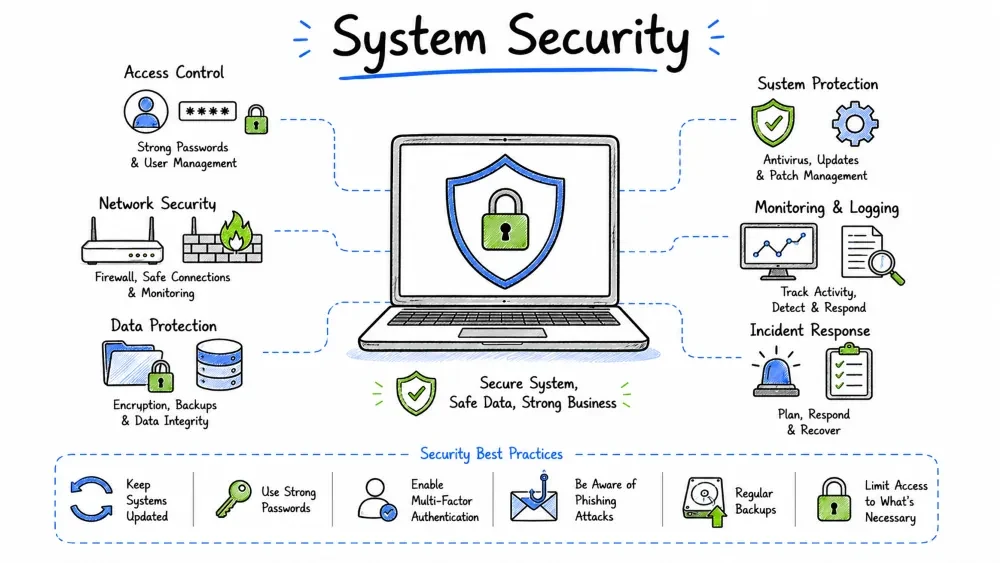
In this project, you will harden a computer system against common security threats. You'll apply operating system security configurations, implement endpoint protection, configure encryption, manage patches, set up logging and monitoring, and test backup recovery. This project teaches the fundamental skills needed to secure both Windows and Linux systems in enterprise environments.
You are a system security engineer at FinSecure Bank, a financial institution with 500 endpoints (350 Windows, 100 Linux servers, 50 macOS workstations). After a recent compliance audit, several gaps were identified in system-level security. Your task is to develop and implement a comprehensive system hardening program.
Systems to secure:
💡 Free Lab Setup: All tools in this project are free and open source:
- Lynis — System auditing (free)
- osquery — SQL-based system inspection (free)
- Sysmon — Advanced Windows logging (free)
- auditd — Linux audit framework (built-in, free)
- OpenSCAP — Compliance scanning (free)
- Wazuh — SIEM + XDR (free, open source)
- CIS Benchmarks — Free PDF guides available
Practice on existing systems: Hardening can be done on any Windows/Linux/macOS you already have. Set up free VMs using VirtualBox to practice without risking your main system.
📋 Your Step-by-Step Task:
- Identify your target system (Windows, Linux, or macOS — pick ONE)
- Run a Lynis audit to get a baseline hardening score
- Apply OS hardening: disable unnecessary services, set password policies
- Configure firewall (Windows Defender Firewall or UFW on Linux)
- Enable encryption (BitLocker on Windows or LUKS on Linux)
- Set up logging (Sysmon on Windows or auditd on Linux)
- Apply the principle of least privilege to user accounts
- Run a vulnerability scan and patch critical findings
- Re-run Lynis audit and compare before/after scores
- Complete the deliverables checklist and take the quiz
After completing this project, you will be able to:
System security refers to the protections placed on individual computer systems (servers, workstations, laptops) to ensure confidentiality, integrity, and availability. While network security protects the communication channels, system security protects the endpoints themselves.
APPLICATION LAYER
  └─ Application hardening, patch management, anti-malware
OPERATING SYSTEM LAYER
  └─ OS hardening, user accounts, file permissions, encryption
KERNEL LAYER
  └─ Kernel hardening, driver signing, exploit mitigations
HARDWARE LAYER
  └─ BIOS/UEFI passwords, TPM, Secure Boot, physical security
| Risk | Impact | System Security Control |
|---|---|---|
| Unpatched vulnerability | Remote code execution | Patch management |
| Weak local admin password | Privilege escalation | LAPS, account policies |
| Missing encryption | Data breach via stolen device | BitLocker, FileVault, LUKS |
| No antivirus/EDR | Malware persistence | Endpoint protection |
| Excessive user privileges | Insider data theft | Least privilege, RBAC |
| No audit logging | Undetected breach | Centralized logging, SIEM |
Step 1:  ASSET IDENTIFICATION
         └─ Inventory all systems, OS versions, roles

Step 2:  BASELINE SELECTION
         └─ Choose security benchmark (CIS, NIST, DISA STIG)

Step 3:  OS HARDENING
         └─ Apply baseline configuration to OS

Step 4:  USER & ACCESS CONTROL
         └─ Configure accounts, privileges, authentication

Step 5:  APPLICATION SECURITY
         └─ Harden applications, enable whitelisting

Step 6:  DATA PROTECTION
         └─ Enable encryption, DLP, data classification

Step 7:  PATCH MANAGEMENT
         └─ Establish patching schedule and process

Step 8:  MONITORING & LOGGING
         └─ Configure audit, centralized logging, alerts

Step 9:  BACKUP & RECOVERY
         └─ Implement and test backup procedures

Step 10: VERIFICATION
         └─ Scan, test, audit, and document
| Benchmark | Best For | Key Features |
|---|---|---|
| CIS Benchmarks | General enterprise | Free PDFs, industry standard, 100+ guidelines per OS |
| NIST SP 800-53 | US Government | Comprehensive control catalog |
| DISA STIGs | US Department of Defense | Very strict, detailed configurations |
| Microsoft Security Baselines | Windows environments | Built-in tooling, Group Policy templates |
| Linux CIS Benchmark | Linux servers | Distribution-specific guides |
For this project: We'll use CIS Benchmarks as the primary reference (most widely adopted).
Before applying any hardening:
  [ ] Full system backup created
  [ ] Recovery method tested
  [ ] Change window approved (if production)
  [ ] Rollback plan documented
  [ ] Testing environment available
  [ ] Stakeholders notified
  [ ] Maintenance window scheduled
| Category | Windows | Linux | macOS |
|---|---|---|---|
| Authentication | Password policies, MFA | PAM, SSH keys, MFA | FileVault, MFA |
| Network | Windows Firewall, IPSec | iptables/nftables, TCP Wrappers | pf firewall |
| File System | NTFS permissions, BitLocker | ext4 permissions, LUKS | APFS, FileVault |
| Services | Disable unnecessary services | Systemd, disable daemons | Launchd, disable agents |
| Logging | Windows Event Log, Sysmon | rsyslog, auditd, journald | Unified Log, BSD |
| Access Control | UAC, GPO, LAPS | sudo, SELinux/AppArmor | SIP, TCC |
# Password Policy (Default Domain Policy)
# Computer Configuration → Policies → Windows Settings → Security Settings → Account Policies

# Password Policy:
Set-ADDefaultDomainPasswordPolicy -Identity finsecure.local `
    -ComplexityEnabled $true `
    -MinPasswordLength 14 `
    -MaxPasswordAge 90 `
    -MinPasswordAge 1 `
    -PasswordHistoryCount 24 `
    -ReversibleEncryptionEnabled $false

# Account Lockout Policy:
Set-ADDefaultDomainPasswordPolicy -Identity finsecure.local `
    -LockoutThreshold 5 `
    -LockoutDuration 30 `
    -LockoutObservationWindow 30
# Configure Windows Defender (via PowerShell)
Set-MpPreference -DisableRealtimeMonitoring $false
Set-MpPreference -PUAProtection Enabled
Set-MpPreference -CloudBlockLevel High
Set-MpPreference -CloudTimeout 50
Set-MpPreference -SubmitSamplesConsent Always
Set-MpPreference -HighThreatDefaultAction Quarantine
Set-MpPreference -ModerateThreatDefaultAction Quarantine
Set-MpPreference -LowThreatDefaultAction Quarantine

# Enable Network Protection
Set-MpPreference -EnableNetworkProtection Enabled

# Enable Tamper Protection (Intune/Configuration Manager)
# Enable Attack Surface Reduction Rules
Add-MpPreference -AttackSurfaceReductionRules_Ids `
    "56a863a9-875e-4185-98a7-b882c64b5ce5" `
    -AttackSurfaceReductionRules_Actions Enabled
# Enable firewall on all profiles
Set-NetFirewallProfile -Profile Domain,Public,Private -Enabled True

# Block inbound by default
Set-NetFirewallProfile -DefaultInboundAction Block

# Log dropped packets
Set-NetFirewallProfile -LogFileName "%SystemRoot%\System32\LogFiles\Firewall\pfirewall.log"
Set-NetFirewallProfile -LogMaxSizeKilobytes 16384
Set-NetFirewallProfile -LogAllowed $true
Set-NetFirewallProfile -LogBlocked $true
UAC Settings (via Group Policy):
  - Always notify: Enabled (highest level)
  - Admin approval mode: Enabled
  - UIAccess applications: Only elevate for signed binaries
  - Switch to secure desktop: Enabled
  - Virtualize file/registry write failures: Enabled
Recommended GPO Settings:

Computer Configuration → Administrative Templates:
  1. Windows Components → Windows Defender:
     - Turn off Windows Defender: Disabled
     - Allow antimalware startup: Enabled

  2. Windows Components → Remote Desktop Services:
     - Require secure RPC communication: Enabled
     - Require use of specific security layer: SSL (TLS)
     - Set client connection encryption level: High Level

  3. System → Removable Storage Access:
     - All removable storage classes: Deny all access
     - CD/DVD drives: Deny execute access

  4. Windows Components → BitLocker Drive Encryption:
     - Require additional authentication at startup: Enabled
     - Choose drive encryption method: XTS-AES 256-bit
# Advanced Audit Policy Configuration
auditpol /set /subcategory:"Account Logon" /success:enable /failure:enable
auditpol /set /subcategory:"Logon" /success:enable /failure:enable
auditpol /set /subcategory:"User Account Management" /success:enable /failure:enable
auditpol /set /subcategory:"Process Creation" /success:enable /failure:enable
auditpol /set /subcategory:"Directory Service Access" /success:enable /failure:enable
auditpol /set /subcategory:"Security Group Management" /success:enable /failure:enable
auditpol /set /subcategory:"Registry" /success:enable /failure:enable
auditpol /set /subcategory:"File System" /success:enable /failure:enable

# Verify audit policy
auditpol /get /category:*
# Deploy LAPS for managing local admin passwords
# Install LAPS on domain controllers and managed workstations

# Configure LAPS GPO
# Computer Configuration → Administrative Templates → LAPS
# - Enable local admin password management: Enabled
# - Password settings:
#   - Length: 20 characters
#   - Age: 30 days
#   - Complexity: Large letters + Small letters + Numbers + Special

# Verify LAPS is working
Get-LapsADPassword -Identity "WS-FINANCE-042" -AsPlainText
# /etc/ssh/sshd_config — Secure configuration

# Authentication
PermitRootLogin no
MaxAuthTries 3
MaxSessions 4
PubkeyAuthentication yes
PasswordAuthentication no
ChallengeResponseAuthentication no
UsePAM yes

# Cryptography
KexAlgorithms curve25519-sha256,diffie-hellman-group16-sha512
Ciphers chacha20-poly1305@openssh.com,aes256-gcm@openssh.com
MACs hmac-sha2-512-etm@openssh.com,hmac-sha2-256-etm@openssh.com

# Network
Port 2222  # Change from default 22 (non-standard port)
ListenAddress 0.0.0.0
AllowUsers jdoe asmith  # Explicit user whitelist
AllowGroups ssh-users wheel

# Session
ClientAliveInterval 300
ClientAliveCountMax 2
LogLevel VERBOSE
X11Forwarding no
AllowTcpForwarding no

# Apply changes
sudo systemctl restart sshd
# UFW — Uncomplicated Firewall (Ubuntu)
sudo ufw default deny incoming
sudo ufw default allow outgoing
sudo ufw allow 2222/tcp comment 'SSH (non-standard)'
sudo ufw allow 443/tcp comment 'HTTPS'
sudo ufw allow 80/tcp comment 'HTTP'
sudo ufw allow 123/udp comment 'NTP'
sudo ufw enable
sudo ufw status verbose

# nftables (RHEL/Fedora)
# /etc/nftables.conf
table inet filter {
    chain input { type filter hook input priority 0; policy drop;
        ct state established,related accept
        iif lo accept
        tcp dport { 2222, 443, 80 } accept
        ip protocol icmp accept
        counter drop
    }
    chain forward { type filter hook forward priority 0; policy drop; }
    chain output { type filter hook output priority 0; policy accept; }
}
# Set strict permissions on sensitive files
sudo chmod 600 /etc/shadow      # Only root can read/write
sudo chmod 600 /etc/gshadow     # Only root can read/write
sudo chmod 644 /etc/passwd      # Root write, others read
sudo chmod 644 /etc/group       # Root write, others read
sudo chmod 600 /etc/ssh/sshd_config
sudo chmod 700 /root
sudo chmod 750 /home/*          # User directories, group read

# Set immutable flag on critical files (prevents modification even by root)
sudo chattr +i /etc/passwd
sudo chattr +i /etc/shadow
sudo chattr +i /etc/group
sudo chattr +i /etc/gshadow

# Remove SUID/SGID from unnecessary binaries
sudo chmod -s /usr/bin/wall
sudo chmod -s /usr/bin/chsh
sudo chmod -s /usr/bin/chfn
sudo chmod -s /usr/bin/newgrp
sudo chmod -s /bin/mount
sudo chmod -s /bin/umount

# Find all SUID/SGID binaries for review
sudo find / -perm /6000 -type f 2>/dev/null
# Check SELinux status (RHEL/CentOS/Fedora)
getenforce
# Should show: Enforcing

# Set SELinux to enforcing mode
sudo setenforce 1
# Make permanent:
sudo sed -i 's/SELINUX=permissive/SELINUX=enforcing/' /etc/selinux/config

# SELinux booleans for web server
sudo setsebool -P httpd_can_network_connect on
sudo setsebool -P httpd_enable_homedirs on

# AppArmor status (Ubuntu/Debian)
sudo aa-status
sudo apparmor_status

# Enforce all profiles
sudo aa-enforce /etc/apparmor.d/*

# Check for audit denials
sudo ausearch -m avc 2>/dev/null | tail -20
sudo grep "apparmor=" /var/log/syslog | tail -10
# Install auditd
sudo apt install auditd audispd-plugins -y   # Debian/Ubuntu
sudo yum install audit auditd                # RHEL/Fedora

# Configure audit rules (/etc/audit/rules.d/hardening.rules)
# Monitor authentication
-w /etc/passwd -p wa -k passwd_changes
-w /etc/shadow -p wa -k shadow_changes
-w /etc/sudoers -p wa -k sudoers_changes
-w /etc/ssh/sshd_config -p wa -k sshd_config

# Monitor system critical operations
-a exit,always -S unlink -S rmdir -S rename -k file_deletion
-a exit,always -S chmod -S chown -S setxattr -k permission_changes

# Monitor user/group management
-w /usr/sbin/useradd -p x -k user_creation
-w /usr/sbin/usermod -p x -k user_modification
-w /usr/sbin/groupadd -p x -k group_creation

# Monitor privilege escalation
-w /bin/su -p x -k privilege_escalation
-w /usr/bin/sudo -p x -k privilege_escalation

# Monitor network connections
-a exit,always -S connect -S accept -k network_connections

# Apply rules
sudo auditctl -R /etc/audit/rules.d/hardening.rules
sudo systemctl restart auditd

# Verify audit is working
sudo ausearch -k passwd_changes --start today | head -10
sudo aureport --summary
# /etc/sysctl.d/99-security.conf — Kernel hardening parameters

# Network hardening
net.ipv4.ip_forward = 0
net.ipv4.conf.all.send_redirects = 0
net.ipv4.conf.default.send_redirects = 0
net.ipv4.conf.all.accept_redirects = 0
net.ipv4.conf.default.accept_redirects = 0
net.ipv4.tcp_syncookies = 1
net.ipv4.icmp_echo_ignore_broadcasts = 1
net.ipv4.conf.all.rp_filter = 1

# Prevent IP spoofing
net.ipv4.conf.default.rp_filter = 1

# Disable source routing
net.ipv4.conf.all.accept_source_route = 0
net.ipv6.conf.all.accept_source_route = 0

# Kernel hardening
kernel.randomize_va_space = 2
kernel.kptr_restrict = 1
kernel.dmesg_restrict = 1
kernel.exec-shield = 1
kernel.perf_event_paranoid = 2

# Apply
sudo sysctl -w net.ipv4.ip_forward=0
sudo sysctl -p /etc/sysctl.d/99-security.conf
| Feature | Traditional AV | Next-Gen AV (EDR) |
|---|---|---|
| Detection method | Signature-based | Behavioral + ML + signatures |
| Response | Quarantine only | Isolate, investigate, rollback |
| Threat hunting | None | Proactive hunting |
| Forensics | Minimal | Full timeline, memory analysis |
| Cloud integration | Limited | Real-time threat intelligence |
| Rollback | No | File/registry rollback |
| False positives | Fewer | More (requires tuning) |
[ ] Select EDR solution (Wazuh (free), Microsoft Defender for Endpoint)
[ ] Deploy agent to all endpoints via GPO/MDM
[ ] Configure exclusions (minimal, documented)
[ ] Enable cloud-delivered protection
[ ] Configure automatic sample submission
[ ] Set up alerting rules
[ ] Define incident response playbooks
[ ] Train SOC team on EDR console
[ ] Run test scenarios (simulate attacks)
[ ] Tune false positives (30-day observation)
[ ] Enable rollback capability (if supported)
# Connect to Microsoft Defender for Endpoint
# Onboarding script deployed via GPO or Intune

# Configure initial settings
Set-MpPreference -DisallowRealtimeMonitoring $false
Set-MpPreference -SubmitSamplesConsent SendAllSamples

# Enable cloud protection
Set-MpPreference -MAPSReporting Advanced
Set-MpPreference -CloudBlockLevel High
Set-MpPreference -CloudTimeout 50

# Configure scheduled scans
Set-MpPreference -ScanScheduleDay Sunday
Set-MpPreference -ScanScheduleTime 02:00
Set-MpPreference -ScanParameters FullScan
Set-MpPreference -SignatureUpdateInterval 4

# Enable exploit protection
Set-ProcessMitigation -System -Enable DEP,SEHOP,ASLR
Frequency by Criticality:
| Patch Type | Target SLA | Process |
|---|---|---|
| Critical (0-day) | 24-48 hours | Emergency change, immediate deploy |
| High | 7 days | Standard change, test then deploy |
| Medium | 30 days | Standard change, monthly cycle |
| Low | 90 days | Next patch cycle |
| Non-security | Next release cycle | Evaluate, plan, deploy |
1. IDENTIFY
   └─ Vulnerability scanning (weekly)
   └─ Vendor advisories (daily)
   └─ Threat intelligence feeds

2. TEST
   └─ Deploy to test environment (2 days)
   └─ Run regression tests
   └─ Verify critical applications work

3. APPROVE
   └─ Security team sign-off
   └─ Change advisory board (CAB) approval

4. DEPLOY
   └─ Ring-based rollout:
       Ring 1: IT team (10% - immediate)
       Ring 2: Early adopters (20% - 24h after)
       Ring 3: General staff (60% - 48h after)
       Ring 4: Critical systems (10% - 72h after)

5. VERIFY
   └─ Scan for remaining vulnerabilities
   └─ Validate patch applied
   └─ Monitor for issues

6. REPORT
   └─ Compliance report
   └─ Exceptions and waivers
   └─ Lessons learned
# Configure Windows Update via GPO
# Computer Configuration → Administrative Templates → Windows Components → Windows Update

# Configure Automatic Updates: Enabled
# Configure automatic updating: 4 - Auto download and install
# Specify intranet Microsoft update service location:
#   - Set intranet update service: http://wsus01.finsecur.local:8530
#   - Set intranet statistics server: http://wsus01.finsecur.local:8530

# Automatic Update detection frequency: Enabled (every 4 hours)
# No auto-restart with logged on users: Enabled
# Re-prompt for restart: Enabled (every 15 minutes)

# Enable update notifications
New-ItemProperty -Path "HKLM:\SOFTWARE\Policies\Microsoft\Windows\WindowsUpdate\AU" `
    -Name "NoAutoUpdate" -Value 0 -PropertyType DWord -Force
New-ItemProperty -Path "HKLM:\SOFTWARE\Policies\Microsoft\Windows\WindowsUpdate\AU" `
    -Name "AUOptions" -Value 4 -PropertyType DWord -Force
New-ItemProperty -Path "HKLM:\SOFTWARE\Policies\Microsoft\Windows\WindowsUpdate\AU" `
    -Name "ScheduledInstallDay" -Value 0 -PropertyType DWord -Force  # Every day
New-ItemProperty -Path "HKLM:\SOFTWARE\Policies\Microsoft\Windows\WindowsUpdate\AU" `
    -Name "ScheduledInstallTime" -Value 3 -PropertyType DWord -Force  # 3 AM
#!/bin/bash
# /usr/local/bin/security-patch.sh — Automated patching script

LOG_FILE="/var/log/patch-$(date +%Y%m%d).log"
SERVER_LIST="web-servers.txt,db-servers.txt"

echo "=== Patch Run: $(date) ===" | tee -a $LOG_FILE

# Debian/Ubuntu systems
if [ -f /etc/debian_version ]; then
    echo "Updating package lists..." | tee -a $LOG_FILE
    apt-get update -qq

    # Check for security updates only
    SECURITY_UPDATES=$(apt list --upgradable 2>/dev/null | grep -i security | wc -l)
    echo "Security updates available: $SECURITY_UPDATES" | tee -a $LOG_FILE

    # Apply security updates (unattended-upgrades)
    DEBIAN_FRONTEND=noninteractive apt-get -y -o Dpkg::Options::="--force-confold" upgrade
    echo "Updates installed. Rebooting if required..." | tee -a $LOG_FILE

    # Check if reboot required
    if [ -f /var/run/reboot-required ]; then
        echo "REBOOT REQUIRED" | tee -a $LOG_FILE
        # Schedule reboot during maintenance window
        shutdown -r +5 "Security patching: system will reboot in 5 minutes"
    fi
fi

# RHEL/CentOS/Fedora systems
if [ -f /etc/redhat-release ]; then
    echo "Checking for updates..." | tee -a $LOG_FILE
    yum check-update --security 2>&1 | tee -a $LOG_FILE

    # Apply security updates
    yum update --security -y 2>&1 | tee -a $LOG_FILE

    # Check if reboot required
    if needs-restarting -r; then
        echo "REBOOT REQUIRED" | tee -a $LOG_FILE
        shutdown -r +5 "Security patching: system will reboot in 5 minutes"
    fi
fi

echo "=== Patch Complete: $(date) ===" | tee -a $LOG_FILE

# Report to log server
logger -p local0.info "Security patching completed for $(hostname)"
# Rename default Administrator and Guest accounts
$computer = $env:COMPUTERNAME
Rename-LocalUser -Name "Administrator" -NewName "FS-ADMIN-${computer}"
Rename-LocalUser -Name "Guest" -NewName "FS-GUEST-${computer}"

# Disable Guest account
Disable-LocalUser -Name "FS-GUEST-${computer}"

# Remove unnecessary default groups
Remove-LocalGroupMember -Group "Users" -Member "Everyone" -ErrorAction SilentlyContinue
Remove-LocalGroupMember -Group "Users" -Member "Guest" -ErrorAction SilentlyContinue

# Set local admin restrictions
# Only IT staff in "Local Admins" AD group should be local admins
$localAdmins = Get-LocalGroupMember -Group "Administrators"
foreach ($member in $localAdmins) {
    if ($member.Source -eq "Local") {
        if ($member.Name -ne "FS-ADMIN-${computer}") {
            Remove-LocalGroupMember -Group "Administrators" -Member $member.Name
        }
    }
}
# Remove unnecessary default users
sudo userdel -r games
sudo userdel -r lp
sudo userdel -r mail
sudo userdel -r news
sudo userdel -r uucp

# Enforce password aging
# /etc/login.defs
PASS_MAX_DAYS   90
PASS_MIN_DAYS   1
PASS_WARN_AGE   14

# Apply to existing users
sudo chage --maxdays 90 --mindays 1 --warndays 14 jdoe

# Configure sudo access
# /etc/sudoers.d/admin
%admin ALL=(ALL) ALL
# Require password every time
Defaults:admin timestamp_timeout=0

# /etc/sudoers.d/devops
%devops ALL=(ALL) /usr/bin/systemctl, /usr/bin/journalctl
# DevOps can only manage services and view logs

# Configure PAM for account lockout
# /etc/pam.d/common-auth (Debian/Ubuntu)
auth required pam_tally2.so deny=5 unlock_time=900 onerr=fail
auth required pam_unix.so nullok_secure

# /etc/pam.d/system-auth (RHEL/Fedora)
auth required pam_faillock.so preauth audit silent deny=5 unlock_time=900
auth sufficient pam_unix.so
auth [default=die] pam_faillock.so authfail audit deny=5
PAW REQUIREMENTS:
  Dedicated admin workstations — not used for email/browsing

  [ ] Separate from user workstations (physical or VM)
  [ ] Only admin tools installed (RSAT, Azure AD Connect, etc.)
  [ ] No internet browsing
  [ ] No email client
  [ ] Application whitelisting enabled
  [ ] BitLocker enabled
  [ ] Strict firewall rules
  [ ] MFA required for login
  [ ] Session recording enabled
  [ ] Screen lock after 5 minutes inactivity
# AppLocker — Application Control Policy
# Configure via Group Policy or PowerShell

# Default Rules — Block everything except allowed
# Create AppLocker rules for executable files:
New-Item -Path "HKLM:\Software\Policies\Microsoft\Windows\SrpV2\Exe"
New-Item -Path "HKLM:\Software\Policies\Microsoft\Windows\SrpV2\Msi"
New-Item -Path "HKLM:\Software\Policies\Microsoft\Windows\SrpV2\Script"
New-Item -Path "HKLM:\Software\Policies\Microsoft\Windows\SrpV2\Dll"

# Allow Windows system files (Publisher rule)
$ruleParams = @{
    Type = 'Publisher'
    User = 'Everyone'
    Path = 'C:\Windows\*'
    Publisher = 'O=Microsoft Corporation, L=Redmond, S=Washington, C=US'
    Exception = $false
}
New-AppLockerPolicy -RuleType Publisher -User Everyone -Path 'C:\Windows\*'

# Allow installed programs in Program Files
New-AppLockerPolicy -RuleType Publisher -User Everyone -Path 'C:\Program Files\*'

# Block script execution from Temp directories
$denyRule = @{
    Type = 'Path'
    User = 'Everyone'
    Path = 'C:\Users\*\AppData\Local\Temp\*'
    Action = 'Deny'
}
New-AppLockerPolicy @denyRule

# Enable AppLocker via GPO:
# Computer Configuration → Administrative Templates → Windows Components → AppLocker
# - Turn on AppLocker: Enabled
# - Allow users to use only configured rules: Enabled
# Use dpkg/yum/rpm package management (no manual software installation)
# Configure package manager security

# Debian/Ubuntu: Only allow signed repositories
# /etc/apt/apt.conf.d/99-security
APT::Get::AllowUnauthenticated "false";
APT::Authentication::TrustCDROM "false";

# Check all packages are from valid origins
sudo apt-listbugs  # Check for known bugs
sudo debsums -c 2>/dev/null  # Verify package integrity

# RHEL/Fedora: GPG check enabled by default
# /etc/yum.conf
gpgcheck=1
localpkg_gpgcheck=1

# Restrict cron to authorized users
echo "root" | sudo tee /etc/cron.allow
echo "jdoe" | sudo tee /etc/cron.allow
sudo chmod 600 /etc/cron.allow
sudo rm -f /etc/cron.deny 2>/dev/null

# Remove compilers from production systems
sudo apt remove gcc g++ build-essential -y  # Dev only!
# Enable BitLocker on all system drives via GPO
# Computer Configuration → Administrative Templates → Windows Components → BitLocker

# Configure encryption method
# Operating System Drives → Choose drive encryption method: XTS-AES 256-bit
# Fixed Drives → Choose drive encryption method: XTS-AES 256-bit
# Removable Drives → Choose drive encryption method: AES-CBC 256-bit

# Enable BitLocker via PowerShell
Enable-BitLocker -MountPoint "C:" `
    -EncryptionMethod XtsAes256 `
    -UsedSpaceOnly `
    -SkipHardwareTest `
    -RecoveryPasswordProtector `
    -TpmProtector

# Backup recovery key to Active Directory
Backup-BitLockerKeyProtector -MountPoint "C:" `
    -KeyProtectorId (Get-BitLockerVolume -MountPoint "C:").KeyProtector[0].KeyProtectorId

# Verify BitLocker status
Get-BitLockerVolume -MountPoint "C:" | fl

# Enable BitLocker on all workstations (remotely)
$computers = Get-ADComputer -Filter {OperatingSystem -like "*Windows 10*"} | Select -Expand Name
foreach ($computer in $computers) {
    Invoke-Command -ComputerName $computer -ScriptBlock {
        Enable-BitLocker -MountPoint "C:" -EncryptionMethod XtsAes256 `
            -RecoveryPasswordProtector -TpmProtector -SkipHardwareTest
        Backup-BitLockerKeyProtector -MountPoint "C:" `
            -KeyProtectorId (Get-BitLockerVolume C).KeyProtector[0].KeyProtectorId
    }
}
# Check if LUKS is enabled
sudo cryptsetup status /dev/mapper/sda5_crypt
sudo dmsetup ls --target crypt

# Encrypt a new disk with LUKS
sudo cryptsetup luksFormat /dev/sdb
# WARNING: This will DESTROY all data on /dev/sdb

# Open the encrypted volume
sudo cryptsetup open /dev/sdb encrypted-volume
sudo mkfs.ext4 /dev/mapper/encrypted-volume
sudo mount /dev/mapper/encrypted-volume /mnt/secure

# LUKS with keyfile for auto-mount (servers)
sudo dd if=/dev/urandom of=/root/luks-key bs=1024 count=4
sudo chmod 600 /root/luks-key
sudo cryptsetup luksAddKey /dev/sdb /root/luks-key

# /etc/crypttab
encrypted-volume /dev/sdb /root/luks-key luks

# Check encryption status
lsblk -o NAME,SIZE,TYPE,FSTYPE,MOUNTPOINT
sudo cryptsetup luksDump /dev/sdb
# Windows EFS (Encrypting File System) — for individual files/folders
# Use for sensitive data not encrypted at drive level

# Encrypt a folder
cipher /e "C:\FinanceData\"

# Decrypt a folder
cipher /d "C:\FinanceData\"

# Generate EFS recovery key
cipher /r:"C:\Backup\EFS_Recovery_Cert"
# Increase event log sizes
wevtutil sl "Security" /ms:1073741824  # 1GB
wevtutil sl "System" /ms:536870912     # 512MB
wevtutil sl "Application" /ms:536870912 # 512MB
wevtutil sl "PowerShell" /ms:1073741824 # 1GB (for PowerShell logging)

# Enable PowerShell Script Block Logging
New-Item -Path "HKLM:\SOFTWARE\Policies\Microsoft\Windows\PowerShell\ScriptBlockLogging" -Force
New-ItemProperty -Path "HKLM:\SOFTWARE\Policies\Microsoft\Windows\PowerShell\ScriptBlockLogging" `
    -Name "EnableScriptBlockLogging" -Value 1 -PropertyType DWord -Force

# Enable PowerShell Transcription
New-Item -Path "HKLM:\SOFTWARE\Policies\Microsoft\Windows\PowerShell\Transcription" -Force
New-ItemProperty -Path "HKLM:\SOFTWARE\Policies\Microsoft\Windows\PowerShell\Transcription" `
    -Name "EnableTranscripting" -Value 1 -PropertyType DWord -Force

# Configure Windows Event Forwarding (WEF)
# Set up source computer to forward events to collector
wecutil qc /q  # Quick configure Windows Event Collector

# Subscribe to relevant events (via GPO)
# Computer Configuration → Administrative Templates → Windows Components → Event Forwarding
# - Configure target Subscription Manager: http://wec-server.finsecur.local:5985/wsman/SubscriptionManager/WEC
# Linux: Forward logs to SIEM via rsyslog
# /etc/rsyslog.d/99-forward.conf

# Forward all logs to central log server
*.* @logserver.finsecur.local:514   # UDP
*.* @@logserver.finsecur.local:514  # TCP (more reliable)

# Forward auth logs specifically
auth,authpriv.* @logserver.finsecur.local:514

# Use templates for structured logging
$template SecureFormat,"%timegenerated% %hostname% %syslogseverity% %msg%\n"
*.* @@logserver.finsecur.local:514;SecureFormat

# Test log forwarding
logger -t TEST "This is a test log message from $(hostname)"
# Verify on log server: tail -f /var/log/syslog | grep TEST
# Winlogbeat configuration (Windows → Elastic Stack)
# C:\ProgramData\Elastic\Winlogbeat\winlogbeat.yml

winlogbeat.event_logs:
  - name: Security
    ignore_older: 72h
    event_id: 4624,4625,4634,4647,4720,4722,4725,4728,4732,4756
    processors:
      - script:
          lang: javascript
          id: security
          file: ${path.home}/module/security/config/winlogbeat-security.js

  - name: System
    ignore_older: 72h
    event_id: 7000,7001,7036,7040,7045

  - name: Windows PowerShell
    ignore_older: 72h
    event_id: 400,403,600,4103,4104,4105,4106

  - name: Microsoft-Windows-Sysmon/Operational
    ignore_older: 72h
    event_id: 1,3,5,6,7,8,10,11,12,13,14,15,22

output.elasticsearch:
  hosts: ["https://elastic.finsecur.local:9200"]
  username: "winlogbeat_system"
  password: "${ES_PWD}"
  ssl.verification_mode: certificate
<!-- Sysmon configuration — SysmonConfig.xml -->
<!-- Install: sysmon64 -accepteula -i SysmonConfig.xml -->

<Sysmon schemaversion="15.0">
  <!-- Capture all process creation events -->
  <EventFiltering>
    <ProcessCreate onmatch="include">
      <Rule name="Log all process creations">
        <Image condition="contains any">\</Image>
      </Rule>
    </ProcessCreate>

    <!-- Network connections (be selective to reduce noise) -->
    <NetworkConnect onmatch="exclude">
      <Image condition="end with">\svchost.exe</Image>
      <Image condition="end with">\lsass.exe</Image>
      <DestinationPort condition="is">443</DestinationPort>
      <DestinationPort condition="is">80</DestinationPort>
    </NetworkConnect>

    <!-- Critical registry modifications -->
    <RegistryEvent onmatch="include">
      <Rule name="Auto-Start Extensibility">
        <TargetObject condition="contains any">
          \CurrentVersion\Run
          \CurrentVersion\RunOnce
          \CurrentVersion\RunServices
          \CurrentVersion\Windows\Run
        </TargetObject>
      </Rule>
      <Rule name="Service/Driver Registration">
        <TargetObject condition="contains any">
          \Services\
          \CurrentVersion\Drivers
        </TargetObject>
      </Rule>
    </RegistryEvent>

    <!-- File creation (suspicious locations) -->
    <FileCreateTime onmatch="exclude">
      <Image condition="end with">\explorer.exe</Image>
    </FileCreateTime>
  </EventFiltering>
</Sysmon>
| Event ID | Description | Priority |
|---|---|---|
| 4624 | Account logon success | Medium |
| 4625 | Account logon failure (brute force) | High |
| 4634 | Account logoff | Low |
| 4648 | Logon with explicit credentials (runas) | High |
| 4688 | Process creation | Medium |
| 4698 | Scheduled task creation | High |
| 4700 | Scheduled task enabled | Medium |
| 4719 | Audit policy changed | Critical |
| 4720 | User account created | High |
| 4732 | Member added to security group | High |
| 4740 | Account locked out | Medium |
| 7045 | Service installed | High |
| 1102 | Security audit log cleared | Critical |
THE 3-2-1 RULE:
  3 — Three copies of your data
  2 — Two different storage media
  1 — One copy stored offsite

IMPLEMENTATION:
  ┌──────────────────────────────────────────────────────┐
  │  Production Data (Primary)                            │
  │      ↓                                                │
  │  Local Backup (NAS/Server) — Copy 1                   │
  │      ↓                                                │
  │  Offsite Backup (Cloud/DR site) — Copy 2              │
  │      ↓                                                │
  │  Cold Backup (Tape/External HDD) — Copy 3 (offline)   │
  └──────────────────────────────────────────────────────┘
RESTORE TEST — Quarterly Required:

Phase 1: FILE RESTORE TEST (1 file)
  1. Select a random file from last backup
  2. Initiate restore to alternate location
  3. Verify file integrity (hash comparison)
  4. Time target: < 30 minutes

Phase 2: SERVER RESTORE TEST (1 server)
  1. Select a non-critical server
  2. Perform bare-metal restore to test environment
  3. Power on and verify all services
  4. Run application functionality test
  5. Time target: < 4 hours

Phase 3: DISASTER RECOVERY TEST (annually)
  1. Declare "disaster" — primary site unavailable
  2. Activate DR site
  3. Restore all critical systems
  4. Test full business operations
  5. Time target: < 24 hours (RTO)

DOCUMENT EACH TEST:
  - What was restored
  - How long it took
  - Any issues encountered
  - Hash verification results
  - Lessons learned
#!/bin/bash
# /usr/local/bin/verify-backup.sh — Backup integrity checker

BACKUP_DIR="/mnt/backup/system"
LOG_FILE="/var/log/backup-verify.log"
HASH_FILE="${BACKUP_DIR}/backup_hashes.txt"

echo "=== Backup Verification: $(date) ===" | tee -a $LOG_FILE

# Check backup directory exists
if [ ! -d "$BACKUP_DIR" ]; then
    echo "ERROR: Backup directory not found!" | tee -a $LOG_FILE
    exit 1
fi

# Verify checksums
if [ -f "$HASH_FILE" ]; then
    echo "Verifying backup integrity..." | tee -a $LOG_FILE
    cd $BACKUP_DIR
    sha256sum -c $HASH_FILE --quiet 2>&1 | tee -a $LOG_FILE
    RESULT=$?
    if [ $RESULT -eq 0 ]; then
        echo "✅ All backup files verified successfully" | tee -a $LOG_FILE
    else
        echo "❌ WARNING: Some backup files failed verification!" | tee -a $LOG_FILE
    fi
else
    echo "⚠️ No hash file found. Generating..." | tee -a $LOG_FILE
    find $BACKUP_DIR -type f -exec sha256sum {} \; > $HASH_FILE
    echo "Hash file created: $HASH_FILE" | tee -a $LOG_FILE
fi

# Check backup age
LAST_BACKUP=$(stat -c %Y $BACKUP_DIR)
CURRENT_TIME=$(date +%s)
AGE=$(( ($CURRENT_TIME - $LAST_BACKUP) / 86400 ))
echo "Last backup: $AGE days ago" | tee -a $LOG_FILE

if [ $AGE -gt 7 ]; then
    echo "⚠️ WARNING: Backup is over 7 days old!" | tee -a $LOG_FILE
fi

# Send report
mail -s "Backup Verification Report - $(hostname)" security@finsecure.local < $LOG_FILE

echo "=== Verification Complete: $(date) ===" | tee -a $LOG_FILE
FinSecure Bank — Windows 11 Workstation Baseline
CIS Benchmark v2.0 — Level 1 + Level 2

CATEGORY                  LEVEL 1   LEVEL 2   SCORE
────────────────────────────────────────────────────
1. Account Policies       ████████  ██████░   92%
2. Local Policies         ███████░  █████░░   85%
3. Event Log              ████████  ██████░   90%
4. User Rights            ███████░  ████░░░   80%
5. Security Options       ████████  ██████░   92%
6. Windows Defender       ████████  ███████   95%
7. BitLocker              ████████  ██████░   90%
8. Windows Firewall       ████████  ███████   96%
9. AppLocker              ███████░  ████░░░   78%
10. Edge Browser          ███████░  █████░░   84%
────────────────────────────────────────────────────
OVERALL COMPLIANCE:        88%       83%

REQUIRED THRESHOLD: 85% (Level 1)
CURRENT STATUS: ✅ PASSING
# Automated CIS benchmark check — Windows

# Import CIS-CAT or use built-in tools
# CIS-CAT Pro Assessment Tool

# Alternatively, manual verification commands:

Write-Host "=== CIS Benchmark: Account Policies ===" -ForegroundColor Cyan

# 1.1.1 Ensure 'Enforce password history' is set to '24 or more passwords'
$history = (Get-ADDefaultDomainPasswordPolicy).PasswordHistoryCount
if ($history -ge 24) {
    Write-Host "✅ 1.1.1 Password history: $history" -ForegroundColor Green
} else {
    Write-Host "❌ 1.1.1 Password history: $history (should be ≥24)" -ForegroundColor Red
}

# 1.1.3 Ensure 'Minimum password length' is set to '14 or more characters'
$length = (Get-ADDefaultDomainPasswordPolicy).MinPasswordLength
if ($length -ge 14) {
    Write-Host "✅ 1.1.3 Min password length: $length" -ForegroundColor Green
} else {
    Write-Host "❌ 1.1.3 Min password length: $length (should be ≥14)" -ForegroundColor Red
}

# 2.3.1 Ensure 'Microsoft network server: Amount of idle time required...' is set
$idle = (Get-ItemProperty "HKLM:\SYSTEM\CurrentControlSet\Services\LanManServer\Parameters").AutoDisconnect
if ($idle -le 15) {
    Write-Host "✅ 2.3.1 Auto-disconnect: $idle minutes" -ForegroundColor Green
} else {
    Write-Host "❌ 2.3.1 Auto-disconnect: $idle minutes (should be ≤15)" -ForegroundColor Red
}

# Output compliance score
Write-Host "`n=== CIS Compliance Report Generated ===" -ForegroundColor Cyan
Write-Host "Run date: $(Get-Date)"
| Tool | Purpose | Platform | Cost |
|---|---|---|---|
| CIS-CAT Pro | CIS benchmark assessment | Cross-platform | Licensed |
| OpenSCAP | Security compliance scanning | Linux | Free |
| Lynis | System auditing, hardening | Linux/macOS | Free |
| Sysmon | Advanced Windows logging | Windows | Free |
| osquery | SQL-based system instrumentation | Cross-platform | Free |
| Wazuh | SIEM + XDR + compliance | Cross-platform | Free (OSS) |
| Microsoft Security Baseline | Windows GPO templates | Windows | Free |
| Chkrootkit / Rkhunter | Rootkit detection | Linux | Free |
| ClamAV | Antivirus for Linux | Linux | Free |
| OSSEC | Host-based IDS | Cross-platform | Free |
# Install Lynis
sudo apt install lynis -y
# or: sudo git clone https://github.com/CISOfy/lynis /opt/lynis

# Run system audit
sudo lynis audit system

# Check specific categories
sudo lynis audit system --tests-from-group malware,authentication,networking

# Generate HTML report
sudo lynis audit system --report-file /tmp/lynis-report.html

# Review findings
sudo grep Warning /var/log/lynis.log
sudo grep Suggestion /var/log/lynis.log

# Key metrics from report:
# - Hardening index (score)
# - Number of warnings
# - Number of suggestions
# - Custom tests passed/failed
# Install osquery
# Linux:
sudo apt install osquery -y

# Windows: Download from https://osquery.io/downloads

# Run queries
osqueryi "SELECT version, name, build FROM os_version;"
osqueryi "SELECT name, path, pid FROM processes WHERE on_disk = 0;"
osqueryi "SELECT * FROM startup_items;"
osqueryi "SELECT * FROM listener_ports;"
osqueryi "SELECT * FROM logged_in_users;"
osqueryi "SELECT * FROM kernel_extensions;"
osqueryi "SELECT * FROM sudoers;"

# Useful security queries
# Find listening services
SELECT pid, port, protocol, address FROM listening_ports;

# Find unauthorized users
SELECT uid, gid, username, description FROM users WHERE shell NOT IN ('/usr/sbin/nologin', '/bin/false', '/sbin/nologin');

# Find cron jobs
SELECT command, path FROM cron;

# Find open sockets by process
SELECT DISTINCT p.name, p.path, p.uid, l.port
FROM processes p JOIN listening_ports l ON p.pid = l.pid;

# Find recently modified files in sensitive locations
SELECT path, filename FROM file WHERE path LIKE '/etc/%' AND mtime > (SELECT unix_time FROM time) - 86400;
ORGANIZATION: FinSecure Bank
SCOPE: 500 endpoints (350 Windows + 100 Linux + 50 macOS)
TIMELINE: 3 months
BASELINE: CIS Benchmarks Level 1 (minimum)

PHASE 1: Windows Workstations (Month 1)
══════════════════════════════════════
[Week 1] LAPS deployment — all local admin passwords randomized
[Week 1] BitLocker enabled — all laptops encrypted
[Week 2] Windows Defender configured — cloud protection enabled
[Week 2] PowerShell logging enabled — script block and transcription
[Week 3] AppLocker deployed — block untrusted executables
[Week 3] Firewall rules audited — block inbound by default
[Week 4] Sysmon deployed — advanced threat detection
[Week 4] Windows Update configured — auto-install security patches

PHASE 2: Linux Servers (Month 2)
══════════════════════════════════
[Week 1] SSH hardened — key-only auth, port change, disable root
[Week 1] UFW/nftables configured — default deny inbound
[Week 2] LUKS encryption verified — all data volumes encrypted
[Week 2] auditd deployed — system call monitoring enabled
[Week 3] Kernel hardening — sysctl parameters applied
[Week 3] Unnecessary services removed
[Week 4] Automatic security updates configured

PHASE 3: Monitoring & Verification (Month 3)
══════════════════════════════════
[Week 1] Centralized logging — all endpoints forwarding to SIEM
[Week 2] Backup verification — quarterly restore test completed
[Week 3] Vulnerability scan — target <10 critical findings
[Week 4] Final compliance report — target >85% CIS score

RESULTS:
  ┌───────────────────────────────────────────┐
  │ System hardening completion: 500/500 (100%)│
  │ CIS compliance score: 88% (target: 85%)   │
  │ Critical vulnerabilities: 3 (target: <10)  │
  │ BitLocker coverage: 100%                   │
  │ SSH key-only auth: 100%                    │
  │ Sysmon deployment: 95% (in progress)       │
  │ LUKS encryption: 100%                      │
  │ Backup restore tested: ✅                  │
  └───────────────────────────────────────────┘
Before marking this project complete:
Save your progress and earn XP for completing tutorials.
Technology
Cyber Security & Networking
Lesson group
Projects
Progress
82% complete

