Preparing your learning space...
100% through Social Media Security tutorials
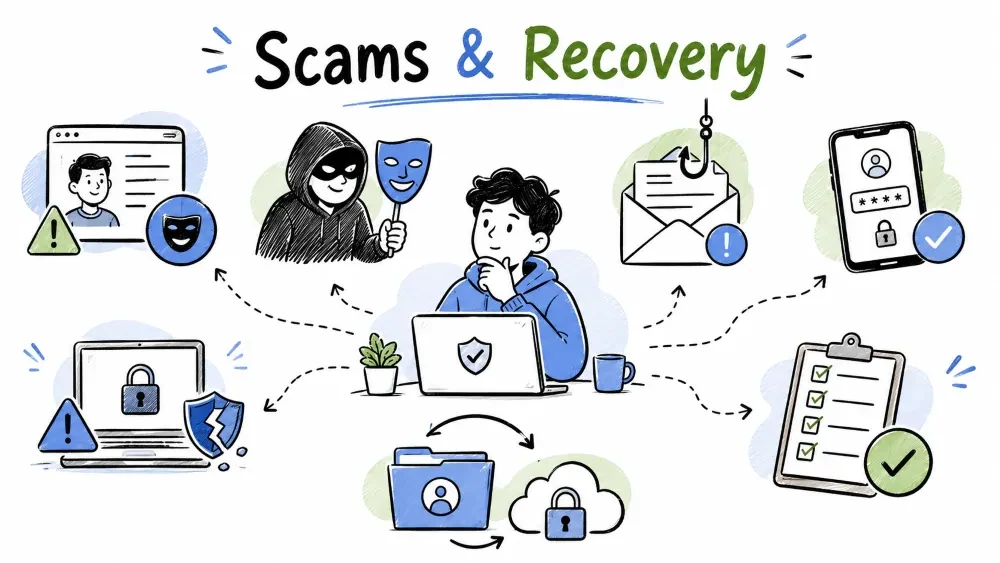
On social media, fake profiles, social engineering attacks, and account recovery are three interconnected aspects. Fake profiles are used for social engineering, and account recovery is your last line of defense. In this tutorial, you will learn:
Fake profiles are false identities created on social media, usually with malicious intentions.
Reasons for creating fake profiles:
| Sign | What to Check |
|---|---|
| Profile Photo | Stock photo, blurry, run reverse image search |
| Cover Photo | Generic, low quality, irrelevant |
| Photo Consistency | Same type of photos, very limited photos |
| Photo Reverse Search | Check on Google Images |
| Sign | What to Observe |
|---|---|
| Account Age | Recently created (few days or weeks) |
| Friend Count | Very few (less than 50) |
| Mutual Friends | Zero or very few |
| Activity | Very limited posts, mostly shares |
| Interaction | Generic comments, spammy messages |
| Engagement | No real engagement on posts |
| Sign | What to Look For |
|---|---|
| Bio / About | Incomplete, generic, copied |
| Posts | Only shared content, no original posts |
| Grammar | Poor grammar or spelling, robotic language |
| Timeline | Suspicious gaps in posting |
| Tags | Tagged in unrelated content |
| Sign | How to Check |
|---|---|
| Email Verification | Is the account verified? |
| Phone Verification | Is a phone number linked? |
| Joined Date | When was the account created? |
| Suspicious Links | Suspicious URLs in bio or posts |
Profile → Click on Profile Photo → Options → Find Support or Report
Checklist:
Profile → Three dots → Report → Report Account
Checklist:
Profile → Three dots → Report / Block
Checklist:
Profile → Three dots → Report → They're being spammy or deceptive
Checklist:
Actions to take when you encounter a suspicious or fake profile.
Step-by-Step Action Plan:
Step 1: ⛔ Do NOT engage (don't reply, don't open links)
Step 2: 📸 Take a screenshot (for evidence)
Step 3: 🚫 Block the profile
Step 4: 🚨 Report to the platform
Step 5: 👥 Inform friends and followers
Step 6: 🔒 Check your privacy settings
| Platform | How to Report |
|---|---|
| Profile → Three dots → Find Support or Report | |
| Profile → Three dots → Report | |
| Chat → Contact → Report Contact | |
| Telegram | Profile → Report |
| Profile → Three dots → Report / Block | |
| X (Twitter) | Profile → Three dots → Report |
Social Engineering is the art of psychological manipulation where an attacker tricks you into revealing your confidential information. This is not technical hacking — it is human hacking.
The Social Engineering Cycle:
1. Information Gathering → Attacker collects data about you
2. Relationship Building → Builds trust
3. Exploitation → Extracts information
4. Execution → Uses the collected data
What it is: The attacker creates a fabricated scenario (pretends) to obtain information.
Example:
Attacker: "I'm from your bank's fraud department.
We detected suspicious activity on your account.
Please share your OTP to verify."
Victim: [Shares OTP]
Result: Account compromised
How to protect yourself:
What it is: Fake emails or messages that look like legitimate organizations.
Types:
Example (Spear Phishing):
Email From: "LinkedIn Security Team"
Subject: "Suspicious login attempt on your account"
Body: "Dear John, we detected a login from Russia.
Click here to secure your account: [fake-link.com]"
→ Looks REAL but it's FAKE
How to protect yourself:
What it is: The attacker shows an attractive offer to trap you.
Examples:
How to protect yourself:
What it is: The attacker promises something in return for information.
Example:
"I'll help you fix your computer issue,
just give me your login credentials."
"Free tech support, share your password once."
How to protect yourself:
What it is: Physical security breach — the attacker enters a restricted area with an authorized person.
Social media equivalent:
What it is: The attacker uses the identity of a trusted person or institution.
Social Media Examples:
Immediate Red Flags:
| Red Flag | Why It's Dangerous |
|---|---|
| Urgency | "Immediately", "Blocked within 24 hours" |
| Fear | "Your account will be deleted" |
| Too Good | "You won lottery", "Free iPhone" |
| Authority | "CEO / Police / Government speaking" |
| Greed | "Double your money", "Easy income" |
| Curiosity | "Click to see who viewed your profile" |
| Help | "Emergency, send money" |
S-T-O-P Framework:
S - Slow Down 🐢
    → Stop, don't make quick decisions
    → Control your emotional response

T - Think 🤔
    → Analyze the situation
    → Is this genuine?
    → Check for red flags

O - Observe 👀
    → Verify the sender's identity
    → Check the language and tone
    → Check URLs and attachments

P - Proceed with Caution ⚠️
    → Verify through official channels
    → If not confirmed, ignore it
    → If suspicious, report it
10 Signs of a Phishing Email:
| # | Sign | Example |
|---|---|---|
| 1 | Generic Greeting | "Dear Customer" instead of your name |
| 2 | Urgency | "Act now or account will be suspended" |
| 3 | Suspicious Sender | @faceb00k.com instead of @facebook.com |
| 4 | Grammar Mistakes | Poor spelling and grammar |
| 5 | Suspicious Links | Links don't match official domain |
| 6 | Attachments | Unexpected attachments |
| 7 | Request for Info | Asking for password or OTP |
| 8 | Too Good Offers | "You won $1,000,000" |
| 9 | Threats | "Legal action will be taken" |
| 10 | Mismatched URLs | Different URL in link vs displayed text |
Method 1: Hover to Reveal
Link displays → www.facebook.com/login
Hover reveals → www.faceb00k.com/login
✅ Official = facebook.com
❌ Fake = faceb00k.com (00 = zero zero)
Method 2: Check SSL Certificate
✅ https://www.facebook.com (Lock icon, valid SSL)
❌ http://www.faceb00k.com (No SSL or invalid)
Method 3: Use URL Scanning Tools
Browser extensions and tools that block phishing websites and links.
| Tool | Type | Purpose |
|---|---|---|
| Bitdefender TrafficLight | Browser Extension | Blocks phishing sites |
| Avast Online Security | Browser Extension | Website reputation check |
| Google Safe Browsing | Built-in Chrome | Automatic protection |
| Microsoft Defender Smartscreen | Built-in Edge | Phishing protection |
| VirusTotal URL Checker | Website | Check suspicious URLs |
Steps to take immediately after falling for a phishing attempt.
Immediate Steps:
1. Do NOT click any links or reply
2. Take screenshots (evidence)
3. Report to the platform
4. Report to CERT-In (cybercrime.gov.in)
5. Change affected passwords immediately
6. Enable 2FA if not already enabled
7. Monitor accounts for suspicious activity
8. Inform friends and family (if social media compromised)
Account recovery is the process where you regain access to your account if it has been compromised, or if you have forgotten your password or PIN.
Preparations to make now for smoother account recovery later.
Before you need recovery, do this:
✅ Add recovery email (secondary email)
✅ Add phone number
✅ Set security questions
✅ Enable 2FA and save backup codes
✅ Save recovery codes (offline)
✅ Add trusted contacts (if available)
Method 1: Email / Phone Recovery
Facebook Login Page →
→ "Forgotten Password?"
→ Enter Email or Phone → Search
→ Send code to email/phone
→ Enter code → Reset password
Method 2: Trusted Contacts
Forgot Password →
→ "Can't access these?"
→ "Recover with trusted contacts"
→ Contact 3-5 trusted friends
→ Each friend gives a recovery code
→ Enter codes → Reset password
Method 3: Identity Verification
Forgot Password →
→ "No access to email/phone?"
→ "Verify your identity"
→ Upload ID proof (Driving License, Passport)
→ Facebook team reviews
→ Recovery link sent to new email
Hacked Account Recovery:
Facebook.com/hacked →
→ "My account is compromised"
→ Follow steps to secure account
→ Revert profile changes
→ Remove unknown logins
→ Change password
Method 1: Email / Phone
Instagram Login →
→ "Forgot password?"
→ Enter username/email/phone
→ Send login link to email
→ Click link → Reset password
Method 2: Login Help
Instagram Login →
→ "Forgot password?"
→ "Need more help?"
→ "I can't reset my password"
→ Enter email and full name
→ Instagram sends recovery steps
Method 3: Selfie Verification
If normal recovery doesn't work:
→ "Need more help?"
→ Upload a selfie holding paper with code
→ Instagram verifies identity
→ Recovery link sent
Hacked Account:
Settings → Security → Login Activity
→ Check for unknown access
→ Report hacked account: instagram.com/hacked
→ Follow guided recovery process
Re-registration:
WhatsApp App →
→ Enter phone number (same number)
→ Verify via SMS or call
→ Enter OTP
→ Account restored (if backup exists)
Lost SIM Recovery:
Step 1: Get new SIM from operator (same number)
Step 2: Install WhatsApp
Step 3: Verify using SMS
Step 4: Enter Two-Step Verification PIN
→ If PIN forgotten: Wait 7 days to reset
Two-Step Verification Recovery:
If you forgot PIN + no recovery email:
→ Wait 7 days after app reinstall
→ WhatsApp sends password reset link
→ Can also contact WhatsApp support (limited)
Standard Recovery:
Telegram App →
→ "Start Messaging"
→ Enter phone number
→ Enter OTP from SMS
→ Account restored
Two-Step Verification (Cloud Password):
Enter password (cloud password) →
→ If forgot: "Forgot password?"
→ Reset via recovery email
→ OR wait 7 days (if no email set)
→ Account auto-deletes if inactive
Account Self-Destruct Settings:
Settings → Privacy & Security →
Delete my account if away for → 1/3/6/12 months
→ If you don't login for set period, account auto-deletes
Method 1: Standard Recovery
LinkedIn Login →
→ "Forgot password?"
→ Enter email/phone
→ Send verification code
→ Enter code → Reset password
Method 2: No Access to Email / Phone
Forgot Password →
→ "I don't have access to these"
→ Enter old email (for identification)
→ Follow LinkedIn's verification process
→ May need ID verification
Hacked Account:
linkedin.com/help →
→ "Account compromised"
→ Report and follow recovery steps
→ LinkedIn support team assists
Method 1: Standard Recovery
X Login →
→ "Forgot password?"
→ Enter email/phone/username
→ Send reset link to email
→ Click link → Reset password
→ OR send SMS code
Method 2: Locked Account Recovery
If account is locked for security:
→ Email receives unlock instructions
→ Verify email/phone
→ Reset password
→ Review recent activity
Method 3: No Access to Email / Phone
"Forgot password?" →
→ "Use alternative method"
→ Answer security questions (if set up earlier)
→ OR provide account details for verification
→ X support reviews
| Information | Where to Store |
|---|---|
| Backup Codes | Print and keep in a safe place |
| Recovery Email | Separate secure email account |
| Security Questions | Honest answers, not guessable |
| Trusted Contacts | Trustworthy friends or family |
| Password Manager | Use for all passwords |
Problem: "Recovery email is also compromised"
Solution: Use secondary recovery method
→ Phone number verification
→ Security questions
→ Identity verification (ID upload)
→ Contact platform support
Problem: "Phone number has changed"
Solution:
→ Use recovery email (if set)
→ Use trusted contacts
→ Contact support with ID proof
→ Update number immediately after recovery
Problem: "2FA device is lost"
Solution:
→ Use backup codes (saved during 2FA setup)
→ Use recovery email
→ Contact platform support
→ Identity verification
A data breach occurs when an unauthorized person accesses user data from a company's database.
Famous Social Media Breaches:
| Platform | Year | Data Exposed |
|---|---|---|
| 2019 | 540M records (IDs, comments, likes) | |
| 2021 | 700M user data | |
| 2022 | 400M user emails/phones | |
| 2019 | Spyware attack (Pegasus) |
Online services that tell you if your data was exposed in a breach.
Tools to Check:
1. Have I Been Pwned: haveibeenpwned.com
   → Enter email → Check if compromised

2. Firefox Monitor: monitor.firefox.com
   → Email scan for breaches

3. Google Dark Report: one.google.com
   → Check dark web for your info

4. DeHashed: dehashed.com
   → Search for email/username
What to do right after learning your data was compromised.
Immediate Actions (24 hours):
🔴 Step 1: Change password of affected platform
🔴 Step 2: If password reused → Change ALL accounts
🔴 Step 3: Enable 2FA (if not enabled)
🔴 Step 4: Check account for suspicious activity
🔴 Step 5: Check connected apps/services
Short-term Actions (1 week):
🟡 Step 6: Monitor financial accounts
🟡 Step 7: Check credit report
🟡 Step 8: Update security questions
🟡 Step 9: Remove unused third-party apps
🟡 Step 10: Inform close contacts
Long-term Actions (1 month):
🟢 Step 11: Use password manager
🟢 Step 12: Enable breach notifications
🟢 Step 13: Regular account audits
🟢 Step 14: Credit freeze (if financial data leaked)
🟢 Step 15: Monitor identity theft signs
A timed response plan for when your account gets hacked.
Within 5 Minutes:
1. Attempt to login with current password
2. If password changed → Use "Forgot Password"
3. If email/phone changed → Use recovery options
4. Check recovery email for password reset emails
Within 15 Minutes:
5. If can't recover → Report to platform
6. Inform close friends/family
7. Check connected accounts
8. Change passwords of linked accounts
Within 1 Hour:
9. Run antivirus scan on all devices
10. Check if any posts/messages were sent
11. Remove unknown devices from account
12. Document everything (screenshots)
Pre-prepared information to have handy during a security incident.
Keep this information ready (offline):
📋 Account Information:
- Username/Email for each platform
- Account recovery email (separate)
- Backup codes (printed)
- Security questions & answers

📋 Platform Support Links:
- Facebook: facebook.com/hacked
- Instagram: instagram.com/hacked
- WhatsApp: support.whatsapp.com
- Telegram: twitter.com/telegram
- LinkedIn: linkedin.com/help
- X (Twitter): help.twitter.com

📋 Emergency Contacts:
- Local cyber crime: 1930
- Cyber crime portal: cybercrime.gov.in
- Identity theft report
If your account is compromised:
1. Post on social media (account is compromised)
2. Personally inform friends and family
3. Tell them to ignore suspicious messages
4. Tell them not to open links coming from your account
If your contact's account is compromised:
1. Call them (don't message)
2. Inform them about it
3. Avoid suspicious messages
4. Report to the platform
| Feature | Fake Profile | Genuine Profile |
|---|---|---|
| Profile Photo | Stock/blurry/reverse search matches | Real personal photos |
| Account Age | Recently created (days/weeks) | Months/years old |
| Friend Count | < 50 (very few) | 100+ (depends) |
| Mutual Friends | 0-2 | Multiple |
| Posts | Shared only, no original | Mix of original + shared |
| Engagement | Generic comments | Real interactions |
| Bio | Incomplete/vague | Detailed information |
| Activity Pattern | Inconsistent posting | Regular patterns |
| Links | Suspicious URLs | Genuine links |
| Interaction | Asks personal questions | Normal conversation |
Report Hacked Accounts:
Security Tools:
Indian Cyber Crime Resources:
"The best defense against social engineering is not technology, it's awareness."
Save your progress and earn XP for completing tutorials.
Technology
Cyber Security & Networking
Lesson group
Social Media Security
Progress
100% complete

