Preparing your learning space...
67% through Social Media Security tutorials
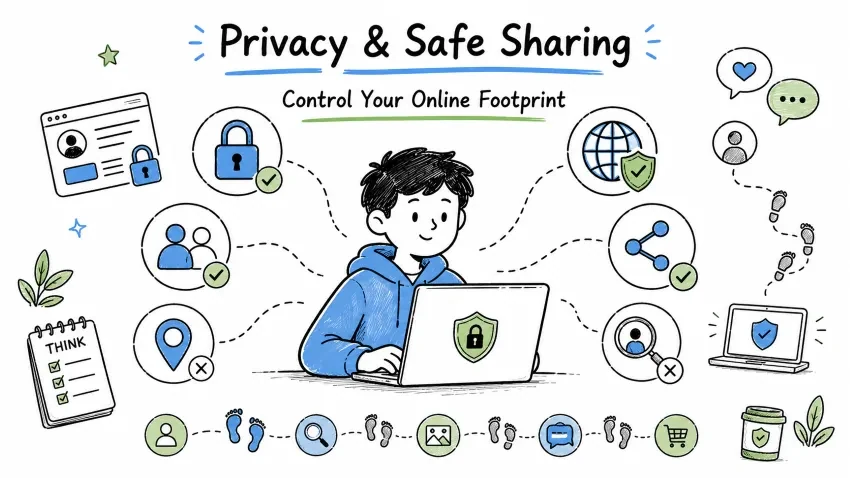
Privacy and safe sharing on social media means that you are in control of who can see your information, who can contact you, and what you are sharing. In this tutorial, we will learn:
Social media privacy means:
Privacy settings have three visibility levels that control who can see your content.
| Level | Visibility | Use Case |
|---|---|---|
| Public | Anyone on the internet can see it | Business, Public figures |
| Friends Only | Only connected friends | Personal use |
| Only Me | Only you can see it | Sensitive info, Drafts |
"Think before you post. Once online, forever online." Whatever you put online can never be fully deleted. Screenshots can be taken, it can be shared, and it can be archived.
Control who can see your future posts and past activity on Facebook.
Settings → Privacy → Your Activity
Manage how people find and contact you on Facebook.
Settings → Privacy → How People Find and Contact You
| Setting | Recommendation |
|---|---|
| Friend Requests | Everyone (otherwise no one can send you a friend request) |
| Email/Phone Lookup | Friends or Only Me |
| Search Engines | OFF (so your profile doesn't appear on Google) |
Adjust who can post on your timeline and tag you in photos.
Settings → Timeline and Tagging
Switch to a private account to control who sees your Instagram posts.
Settings → Privacy → Account Privacy
Choose who can view and reply to your Instagram stories.
Settings → Privacy → Story
| Feature | Setting |
|---|---|
| Hide Story From | Unwanted followers |
| Allow Sharing | OFF |
| Allow Reply To | Following (or OFF) |
| Save to Archive | As per need |
Turn off activity status to hide when you are online on Instagram.
Settings → Privacy → Activity Status
WhatsApp offers several privacy options to control your personal information.
Settings → Privacy
| Setting | Recommendation |
|---|---|
| Last Seen & Online | My Contacts |
| Profile Photo | My Contacts |
| About | My Contacts |
| Status | My Contacts |
| Read Receipts (Blue Ticks) | As per preference |
| Group Add | My Contacts |
| Live Location | None or specific chats |
Telegram provides granular privacy controls for all account details.
Settings → Privacy and Security
| Setting | Recommendation |
|---|---|
| Phone Number | Nobody / My Contacts |
| Last Seen | My Contacts / Nobody |
| Profile Photo | My Contacts |
| Bio | My Contacts |
| Forwarded Messages | My Contacts |
| Groups & Channels | My Contacts |
LinkedIn privacy settings manage what other professionals can see about you.
Settings & Privacy → Visibility
| Setting | Recommendation |
|---|---|
| Profile Visibility | Public (professional network) |
| Connections Visibility | Only You |
| Email Visibility | Only You |
| Profile Viewing Options | Private mode |
| Active Status | OFF |
| Profile Photo Visibility | All LinkedIn Members |
X privacy settings let you control tweets, tags, and discoverability.
Settings → Privacy and Safety
| Setting | Recommendation |
|---|---|
| Protect your Tweets | ON (Personal) |
| Photo Tagging | Only People You Follow |
| Location Info | OFF |
| Discoverability | OFF |
| Direct Messages | Only People You Follow |
| Mark Media as Sensitive | As per content |
Before posting, pause for 5 seconds and ask yourself:
Never share these online:
| Information | Risk |
|---|---|
| Aadhaar Number | Identity theft |
| PAN Card | Financial fraud |
| Passport Details | Identity theft |
| Bank Account | Financial loss |
| Credit/Debit Card | Fraud transactions |
| Home Address | Stalking, theft |
| Phone Number | Spam, harassment |
| Date of Birth | Identity theft |
Before posting, think:
Would I show this to my grandmother?
If the answer is "No", then do not post it.
Every post, like, comment, and share creates your digital footprint:
Types of Digital Footprint:
Impact:
Never post photos of official documents that contain personal details.
❌ Aadhaar Card photo
❌ PAN Card photo
❌ Passport photo
❌ Driving License
❌ Bank Cheque photos
❌ Ticket QR codes (Movie, Flight, Train)
❌ Credit/Debit Card photos
Sharing personal details publicly increases your risk of identity theft.
❌ Full date of birth
❌ Home address
❌ Phone number
❌ Email address (in public posts)
❌ Current location (real-time)
❌ Travel plans (future)
❌ Daily routine
❌ Family members' details
Financial data should never be shared on social media platforms.
❌ Bank account numbers
❌ UPI IDs (in public posts)
❌ Credit card numbers
❌ Salary information
❌ Investment details
❌ Cryptocurrency wallet addresses
❌ Loan documents
Always protect the privacy of children and family members online.
❌ Children's full name
❌ Children's school name
❌ Children's photos (without consent)
❌ Family members' private moments
❌ Someone else's photos without permission
❌ Embarrassing photos of others
Work-related information can compromise your employer's security.
❌ Office documents
❌ Company confidential information
❌ Colleague's personal details
❌ Office location/timing details
❌ Internal company communications
❌ Client information
Sharing your location in real-time can be dangerous:
Risks:
Follow these practices to share your location safely online.
| Practice | Why? |
|---|---|
| Post location AFTER leaving | Do not reveal real-time location |
| Remove EXIF data | Photos contain location data |
| Disable geotagging | Prevent social media apps from capturing location |
| Avoid check-ins | Regular check-ins reveal patterns |
| Home location hide | Do not share your home location |
Photos contain hidden location data (EXIF metadata).
How to remove it:
Android:
Gallery → Photo → Details → Remove Location
iPhone:
Photos App → Photo → Share → Options → Location → OFF
Windows:
Right-click Photo → Properties → Details → Remove Properties
Follow these guidelines when sharing photos on social media.
Take these precautions before recording and uploading videos.
Before using any photo, check if the photo is already online using Reverse Image Search.
Tools:
Data can leak from many sources you might not expect.
| Source | Risk | Solution |
|---|---|---|
| Third-party apps | Facebook/Instagram apps can leak your data | Regular review & revoke |
| Quiz apps | They collect personal info | Avoid them |
| Public WiFi | Data can be intercepted | Use VPN |
| Old accounts | Data remains accessible if not deleted | Delete unused accounts |
| Browser history | Saved passwords can leak | Clear history, use private browsing |
| Phone number | Linked to social media | Use a separate number for social media |
Regularly review and remove unnecessary app permissions on your accounts.
Check & Remove:
Facebook: Settings → Apps and Websites → Remove unused
Instagram: Settings → Security → Apps and Websites → Remove unused
LinkedIn: Settings → Visibility → Partner Services → Remove
Follow these browser habits to protect your online privacy.
Consider switching to these privacy-focused alternatives for better security.
| Main Service | Privacy Alternative |
|---|---|
| Google Chrome | Brave, Firefox |
| Signal, Telegram | |
| MeWe, Diaspora | |
| Unsplash, Flickr (limited) | |
| Google Search | DuckDuckGo |
"Privacy is not about having something to hide. Privacy is about having something to protect."
Save your progress and earn XP for completing tutorials.
Technology
Cyber Security & Networking
Lesson group
Social Media Security
Progress
67% complete

