Preparing your learning space...
100% through Types of Protocols tutorials
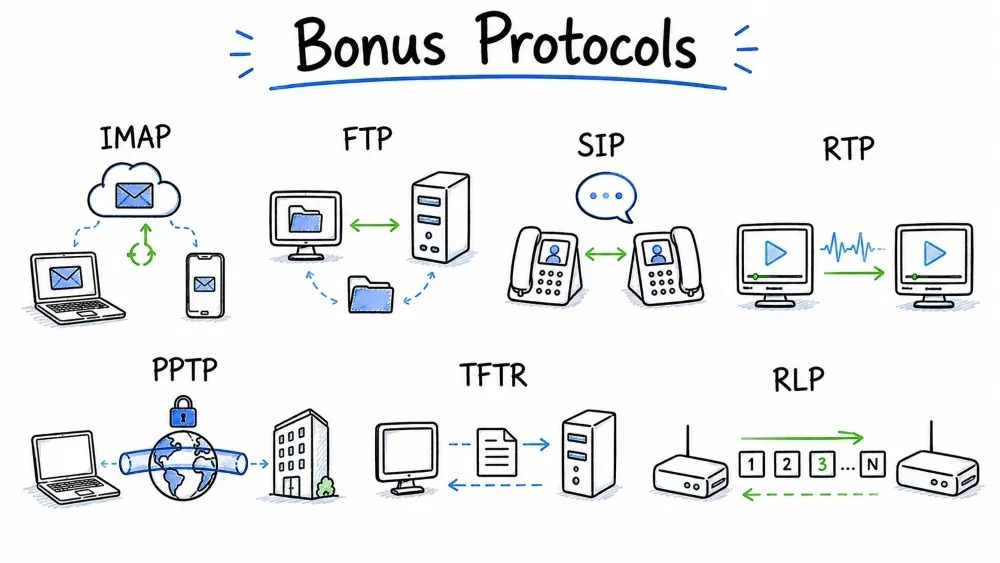
Category: Bonus Protocols — Additional important protocols covering email access, file transfer, real-time communication, tunneling, and resource discovery.
| Property | Detail |
|---|---|
| Full Form | Internet Message Access Protocol |
| OSI Layer | Application Layer (Layer 7) |
| Port | 143 (IMAP), 993 (IMAPS — over TLS) |
| RFC | RFC 3501 (IMAP4rev1, 2003) |
| Category | Bonus / Email Retrieval |
IMAP is an email retrieval protocol that allows users to access and manage emails directly on the mail server — without downloading them permanently to a local device. Unlike POP3 which takes emails off the server, IMAP keeps everything on the server and synchronizes state across devices.
Key Insight: IMAP makes email work like a cloud-based service — mark a message as read on your phone, and it shows as read on your laptop. This seamless multi-device experience is why IMAP replaced POP3 for most users.
| Feature | IMAP (143/993) | POP3 (110/995) |
|---|---|---|
| Storage | Emails stored on server | Downloaded and typically deleted from server |
| Multi-Device | Yes — full sync across all devices | No — email tied to one device |
| Folder Sync | All folders sync (Inbox, Sent, Drafts) | Only Inbox (no server-side folders) |
| Email State | Read/unread/flagged synced globally | State is local only |
| Server Search | Search emails on server (no download) | Must download all to search |
| Partial Fetch | Download headers first, body on demand | Downloads entire message |
| Offline Access | Limited (cached mode) | Full (emails stored locally) |
| Server Storage | Requires more server space | Minimal server storage needed |
| Connection | Long-lived / persistent connection | Short-lived / connect-disconnect |
| IDLE Command | Push notifications (new mail) | Must poll manually |
| Best For | Multi-device users, modern workflow | Single-device, limited storage |
CLIENT (Thunderbird/Outlook) IMAP SERVER (Dovecot/Exchange)
| |
|=== Connection & Auth ===================|
|--- TCP SYN (port 143) ---------------->|
|<-- TCP SYN-ACK -------------------------|
|--- TCP ACK ---------------------------->|
|<-- * OK IMAP server ready --------------|
| |
|--- a001 LOGIN "user" "password" ------->| (or a001 AUTHENTICATE)
|<-- a001 OK LOGIN completed -------------|
| |
|=== Folder Selection ====================|
|--- a002 LIST "" "*" ------------------->| List all folders
|<-- * LIST (\HasNoChildren) "/" INBOX ----|
|<-- * LIST (\HasNoChildren) "/" Sent ----|
|<-- * LIST (\HasNoChildren) "/" Drafts --|
|<-- a002 OK LIST completed --------------|
| |
|--- a003 SELECT INBOX ------------------>| Open Inbox
|<-- * 42 EXISTS -------------------------| 42 messages
|<-- * 1 RECENT --------------------------| 1 new message
|<-- * FLAGS (\Seen \Answered \Flagged ...)|
|<-- a003 OK [READ-WRITE] SELECT completed|
| |
|=== Message Retrieval ===================|
|--- a004 FETCH 1:42 (FLAGS) ------------>| Get flags for all messages
|<-- * 1 FETCH (FLAGS (\Seen)) ----------|
|<-- ... |
|<-- a004 OK FETCH completed -------------|
| |
|--- a005 FETCH 42 (BODY[HEADER]) ------->| Get header of newest
|<-- * 42 FETCH (BODY[HEADER] {342} |
| Date: Wed, 17 Jul 2024 14:30:00 |
| From: Alice <alice@example.com> |
| To: Bob <bob@example.com> |
| Subject: Meeting reminder |
| Message-ID: <abc123@example.com> |
| ) |
|<-- a005 OK FETCH completed -------------|
| |
|--- a006 FETCH 42 (BODY[TEXT]) --------->| Fetch just the body
|<-- * 42 FETCH (BODY[TEXT] {1200} |
| Hi Bob, Don't forget our meeting... |
| ) |
|<-- a006 OK FETCH completed -------------|
| |
|=== Message Manipulation ================|
|--- a007 STORE 42 +FLAGS (\Seen) ------->| Mark as read
|<-- a007 OK STORE completed -------------|
|--- a008 COPY 42 "Archive" ------------->| Move to Archive
|<-- a008 OK COPY completed -------------|
|--- a009 STORE 42 +FLAGS (\Deleted) ---->| Mark for deletion
|<-- a009 OK STORE completed -------------|
| |
|=== Search Folder =======================|
|--- a010 SEARCH FROM "Alice" ----------->| Search on server
|<-- * SEARCH 3 15 22 40 42 ------------|
|<-- a010 OK SEARCH completed ------------|
| |
|=== IDLE (Push Notification) ============|
|--- a011 IDLE -------------------------->| Enter idle mode
|<-- + idling ---------------------------| Server: I'll wait
| |
| ... New mail arrives! |
| |
|<-- * 43 EXISTS ------------------------| Server pushes notification
|<-- * 44 EXISTS ------------------------| Another arrives
|<-- * 2 RECENT -------------------------|
| |
|--- DONE ------------------------------->| Leave idle mode
|<-- a011 OK IDLE terminated ------------|
| |
|=== Logout ==============================|
|--- a012 LOGOUT ------------------------>|
|<-- * BYE IMAP server closing -----------|
|<-- a012 OK LOGOUT completed ------------|
| Command | Parameters | Description |
|---|---|---|
| LOGIN | user password | Simple authentication |
| AUTHENTICATE | mechanism | SASL auth (CRAM-MD5, PLAIN, etc.) |
| SELECT | mailbox | Open folder (read-write) |
| EXAMINE | mailbox | Open folder (read-only) |
| CREATE | mailbox | Create new folder |
| DELETE | mailbox | Delete folder |
| RENAME | old new | Rename folder |
| LIST | ref pattern | List folders (patterns: * all, INBOX.% immediate children) |
| LSUB | ref pattern | List subscribed folders |
| SUBSCRIBE | mailbox | Subscribe to folder |
| UNSUBSCRIBE | mailbox | Unsubscribe |
| STATUS | mailbox items | Folder status (messages, recent, unseen) |
| APPEND | mailbox flags date message | Store message on server |
| FETCH | sequence items | Retrieve message data (BODY, FLAGS, HEADER, etc.) |
| STORE | sequence FLAGS | Modify message flags |
| COPY | sequence mailbox | Copy message to folder |
| MOVE | sequence mailbox | Move message to folder |
| SEARCH | criteria | Server-side search |
| SORT | criteria | Server-side sort |
| THREAD | algorithm | Thread conversations |
| UID | ... | Operations using UID instead of sequence |
| CAPABILITY | — | List server capabilities |
| IDLE | — | Wait for server notifications (push!) |
| LOGOUT | — | End session |
| NOOP | — | Keep alive / check for new mail |
| FETCH Item | Description |
|---|---|
FLAGS | Message flags (\Seen, \Answered, \Flagged, \Deleted, \Draft) |
INTERNALDATE | Date message was received |
BODY[HEADER] | Full message headers |
BODY[HEADER.FIELDS (FROM TO SUBJECT DATE)] | Specific header fields |
BODY[TEXT] | Message body only |
BODY[] | Full message (headers + body) |
BODY | Message structure (MIME parts) |
BODY[1] | First MIME part |
BODY[2] | Second MIME part (e.g., attachment) |
RFC822.SIZE | Message size in bytes |
UID | Unique identifier |
ENVELOPE | Parsed envelope (from, to, subject, etc.) |
BODYSTRUCTURE | Detailed MIME structure |
Dovecot IMAP Server (Linux):
# /etc/dovecot/dovecot.conf
protocols = imap pop3
listen = *, ::

ssl = required
ssl_cert = </etc/letsencrypt/live/mail.example.com/fullchain.pem
ssl_key = </etc/letsencrypt/live/mail.example.com/privkey.pem

# Authentication
auth_mechanisms = plain login
!include auth-passwdfile.conf.ext

# Mail location
mail_location = maildir:~/Maildir

# IMAP specific settings
protocol imap {
mail_max_userip_connections = 10
imap_client_workarounds = tb-extra-mailbox-sep
}

# Limits
mail_max_userip_connections = 10
mail_attachment_dir = /var/mail/attachments

# Services
service imap-login {
inet_listener imap {
port = 143
}
inet_listener imaps {
port = 993
ssl = yes
}
}
# Manual IMAP test with openssl
openssl s_client -connect mail.example.com:993 -crlf

# After connecting:
? LOGIN username password
? LIST "" "*"
? SELECT INBOX
? FETCH 1:* (FLAGS)
? FETCH 1 BODY[HEADER]
? LOGOUT

# Test with netcat (plain IMAP)
nc -C mail.example.com 143

# Common IMAP errors:
# a001 NO [AUTHENTICATIONFAILED] — Wrong password
# a001 BAD [Server doesn't support command]
# * BYE [Server timeout/closing connection]
| Issue | Description | Mitigation |
|---|---|---|
| Plaintext Passwords | LOGIN sends password in plaintext | Use STARTTLS or IMAPS (993) |
| Brute Force | Repeated login attempts | Rate limiting, fail2ban |
| SSL Strip | Downgrade to plain IMAP | Reject plain connections, use SSL required |
| Mailbox Harvesting | Probing for email addresses | Log unusual SELECT/LIST commands |
| Property | Detail |
|---|---|
| Full Form | File Transfer Protocol |
| OSI Layer | Application Layer (Layer 7) |
| Port | 21 (Control), 20 (Data — active mode) |
| RFC | RFC 959 (1985) |
| Category | Bonus / File Transfer |
FTP is a standard network protocol for transferring files between a client and a server. It is one of the oldest protocols still in use (1985), designed for reliable file transfers with directory navigation, authentication, and various transfer modes.
Key Insight: FTP uses TWO separate connections — a control connection (port 21) for commands and a data connection (port 20 or ephemeral) for actual file data. This separation is both its strength and its complexity.
CLIENT SERVER
| |
|==== Control Connection =====|
|--- TCP SYN (port 21) ---> |
|<-- TCP SYN-ACK ----------- |
|--- TCP ACK -------------- ->|
| |
|--- PORT 192,168,1,10,6,200 -| "I'm listening on 192.168.1.10:1736"
|<-- 200 PORT command successful |
| |
|--- LIST ------------------>| "List directory"
| |
|==== Data Connection ========| (from SERVER to CLIENT)
|<-- TCP SYN (from port 20 | Server connects TO client
| to client port 1736) |
|--- TCP SYN-ACK ----------- | PROBLEM: Client firewall may block!
|--- TCP ACK -------------- ->| (Unsolicited incoming SYN)
| |
|<-- 150 Opening data connection |
|<-- (directory listing) ----|
|<-- 226 Transfer complete --|
CLIENT SERVER
| |
|==== Control Connection =====|
|--- TCP SYN (port 21) ---> |
|<-- TCP SYN-ACK ----------- |
|--- TCP ACK -------------- ->|
| |
|--- PASV ------------------>| "Tell me which port to connect to"
|<-- 227 Entering Passive Mode |
| (192,168,1,1,34,210) | "Connect to 192.168.1.1:8914"
| |
|==== Data Connection ========| (from CLIENT to SERVER)
|--- TCP SYN (client port X ->| Client initiates connection
| to server port 8914) | Firewall-friendly!
|<-- TCP SYN-ACK ----------- |
|--- TCP ACK -------------- ->|
| |
|--- LIST ------------------>| (over control channel)
|<-- 150 Opening data connection |
|<-- (directory listing ---- | (over data channel)
|<-- 226 Transfer complete --|
Connected to ftp.example.com.
220 FTP server ready.

# Authentication
USER alice
331 Password required for alice.
PASS *******
230 User alice logged in.

# System info
SYST
215 UNIX Type: L8

# Directory navigation
PWD
257 "/home/alice" is current directory.
CWD documents
250 CWD command successful.
PWD
257 "/home/alice/documents" is current directory.

# List files
PASV
227 Entering Passive Mode (192,168,1,1,112,203)
LIST
150 Here comes the listing.
-rw-r--r-- 1 alice alice 1234 Jul 17 10:00 report.pdf
-rw-r--r-- 1 alice alice 56789 Jul 16 15:30 data.tar.gz
drwxr-xr-x 2 alice alice 4096 Jul 15 09:00 photos
226 Directory send OK.

# Download file
PASV
227 Entering Passive Mode (192,168,1,1,112,204)
RETR report.pdf
150 Opening BINARY mode data connection for report.pdf (1234 bytes).
226 Transfer complete.
Downloaded: 1234 bytes in 0.02 seconds (61.7 KB/s)

# Upload file
PASV
227 Entering Passive Mode (192,168,1,1,112,205)
STOR notes.txt
150 Opening BINARY mode data connection for notes.txt.
226 Transfer complete.

# Transfer mode
TYPE A
200 Type set to A (ASCII).

TYPE I
200 Type set to I (Binary/Image).

# Delete
DELE old_file.txt
250 DELE command successful.

# Make/remove directory
MKD new_folder
257 "new_folder" created.
RMD old_folder
250 RMD command successful.

# Quit
QUIT
221 Goodbye.
| Command | Parameters | Description |
|---|---|---|
| USER | username | Authentication |
| PASS | password | Password |
| ACCT | account | Account information |
| CWD | directory | Change directory |
| CDUP | — | Change to parent directory |
| PWD | — | Print working directory |
| LIST | [path] | List files (detailed) |
| NLST | [path] | List files (names only) |
| RETR | filename | Download file |
| STOR | filename | Upload file (overwrite) |
| APPE | filename | Append to file |
| DELE | filename | Delete file |
| RNFR | old-name | Rename from |
| RNTO | new-name | Rename to |
| MKD | directory | Make directory |
| RMD | directory | Remove directory |
| TYPE | A/E/I/L | Transfer mode (ASCII/EBCDIC/Image/Binary) |
| STRU | F/R/P | File structure (File/Record/Page) |
| MODE | S/B/C | Transfer mode (Stream/Block/Compressed) |
| PORT | address | Active mode (client IP + port) |
| PASV | — | Enter passive mode |
| SIZE | filename | Get file size |
| MDTM | filename | Get file modification time |
| SYST | — | Get server OS |
| STAT | [path] | Server/file status |
| HELP | [command] | Help information |
| NOOP | — | Keep alive |
| QUIT | — | Logout |
| Mode | TYPE | Description | Use For |
|---|---|---|---|
| ASCII | A | Text mode, converts line endings | .txt, .html, .php, .py |
| Binary | I | Raw byte transfer | .zip, .exe, .jpg, .pdf, .tar.gz |
Important: Transferring a binary file in ASCII mode WILL corrupt it! FTP automatically converts CR/LF in ASCII mode, which changes binary file content.
# Command-line FTP client
ftp ftp.example.com
ftp -p ftp.example.com # Passive mode (firewall-friendly)

# Download all .pdf files
ftp> mget *.pdf

# Upload all .html files
ftp> mput *.html

# Interactive prompting
ftp> prompt # Toggle confirmation per file

# Recursive (use with caution)
ftp> mget -R directory/ # Linux/BSD

# Scripted FTP
ftp -n < ftp_commands.txt # Non-interactive
| Feature | FTP | FTPS (FTP over SSL) | SFTP (SSH File Transfer) |
|---|---|---|---|
| Based On | FTP protocol (RFC 959) | FTP + TLS/SSL | SSH protocol (RFC 4251) |
| Encryption | None | Control & Data | Everything |
| Authentication | Plaintext password | Password + Certificate | Password + Public Key |
| Port | 21 | 990 (implicit), 21 (explicit) | 22 (uses SSH) |
| Data Connection | Separate | Separate (modes) | Multiplexed over SSH |
| Firewall Friendly | Moderate | Moderate | Yes (single port) |
| Directory Listing | LIST command | LIST over encrypted | SSH subsystem |
| Transfer Mode | Binary/ASCII | Binary/ASCII | Binary only |
| Speed | Very fast | Fast (encryption overhead) | Good (SSH overhead) |
| Complexity | Low | High (dual connections) | Low (single connection) |
| Server Requirement | FTP server | FTP server + TLS cert | SSH server with SFTP subsystem |
Without encryption (standard FTP):

tcpdump -X -i eth0 port 21

Captured (all visible!):
────────────────────────────────
USER alice ← Visible!
PASS SuperSecret123 ← Visible! STOLEN!
RETR confidential_report.pdf ← Visible!
STOR payroll_data.xlsx ← Visible!

Data connection:
[encrypted_nothing.jpg] ← Visible file content!

MODERN FIX: Use SFTP or FTPS
# SFTP (part of OpenSSH) — RECOMMENDED
sftp alice@example.com
sftp> get confidential.pdf # Encrypted over SSH

# FTPS (vsftpd with TLS)
# /etc/vsftpd.conf
ssl_enable=YES
ssl_tlsv1_2=YES
ssl_ciphers=HIGH
rsa_cert_file=/etc/pki/tls/certs/vsftpd.pem
require_ssl_reuse=NO
force_local_data_ssl=YES
force_local_logins_ssl=YES
| Property | Detail |
|---|---|
| Full Form | Session Initiation Protocol |
| OSI Layer | Application Layer (Layer 7) |
| Port | 5060 (UDP/TCP), 5061 (TLS) |
| RFC | RFC 3261 (2002) |
| Category | Bonus / VoIP & Multimedia Communication |
SIP is a signaling protocol used for initiating, maintaining, modifying, and terminating real-time communication sessions — voice calls (VoIP), video calls, instant messaging, and other multimedia sessions.
Key Insight: SIP is to voice/video calls what HTTP is to web pages. It's a text-based request/response protocol that sets up and tears down multimedia sessions. The actual media (audio/video) flows through a separate protocol — RTP.
┌─────────────────────┐
│ DNS Server │
│ (SRV records for │
│ sip.example.com) │
└──────────┬──────────┘
│
▼
┌──────────┐ SIP ┌─────────────────────┐ SIP ┌──────────┐
│ SIP Phone │ ───────→│ SIP Proxy/Registrar │ ←───────│ SIP Phone │
│ (Alice) │ ←───────│ (Call Control) │ ───────→│ (Bob) │
└─────┬─────┘ └─────────────────────┘ └─────┬─────┘
│ │ │
│ RTP │ RTP │
│ (Audio Stream) │ (Audio Stream) │
└──────────────────────┼──────────────────────────────┘
│
┌──────────▼──────────┐
│ Media can flow │
│ direct (peer-to- │
│ peer) or through │
│ a Media Gateway │
└─────────────────────┘
───────────────────────────────────────────────────────────────
INVITE sip:bob@example.com SIP/2.0 ← Request Line
Via: SIP/2.0/UDP 192.168.1.10:5060 ← Transport path
Max-Forwards: 70
From: Alice <sip:alice@example.com> ← Sender
To: Bob <sip:bob@example.com> ← Recipient
Call-ID: abc123def456@192.168.1.10 ← Unique session ID
CSeq: 1 INVITE ← Sequence number
Contact: <sip:alice@192.168.1.10:5060> ← Direct contact
Content-Type: application/sdp ← Session description
Content-Length: 152 ← Body length

[Blank line — separates headers from body]

v=0 ← SDP body starts
o=alice 2890844526 2890844526 IN IP4 192.168.1.10
s=-
c=IN IP4 192.168.1.10
t=0 0
m=audio 49170 RTP/AVP 0 8 101 ← Media description
a=rtpmap:0 PCMU/8000 ← Codec: G.711 μ-law
a=rtpmap:8 PCMA/8000 ← Codec: G.711 A-law
a=rtpmap:101 telephone-event/8000 ← DTMF tones
───────────────────────────────────────────────────────────────
| Method | Description | RFC |
|---|---|---|
| INVITE | Initiate a session (call) | RFC 3261 |
| ACK | Confirm session establishment | RFC 3261 |
| BYE | Terminate a session | RFC 3261 |
| CANCEL | Cancel a pending INVITE | RFC 3261 |
| REGISTER | Register user's current location | RFC 3261 |
| OPTIONS | Query capabilities | RFC 3261 |
| SUBSCRIBE | Subscribe to event notifications | RFC 3265 |
| NOTIFY | Notify subscribers of events | RFC 3265 |
| PUBLISH | Publish event state | RFC 3903 |
| INFO | Send mid-call information (DTMF, etc.) | RFC 2976 |
| REFER | Transfer call to another party | RFC 3515 |
| UPDATE | Modify session parameters | RFC 3311 |
| MESSAGE | Send instant message | RFC 3428 |
| Code Range | Category | Example |
|---|---|---|
| 1xx | Provisional (in progress) | 180 Ringing, 183 Session Progress |
| 2xx | Success | 200 OK (call answered) |
| 3xx | Redirection | 302 Moved Temporarily |
| 4xx | Client Error | 401 Unauthorized, 404 Not Found, 486 Busy Here |
| 5xx | Server Error | 500 Server Internal Error, 503 Service Unavailable |
| 6xx | Global Failure | 603 Decline, 604 Does Not Exist Anywhere |
100 Trying ── "Working on it..."
180 Ringing ── "Phone is ringing!"
183 Session Progress ── "Early media (ringback tone)"
200 OK ── "Call answered!"
302 Moved Temporarily── "User is at another address"
401 Unauthorized ── "Need authentication"
404 Not Found ── "User doesn't exist"
486 Busy Here ── "On another call"
487 Request Canceled ── "Caller hung up before answer"
603 Decline ── "User rejected the call"
Alice's SIP Phone SIP Proxy Bob's SIP Phone
(sip:alice@example.com) (sip.example.com) (sip:bob@example.com)
│ │ │
│ │ │
│ REGISTER │ │
│ (Tells proxy: "Alice │ │
│ is at 192.168.1.10") │ │
│─────────────────────────>│ REGISTER │
│ 200 OK │ "Bob is at │
│<─────────────────────────│ 203.0.113.50" │
│ │<────────────────────────│
│ │ 200 OK │
│ │────────────────────────>│
│ │ │
│=== Alice calls Bob ======│ │
│ │ │
│ INVITE bob@example.com │ │
│─────────────────────────>│ INVITE (looks up Bob) │
│ 100 Trying │────────────────────────>│
│<─────────────────────────│ 180 Ringing │
│ │<────────────────────────│
│ 180 Ringing │ │
│<─────────────────────────│ │
│ │ Bob answers! │
│ │ 200 OK │
│ │<────────────────────────│
│ 200 OK │ │
│<─────────────────────────│ │
│ │ │
│ ACK │ │
│───────────────────────────────────────────────────>│ (Direct ACK to Bob)
│ │ │
│ │ │
│<========= RTP Media (Audio) ======================>│ Media flows direct!
│<========= Bidirectional voice =====================>│ (Peer-to-peer)
│ │ │
│ │ │
│=== Bob hangs up ========│ │
│ │ │
│ BYE (from Bob) │ │
│<───────────────────────────────────────────────────│
│ 200 OK │ │
│───────────────────────────────────────────────────>│
│ │ │
SDP describes the media part of a SIP session — what codecs, ports, and formats to use.
v=0 ← SDP version
o=alice 2890844526 2890844526 ← Owner (username, session ID, version)
IN IP4 192.168.1.10 ← Owner's address
s=- ← Session name
c=IN IP4 192.168.1.10 ← Connection info
t=0 0 ← Time (0 = permanent)
m=audio 49170 RTP/AVP 0 8 97 ← Media: audio on port 49170, codecs 0,8,97
a=rtpmap:0 PCMU/8000 ← Codec 0 = G.711 μ-law
a=rtpmap:8 PCMA/8000 ← Codec 8 = G.711 A-law
a=rtpmap:97 telephone-event/8000 ← Codec 97 = DTMF
a=sendrecv ← Both directions
m=video 51372 RTP/AVP 99 ← Media: video on port 51372
a=rtpmap:99 H264/90000 ← Codec 99 = H.264 video
a=fmtp:99 packetization-mode=1 ← H.264 parameters
FreeSwitch PBX Configuration:
<!-- SIP Profile -->
<gateway name="provider1">
<param name="realm" value="sip.provider1.com"/>
<param name="username" value="user123"/>
<param name="password" value="secret"/>
<param name="register" value="true"/>
<param name="register-transport" value="udp"/>
<param name="expire-seconds" value="300"/>
</gateway>

<!-- User Extension -->
<user id="1001">
<params>
<param name="password" value="user1001pass"/>
<param name="vm-password" value="1001"/>
</params>
</user>
Asterisk SIP Configuration:
; /etc/asterisk/sip.conf
[general]
context=public
port=5060
bindaddr=0.0.0.0
srvlookup=yes

[1001] ; Extension 1001
type=friend
host=dynamic
secret=pass1001
context=internal
qualify=yes
nat=force_rport,comedia

[trunk-sip-provider]
type=peer
host=sip.provider.com
username=user123
secret=myproviderpass
fromuser=123456
# Manual SIP test with netcat
cat > sip_invite.txt << EOF
INVITE sip:bob@example.com SIP/2.0
Via: SIP/2.0/UDP 192.168.1.10:5060;branch=z9hG4bK776asdhds
Max-Forwards: 70
From: Alice <sip:alice@example.com>;tag=1928301774
To: Bob <sip:bob@example.com>
Call-ID: a84b4c76e66710
CSeq: 1 INVITE
Contact: <sip:alice@192.168.1.10>
Content-Type: application/sdp
Content-Length: 0

EOF

nc -u 192.168.1.20 5060 < sip_invite.txt

# SIPp testing tool
sipp -sf uac.xml -i 192.168.1.10 sip.proxy.com:5060

# Wireshark SIP filter
sip || sdp
| Threat | Description | Mitigation |
|---|---|---|
| SIP Registration Hijacking | Attacker registers as you | Strong passwords, IP auth |
| Call Fraud / Toll Fraud | Attacker makes calls through your PBX | Restrict outbound calling |
| SIP Flood (DoS) | Mass INVITE messages | Rate limiting, blacklists |
| Eavesdropping | Intercepting SIP signaling | Use TLS (SIPS, port 5061) |
| Caller ID Spoofing | Fake FROM header | Anti-spoofing, identity headers |
| RTP Media Interception | Listening to audio | SRTP (Secure RTP) |
| Message Tampering | Modify SIP messages | TLS + S/MIME (rarely used) |
| Man-in-the-Middle | Intercept call setup | TLS + certificate verification |
| Property | Detail |
|---|---|
| Full Form | Real-time Transport Protocol |
| OSI Layer | Application Layer (Layer 7) / Transport Layer |
| Port | 5004 (RTP), 5005 (RTCP) — UDP |
| RFC | RFC 3550 (2003) |
| Category | Bonus / Real-time Media Delivery |
RTP is designed for delivering audio and video over IP networks in real-time. It is the standard protocol for streaming media in VoIP, video conferencing, IPTV, and online gaming. RTP works together with RTCP (RTP Control Protocol) which provides feedback on transmission quality.
Key Insight: RTP doesn't guarantee timely delivery — it provides the tools (timestamps, sequence numbers, payload identification) that applications need to reconstruct and play real-time media. QoS is handled by the underlying network.
0 1 2 3
0 1 2 3 4 5 6 7 8 9 0 1 2 3 4 5 6 7 8 9 0 1 2 3 4 5 6 7 8 9 0 1
+-+-+-+-+-+-+-+-+-+-+-+-+-+-+-+-+-+-+-+-+-+-+-+-+-+-+-+-+-+-+-+-+
|V=2|P|X| CC |M| PT | Sequence Number |
+-+-+-+-+-+-+-+-+-+-+-+-+-+-+-+-+-+-+-+-+-+-+-+-+-+-+-+-+-+-+-+-+
| Timestamp |
+-+-+-+-+-+-+-+-+-+-+-+-+-+-+-+-+-+-+-+-+-+-+-+-+-+-+-+-+-+-+-+-+
| Synchronization Source (SSRC) Identifier |
+-+-+-+-+-+-+-+-+-+-+-+-+-+-+-+-+-+-+-+-+-+-+-+-+-+-+-+-+-+-+-+-+
| Contributing Source (CSRC) Identifiers |
| .... |
+-+-+-+-+-+-+-+-+-+-+-+-+-+-+-+-+-+-+-+-+-+-+-+-+-+-+-+-+-+-+-+-+
| RTP Payload |
| (Audio/Video Data) |
+-+-+-+-+-+-+-+-+-+-+-+-+-+-+-+-+-+-+-+-+-+-+-+-+-+-+-+-+-+-+-+-+
| Field | Bits | Description |
|---|---|---|
| V (Version) | 2 | RTP version (current = 2) |
| P (Padding) | 1 | If 1, packet has padding bytes at end |
| X (Extension) | 1 | If 1, header extension follows CSRC |
| CC (CSRC Count) | 4 | Number of CSRC identifiers (0-15) |
| M (Marker) | 1 | Application-specific (e.g., frame boundary) |
| PT (Payload Type) | 7 | Identifies codec/format (0-127) |
| Sequence Number | 16 | Increments per packet — detects loss, reorder |
| Timestamp | 32 | Sampling instant — for jitter buffer, playout |
| SSRC | 32 | Synchronization Source — unique stream ID |
| CSRC List | 0-480 | Contributing sources (e.g., in mixer) |
| PT | Codec | Sample Rate | Channels | Bitrate | Use |
|---|---|---|---|---|---|
| 0 | PCMU (G.711 μ-law) | 8000 Hz | 1 | 64 kbps | Telephone |
| 3 | GSM | 8000 Hz | 1 | 13 kbps | Mobile |
| 4 | G.723.1 | 8000 Hz | 1 | 5.3/6.3 kbps | VoIP |
| 8 | PCMA (G.711 A-law) | 8000 Hz | 1 | 64 kbps | Telephone |
| 9 | G.722 | 16000 Hz | 1 | 64 kbps | Wideband audio |
| 10 | L16 (2 ch) | 44100 Hz | 2 | 1411 kbps | CD audio |
| 13 | CN (Comfort Noise) | — | — | — | Silence suppression |
| 18 | G.729 | 8000 Hz | 1 | 8 kbps | Low-bitrate VoIP |
| 96-127 | Dynamic | Varies | Varies | Varies | Opus, H.264, VP8, etc. |
Network Packets (irregular arrival):
───────────────────────────────────────
Time → 1 2 3 4 5 6 ...
↑
Jitter!

Jitter Buffer (smoothing):
───────────────────────────────────────
┌─────────────────────────┐
│ Jitter Buffer │
│ [1][2][3][4][5][6]... │
└─────────────────────────┘
│
▼
Playout (regular intervals):
───────────────────────────────────────
Time → 1 2 3 4 5 6 7 8 ...

How it works:
1. Packet 4 arrives late (after packet 5)
2. Jitter buffer holds packets temporarily
3. Sequence numbers reorder: 3 → 4 → 5 → 6
4. Timestamps tell the codec when to play each sample
5. Smooth audio output (at cost of some delay)
| Feature | RTP | RTCP | SRTP |
|---|---|---|---|
| Full Name | Real-time Transport Protocol | RTP Control Protocol | Secure RTP |
| Purpose | Carries media data | Reports on quality | Encrypted media |
| Port | Even (e.g., 5004) | Next odd (e.g., 5005) | Same as RTP |
| Bandwidth | ~95% of stream | ~5% of stream | Same as RTP |
| Encryption | None | None | AES encryption |
| Key Direction | Unidirectional | Bidirectional reports | Same as RTP |
| Type | Name | Purpose |
|---|---|---|
| 200 | SR (Sender Report) | Stats from media sender |
| 201 | RR (Receiver Report) | Stats from media receiver |
| 202 | SDES (Source Description) | CNAME, name, email, etc. |
| 203 | BYE | End of participation |
| 204 | APP (Application-defined) | Custom data |
RTCP Reports Include:
# RTP analysis with Wireshark/TShark
tshark -r capture.pcap -Y rtp

# RTP stream analysis
tshark -r capture.pcap -Y "rtp" -T fields -e rtp.ssrc -e rtp.seq -e rtp.timestamp

# Detect RTP packet loss
tshark -r capture.pcap -Y "rtp" -T fields -e rtp.ssrc -e rtp.seq | sort

# Play raw RTP stream
ffplay -f mulaw -ar 8000 -ac 1 rtp://@:5004

# RTP dump
rtpdump -F payload -f capture.rtp

# Estimate jitter
tshark -r capture.pcap -Y rtp -T fields -e frame.time_relative -e rtp.seq

# Common RTP issues:
# - High jitter (>20ms) → poor audio quality
# - Packet loss (>5%) → choppy audio/video
# - Out-of-order packets → check sequence numbers
| Issue | Symptom | Cause | Solution |
|---|---|---|---|
| Jitter | Robotic/choppy audio | Variable network delay | Increase jitter buffer size |
| Packet Loss | Audio dropouts | Network congestion | Use FEC (Forward Error Correction) |
| Latency | Echo/talk-over | Large jitter buffer | Reduce buffer, use echo cancellation |
| Clock Drift | Audio sync issues | Mismatched sample clocks | Use SRTP with clock recovery |
| Payload Type Mismatch | Garbled audio | Codec negotiation failure | Fix SDP codec lists |
| Port Blocked | No audio | Firewall blocks UDP | Configure firewall, use smaller ports |
| Property | Detail |
|---|---|
| Full Form | Point-to-Point Tunneling Protocol |
| OSI Layer | Data Link Layer (Layer 2) |
| Port | 1723 (TCP — control), GRE Protocol 47 (data) |
| RFC | RFC 2637 (1999) |
| Status | Deprecated — Do NOT use for security |
| Category | Bonus / VPN Tunneling |
PPTP is a VPN tunneling protocol developed by Microsoft (1999) that encapsulates PPP (Point-to-Point Protocol) packets into IP datagrams for transmission over IP networks. It was widely used in the late 1990s and early 2000s for remote access VPNs.
Key Insight: PPTP was revolutionary for its time (the first widely-available Microsoft VPN protocol), but it is now completely broken from a security perspective. Every major security researcher recommends against its use.
PPTP Packet Structure:
┌──────────────────────────────────────────────────────────────┐
│ IP Header (Protocol 47 = GRE) │
├──────────────────────────────────────────────────────────────┤
│ GRE Header │
│ ┌─────┬──────┬──────────────────────────────────────────┐ │
│ │ C/R │ Key │ Protocol Type (0x880B = PPP) │ │
│ └─────┴──────┴──────────────────────────────────────────┘ │
├──────────────────────────────────────────────────────────────┤
│ PPP Frame (Encapsulated) │
│ ┌──────────────────────────────────────────────────────┐ │
│ │ PPP Header │ Encrypted Data │ Padding │ CRC │ │
│ └──────────────────────────────────────────────────────┘ │
└──────────────────────────────────────────────────────────────┘
PPTP Client PPTP Server (RAS/VPN)
| |
|=== TCP Control (Port 1723) ===========|
|--- TCP SYN + ACK + ESTABLISHED ------>|
| |
|--- Start-Control-Connection-Request ->|
|<-- Start-Control-Connection-Reply ----|
| |
|--- Outgoing-Call-Request ------------>|
|<-- Outgoing-Call-Reply ---------------|
| |
|=== GRE Tunnel Established ============|
| |
|=== PPP Negotiation (over GRE) ========|
|--- LCP Configure-Request ------------>| (Link Control)
|<-- LCP Configure-Ack -----------------|
| |
|--- PAP or CHAP/MS-CHAPv2 =============>
| (Authentication — PLAINTEXT or weak)|
|<-- Auth Success ---------------------|
| |
|--- MPPE Encryption Keys Established ->| (RC4 — WEAK!)
| |
|=== IPCP (IP Address) =================|
|--- IPCP Configure-Request ----------->| (Get IP address)
|<-- IPCP Configure-Ack + IP Address ---|
| |
|=== Data Transfer (Encrypted PPP over GRE) ==========|
| |
|=== Tear Down =========================|
|--- Clear-Call-Request --------------->|
|<-- Clear-Call-Reply ------------------|
| Issue | Detail | Impact |
|---|---|---|
| MPPE (RC4) | Uses RC4 stream cipher — broken | Can decrypt with moderate resources |
| MS-CHAPv2 | Challenge-response protocol | Can be cracked offline (tools like asleap) |
| L2TP/PPTP | Same key for both directions | Cryptographically weak |
| No PFS | No Perfect Forward Secrecy | Steal key → decrypt all traffic |
| No integrity protection | No HMAC for data integrity | Data can be modified in transit |
| Weak 40-bit keys | Export-grade encryption still supported | Trivial to brute force |
| Cracking MS-CHAPv2 | Known attack: descramble 2×8-byte responses | 2³⁸ effort ≈ days on GPU |
Windows Server PPTP (historical):
# Enable VPN server
Install-RemoteAccess -VpnType Vpn

# Allow PPTP connections
Set-VpnAuthProtocol -UserAuthenticationProtocol EAP
Linux PPTP Client (historical):
# /etc/ppp/peers/vpn-provider
pty "pptp vpn.example.com --nolaunchpppd"
name username
password password
remotename PPTP
require-mppe-128
noauth
persist
maxfail 0
defaultroute
replacedefaultroute
| Protocol | Encryption | Auth | PFS | Performance | Recommendation |
|---|---|---|---|---|---|
| PPTP | MPPE (RC4) | MS-CHAPv2 | Fast | Never use | |
| L2TP/IPSec | AES-256 | Cert/PSK | Moderate | If OpenVPN unavailable | |
| OpenVPN | AES-256-GCM | Cert/Auth | Moderate | Recommended | |
| WireGuard | ChaCha20-Poly1305 | Public Key | Very Fast | Best modern choice | |
| IKEv2/IPSec | AES-256-GCM | EAP/Cert | Fast | Good (mobile) |
| Property | Detail |
|---|---|
| Full Form | Trivial File Transfer Protocol |
| OSI Layer | Application Layer (Layer 7) |
| Port | 69 (UDP) |
| RFC | RFC 1350 (1992) |
| Category | Bonus / Lightweight File Transfer |
TFTP is a simplified, connectionless file transfer protocol built on UDP. It is much simpler than FTP — no authentication, no directory listing, no fancy features — just read and write files. This simplicity makes it ideal for booting diskless workstations (PXE), loading firmware onto network devices (routers, switches), and network appliance configuration.
Key Insight: TFTP's lack of security is by design. It's meant for use in controlled, local environments where simplicity and small code footprint matter more than security.
| Opcode | Operation | Direction | Description |
|---|---|---|---|
| 1 | RRQ (Read Request) | Client → Server | Download file |
| 2 | WRQ (Write Request) | Client → Server | Upload file |
| 3 | DATA (Data Packet) | Both | File data (512 bytes except last) |
| 4 | ACK (Acknowledgment) | Both | Confirm receipt of data packet |
| 5 | ERROR (Error) | Both | Error notification |
TFTP CLIENT TFTP SERVER
| |
|====== Read Request (RRQ) ============|
|--- RRQ (Op=1) file="config.txt" --->|
| mode="octet" |
| |
|====== Data Transfer =================|
|<-- DATA (Op=3) Block=1, 512 bytes ---|
|--- ACK (Op=4) Block=1 ------------->|
| |
|<-- DATA (Op=3) Block=2, 512 bytes ---|
|--- ACK (Op=4) Block=2 ------------->|
| |
| ... (repeats for each 512-byte block)|
| |
|<-- DATA (Op=3) Block=N, 400 bytes ---| (Last block < 512 bytes
|--- ACK (Op=4) Block=N ------------->| signals end of transfer)
| |
|====== Transfer Complete =============|
| |

NOTE: Each block MUST be ACKed before next block is sent.
If ACK is lost, sender retransmits after timeout.
This is called "stop-and-wait" — simple but slow.
If transfer size is exactly a multiple of 512:
A final DATA packet with 0 bytes is sent
(The payload < 512 bytes is the "end" signal)

Example: 1024-byte file:
Block 1: 512 bytes → ACK 1
Block 2: 512 bytes → ACK 2
Block 3: 0 bytes → ACK 3 (DONE!)
Linux TFTP Server (tftpd-hpa):
# Install
sudo apt install tftpd-hpa

# /etc/default/tftpd-hpa
TFTP_USERNAME="tftp"
TFTP_DIRECTORY="/var/lib/tftpboot" # Root directory for TFTP
TFTP_ADDRESS="0.0.0.0:69" # Listen on all interfaces
TFTP_OPTIONS="--secure --create" # --secure = chroot, --create = allow upload

# Set permissions
sudo mkdir -p /var/lib/tftpboot
sudo chmod 777 /var/lib/tftpboot
sudo chown tftp:tftp /var/lib/tftpboot

# Restart
sudo systemctl restart tftpd-hpa
Cisco TFTP Configuration (for firmware/backup):
! Backup running config to TFTP server
copy running-config tftp://192.168.1.100/config-backup.txt

! Restore config from TFTP
copy tftp://192.168.1.100/config-backup.txt running-config

! Upgrade IOS
copy tftp://192.168.1.100/c2960-lanbasek9-mz.150-2.SE.bin flash:
reload

! Backup IOS image
copy flash:c2960-lanbasek9-mz.150-2.SE.bin tftp://192.168.1.100/
# Linux TFTP client
tftp 192.168.1.100
tftp> get firmware.bin # Download file
tftp> put log.txt # Upload file
tftp> verbose # Show transfer details
tftp> binary # Set binary mode (octet)
tftp> ascii # Set ASCII mode
tftp> status # Show connection status
tftp> timeout 30 # Set retransmission timeout
tftp> trace # Enable packet tracing
tftp> quit

# One-liner
tftp 192.168.1.100 -c get firmware.bin
tftp 192.168.1.100 -c put output.txt

# Windows TFTP (enable in Features first)
tftp -i 192.168.1.100 GET firmware.bin
tftp -i 192.168.1.100 PUT log.txt
| Feature | TFTP | FTP | SFTP |
|---|---|---|---|
| Transport | UDP (69) | TCP (21/20) | TCP (22) |
| Authentication | None | Yes (plaintext) | Yes (keys or password) |
| Encryption | None | None (or TLS) | SSH encryption |
| Directory Listing | No | Yes | Yes |
| File Management | No (get/put only) | Full (mkdir, rm, etc.) | Full |
| Binary/ASCII | (type selection) | Binary only | |
| Max File Size | 32 MB (practical) | Unlimited | Unlimited |
| Reliability | Stop-and-wait ACK | TCP sliding window | TCP sliding window |
| Speed | Slow (high latency) | Fast | Moderate |
| Code Size | ~1 KB | ~10+ KB | ~50+ KB |
| Use Case | PXE boot, ROM firmware | General file transfer | Secure file transfer |
| Limitation | Detail |
|---|---|
| File Size | Max 32 MB (practical limit due to 16-bit block number × 512 bytes = 32MB) |
| No Authentication | Anyone can read/write (if server allows) |
| No Encryption | All data in plaintext |
| No Directory Browsing | Must know exact filename |
| No Permissions | Cannot set file ownership or permissions |
| Slow | Stop-and-wait protocol — only one packet in flight |
| Vulnerable to DoS | No rate limiting, no flood protection |
| Property | Detail |
|---|---|
| Full Form | Resource Location Protocol |
| OSI Layer | Application Layer (Layer 7) |
| Port | 39 (UDP) |
| RFC | RFC 887 (1983) |
| Status | Legacy/Obsolescent |
| Category | Bonus / Resource Discovery |
RLP is one of the earliest resource discovery protocols, designed to help clients find network services and resources by name or description. It was developed in the early days of the internet to allow hosts to discover services like printers, file servers, and other network resources on a local network.
Key Insight: RLP was an early attempt at service discovery — a concept that later evolved into protocols like SLP (Service Location Protocol, RFC 2608), DNS-SD (DNS Service Discovery, RFC 6763), and mDNS (Multicast DNS, RFC 6762). RLP itself is largely obsolete.
RLP CLIENT RLP SERVER/AGENT
| |
|=== Query ============================|
|--- RLP Request (UDP port 39) ------->|
| (Ask for resources matching |
| specific attributes or type) |
| |
|=== Response =========================|
|<-- RLP Response ---------------------|
| (List of matching resources |
| with location information) |
| |
|=== Client uses resource =============|
|--- (e.g., connects to found service)|
RLP defines various resource types that can be located:
| Resource Type | Description |
|---|---|
| Printer | Network printers and print queues |
| File Server | Remote file storage and sharing |
| Gateway | Network gateways and routers |
| Time Server | Time synchronization services |
| Terminal Server | Terminal concentrators |
| Database | Database servers |
| Application | General application services |
| Feature | RLP (1983) | SLP (1999) | DNS-SD/mDNS (2013) | Consul (2014+) |
|---|---|---|---|---|
| Transport | UDP 39 | UDP/TCP 427 | UDP 5353 | TCP/UDP 8300+ |
| Scope | Local network | Enterprise | Local link | WAN/Cloud |
| Vendor Support | Very limited | Moderate | Widespread (Apple) | Cloud-native |
| Scalability | Small networks | Medium | Small/Medium | Large |
| Security | None | Authentication optional | Optional (TLS) | ACL + TLS |
| Standard | RFC 887 | RFC 2608 | RFC 6762/6763 | HashiCorp |
| Modern Use | Historical | Legacy | AirPlay, Chromecast | K8s, Cloud |
| Limitation | Detail |
|---|---|
| No Security | Queries and responses are unencrypted and unauthenticated |
| Local Only | Typically limited to broadcast domain (like ARP) |
| No Hierarchical Namespace | Flat resource naming (difficult to scale) |
| Limited Adoption | Few vendors implemented RLP support |
| Superseded | DNS-SD, SLP, and multicast DNS are much more capable |
| Protocol | Category | Port(s) | Transport | OSI Layer | RFC | Status |
|---|---|---|---|---|---|---|
| HTTPS | Communication | 443 | TCP | Application (L7) | RFC 2818 | Active |
| TCP | Communication | — | (Protocol 6) | Transport (L4) | RFC 793 | Active |
| UDP | Communication | — | (Protocol 17) | Transport (L4) | RFC 768 | Active |
| BGP | Communication | 179 | TCP | Application (L7) | RFC 4271 | Active |
| ARP | Communication | — | L2 | Network (L3) | RFC 826 | Active |
| IP | Communication | — | (Protocol 4) | Network (L3) | RFC 791 | Active |
| DHCP | Communication | 67, 68 | UDP | Application (L7) | RFC 2131 | Active |
| DNS | Communication | 53 | TCP/UDP | Application (L7) | RFC 1035 | Active |
| ICMP | Management | — | (Protocol 1) | Network (L3) | RFC 792 | Active |
| SNMP | Management | 161, 162 | UDP | Application (L7) | RFC 3416 | Active |
| POP3 | Management | 110, 995 | TCP | Application (L7) | RFC 1939 | Active |
| SMTP | Management | 25, 587 | TCP | Application (L7) | RFC 5321 | Active |
| TELNET | Management | 23 | TCP | Application (L7) | RFC 854 | Deprecated |
| NTP | Management | 123 | UDP | Application (L7) | RFC 5905 | Active |
| SSL | Security | Varies | TCP | Between L4-L5 | RFC 6101 | Deprecated |
| SSH | Security | 22 | TCP | Application (L7) | RFC 4251 | Active |
| IPSec | Security | 500, 4500 | UDP/TCP | Network (L3) | RFC 4301 | Active |
| TLS | Security | 443, 993, 995 | TCP | Between L4-L5 | RFC 8446 | Active |
| IMAP | Bonus | 143, 993 | TCP | Application (L7) | RFC 3501 | Active |
| FTP | Bonus | 20, 21 | TCP | Application (L7) | RFC 959 | Active (legacy) |
| SIP | Bonus | 5060, 5061 | UDP/TCP | Application (L7) | RFC 3261 | Active |
| RTP | Bonus | 5004, 5005 | UDP | Application (L7) | RFC 3550 | Active |
| PPTP | Bonus | 1723 | TCP+GRE | Data Link (L2) | RFC 2637 | Deprecated |
| TFTP | Bonus | 69 | UDP | Application (L7) | RFC 1350 | Active (niche) |
| RLP | Bonus | 39 | UDP | Application (L7) | RFC 887 | Obsolete |
Save your progress and earn XP for completing tutorials.
Technology
Cyber Security & Networking
Lesson group
Types of Protocols
Progress
100% complete

