Preparing your learning space...
75% through Types of Protocols tutorials
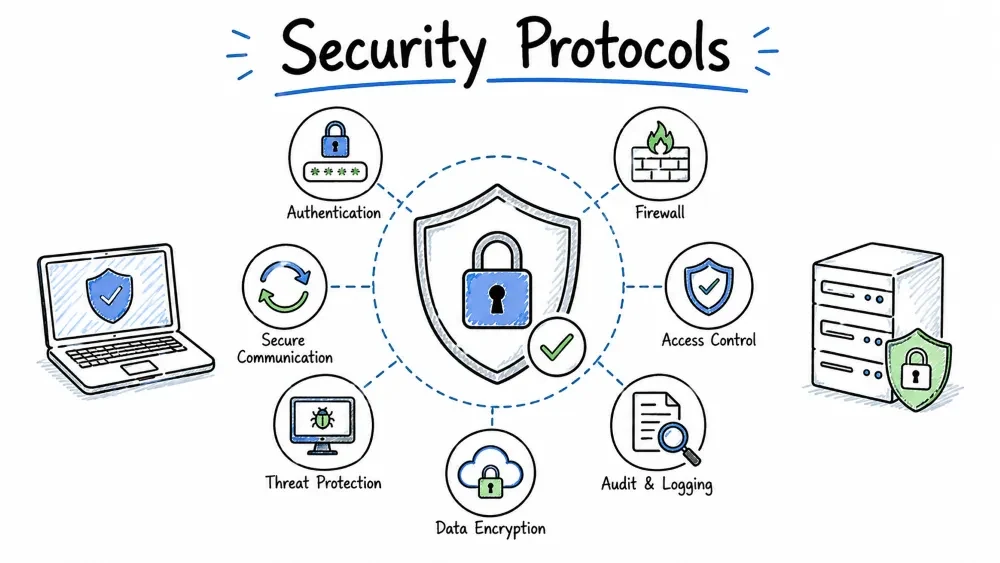
Category: Security Protocols — These protocols provide encryption, authentication, integrity, and secure communication over potentially untrusted networks like the internet. They protect data confidentiality, verify identities, and prevent tampering.
| Property | Detail |
|---|---|
| Full Form | Secure Sockets Layer |
| OSI Layer | Between Application & Transport (Layer 4-5) |
| Port | 443 (HTTPS), varies by service |
| RFC | SSL 3.0: RFC 6101 (2011, historical) |
| Status | Deprecated — Do NOT use |
| Category | Security / Encryption |
SSL is a cryptographic protocol developed by Netscape in the mid-1990s to provide secure communication between web browsers and servers. It was the first widely deployed protocol for encrypting internet traffic. However, due to numerous security vulnerabilities, SSL has been completely replaced by TLS.
Key Insight: When most people today say "SSL certificate," they actually mean a TLS certificate — the term "SSL" has stuck even though the protocol itself is obsolete and dangerous to use.
| Version | Year | Developed By | Status | Key Features / Issues |
|---|---|---|---|---|
| SSL 1.0 | 1994 | Netscape | Unreleased | Never made public — had serious security flaws |
| SSL 2.0 | 1995 | Netscape | Deprecated (2011) | First public release. Flaws: MD5-based MAC, weak key exchange, no protections against downgrade attacks |
| SSL 3.0 | 1996 | Netscape | Deprecated (2015) | Significant redesign. Flaws: Vulnerable to POODLE attack, weak cipher suites |
Year: 2014 | Impact: Critical
How POODLE Works:

1. Attacker forces browser to downgrade to SSL 3.0
2. SSL 3.0 uses CBC mode encryption with weak padding
3. Attacker intercepts encrypted data and manipulates it
4. By observing server responses, attacker can decrypt one byte at a time
5. Eventually, session cookies and other sensitive data are recovered

Mitigation: Completely disable SSL 3.0 everywhere
| Algorithm | Used In | Why Weak |
|---|---|---|
| RC4 | SSL 2.0/3.0 | Known biases in RC4 allow plaintext recovery |
| MD5 | SSL 2.0 | Collision attacks (different inputs, same hash) |
| SHA-0/SHA-1 | SSL 3.0 | SHA-1 collision attacks (SHAttered, 2017) |
| Export-Grade Ciphers | SSL (historical) | Intentionally weakened for US export (40-bit keys — crackable in hours on 1990s hardware!) |
SSL 3.0 does not support Perfect Forward Secrecy (PFS):
# Check if a server supports SSL 3.0
openssl s_client -connect example.com:443 -ssl3

# If you get a connection, the server is vulnerable!
# Expected result for secure server:
# 140735192382352:error:14094410:SSL routines:
# ssl3_read_bytes:sslv3 alert handshake failure

# Scan for SSL/TLS vulnerabilities
nmap --script ssl-enum-ciphers -p 443 example.com
┌─────────────────────────┐
│ Root CA Certificate │
│ (Self-signed, built │
│ into OS/browser) │
└───────────┬─────────────┘
│ Signs
▼
┌─────────────────────────┐
│ Intermediate CA Cert │
│ (Issued by Root CA) │
└───────────┬─────────────┘
│ Signs
▼
┌─────────────────────────┐
│ Server Certificate │
│ (Issued for domain) │
│ example.com │
└─────────────────────────┘
An X.509 certificate contains:
Certificate:
Version: 3 (0x02)
Serial Number: 04:00:00:00:00:01:23:45:67:89
Signature Algorithm: sha256WithRSAEncryption
Issuer: C = US, O = Let's Encrypt, CN = R3
Validity:
Not Before: Jul 18 00:00:00 2024 GMT
Not After: Oct 16 00:00:00 2024 GMT # ← Certificates expire!
Subject: CN = example.com
Subject Public Key Info:
Public Key Algorithm: rsaEncryption
Public-Key: (2048 bit)
Modulus: 00:d3:5a:7f:...
Exponent: 65537 (0x10001)
X509v3 extensions:
Subject Alternative Name:
DNS:example.com, DNS:www.example.com
CA:FALSE
Key Usage: Digital Signature, Key Encipherment
Extended Key Usage: TLS Web Server Authentication
| Property | Detail |
|---|---|
| Full Form | Secure Shell |
| OSI Layer | Application Layer (Layer 7) |
| Port | 22 (TCP) |
| RFC | RFC 4251-4254 (2006) |
| Category | Security / Remote Access & Tunneling |
SSH is a cryptographic network protocol for operating secure remote login, command execution, and other network services over an unsecured network. It was designed as a replacement for Telnet, rlogin, rsh, and rcp — all of which send data (including passwords) in plaintext.
Key Insight: SSH is not just a "secure Telnet." It's a complete secure transport protocol that supports port forwarding, file transfer, X11 forwarding, VPN-like tunneling, and authentication agent forwarding.
SSH uses a three-layer architecture:
┌─────────────────────────────────────────────────────────────┐
│ SSH Connection Layer │
│ Multiplexes multiple channels over one encrypted session │
│ Each channel: interactive shell, tunnel, SCP, SFTP, X11 │
├─────────────────────────────────────────────────────────────┤
│ SSH Authentication Layer │
│ Verifies user identity to the server │
│ Methods: password, public key, host-based, GSSAPI/Kerberos │
├─────────────────────────────────────────────────────────────┤
│ SSH Transport Layer │
│ Handles encryption, integrity, compression │
│ Key exchange, server host key authentication │
│ Algorithms: AES, ChaCha20, SHA-2, ECDH │
├─────────────────────────────────────────────────────────────┤
│ TCP (Port 22) │
└─────────────────────────────────────────────────────────────┘
SSH CLIENT SSH SERVER
| |
|===== Phase 1: TCP Connection ======|
|--- TCP SYN ----------------------->|
|<-- TCP SYN-ACK --------------------|
|--- TCP ACK ----------------------->|
| |
|===== Phase 2: Protocol Version Exchange =====|
|--- "SSH-2.0-OpenSSH_9.6\r\n" ---->
|<-- "SSH-2.0-OpenSSH_8.9\r\n" -----| Must match major version
| |
|===== Phase 3: Key Exchange ==============|
|--- KEXINIT (algorithms list) ----->| Both sides propose algorithms
|<-- KEXINIT (algorithms list) ------|
| (Choose: ECDH, AES-256-GCM, |
| SHA-256, etc.) |
| |
| Diffie-Hellman Key Exchange |
| (Creates shared secret) |
| |
|--- Exchange hash (session ID) ---->| First 16 bytes = SSH session ID
|<-- Exchange hash ------------------|
| |
|===== Phase 4: Server Auth ==============|
|<-- Host key + signature -----------| Server proves identity
| (RSA: 8b:2a:... fingerprint) |
| (ED25519: SHA256:abc... key) |
| |
| Client checks ~/.ssh/known_hosts |
| If unknown: prompts user: |
| "Are you sure you want to continue |
| connecting (yes/no/[fingerprint])?"|
| |
|===== Phase 5: Encryption ON =======|
|--- New Keys message -------------->| All traffic now encrypted
|<-- New Keys message ---------------|
| |
|===== Phase 6: User Authentication ==|
|--- "auth: publickey" ------------->|
|<-- "challenge: sign this data" ----| Server challenges client
|--- "signed challenge" ------------>|
|<-- "auth success" -----------------|
| (Or: "auth password") |
| |
|===== Phase 7: Session =============|
|--- "session open" request -------->|
|<-- "session open confirmed" -------|
|--- "exec 'bash'" or shell -------->|
|<-- Interactive shell session ------|
| |
|===== Phase 8: Channel Close =======|
|--- "close channel" --------------->|
|<-- "close channel" ----------------|
|--- TCP FIN ----------------------->|
# Generate Ed25519 key (recommended)
ssh-keygen -t ed25519 -C "user@example.com"

# Generate RSA key (compatible with older systems)
ssh-keygen -t rsa -b 4096 -C "user@example.com"

# Generated files:
~/.ssh/id_ed25519 # Private key — NEVER share this!
~/.ssh/id_ed25519.pub # Public key — this goes on servers
CLIENT SERVER
| |
| Sends: public key fingerprint |
| "I'd like to authenticate as |
| user@host using key SHA256:abc" |
|---------------------------------->|
| |
| Checks authorized_keys: |
| "Does this key exist?" |
| If yes, proceed... |
| |
| Generates random challenge |
|<-- Calculates: sign(challenge) |
| with the known public key |
| OR sends the challenge itself |
| |
| Proves possession of private |
| key by signing the challenge |
|--- (Sends signed challenge) ---->|
| |
| Verifies signature with stored |
| public key. If valid → GRANT |
|<-- "Authentication successful" --|
# Public key format (~/.ssh/id_ed25519.pub)
ssh-ed25519 AAAAC3NzaC1lZDI1NTE5AAAAIP+W1c... user@example.com
│ │ │
Key type Base64-encoded public key Comment

# Private key format (~/.ssh/id_ed25519) — PEM
-----BEGIN OPENSSH PRIVATE KEY-----
b3BlbnNzaC1rZXktdjEAAAAABG5vbmUAAAAEbm9uZQAAAAAAAAABAAAAMwAAA...
-----END OPENSSH PRIVATE KEY-----
SSH can tunnel arbitrary TCP traffic through the encrypted connection, providing ad-hoc VPN-like functionality.
# Syntax: ssh -L [local_addr:]local_port:target_addr:target_port user@host
# Example: Forward local 8080 to internal server's web interface
ssh -L 8080:intranet.internal:80 user@jumpbox.example.com

# Access: http://localhost:8080 → encrypted tunnel → jumpbox → intranet:80
┌──────────┐ :8080 (local) ┌──────────┐ :80 ┌────────────┐
│ Your │◄────────────────────│ SSH │──────────────►│ Intranet │
│ Browser │ (encrypted) │ Tunnel │ (decrypted) │ Web Server │
└──────────┘ └──────────┘ └────────────┘
# Syntax: ssh -R [remote_addr:]remote_port:target_addr:target_port user@host
# Example: Expose local web server to the internet via a public server
ssh -R 8080:localhost:3000 user@public-server.com

# Remote users access: public-server.com:8080 → tunnel → your localhost:3000
┌──────────┐ :3000 ┌──────────┐ :8080 ┌────────────┐
│ Users │ (local) │ Public │◄──────────────│ Your │
│ Browser │◄──────────────────│ Server │ (encrypted) │ Local Dev │
└──────────┘ └──────────┘ └────────────┘
# Creates SOCKS proxy on local port 1080
ssh -D 1080 user@jumpbox.example.com

# Configure your browser to use SOCKS5 proxy at localhost:1080
# All browser traffic goes through the SSH tunnel
# ~/.ssh/config — organize your connections

# Default settings for all hosts
Host *
ServerAliveInterval 60
ServerAliveCountMax 3
Compression yes
Protocol 2

# Personal server
Host myserver
HostName 203.0.113.10
Port 2222 # Non-standard port
User john
IdentityFile ~/.ssh/id_ed25519_personal
ForwardAgent yes

# Jump box to access internal network
Host bastion
HostName bastion.example.com
User admin
IdentityFile ~/.ssh/id_ed25519_work
LocalForward 8080 internal-dashboard:80
LocalForward 9090 grafana.internal:3000

# GitHub
Host github.com
User git
IdentityFile ~/.ssh/id_ed25519_github
HostName github.com

# Connection Sharing (reuse connection for speed)
Host *
ControlMaster auto
ControlPath ~/.ssh/control-%r@%h:%p
ControlPersist 10m
# Basic login
ssh user@hostname
ssh -p 2222 user@hostname # Custom port
ssh -i ~/.ssh/special_key user@hostname # Specific key

# Run a command remotely
ssh user@host "ls -la /var/log"
ssh user@host "tail -f /var/log/syslog" # Follow logs

# Secure file copy (SCP)
scp file.txt user@host:~/
scp -r /local/dir user@host:/remote/dir
scp user@host:/remote/file.txt ./local/

# SFTP (interactive file transfer)
sftp user@hostname
> ls
> get remote-file.txt
> put local-file.txt
> bye

# Agent forwarding (forward SSH keys through jump host)
ssh -A user@bastion.example.com
# Then from bastion, SSH to internal hosts using your local keys

# X11 Forwarding (run GUI apps remotely)
ssh -X user@hostname
firefox & # Firefox GUI appears locally

# SSH key management
ssh-keygen -t ed25519 -C "description"
ssh-copy-id user@hostname # Copy key to server
ssh-add ~/.ssh/id_ed25519 # Add key to agent
ssh-agent -s # Start agent
ssh-add -l # List loaded keys

# SSH audit
ssh-audit example.com # Check SSH server config
| Category | Algorithm | SSH Support | Security |
|---|---|---|---|
| Key Exchange | Curve25519 (ECDH) | Default | Excellent |
| Key Exchange | diffie-hellman-group14-sha256 | Good | |
| Key Exchange | diffie-hellman-group1-sha1 | Weak — disabled | |
| Cipher | chacha20-poly1305@openssh.com | Default | Excellent |
| Cipher | aes256-gcm@openssh.com | Excellent | |
| Cipher | aes128-ctr | Good | |
| Cipher | 3des-cbc | Weak — disabled | |
| MAC | hmac-sha2-256 | Default | Good |
| MAC | hmac-sha1 | Weak | |
| Host Key | ssh-ed25519 | Recommended | Excellent |
| Host Key | rsa-sha2-512 | Good (2048+ bits) | |
| Host Key | ssh-dss | Weak — disabled |
# /etc/ssh/sshd_config — Hardened SSH Server Configuration

# Basic
Port 2222 # Change from default 22 (reduces bots)
Protocol 2 # Only SSH2 (SSH1 is insecure)

# Authentication
PermitRootLogin no # NEVER allow root direct login
PubkeyAuthentication yes # Key-based auth
PasswordAuthentication no # Disable password auth
AuthenticationMethods publickey # Only allow public key
MaxAuthTries 3 # Limit login attempts
LoginGraceTime 30 # Timeout for login

# Security
AllowUsers alice bob admin-specific # Whitelist users
DenyUsers root guest # Explicitly deny
AllowGroups ssh-users # Group-based access
ClientAliveInterval 300 # Check client is alive (5 min)
ClientAliveCountMax 2 # Drop after 2 missed pings
MaxSessions 4 # Prevent session exhaustion
MaxStartups 3:50:10 # Rate limit connections

# Forwarding
X11Forwarding no # Disable unless needed
AllowTcpForwarding yes # Enable for tunnels
AllowAgentForwarding yes # Enable only if needed
PermitTunnel no # Disable tunnel devices

# Logging
SyslogFacility AUTH
LogLevel VERBOSE # Log fingerprints
# Verbose connection (use -vvv for maximum detail)
ssh -vvv user@hostname

# Check SSH server status
systemctl status sshd
sshd -t # Test configuration

# Check for listening SSH
netstat -tlnp | grep :22

# Scan SSH key fingerprints
ssh-keyscan -t ed25519 example.com

# Test SSH connection
nc -zv hostname 22

# Known hosts issues
ssh-keygen -R hostname # Remove host key
ssh-keyscan -H hostname >> ~/.ssh/known_hosts # Add key

# Check authorized_keys permissions
chmod 700 ~/.ssh # Directory
chmod 600 ~/.ssh/authorized_keys # File
chmod 600 ~/.ssh/id_ed25519 # Private key
chmod 644 ~/.ssh/id_ed25519.pub # Public key
| Property | Detail |
|---|---|
| Full Form | Hypertext Transfer Protocol Secure |
| OSI Layer | Application Layer (Layer 7) |
| Port | 443 (TCP) |
| RFC | RFC 2818 (2000, HTTP Over TLS) |
| Category | Security / Secure Web Communication |
HTTPS is simply HTTP running over TLS. It is NOT a separate protocol — it is the combination of HTTP (for web content) and TLS (for security). Every HTTPS connection begins with a TLS handshake, after which all HTTP data is encrypted.
Key Insight: HTTPS is the single most important security measure for any website. It protects user data, verifies site identity, and is now required by browsers and search engines.
Client → Server (visible to anyone sniffing):
GET /login HTTP/1.1
Host: example.com
Cookie: session=abc123
Content: username=alice&password=secret1
← ALL visible in packet capture!
Client → Server (sniffer sees gibberish):
t8xJq3kFp9a2Rc4vBn7mWq5yXz1...
← Everything encrypted until decrypted at server
CLIENT (Browser) SERVER (Website)
| |
|======== TCP Handshake (3-way) ========|
|--- SYN ----------------------------->|
|<-- SYN-ACK --------------------------|
|--- ACK ----------------------------->|
| |
|======== TLS 1.2 Handshake (2-RTT) ===|
| |
|--- ClientHello --------------------->| 1st RTT starts
| TLS 1.2 |
| Ciphers: [TLS_AES_128_GCM, ...] |
| Random bytes: RAND_CLIENT |
| |
|<-- ServerHello ----------------------|
| TLS 1.2 |
| Cipher: TLS_AES_128_GCM_SHA256 |
| Random bytes: RAND_SERVER |
|<-- Certificate ----------------------|
| (Server's X.509 certificate) |
|<-- ServerHelloDone ------------------|
| |
|--- ClientKeyExchange --------------->|
| PreMasterSecret (encrypted with |
| server's public key) |
|--- ChangeCipherSpec ---------------->|
|--- Finished ------------------------>| 2nd RTT ends
| |
|<-- ChangeCipherSpec -----------------|
|<-- Finished -------------------------|
| |
|======== Application Data ============|
|<==== Encrypted HTTP request/response=> Now fully encrypted
CLIENT (Browser) SERVER (Website)
| |
|======== TCP Handshake ================|
|--- SYN ----------------------------->|
|<-- SYN-ACK --------------------------|
|--- ACK ----------------------------->|
| |
|======== TLS 1.3 Handshake (1-RTT) ===|
| |
|--- ClientHello --------------------->|
| TLS 1.3 indicator |
| Key share (guess ECDHE share) |
| Supported ciphers |
| (Client guesses server's curve) |
| |
|<-- ServerHello ----------------------| Single round trip!
|<-- Key share + Certificate + Verify |
|<-- Finished -------------------------|
| |
|--- Finished ------------------------->
| |
|<==== Encrypted Data ================>| Faster by 1 RTT!
| |
| TLS 1.3 0-RTT (optional): |
| Client can SEND data IMMEDIATELY |
| with the first handshake message |
| using cached session ticket |
| Type | Validation | Cost | Browser Indicator | Use Case |
|---|---|---|---|---|
| DV (Domain Validated) | Automated — prove domain ownership | Free | Padlock | Blogs, small sites, APIs |
| OV (Organization Validated) | Manual — verify organization exists | ~$100-300/yr | Padlock + org info | Business websites |
| EV (Extended Validation) | Rigorous legal & physical verification | ~$200-1000/yr | Green bar + org name | Banks, e-commerce, govt |
# 1. Install certbot
sudo apt install certbot python3-certbot-nginx

# 2. Obtain certificate
sudo certbot --nginx -d example.com -d www.example.com

# 3. What happens:
# a. Certbot contacts Let's Encrypt CA
# b. Let's Encrypt challenges: prove you control example.com
# c. DNS challenge: add TXT record _acme-challenge.example.com
# OR HTTP challenge: place file at http://example.com/.well-known/acme-challenge/
# d. Let's Encrypt verifies → issues certificate
# e. Certificate stored at /etc/letsencrypt/live/example.com/

# 4. Auto-renewal
sudo certbot renew --dry-run
| Type | Covers | Example |
|---|---|---|
| Standard | Single domain | example.com |
| Wildcard | Domain + all subdomains | *.example.com → www, api, mail |
| SAN (Subject Alt Name) | Multiple specific domains | example.com, example.org, example.net |
Nginx HTTPS Configuration:
server {
listen 443 ssl http2;
server_name example.com;

# Certificate paths
ssl_certificate /etc/letsencrypt/live/example.com/fullchain.pem;
ssl_certificate_key /etc/letsencrypt/live/example.com/privkey.pem;

# Modern TLS configuration (Mozilla recommended)
ssl_protocols TLSv1.2 TLSv1.3;
ssl_ciphers ECDHE-ECDSA-AES128-GCM-SHA256:ECDHE-RSA-AES128-GCM-SHA256;
ssl_prefer_server_ciphers off;

# HSTS (HTTP Strict Transport Security)
add_header Strict-Transport-Security "max-age=63072000" always;

# Other security headers
add_header X-Frame-Options DENY;
add_header X-Content-Type-Options nosniff;
add_header X-XSS-Protection "1; mode=block";

# OCSP Stapling
ssl_stapling on;
ssl_stapling_verify on;
resolver 8.8.8.8 8.8.4.4 valid=300s;
}

# Redirect HTTP → HTTPS
server {
listen 80;
server_name example.com www.example.com;
return 301 https://$server_name$request_uri;
}
Apache HTTPS Configuration:
<VirtualHost *:443>
ServerName example.com

SSLEngine on
SSLCertificateFile /etc/letsencrypt/live/example.com/cert.pem
SSLCertificateKeyFile /etc/letsencrypt/live/example.com/privkey.pem
SSLCertificateChainFile /etc/letsencrypt/live/example.com/chain.pem

# Modern TLS
SSLProtocol all -SSLv3 -TLSv1 -TLSv1.1
SSLCipherSuite ECDHE-ECDSA-AES128-GCM-SHA256:ECDHE-RSA-AES128-GCM-SHA256
SSLHonorCipherOrder off
</VirtualHost>
HSTS tells browsers to always use HTTPS for a domain, eliminating downgrade attacks.
# In Nginx:
add_header Strict-Transport-Security "max-age=63072000; includeSubDomains; preload" always;

# Policy:
# max-age=63072000 → Enforce 2 years
# includeSubDomains → Applies to all subdomains
# preload → Submit to browser's hardcoded HSTS list
HSTS Preload — How Browsers Learn About Your Site Before First Visit:
# SSL/TLS server test (openssl)
echo | openssl s_client -connect example.com:443 -servername example.com 2>/dev/null | openssl x509 -text

# Check certificate details
openssl s_client -connect example.com:443 -showcerts

# Check supported TLS versions
openssl s_client -tls1_2 -connect example.com:443 # Check TLS 1.2
openssl s_client -tls1_3 -connect example.com:443 # Check TLS 1.3
openssl s_client -ssl3 -connect example.com:443 # Should FAIL!

# Check cipher suites
nmap --script ssl-enum-ciphers -p 443 example.com

# Online SSL Labs test (industry standard)
# https://www.ssllabs.com/ssltest/analyze.html?d=example.com

# Check certificate expiry
echo | openssl s_client -connect example.com:443 2>/dev/null | openssl x509 -noout -dates

# Check HSTS headers
curl -sI https://example.com | grep -i strict
| Property | Detail |
|---|---|
| Full Form | Internet Protocol Security |
| OSI Layer | Network Layer (Layer 3) |
| Port | 500 (IKE), 4500 (NAT-T), IP Protocol 50 (ESP), 51 (AH) |
| RFC | RFC 4301 (Security Architecture, 2005) |
| Category | Security / Network Layer Encryption |
IPSec is a suite of protocols that provides security at the IP layer. Unlike TLS (which secures individual applications) or SSH (which secures terminal sessions), IPSec encrypts and authenticates all IP packets in a communication session — securing everything above Layer 3, without requiring any changes to applications.
Key Insight: IPSec operates at Layer 3, which means it protects ALL traffic between two endpoints — TCP, UDP, ICMP, and even the applications running on top — without the applications knowing anything about encryption. It's the invisible security layer.
┌──────────────────────────────────────────────────┐
│ IPSec System │
│ │
│ ┌────────────────┐ ┌────────────────────────┐ │
│ │ AH (51) │ │ ESP (50) │ │
│ │ Authentication │ │ Encryption + Auth │ │
│ │ (No encryption)│ │ (Most commonly used) │ │
│ └────────────────┘ └────────────────────────┘ │
│ │
│ ┌──────────────────────────────────────────────┐ │
│ │ IKE (UDP 500) │ │
│ │ Internet Key Exchange — Key Management │ │
│ │ Authentication + Key Generation │ │
│ └──────────────────────────────────────────────┘ │
│ │
│ ┌──────────────────────────────────────────────┐ │
│ │ Security Associations (SAs) │ │
│ │ Uni-directional agreement: What + How │ │
│ │ SPI (Security Parameter Index) identifies │ │
│ └──────────────────────────────────────────────┘ │
└──────────────────────────────────────────────────┘
Before ESP:
┌─────────────┬─────────────┬───────────────────┐
│ IP Header │ TCP Hdr │ Application │
│ (src/dest) │ (port etc) │ Data │
└─────────────┴─────────────┴───────────────────┘

After ESP (Transport Mode):
┌─────────────┬──────────┬─────────────┬──────────┬──────────────┐
│ IP Header │ ESP Hdr │ TCP Hdr │ App │ ESP Trailer │
│ (same) │ │ (encrypted) │ Data │ + Auth Data │
└─────────────┴──────────┴─────────────┴──────────┴──────────────┘
└─────────── Encrypted ────────────┘
└────────── Authenticated ────────────┘

Original IP header stays intact — can be routed normally.
Used for: Direct host-to-host communication
After ESP (Tunnel Mode):
┌─────────────────┬──────────┬─────────────┬─────────────┬──────────┬──────────────┐
│ NEW IP Header │ ESP Hdr │ ORIG IP Hdr │ TCP Hdr │ App │ ESP Trailer │
│ (gateway src/ │ │ (encrypted) │ (encrypted) │ Data │ + Auth Data │
│ gateway dest) │ │ │ │ │ │
└─────────────────┴──────────┴─────────────┴─────────────┴──────────┴──────────────┘
└─────────────── Encrypted ──────────────────┘
└────────────── Authenticated ─────────────────┘

Entire original IP packet is encrypted within a new outer IP packet.
Used for: Site-to-site VPNs (router-to-router)
IPSec uses IKEv1 or IKEv2 to establish Security Associations (SAs).
Gateway A Gateway B
| |
|======== SA Negotiation ===========|
|--- SA Proposal (enc, hash, DH) ->|
|<-- SA Selection ------------------|
| |
|======== Diffie-Hellman ===========|
|--- DH Public Key A -------------->|
|<-- DH Public Key B ---------------|
| (Both compute shared secret) |
| |
|======== Authentication ============|
|--- Auth (signature/pre-shared) -->|
|<-- Auth --------------------------|
| |
| Result: IKE SA (ISAKMP SA) |
| Secure channel for Phase 2 |
Gateway A Gateway B
| |
|--- ESP Proposal + Nonce + Proxy ->|
|<-- ESP Selection + Nonce + Proxy -|
|--- ACK + Commit ----------------->|
| |
| Result: IPSec SA (ESP SA) |
| Actual traffic encryption |
IKEv2 reduces the overhead:
1. Request: SA + KE + Ni
2. Response: SA + KE + Nr
(Creates IKE SA + First Child SA in one go)
3. Request: AUTH + ID + SA + TSi + TSr
4. Response: AUTH + ID + SA + TSi + TSr
(Authenticates + creates IPSec SA)
Site-to-Site VPN (Cisco IOS):
! Phase 1 — IKE Policy
crypto isakmp policy 10
encryption aes 256
hash sha256
authentication pre-share
group 14
lifetime 86400

! Pre-shared key
crypto isakmp key MySecretKey123 address 203.0.113.10

! Phase 2 — IPSec Transform
crypto ipsec transform-set AES256-SHA esp-aes 256 esp-sha-hmac
mode tunnel

! Interesting traffic (what to encrypt)
access-list 100 permit ip 10.1.1.0 0.0.0.255 10.2.2.0 0.0.0.255

! Crypto Map
crypto map VPN-MAP 10 ipsec-isakmp
set peer 203.0.113.10
set transform-set AES256-SHA
match address 100

! Apply to interface
interface GigabitEthernet0/1
crypto map VPN-MAP
StrongSwan (Linux — open source):
# /etc/ipsec.conf
conn site-to-site
type=tunnel
left=192.168.1.1 # Local gateway
leftsubnet=10.1.1.0/24 # Local network
right=203.0.113.10 # Remote gateway
rightsubnet=10.2.2.0/24 # Remote network
keyexchange=ikev2
ike=aes256-sha256-modp2048
esp=aes256-sha256
dpdaction=restart
auto=start

# /etc/ipsec.secrets
192.168.1.1 203.0.113.10 : PSK "MySecretKey123"
| Feature | IPSec VPN | TLS VPN (SSL VPN) |
|---|---|---|
| Layer | Network (Layer 3) | Application (Layer 7) |
| Network Access | Full network layer access | Application-specific |
| Client Required | Dedicated client software | Web browser + optional agent |
| Traffic Types | All IP traffic (TCP/UDP/ICMP) | Web apps, some TCP via portal |
| Complexity | High (complex config) | Lower (easier deployment) |
| User Authentication | Pre-shared keys, certs, XAuth | Passwords, 2FA, SAML |
| Split Tunneling | Supported | Supported |
| NAT Traversal | NAT-T (UDP 4500) | Inherent (uses TCP/HTTPS) |
| Performance | Excellent (kernel-level) | Good (userspace) |
| Best For | Site-to-site, remote office | Remote user access, contractors |
# Show IPSec SAs
ip xfrm state # Linux
show crypto ipsec sa # Cisco IOS
ipsec statusall # StrongSwan

# Show IKE SAs
ip xfrm policy # Linux
show crypto isakmp sa # Cisco IOS
swanctl --list-sas # StrongSwan v2

# Manual ping test through VPN
ping -S 10.1.1.100 10.2.2.100 # Source IP from local subnet

# Debug IPSec
tcpdump -i eth0 esp # Capture ESP packets
tcpdump -i eth0 port 500 # Capture IKE
tcpdump -i eth0 port 4500 # Capture NAT-T

# IPSec counters
ip -s xfrm state # Linux stats

# Ping with DF bit to test MTU issues
ping -M do -s 1472 10.2.2.100 # Don't Fragment, test size
| Symptom | Likely Cause | Solution |
|---|---|---|
| VPN connects but no traffic | ACL mismatch | Verify interesting traffic ACLs |
| Phase 1 fails | Mismatched IKE parameters | Check encryption, hash, DH group |
| Phase 2 fails | Mismatched proxy IDs | Verify subnets match on both sides |
| Traffic passes then drops | Lifetime mismatch | Set same lifetime values |
| Intermittent connectivity | Dead Peer Detection | Enable DPD/keepalives |
| Packets drop after 10-20 min | NAT timeout | Enable NAT-T, reduce DPD interval |
| Cannot pass large files | MTU/MSS issues | Reduce MSS: ip tcp adjust-mss 1400 |
| Property | Detail |
|---|---|
| Full Form | Transport Layer Security |
| OSI Layer | Between Transport & Application (Layer 4-5) |
| Port | 443 (HTTPS), 993 (IMAPS), 995 (POP3S), 636 (LDAPS), 853 (DoT) |
| RFC | RFC 8446 (TLS 1.3, 2018) |
| Category | Security / Encryption |
TLS is the successor to SSL and the most widely deployed security protocol on the internet. It provides:
TLS protects virtually all secure internet traffic — HTTPS, email, VoIP, DNS, VPNs, and countless other applications.
Key Insight: TLS 1.3 (2018) is a dramatic redesign from TLS 1.2 (2008). It's faster, simpler, and eliminates entire categories of attacks by removing weak algorithms and unnecessary features.
| Version | Year | RFC | Status | Key Improvements |
|---|---|---|---|---|
| TLS 1.0 | 1999 | RFC 2246 | Deprecated | Upgrade from SSL 3.0 |
| TLS 1.1 | 2006 | RFC 4346 | Deprecated | CBC protection, IV fixes |
| TLS 1.2 | 2008 | RFC 5246 | Widely used | AEAD ciphers, SHA-256, GCM |
| TLS 1.3 | 2018 | RFC 8446 | Recommended | 1-RTT handshake, 0-RTT, removed weak ciphers |
CLIENT SERVER
| |
|=== Round 1 =============================|
|--- ClientHello ----------------------->|
| Protocol: TLS 1.2 |
| Random: 32 bytes (RANDOM_C) |
| Session ID: (for session resumption) |
| Cipher Suites: |
| TLS_ECDHE_RSA_WITH_AES_256_GCM_SHA384|
| TLS_ECDHE_ECDSA_WITH_AES_128_GCM |
| TLS_RSA_WITH_AES_256_CBC_SHA |
| Compression: null |
| Extensions: SNI, ALPN, EC curves |
| |
|<-- ServerHello -------------------------|
| Protocol: TLS 1.2 |
| Random: 32 bytes (RANDOM_S) |
| Session ID: 0xABC123 |
| Cipher: TLS_ECDHE_RSA_AES_256_GCM_SHA384|
| Compression: null |
| |
|<-- Certificate -------------------------|
| Server's X.509v3 certificate chain |
| (Server cert + intermediates) |
| |
|<-- ServerKeyExchange -------------------|
| ECDHE public key (server share) |
| Named curve: x25519 |
| Signature: signed by server's RSA key |
| |
|<-- ServerHelloDone ---------------------|
| |
|=== Round 2 =============================|
| |
|--- ClientKeyExchange ------------------>|
| ECDHE public key (client share) |
| (Both sides now compute: |
| pre_master_secret = ECDH(shared) |
| master_secret = PRF(pre_master, |
| "master secret", |
| Random_C + Random_S))|
| |
|--- ChangeCipherSpec ------------------>| "From now on, I'm encrypting"
|--- Finished (encrypted with session key)|
| Verifies entire handshake transcript |
| |
|<-- ChangeCipherSpec --------------------|
|<-- Finished (encrypted) ---------------|
| |
|=== Application Data ====================|
|<==== Encrypted HTTP/2 data =============>|
| |
| Key Derivation: |
| client_write_key = PRF(master, ...) |
| server_write_key = PRF(master, ...) |
| client_write_IV = PRF(master, ...) |
| server_write_IV = PRF(master, ...) |
CLIENT SERVER
| |
|=== Round 1 (1-RTT) ======================|
|--- ClientHello ----------------------->|
| Protocol: TLS 1.3 "supported versions" |
| Random: 32 bytes |
| Cipher Suites: ONLY AEAD: |
| TLS_AES_128_GCM_SHA256 |
| TLS_AES_256_GCM_SHA384 |
| TLS_CHACHA20_POLY1305_SHA256 |
| Key Share: ECDHE client share |
| (GUESSES the curve — x25519) |
| PSK Key Exchange Modes (if resuming) |
| Extensions: SNI, ALPN, supported_vers |
| |
|<-- ServerHello -------------------------|
| Protocol: TLS 1.3 |
| Random: 32 bytes |
| Cipher: TLS_AES_128_GCM_SHA256 |
| Key Share: ECDHE server share |
| (Both compute key NOW) |
| |
| EncryptedExtensions |
| CertificateRequest (if mutual TLS) |
| |
| Certificate (encrypted) |
| CertificateVerify (encrypted) |
| Finished (encrypted) |
| |
| [Server can start sending data] |
| |
|--- Certificate (if mTLS) -------------->|
|--- CertificateVerify (if mTLS) ---------|
|--- Finished --------------------------->|
| |
| <=== 1-RTT done — Data flows! ===========>|
| |
|=== 0-RTT (Early Data — Optional) ========|
| |
| If client has cached session ticket: |
|--- ClientHello + 0-RTT Early Data ---->>| DATA SENT IMMEDIATELY!
| (Encrypted with PSK) | No waiting for handshake!
| |
| WARNING: 0-RTT data is vulnerable |
| to replay attacks! Only safe for |
| idempotent requests (GET, not POST). |
A cipher suite defines all cryptographic algorithms used in a TLS session:
TLS_ECDHE_RSA_WITH_AES_256_GCM_SHA384
│ │ │ │ │
│ │ │ │ └── PRF/Hash: SHA-384
│ │ │ └─────────── Encryption: AES-256-GCM
│ │ └───────────────────────── Auth: RSA signature
│ └──────────────────────────────── Key Exchange: ECDHE
└───────────────────────────────────── Protocol: TLS
┌────────────────────────────────────────────┬──────────────────────┐
│ Cipher Suite │ Security │
├────────────────────────────────────────────┼──────────────────────┤
│ TLS_ECDHE_ECDSA_WITH_AES_256_GCM_SHA384 │ Excellent │
│ TLS_ECDHE_RSA_WITH_AES_128_GCM_SHA256 │ Excellent │
│ TLS_DHE_RSA_WITH_AES_256_GCM_SHA384 │ Good (DHE slower) │
│ TLS_ECDHE_RSA_WITH_AES_256_CBC_SHA384 │ CBC (constant time?)│
│ TLS_RSA_WITH_AES_128_GCM_SHA256 │ No PFS (static RSA)│
│ TLS_RSA_WITH_AES_128_CBC_SHA │ Weak │
│ TLS_ECDHE_RSA_WITH_RC4_128_SHA │ RC4 — broken │
│ TLS_RSA_WITH_3DES_EDE_CBC_SHA │ 3DES — sweet32 │
│ TLS_ECDH_anon_WITH_AES_128_CBC_SHA │ Anonymous │
│ TLS_DH_anon_WITH_AES_128_GCM_SHA256 │ Anonymous │
└────────────────────────────────────────────┴──────────────────────┘
┌─────────────────────────────────────┬──────────────────────┐
│ Cipher Suite │ Status │
├─────────────────────────────────────┼──────────────────────┤
│ TLS_AES_128_GCM_SHA256 │ Mandatory │
│ TLS_AES_256_GCM_SHA384 │ Mandatory │
│ TLS_CHACHA20_POLY1305_SHA256 │ Recommended │
│ TLS_AES_128_CCM_SHA256 │ Optional │
│ TLS_AES_128_CCM_8_SHA256 │ Limited use │
└─────────────────────────────────────┴──────────────────────┘
| Algorithm | Type | PFS? | Speed | Security |
|---|---|---|---|---|
| RSA | Static | No | Fast | Good (2048+ bits) |
| ECDHE | Ephemeral DH | Yes | Fast | Excellent (P-256 or x25519) |
| DHE | Ephemeral DH | Yes | Slow | Good (2048+ bits) |
| PSK | Pre-Shared Key | Yes | Fastest | As good as key secrecy |
| SRP | Secure Remote Password | Slow | Resists password sniffing |
Why PFS (Perfect Forward Secrecy) Matters:
| Extension | Purpose | Used In |
|---|---|---|
| SNI (Server Name Indication) | Client tells server WHICH domain it wants (for multi-domain hosting) | TLS 1.2+ |
| ALPN (Application-Layer Protocol Negotiation) | Client and server agree on HTTP version (HTTP/1.1, HTTP/2, HTTP/3) | TLS 1.2+ |
| OCSP Stapling | Server provides real-time certificate revocation status | TLS 1.2+ |
| Supported Groups | Client lists ECDHE curves it supports | TLS 1.2+ |
| Key Share | Client sends ECDHE key share to reduce 1-RTT | TLS 1.3 |
| Pre-Shared Key | Session resumption with cached keys | TLS 1.3 |
| Early Data (0-RTT) | Send data immediately with PSK | TLS 1.3 |
| Extended Master Secret | Prevents cross-session key compromise | Extension to TLS 1.2 |
# TLS 1.3 only (most secure, least compatible)
ssl_protocols TLSv1.3;

# TLS 1.2 + 1.3 (good balance, widely compatible)
ssl_protocols TLSv1.2 TLSv1.3;

# NEVER enable (deprecated/insecure):
# SSLv2, SSLv3, TLSv1.0, TLSv1.1

# TLS 1.2 cipher selection (prefer PFS, AEAD)
ssl_ciphers ECDHE-ECDSA-AES128-GCM-SHA256:ECDHE-RSA-AES128-GCM-SHA256;
ssl_prefer_server_ciphers on;

# TLS 1.3 ciphers are fixed (no configuration needed)

# Disable TLS compression (CRIME/BREACH attack)
ssl_compression off;

# OCSP stapling
ssl_stapling on;
ssl_trusted_certificate /path/to/chain.pem;
| Metric | TLS 1.2 | TLS 1.3 | Improvement |
|---|---|---|---|
| Handshake RTT | 2 RTT | 1 RTT (0-RTT optional) | 50-100% faster |
| TLS Handshake (5ms RTT) | ~10ms | ~5ms | 5ms saved |
| TLS Handshake (50ms RTT) | ~100ms | ~50ms | 50ms saved |
| TLS Handshake (200ms RTT) | ~400ms | ~200ms | 200ms saved |
| Cipher negotiation | Client + server lists | Server picks from 5 | Simplified |
| CPU cost | Moderate | Lower (less negotiation) | ~10-20% less CPU |
| Security assurance | Varies (config-dependent) | Guaranteed minimum | Always high |
Real-World Performance Impact:
Connection from New York → Sydney (~200ms RTT):
Without TLS: TCP handshake = 200ms
TLS 1.2: TCP + 2 RTT handshake = 200ms + 400ms = 600ms before data
TLS 1.3: TCP + 1 RTT handshake = 200ms + 200ms = 400ms before data
TLS 1.3 + 0-RTT: TCP handshake = 200ms, data sent immediately = 200ms
QUIC (HTTP/3): 0-RTT, no TCP = 0ms additional
# OpenSSL toolkit — Swiss Army Knife for TLS
# Connect to server and show certificate
openssl s_client -connect example.com:443 -showcerts

# Connect with specific TLS version
openssl s_client -tls1_3 -connect example.com:443
openssl s_client -tls1_2 -connect example.com:443

# Show supported cipher suites
openssl ciphers -v | sort

# Generate a self-signed certificate
openssl req -x509 -newkey rsa:4096 -keyout key.pem -out cert.pem \
-days 365 -nodes -subj "/CN=example.com"

# Check certificate dates
openssl x509 -in cert.pem -noout -dates

# Convert certificate formats
openssl x509 -in cert.pem -outform der -out cert.der # PEM → DER
openssl x509 -in cert.der -inform der -out cert.pem # DER → PEM

# Generate CSR (Certificate Signing Request)
openssl req -new -newkey rsa:2048 -nodes -keyout private.key -out request.csr

# Test TLS with nmap
nmap --script ssl-enum-ciphers -p 443 example.com
nmap --script ssl-cert -p 443 example.com
nmap --script ssl-heartbleed -p 443 example.com

# curl with TLS testing
curl -v https://example.com
curl --tlsv1.3 https://example.com
curl --tls-max 1.2 https://example.com

# Test with testssl.sh (third-party tool)
testssl.sh https://example.com
| Attack | Year | Target | Mitigation |
|---|---|---|---|
| POODLE | 2014 | SSL 3.0 | Disable SSL 3.0 |
| Heartbleed | 2014 | OpenSSL bug | Update OpenSSL |
| BEAST | 2011 | TLS 1.0 CBC | Use TLS 1.2+ |
| CRIME | 2012 | TLS compression | Disable TLS compression |
| BREACH | 2013 | HTTP compression | Disable HTTP compression |
| Lucky13 | 2013 | CBC padding | Use AEAD ciphers |
| Logjam | 2015 | DHE export grade | Disable export ciphers |
| FREAK | 2015 | RSA export grade | Disable export ciphers |
| DROWN | 2016 | SSLv2 + TLS shared key | Disable SSLv2, separate keys |
| ROBOT | 2017 | RSA key exchange | Use ECDHE only |
| Raccoon | 2020 | DH key exchange | Use ECDHE |
| ALPACA | 2021 | TLS application confusion | Strict hostname verification |
| Protocol | Port | TLS Service Name | Description |
|---|---|---|---|
| HTTPS | 443 | http-over-tls | Secure web |
| SMTPS | 465 | smtps | SMTP over TLS (direct) |
| SMTP STARTTLS | 587 | submission | SMTP with opportunistic TLS |
| IMAPS | 993 | imaps | IMAP over TLS |
| POP3S | 995 | pop3s | POP3 over TLS |
| LDAPS | 636 | ldaps | LDAP over TLS |
| DoT | 853 | dns-over-tls | Secure DNS |
| DoH | 443 | dns-over-https | DNS over HTTPS |
| MQTTS | 8883 | mqtts | IoT messaging over TLS |
| RDP over TLS | 3389 | rdp-tls | Remote desktop |
| SIP over TLS | 5061 | sips | VoIP signaling |
| FTPS | 990 | ftps-data | FTP over TLS (control) |
| Feature | SSL 2.0 | SSL 3.0 | TLS 1.0 | TLS 1.1 | TLS 1.2 | TLS 1.3 |
|---|---|---|---|---|---|---|
| Year | 1995 | 1996 | 1999 | 2006 | 2008 | 2018 |
| Status | Deprecated | Deprecated | Deprecated | Deprecated | Widely used | Recommended |
| Handshake RTT | 2 RTT | 2 RTT | 2 RTT | 2 RTT | 2 RTT | 1 RTT (+0-RTT) |
| Forward Secrecy | Optional | Optional | Optional | Mandatory | ||
| AEAD Ciphers | ** Only** | |||||
| TLS Compression | ** Removed** | |||||
| Static RSA/DH | ** Removed** | |||||
| Export Ciphers | Disabled | ** Removed** | ||||
| SHA-256 Support | ||||||
| ChaCha20-Poly1305 | ||||||
| Protocol Downgrade Protection | SCSV Only | ** Built-in** | ||||
| Session Resumption | Session ID | Session ID | Session ID | Session ID | Session ID + Tickets | PSK + 0-RTT |
| Recommended? | Never | Never | Never | Never | If 1.3 unavailable | Always |
Save your progress and earn XP for completing tutorials.
Technology
Cyber Security & Networking
Lesson group
Types of Protocols
Progress
75% complete

