Preparing your learning space...
50% through Types of Protocols tutorials
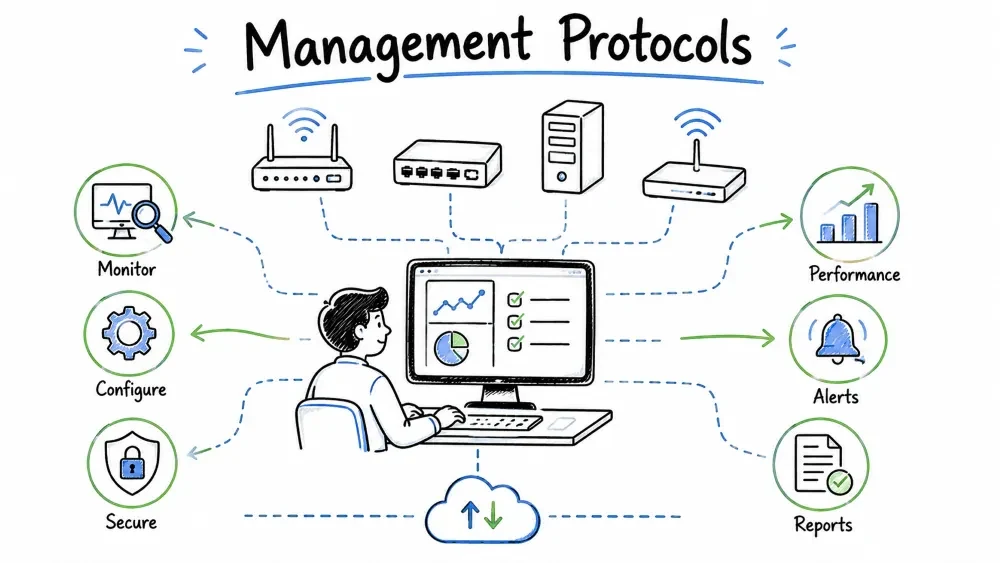
Category: Management Protocols — These protocols are used to monitor, manage, diagnose, and control network devices, systems, and services. They help network administrators maintain visibility and control over network infrastructure.
| Property | Detail |
|---|---|
| Full Form | Internet Control Message Protocol |
| OSI Layer | Network Layer (Layer 3) |
| Port | N/A (operates directly over IP, Protocol 1) |
| RFC | RFC 792 (1981) |
| Category | Management / Diagnostic & Error Reporting |
ICMP is a control protocol used by network devices (routers, switches, hosts) to send error messages and operational information about network conditions. Unlike TCP and UDP, ICMP is not used for transporting application data — it is a management protocol that reports on the health and status of the network itself.
Key Insight: ICMP is the network's "check engine light" — it reports problems (unreachable destinations, exceeded TTLs, congestion) but does not fix them. Applications like
pingandtracerouteuse ICMP to diagnose network connectivity.
0 1 2 3
0 1 2 3 4 5 6 7 8 9 0 1 2 3 4 5 6 7 8 9 0 1 2 3 4 5 6 7 8 9 0 1
+-+-+-+-+-+-+-+-+-+-+-+-+-+-+-+-+-+-+-+-+-+-+-+-+-+-+-+-+-+-+-+-+
| Type | Code | Checksum |
+-+-+-+-+-+-+-+-+-+-+-+-+-+-+-+-+-+-+-+-+-+-+-+-+-+-+-+-+-+-+-+-+
| Rest of Header (depends on Type/Code) |
+-+-+-+-+-+-+-+-+-+-+-+-+-+-+-+-+-+-+-+-+-+-+-+-+-+-+-+-+-+-+-+-+
| ICMP Data (variable length) |
+-+-+-+-+-+-+-+-+-+-+-+-+-+-+-+-+-+-+-+-+-+-+-+-+-+-+-+-+-+-+-+-+
| Field | Size | Description |
|---|---|---|
| Type | 8 bits | Message category (Echo Request, Destination Unreachable, etc.) |
| Code | 8 bits | Subtype within the category |
| Checksum | 16 bits | ICMP header + data integrity check |
| Rest of Header | 32 bits | Type-specific data (e.g., sequence number, gateway address) |
| Data | Variable | Usually includes part of the original packet that triggered the error |
| Type | Code | Name | Description | Direction |
|---|---|---|---|---|
| 0 | 0 | Echo Reply | Response to a ping | ← Response |
| 3 | 0 | Destination Unreachable (Net) | Network unreachable | ← Error |
| 3 | 1 | Destination Unreachable (Host) | Host unreachable | ← Error |
| 3 | 2 | Destination Unreachable (Protocol) | Protocol not supported | ← Error |
| 3 | 3 | Destination Unreachable (Port) | Port unreachable | ← Error |
| 3 | 4 | Fragmentation Needed (DF set) | MTU too large → Path MTU Discovery | ← Error |
| 3 | 6 | Destination Network Unknown | Unknown network | ← Error |
| 4 | 0 | Source Quench | Sender is sending too fast (deprecated) | ← Warning |
| 5 | 0 | Redirect (Network) | Better route to network | ← Info |
| 5 | 1 | Redirect (Host) | Better route to host | ← Info |
| 8 | 0 | Echo Request | Ping request | → Request |
| 9 | 0 | Router Advertisement | Router announces itself | ← Info |
| 10 | 0 | Router Solicitation | Host asks for routers | → Request |
| 11 | 0 | TTL Exceeded (Transit) | Packet TTL reached 0 in transit | ← Error |
| 11 | 1 | TTL Exceeded (Fragment) | Fragment reassembly time exceeded | ← Error |
| 12 | 0 | Parameter Problem | Bad IP header | ← Error |
| 13 | 0 | Timestamp Request | Request timestamp | → Request |
| 14 | 0 | Timestamp Reply | Timestamp response | ← Response |
| 17 | 0 | Address Mask Request | Request subnet mask | → Request |
| 18 | 0 | Address Mask Reply | Subnet mask response | ← Response |
PING COMMAND: ping -c 4 google.com

1. Resolve hostname:
ping google.com → DNS resolves to IP: 142.250.190.4

2. Send ICMP Echo Requests:
┌─────────────┬──────┬──────┬─────────────────────┐
│ ICMP Type=8 │ Code=0│ Seq=1│ Payload (56 bytes) │
├─────────────┼──────┼──────┼─────────────────────┤
│ ICMP Type=8 │ Code=0│ Seq=2│ Payload (56 bytes) │
├─────────────┼──────┼──────┼─────────────────────┤
│ ICMP Type=8 │ Code=0│ Seq=3│ Payload (56 bytes) │
├─────────────┼──────┼──────┼─────────────────────┤
│ ICMP Type=8 │ Code=0│ Seq=4│ Payload (56 bytes) │
└─────────────┴──────┴──────┴─────────────────────┘

3. Receive ICMP Echo Replies:
┌─────────────┬──────┬──────┬─────────────────────┐
│ ICMP Type=0 │ Code=0│ Seq=1│ Payload (56 bytes) │
├─────────────┼──────┼──────┼─────────────────────┤
│ ICMP Type=0 │ Code=0│ Seq=2│ Payload (56 bytes) │
└─────────────┴──────┴──────┴─────────────────────┘

4. Display statistics:
PING google.com (142.250.190.4): 56 data bytes
64 bytes from 142.250.190.4: icmp_seq=1 ttl=117 time=12.3 ms
64 bytes from 142.250.190.4: icmp_seq=2 ttl=117 time=11.8 ms
64 bytes from 142.250.190.4: icmp_seq=3 ttl=117 time=14.2 ms
64 bytes from 142.250.190.4: icmp_seq=4 ttl=117 time=13.1 ms

--- google.com ping statistics ---
4 packets transmitted, 4 received, 0% packet loss
round-trip min/avg/max/stddev = 11.8/12.85/14.2/0.92 ms
Ping Metric Interpretation:
| Metric | Good | Warning | Bad |
|---|---|---|---|
| Packet Loss | 0% | 1-5% | >5% |
| Latency (local) | <5ms | 5-50ms | >50ms |
| Latency (internet) | <50ms | 50-150ms | >150ms |
| TTL | ~64 (Linux) or ~128 (Windows) | — | <10 (looping) |
TRACEROUTE COMMAND: traceroute google.com

Step 1: TTL=1
┌─────┐ ICMP Echo TTL=1 ┌─────┐
│ You │ ──────────────────────> │ R1 │ ← Router decrements TTL to 0
│ │ <── ICMP Time Exceeded ──│ │ and sends ICMP Type 11
└─────┘ (11/0) └─────┘
"Hop 1: 192.168.1.1 (12.3ms)"

Step 2: TTL=2
┌─────┐ TTL=2 ┌─────┐ TTL=1 ┌─────┐
│ You │ ─────→ │ R1 │ ─────→ │ R2 │ ← TTL expires
│ │ └─────┘ │ │
│ │ <── ICMP Time Exceeded │ │
└─────┘ (From R2) └─────┘
"Hop 2: 203.0.113.1 (14.7ms)"

Step 3: TTL=3 (Destination Reached)
┌─────┐ TTL=3 ┌──...──┐ TTL=1 ┌──────────┐
│ You │ ─────→ │ Router│ ─────→ │ Google │
│ │ │ ... │ │ Server │
│ │ <── ICMP Echo Reply (Type 0) ──────│
└─────┘ └──────────┘
"Hop 3: 142.250.190.4 (11.2ms)"

Final Output:
traceroute to google.com (142.250.190.4), 30 hops max
1 * * * (timeout — hidden hop)
2 192.168.1.1 (192.168.1.1) 0.451 ms (home router)
3 10.0.0.1 (10.0.0.1) 5.123 ms (ISP router)
4 172.16.1.2 (172.16.1.2) 12.456 ms (ISP backbone)
5 ...
12 142.250.190.4 (142.250.190.4) 13.2 ms (destination)
# Ping
ping 8.8.8.8 # Continuous ping (Linux)
ping -c 10 8.8.8.8 # 10 pings
ping -n 10 8.8.8.8 # Windows equivalent
ping -s 1472 8.8.8.8 # Set packet size (MTU testing)
ping -f 8.8.8.8 # Flood ping (requires root)
ping -i 0.5 8.8.8.8 # Ping every 0.5 seconds

# Traceroute
traceroute google.com # Linux/Mac
tracert google.com # Windows
traceroute -I google.com # Use ICMP (Linux)
traceroute -T google.com # Use TCP (Linux)
traceroute -n google.com # Don't resolve hostnames

# Path MTU Discovery
traceroute --mtu 8.8.8.8

# Ping sweep (scan a subnet)
for i in $(seq 1 254); do ping -c 1 -W 1 192.168.1.$i | grep "bytes from"; done

# Monitor ICMP traffic
tcpdump icmp # All ICMP
tcpdump -i eth0 'icmp[0] == 8' # Only Echo Requests
tcpdump -i eth0 'icmp[0] == 11' # Only TTL Exceeded
| Attack | Description | Impact |
|---|---|---|
| ICMP Flood (Ping Flood) | Attacker sends massive Echo Requests | CPU/memory exhaustion |
| Smurf Attack | Spoofed ping to broadcast address with victim as source | Amplified DDoS (up to 50×) |
| Ping of Death | Oversized ping packet (>65535 bytes) | Buffer overflow (historical) |
| ICMP Tunnel | Encapsulate data in ICMP payload | Covert data exfiltration |
| ICMP Redirect | Attacker sends fake redirect messages | Traffic redirection (MITM) |
| ICMP Source Quench | Fake "slow down" messages | Denial of service |
Mitigation Best Practices:
# Linux iptables — allow essential ICMP, block dangerous ones
# Allow Echo Request (ping) — but rate limit
iptables -A INPUT -p icmp --icmp-type echo-request -m limit --limit 1/s -j ACCEPT
iptables -A INPUT -p icmp --icmp-type echo-request -j DROP

# Allow essential ICMP for PMTUD
iptables -A INPUT -p icmp --icmp-type fragmentation-needed -j ACCEPT
iptables -A INPUT -p icmp --icmp-type time-exceeded -j ACCEPT
iptables -A INPUT -p icmp --icmp-type destination-unreachable -j ACCEPT

# Block dangerous ICMP
iptables -A INPUT -p icmp --icmp-type redirect -j DROP
iptables -A INPUT -p icmp --icmp-type source-quench -j DROP
| Property | Detail |
|---|---|
| Full Form | Simple Network Management Protocol |
| OSI Layer | Application Layer (Layer 7) |
| Port | 161 (Queries), 162 (Traps) — UDP |
| RFC | RFC 1157 (SNMPv1, 1990), RFC 3416 (SNMPv3, 2002) |
| Category | Management / Network Monitoring |
SNMP is an internet standard protocol for collecting and organizing information about managed devices (routers, switches, servers, printers, UPS) on IP networks and for modifying device behavior to change configurations or trigger events. It is the foundation of most enterprise network monitoring systems.
Key Insight: Think of SNMP as a standardized "health check API" for network devices. Instead of logging into each device individually to check CPU usage, interface status, or temperature, SNMP lets you query ALL devices from a central monitoring station.
┌──────────────────────────────────────────────┐
│ SNMP Manager │
│ (Monitoring System — Nagios, Zabbix, PRTG, │
│ SolarWinds, Cacti, LibreNMS) │
└──────────┬────────────────────┬──────────────┘
│ │
GET/GETNEXT/GETBULK │
│ │ TRAP/INFORM
│ │ │
┌─────────▼─────────┐ ┌───────▼────────┐ ┌──────┴─────┐
│ SNMP Agent │ │ SNMP Agent │ │ SNMP Agent │
│ (Router) │ │ (Switch) │ │ (Server) │
│ ┌───────────┐ │ │ ┌───────────┐ │ │ ┌─────────┐│
│ │ MIB │ │ │ │ MIB │ │ │ │ MIB ││
│ │ OID tree │ │ │ │ OID tree │ │ │ │ OID tree││
│ └───────────┘ │ │ └───────────┘ │ │ └─────────┘│
└──────────────────┘ └────────────────┘ └─────────────┘
| Component | Description | Example |
|---|---|---|
| SNMP Manager | Central monitoring system that queries agents | Zabbix server, PRTG probe |
| SNMP Agent | Software running on managed devices | snmpd on Linux, IOS SNMP agent |
| MIB (Management Information Base) | Hierarchical database of management objects | RFC1213-MIB, IF-MIB |
| OID (Object Identifier) | Unique numeric identifier for each managed variable | 1.3.6.1.2.1.1.3.0 (sysUpTime) |
| SMI (Structure of Management Information) | Rules for defining MIB objects (ASN.1 grammar) | RFC 2578-2580 |
iso (1)
└── org (3)
└── dod (6)
└── internet (1)
├── directory (1) [1.3.6.1.1]
├── mgmt (2) [1.3.6.1.2]
│ └── mib-2 (1) [1.3.6.1.2.1]
│ ├── system (1) → sysDescr, sysName, sysUpTime
│ ├── interfaces (2) → ifNumber, ifTable
│ ├── ip (4) → ipForwarding, ipRouteTable
│ ├── icmp (5) → icmpInEchos, icmpOutEchos
│ ├── tcp (6) → tcpRtoAlgorithm, tcpConnTable
│ ├── udp (7) → udpInDatagrams, udpTable
│ └── snmp (11) → snmpInPkts, snmpOutPkts
├── experimental (3) [1.3.6.1.3]
├── private (4) [1.3.6.1.4]
│ └── enterprises (1)[1.3.6.1.4.1]
│ ├── cisco (9)
│ ├── microsoft (311)
│ ├── hp (11)
│ └── juniper (2636)
└── security (5) [1.3.6.1.5]
| OID | Name | Description | Type |
|---|---|---|---|
.1.3.6.1.2.1.1.1.0 | sysDescr | System description | String |
.1.3.6.1.2.1.1.3.0 | sysUpTime | Time since last reboot (hundredths of sec) | Timeticks |
.1.3.6.1.2.1.1.5.0 | sysName | Device hostname | String |
.1.3.6.1.2.1.2.1.0 | ifNumber | Number of interfaces | Integer |
.1.3.6.1.2.1.2.2.1.2 | ifDescr | Interface description (per index) | String |
.1.3.6.1.2.1.2.2.1.10 | ifInOctets | Bytes received on interface | Counter64 |
.1.3.6.1.2.1.2.2.1.16 | ifOutOctets | Bytes sent on interface | Counter64 |
.1.3.6.1.2.1.4.20.1.1 | ipAdEntAddr | Assigned IP addresses | IP Address |
.1.3.6.1.2.1.6.13.1.1 | tcpConnState | TCP connection state | Integer |
.1.3.6.1.2.1.25.3.3.1.2 | hrProcessorLoad | CPU Load (%) | Integer |
| PDU Type | Number | Name | Direction | Description |
|---|---|---|---|---|
| Get | 0 | GetRequest | Manager → Agent | Retrieve specific OID value |
| GetNext | 1 | GetNextRequest | Manager → Agent | Walk the OID tree (next entry) |
| Response | 2 | GetResponse | Agent → Manager | Response to any request |
| Set | 3 | SetRequest | Manager → Agent | Modify OID value (configure device) |
| GetBulk | 5 | GetBulkRequest | Manager → Agent | Retrieve large tables (SNMPv2c+) |
| Trap | 6 | Trap | Agent → Manager | Unsolicited alert (no ACK) |
| Inform | 7 | InformRequest | Agent → Manager | Confirmed trap (requires ACK) |
| Feature | SNMPv1 | SNMPv2c | SNMPv3 |
|---|---|---|---|
| Auth Method | Community string | Community string | User-based (USM) |
| Encryption | None | None | DES, AES |
| Integrity | None | None | MD5, SHA |
| GetBulk (efficient table walk) | |||
| Inform (confirmed trap) | |||
| Complexity | Low | Low | Moderate |
| Security Level | None | None | Auth/Priv |
SNMPv3 Security Levels:
| Level | Auth | Privacy | Description |
|---|---|---|---|
| noAuthNoPriv | None | None | Like v2c — no security |
| authNoPriv | MD5/SHA | None | Authenticated but not encrypted |
| authPriv | MD5/SHA | DES/AES | Full authentication + encryption |
Linux SNMP Agent (snmpd.conf):
# /etc/snmp/snmpd.conf

# System contact info
sysLocation "Data Center A, Rack 12"
sysContact "admin@example.com"

# SNMPv2c — read-only community (avoid for production)
rocommunity public 192.168.1.0/24
rwcommunity private 192.168.100.0/24 # Read-write — RESTRICT!

# SNMPv3 — User with authentication and encryption
createUser admin SHA "auth-password-here" AES "encrypt-password-here"
rouser admin authPriv

# Which MIBs to load
# View-based access control (v3 example)
view all-mibs included .1
access admin "" any noauth exact all-mibs none none

# Process monitoring
proc httpd 10 5 # at least 10, max 5% CPU (redundant)
proc sshd
proc crond

# Disk monitoring
disk / 10% # Alert if / is >90% full
disk /var 20% # Alert if /var is >80% full

# Load average monitoring
load 12 10 5 # 1-min avg < 12, 5-min < 10, 15-min < 5
Cisco Router SNMP Configuration:
! SNMPv2c configuration (basic, insecure)
snmp-server community public RO
snmp-server community private RW
snmp-server location "NYC-DC-Core-1"
snmp-server contact "noc@example.com"

! SNMP Traps
snmp-server enable traps snmp
snmp-server enable traps bgp
snmp-server enable traps config
snmp-server host 192.168.10.100 version 2c public

! SNMPv3 configuration (secure)
snmp-server group ADMINS v3 priv
snmp-server user monitor ADMINS v3 auth sha authpass123 priv aes 256 encryptpass
snmp-server enable traps
snmp-server host 192.168.10.100 version 3 priv monitor
# snmpwalk — Walk the OID tree
snmpwalk -v2c -c public 192.168.1.1
snmpwalk -v3 -l authPriv -u admin -a SHA -A authpass -x AES -X privpass 192.168.1.1

# snmpget — Get a specific OID
snmpget -v2c -c public 192.168.1.1 .1.3.6.1.2.1.1.3.0

# snmpgetnext — Get next OID
snmpgetnext -v2c -c public 192.168.1.1 .1.3.6.1.2.1.1.1.0

# snmptable — Read an entire table
snmptable -v2c -c public 192.168.1.1 .1.3.6.1.2.1.2.2

# snmptrap — Send a test trap
snmptrap -v2c -c public 192.168.1.100 '' .1.3.6.1.4.1.9999
.1.3.6.1.4.1.9999.1 s "Test alert from host"

# snmpset — Write a value (changing configuration!)
snmpset -v2c -c private 192.168.1.1 .1.3.6.1.2.1.1.5.0 s "router-new-name"

# snmpstatus — Quick device health check
snmpstatus -v2c -c public 192.168.1.1

# Monitor SNMP traffic
tcpdump -i eth0 port 161 or port 162
# Default MIB locations
/usr/share/snmp/mibs/ # Linux
/usr/share/mibs/ # Some distros
C:\Windows\System32\drivers\etc\snmp\mibs # Windows

# Common MIB files to download
CISCO-SMI.my # Cisco structure
CISCO-CONFIG-MAN-MIB.my # Cisco config management
IF-MIB.my # Interface counters (standard)
HOST-RESOURCES-MIB.my # CPU, memory, disk (standard)
UCD-SNMP-MIB.my # Linux system metrics

# Load MIB for better output
snmpwalk -v2c -c public -m +IF-MIB 192.168.1.1 ifTable
| Risk | Description | Mitigation |
|---|---|---|
| Default Communities | Many devices ship with "public"/"private" | Change immediately in production |
| Community Sniffing | v1/v2c community strings in plaintext | Use SNMPv3 or encrypt with VPN |
| Information Leakage | SNMP reveals detailed system info | Restrict SNMP to management subnets |
| DoS via Walk | Recursive walks consume CPU | Limit request rate, use v3 views |
| Set Exploitation | R/W community allows config changes | Never use RW communities on public interfaces |
| Amplification DDoS | Open SNMP servers used as reflectors | Block SNMP (161/162) at network perimeter |
| Property | Detail |
|---|---|
| Full Forms | POP3 = Post Office Protocol v3, SMTP = Simple Mail Transfer Protocol |
| OSI Layer | Application Layer (Layer 7) |
| Ports | SMTP: 25 (Submission: 587, Legacy SSL: 465), POP3: 110, POP3S: 995 |
| RFC | RFC 5321 (SMTP, 2008), RFC 1939 (POP3, 1996) |
| Category | Management / Email Communication |
Email delivery is a multi-stage process involving three distinct protocols and often multiple servers:
┌──────────────┐
Sender's MUA ──────> │ SMTP (587) │ ──── Outgoing Mail
(Outlook, Gmail app) │ Submission │ Server
└──────┬───────┘
│ SMTP (25)
│ Relay
▼
┌──────────────┐
│ Sender's MTA │
│ (Mail Server) │
└──────┬───────┘
│ SMTP (25) - Internet
▼
┌──────────────┐
│ Recipient's │
│ MTA (Server) │
└──┬───────────┘
│
┌────────────┼────────────┐
│ │
▼ ▼
┌──────────────┐ ┌──────────────┐
│ POP3 (110) │ │ IMAP (143) │
│ Downloads │ │ Syncs with │
│ to client │ │ server │
└──────────────┘ └──────────────┘
│ │
▼ ▼
Recipient's MUA Recipient's MUA
SMTP is the protocol for sending email messages and relaying them between mail servers. It operates in a store-and-forward fashion — a message may pass through multiple SMTP servers before reaching its destination.
Key Insight: SMTP is a push protocol — it PUSHES email from the sender to the recipient's mail server. To READ the email, you need a different protocol (POP3 or IMAP) which PULLS the email from the server.
CLIENT (MUA/Sending Server) SERVER (Receiving Server)
| |
|===== Connection Establishment ===========|
|--- TCP SYN port 25/587 ----------------->|
|<-- TCP SYN-ACK ---------------------------|
|--- TCP ACK ------------------------------>|
| |
|===== SMTP Conversation ===================|
| |
|--- EHLO mail.example.com --------------->| (Or HELO for older servers)
|<-- 250-smtp.example.com Hello | Server capabilities response
| 250-SIZE 52428800 | (Size limit, auth methods,
| 250-PIPELINING | others)
| 250-AUTH LOGIN PLAIN |
| 250 STARTTLS |
| |
|--- AUTH LOGIN -------------------------->| (Authentication)
|<-- 334 VXNlcm5hbWU6 ---------------------| Base64 "Username:"
|--- dXNlckBleGFtcGxlLmNvbQ ==------------>| Base64 of "user@example.com"
|<-- 334 UGFzc3dvcmQ6 ---------------------| Base64 "Password:"
|--- Y2hhbmNlbWU= ------------------------->| Base64 of password
|<-- 235 Authentication successful ---------|
| |
|--- MAIL FROM:<sender@example.com> ------>| (Sender address)
|<-- 250 OK --------------------------------|
| |
|--- RCPT TO:<recipient@other.com> ------->| (Recipient address)
|<-- 250 Accepted --------------------------|
| |
|--- DATA --------------------------------->| (Begin message body)
|<-- 354 Start mail input ------------------|
| |
| (Message headers + body) |
| From: sender@example.com |
| To: recipient@other.com |
| Subject: Hello |
| Date: Thu, 18 Jul 2024 10:00:00 +0000 |
| MIME-Version: 1.0 |
| Content-Type: text/plain |
| |
| This is the email body |
| |
|--- . (CRLF.CRLF) ----------------------->| (End of message)
|<-- 250 OK: Message accepted --------------|
| |
|--- QUIT --------------------------------->|
|<-- 221 Bye --------------------------------|
| Code | Meaning | Description |
|---|---|---|
| 211 | System Status | Help message |
| 220 | Service Ready | Server is ready |
| 221 | Service Closing | Server is shutting down |
| 235 | Authentication Successful | AUTH succeeded |
| 250 | Requested Action OK | Command completed successfully |
| 251 | User Not Local | Will forward to different server |
| 354 | Start Mail Input | Send message content |
| 421 | Service Unavailable | Server temporarily unavailable |
| 450 | Mailbox Unavailable | Try again later |
| 451 | Local Error | Server encountered error |
| 452 | Insufficient Storage | Server disk full |
| 500 | Syntax Error | Command not recognized |
| 501 | Syntax Error in Parameters | Invalid arguments |
| 502 | Command Not Implemented | Server doesn't support command |
| 503 | Bad Sequence | Commands out of order |
| 504 | Parameter Not Implemented | Auth mechanism not supported |
| 550 | Mailbox Unavailable | User not found or access denied |
| 551 | User Not Local | Try a different address |
| 552 | Exceeded Storage | Recipient's mailbox is full |
| 553 | Mailbox Name Invalid | Bad email address |
| 554 | Transaction Failed | General failure |
┌─────────────────────────────────────────────────────────┐
│ ENVELOPE │
│ (MAIL FROM, RCPT TO — not visible to user) │
├─────────────────────────────────────────────────────────┤
│ │
│ HEADERS: │
│ Return-Path: <sender@example.com> │
│ Received: from mail.example.com by mx.other.com │
│ DKIM-Signature: v=1; a=rsa-sha256; d=example.com │
│ Received-SPF: pass (google.com) │
│ From: John Doe <john@example.com> │
│ To: jane@other.com │
│ Subject: Meeting Tomorrow │
│ Date: Thu, 18 Jul 2024 10:00:00 +0000 │
│ Message-ID: <abc123@mail.example.com> │
│ MIME-Version: 1.0 │
│ Content-Type: multipart/alternative; boundary=xyz │
│ │
├─────────────────────────────────────────────────────────┤
│ BODY: │
│ --xyz │
│ Content-Type: text/plain │
│ │
│ Hi Jane, Let's meet tomorrow at 3pm. - John │
│ │
│ --xyz │
│ Content-Type: text/html │
│ │
│ <html><body><p>Hi Jane, Let's meet...</p></body></html> │
│ --xyz-- │
└─────────────────────────────────────────────────────────┘
POP3 is an email retrieval protocol that downloads email messages from a server to a single client device, then typically deletes them from the server. It's designed for offline access — once downloaded, you can read emails without an internet connection.
Key Insight: POP3 is the "take-out" approach to email — you take your messages off the server and store them locally. Best for single-device use with limited server storage.
USER CLIENT (Thunderbird/Outlook) POP3 SERVER
| |
|=== Login Phase =======================|
|--- TCP Connect (port 110) ----------->|
|<-- +OK POP3 server ready -------------|
|--- USER johndoe --------------------->|
|<-- +OK Password required --------------|
|--- PASS secret123 ------------------->|
|<-- +OK 5 messages (3200 octets) -------|
| |
|=== Transaction Phase =================|
|--- STAT ------------------------------>|
|<-- +OK 5 3200 -------------------------| (5 messages, 3200 bytes total)
| |
|--- LIST ------------------------------>|
|<-- +OK 5 messages: --------------------|
| 1 1200 |
| 2 800 |
| 3 500 |
| 4 400 |
| 5 300 |
| . |
| |
|--- RETR 1 ---------------------------->| (Retrieve message 1)
|<-- +OK 1200 octets --------------------|
| (Full message headers + body) |
| . |
| |
|--- DELE 1 ---------------------------->| (Mark message 1 for deletion)
|<-- +OK Message 1 deleted ---------------|
| |
|--- RETR 2 ---------------------------->| (Retrieve message 2)
|--- DELE 2 ---------------------------->| (Mark for deletion)
| |
|=== Update Phase =======================|
|--- QUIT ------------------------------->|
|<-- +OK Bye, 2 messages marked ----------|
| (Server actually deletes messages) |
| Command | Parameters | Description |
|---|---|---|
| USER | username | Identify the user |
| PASS | password | Authenticate (plaintext!) |
| STAT | (none) | Get number of messages and total size |
| LIST | [msg#] | List messages or a specific message |
| RETR | msg# | Retrieve a specific message |
| DELE | msg# | Mark message for deletion |
| NOOP | (none) | Keep connection alive |
| RSET | (none) | Undo all DELE marks |
| QUIT | (none) | Save changes and disconnect |
| TOP | msg# lines | Retrieve headers + first N lines |
| UIDL | [msg#] | Get unique message IDs |
DNS record that lists which servers are authorized to send email for a domain.
example.com. TXT "v=spf1 mx include:_spf.google.com ip4:203.0.113.0/24 ~all"
^^^^ ^^^^^
Authorized senders Softfail others
SPF Mechanisms:
| Mechanism | Description |
|---|---|
ip4:203.0.113.0/24 | Allow specific IPv4 range |
ip6:2001:db8::/32 | Allow specific IPv6 range |
mx | Allow domain's MX servers |
include:example.com | Include another domain's SPF rules |
a | Allow domain's A/AAAA records |
all | Match everything (always the last mechanism) |
SPF Qualifiers:
| Qualifier | Result | Meaning |
|---|---|---|
+ | Pass | Authorized (default) |
- | Fail | Not authorized — reject |
~ | SoftFail | Probably not authorized — mark |
? | Neutral | Unknown |
Cryptographic signature that verifies email integrity and sender domain.
DKIM-Signature: v=1; a=rsa-sha256; c=relaxed/relaxed;
d=example.com; s=google;
h=from:to:subject:date:message-id;
bh=47DEQpj8HBSa+/TImW+5JCeuQeRkm5NM...;
b=EvWxfx/fY8I0xE7nu3VX...
DKIM DNS Record:
google._domainkey.example.com. TXT "v=DKIM1; k=rsa; t=y; p=MIGfMA0GCSqGSIb4...
^
(Public key used to verify signature)
Policy that tells receivers what to do if SPF and DKIM fail.
_dmarc.example.com. TXT "v=DMARC1; p=quarantine; rua=mailto:dmarc@example.com"
DMARC Policy (p=):
| Policy | Action |
|---|---|
p=none | Monitor only — no action (start here) |
p=quarantine | Mark failing mail as spam |
p=reject | Reject failing mail (strictest) |
# Send email via SMTP (using sendmail)
echo "Subject: Test Email" | sendmail user@example.com

# Send via telnet (manual SMTP)
telnet mail.example.com 25
EHLO client.example.com
MAIL FROM:<test@example.com>
RCPT TO:<recipient@example.com>
DATA
Subject: Test
This is a test.
.
QUIT

# Test SMTP AUTH
openssl s_client -starttls smtp -connect smtp.gmail.com:587

# Check SPF records
dig TXT example.com | grep "v=spf1"

# Check DKIM
dig TXT google._domainkey.example.com

# Check DMARC
dig TXT _dmarc.example.com

# Email analysis with swaks (Swiss Army Knife for SMTP)
swaks --to recipient@example.com --from sender@example.com \
--server smtp.example.com --auth LOGIN \
--header "Subject: Test" --body "Hello"

# Mail queue inspection (Linux)
mailq
postqueue -p
| Issue | Protocol | Description |
|---|---|---|
| Plaintext Passwords | POP3/SMTP without TLS | Credentials sent in clear |
| Email Spoofing | SMTP | SMTP has no built-in sender authentication |
| Open Relay | SMTP | Unrestricted SMTP relay used for spam |
| Spam | SMTP | Unsolicited bulk email |
| Phishing | All | Fake emails tricking users |
| Email Interception | All | Emails travel in plaintext through unencrypted hops |
| Property | Detail |
|---|---|
| Full Form | Telecommunication Network Protocol |
| OSI Layer | Application Layer (Layer 7) |
| Port | 23 (TCP) |
| RFC | RFC 854 (1983), RFC 855 (1983) |
| Category | Management / Remote Access |
Telnet is one of the oldest remote access protocols, allowing users to access devices (routers, switches, servers) from a remote location using a command-line interface. It provides a bidirectional, interactive text-oriented communication facility.
Key Insight: Telnet is the original remote desktop — but for terminals. It was revolutionary in 1983, but its complete lack of security makes it dangerous for any production network today. Always use SSH instead.
CLIENT (Telnet Client) SERVER (Telnet Daemon)
| |
|--- TCP Handshake (port 23) ----------->|
|<-- TCP SYN-ACK |
|--- TCP ACK ---------------------------->|
| |
|--- Telnet Negotiation ------------------>|
| IAC DO TERMINAL-TYPE | (Client tells server it can
|<-- IAC WILL TERMINAL-TYPE ---------------| send terminal capabilities)
|--- IAC SB TERMINAL-TYPE |
| "xterm-256color" IAC SE |
| |
|<-- Login prompt -------------------------|
|--- "admin\r\n" ------------------------->| (Sent in PLAINTEXT!)
|<-- Password prompt ----------------------|
|--- "secret123\r\n" --------------------->| (Sent in PLAINTEXT!)
|<-- "Welcome to Device" -----------------|
| |
|<==== Command-Line Session ===============>|
|--- "show running-config\r\n" ----------->| (All commands in plaintext)
|<-- "interface GigabitEthernet0/1..." ----| (All output in plaintext)
| |
|--- "exit\r\n" -------------------------->|
|<-- Connection closed --------------------|
The NVT is a virtual device that defines a standard interface between client and server, ensuring interoperability:
| Character | ASCII | Telnet Name | Action |
|---|---|---|---|
\r\n | 0D 0A | CR-LF | End of line |
\r\0 | 0D 00 | CR-NUL | Carriage return (some uses) |
\x7F | 7F | DEL | Delete previous character |
\x08 | 08 | BS | Backspace |
\x03 | 03 | ETX | Break/Ctrl+C |
\x1B | 1B | ESC | Escape |
Telnet uses the byte 0xFF (IAC) as an escape character to embed command sequences in the data stream:
IAC + Command + Options

IAC WILL [option] → Sender wants to enable option
IAC WONT [option] → Sender wants to disable option
IAC DO [option] → Sender wants receiver to enable option
IAC DONT [option] → Sender wants receiver to disable option
IAC SB [option] data IAC SE → Sub-negotiation (e.g., terminal type)
| Code | Option | Description |
|---|---|---|
| 0 | BINARY | Binary transmission |
| 1 | ECHO | Remote echoing |
| 3 | SUPPRESS-GO-AHEAD | Suppress Go-Ahead (full duplex) |
| 5 | STATUS | Status option |
| 6 | TIMING-MARK | Timing mark |
| 24 | TERMINAL-TYPE | Terminal type negotiation |
| 31 | NAWS | Negotiate About Window Size |
| 32 | TERMINAL-SPEED | Terminal speed negotiation |
| 34 | LINEMODE | Line mode operation |
| 36 | ENVIRON | Environment variables |
Windows 10/11 — Enable Telnet Client:
# As Administrator
dism /online /Enable-Feature /FeatureName:TelnetClient

# OR via PowerShell
Install-WindowsFeature -Name Telnet-Client
Linux — Install Telnet:
# Install server
sudo apt install telnetd xinetd

# Install client
sudo apt install telnet

# Check if running
sudo netstat -tlnp | grep :23
Cisco Router — Telnet Configuration:
! Enable Telnet access on line VTY
line vty 0 4
login local
password 7 0822455D0A16 ! Insecure — password can be decrypted
transport input telnet
! Better: allow both (for migration period)
transport input telnet ssh
Telnet is often used as a generic TCP client for testing other protocols:
# Test HTTP
telnet example.com 80
GET / HTTP/1.1
Host: example.com
[Press Enter twice]

# Test SMTP
telnet mail.example.com 25
EHLO client
MAIL FROM:<test@example.com>

# Test POP3
telnet mail.example.com 110
USER username
PASS password

# Test if a port is open
telnet server.example.com 3306 # MySQL
telnet server.example.com 5432 # PostgreSQL
telnet server.example.com 22 # SSH
Attacker on same network uses Wireshark/tcpdump to capture all traffic:

tcpdump -i eth0 port 23 -X

Captured packet:
────────────────────────────────────────────────┐
0000 00 11 22 33 44 55 66 77 88 99 aa bb │ Ethernet header
0010 08 00 45 00 ... │ IP header
0020 ... 00 23 ... │ TCP, dest port 23
0030 61 64 6d 69 6e 0d 0a │ "admin\r\n" ← USERNAME visible!
0040 70 61 73 73 77 6f 72 64 0d 0a │ "password\r\n" ← PASSWORD visible!
0050 63 6f 6e 66 69 67 75 72 65 0d 0a │ "configure\r\n" ← COMMANDS visible!
0060 73 68 6f 77 20 72 75 6e │ "show run" ← SENSITIVE DATA!
────────────────────────────────────────────────┘

Everything is clearly readable — no encryption whatsoever!
| Feature | TELNET | SSH |
|---|---|---|
| Encryption | None | Full (AES, ChaCha20) |
| Authentication | Plaintext password | Password + Public Key + Certificates |
| Integrity | None | HMAC |
| Man-in-the-Middle Protection | None | Host key verification |
| Port | 23 | 22 |
| Compression | No | Optional |
| File Transfer | No | Via SFTP/SCP |
| Port Forwarding | No | Local/Remote/Dynamic Tunnels |
| X11 Forwarding | No | |
| Protocol Standard | RFC 854 (1983) | RFC 4251-4254 (2006) |
| Bytes Overhead | Very low | ~20-200 bytes per session |
| Network Footprint | Minimal | Slightly larger (encryption) |
| Property | Detail |
|---|---|
| Full Form | Network Time Protocol |
| OSI Layer | Application Layer (Layer 7) |
| Port | 123 (UDP) |
| RFC | RFC 5905 (NTPv4, 2010) |
| Category | Management / Time Synchronization |
NTP synchronizes the clocks of computers over a network to within a few milliseconds (or even microseconds) of Coordinated Universal Time (UTC). Accurate time is critical for:
Key Insight: Time synchronization is like a universal "source of truth" for all devices — without it, your logs become meaningless, your authentication breaks, and your distributed systems fail.
Stratum 0 ┌─────────────────────────────────────────────────────────────┐
│ Atomic Clocks (Cesium), GPS Receivers, Radio Clocks (WWVB) │
│ Extremely accurate (±1μs) but expensive and fragile │
└───────────────────┬─────────────────────────────────────────┘
│ PPS (Pulse Per Second)
▼
Stratum 1 ┌─────────────────────────────────────────────────────────────┐
│ Primary Time Servers directly connected to Stratum 0 │
│ Examples: time.google.com, time.nist.gov, pool.ntp.org │
│ Accuracy: ±1-100μs (local to Stratum 0) │
└──┬──────────┬──────────┬──────────┬─────────────────────────┘
│ │ │ │
▼ ▼ ▼ ▼
Stratum 2 [Server 1] [Server 2] [Server 3] [Server 4]
│ Accuracy: ±1-50ms (over internet) │
│ Typically peers with 3+ Stratum 1 servers │
└──┬──────────┬──────────┬──────────┬─────────────────────────┘
│ │ │ │
▼ ▼ ▼ ▼
Stratum 3 [Server A] [Server B] [Server C] [Server D]
│ Accuracy: ±10-100ms │
│ Enterprise network clients, workstations │
└─────────────────────────────────────────────────────────────┘

Stratum 4+
└── End-user devices (phones, laptops, IoT)
NTP uses a sophisticated algorithm to calculate offset and delay:
T1 T2
│ │
│──── Request ──────→│
│ ←──────────────────│
│ │
T4 T3

T1 = Client send time
T2 = Server receive time
T3 = Server send time
T4 = Client receive time
Calculations:
Round-trip delay (network latency):
δ = (T4 - T1) - (T3 - T2)

Example:
δ = (10:00:01.100 - 10:00:00.000) - (10:00:00.400 - 10:00:00.200)
δ = 1.100s - 0.200s
δ = 0.900s (900ms round trip)
Time offset (how much the client is off):
θ = ((T2 - T1) + (T3 - T4)) / 2

Example:
θ = ((10:00:00.200 - 10:00:00.000) + (10:00:00.400 - 10:00:01.100)) / 2
θ = (0.200s + (-0.700s)) / 2
θ = -0.250s (Client is 250ms AHEAD of server)
The client then slews its clock (not jumps!) to gradually correct the offset.
| Method | Description | When Used |
|---|---|---|
| Slewing (gradual) | Clock rate is adjusted by ±500ppm | Offset < 128ms |
| Step (jump) | Time jumps forward/backward instantly | 128ms < Offset < 1000s |
| Panic | System refuses to update | Offset > 1000s (requires manual intervention) |
Linux /etc/ntp.conf:
# /etc/ntp.conf — NTP daemon configuration

# Use public NTP pool servers (assigned geographically)
server 0.pool.ntp.org iburst
server 1.pool.ntp.org iburst
server 2.pool.ntp.org iburst
server 3.pool.ntp.org iburst

# Fallback to Google's public NTP
server time1.google.com iburst
server time2.google.com iburst

# Local clock as last resort (stratum 10 = low priority)
server 127.127.1.0
fudge 127.127.1.0 stratum 10

# Restrict access
restrict -4 default kod notrap nomodify nopeer noquery
restrict -6 default kod notrap nomodify nopeer noquery
restrict 127.0.0.1
restrict ::1

# Allow LAN clients to synchronize
restrict 192.168.1.0 mask 255.255.255.0 nomodify notrap

# Drift file
driftfile /var/lib/ntp/ntp.drift

# Statistics
statsdir /var/log/ntpstats/
statistics loopstats peerstats clockstats
filegen loopstats file loopstats type day enable
filegen peerstats file peerstats type day enable
Windows Time Service:
w32tm /query /status # Check current time status
w32tm /query /configuration # Show configuration
w32tm /config /manualpeerlist:"pool.ntp.org" /syncfromflags:manual /update
w32tm /resync # Force resync
w32tm /monitor # Monitor NTP peers
Cisco Device NTP Configuration:
! Set NTP server
ntp server 0.pool.ntp.org
ntp server 1.pool.ntp.org prefer ! Preferred server

! NTP authentication
ntp authenticate
ntp authentication-key 1 md5 NTPKey123!
ntp trusted-key 1

! Allow NTP on interface
interface GigabitEthernet0/1
ntp broadcast

! Check NTP status
show ntp status
show ntp associations
show ntp peer-status
# Query NTP servers
ntpq -pn # Query time daemon (peers)
ntpdate -q pool.ntp.org # Query offline (one-shot)
ntpdate -s pool.ntp.org # Set time immediately

# Check synchronization status
timedatectl # Linux — overall time status
timedatectl set-ntp true # Enable NTP
timedatectl list-timezones # List timezones

# Chrony (modern alternative to ntpd)
chronyc tracking # View NTP tracking status
chronyc sources -v # List NTP sources
chronyc sourcestats -v # Detailed source statistics

# Manual SNTP query
sntp pool.ntp.org # Simple NTP query

# Monitor NTP traffic
tcpdump -i eth0 port 123
| Stratum | Source | Typical Accuracy | Use Case |
|---|---|---|---|
| 0 | Atomic clock, GPS | ±1-10μs | Time reference (cannot be queried directly) |
| 1 | Primary server | ±1-100μs | NTP pool servers, ISP infrastructure |
| 2 | Secondary server | ±1-50ms | Data center servers, enterprise NTP servers |
| 3 | Tertiary level | ±10-100ms | Workstations, office devices |
| 4+ | Client level | ±100-500ms | End-user devices, IoT |
| 15 | Unsynchronized | Unknown | Local clock, "time unknown" status |
| Threat | Description | Mitigation |
|---|---|---|
| NTP Amplification DDoS | Open NTP servers send large responses to spoofed queries | Disable monlist, restrict access |
| Time Spoofing | Attacker sends fake NTP responses | Enable NTP authentication |
| Stratum Cloaking | False high-stratum server | Configure trusted sources |
| NTP Kiss-o'-Death | Malicious NTP packet crashes vulnerable daemon | Update to latest NTP version |
NTP DDoS (Monlist Attack):
Request: "monlist" command to NTP server
Response: ~100x amplification (small query → huge response)
Impact: Can be used to amplify DDoS attacks

Fix: Disable monlist or restrict access
Scenario 1: Setting up a Local NTP Server
# On the NTP server (Ubuntu/Debian)
sudo apt install ntp
sudo systemctl enable ntp
sudo systemctl start ntp

# Configure /etc/ntp.conf (see above)
# Add LAN client restriction

# On clients, point to the local server
# Option A: Edit /etc/ntp.conf
server 192.168.1.10 iburst

# Option B: For one-time sync
sudo ntpdate 192.168.1.10
Scenario 2: Checking Time Sync Health
ntpq -pn
remote refid st t when poll reach delay offset jitter
==============================================================================
*203.0.113.1 .GPS. 1 u 23 64 377 1.234 -0.456 0.123
+198.51.100.1 .PPS. 1 u 12 64 377 2.345 0.789 0.456
-192.0.2.1 .NIST. 1 u 45 64 377 3.456 1.234 0.789

* = Current synchronization source
+ = Candidate (good, used for selection)
- = Outlier (not used)
x = Discarded by intersection algorithm
Save your progress and earn XP for completing tutorials.
Technology
Cyber Security & Networking
Lesson group
Types of Protocols
Progress
50% complete

