Preparing your learning space...
25% through Types of Protocols tutorials
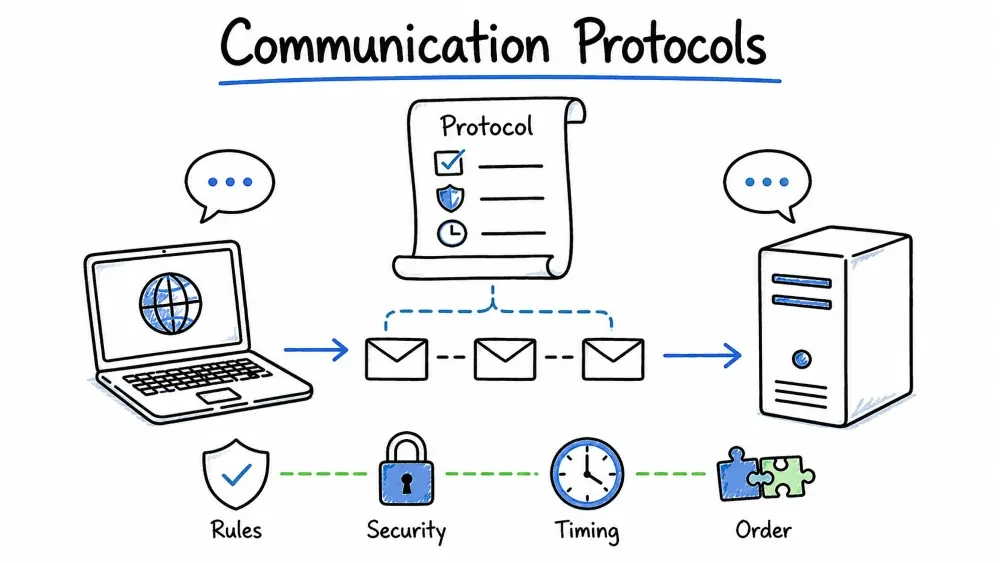
Category: Communication Protocols — These protocols govern how data is transmitted, routed, and addressed across networks. They form the fundamental building blocks of all network communication.
| Property | Detail |
|---|---|
| Full Form | Hypertext Transfer Protocol Secure |
| OSI Layer | Application Layer (Layer 7) |
| Port | 443 (TCP) |
| RFC | RFC 2818 (2000) |
| Category | Communication / Web Security |
HTTPS is the secure version of HTTP (Hypertext Transfer Protocol). It encrypts all data exchanged between a web browser (client) and a web server using TLS (Transport Layer Security) — the successor to SSL (Secure Sockets Layer). Without HTTPS, all data travels in plain text and can be intercepted, read, or modified by anyone on the network path.
Insight: HTTPS is NOT a separate protocol — it is simply HTTP running over TLS. The "S" stands for "Secure."
HTTPS uses a hybrid encryption model combining two types of cryptography:
Client (Browser) Server (Website)
| |
|======== Step 1: TCP Handshake ======|
|--- SYN ---------------------------->|
|<-- SYN-ACK -------------------------|
|--- ACK ---------------------------->|
| |
|======== Step 2: TLS Handshake ======|
|--- ClientHello ------------------->| (1) Sends supported TLS version,
| (TLS 1.3, cipher suites, | cipher suites, random data
| random bytes) |
|<-- ServerHello --------------------| (2) Picks the highest mutual
| (chosen cipher suite, | TLS version & cipher
| session ID, certificate) |
|<-- Certificate --------------------| (3) Server sends its SSL/TLS
| (X.509 cert with public key) | certificate (issued by CA)
|<-- ServerHelloDone ----------------| (4) Server signals "done"
| |
|--- ClientKeyExchange -------------->| (5) Client generates pre-master
| (encrypted pre-master secret) | secret, encrypts with
| [Encrypted with server's pub key] | server's public key
| |
|--- ChangeCipherSpec --------------->| (6) Client: "From now on,
|--- Finished ----------------------->| I'll use encryption"
|<-- ChangeCipherSpec ----------------| (7) Server: "Me too!"
|<-- Finished ------------------------|
| |
|======== Step 3: Encrypted Data =====|
|<==== Encrypted HTTP Traffic =======>| (8) All traffic now encrypted
| (AES-256-GCM symmetric cipher) | with the shared session key
TLS 1.3 reduced the handshake from 2 round trips to just 1:
Client Server
| |
|--- ClientHello + Key Share ---------->| (Client guesses key exchange
| (TLS 1.3, supported ciphers, | algorithm and sends its share
| ECDHE key share) | immediately)
| |
|<-- ServerHello + Key Share + Certificate + Finished -|
| (chosen cipher, server key share, |
| certificate, authentication) |
| |
|--- Client Finished ------------------>|
|<==== Encrypted Application Data =====>|
| Threat | Without HTTPS | With HTTPS |
|---|---|---|
| Eavesdropping | Anyone on the network can read data | Data is encrypted |
| Man-in-the-Middle | Attacker can intercept and modify | Tampering is detectable |
| Session Hijacking | Cookies and tokens are visible | Cookies are encrypted |
| Website Spoofing | Easy to fake a site | Certificate validates identity |
# Install Certbot
sudo apt install certbot python3-certbot-nginx

# Obtain a free SSL certificate
sudo certbot --nginx -d example.com -d www.example.com

# Auto-renewal (Let's Encrypt certs expire in 90 days)
sudo certbot renew --dry-run
| Issue | Cause | Solution |
|---|---|---|
| Certificate Expired | Certificate past validity | Renew the certificate |
| Certificate Name Mismatch | Cert issued for different domain | Get cert for correct domain |
| Mixed Content | Page loads HTTPS + HTTP resources | Update all resources to HTTPS |
| Self-Signed Certificate | No trusted CA signature | Use a real CA for production |
| Weak Cipher Suite | Server supports outdated ciphers | Disable RC4, 3DES, TLS 1.0/1.1 |
| Property | Detail |
|---|---|
| Full Form | Transmission Control Protocol |
| OSI Layer | Transport Layer (Layer 4) |
| Type | Connection-oriented, Reliable |
| RFC | RFC 793 (1981) |
| Header Size | 20-60 bytes |
| Category | Communication / Transport |
TCP is a connection-oriented transport protocol that provides reliable, ordered, and error-checked delivery of a stream of bytes between applications running on hosts in an IP network. It is the backbone of most internet applications today.
Insight: TCP's job is to ensure that data sent from one application arrives completely, correctly, and in order at the destination application — even if the underlying network is unreliable.
0 1 2 3
0 1 2 3 4 5 6 7 8 9 0 1 2 3 4 5 6 7 8 9 0 1 2 3 4 5 6 7 8 9 0 1
+-+-+-+-+-+-+-+-+-+-+-+-+-+-+-+-+-+-+-+-+-+-+-+-+-+-+-+-+-+-+-+-+
| Source Port | Destination Port |
+-+-+-+-+-+-+-+-+-+-+-+-+-+-+-+-+-+-+-+-+-+-+-+-+-+-+-+-+-+-+-+-+
| Sequence Number |
+-+-+-+-+-+-+-+-+-+-+-+-+-+-+-+-+-+-+-+-+-+-+-+-+-+-+-+-+-+-+-+-+
| Acknowledgment Number |
+-+-+-+-+-+-+-+-+-+-+-+-+-+-+-+-+-+-+-+-+-+-+-+-+-+-+-+-+-+-+-+-+
| Data | |C|E|U|A|P|R|S|F| |
| Offset| Rsrvd |W|C|R|C|S|S|Y|I| Window Size |
| | |R|E|G|K|H|T|N|N| |
+-+-+-+-+-+-+-+-+-+-+-+-+-+-+-+-+-+-+-+-+-+-+-+-+-+-+-+-+-+-+-+-+
| Checksum | Urgent Pointer |
+-+-+-+-+-+-+-+-+-+-+-+-+-+-+-+-+-+-+-+-+-+-+-+-+-+-+-+-+-+-+-+-+
| Options (variable length) |
+-+-+-+-+-+-+-+-+-+-+-+-+-+-+-+-+-+-+-+-+-+-+-+-+-+-+-+-+-+-+-+-+
| Data |
+-+-+-+-+-+-+-+-+-+-+-+-+-+-+-+-+-+-+-+-+-+-+-+-+-+-+-+-+-+-+-+-+
| Field | Size | Description |
|---|---|---|
| Source Port | 16 bits | Port number of the sending application |
| Destination Port | 16 bits | Port number of the receiving application |
| Sequence Number | 32 bits | Byte offset of this segment's data in the stream |
| Acknowledgment Number | 32 bits | Next expected byte (confirms receipt) |
| Data Offset | 4 bits | Header length (in 32-bit words) |
| Flags | 9 bits | Control flags (SYN, ACK, FIN, RST, etc.) |
| Window Size | 16 bits | Available buffer space at receiver |
| Checksum | 16 bits | Error detection for header + data |
| Urgent Pointer | 16 bits | Offset to urgent data (rarely used) |
CLIENT (Active Open) SERVER (Passive Open)
| |
| State: CLOSED | State: LISTEN
| |
|========= Step 1: SYN ==============|
|--- SYN (SEQ=100) ----------------->| Client sends SYN with
| Flags: SYN=1 | initial sequence number = 100
| State: SYN_SENT |
| | State: SYN_RECEIVED
|========= Step 2: SYN-ACK ==========|
|<-- SYN + ACK (SEQ=300, ACK=101) ---| Server sends its own SYN
| Flags: SYN=1, ACK=1 | (SEQ=300) and ACKs client's
| | SYN (ACK=101 = next expected)
|========= Step 3: ACK ==============|
|--- ACK (SEQ=101, ACK=301) -------->| Client ACKs server's SYN
| Flags: ACK=1 | Connection ESTABLISHED
| State: ESTABLISHED | State: ESTABLISHED
| |
After the handshake, data transfer follows a pattern:
CLIENT SERVER
| |
|--- SEQ=101, 1000 bytes -------->| Client sends 1000 bytes
| |
|<-- ACK=1101 (cumulative ACK) ----| Server confirms all 1000 bytes
| | ("I expect byte 1101 next")
| |
|<-- SEQ=301, 500 bytes -----------| Server sends 500 bytes
| |
|--- ACK=801 --------------------->| Client confirms receipt
| |
Key Transfer Features:
CLIENT SERVER
| |
|--- FIN (SEQ=501) --------------->| Client: "I'm done sending"
| Flags: FIN=1 |
| State: FIN_WAIT_1 |
| | State: CLOSE_WAIT
|<-- ACK (SEQ=701, ACK=502) -------| Server: "Got it, but I'm still
| Flags: ACK=1 | sending data if needed"
| State: FIN_WAIT_2 |
| |
| (Server may still send data) | (Half-close state)
| |
|<-- FIN (SEQ=701, ACK=502) -------| Server: "OK now I'm done too"
| Flags: FIN=1, ACK=1 |
| | State: LAST_ACK
|--- ACK (SEQ=502, ACK=702) ------>| Client: "Acknowledged"
| State: TIME_WAIT (2MSL) | State: CLOSED
| |
| (Client waits 2*MSL before |
| fully closing to handle |
| delayed segments) |
TCP uses a sliding window mechanism to prevent a fast sender from overwhelming a slow receiver:
Sender Receiver
| |
|--- Segment 1 ------------->| Window = 3
|--- Segment 2 ------------->| (Receiver can buffer 3 segments)
|--- Segment 3 ------------->|
| |
|<-- ACK 4, Window = 3 ------| Receiver consumed 1-3, still has
| | room for 3 more
|--- Segment 4 ------------->|
|--- Segment 5 ------------->|
|--- Segment 6 ------------->|
| |
|<-- ACK 7, Window = 0 ------| Receiver: "Slow down! My buffer is full"
| | (Zero Window)
|--- Zero Window Probe ------>| Sender periodically checks if window
|<-- ACK 7, Window = 3 ------| has opened up
|--- Segment 7 ------------->|
TCP has evolved several congestion control mechanisms:
| Algorithm | Year | Description |
|---|---|---|
| Tahoe | 1988 | Slow Start, Congestion Avoidance, Fast Retransmit |
| Reno | 1990 | Added Fast Recovery (standard for decades) |
| NewReno | 1999 | Improved Fast Recovery for multiple packet losses |
| CUBIC | 2006 | Default in Linux — better performance on high-BDP networks |
| BBR | 2016 | Google's model-based approach (not loss-based) |
cwnd
^
| Slow Start Congestion Avoidance
| (exponential) (linear/AIMD)
| _____________ _______________
| / \ / \
| / \ / \
| / \____/ \____
+---------------------------------------------------> Time
# Check TCP connections
netstat -an | grep TCP
ss -tlnp # Modern alternative to netstat

# Capture TCP traffic
tcpdump -i eth0 tcp port 80
tcpdump -i eth0 'tcp[13] & 2 != 0' # Only SYN packets

# Check TCP parameters on Linux
sysctl net.ipv4.tcp_congestion_control
sysctl net.core.rmem_default
sysctl net.core.wmem_default

# Tuning TCP for performance
sysctl -w net.ipv4.tcp_rmem='4096 87380 16777216'
sysctl -w net.ipv4.tcp_wmem='4096 65536 16777216'
| Issue | Symptoms | Cause | Solution |
|---|---|---|---|
| SYN Flood | High number of half-open connections | DDoS attack | Enable SYN cookies (net.ipv4.tcp_syncookies) |
| TCP Reassembly Failure | Corrupted downloads | Path MTU issue, fragmentation | Check MTU, enable PMTUD |
| High Retransmission | Slow performance, gaps in sequence | Packet loss on network | Check for congestion, link errors |
| Zero Window | Stalled transfer | Receiver buffer full | Fix application reading speed |
| TIME_WAIT Exhaustion | Cannot accept new connections | Too many short-lived connections | Enable tcp_tw_reuse and tcp_tw_recycle |
| Property | Detail |
|---|---|
| Full Form | User Datagram Protocol |
| OSI Layer | Transport Layer (Layer 4) |
| Type | Connectionless, Unreliable |
| RFC | RFC 768 (1980) |
| Header Size | 8 bytes (fixed) |
| Category | Communication / Transport |
UDP is a connectionless transport protocol that sends independent data units called datagrams without establishing a connection. It provides no guarantee of delivery, ordering, or error recovery — this makes it faster but less reliable than TCP.
Insight: UDP is the "fire and forget" protocol — you send data and hope it arrives. This simplicity is a feature, not a bug, for applications where speed matters more than reliability.
The UDP header is remarkably simple — only 8 bytes (compared to TCP's 20-60 bytes):
0 1 2 3
0 1 2 3 4 5 6 7 8 9 0 1 2 3 4 5 6 7 8 9 0 1 2 3 4 5 6 7 8 9 0 1
+-+-+-+-+-+-+-+-+-+-+-+-+-+-+-+-+-+-+-+-+-+-+-+-+-+-+-+-+-+-+-+-+
| Source Port | Destination Port |
+-+-+-+-+-+-+-+-+-+-+-+-+-+-+-+-+-+-+-+-+-+-+-+-+-+-+-+-+-+-+-+-+
| Length | Checksum |
+-+-+-+-+-+-+-+-+-+-+-+-+-+-+-+-+-+-+-+-+-+-+-+-+-+-+-+-+-+-+-+-+
| Data |
+-+-+-+-+-+-+-+-+-+-+-+-+-+-+-+-+-+-+-+-+-+-+-+-+-+-+-+-+-+-+-+-+
| Field | Bits | Description |
|---|---|---|
| Source Port | 16 | Sender's port (optional — 0 if unused) |
| Destination Port | 16 | Receiver's port (required) |
| Length | 16 | Header + data length (minimum 8) |
| Checksum | 16 | Optional error detection (0 if unused in IPv4) |
| Feature | UDP | TCP |
|---|---|---|
| Connection | Connectionless | Connection-oriented |
| Handshake | None | 3-way handshake (SYN, SYN-ACK, ACK) |
| Reliability | None | Guaranteed delivery via ACK + retransmission |
| Ordering | Not preserved (may arrive out of order) | Preserved via sequence numbers |
| Error Checking | Optional checksum (may be 0) | Mandatory checksum + ACK |
| Flow Control | None | Sliding window |
| Congestion Control | None | Full suite (CUBIC, BBR, etc.) |
| Header Size | 8 bytes (fixed) | 20-60 bytes (variable) |
| Overhead | Very low | Moderate (ACK packets, window mgmt) |
| Broadcast/Multicast | Supported | Not supported |
| MSS | Based on MTU (no fragmentation guarantee) | Uses MSS negotiation |
| Idempotent | Yes (each datagram is independent) | No (stream-oriented) |
| Data Boundary | Preserved (message boundaries) | Not preserved (byte stream) |
| Speed | Very fast (minimal overhead) | Slower due to overhead |
Choose UDP when: Choose TCP when:
 Real-time communication  Data integrity is critical
 Low latency is essential  You need guaranteed delivery
 Occasional loss is acceptable  Data must arrive in order
 You have simple request-response  You're transferring files
 Broadcast/multicast needed  Congestion control needed
 You implement reliability above  You don't want to implement
(e.g., QUIC, custom protocol) reliability yourself

Examples: Examples:
• VoIP / Video calls (RTP over UDP) • Web browsing (HTTP/TCP)
• Live streaming (YouTube/Twitch) • Email (SMTP/TCP, IMAP/TCP)
• Online gaming (twitch shooters) • File transfer (FTP/TCP)
• DNS queries • Database connections
• DHCP • SSH remote access
• SNMP monitoring • API calls
• TFTP (Trivial FTP) • Most REST/GraphQL APIs
Online games often use UDP because:
Game Protocol Stack:
┌─────────────────────────────────────┐
│ Game Application │ (Custom logic)
├─────────────────────────────────────┤
│ Game Protocol Layer (custom) │ (Reliability for critical events)
├─────────────────────────────────────┤
│ UDP Header │ (Fast transport)
├─────────────────────────────────────┤
│ IP Header │ (Routing)
├─────────────────────────────────────┤
│ Ethernet Frame │ (Physical delivery)
└─────────────────────────────────────┘
| Protocol | Port | Description | Why UDP? |
|---|---|---|---|
| DNS | 53 | Domain name resolution | Simple query/response |
| DHCP | 67/68 | IP address assignment | Client may not have an IP yet |
| SNMP | 161 | Network monitoring | Periodic polling, loss OK |
| RTP | 5004 | Real-time audio/video | Latency critical |
| TFTP | 69 | Trivial file transfer | Simple, no auth needed |
| NTP | 123 | Time synchronization | Frequent updates |
| QUIC (HTTP/3) | 443 | Modern web transport | Reduced latency over TCP |
| Syslog | 514 | System logging | Loss acceptable |
# Monitor UDP connections
netstat -anu
ss -unlp

# Capture UDP packets
tcpdump -i eth0 udp port 53

# Test UDP connectivity (using netcat)
nc -u -l 12345 # Server: listen on UDP 12345
nc -u hostname 12345 # Client: send data to UDP 12345
| Limitation | Impact | Mitigation |
|---|---|---|
| No reliability | Data can be lost | Application-level ACKs |
| No ordering | Data arrives out of sequence | Sequence numbers in application |
| No congestion control | Can flood networks | Application pacing |
| Size limit | Max 65535 bytes per datagram | Fragment or segment data |
| Firewall blocking | Many firewalls block UDP | Use TCP or negotiate |
| Property | Detail |
|---|---|
| Full Form | Border Gateway Protocol |
| OSI Layer | Application Layer (Layer 7) |
| Port | 179 (TCP) |
| RFC | RFC 4271 (2006, BGP-4) |
| Category | Communication / Routing (Exterior) |
BGP is the routing protocol of the internet. It is an Exterior Gateway Protocol (EGP) that exchanges routing and reachability information between Autonomous Systems (ASes) — networks operated by ISPs, cloud providers, large enterprises, and content providers.
Insight: Without BGP, the internet would not exist as we know it. BGP tells your ISP how to reach Google, Facebook, Netflix, or any other network on the planet.
┌─────────────────────┐
│ AS 15169 (Google) │
│ (iBGP internal) │
└──────────┬──────────┘
│ eBGP
│
┌────────────────────────────┼────────────────────────────┐
│ │ │
▼ ▼ ▼
┌──────────────────────┐ ┌──────────────────────┐ ┌──────────────────────┐
│ AS 174 (Cogent) │ │ AS 6453 (Tata) │ │ AS 2914 (NTT) │
│ Transit Provider │ │ Transit Provider │ │ Transit Provider │
└──────────────────────┘ └──────────────────────┘ └──────────────────────┘
│ │ │
└────────────────────────────┼────────────────────────────┘
│ eBGP
▼
┌─────────────────────┐
│ AS 32934 (Facebook) │
│ (iBGP internal) │
└─────────────────────┘
BGP operates with 4 message types:
| Message Type | Purpose | Details |
|---|---|---|
| OPEN | Establish BGP session | AS number, Hold Time, BGP ID, Optional Parameters |
| UPDATE | Advertise or withdraw routes | Withdrawn routes, Path attributes, NLRI (Network Layer Reachability Info) |
| KEEPALIVE | Maintain session | Sent every 60s (default) to keep session alive |
| NOTIFICATION | Error reporting | Error code, subcode, data |
┌─────┐
│ IDLE│ ← Start when admin enables BGP or peer resets
└──┬──┘
│ TCP connection initiated
▼
┌──────┐
│CONNECT│ → If TCP fails, go to ACTIVE
└──┬───┘
│ TCP established
▼
┌──────┐
│ACTIVE│ ← Retrying TCP connection
└──┬───┘
│ TCP established
▼
┌──────────┐
│OPEN SENT │ ← OPEN message sent
└────┬─────┘
│ OPEN received
▼
┌──────────┐
│OPEN CONFIRM│ ← Waiting for KEEPALIVE
└────┬─────┘
│ KEEPALIVE received
▼
┌──────────┐
│ESTABLISHED│ ← Routes exchanged via UPDATE messages
└──────────┘
BGP uses path attributes to make routing decisions. Each route advertisement carries these:
| Attribute | Description |
|---|---|
| AS_PATH | List of AS numbers the route passed through (loop prevention) |
| NEXT_HOP | IP address of the next-hop router to reach the destination |
| ORIGIN | How the route was learned (IGP, EGP, or Incomplete) |
| Attribute | Description |
|---|---|
| LOCAL_PREF | Preference value for route selection within an AS (higher is better) |
| ATOMIC_AGGREGATE | Indicates route aggregation occurred |
| Attribute | Description |
|---|---|
| MULTI_EXIT_DISC (MED) | Suggest to external AS which path to use (lower is better) |
| COMMUNITY | Tag for route filtering and policy application |
| AGGREGATOR | Identifies router that performed route aggregation |
When BGP receives multiple paths to the same destination, it selects one best path using this decision process:
1. Prefer highest WEIGHT (Cisco proprietary, local to router)
2. Prefer highest LOCAL_PREF (Local preference, within AS)
3. Prefer locally originated routes (Network statements, redistributions)
4. Prefer shortest AS_PATH (Fewest AS hops)
5. Prefer lowest ORIGIN code (IGP < EGP < Incomplete)
6. Prefer lowest MED (Multi-Exit Discriminator)
7. Prefer eBGP over iBGP (External over internal paths)
8. Prefer lowest IGP metric to NEXT_HOP
9. If equal, prefer oldest route (Stability)
10. Prefer lowest Router ID (Tie-breaker)
Basic eBGP Configuration (Cisco IOS):
router bgp 65001
bgp router-id 192.0.2.1
neighbor 203.0.113.1 remote-as 65002
neighbor 203.0.113.1 description eBGP to ISP
neighbor 203.0.113.1 password my-secret
!
address-family ipv4
network 198.51.100.0 mask 255.255.255.0
neighbor 203.0.113.1 activate
exit-address-family
BGP on Linux (using FRRouting):
sudo apt install frr
sudo vtysh

> configure terminal
> router bgp 65001
> bgp router-id 192.0.2.1
> neighbor 203.0.113.1 remote-as 65002
> network 198.51.100.0/24
> end
> write
# Cisco IOS BGP commands
show ip bgp summary # BGP session status
show ip bgp # All BGP routes
show ip bgp 198.51.100.0 # Specific route information
show ip bgp neighbors 203.0.113.1 routes # Routes from neighbor
debug ip bgp updates # Debug BGP updates (use carefully!)

# Linux (FRR) equivalent
vtysh -c "show ip bgp summary"
vtysh -c "show ip bgp neighbors 203.0.113.1 advertised-routes"
| Threat | Description |
|---|---|
| Route Hijacking | A malicious AS advertises routes it shouldn't own |
| Route Leak | A route learned from one neighbor is improperly advertised to another |
| BGP Prefix Hijack | Attacker announces more specific prefix to intercept traffic |
| BGP Peering Hijack | Attacker spoofs TCP session to intercept BGP messages |
Famous BGP Incidents:
Mitigations:
| Property | Detail |
|---|---|
| Full Form | Address Resolution Protocol |
| OSI Layer | Network Layer (Layer 3) / Data Link Layer |
| Type | Request/Reply protocol |
| RFC | RFC 826 (1982) |
| Category | Communication / Address Resolution |
ARP resolves IP addresses (Layer 3) to MAC addresses (Layer 2) within a local network. When a device knows the IP address of another device on the same LAN but doesn't know its MAC address, ARP discovers it.
Insight: ARP only works within a single broadcast domain (subnet). For devices on different networks, the packet is sent to the default gateway's MAC address, and the gateway handles routing.
0 1 2 3
0 1 2 3 4 5 6 7 8 9 0 1 2 3 4 5 6 7 8 9 0 1 2 3 4 5 6 7 8 9 0 1
+-+-+-+-+-+-+-+-+-+-+-+-+-+-+-+-+-+-+-+-+-+-+-+-+-+-+-+-+-+-+-+-+
| Hardware Type (1=Ethernet) | Protocol Type (0x0800=IPv4)|
+-+-+-+-+-+-+-+-+-+-+-+-+-+-+-+-+-+-+-+-+-+-+-+-+-+-+-+-+-+-+-+-+
| HLEN (6) | PLEN (4) | Operation |
+-+-+-+-+-+-+-+-+-+-+-+-+-+-+-+-+-+-+-+-+-+-+-+-+-+-+-+-+-+-+-+-+
| Sender MAC Address |
+-+-+-+-+-+-+-+-+-+-+-+-+-+-+-+-+-+-+-+-+-+-+-+-+-+-+-+-+-+-+-+-+
| Sender MAC (cont.) | Sender IP Address |
+-+-+-+-+-+-+-+-+-+-+-+-+-+-+-+-+-+-+-+-+-+-+-+-+-+-+-+-+-+-+-+-+
| Sender IP Address (cont.) |
+-+-+-+-+-+-+-+-+-+-+-+-+-+-+-+-+-+-+-+-+-+-+-+-+-+-+-+-+-+-+-+-+
| Target MAC Address |
+-+-+-+-+-+-+-+-+-+-+-+-+-+-+-+-+-+-+-+-+-+-+-+-+-+-+-+-+-+-+-+-+
| Target MAC (cont.) | Target IP Address |
+-+-+-+-+-+-+-+-+-+-+-+-+-+-+-+-+-+-+-+-+-+-+-+-+-+-+-+-+-+-+-+-+
| Target IP Address (cont.) |
+-+-+-+-+-+-+-+-+-+-+-+-+-+-+-+-+-+-+-+-+-+-+-+-+-+-+-+-+-+-+-+-+
BEFORE ARP:
Host A (IP: 192.168.1.10) wants to send to Host B (IP: 192.168.1.20)
Host A knows Host B's IP but NOT its MAC address

ARP REQUEST (Broadcast):
┌─────────────────────────────────────────────────────────────┐
│ Source MAC: AA:AA:AA:AA:AA:AA (Host A's MAC) │
│ Dest MAC: FF:FF:FF:FF:FF:FF (Broadcast — delivered │
│ to ALL devices on LAN) │
│ Sender MAC: AA:AA:AA:AA:AA:AA │
│ Sender IP: 192.168.1.10 │
│ Target MAC: 00:00:00:00:00:00 (Unknown — filled with 0) │
│ Target IP: 192.168.1.20 │
│ Operation: 1 (Request) │
└─────────────────────────────────────────────────────────────┘

ARP REPLY (Unicast):
┌─────────────────────────────────────────────────────────────┐
│ Source MAC: BB:BB:BB:BB:BB:BB (Host B's MAC) │
│ Dest MAC: AA:AA:AA:AA:AA:AA (Unicast to Host A only) │
│ Sender MAC: BB:BB:BB:BB:BB:BB │
│ Sender IP: 192.168.1.20 │
│ Target MAC: AA:AA:AA:AA:AA:AA │
│ Target IP: 192.168.1.10 │
│ Operation: 2 (Reply) │
└─────────────────────────────────────────────────────────────┘

AFTER ARP:
Host A caches: 192.168.1.20 → BB:BB:BB:BB:BB:BB
Now Host A can send IP packets to Host B using the correct MAC
Every device maintains an ARP cache (table) to avoid repeated ARP requests:
# View ARP cache on Windows
arp -a

# Example output:
Interface: 192.168.1.10 --- 0xe
Internet Address Physical Address Type
192.168.1.1 aa-bb-cc-11-22-33 dynamic (Default gateway)
192.168.1.20 bb-bb-bb-bb-bb-bb dynamic (Host B)
192.168.1.100 cc-dd-ee-ff-00-11 dynamic (Another device)
192.168.1.200 dd-ee-ff-00-11-22 static (Manually added)

# View ARP cache on Linux/Mac
arp -n
ip neigh show
# Show ARP table
arp -a
ip neigh show

# Add static ARP entry
arp -s 192.168.1.50 00:11:22:33:44:55

# Delete ARP entry
arp -d 192.168.1.20

# Clear entire ARP cache (Linux)
ip neigh flush all

# Monitor ARP traffic
tcpdump -i eth0 arp
How ARP Spoofing Works:
ATTACKER (192.168.1.99 — MAC: CC:CC:CC:CC:CC:CC)
│
│ Sends fake ARP replies
│
▼
┌─────────────────────────────────────────────┐
│ Attacker sends to Host A: │
│ "192.168.1.1 is at CC:CC:CC:CC:CC:CC" │
│ (Host A updates ARP: Gateway → Attacker) │
│ │
│ Attacker sends to Gateway: │
│ "192.168.1.10 is at CC:CC:CC:CC:CC:CC" │
│ (Gateway updates ARP: Host A → Attacker) │
└─────────────────────────────────────────────┘

RESULT: All traffic between Host A and Gateway
flows through the attacker (MITM)
ARP Spoofing Mitigations:
| Technique | Description |
|---|---|
| Dynamic ARP Inspection (DAI) | Switch validates ARP packets against DHCP snooping database |
| Static ARP Entries | Manually set critical MAC-to-IP mappings |
| ARPWatch | Tool that monitors ARP table changes and alerts |
| Port Security | Switch limits MAC addresses per port |
| DAI + DHCP Snooping | Combined defense (most effective) |
| Protocol | Description | Use Case |
|---|---|---|
| ARP | IPv4 → MAC resolution | Standard Ethernet networks |
| RARP | Reverse ARP (MAC → IP) | Legacy diskless workstations (obsolete) |
| InARP | Inverse ARP | Frame Relay and ATM networks |
| Proxy ARP | Router responds for remote hosts | Connecting subnets without routing config |
| Gratuitous ARP | Sender announces its own IP-MAC | IP conflict detection, HA failover |
| NDP (IPv6) | Neighbor Discovery Protocol | IPv6 equivalent of ARP |
| Network Type | MAC Size | Example | Notes |
|---|---|---|---|
| Ethernet | 6 bytes | 00:1A:2B:3C:4D:5E | Most common |
| Wi-Fi | 6 bytes | Same as Ethernet | Same format |
| Frame Relay | 2-4 bytes | DLCI | Uses Inverse ARP |
| FDDI | 6 bytes | Similar to Ethernet | Legacy |
| Token Ring | 6 bytes | Similar to Ethernet | Legacy |
| Property | Detail |
|---|---|
| Full Form | Internet Protocol |
| OSI Layer | Network Layer (Layer 3) |
| RFC | RFC 791 (IPv4, 1981), RFC 8200 (IPv6, 2017) |
| Category | Communication / Addressing & Routing |
IP is the principal communications protocol responsible for addressing hosts and routing packets from source to destination across one or more networks. It provides a connectionless, best-effort delivery service — it does not guarantee delivery, ordering, or integrity (those are handled by TCP).
Insight: IP is what makes the internet "internetwork." It allows different physical networks (Ethernet, Wi-Fi, fiber) to communicate as a unified logical network.
An IPv4 address is a 32-bit number, typically written in dotted decimal notation:
Binary: 11000000.10101000.00000001.00001010
Decimal: 192. 168. 1. 10
Address Classes (Classful Addressing — Historical):
| Class | Range | Default Mask | Use |
|---|---|---|---|
| A | 0.0.0.0 – 127.255.255.255 | /8 (255.0.0.0) | Very large networks |
| B | 128.0.0.0 – 191.255.255.255 | /16 (255.255.0.0) | Medium networks |
| C | 192.0.0.0 – 223.255.255.255 | /24 (255.255.255.0) | Small networks |
| D | 224.0.0.0 – 239.255.255.255 | — | Multicast |
| E | 240.0.0.0 – 255.255.255.255 | — | Experimental |
CIDR (Classless Inter-Domain Routing) — Modern:
CIDR notation: 192.168.1.0/24 means the first 24 bits are the network portion.
| CIDR | Subnet Mask | Usable Hosts |
|---|---|---|
| /30 | 255.255.255.252 | 2 |
| /29 | 255.255.255.248 | 6 |
| /28 | 255.255.255.240 | 14 |
| /27 | 255.255.255.224 | 30 |
| /26 | 255.255.255.192 | 62 |
| /25 | 255.255.255.128 | 126 |
| /24 | 255.255.255.0 | 254 |
| /23 | 255.255.254.0 | 510 |
| /22 | 255.255.252.0 | 1022 |
| /16 | 255.255.0.0 | 65534 |
| Range | Purpose |
|---|---|
| 10.0.0.0/8 | Private network (RFC 1918) |
| 172.16.0.0/12 | Private network (RFC 1918) |
| 192.168.0.0/16 | Private network (RFC 1918) |
| 127.0.0.0/8 | Loopback (localhost) |
| 169.254.0.0/16 | Link-local (APIPA) |
| 224.0.0.0/4 | Multicast |
| 240.0.0.0/4 | Reserved for future use |
0 1 2 3
0 1 2 3 4 5 6 7 8 9 0 1 2 3 4 5 6 7 8 9 0 1 2 3 4 5 6 7 8 9 0 1
+-+-+-+-+-+-+-+-+-+-+-+-+-+-+-+-+-+-+-+-+-+-+-+-+-+-+-+-+-+-+-+-+
|Version| IHL |Type of Service| Total Length |
+-+-+-+-+-+-+-+-+-+-+-+-+-+-+-+-+-+-+-+-+-+-+-+-+-+-+-+-+-+-+-+-+
| Identification |Flags| Fragment Offset |
+-+-+-+-+-+-+-+-+-+-+-+-+-+-+-+-+-+-+-+-+-+-+-+-+-+-+-+-+-+-+-+-+
| Time to Live | Protocol | Header Checksum |
+-+-+-+-+-+-+-+-+-+-+-+-+-+-+-+-+-+-+-+-+-+-+-+-+-+-+-+-+-+-+-+-+
| Source Address |
+-+-+-+-+-+-+-+-+-+-+-+-+-+-+-+-+-+-+-+-+-+-+-+-+-+-+-+-+-+-+-+-+
| Destination Address |
+-+-+-+-+-+-+-+-+-+-+-+-+-+-+-+-+-+-+-+-+-+-+-+-+-+-+-+-+-+-+-+-+
| Options (if IHL > 5) |
+-+-+-+-+-+-+-+-+-+-+-+-+-+-+-+-+-+-+-+-+-+-+-+-+-+-+-+-+-+-+-+-+
| Field | Size | Description |
|---|---|---|
| Version | 4 bits | 4 = IPv4, 6 = IPv6 |
| IHL | 4 bits | Header length in 32-bit words (min 5, max 15) |
| Type of Service | 8 bits | QoS/DSCP + ECN |
| Total Length | 16 bits | Entire packet size (header + data), max 65535 |
| Identification | 16 bits | Used for fragmentation |
| Flags | 3 bits | DF (Don't Fragment), MF (More Fragments) |
| Fragment Offset | 13 bits | Offset of fragment in original datagram |
| TTL | 8 bits | Time to Live — decremented by each router (prevents loops) |
| Protocol | 8 bits | Transport protocol: 1=ICMP, 6=TCP, 17=UDP |
| Checksum | 16 bits | Header integrity check |
| Source IP | 32 bits | Sender's IP address |
| Dest IP | 32 bits | Destination IP address |
IPv6 addresses are 128 bits written in hexadecimal with colon separators:
2001:0db8:85a3:0000:0000:8a2e:0370:7334
Shortening Rules:
:: (only once).2001:0db8:85a3:0000:0000:8a2e:0370:7334
→ 2001:db8:85a3::8a2e:370:7334
Full: 2001:0db8:0000:0000:0000:0000:0000:0001
Short: 2001:db8::1
| Type | Prefix | Description |
|---|---|---|
| Global Unicast | 2000::/3 | Routable on the internet (like public IPv4) |
| Unique Local | fc00::/7 | Private network (like 192.168.x.x) |
| Link-Local | fe80::/10 | Local subnet only (autoconfigured) |
| Multicast | ff00::/8 | One-to-many communication |
| Loopback | ::1/128 | Localhost (like 127.0.0.1) |
| Unspecified | ::/128 | Not assigned |
0 1 2 3
0 1 2 3 4 5 6 7 8 9 0 1 2 3 4 5 6 7 8 9 0 1 2 3 4 5 6 7 8 9 0 1
+-+-+-+-+-+-+-+-+-+-+-+-+-+-+-+-+-+-+-+-+-+-+-+-+-+-+-+-+-+-+-+-+
|Version| Traffic Class | Flow Label |
+-+-+-+-+-+-+-+-+-+-+-+-+-+-+-+-+-+-+-+-+-+-+-+-+-+-+-+-+-+-+-+-+
| Payload Length | Next Header | Hop Limit |
+-+-+-+-+-+-+-+-+-+-+-+-+-+-+-+-+-+-+-+-+-+-+-+-+-+-+-+-+-+-+-+-+
| |
+ +
| |
+ Source Address +
| |
+ +
| |
+-+-+-+-+-+-+-+-+-+-+-+-+-+-+-+-+-+-+-+-+-+-+-+-+-+-+-+-+-+-+-+-+
| |
+ +
| |
+ Destination Address +
| |
+ +
| |
+-+-+-+-+-+-+-+-+-+-+-+-+-+-+-+-+-+-+-+-+-+-+-+-+-+-+-+-+-+-+-+-+
| Feature | IPv4 | IPv6 |
|---|---|---|
| Header Size | 20-60 bytes (variable) | 40 bytes (fixed) |
| Address Size | 32 bits | 128 bits |
| Fragmentation | Done by routers | Done by sender only |
| Checksum | Has header checksum | No checksum (rely on L2/L4) |
| Options | In header (variable) | Extension headers (next header chain) |
| Broadcast | Supported | Replaced by multicast |
| Security (IPSec) | Optional | Mandatory by design |
| ARP | Uses ARP protocol | Uses NDP (Neighbor Discovery) |
| QoS | Type of Service field | Traffic Class + Flow Label |
# Check IP configuration
ip addr show # Linux
ifconfig # Older Linux
ipconfig /all # Windows

# Routing table
ip route show # Linux
route -n # Older Linux
netstat -rn # All platforms
route print # Windows

# Test connectivity
ping 8.8.8.8 # ICMP echo
ping -c 4 8.8.8.8 # Linux (4 pings)
ping -n 4 8.8.8.8 # Windows (4 pings)

# Trace route
traceroute 8.8.8.8 # Linux/Mac
tracert 8.8.8.8 # Windows

# Path MTU discovery
traceroute --mtu 8.8.8.8 # Linux

# IPv6 specific
ping6 2001:4860:4860::8888
traceroute6 2001:4860:4860::8888
ip -6 addr show
ip -6 route show
IP can fragment packets that exceed the Maximum Transmission Unit (MTU) of a link.
Original Packet: 4000 bytes
┌──────────────────────────────────────────────────────┐
│ IP Header (20) │ Data (3980) │
└──────────────────────────────────────────────────────┘

After fragmentation over 1500-byte MTU link:
Fragment 1: ┌──────────────┬────────────────────────┐
│ IP Hdr (20) │ Data (1480) [Off=0] │
│ Flags=MF │ │
└──────────────┴────────────────────────┘

Fragment 2: ┌──────────────┬────────────────────────┐
│ IP Hdr (20) │ Data (1480) [Off=185]│
│ Flags=MF │ │
└──────────────┴────────────────────────┘

Fragment 3: ┌──────────────┬────────────────────────┐
│ IP Hdr (20) │ Data (1020) [Off=370]│
│ Flags=0 │ │
└──────────────┴────────────────────────┘
Path MTU Discovery (PMTUD):
| Property | Detail |
|---|---|
| Full Form | Dynamic Host Configuration Protocol |
| OSI Layer | Application Layer (Layer 7) |
| Port | 67 (Server), 68 (Client) — UDP |
| RFC | RFC 2131 (1997), RFC 8415 (DHCPv6, 2018) |
| Category | Communication / Configuration |
DHCP automatically assigns IP addresses and other network configuration parameters to devices. Without DHCP, every device would need manual IP configuration, which is impractical in any network larger than a handful of devices.
Insight: When you connect your phone to Wi-Fi and it "just works" — that's DHCP. The phone broadcasts a request, and the DHCP server hands it an IP address, subnet mask, gateway, and DNS servers automatically.
Client (Phone) DHCP Server DHCP Relay (Optional)
| | |
| ① DHCP DISCOVER | |
| (Broadcast) | |
| "I need an IP!" | |
|------------------------->| |
| Source IP: 0.0.0.0 | |
| Dest IP: 255.255.255.255| |
| (Broadcast on port 67) | |
| | |
| ② DHCP OFFER | |
| (Unicast or Broadcast) | |
| "Use 192.168.1.50" | |
|<-------------------------| |
| Yiaddr: 192.168.1.50 | |
| Subnet: 255.255.255.0 | |
| Gateway: 192.168.1.1 | |
| DNS: 8.8.8.8 | |
| Lease: 86400s (24hr) | |
| | |
| ③ DHCP REQUEST | |
| (Broadcast) | |
| "I accept the offer!" | |
| (Includes DHCP Server Identifier | |
| to accept from specific server) | |
|------------------------->| |
| | |
| ④ DHCP ACK | |
| (Unicast) | |
| "Confirmed! Here are | |
| your settings." | |
|<-------------------------| |
| | |
| Client configured! | |
| IP: 192.168.1.50 | |
| Netmask: 255.255.255.0 | |
| Gateway: 192.168.1.1 | |
| DNS: 8.8.8.8 | |
| Option Code | Name | Description |
|---|---|---|
| 1 | Subnet Mask | Network mask for the assigned IP |
| 3 | Router (Default Gateway) | Default gateway IP |
| 6 | Domain Name Server | DNS server addresses |
| 15 | Domain Name | Domain name (e.g., "example.local") |
| 51 | IP Address Lease Time | Lease duration in seconds |
| 53 | DHCP Message Type | 1=Discover, 2=Offer, 3=Request, 4=Decline, 5=ACK, 6=NAK, 7=Release, 8=Inform |
| 54 | Server Identifier | DHCP server's IP address |
| 55 | Parameter Request List | Client requesting specific options |
| 66 | TFTP Server Name | For PXE network booting |
| 67 | Bootfile Name | For PXE network booting |
| 119 | Domain Search List | DNS search domains |
ISC DHCP Server (Linux):
# /etc/dhcp/dhcpd.conf

option domain-name "example.local";
option domain-name-servers 8.8.8.8, 8.8.4.4;

default-lease-time 86400; # 24 hours
max-lease-time 604800; # 7 days
authoritative;

# Subnet definition
subnet 192.168.1.0 netmask 255.255.255.0 {
range 192.168.1.100 192.168.1.200; # Pool of assignable IPs
option routers 192.168.1.1; # Default gateway
option subnet-mask 255.255.255.0;

# Static reservation for a specific MAC
host printer {
hardware ethernet 00:11:22:33:44:55;
fixed-address 192.168.1.50;
}
}
DHCP on a Cisco Router:
ip dhcp pool LAN_POOL
network 192.168.1.0 255.255.255.0
default-router 192.168.1.1
dns-server 8.8.8.8 8.8.4.4
lease 7
!
ip dhcp excluded-address 192.168.1.1 192.168.1.10
Client DHCP Server
| |
|===== T = 0 (Lease Obtained) ==========|
| |
|===== T = 50% (12 hours for 24hr lease) |
|--- DHCP REQUEST (Unicast) ---------->| Client tries to renew
|<-- DHCP ACK -------------------------| Server extends lease
| |
|===== OR if no response ==== |
| |
|===== T = 87.5% (21 hours) ===========|
|--- DHCP REQUEST (Broadcast) -------->| Anyone can respond
|<-- DHCP ACK -------------------------| Original or new server
| |
|===== T = 100% (24 hours) ============|
| Lease EXPIRED — Client must stop |
| using the IP and start DORA again |
# Windows
ipconfig /renew # Force renew IP
ipconfig /release # Release current IP
ipconfig /all # View DHCP lease info

# Linux
sudo dhclient -r # Release IP
sudo dhclient # Renew IP
sudo dhclient eth0 # Renew on specific interface
sudo systemctl restart networking

# View DHCP server logs
tail -f /var/log/syslog | grep dhcp

# DHCP traffic capture
tcpdump -i eth0 port 67 or port 68

# Check DHCP lease file (Linux)
cat /var/lib/dhclient/dhclient.leases
| Attack | Description | Mitigation |
|---|---|---|
| DHCP Starvation | Attacker floods DHCP requests with fake MACs | DHCP Snooping + port limits |
| Rogue DHCP Server | Attacker sets up fake DHCP server | DHCP Snooping (trusted ports) |
| DHCP Spoofing | Attacker sends fake DHCP responses | DHCP Snooping + DAI |
| DHCP Exhaustion | Exhaust server's IP pool | Rate limiting, MAC limits |
DHCP Snooping (Cisco):
ip dhcp snooping
ip dhcp snooping vlan 10
interface GigabitEthernet0/1
ip dhcp snooping trust # Port connected to DHCP server
interface GigabitEthernet0/2
ip dhcp snooping limit rate 10 # Rate limit client ports
| Property | Detail |
|---|---|
| Full Form | Domain Name System |
| OSI Layer | Application Layer (Layer 7) |
| Port | 53 (TCP & UDP) |
| RFC | RFC 1034, RFC 1035 (1987) |
| Category | Communication / Name Resolution |
DNS translates human-readable domain names (like www.google.com) into machine-readable IP addresses (like 142.250.190.4). It is often called the "phonebook of the internet."
Without DNS, you would need to memorize IP addresses like 142.250.190.4 to visit Google — which is impractical for the billions of websites on the internet.
Insight: DNS is a distributed, hierarchical database. No single server holds all domain-to-IP mappings. Instead, the responsibility is delegated across thousands of servers worldwide.
Root Zone
(.) "."
/|\
┌──────────────┼──────────────┐
/ │ \
▼ ▼ ▼
Top-Level Top-Level Top-Level
Domains (TLDs) Domains (TLDs) Domains (TLDs)
.com .org .in
/ | \ / \ \
/ | \ / \ \
▼ ▼ ▼ ▼ ▼ ▼
Second-Level Domains:
google.com facebook.com reddit.com
│ │ │
▼ ▼ ▼
Subdomains:
www.google.com mail.google.com drive.google.com
api.google.com maps.google.com admin.google.com
Your Browser OS Resolver Root Server .com TLD Server Authoritative
www.google.com (e.g., 8.8.8.8) (ns1.google.com)
│ │ │ │ │
│ │ │ │ │
│--- DNS Query --------------->│ │ │ │
│ "www.google.com" │ │ │ │
│ │ │ │ │
│ [Cache Check] │ │ │
│ (Miss!) │ │ │
│ │ │ │ │
│ │--- Query ---------->│ │ │
│ │ ". → root servers"│ │ │
│ │<-- Referral --------│ │ │
│ │ "Ask .com TLD │ │ │
│ │ at a.gtld-servers.net" │ │
│ │ │ │ │
│ │--- Query ---------------------------->│ │
│ │ "google.com → TLD" │ │
│ │<-- Referral --------------------------│ │
│ │ "Ask ns1.google.com" │ │
│ │ (Authoritative) │ │
│ │ │ │ │
│ │--- Query ---------------------------------------------->│
│ │ "www.google.com → Auth" │
│ │<-- Response --------------------------------------------│
│ │ "www.google.com = 142.250.190.4" │
│ │ │ │ │
│<--- IP Address --------------│ │ │ │
│ 142.250.190.4 │ │ │ │
│ │ │ │ │
▼ ▼ ▼ ▼ ▼
[Connects via HTTPS to 142.250.190.4]
| Record | Full Name | Purpose | Example |
|---|---|---|---|
| A | Address Record | Maps domain → IPv4 | example.com → 192.0.2.1 |
| AAAA | IPv6 Address Record | Maps domain → IPv6 | example.com → 2001:db8::1 |
| CNAME | Canonical Name | Alias one domain to another | www → example.com |
| MX | Mail Exchange | Email server routing | priority 10 mail.example.com |
| NS | Name Server | Authoritative DNS servers | ns1.example.com |
| TXT | Text Record | Arbitrary text data | SPF, DKIM, DMARC, verification |
| SOA | Start of Authority | Zone metadata (admin, refresh) | Primary NS, admin email |
| PTR | Pointer Record | Reverse lookup (IP → domain) | 1.2.0.192.in-addr.arpa |
| SRV | Service Record | Service location (port + host) | SIP, LDAP services |
| CAA | Certificate Authority Auth | Which CAs can issue certs for domain | 0 issue "letsencrypt.org" |
| NAPTR | Naming Authority Pointer | Telephone number → URI | ENUM (VoIP routing) |
| DS | Delegation Signer | DNSSEC chain of trust | Hash of child zone's DNSKEY |
; EXAMPLE.COM Zone File
$TTL 86400
@ IN SOA ns1.example.com. admin.example.com. (
2024071801 ; Serial (YYYYMMDDNN)
3600 ; Refresh (1 hour)
900 ; Retry (15 min)
604800 ; Expire (7 days)
86400 ; Minimum TTL (1 day)
)

; Name Servers
@ IN NS ns1.example.com.
@ IN NS ns2.example.com.

; A Records (IPv4)
@ IN A 192.0.2.1
www IN A 192.0.2.1
api IN A 192.0.2.2
mail IN A 192.0.2.3

; AAAA Records (IPv6)
@ IN AAAA 2001:db8::1
www IN AAAA 2001:db8::1

; CNAME Records (Aliases)
ftp IN CNAME www.example.com.
blog IN CNAME blogs.example.com. ; External blogging platform

; MX Records (Email)
@ IN MX 10 mail.example.com. ; Priority 10 (primary)
@ IN MX 20 backupmail.example.com. ; Priority 20 (backup)

; TXT Records (Verification & Security)
@ IN TXT "v=spf1 mx include:_spf.google.com ~all"
@ IN TXT "google-site-verification=xxxxxxxxxxx"

; SRV Record (e.g., SIP)
_sip._tcp.example.com. IN SRV 10 60 5060 sipserver.example.com.
; Priority Weight Port Target
# Basic DNS queries
nslookup google.com # Simple lookup
nslookup -type=MX google.com # MX record lookup

# Dig (more powerful)
dig google.com # Standard query
dig google.com A # Query A record
dig google.com MX # Query MX record
dig google.com ANY # All records (deprecated)
dig -x 8.8.8.8 # Reverse lookup (PTR)

# Advanced dig commands
dig @8.8.8.8 google.com # Query specific DNS server
dig +trace google.com # Show full resolution path
dig +short google.com # Short answer only
dig +dnssec google.com # Show DNSSEC records

# Host command
host google.com # Simple DNS lookup
host -t MX google.com # Type-specific

# DNS troubleshooting
whois example.com # Domain registration info
┌─────────────────────┐
│ │
│ Web Browser │ Browser DNS Cache
│ (Small, short TTL) │ (Chrome: chrome://net-internals/#dns)
└────────┬────────────┘
│
┌────────▼────────────┐
│ │
│ Operating System │ OS DNS Cache (stub resolver)
│ (DNS Client Cache) │ Windows: ipconfig /displaydns
└────────┬────────────┘ Linux: systemd-resolved
│
┌────────▼────────────┐
│ │
│ Recursive DNS │ ISP or Public DNS Resolver
│ Resolver │ (e.g., 8.8.8.8, 1.1.1.1)
│ (Largest cache) │
└────────┬────────────┘
│
▼
Root → TLD → Authoritative Servers
Linux (/etc/resolv.conf):
nameserver 8.8.8.8
nameserver 8.8.4.4
nameserver 2001:4860:4860::8888
search example.com internal.example.com # Search domains
options timeout:2 attempts:3 rotate
Windows (PowerShell):
# View DNS cache
ipconfig /displaydns

# Flush DNS cache
ipconfig /flushdns

# Set DNS servers
netsh interface ip set dns "Wi-Fi" static 8.8.8.8
netsh interface ip add dns "Wi-Fi" 8.8.4.4 index=2
BIND9 Configuration (Linux DNS Server):
# /etc/bind/named.conf.local
zone "example.com" {
type master;
file "/etc/bind/db.example.com";
allow-transfer { 192.168.1.2; }; # Slave server
};

# /etc/bind/db.example.com
$TTL 86400
@ IN SOA ns1.example.com. admin.example.com. (
2024071801 3600 900 604800 86400
)
@ IN NS ns1.example.com.
@ IN A 192.168.1.10
www IN A 192.168.1.10
Problem: DNS responses can be spoofed (cache poisoning).
Attacker sends fake DNS response before real server:
"google.com = 192.0.2.100" (attacker's server)
→ Browser connects to fake server
→ Password stolen
Solution: DNSSEC (DNS Security Extensions) cryptographically signs DNS data.
; DNSSEC-enabled response includes RRSIG record
www.example.com. 86400 IN A 192.0.2.1
www.example.com. 86400 IN RRSIG A 13 3 86400 20240725235959 (
20240626000000 12345 example.com.
base64signature== )
DNS Record Validation Chain:
Root Zone (signed) → .com Zone (signed) → example.com (signed)
DS record DS record DNSKEY + RRSIG
| Issue | Symptoms | Cause | Solution |
|---|---|---|---|
| DNS Propagation Delay | Some users see new IP, others old | TTL still active | Wait for TTL to expire |
| NXDOMAIN | "Server not found" | Domain doesn't exist | Check for typos, re-register |
| SERVFAIL | DNS server error | Server misconfiguration | Check zone files |
| DNS Cache Poisoning | Wrong IP returned | Attacker injected false records | Flush cache, enable DNSSEC |
| DNS Amplification DDoS | Server overwhelmed | Open resolvers exploited | Restrict recursion to trusted networks |
| Slow DNS Resolution | Pages load slowly | Slow upstream DNS | Use faster resolver (1.1.1.1, 8.8.8.8) |
Scenario 1: Website Migration
# Before migration: Change TTL to 300 (5 min) 48 hours before
www.example.com. 300 IN A 203.0.113.1
# Migrate server at old TTL
# Change A record to new IP:
www.example.com. 86400 IN A 198.51.100.1
# Verify propagation:
dig www.example.com +short @8.8.8.8
Scenario 2: Load Balancing with DNS
# Round-robin DNS — multiple A records
www.example.com. 60 IN A 192.0.2.1
www.example.com. 60 IN A 192.0.2.2
www.example.com. 60 IN A 192.0.2.3
# Each query returns IPs in different order (RR rotation)
Save your progress and earn XP for completing tutorials.
Technology
Cyber Security & Networking
Lesson group
Types of Protocols
Progress
25% complete

