Preparing your learning space...
25% through AI Basics tutorials
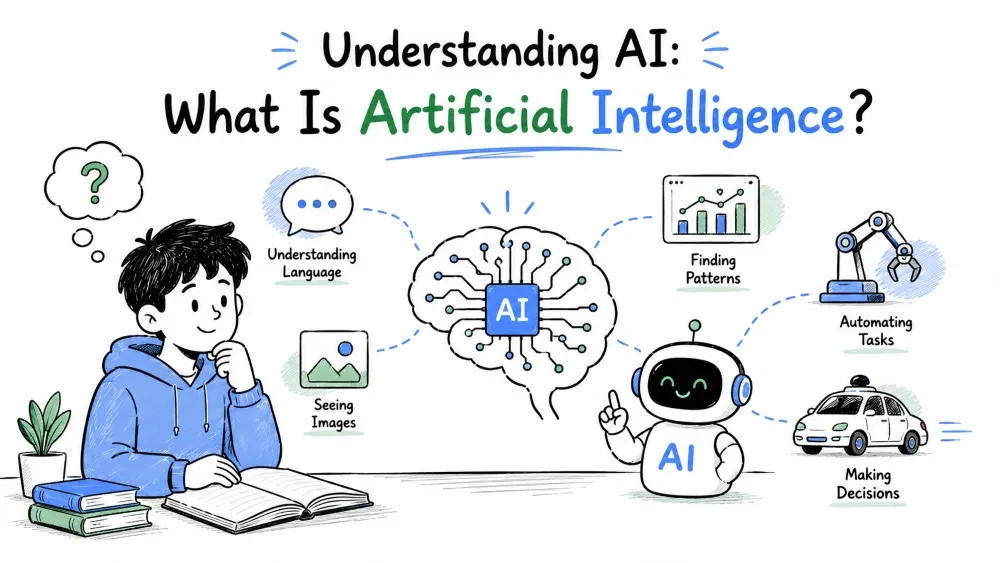
AI is everywhere — in your email, your maps app, and increasingly in Excel. This tutorial clears up what AI actually is, what it isn't, and how to think about it as a practical tool.
Before the definitions, the most useful thing to learn: AI is a tool, not a magic brain. It doesn't "think" like a person, and it isn't guessing randomly either. It's software that finds patterns in data and uses those patterns to answer, predict, or create.
Understanding this changes how you use it. You stop expecting perfect answers and start treating AI like a smart assistant you still need to guide and double-check.
Why it matters: most people fail with AI not because the tool is weak, but because they expect the wrong things from it.
Example — the mindset shift:
Instead of: "Tell me the answer." Think: "Help me work toward the answer, and I'll verify it."
In Excel terms, that looks like asking AI to draft a formula rather than expecting it to magically know every column in your workbook.
Artificial intelligence is software that performs tasks that normally require human intelligence — understanding language, recognizing patterns, making predictions, or generating content.
The key word is perform. AI doesn't have to feel intelligent. It just has to produce useful results. A tool that suggests the right Excel formula from a plain-English description is doing AI, even if the "intelligence" is just pattern-matching at scale.
Why it's useful: once you know what qualifies as AI, you start spotting it everywhere and can decide when to lean on it.
Example — a simple comparison:
| Task | Without AI | With AI |
|---|---|---|
| Find a formula for "total sales per region" | Google, read docs, write and test | Type the sentence, get a working formula |
| Clean a messy column of dates | Fix each cell by hand | Describe the mess, get a cleanup step or formula |
Explanation: the human task (writing formulas, cleaning data) stays the same. AI just automates the "figuring out how" part by recognizing patterns it has seen in training data.
Most AI you use today is machine learning: the program learns from examples instead of being hand-programmed with rules.
You teach a traditional program rules like "IF price < 10 THEN label cheap." You teach an ML model by showing it thousands of labeled examples until it builds its own internal patterns.
Example — how it looks in Excel:
Think about how you'd teach a colleague to classify orders. You'd show them a few examples: "This order is large because it's over $5,000." AI learns the same way, except it learns from millions of examples across books, documents, and the internet — which is why it generalizes to your Excel files without being trained on them.
Explanation: the model isn't memorizing your data. It's applying patterns it already learned to new data it has never seen.
Almost every AI you will ever touch is narrow — it's great at one thing. ChatGPT is narrow (text). An image generator is narrow (images). The Excel AI that writes formulas is narrow (spreadsheet tasks).
General AI — software as flexible as a human across every task — doesn't exist yet. You don't need it.
Why it matters: expecting one AI tool to do everything leads to disappointment. Use each tool for what it's good at.
Example — the practical takeaway:
Use the AI inside Excel for spreadsheet work. Use a chatbot for writing and brainstorming. Don't ask the chatbot to "fix your broken formula in place" — that's the Excel AI's job.
You've been using AI for years without calling it that. This is why it shouldn't feel scary or exotic.
Explanation: each of these is a narrow AI doing pattern-matching. Once you notice the pattern, you'll recognize "real" AI tools like ChatGPT as the same idea, just bigger and more general-purpose.
Two takeaways to carry into the rest of this course:
Best Practice: start every AI interaction expecting to verify the output. Especially in Excel, where a wrong formula or a miscalculated number can quietly corrupt an entire report.
Save your progress and earn XP for completing tutorials.
2 questions · Pass with 70%+
1What is the main benefit of AI in Excel?
2Which is a good reason to skip AI in Excel?
Technology
Excel with AI
Lesson group
AI Basics
Progress
25% complete

