Preparing your learning space...
44% through AI + Excel Projects tutorials
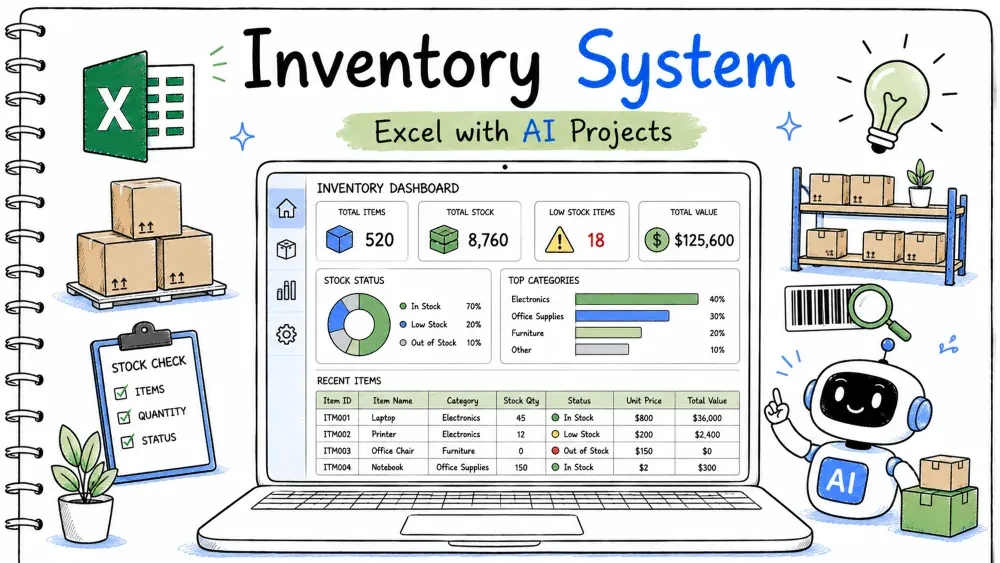
An inventory system tracks stock levels, warns when items run low, and shows movement in and out. You build it in Excel and use Copilot and ChatGPT for the reorder alerts and stock formulas.
inventory-system.xlsx
│
├── Sheet: Products   (SKU, Name, Stock, ReorderLevel)
├── Sheet: Moves     (Date, SKU, Type, Qty)
├── Sheet: Report    (low-stock list)
└── Module: InvMacros (optional VBA)
Two tables: Prod (products) and Move (transactions with Type In/Out).
Stock is the starting number plus ins minus outs.
Create both tables. Add a dropdown for Type with In,Out.
=SUMIFS(Move[Qty], Move[SKU], A2, Move[Type], "In")
Ask ChatGPT:
"How do I add a dropdown list In,Out in an Excel column?"
A Stock column that computes starting plus incoming minus outgoing.
It shows the live quantity on hand.
Assume starting stock in C2.
=C2
 +SUMIFS(Move[Qty], Move[SKU], A2, Move[Type], "In")
 -SUMIFS(Move[Qty], Move[SKU], A2, Move[Type], "Out")
Ask Copilot:
"Calculate current stock as starting plus SUMIFS In minus SUMIFS Out for SKU A2."
A rule that turns stock red when it drops below the reorder level.
You must reorder before selling out.
Select the Stock column, then Conditional Formatting > New Rule > Use a formula:
=B2 < D2
Where B2 is Stock and D2 is ReorderLevel.
B2 < D2 is the trigger condition.Ask ChatGPT:
"Write a conditional formatting formula that highlights a cell when stock is less than reorder level."
A note telling you what to order.
Saves time deciding quantities.
List low-stock SKUs and quantities, then ask ChatGPT.
Paste the low-stock list into ChatGPT:
"For each item, suggest a reorder quantity to reach at least 50 units. Keep it in a table."
=SUMIFS(Move[Qty], Move[SKU], A2, Move[Type], "In")
=SUMIFS(Move[Qty], Move[SKU], A2, Move[Type], "Out")
=C2 + InSum - OutSum
=B2 < D2
ChatGPT: "Dropdown In, Out."
Copilot: "Current stock starting plus In minus Out for SKU A2."
ChatGPT: "Conditional format when stock below reorder level."
ChatGPT: "Suggest reorder quantity to reach 50 each."
inventory-system.xlsx.Input: Start 10, In 5, Out 3. Expected Output: Stock 12. Explanation: 10 + 5 − 3.
Input: Stock 4, ReorderLevel 10. Expected Output: Cell red. Explanation: 4 < 10 triggers the rule.
Input: No moves for a SKU. Expected Output: Stock equals starting number. Explanation: Both SUMIFS return 0.
Problem: Shows below zero. Reason: More Out than In plus start. Solution: Check move entries; add a receiving In.
Problem: Low item not red. Reason: Rule points at the wrong cell. Solution: Re-apply the formula rule to the Stock column.
Problem: Stock wrong. Reason: Type spelled differently from dropdown. Solution: Use the dropdown so "In"/"Out" stay exact.
Save your progress and earn XP for completing tutorials.
4 questions · Pass with 70%+
1Current stock formula uses?
2=SUMIFS(Move[Qty], Move[Type], "In") does?
3Low-stock alert rule?
4 ChatGPT can?
Technology
Excel with AI
Lesson group
AI + Excel Projects
Progress
44% complete

