Preparing your learning space...
38% through AI + Excel Projects tutorials
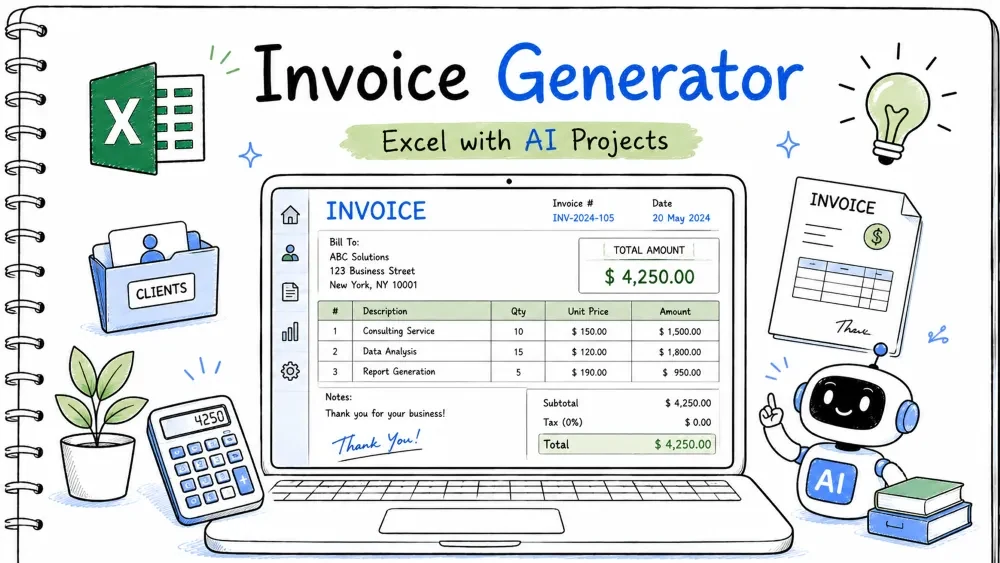
An invoice generator produces a clean bill from a list of items, with automatic tax and total, and a button to start a new invoice. You build it in Excel and use Copilot and ChatGPT for the tax math and VBA.
invoice-generator.xlsx
│
├── Sheet: Invoice   (header, line items, totals)
├── Sheet: Items     (catalog of products)
└── Module: InvMacros (VBA)
A table where each row shows qty × price.
The total per item feeds the subtotal.
Name the table Inv. In the Amount column:
=[@Qty]*[@Price]
Ask ChatGPT:
"Write an Excel table formula that multiplies Qty by Price for each row."
Cells that sum the amounts, add tax, and show the final total.
The client pays the grand total.
=SUM(Inv[Amount])
=ROUND(Subtotal*0.1, 2)
=Subtotal+Tax
Ask Copilot:
"Add subtotal, 10% tax rounded to 2 decimals, and grand total below a table."
A number that increases each time you make a new invoice.
Every invoice needs a unique ID.
Store the last number in a cell (say Settings!B1). The invoice header shows:
="INV-" & TEXT(Settings!B1, "0000")
TEXT(...,"0000") pads with zeros to four digits.Ask ChatGPT:
"Write an Excel formula that shows INV- and a 4-digit zero-padded number from cell B1."
A button that clears the lines and bumps the invoice number.
One click starts the next bill.
Sub NewInvoice()
    Sheets("Settings").Range("B1").Value = Sheets("Settings").Range("B1").Value + 1
    Sheets("Invoice").Range("B10:B20").ClearContents
    MsgBox "New invoice " & Sheets("Invoice").Range("B2").Value
End Sub
Range("B1").Value + 1 increments the counter.Ask ChatGPT:
"Write VBA that increases an invoice counter in Settings!B1 and clears line items in Invoice!B10:B20."
=[@Qty]*[@Price]
=SUM(Inv[Amount])
=ROUND(Subtotal*0.1, 2)
=Subtotal+Tax
="INV-" & TEXT(Settings!B1, "0000")
Sub NewInvoice()
    Sheets("Settings").Range("B1").Value = Sheets("Settings").Range("B1").Value + 1
    Sheets("Invoice").Range("B10:B20").ClearContents
    MsgBox "New invoice " & Sheets("Invoice").Range("B2").Value
End Sub
ChatGPT: "Table formula Qty times Price."
Copilot: "Subtotal, 10% tax rounded, grand total."
ChatGPT: "INV- with 4-digit zero-padded number."
ChatGPT: "VBA increment counter and clear line items."
invoice-generator.xlsx (save as .xlsm).Input: Qty 2 Price 50; Qty 1 Price 100. Tax 10%. Expected Output: Subtotal 200, Tax 20, Total 220. Explanation: SUM adds lines; tax is 10% of subtotal.
Input: Counter B1 = 7. Expected Output: Header shows "INV-0007". Explanation: TEXT pads to four digits.
Input: Click New Invoice. Expected Output: Counter becomes 8, lines cleared, message shows INV-0008. Explanation: VBA increments and clears.
Problem: Total off slightly. Reason: Tax not rounded. Solution: Use ROUND on the tax as shown.
Problem: Shows INV-8 not INV-0008.
Reason: TEXT format missing.
Solution: Wrap with TEXT(...,"0000").
Problem: Export misses items. Reason: Print area not set. Solution: Page Layout > Print Area > Set Print Area around the invoice.
Save your progress and earn XP for completing tutorials.
4 questions · Pass with 70%+
1Line total formula?
2Why =ROUND(Subtotal*0.1, 2)?
3="INV-" & TEXT(Settings!B1, "0000") does?
4The "New Invoice" VBA does?
Technology
Excel with AI
Lesson group
AI + Excel Projects
Progress
38% complete

