Preparing your learning space...
75% through AI Forecasting tutorials
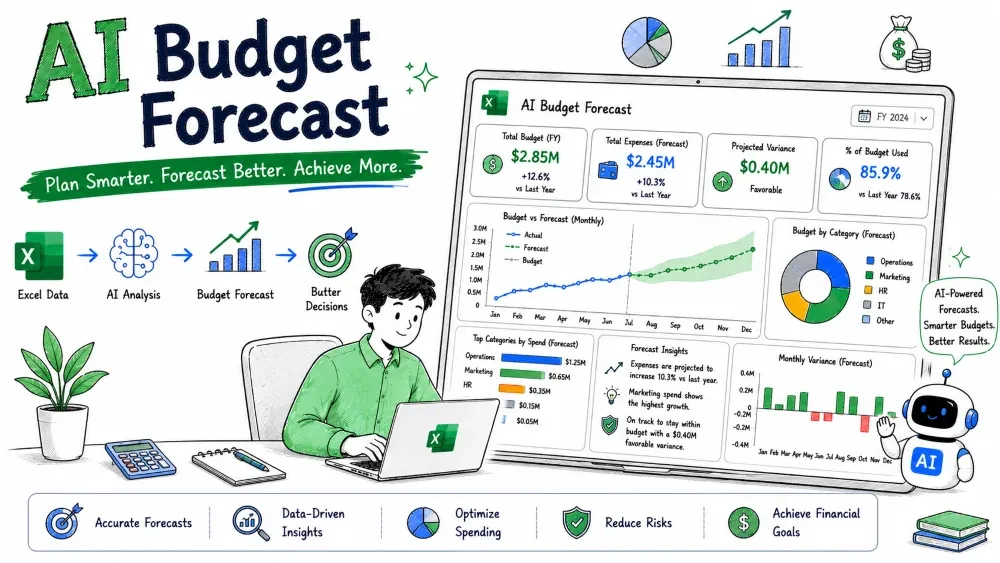
Budget forecasting projects future income and expenses so you can plan spending before the money moves. Unlike a sales forecast, a budget covers the whole picture — what comes in and what goes out. This tutorial builds a working budget forecast in Excel with ChatGPT and Microsoft Copilot doing the heavy lifting.
A budget forecast estimates future revenue and costs for a period, then compares planned vs. actual as the period runs. The output is a living plan: "If we earn X and spend Y, we end with Z."
Why it matters: It stops overspending and shows early when reality drifts from plan, so you can correct course mid-period instead of at year-end.
Most budget spreadsheets grow messy. Ask ChatGPT to design a clean category structure you can reuse.
Example prompt:
Design a monthly budget template for a small business with these
categories: Revenue, COGS, Salaries, Rent, Marketing, Software,
Misc. Give me the column layout (Category, Jan–Jun) and the
formula logic for Total Income, Total Expense, and Net.
ChatGPT returns a layout you paste into Excel as a table, with Net = Total Income − Total Expense already defined.
Forecast each line from its own history using FORECAST.ETS (costs like utilities and marketing often swing seasonally).
Example — Marketing spend history ($):
| A | B |
|---|---|
| Month # | Marketing |
| 1 | 2000 |
| 2 | 2100 |
| 3 | 2500 |
| 4 | 2400 |
| 5 | 3000 |
| 6 | 3200 |
Forecast month 7 in B9:
=FORECAST.ETS(A9, $B$2:$B$7, $A$2:$A$7)
Result ≈ 3100. Repeat the same pattern for each cost line and for revenue, then sum:
=SUM(B_income_rows) - SUM(B_expense_rows)
That single net formula is your budget bottom line for the month.
Simple explanation: Each category is forecast on its own trend, then totals roll up into one net number — so you see which line drives the result.
Best practice: Forecast fixed costs (rent) as a flat value and variable costs (COGS) as a percentage of revenue, not with ETS. Mixing methods per line type is more accurate than one formula for everything.
AI assist: For a fast cross-check, ask Copilot in the same table: "Forecast the next month for each cost row using its own trend." Copilot writes the ETS formulas per row so you can compare against your manual ones and catch any you missed.
Once a few months of actuals exist, Copilot can build the planned-vs-actual comparison.
Add a Variance column = Actual minus Plan for each category,
and highlight any category where variance exceeds 10%.
Copilot inserts the column and conditional formatting. You immediately see where you are over or under budget without building rules by hand.
Note: Variance view only works once real actuals exist — run it from month two onward, not at setup.
Budgets live or die on assumptions. ChatGPT lets you test them fast.
Example prompt:
My forecast net for Q3 is $18,000 with revenue $60k and expenses
$42k. Model three cases:
1) Revenue down 15%, 2) Expenses up 12%, 3) Both at once.
Give the new net for each and say which line to cut first.
ChatGPT returns the three nets (e.g., $9,000 / $12,960 / $3,960) and flags the biggest expense lever — turning the budget from a static sheet into a decision tool.
Save your progress and earn XP for completing tutorials.
4 questions · Pass with 70%+
1What is the main output of a budget forecast?
2How should fixed costs like rent be forecast?
3What does Copilot's variance view do?
4Why tie variable costs (like COGS) to revenue by percentage?
Technology
Excel with AI
Lesson group
AI Forecasting
Progress
75% complete

