Preparing your learning space...
33% through FDE Project Management tutorials
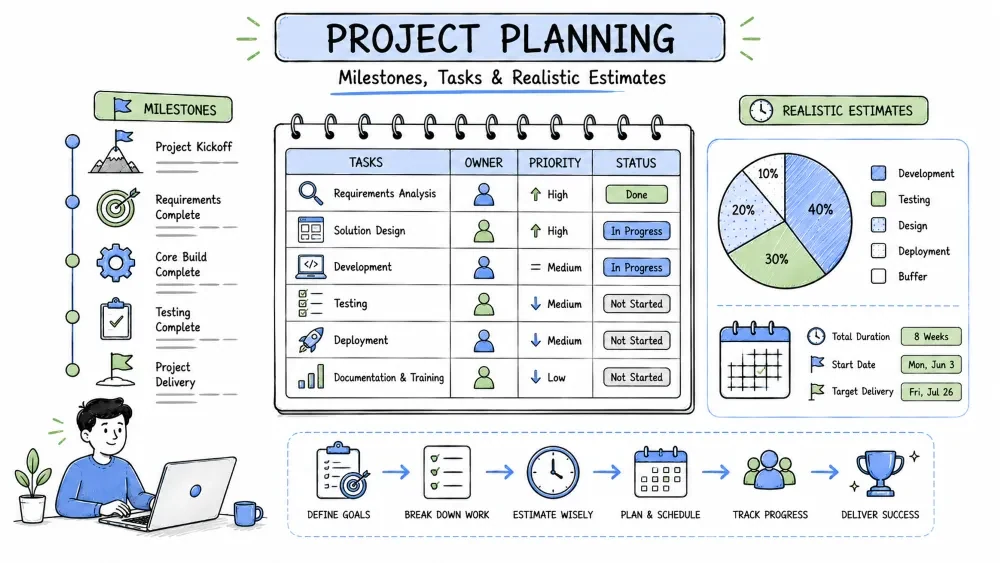
Planning turns a scope statement into a workable map. This tutorial covers creating milestones, breaking problems into tasks, and estimating how long each part will take — so the project has a path, not just a hope.
A milestone is a significant checkpoint in the project — a point where visible, verifiable progress has been completed. It is a marker in time, not a chunk of work.
Why it is useful: Milestones give the customer and the team natural review points, make progress visible, and turn "a six-week build" into a set of smaller, trackable commitments you can actually check.
| Milestone | Task | |
|---|---|---|
| Represents | A checkpoint | A piece of work |
| Is it done? | When its exit criteria pass | When its deliverable is complete |
| Example | "Beta demoed to pilot customers" | "Add CSV export button" |
M1  Kickoff & requirements approved              W1   ✅
M2  Clickable prototype demoed to customer       W2
M3  Core CRUD + CSV export done + code review    W4
M4  Beta available to 5 pilot customers          W6
M5  General release + handover doc               W8
Each milestone comes with an exit criterion — the specific evidence that the milestone is actually done.
milestones = {
    "M1": {"due": "W1", "done": True,
           "exit": "Requirements signed off by the customer"},
    "M2": {"due": "W2", "done": False,
           "exit": "Prototype demoed, feedback logged in the tracker"},
    "M3": {"due": "W4", "done": False,
           "exit": "CRUD + CSV export merged after at least one code review"},
}
Simple explanation: "Beta available" sounds done, but it isn't clear enough to check. The exit field turns each milestone into a verifiable statement: how do we know M2 happened? By a demo and a logged feedback entry.
Task breakdown (often called a Work Breakdown Structure) splits a milestone or a problem into small, concrete pieces of work that one person can complete quickly.
Why it is useful: Small tasks make estimation easier, expose hidden dependencies, and let you see progress daily. A big vague problem is unmanageable; a list of small tasks is a plan.
For the milestone "CSV export of the filtered view":
| Task | Estimate | Owner |
|---|---|---|
| Design export endpoint + response format | 4h | — |
| Handle pagination limits for large exports | 3h | — |
| Add export button + progress state to the UI | 3h | — |
| Test with a 100k-row dataset | 2h | — |
| Confirm CSV encoding/Excel behavior with the customer | 2h | — |
tasks = [
    {"id": "T1", "milestone": "M3", "title": "Design export endpoint",
     "estimate_h": 4, "owner": None, "done": False},
    {"id": "T2", "milestone": "M3", "title": "Pagination limits for exports",
     "estimate_h": 3, "owner": None, "done": False},
]

def remaining_hours(tasks):
    return sum(t["estimate_h"] for t in tasks if not t["done"])

print(remaining_hours(tasks))  # 7.0
Simple explanation: Each task is small, owned, and has an estimate in hours. Summing the open ones gives an instant "how much is left on this milestone" number that everyone can read.
Estimation predicts how long work will take. It is not a promise; it is a forecast built from task size, known velocity, and — best of all — your own historical data.
Why it is useful: Honest estimates let the customer make real choices ("add this feature, or ship on time") and let you spot over-commitment while there's still room to fix it.
def estimate(o, m, p):
    """Weighted three-point (PERT) estimate in hours."""
    return round((o + 4 * m + p) / 6, 1)

work = [("Export endpoint", 3, 5, 9), ("UI export button", 2, 3, 5)]

for name, o, m, p in work:
    print(f"{name}: {estimate(o, m, p)}h")
# Export endpoint: 5.3h
# UI export button: 3.2h
Simple explanation: The formula weights the "most likely" value four times heavier than the extremes, so the estimate leans toward reality rather than the worst or best case. You can quote "5–6 hours" instead of a fragile single number.
raw = 8.0          # sum of task estimates in hours
buffer = 1.3       # 30% extra for unknowns, meetings, interrupts
wall_clock = raw * buffer
print(f"Plan for {wall_clock:.1f}h")  # Plan for 10.4h
Simple explanation: Estimates measure effort, but a workday is full of interrupts. A written buffer policy (e.g., ×1.3) turns "I hope this fits" into a defensible plan.
Save your progress and earn XP for completing tutorials.
4 questions · Pass with 70%+
1What is the key difference between a milestone and a task?
2When breaking a problem into tasks, when should you stop decomposing?
3In the three-point (PERT) estimate (o + 4m + p) / 6, why is the "most likely" value weighted four times heavier?
4Why should you add a separate buffer (like ×1.3) on top of raw hour estimates?
Technology
Forward Deployed Engineer
Lesson group
FDE Project Management
Progress
33% complete

