Preparing your learning space...
83% through FDE Projects tutorials
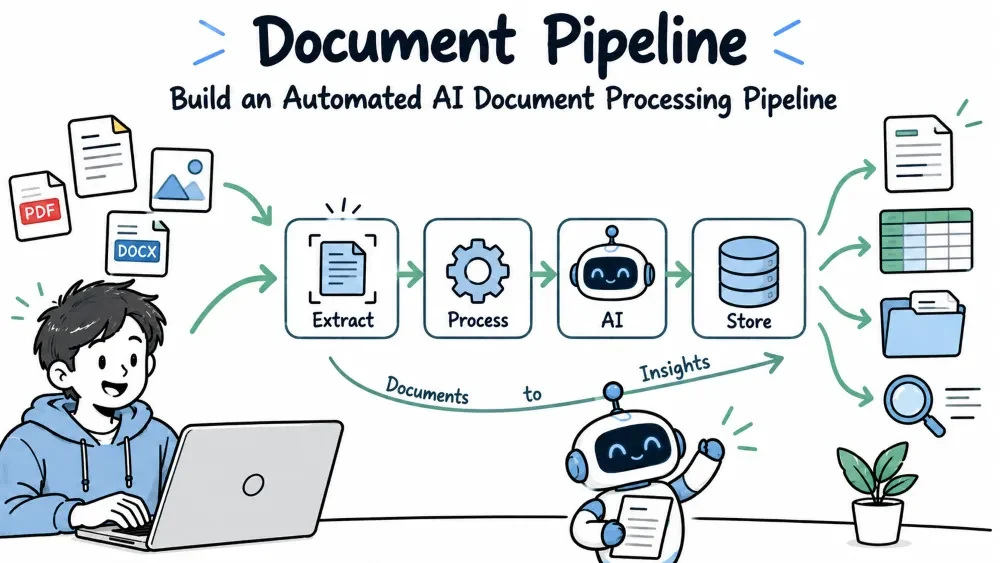
An AI Document Processing Pipeline ingests many documents, extracts structured information from each one, and routes the results somewhere useful — a database, an alert, or a downstream system. For a Forward Deployed Engineer this is the "factory" of AI work: invoices, contracts, resumes, and forms flowing through automatically instead of being read by hand. This tutorial builds a modular pipeline for ingesting PDFs and extracting fields, with an eye toward running in production.
A document pipeline is a chain of small steps. Each step reads the output of the previous one and passes its own result forward, so any step can be swapped without touching the rest.
Ingest  →  Parse  →  Extract  →  Validate  →  Store  →  Notify
 (files)  (text)     (fields)    (checks)     (db)     (alert)
The power of the pipeline is that failures in one step don't destroy the whole run — you can retry, skip, or quarantine bad documents. Production pipelines are built to keep going when individual documents break.
The first step finds files and batches them. Keep it returning a simple list of items so the next stage is easy to test.
from pathlib import Path
import pypdf

def ingest(folder):
    items = []
    for path in Path(folder).glob("*.pdf"):
        reader = pypdf.PdfReader(str(path))
        text = "\n".join(page.extract_text() or "" for page in reader.pages)
        items.append({"source": str(path), "text": text.strip()})
    return items

documents = ingest("./invoices/")
print(len(documents), "documents ingested")
Each item is a dict carrying its source path and extracted text. Keeping metadata (source) attached is essential — when you audit the output you need to know where each record came from.
With the text in hand, an LLM pulls out the exact fields you care about. A structured-output call turns free text into a clean object.
from pydantic import BaseModel
from langchain_ollama import ChatOllama

class Invoice(BaseModel):
    invoice_no: str
    vendor: str
    total: float
    date: str

llm = ChatOllama(model="llama3").with_structured_output(Invoice)

result = llm.invoke(documents[0]["text"])
print(f"{result.invoice_no} | {result.vendor} | ${result.total}")
with_structured_output forces the model to return a field-validated object instead of free text. Defining the schema with Pydantic means wrong types fail loudly instead of sliding through silently.
Note: Structured output needs a model that supports function/tool calling.
ChatOllama(model="llama3")works only if that local build supports tools; if it doesn't, you'll get an error at thewith_structured_outputcall — pick a tool-capable model. In production you'd usually point this at a hosted model (like Claude with structured output) for better accuracy and rate-limit handling. The call shape is the same — only thellmchanges.
Not every document will extract cleanly. Validate each result and, on failure, quarantine the document instead of crashing the run.
def process(documents):
    good, bad = [], []
    for doc in documents:
        try:
            parsed = llm.invoke(doc["text"])
            if parsed.total <= 0:
                raise ValueError("non-positive total")
            parsed.source = doc["source"]      # attach provenance
            good.append(parsed)
        except Exception as exc:
            bad.append({"source": doc["source"], "error": str(exc)})
    return good, bad

results, failures = process(documents)
print(f"{len(results)} processed, {len(failures)} quarantined")
Splitting output into good and bad lists is the core resilience move. A single weird invoice no longer takes down the whole batch — it lands in the quarantine pile where you can review it.
Note:
parsed.source = doc["source"]attaches provenance. Pydantic v2 lets you add arbitrary attributes to an instance on the fly, so the schema stays a strict contract for the extracted fields whilesourcetags where the record came from. If you prefer, declaresource: strin theInvoicemodel instead so it's part of the validated shape.
Once it runs, you need to know what happened. A little logging per document turns into a vital audit trail in production.
import logging, json

logging.basicConfig(level=logging.INFO)

def store(record):
    payload = record.model_dump()                 # validated fields as a dict
    payload["source"] = getattr(record, "source", None)
    logging.info(json.dumps({**payload, "status": "stored"}))
    # here you'd actually write to your database
    return record

for r in results:
    store(r)
model_dump() turns the validated fields into a dict — safer than relying on __dict__, which would split validated fields and ad-hoc attributes inconsistently. We then fold in source explicitly. Logging each stored record makes the pipeline explainable — you can see exactly what was extracted, when, and from which source. Attach status for quick filtering in your logs.
The full pipeline as a linear chain with error quarantine.
import logging
from pathlib import Path
import pypdf
from pydantic import BaseModel
from langchain_ollama import ChatOllama

logging.basicConfig(level=logging.INFO)

class Invoice(BaseModel):
    invoice_no: str
    vendor: str
    total: float
    date: str

llm = ChatOllama(model="llama3").with_structured_output(Invoice)

def ingest(folder):
    items = []
    for path in Path(folder).glob("*.pdf"):
        reader = pypdf.PdfReader(str(path))
        text = "\n".join(page.extract_text() or "" for page in reader.pages)
        items.append({"source": str(path), "text": text.strip()})
    return items

def process(documents):
    good, bad = [], []
    for doc in documents:
        try:
            parsed = llm.invoke(doc["text"])
            if parsed.total <= 0:
                raise ValueError("non-positive total")
            parsed.source = doc["source"]
            logging.info(f"ok {parsed.source} | ${parsed.total}")
            good.append(parsed)
        except Exception as exc:
            logging.warning(f"quarantine {doc['source']}: {exc}")
            bad.append({"source": doc["source"], "error": str(exc)})
    return good, bad

docs = ingest("./invoices/")
results, failures = process(docs)
print(f"Processed {len(results)}, quarantined {len(failures)}")
Run, confirm the counts, then drop the store function from the observability section into the end of the loop to persist each good record to your real database.
Save your progress and earn XP for completing tutorials.
4 questions · Pass with 70%+
1What is with_structured_output(Invoice) doing?
2A pipeline keeps good and bad results in separate lists. Why?
3Why attach a source field to each extracted record?
4Why use record.model_dump() instead of record.__dict__ for logging?
Technology
Forward Deployed Engineer
Lesson group
FDE Projects
Progress
83% complete

