Preparing your learning space...
17% through FDE with AI Coding Tools tutorials
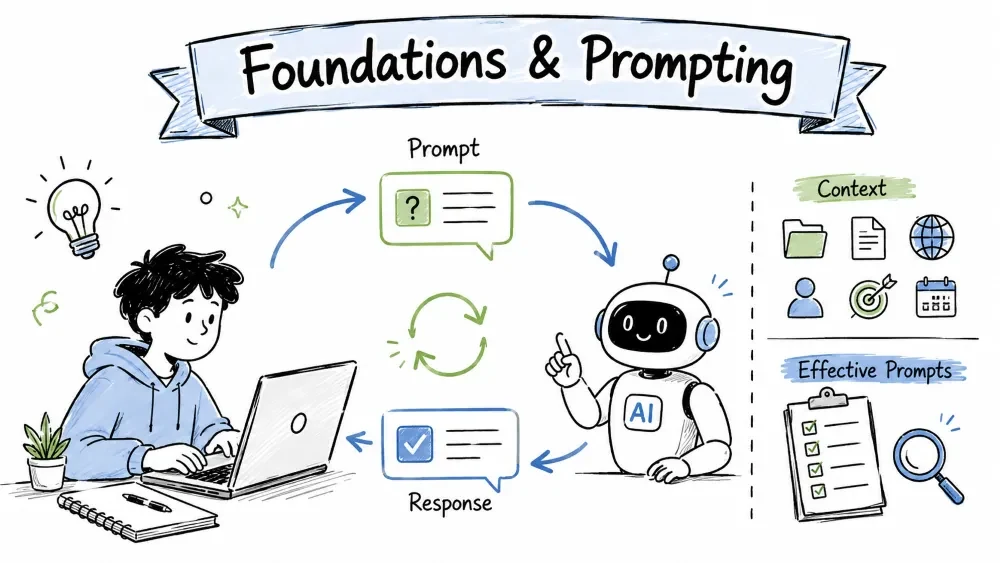
AI-assisted software development is the practice of using AI tools like ChatGPT and Copilot to write, read, debug, and improve code alongside you. Think of the AI as a tireless pair programmer who has seen a million projects — you stay in charge, it does the heavy lifting. This tutorial sets the foundation, explains why these tools make engineers dramatically faster, and teaches you to write prompts that get you great code.
AI-assisted development means you and an AI tool work on code together. You describe what you want in plain language, and the AI produces code, explanations, or fixes. In return, you guide it, check its output, and correct it when it goes wrong. It is not "AI writes everything by itself" — it is a collaboration where you keep judgment and the AI brings speed.
Why it is useful: it removes the friction of typing everything from scratch, lets you start from a working example instead of a blank screen, and helps you navigate code you have never seen before.
AI tools help in four main ways — and every later tutorial in this course is just one of these in depth:
Every AI-coding session follows the same small loop. Memorize it now, because every later tutorial is just a variation of this:
1. ASK → You describe the task in plain language.
2. GET → The AI returns code or an explanation.
3. VERIFY → You run it / read it / test it to make sure it's right.
4. REFINE → You reply "that's not quite right, fix X" until it is.
The Verify step is the one beginners skip — and it is the most important. The AI is confident even when it is wrong, so you must always confirm its output works before trusting it.
Picture an AI coding tool as a very fast assistant with no experience of your project. It knows general programming patterns but not your requirements, your users, or your constraints. That means:
If you treat the AI as an all-knowing oracle, it will quickly get you into trouble. If you treat it as a fast intern you supervise, it will multiply your output.
This is the payoff — why engineers bother with AI at all. AI makes you faster in a few concrete, repeated ways:
The real speed gain is not just writing code — it's faster feedback. You can sketch, test, and throw away ideas quickly, which means you learn what works sooner.
You talk to an AI chat tool the way you'd brief a fast new developer: describe the goal, give any relevant context, and state what you want back. You don't need perfect grammar. Short, clear sentences with concrete details beat long confusing paragraphs.
A strong coding prompt has about four parts. Not all are needed every time, but adding them when the task is tricky always helps:
PROMPT SHAPE
[What I want] + [language/tools] + [special rules] + [what to return]
Compare a vague and a specific prompt for the same task — counting how many times a word appears in a text.
Vague:
write a function to count words
This could return many different things. The AI has to guess the language, what "count words" means, and what to do with the result.
Specific:
Write a Python function count_word(text, word) that returns how many
times word appears in text, treating it case-insensitively. Ignore
punctuation. Show only the function and a short usage example.
def count_word(text, word):
 words = [w.strip(".,!?;:") for w in text.lower().split()]
 return words.count(word.lower())

# usage
print(count_word("The cat and the dog.", "the")) # -> 2
The specific prompt pinned down everything the vague one left open: language, exact behavior, edge case (case-insensitivity), and expected format. Same task, dramatically better answer.
One of the biggest beginner mistakes is asking about code the AI cannot see. If you want help with your code, paste the relevant part directly into the prompt.
Bad:
fix my function
Good:
def price_with_tax(price):
 return price * 1.2
This function adds 20% tax. Fix it so it works when price is a string
like "49.99", and round the result to 2 decimal places.
You gave the AI (a) the actual code and (b) the failure case to fix. Now it can give a precise, working answer.
AI rarely nails a complex request on the first try — that's normal. Treat the first answer as a draft and keep steering:
"Almost right, but the output gives 'None' for an empty list. Handle that."
"Good, now make it return a percentage instead of a decimal."
"Now wrap this in a loop over all files in a folder."
Each follow-up refines the previous result. Iterate a few rounds rather than expecting perfection instantly. To learn while you go, end with:
Explain this function line by line. Assume I'm a beginner.
You'll get comments and plain-English guidance — which turns a coding shortcut into a learning opportunity, and you'll write better prompts later because you understand the code the AI generates.
Save your progress and earn XP for completing tutorials.
4 questions · Pass with 70%+
1What is the correct order of the core loop?
2What's the most important step beginners tend to skip?
3Which prompt will produce the most reliable code?
4The "You Are the Driver" mental model means:
Technology
Forward Deployed Engineer
Lesson group
FDE with AI Coding Tools
Progress
17% complete

