Preparing your learning space...
57% through Production & Reliability tutorials
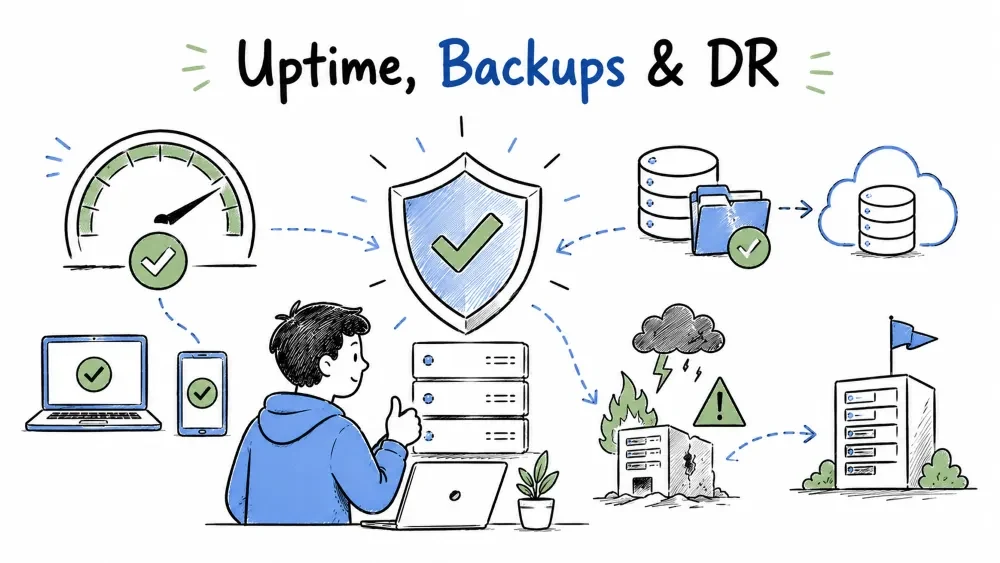
Monitoring tells you when things break — but the goal of production is that they don't break for long. And when the worst happens, you get back up fast. This tutorial covers the survival layer: what availability actually means, how to back up data so it survives anything, and how to plan the recovery when a disaster hits anyway.
Uptime is the percentage of time a system is usable. Availability is the same idea, seen from the user's side: the share of time they could actually get their work done. A system that responds to pings but can't serve data isn't really "up" for the people using it.
Why this matters: availability is the number your SLA from Tutorial 1 is written in. Knowing what each extra nine costs keeps you from over-engineering a solution whose customers would never notice the difference.
| Availability | Downtime per year | Downtime per month |
|---|---|---|
| 99% | ~3.7 days | ~7.3 hours |
| 99.9% | ~8.8 hours | ~43 minutes |
| 99.95% | ~4.4 hours | ~22 minutes |
| 99.99% | ~53 minutes | ~4.4 minutes |
Every additional nine costs roughly ten times more in engineering effort. For an internal tool used by a dozen people during business hours, 99.9% is usually plenty. That extra 0.09% to get from 99.9% to 99.99% costs a fortune for almost no benefit. Pick the target that matches the cost of downtime, not the one that sounds impressive on a slide.
def availability(ok_seconds, total_seconds):
    return ok_seconds / total_seconds * 100

# A month (30 days), during which the tool was down 20 minutes
total = 30 * 24 * 3600
down = 20 * 60
print(f"{availability(total - down, total):.3f}%")   # 99.954%
Twenty minutes down in a month gives you 99.954% — comfortably inside a 99.9% target. The practical lesson here: measure availability against the number that matters to the customer, and know your margin. You don't need to chase 99.99% if your target is 99.9%.
Availability comes from not having single points of failure. The classic tools:
Each tool costs more, so apply them where the risk is real. A single-user prototype doesn't need multi-AZ. A customer's daily workhorse does.
A backup is a copy of your data kept somewhere separate, taken on a schedule, so you can restore it when the original is lost, corrupted, or deleted.
Here's the distinction people confuse: redundancy protects against hardware failure. Only backups protect against data loss — a bad migration, an accidental DELETE, ransomware, or a plain human mistake. "The server was replicated across two zones" does nothing for you when someone drops a table.
The standard for backup safety:
3  copies of your data
2  different media or storage types
1  copy offsite (different location)
In practice: the live database, a nightly backup on the same server, and a daily backup pushed to cloud object storage. That offsite copy is the one that saves you when the entire building — or cloud region — is the casualty.
| Strategy | What it does | Best for |
|---|---|---|
| Full backup | Copy everything each time | Small data, simple restores |
| Incremental | Only what changed since last backup | Large data, fast daily runs |
| Differential | Only what changed since last full backup | Middle ground, medium complexity |
| Point-in-time (PITR) | Continuous WAL/redo log replay | Databases where losing even minutes matters |
Most databases combine them: a nightly full backup plus continuous log shipping, so you can restore to any point in time rather than just midnight. Files and documents usually just get full copies — simpler, and there's rarely a reason to restore a folder to a specific minute.
import subprocess
from datetime import date

def backup_database(db_name, target_bucket):
    stamp = date.today().isoformat()
    filename = f"{db_name}-{stamp}.sql"

    subprocess.run(["pg_dump", db_name, "-f", filename], check=True)
    subprocess.run(["aws", "s3", "cp", filename,
                    f"s3://{target_bucket}/", "--quiet"], check=True)

    print(f"Backed up {db_name} to {target_bucket} as {filename}")

backup_database("customer_prod", "backups-customer-prod")
Run nightly by cron and you have a simple, reliable offsite backup. Two details matter: the timestamp in the filename gives you a history instead of a single overwritten copy, and check=True makes the job fail loudly if anything goes wrong — because a silently failing backup is the same as no backup at all.
Disaster recovery (DR) is the plan and the tooling for restoring your system and data after a major event — a datacenter loss, a corrupted database, a cloud account compromise — and getting back to normal operation.
This is the part people skip and then regret. Backups restore data. DR restores the service. The difference is a plan. Without one, a disaster is followed by chaos: people improvising under pressure, discovering missing credentials, wasting hours before they find the right runbook. With one, you follow a rehearsed sequence and recover in a known time.
Two numbers define what you're promising to recover:
RPO = how far back your data goes     ->  determines backup frequency
RTO = how long you can afford to be down ->  determines standby strategy
Set both before a disaster, with the customer, because they're business decisions. A nightly backup gives you an RPO of up to 24 hours — fine for a tool whose data changes slowly, unacceptable for a system processing transactions all day.
From cheapest to most prepared:
| Strategy | What it is | RTO | Cost |
|---|---|---|---|
| Backup & restore | Restore data onto fresh infrastructure | Hours | Lowest |
| Pilot light | Small core always running, scale up on disaster | Tens of minutes | Medium |
| Warm standby | A scaled-down copy always ready, promote on disaster | Minutes | Higher |
| Multi-site active-active | Full capacity in two places, live traffic split | Seconds | Highest |
Match the strategy to the RTO you set. An internal reporting tool can tolerate a multi-hour restore. A customer-facing checkout flow justifies warm standby. Paying for multi-site active-active on a tool that could survive a four-hour outage is burning money you don't need to burn.
A DR plan is a checklist someone can actually follow. Keep it in a runbook, and test it.
1. Declare the disaster and tell the stakeholders.
2. Restore the latest good backup into fresh infrastructure.
3. Point DNS / traffic at the recovered environment.
4. Verify: health checks pass, recent data is present.
5. Tell everyone it's recovered, and run the post-incident review.

Tested: last full restore drill — 2026-08-02, completed in 1h 40m.
That last line is the whole game. A DR plan that has never been run will fail when you need it — restores break, credentials go missing, steps turn out to be wrong. A quarterly restore drill turns the plan from fiction into something you know takes 1 hour 40 minutes because you just did it.
Save your progress and earn XP for completing tutorials.
4 questions · Pass with 70%+
1What does the "3-2-1 backup rule" recommend?
2What is RPO (Recovery Point Objective)?
3Which recovery strategy has the lowest RTO but the highest cost?
4Why must a DR plan be tested regularly?
Technology
Forward Deployed Engineer
Lesson group
Production & Reliability
Progress
57% complete

