Preparing your learning space...
17% through Real-World Projects tutorials
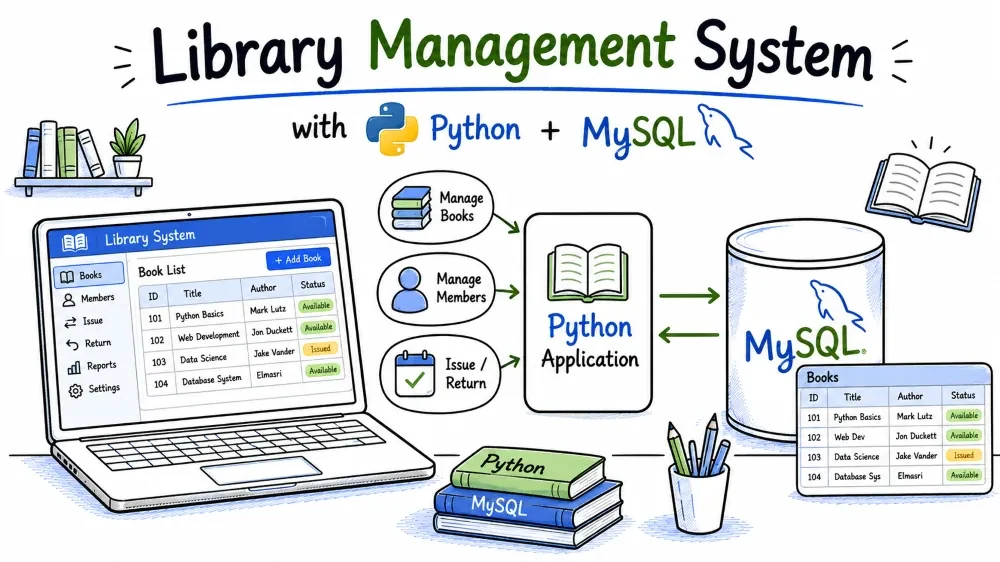
A Library Management System tracks books, registered members, and the loans between them. You will build a menu-driven Python program that adds books, registers members, issues and returns books, and charges a fine when a book comes back late. Along the way you will use foreign keys, date arithmetic, transactions, and parameterized queries.
A small community library needs to know which books it owns, who its members are, and who has which book at any moment. The program runs in the terminal and stores everything in MySQL, so a book that is issued disappears from the "available" pool and the library can spot overdue loans at a glance.
The project centres on the loans table, which records every issue and return. Because a return can happen after the due date, the system computes a fine of 5 per day for late returns. You will work with date functions, foreign keys, and multi-statement transactions that must all succeed together.
Students will learn how to design a schema for a real workflow, enforce business rules like "a book can only be issued if it is available", use DATEDIFF for fine calculations, and write reports with JOIN.
sudo apt install mysql-server)input(), try/exceptSELECT, INSERT, UPDATE, DELETEOne-time setup before you start coding:
pip install mysql-connector-python
Make sure the MySQL service is running, and note the username and password you use to log in (the examples use root). You will put those credentials in db_connection.py.
Create the database by loading the schema file (the file database.sql that you build in Step 1):
mysql -u root -p < database.sql
You will be asked for your MySQL password. After that, the library_management database exists with its tables and sample data.
library-management-system/
├── database.sql          # creates the database, tables, and seed data
├── db_connection.py      # get_connection() helper for MySQL connections
├── main.py               # the menu loop and every business operation
├── requirements.txt      # lists the Python package to install
└── README.md             # short project notes
database.sql holds everything database-related: the CREATE DATABASE statement, the three CREATE TABLE statements, and the INSERT seed data.db_connection.py has one small function that opens a connection. Every operation in main.py imports it, so credentials live in only one place.main.py is the entire program: it prints the menu, reads the user's choice, and calls one function per operation.requirements.txt lets other people install dependencies with pip install -r requirements.txt.README.md is a short page describing the project and how to run it.The library_management database with three tables: books, members, and loans. The loans table records who borrowed which book and when it is due back.
A book can be loaned many times over its life, and a member can borrow many books, so loans need their own table. The loans table links a member to a book through two foreign keys, and keeps the issue date, due date, and return date together in one row.
Create the file database.sql with this content:
CREATE DATABASE IF NOT EXISTS library_management;
USE library_management;

CREATE TABLE books (
    id INT AUTO_INCREMENT PRIMARY KEY,
    isbn VARCHAR(20) NOT NULL UNIQUE,
    title VARCHAR(150) NOT NULL,
    author VARCHAR(100) NOT NULL,
    published_year INT,
    available TINYINT(1) NOT NULL DEFAULT 1
);

CREATE TABLE members (
    id INT AUTO_INCREMENT PRIMARY KEY,
    member_number VARCHAR(20) NOT NULL UNIQUE,
    name VARCHAR(100) NOT NULL,
    email VARCHAR(100) NOT NULL UNIQUE,
    phone VARCHAR(20),
    joined_date DATE NOT NULL
);

CREATE TABLE loans (
    id INT AUTO_INCREMENT PRIMARY KEY,
    book_id INT NOT NULL,
    member_id INT NOT NULL,
    issue_date DATE NOT NULL,
    due_date DATE NOT NULL,
    return_date DATE NULL,
    FOREIGN KEY (book_id) REFERENCES books(id) ON DELETE CASCADE,
    FOREIGN KEY (member_id) REFERENCES members(id) ON DELETE CASCADE
);
CREATE DATABASE IF NOT EXISTS is safe to run more than once, and USE library_management makes that database active for every statement that follows.
In books, the isbn column has UNIQUE so the same book cannot be added twice. The available column is a TINYINT(1) used as a boolean flag: 1 means on the shelf, 0 means on loan. It defaults to 1, so a book is available unless something marks it otherwise.
In loans, issue_date and due_date are set at issue time, and return_date starts as NULL. A NULL return date is the signal that the book is still out. The two FOREIGN KEY clauses reference the parent tables, and ON DELETE CASCADE means deleting a book or a member automatically removes their loan history. This is a judgment call for a library — for this project it keeps the data clean.
Realistic sample rows for all three tables so the program has something to work with on the first run.
Empty tables make the reports boring and the fine logic untestable. The seed data includes a returned loan, an on-time return, and several loans that are still open, which lets you see overdue behaviour immediately.
Append these statements to database.sql:
INSERT INTO books (isbn, title, author, published_year, available) VALUES
('978-0131103627', 'The C Programming Language', 'Brian Kernighan', 1988, 1),
('978-0596007126', 'Head First Java', 'Kathy Sierra', 2005, 1),
('978-1491950357', 'Python Crash Course', 'Eric Matthes', 2019, 1),
('978-0132350884', 'Clean Code', 'Robert C. Martin', 2008, 1),
('978-0596805528', 'Head First Design Patterns', 'Eric Freeman', 2004, 1),
('978-1449355739', 'Data Science from Scratch', 'Joel Grus', 2015, 1),
('978-0134685991', 'Effective Java', 'Joshua Bloch', 2018, 1);

INSERT INTO members (member_number, name, email, phone, joined_date) VALUES
('LIB001', 'Meera Nair', 'meera.nair@example.com', '9000010001', '2025-06-01'),
('LIB002', 'Arjun Malhotra', 'arjun.m@example.com', '9000010002', '2025-07-15'),
('LIB003', 'Divya Menon', 'divya.menon@example.com', '9000010003', '2025-09-20'),
('LIB004', 'Vikram Shah', 'vikram.shah@example.com', '9000010004', '2026-01-05'),
('LIB005', 'Riya Kapoor', 'riya.kapoor@example.com', '9000010005', '2026-03-11');

INSERT INTO loans (book_id, member_id, issue_date, due_date, return_date) VALUES
(1, 1, '2026-06-10', '2026-06-24', '2026-06-22'),
(2, 2, '2026-07-01', '2026-07-15', '2026-07-20'),
(3, 3, '2026-07-05', '2026-07-19', NULL),
(4, 1, '2026-07-10', '2026-07-24', NULL),
(5, 4, '2026-07-12', '2026-07-26', NULL);
The id columns are AUTO_INCREMENT, so the inserts never mention them. MySQL assigns 1, 2, 3, and so on in the order the rows appear, which is why the loans can reference book ids 1 through 5 and member ids 1 through 4.
The book data uses real ISBNs and authors. Member numbers follow the LIB001 style. Notice the loan dates: the first loan was returned before its due date, the second was returned five days late (a fine case), and the last three have NULL return dates and due dates in the past. Run this project on or after the date these loans were seeded, and the overdue report will show them immediately.
The file db_connection.py with one function, get_connection(), that returns a fresh MySQL connection.
Every operation in main.py needs to connect to the database. If the connection details were repeated in each function, changing a password would mean editing the file in seven places. A single helper keeps the credentials in one spot and gives every function the same starting point.
Create db_connection.py:
import mysql.connector


def get_connection():
    return mysql.connector.connect(
        host="localhost",
        user="root",
        password="your_password",
        database="library_management"
    )
mysql.connector.connect() takes the MySQL host, the login credentials, and the database name, and returns a connection object. Change password="your_password" to the real password for your MySQL root user before running the program.
Each call to get_connection() opens a new connection. Opening one per operation is fine for a learning project; a large application would reuse connections with a pool. The pattern that matters here is that every function gets its own conn, does its work, and closes both the cursor and the connection in a finally block.
The main menu that runs in a while True loop, plus add_book() and register_member().
A terminal program needs a way to keep asking what to do next. The menu prints the options and routes to the matching function. The two insert functions are simple, so they are the right place to establish the try/except/commit pattern used by the rest of the project.
Create main.py with the import, the menu skeleton, and the two functions:
import mysql.connector
from mysql.connector import Error
from db_connection import get_connection

FINE_PER_DAY = 5


def add_book():
    isbn = input("Enter ISBN: ").strip()
    title = input("Enter book title: ").strip()
    author = input("Enter author name: ").strip()
    year = input("Enter publication year: ").strip()

    if year and not year.isdigit():
        print("Publication year must be a number.")
        return

    conn = get_connection()
    cursor = conn.cursor()
    try:
        query = "INSERT INTO books (isbn, title, author, published_year) VALUES (%s, %s, %s, %s)"
        cursor.execute(query, (isbn, title, author, int(year) if year else None))
        conn.commit()
        print(f"Book '{title}' added to the library.")
    except Error as e:
        conn.rollback()
        print("Error:", e)
    finally:
        cursor.close()
        conn.close()


def register_member():
    number = input("Enter member number: ").strip()
    name = input("Enter full name: ").strip()
    email = input("Enter email: ").strip()
    phone = input("Enter phone: ").strip()

    conn = get_connection()
    cursor = conn.cursor()
    try:
        query = "INSERT INTO members (member_number, name, email, phone, joined_date) VALUES (%s, %s, %s, %s, CURDATE())"
        cursor.execute(query, (number, name, email, phone))
        conn.commit()
        print(f"Member {name} registered.")
    except Error as e:
        conn.rollback()
        print("Error:", e)
    finally:
        cursor.close()
        conn.close()


def main():
    while True:
        print("\n===== LIBRARY MANAGEMENT SYSTEM =====")
        print("1. Add book")
        print("2. Register member")
        print("3. Issue book to member")
        print("4. Return book")
        print("5. List overdue loans")
        print("6. Search book by title or author")
        print("7. Report of books currently borrowed")
        print("0. Exit")
        choice = input("Choose an option: ").strip()

        if choice == "1":
            add_book()
        elif choice == "2":
            register_member()
        elif choice == "0":
            print("Goodbye!")
            break
        else:
            print("Invalid option. Try again.")


if __name__ == "__main__":
    main()
The constant FINE_PER_DAY = 5 sits at the top of the module, above the functions, so the fine rate lives in one clearly named place. The return function reads it later instead of hard-coding 5 again.
Both insert functions collect values with input(), then run a single INSERT. Two details matter:
%s placeholders and the values are passed as a separate tuple to cursor.execute(). The connector escapes the values before sending them, so a user who types x'); DROP TABLE books;-- into the title field gets a title containing that text, not a dropped table. This is the standard defence against SQL injection.add_book() validates the year with isdigit(). If the field is blank, it stores None, which MySQL treats as NULL in the published_year column. register_member() uses MySQL's CURDATE() for the join date, so Python never has to format a date.try/except/finally structure is used everywhere in this project. conn.commit() writes the change; without it the INSERT only exists in the connection's temporary transaction and is lost. conn.rollback() undoes any partial work on error, and finally always closes the cursor and connection.issue_book(), which checks that the book exists and is available, checks that the member exists, then creates the loan and marks the book unavailable.
Issuing is the heart of the system, and it must protect the library's rule: one copy, one borrower. Two separate writes must succeed together — inserting the loan row and flipping available to 0. If only one of them ran, the book would be on loan in one place and on the shelf in the other.
Add this function and wire it into the menu:
def issue_book():
    isbn = input("Enter book ISBN: ").strip()
    member_number = input("Enter member number: ").strip()

    conn = get_connection()
    cursor = conn.cursor()
    try:
        cursor.execute("SELECT id, title, available FROM books WHERE isbn = %s", (isbn,))
        book = cursor.fetchone()
        cursor.execute("SELECT id, name FROM members WHERE member_number = %s", (member_number,))
        member = cursor.fetchone()

        if not book:
            print("No book found with that ISBN.")
            return
        if book[2] == 0:
            print(f"'{book[1]}' is on loan right now and cannot be issued.")
            return
        if not member:
            print("No member found with that member number.")
            return

        query = """
            INSERT INTO loans (book_id, member_id, issue_date, due_date)
            VALUES (%s, %s, CURDATE(), DATE_ADD(CURDATE(), INTERVAL 14 DAY))
        """
        cursor.execute(query, (book[0], member[0]))
        cursor.execute("UPDATE books SET available = 0 WHERE id = %s", (book[0],))
        conn.commit()
        print(f"'{book[1]}' issued to {member[1]}. Due date is 14 days from today.")
    except Error as e:
        conn.rollback()
        print("Error:", e)
    finally:
        cursor.close()
        conn.close()
Menu branch:
        elif choice == "3":
            issue_book()
The function starts with three lookups. The book row carries id, title, and available; the member row carries id and name. The checks run in a sensible order: book exists, book available, member exists. Each failed check prints a message and returns before any write happens.
The INSERT uses two date functions. CURDATE() is today's date for issue_date, and DATE_ADD(CURDATE(), INTERVAL 14 DAY) is today plus 14 days for due_date. The due-date rule lives entirely in the SQL, so Python never calculates dates.
The critical part is the second statement: UPDATE books SET available = 0. The loan insert and the availability flip are two statements in one transaction. commit() only runs after both succeed, and if either fails the except block calls rollback(), which undoes the first statement too. That is why a half-issued book cannot happen: the loan and the availability flag always change together.
return_book(), which finds the open loan for a book, works out how many days late it is, computes the fine, records the return date, and marks the book available again.
Returning is the mirror of issuing, plus the business rule that matters most to the library: late returns cost money. The fine must only apply to books returned after the due date, and the book must become available again exactly when the return is recorded.
Add this function and its menu branch:
def return_book():
    isbn = input("Enter book ISBN: ").strip()

    conn = get_connection()
    cursor = conn.cursor()
    try:
        cursor.execute("SELECT id, title FROM books WHERE isbn = %s", (isbn,))
        book = cursor.fetchone()
        if not book:
            print("No book found with that ISBN.")
            return

        cursor.execute(
            """
            SELECT l.id, m.name, l.due_date
            FROM loans l
            JOIN members m ON l.member_id = m.id
            WHERE l.book_id = %s AND l.return_date IS NULL
            ORDER BY l.issue_date
            LIMIT 1
            """,
            (book[0],)
        )
        loan = cursor.fetchone()
        if not loan:
            print("This book is not currently on loan.")
            return

        cursor.execute("SELECT DATEDIFF(CURDATE(), %s)", (loan[2],))
        days_late = cursor.fetchone()[0]
        fine = 0
        if days_late > 0:
            fine = days_late * FINE_PER_DAY

        cursor.execute("UPDATE loans SET return_date = CURDATE() WHERE id = %s", (loan[0],))
        cursor.execute("UPDATE books SET available = 1 WHERE id = %s", (book[0],))
        conn.commit()

        print(f"'{book[1]}' returned by {loan[1]}.")
        if fine > 0:
            print(f"Returned {days_late} day(s) late. Fine: Rs. {fine}")
        else:
            print("Returned on time. No fine.")
    except Error as e:
        conn.rollback()
        print("Error:", e)
    finally:
        cursor.close()
        conn.close()
Menu branch:
        elif choice == "4":
            return_book()
The query that finds the open loan joins loans to members so it can also fetch the borrower's name. The WHERE clause uses return_date IS NULL, which selects only loans that have not been returned. ORDER BY l.issue_date and LIMIT 1 pick the earliest open loan, which is the right one for a single-copy library.
The fine is computed with DATEDIFF(CURDATE(), due_date), which returns the number of days between today and the due date. If that number is positive, the book is late and the fine is days_late * FINE_PER_DAY. If it is zero or negative, the book came back on time and no fine is charged.
Then two writes run in one transaction: UPDATE loans SET return_date = CURDATE() closes the loan, and UPDATE books SET available = 1 puts the book back on the shelf. Both must commit together, exactly like the issue operation. The confirmation message states the fine clearly so the library desk can collect it.
list_overdue(), which shows every open loan whose due date has passed, with how many days each is late.
Fines are only collected if the library knows what is late. This report turns the raw loan data into an actionable list: which book, which member, and how many days to charge.
Add this function and its menu branch:
def list_overdue():
    conn = get_connection()
    cursor = conn.cursor()
    query = """
        SELECT b.title, m.name, l.due_date, DATEDIFF(CURDATE(), l.due_date) AS days_overdue
        FROM loans l
        JOIN books b ON l.book_id = b.id
        JOIN members m ON l.member_id = m.id
        WHERE l.return_date IS NULL AND l.due_date < CURDATE()
        ORDER BY l.due_date
    """
    cursor.execute(query)
    rows = cursor.fetchall()
    if not rows:
        print("No overdue loans. Everything is on time.")
    else:
        print()
        print(f"{'Book':<30}{'Member':<20}{'Due Date':<12}{'Days Overdue'}")
        print("-" * 72)
        for row in rows:
            print(f"{row[0]:<30}{row[1]:<20}{row[2]:<12}{row[3]}")
    cursor.close()
    conn.close()
Menu branch:
        elif choice == "5":
            list_overdue()
The query joins loans to books and members so the report shows names instead of ids. The WHERE clause has two conditions: return_date IS NULL (the book is still out) and due_date < CURDATE() (the due date is in the past). Only loans meeting both conditions count as overdue. A loan that was returned late but already closed is not in this list, because its return_date is no longer NULL.
DATEDIFF(CURDATE(), l.due_date) is used again, this time as a selected column with the alias days_overdue. Ordering by the due date puts the longest-overdue loan first. The f-string formatting with <30, <20, and <12 aligns the columns so the output reads as a table.
search_book() finds books by a partial title or author, and borrowed_report() lists every book that is currently out on loan.
Readers rarely know an exact title or author, so a partial search matters. The borrowed report gives the library a snapshot of where every borrowed book is and when it is due back. With these two functions, every menu option works.
Add the final two functions and complete the menu dispatch:
def search_book():
    term = input("Search by title or author: ").strip()
    like = f"%{term}%"
    conn = get_connection()
    cursor = conn.cursor()
    query = """
        SELECT isbn, title, author, published_year, available
        FROM books
        WHERE title LIKE %s OR author LIKE %s
        ORDER BY title
    """
    cursor.execute(query, (like, like))
    rows = cursor.fetchall()
    if not rows:
        print("No matching books.")
    else:
        print()
        for row in rows:
            status = "Available" if row[4] == 1 else "On loan"
            print(f"{row[0]} | {row[1]} | {row[2]} | {row[3]} | {status}")
    cursor.close()
    conn.close()


def borrowed_report():
    conn = get_connection()
    cursor = conn.cursor()
    query = """
        SELECT b.title, b.isbn, m.name, l.issue_date, l.due_date
        FROM loans l
        JOIN books b ON l.book_id = b.id
        JOIN members m ON l.member_id = m.id
        WHERE l.return_date IS NULL
        ORDER BY l.due_date
    """
    cursor.execute(query)
    rows = cursor.fetchall()
    if not rows:
        print("No books are currently borrowed.")
    else:
        print()
        print(f"{'Title':<30}{'ISBN':<16}{'Member':<20}{'Issued':<12}{'Due'}")
        print("-" * 90)
        for row in rows:
            print(f"{row[0]:<30}{row[1]:<16}{row[2]:<20}{row[3]:<12}{row[4]}")
    cursor.close()
    conn.close()
The final main() dispatch:
        if choice == "1":
            add_book()
        elif choice == "2":
            register_member()
        elif choice == "3":
            issue_book()
        elif choice == "4":
            return_book()
        elif choice == "5":
            list_overdue()
        elif choice == "6":
            search_book()
        elif choice == "7":
            borrowed_report()
        elif choice == "0":
            print("Goodbye!")
            break
        else:
            print("Invalid option. Try again.")
search_book() wraps the user's term in % characters to build a LIKE pattern, and passes that pattern once for title LIKE %s and once for author LIKE %s. So typing python finds "Python Crash Course", and typing martin finds "Clean Code". The pattern is passed as a parameter rather than spliced into the SQL string, keeping the query safe. The status line is computed in Python from the available column: 1 prints "Available", anything else prints "On loan".
borrowed_report() is a three-table join that filters on return_date IS NULL, so it shows exactly the books still out. It lists the title, ISBN, member name, issue date, and due date. Ordering by due_date surfaces the most urgent returns first. With the dispatch complete, all seven options now work.
CREATE DATABASE IF NOT EXISTS library_management;
USE library_management;

CREATE TABLE books (
    id INT AUTO_INCREMENT PRIMARY KEY,
    isbn VARCHAR(20) NOT NULL UNIQUE,
    title VARCHAR(150) NOT NULL,
    author VARCHAR(100) NOT NULL,
    published_year INT,
    available TINYINT(1) NOT NULL DEFAULT 1
);

CREATE TABLE members (
    id INT AUTO_INCREMENT PRIMARY KEY,
    member_number VARCHAR(20) NOT NULL UNIQUE,
    name VARCHAR(100) NOT NULL,
    email VARCHAR(100) NOT NULL UNIQUE,
    phone VARCHAR(20),
    joined_date DATE NOT NULL
);

CREATE TABLE loans (
    id INT AUTO_INCREMENT PRIMARY KEY,
    book_id INT NOT NULL,
    member_id INT NOT NULL,
    issue_date DATE NOT NULL,
    due_date DATE NOT NULL,
    return_date DATE NULL,
    FOREIGN KEY (book_id) REFERENCES books(id) ON DELETE CASCADE,
    FOREIGN KEY (member_id) REFERENCES members(id) ON DELETE CASCADE
);

INSERT INTO books (isbn, title, author, published_year, available) VALUES
('978-0131103627', 'The C Programming Language', 'Brian Kernighan', 1988, 1),
('978-0596007126', 'Head First Java', 'Kathy Sierra', 2005, 1),
('978-1491950357', 'Python Crash Course', 'Eric Matthes', 2019, 1),
('978-0132350884', 'Clean Code', 'Robert C. Martin', 2008, 1),
('978-0596805528', 'Head First Design Patterns', 'Eric Freeman', 2004, 1),
('978-1449355739', 'Data Science from Scratch', 'Joel Grus', 2015, 1),
('978-0134685991', 'Effective Java', 'Joshua Bloch', 2018, 1);

INSERT INTO members (member_number, name, email, phone, joined_date) VALUES
('LIB001', 'Meera Nair', 'meera.nair@example.com', '9000010001', '2025-06-01'),
('LIB002', 'Arjun Malhotra', 'arjun.m@example.com', '9000010002', '2025-07-15'),
('LIB003', 'Divya Menon', 'divya.menon@example.com', '9000010003', '2025-09-20'),
('LIB004', 'Vikram Shah', 'vikram.shah@example.com', '9000010004', '2026-01-05'),
('LIB005', 'Riya Kapoor', 'riya.kapoor@example.com', '9000010005', '2026-03-11');

INSERT INTO loans (book_id, member_id, issue_date, due_date, return_date) VALUES
(1, 1, '2026-06-10', '2026-06-24', '2026-06-22'),
(2, 2, '2026-07-01', '2026-07-15', '2026-07-20'),
(3, 3, '2026-07-05', '2026-07-19', NULL),
(4, 1, '2026-07-10', '2026-07-24', NULL),
(5, 4, '2026-07-12', '2026-07-26', NULL);
import mysql.connector


def get_connection():
    return mysql.connector.connect(
        host="localhost",
        user="root",
        password="your_password",
        database="library_management"
    )
import mysql.connector
from mysql.connector import Error
from db_connection import get_connection

FINE_PER_DAY = 5


def add_book():
    isbn = input("Enter ISBN: ").strip()
    title = input("Enter book title: ").strip()
    author = input("Enter author name: ").strip()
    year = input("Enter publication year: ").strip()

    if year and not year.isdigit():
        print("Publication year must be a number.")
        return

    conn = get_connection()
    cursor = conn.cursor()
    try:
        query = "INSERT INTO books (isbn, title, author, published_year) VALUES (%s, %s, %s, %s)"
        cursor.execute(query, (isbn, title, author, int(year) if year else None))
        conn.commit()
        print(f"Book '{title}' added to the library.")
    except Error as e:
        conn.rollback()
        print("Error:", e)
    finally:
        cursor.close()
        conn.close()


def register_member():
    number = input("Enter member number: ").strip()
    name = input("Enter full name: ").strip()
    email = input("Enter email: ").strip()
    phone = input("Enter phone: ").strip()

    conn = get_connection()
    cursor = conn.cursor()
    try:
        query = "INSERT INTO members (member_number, name, email, phone, joined_date) VALUES (%s, %s, %s, %s, CURDATE())"
        cursor.execute(query, (number, name, email, phone))
        conn.commit()
        print(f"Member {name} registered.")
    except Error as e:
        conn.rollback()
        print("Error:", e)
    finally:
        cursor.close()
        conn.close()


def issue_book():
    isbn = input("Enter book ISBN: ").strip()
    member_number = input("Enter member number: ").strip()

    conn = get_connection()
    cursor = conn.cursor()
    try:
        cursor.execute("SELECT id, title, available FROM books WHERE isbn = %s", (isbn,))
        book = cursor.fetchone()
        cursor.execute("SELECT id, name FROM members WHERE member_number = %s", (member_number,))
        member = cursor.fetchone()

        if not book:
            print("No book found with that ISBN.")
            return
        if book[2] == 0:
            print(f"'{book[1]}' is on loan right now and cannot be issued.")
            return
        if not member:
            print("No member found with that member number.")
            return

        query = """
            INSERT INTO loans (book_id, member_id, issue_date, due_date)
            VALUES (%s, %s, CURDATE(), DATE_ADD(CURDATE(), INTERVAL 14 DAY))
        """
        cursor.execute(query, (book[0], member[0]))
        cursor.execute("UPDATE books SET available = 0 WHERE id = %s", (book[0],))
        conn.commit()
        print(f"'{book[1]}' issued to {member[1]}. Due date is 14 days from today.")
    except Error as e:
        conn.rollback()
        print("Error:", e)
    finally:
        cursor.close()
        conn.close()


def return_book():
    isbn = input("Enter book ISBN: ").strip()

    conn = get_connection()
    cursor = conn.cursor()
    try:
        cursor.execute("SELECT id, title FROM books WHERE isbn = %s", (isbn,))
        book = cursor.fetchone()
        if not book:
            print("No book found with that ISBN.")
            return

        cursor.execute(
            """
            SELECT l.id, m.name, l.due_date
            FROM loans l
            JOIN members m ON l.member_id = m.id
            WHERE l.book_id = %s AND l.return_date IS NULL
            ORDER BY l.issue_date
            LIMIT 1
            """,
            (book[0],)
        )
        loan = cursor.fetchone()
        if not loan:
            print("This book is not currently on loan.")
            return

        cursor.execute("SELECT DATEDIFF(CURDATE(), %s)", (loan[2],))
        days_late = cursor.fetchone()[0]
        fine = 0
        if days_late > 0:
            fine = days_late * FINE_PER_DAY

        cursor.execute("UPDATE loans SET return_date = CURDATE() WHERE id = %s", (loan[0],))
        cursor.execute("UPDATE books SET available = 1 WHERE id = %s", (book[0],))
        conn.commit()

        print(f"'{book[1]}' returned by {loan[1]}.")
        if fine > 0:
            print(f"Returned {days_late} day(s) late. Fine: Rs. {fine}")
        else:
            print("Returned on time. No fine.")
    except Error as e:
        conn.rollback()
        print("Error:", e)
    finally:
        cursor.close()
        conn.close()


def list_overdue():
    conn = get_connection()
    cursor = conn.cursor()
    query = """
        SELECT b.title, m.name, l.due_date, DATEDIFF(CURDATE(), l.due_date) AS days_overdue
        FROM loans l
        JOIN books b ON l.book_id = b.id
        JOIN members m ON l.member_id = m.id
        WHERE l.return_date IS NULL AND l.due_date < CURDATE()
        ORDER BY l.due_date
    """
    cursor.execute(query)
    rows = cursor.fetchall()
    if not rows:
        print("No overdue loans. Everything is on time.")
    else:
        print()
        print(f"{'Book':<30}{'Member':<20}{'Due Date':<12}{'Days Overdue'}")
        print("-" * 72)
        for row in rows:
            print(f"{row[0]:<30}{row[1]:<20}{row[2]:<12}{row[3]}")
    cursor.close()
    conn.close()


def search_book():
    term = input("Search by title or author: ").strip()
    like = f"%{term}%"
    conn = get_connection()
    cursor = conn.cursor()
    query = """
        SELECT isbn, title, author, published_year, available
        FROM books
        WHERE title LIKE %s OR author LIKE %s
        ORDER BY title
    """
    cursor.execute(query, (like, like))
    rows = cursor.fetchall()
    if not rows:
        print("No matching books.")
    else:
        print()
        for row in rows:
            status = "Available" if row[4] == 1 else "On loan"
            print(f"{row[0]} | {row[1]} | {row[2]} | {row[3]} | {status}")
    cursor.close()
    conn.close()


def borrowed_report():
    conn = get_connection()
    cursor = conn.cursor()
    query = """
        SELECT b.title, b.isbn, m.name, l.issue_date, l.due_date
        FROM loans l
        JOIN books b ON l.book_id = b.id
        JOIN members m ON l.member_id = m.id
        WHERE l.return_date IS NULL
        ORDER BY l.due_date
    """
    cursor.execute(query)
    rows = cursor.fetchall()
    if not rows:
        print("No books are currently borrowed.")
    else:
        print()
        print(f"{'Title':<30}{'ISBN':<16}{'Member':<20}{'Issued':<12}{'Due'}")
        print("-" * 90)
        for row in rows:
            print(f"{row[0]:<30}{row[1]:<16}{row[2]:<20}{row[3]:<12}{row[4]}")
    cursor.close()
    conn.close()


def main():
    while True:
        print("\n===== LIBRARY MANAGEMENT SYSTEM =====")
        print("1. Add book")
        print("2. Register member")
        print("3. Issue book to member")
        print("4. Return book")
        print("5. List overdue loans")
        print("6. Search book by title or author")
        print("7. Report of books currently borrowed")
        print("0. Exit")
        choice = input("Choose an option: ").strip()

        if choice == "1":
            add_book()
        elif choice == "2":
            register_member()
        elif choice == "3":
            issue_book()
        elif choice == "4":
            return_book()
        elif choice == "5":
            list_overdue()
        elif choice == "6":
            search_book()
        elif choice == "7":
            borrowed_report()
        elif choice == "0":
            print("Goodbye!")
            break
        else:
            print("Invalid option. Try again.")


if __name__ == "__main__":
    main()
mysql-connector-python
# Library Management System

A command-line Library Management System built with Python and MySQL.

## Setup

1. Install the connector: `pip install mysql-connector-python`
2. Load the schema: `mysql -u root -p < database.sql`
3. Put your MySQL password in `db_connection.py`.
4. Run: `python main.py`

## Features

- Add books and register members
- Issue books with a 14-day due date
- Return books and compute overdue fines (5 per day)
- List overdue loans and books currently borrowed
- Search books by title or author
pip install mysql-connector-python
< character tells the shell to feed the file's contents into the mysql client:mysql -u root -p < database.sql
Edit db_connection.py and replace your_password with your real MySQL password.
Start the program:
python main.py
On the first run, the menu appears. Choosing option 5 shows the overdue loans from the seed data:
$ python main.py

===== LIBRARY MANAGEMENT SYSTEM =====
1. Add book
2. Register member
3. Issue book to member
4. Return book
5. List overdue loans
6. Search book by title or author
7. Report of books currently borrowed
0. Exit
Choose an option: 5

Book                          Member              Due Date    Days Overdue
---------------------------------------------------------------
Python Crash Course           Divya Menon         2026-07-19  12
Clean Code                    Meera Nair          2026-07-24  7
Head First Design Patterns    Vikram Shah         2026-07-26  5
The exact day counts depend on the current date, because the loans are seeded against fixed dates and the overdue count is DATEDIFF between today and the due date.
Test 1 – Issue an available book
Input
Choose an option: 3
Enter book ISBN: 978-0134685991
Enter member number: LIB005
Expected Output
'Effective Java' issued to Riya Kapoor. Due date is 14 days from today.
Explanation
Effective Java is in the seed data with available = 1, so the issue passes every check. The loan INSERT and the available = 0 UPDATE run in one transaction and commit together. If you then choose option 6 and search for "Effective", the book shows "On loan".
Test 2 – Try to issue a book that is on loan
Input
Choose an option: 3
Enter book ISBN: 978-1491950357
Enter member number: LIB001
Expected Output
'Python Crash Course' is on loan right now and cannot be issued.
Explanation
Python Crash Course is already on an open loan from the seed data, so its available column is 0. The availability check fires before any INSERT, so no second loan is created. This is the business rule that keeps one copy assigned to one borrower.
Test 3 – Return an overdue book and check the fine
Input
Choose an option: 4
Enter book ISBN: 978-1491950357
Expected Output
'Python Crash Course' returned by Divya Menon.
Returned 12 day(s) late. Fine: Rs. 60
Explanation
The loan for Python Crash Course was due on 2026-07-19. DATEDIFF(CURDATE(), due_date) returns 12 on the reference date, which is positive, so the fine is 12 * 5 = 60. Both updates — the return date on the loan and available = 1 on the book — commit together, and the book is back on the shelf.
Test 4 – List overdue loans after the return
Input
Choose an option: 5
Expected Output
Book                          Member              Due Date    Days Overdue
---------------------------------------------------------------
Clean Code                    Meera Nair          2026-07-24  7
Head First Design Patterns    Vikram Shah         2026-07-26  5
Explanation
Python Crash Course no longer appears because its loan now has a return date, and the query filters on return_date IS NULL. The two remaining open loans are both past due, so they show with their day counts. The report reflects the state of the database after Test 3.
Problem: ModuleNotFoundError: No module named 'mysql.connector'
Reason: The connector package is not installed, or pip installed it into a different Python than the one running the script.
Solution: Run pip install mysql-connector-python. If you use a virtual environment, activate it before both the install and the python main.py run, so both use the same interpreter.
Problem: mysql.connector.errors.DatabaseError: 1045 (28000): Access denied for user 'root'@'localhost'
Reason: The password in db_connection.py does not match the MySQL root password, or the username is wrong.
Solution: Check the user and password in get_connection() against what you use in mysql -u root -p. On some MySQL installs root uses no password; use password="" in that case.
Problem: mysql.connector.errors.OperationalError: 2003 (HY000): Can't connect to MySQL server on 'localhost' (10061)
Reason: The MySQL service is not running, or it is listening on a different host or port.
Solution: Start MySQL (on Windows: Services, find MySQL80, start it; on Linux: sudo systemctl start mysql). Confirm the host and port in get_connection() match the server. If the port is not the default 3306, pass it as port=....
Problem: A book was issued but the confirmation never appeared, and afterwards the book still shows available.
Reason: In issue_book(), a check failed before the commit — for example the member number was mistyped — or the commit was left out of the code. Without commit(), the loan INSERT lives only in the connection's transaction and is discarded when the connection closes.
Solution: Always call conn.commit() after the statements that modify data. In the issue and return functions there are two statements, so commit must come after both. If you ever see a message like "No member found", that is the check working, not a database problem.
Problem: mysql.connector.errors.IntegrityError: 1452 (23000): Cannot add or update a child row: a foreign key constraint fails
Reason: A loan was inserted with a book_id or member_id that does not exist in the parent table. This happens when the code inserts a loan without looking up the ids first.
Solution: Look up the book and member by ISBN and member number before inserting, exactly as issue_book() does, and stop if either lookup returns nothing. The foreign key is a backstop for that mistake.
Problem: ERROR 1062 (23000): Duplicate entry '978-0134685991' for key 'books.isbn' when adding a book that already exists.
Reason: The isbn column has a UNIQUE constraint, so the same ISBN cannot be inserted twice.
Solution: The error is expected if the user re-enters an existing ISBN. add_book() catches it and prints the message. You could improve the function to detect an IntegrityError specifically and print "That ISBN is already in the catalog."
category column to books and let the search filter by category.reservations table so members can reserve a book that is on loan and pick it up when it comes back.smtplib module.fines table so the library can reconcile payments.shelf or location column to books and print it in the catalog.Modify issue_book() so a member cannot have more than 3 active loans at once. Count the member's open loans before issuing.
Write a renew_loan() function that moves the due date forward by 14 days, but only if the book is not already overdue.
Add a function that shows the complete borrowing history of one member, including loans that have already been returned, with issue, due, and return dates.
Create a reservations table and a function that lets a member reserve a book currently on loan. When the book is returned, mark the reservation as fulfilled.
Write a fine report that shows, for each member, the total fine they have ever paid, summing the overdue returned loans for that member.
Save your progress and earn XP for completing tutorials.
Technology
MySQL
Lesson group
Real-World Projects
Progress
17% complete

