Preparing your learning space...
100% through MySQL with Programming Languages tutorials
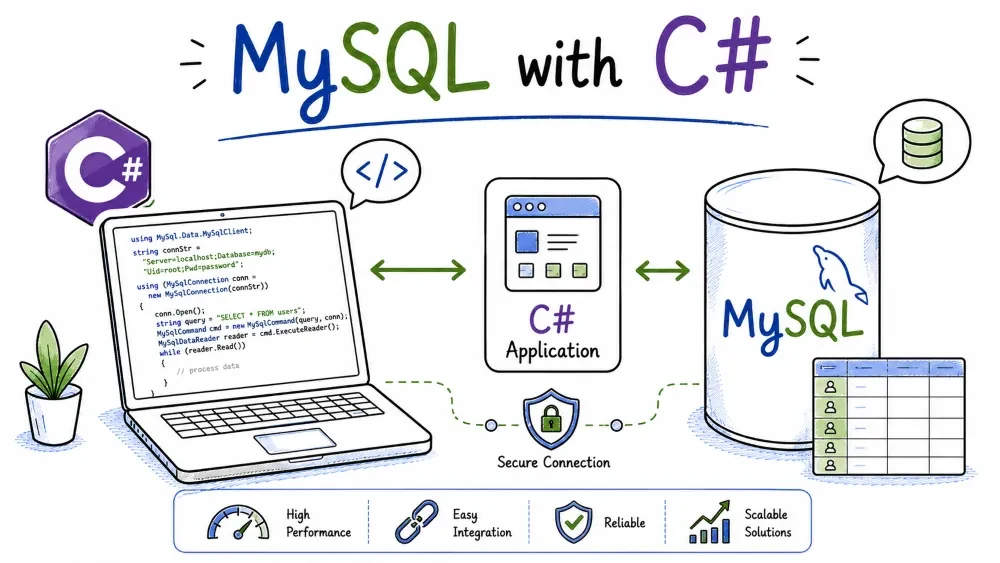
C# and .NET talk to MySQL through MySqlConnector, a fast, actively maintained driver. If you've seen older tutorials, they used MySql.Data from Oracle — it works, but it's heavier and slower to get security fixes. MySqlConnector is the one the modern .NET ecosystem standardised on, so that's what we'll use.
This tutorial builds a small console app that connects, runs CRUD with parameterized queries, and prints the results. You'll need the .NET SDK (6 or later) and MySQL running locally.
Two packages, same purpose, different reputations:
MySqlConnector — community-maintained, faster, actively updated, works with newer .NET features like async and Span<T>. This is the one to use.MySql.Data — Oracle's official package. Older, slower to release fixes, and historically had the occasional security advisory. You'll still see it in old blog posts.The code is almost identical either way, so switching later is painless. Start with MySqlConnector.
Open a terminal, create a console project, and add the package:
mkdir shop-app
cd shop-app
dotnet new console
dotnet add package MySqlConnector
That gives you a Program.cs, a .csproj, and the driver pulled in. Open Program.cs in your editor and replace everything in it with the examples below, or write your own file and run it with dotnet run.
One note: the examples here use top-level statements — that's the C# style where Program.cs is just the code, no class Program { static void Main() {...} } wrapper. That's been the default for new console apps since .NET 6, so dotnet new console already gives you exactly that shape.
.NET connects with a connection string — one line of key=value; pairs:
Server=localhost;Port=3306;Database=shop;User=root;Password=your_password;
The keys are case-insensitive, and Server, Database, User, and Password are the ones you'll see most. If you're on XAMPP with a blank root password, just use Password=; (or omit it).
You don't need a driver-specific URL or class loading step like in Java — the string carries everything.
A connection is a MySqlConnection object, and opening it is async:
using MySqlConnector;

var connectionString = "Server=localhost;Port=3306;Database=shop;User=root;Password=your_password;";

using var conn = new MySqlConnection(connectionString);
await conn.OpenAsync();
Two things to notice:
using var conn — C#'s equivalent of Java's try-with-resources. When conn goes out of scope, the connection is closed for you. You don't manually close.OpenAsync() — every database operation here has an async version, and the examples all use it. More on why below.MySqlConnector uses @name placeholders, and you attach values with AddWithValue:
using var cmd = new MySqlCommand(
    "INSERT INTO users (name, email, age) VALUES (@name, @email, @age)",
    conn
);
cmd.Parameters.AddWithValue("@name", "Ada Lovelace");
cmd.Parameters.AddWithValue("@email", "ada@example.com");
cmd.Parameters.AddWithValue("@age", 36);

await cmd.ExecuteNonQueryAsync();
ExecuteNonQueryAsync() is the method for writes (the "non-query" name means "returns no rows"). If you need the new row's id, ask the command after executing:
Console.WriteLine("Inserted user with id " + cmd.LastInsertedId);
That's a MySqlConnector-specific property — convenient enough that you won't miss Java's getGeneratedKeys dance.
Never build the SQL by string concatenation:
// BAD — injection waiting to happen
var sql = $"INSERT INTO users (name, email, age) VALUES ('{name}', '{email}', {age})";
ExecuteReaderAsync() returns a MySqlDataReader, which is a forward-only stream of rows. You step through it with ReadAsync():
using var cmd = new MySqlCommand(
    "SELECT id, name, email, age FROM users",
    conn
);

using var reader = await cmd.ExecuteReaderAsync();
while (await reader.ReadAsync())
{
    Console.WriteLine($"{reader["id"]}. {reader["name"]} — {reader["email"]} ({reader["age"]})");
}
reader["name"] accesses the column by label. If you'd rather be explicit about types, reader.GetString("name"), reader.GetInt32("age") and friends do the same with validation.
For a query with input, same @name placeholder pattern:
using var cmd = new MySqlCommand(
    "SELECT * FROM users WHERE email = @email",
    conn
);
cmd.Parameters.AddWithValue("@email", "ada@example.com");

using var reader = await cmd.ExecuteReaderAsync();
if (await reader.ReadAsync())
{
    Console.WriteLine("Found: " + reader.GetString("name"));
}
One thing to know about the reader: it's forward-only and holds the connection open while it's active. If you're iterating a big result set and want to run another query at the same time, you'd read it all into a list first (a List<User>, say) and close the reader before the next query.
Writes again, so ExecuteNonQueryAsync():
using var updateCmd = new MySqlCommand(
    "UPDATE users SET age = @age WHERE email = @email",
    conn
);
updateCmd.Parameters.AddWithValue("@age", 37);
updateCmd.Parameters.AddWithValue("@email", "ada@example.com");
int updated = await updateCmd.ExecuteNonQueryAsync();
Console.WriteLine($"{updated} row(s) updated");

using var deleteCmd = new MySqlCommand(
    "DELETE FROM users WHERE email = @email",
    conn
);
deleteCmd.Parameters.AddWithValue("@email", "grace@example.com");
int deleted = await deleteCmd.ExecuteNonQueryAsync();
Console.WriteLine($"{deleted} row(s) deleted");
ExecuteNonQueryAsync() returns the number of affected rows. Autocommit is on by default, so writes persist immediately — if you want several statements to succeed or fail together, that's when you'd call BeginTransactionAsync(), commit, or roll back.
You may have noticed every method ends in Async. There's a reason, and it's not ceremony.
await means the thread isn't blocked while the database works. In a desktop or web app, that keeps the UI responsive and lets a server handle many requests on few threads. The synchronous versions (Open(), ExecuteNonQuery(), Read()) exist too, but they block the calling thread, and in ASP.NET that's how you waste server threads.
So the habit to build: use the Async methods. The only friction is that await means your methods become async Task instead of void/Task — the compiler walks you through it, and the complete example below shows the shape.
Errors surface as MySqlException, which wraps the underlying MySQL error:
using System;
using MySqlConnector;

try
{
    // database work...
}
catch (MySqlException ex)
{
    Console.WriteLine($"MySQL error {ex.Number}: {ex.Message}");
}
catch (Exception ex)
{
    Console.WriteLine($"Unexpected error: {ex.Message}");
}
ex.Number is the MySQL error code (1062 for duplicate key, 1045 for access denied, and so on). In a real app you'd log these and show the user a friendly message rather than the raw exception.
Replace the contents of Program.cs with this, then dotnet run. It does a full CRUD cycle.
using System;
using MySqlConnector;

const string connectionString =
    "Server=localhost;Port=3306;Database=shop;User=root;Password=your_password;";

using var conn = new MySqlConnection(connectionString);
await conn.OpenAsync();

Console.WriteLine("Connected to shop.");

// INSERT
using (var cmd = new MySqlCommand(
    "INSERT INTO users (name, email, age) VALUES (@name, @email, @age)", conn))
{
    cmd.Parameters.AddWithValue("@name", "Ada Lovelace");
    cmd.Parameters.AddWithValue("@email", "ada@example.com");
    cmd.Parameters.AddWithValue("@age", 36);
    await cmd.ExecuteNonQueryAsync();
    Console.WriteLine($"Inserted user with id {cmd.LastInsertedId}");
}

// SELECT
using (var cmd = new MySqlCommand("SELECT id, name, email, age FROM users", conn))
using (var reader = await cmd.ExecuteReaderAsync())
{
    while (await reader.ReadAsync())
    {
        Console.WriteLine($"{reader["id"]}. {reader["name"]} — {reader["email"]} ({reader["age"]})");
    }
}

// UPDATE
using (var cmd = new MySqlCommand("UPDATE users SET age = @age WHERE email = @email", conn))
{
    cmd.Parameters.AddWithValue("@age", 37);
    cmd.Parameters.AddWithValue("@email", "ada@example.com");
    Console.WriteLine($"{await cmd.ExecuteNonQueryAsync()} row(s) updated");
}

// DELETE
using (var cmd = new MySqlCommand("DELETE FROM users WHERE email = @email", conn))
{
    cmd.Parameters.AddWithValue("@email", "grace@example.com");
    Console.WriteLine($"{await cmd.ExecuteNonQueryAsync()} row(s) deleted");
}
Run it:
dotnet run
If you get an access-denied error, check User and Password in the connection string. If it's an unknown database, run the setup SQL from the overview first.
A small warning about AddWithValue: it's convenient, but it infers the MySQL type from the .NET value, and for string-to-DATETIME or decimal-to-money conversions that can occasionally guess wrong. For day-to-day CRUD it's perfectly fine. If you ever hit a weird conversion bug, the fix is cmd.Parameters.Add("@age", MySqlDbType.Int32).Value = 37; — explicit type instead of inference.
Save your progress and earn XP for completing tutorials.
4 questions · Pass with 70%+
1 Which NuGet package does the tutorial recommend?
2For INSERT/UPDATE/DELETE you call:
3Placeholders in MySqlConnector use which syntax?
4using var conn = new MySqlConnection(...) guarantees:
Technology
MySQL
Lesson group
MySQL with Programming Languages
Progress
100% complete

