Preparing your learning space...
33% through MySQL with Programming Languages tutorials
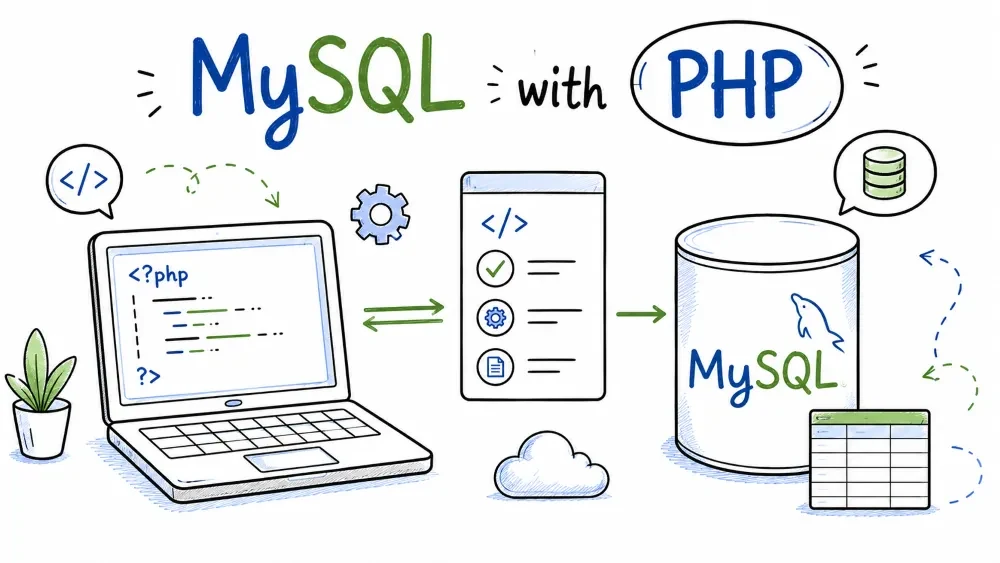
PHP and MySQL are the classic pairing — they grew up together and a huge chunk of the web still runs on exactly this combo. This tutorial shows you how to connect to MySQL from PHP and run CRUD the right way, with prepared statements, so your queries are fast and safe.
You'll need PHP installed (7.4 or newer is fine, 8.x is best) and the MySQL server from earlier in the series running locally. If you're on XAMPP or WAMP you already have both — the database is started from its control panel and PHP ships with the extensions we need.
PHP ships two ways to talk to MySQL: mysqli (the older one) and PDO (the database-agnostic one). You'll see both in old tutorials, and both work fine.
My recommendation is PDO, for a reason that has nothing to do with MySQL: PDO's API is the same no matter which database you connect to. If you ever switch to PostgreSQL or SQLite, your code barely changes. mysqli is MySQL-only. Also, PDO supports named placeholders (:email), which are nicer to read than mysqli's positional ?.
One thing to know before you start: both extensions are built into PHP, so there's nothing to download. You just need the pdo_mysql extension enabled.
Find your php.ini file (on XAMPP it's under C:\xampp\php\php.ini) and make sure this line is uncommented — meaning it has no ; in front of it:
extension=pdo_mysql
You can verify it's actually loaded with:
php -m
You should see pdo_mysql (and probably mysqli) in the list. If you changed php.ini, restart your web server (Apache) or restart the php process so the change takes effect.
The connection is a PDO object. You give it a DSN (the driver plus host, port, and database), a username, a password, and a few options:
<?php
$pdo = new PDO(
    'mysql:host=localhost;port=3306;dbname=shop;charset=utf8mb4',
    'root',
    'your_password',
    [
        PDO::ATTR_ERRMODE            => PDO::ERRMODE_EXCEPTION,
        PDO::ATTR_DEFAULT_FETCH_MODE => PDO::FETCH_ASSOC,
    ]
);
Three things to unpack there:
charset=utf8mb4 in the DSN — set this always. It's what makes emoji and accented characters survive the round trip.ERRMODE_EXCEPTION — makes PDO throw exceptions on errors instead of silently returning false. You want it to throw so you can catch the problem instead of hunting for it later.FETCH_ASSOC — rows come back as associative arrays ($row['name']) rather than numbered arrays. Much easier to read.If the connection fails, PDO throws a PDOException. More on handling that below.
This is where the security rule from the overview kicks in. Never build the SQL by gluing the values in:
<?php
// BAD — do not do this
$pdo->query("INSERT INTO users (name, email, age) VALUES ('$name', '$email', $age)");
Instead, write the query with ? placeholders and pass the values to execute():
<?php
$stmt = $pdo->prepare(
    'INSERT INTO users (name, email, age) VALUES (?, ?, ?)'
);
$stmt->execute(['Ada Lovelace', 'ada@example.com', 36]);
PDO also lets you use named placeholders, which makes longer queries readable:
<?php
$stmt = $pdo->prepare(
    'INSERT INTO users (name, email, age) VALUES (:name, :email, :age)'
);
$stmt->execute([
    'name'  => 'Ada Lovelace',
    'email' => 'ada@example.com',
    'age'   => 36,
]);
execute() returns true on success. To get the new row's id, call $pdo->lastInsertId() right after.
A SELECT with no input can go straight through query():
<?php
$stmt = $pdo->query('SELECT id, name, email, age FROM users');
$users = $stmt->fetchAll();

foreach ($users as $user) {
    echo $user['name'] . ' (' . $user['email'] . ')' . PHP_EOL;
}
If the query takes input (say, a user-supplied email), it's a prepared statement again:
<?php
$stmt = $pdo->prepare('SELECT * FROM users WHERE email = :email');
$stmt->execute(['email' => 'ada@example.com']);
$user = $stmt->fetch();   // one row, or false if none

if ($user) {
    echo 'Found: ' . $user['name'];
} else {
    echo 'No user with that email';
}
fetchAll() returns every row. fetch() returns just the next row — perfect when you're expecting one result, or when you want to loop through a big result set one row at a time.
Same pattern, one more ? for the WHERE:
<?php
// Update
$stmt = $pdo->prepare('UPDATE users SET age = :age WHERE email = :email');
$stmt->execute(['age' => 37, 'email' => 'ada@example.com']);
echo $stmt->rowCount() . ' row(s) updated' . PHP_EOL;

// Delete
$stmt = $pdo->prepare('DELETE FROM users WHERE email = ?');
$stmt->execute(['old@example.com']);
echo $stmt->rowCount() . ' row(s) deleted' . PHP_EOL;
rowCount() tells you how many rows were affected. One gotcha worth knowing: for UPDATE, if the new value is identical to the old one, MySQL reports zero affected rows — so don't use rowCount() to decide whether a row existed; use it to know whether anything changed.
With ERRMODE_EXCEPTION set, every problem surfaces as a PDOException. Wrap your database work in try/catch:
<?php
try {
    $pdo = new PDO(/* connection */);
    $pdo->prepare('INSERT INTO users (name, email, age) VALUES (?, ?, ?)')
        ->execute(['Ada', 'ada@example.com', 36]);
} catch (PDOException $e) {
    // Log it, don't echo raw errors to the browser
    error_log('DB error: ' . $e->getMessage());
    echo 'Something went wrong with the database.';
}
In development, seeing the real message helps. In production, echoing $e->getMessage() to the visitor hands useful details to anyone poking at your app — log it instead.
Save this as test_shop.php and run it from the terminal with php test_shop.php. Adjust the password first if yours isn't blank.
<?php
$pdo = new PDO(
    'mysql:host=localhost;dbname=shop;charset=utf8mb4',
    'root',
    'your_password',
    [
        PDO::ATTR_ERRMODE            => PDO::ERRMODE_EXCEPTION,
        PDO::ATTR_DEFAULT_FETCH_MODE => PDO::FETCH_ASSOC,
    ]
);

echo "Connected to shop.\n";

// Insert
$stmt = $pdo->prepare('INSERT INTO users (name, email, age) VALUES (?, ?, ?)');
$stmt->execute(['Ada Lovelace', 'ada@example.com', 36]);
echo "Inserted user with id " . $pdo->lastInsertId() . "\n";

// Select
$users = $pdo->query('SELECT id, name, email, age FROM users')->fetchAll();
foreach ($users as $u) {
    echo "{$u['id']}. {$u['name']} — {$u['email']} ({$u['age']})\n";
}

// Update
$stmt = $pdo->prepare('UPDATE users SET age = :age WHERE email = :email');
$stmt->execute(['age' => 37, 'email' => 'ada@example.com']);
echo $stmt->rowCount() . " row updated\n";

// Delete
$stmt = $pdo->prepare('DELETE FROM users WHERE email = ?');
$stmt->execute(['grace@example.com']);
echo $stmt->rowCount() . " row deleted\n";
Run it:
php test_shop.php
If the connection fails, pdo_mysql probably isn't enabled, or the password/port are wrong — check those three things before anything else.
One last note for web use: every time PHP loads a page it creates a fresh connection and closes it when the page finishes. That's fine for learning, but for a real site you'd use a connection pool through something like PDO in combination with persistent connections (PDO::ATTR_PERSISTENT => true), or better, let a framework (Laravel, Symfony) manage it for you. Don't worry about that today; just know it exists.
Save your progress and earn XP for completing tutorials.
4 questions · Pass with 70%+
1Which API does the tutorial recommend for MySQL in PHP?
2In a PDO prepared statement, the values are passed...
3After an UPDATE that doesn't change any value, rowCount() returns:
4To get the id of the row you just inserted, call:
Technology
MySQL
Lesson group
MySQL with Programming Languages
Progress
33% complete

