Preparing your learning space...
50% through MySQL with Programming Languages tutorials
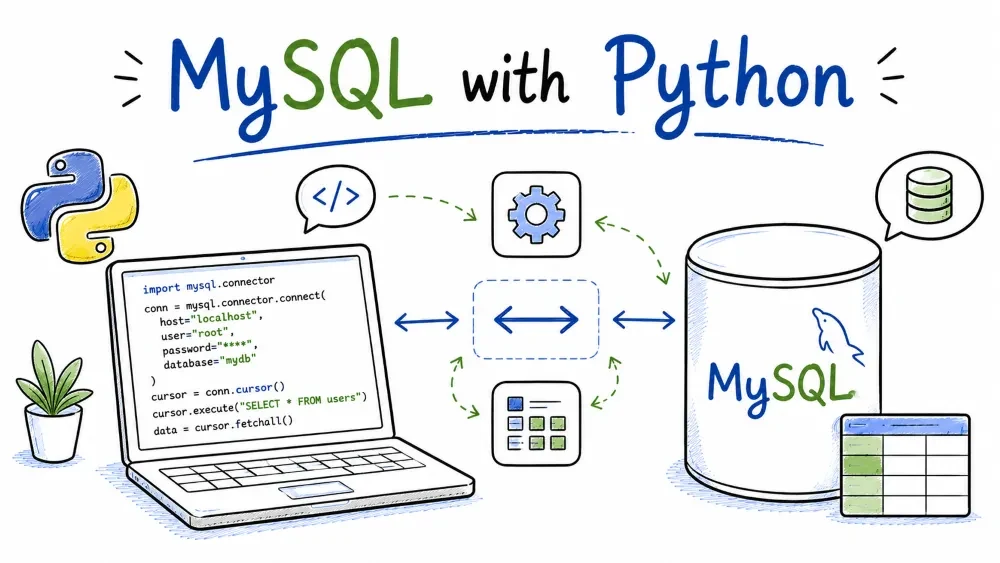
Python is probably the easiest of the six languages to read, which makes it a great place to learn how drivers work in general. This tutorial connects to MySQL with the official mysql-connector-python package, runs CRUD with parameterized queries, and finishes with a short script you can run from your editor or terminal as-is.
You'll need Python 3.8+ installed, plus the MySQL server from earlier in the series running locally.
Two drivers dominate the Python ecosystem:
mysql-connector-python — the official one, maintained by Oracle/MySQL. Pure Python, no C compiler needed, works everywhere.PyMySQL — a community alternative, also pure Python, very similar API.There's also mysqlclient, which is a wrapper around the C client library and is fastest of the three, but it needs a compiler to install on Windows, which puts people off.
For this tutorial I'll use the official mysql-connector-python. If you ever switch to PyMySQL, you'll be pleasantly surprised at how little changes — the API was modeled to match.
Just pip:
pip install mysql-connector-python
On some systems you'll need pip3 instead, and if you use virtual environments (you should) install it inside the venv you're working in:
python -m pip install mysql-connector-python
Check it's there:
python -c "import mysql.connector; print(mysql.connector.__version__)"
If that prints a version number, you're ready.
import mysql.connector

cnx = mysql.connector.connect(
    host="localhost",
    port=3306,
    user="root",
    password="your_password",
    database="shop"
)
The connection is just the five values from the overview, passed as keyword arguments. Two small habits worth adding:
127.0.0.1 instead of localhost if you ever hit weird resolution issues — some setups route localhost through IPv6 and MySQL is only listening on IPv4.cursor = cnx.cursor()
There's a useful variant: cnx.cursor(dictionary=True) returns rows as dicts (row["name"]) instead of tuples (row[0]). For anything non-trivial you'll want the dict version.
cursor.execute() takes two arguments: the SQL and a tuple of values. The placeholders are %s — yes, even for numbers:
sql = "INSERT INTO users (name, email, age) VALUES (%s, %s, %s)"
values = ("Ada Lovelace", "ada@example.com", 36)
cursor.execute(sql, values)
A common beginner mistake is writing %d for numbers or quoting the %s. Don't — in mysql.connector every placeholder is %s and the driver figures out the types from the Python values. The values tuple and the %s placeholders must line up one-to-one.
Because of how mysql.connector works, INSERT doesn't take effect until you commit. One line after the insert:
cnx.commit()
And to get the new id: cursor.lastrowid.
cursor.execute("SELECT id, name, email, age FROM users")

# all rows at once
rows = cursor.fetchall()

# or one at a time
row = cursor.fetchone()
With the default cursor you get tuples, and you access columns by position:
for row in cursor.fetchall():
    print(row[1], "—", row[2])   # name — email
With a dictionary cursor it reads much nicer:
cursor = cnx.cursor(dictionary=True)
cursor.execute("SELECT id, name, email, age FROM users")
for row in cursor.fetchall():
    print(f"{row['name']} — {row['email']}")
For a query with input, same %s placeholders:
cursor.execute("SELECT * FROM users WHERE email = %s", ("ada@example.com",))
user = cursor.fetchone()
Identical shape, plus the WHERE:
cursor.execute(
    "UPDATE users SET age = %s WHERE email = %s",
    (37, "ada@example.com")
)
cnx.commit()
print(cursor.rowcount, "row(s) updated")

cursor.execute(
    "DELETE FROM users WHERE email = %s",
    ("grace@example.com",)
)
cnx.commit()
print(cursor.rowcount, "row(s) deleted")
cursor.rowcount tells you how many rows a write touched. Same caveat as in the other languages: if an UPDATE sets a column to the value it already had, MySQL counts zero affected rows.
By default mysql.connector has autocommit off. Every INSERT, UPDATE, and DELETE you run is actually held in a transaction until you call cnx.commit(). That's deliberate — it means you can run several statements and either commit them all together or roll them all back if something goes wrong.
try:
    cursor.execute("INSERT INTO users (name, email, age) VALUES (%s, %s, %s)", ("Alan", "alan@example.com", 41))
    cursor.execute("UPDATE users SET age = age + 1 WHERE name = 'Ada'")
    cnx.commit()      # both changes become permanent together
except mysql.connector.Error:
    cnx.rollback()    # undo everything, leave the DB untouched
    raise
Two consequences you'll trip on if you're not expecting them:
INSERT and never commit(), the row vanishes when the connection closes. It was never really saved.If you'd rather not think about it, you can flip autocommit on: cnx.autocommit = True. I'd still recommend leaving it off and committing explicitly — it's a good habit for real apps.
Errors come back as mysql.connector.Error (or its subclasses like IntegrityError for duplicate keys):
import mysql.connector
from mysql.connector import Error

try:
    cnx = mysql.connector.connect(...)
    cursor = cnx.cursor()
    cursor.execute("INSERT INTO users (name, email, age) VALUES (%s, %s, %s)",
                   ("Ada Lovelace", "ada@example.com", 36))
    cnx.commit()
except Error as e:
    print("Database error:", e)
finally:
    if 'cnx' in locals() and cnx.is_connected():
        cursor.close()
        cnx.close()
The finally block matters more in Python than in some other languages: if your script doesn't close the connection, it stays open until the process dies or MySQL times it out. Close the cursor and connection explicitly when you're done with them.
Save this as test_shop.py and run it — python test_shop.py. It does a full CRUD cycle so you can watch each step work.
import mysql.connector

cnx = mysql.connector.connect(
    host="localhost",
    user="root",
    password="your_password",
    database="shop"
)
cursor = cnx.cursor(dictionary=True)

print("Connected to shop.")

# INSERT
cursor.execute(
    "INSERT INTO users (name, email, age) VALUES (%s, %s, %s)",
    ("Ada Lovelace", "ada@example.com", 36)
)
cnx.commit()
print("Inserted user with id", cursor.lastrowid)

# SELECT
cursor.execute("SELECT id, name, email, age FROM users")
for u in cursor.fetchall():
    print(f"{u['id']}. {u['name']} — {u['email']} ({u['age']})")

# UPDATE
cursor.execute(
    "UPDATE users SET age = %s WHERE email = %s",
    (37, "ada@example.com")
)
cnx.commit()
print(cursor.rowcount, "row(s) updated")

# DELETE
cursor.execute(
    "DELETE FROM users WHERE email = %s",
    ("grace@example.com",)
)
cnx.commit()
print(cursor.rowcount, "row(s) deleted")

cursor.close()
cnx.close()
Run it, and you should see the insert, the full list, then the counts for the update and delete. If the connection line errors, check the password, the port, and that the shop database actually exists.
Save your progress and earn XP for completing tutorials.
4 questions · Pass with 70%+
1You INSERT a row with mysql-connector but forget to commit. What happens?
2In mysql-connector-python, placeholders in SQL are written as:
3How do you make rows come back as dicts instead of tuples?
4cursor.fetchone() returns:
Technology
MySQL
Lesson group
MySQL with Programming Languages
Progress
50% complete

