Preparing your learning space...
67% through MySQL with Programming Languages tutorials
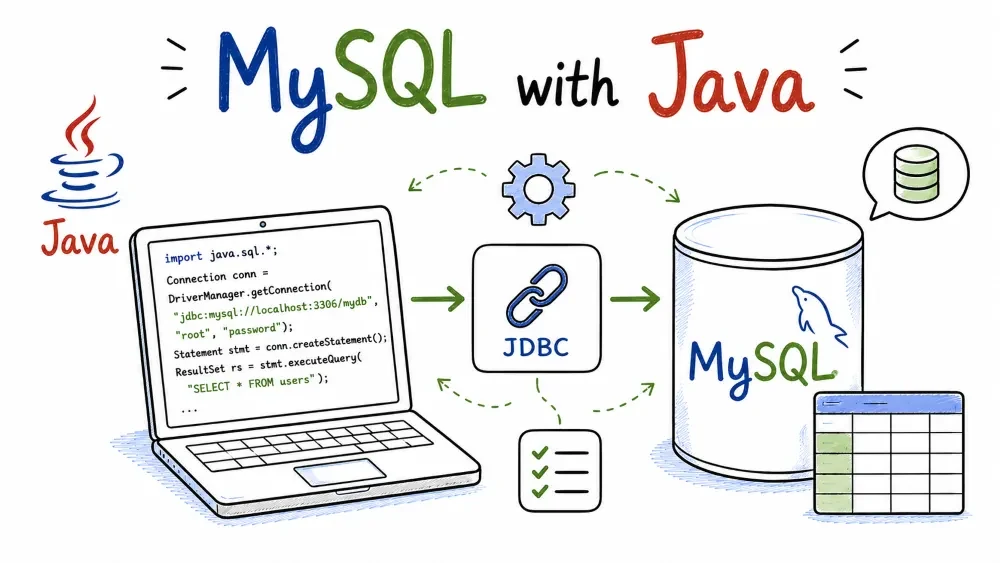
Java talks to MySQL through JDBC — the standard database API every Java database driver implements. This tutorial sets up the MySQL Connector/J driver, connects, runs CRUD with PreparedStatement (which is where the anti-injection habit lives in Java), and ends with a complete class you can compile and run.
You'll need a JDK (11 or newer is fine) and the MySQL server running locally.
The driver is called Connector/J and it's one jar. You get it one of two ways.
If you use Maven (and if you have a pom.xml, you do), add this dependency:
<dependency>
    <groupId>com.mysql</groupId>
    <artifactId>mysql-connector-j</artifactId>
    <version>8.4.0</version>
</dependency>
Maven figures out the transitive dependencies for you. The version number will drift over time — check Maven Central for the current one, the pattern 8.x or 9.x is what you want.
If you're not using Maven, download the jar from the MySQL site and put it on your classpath. For a single script, you run it with:
javac ShopApp.java
java -cp ".;mysql-connector-j-8.4.0.jar" ShopApp
Note the ; between . and the jar — that's the Windows classpath separator. On Linux and macOS it's :. This one difference causes more confusion than it should, so I'm flagging it early.
JDBC connects using a URL instead of separate keyword arguments. The shape is:
jdbc:mysql://HOST:PORT/DATABASE?options
For our demo database that's:
String url = "jdbc:mysql://localhost:3306/shop?serverTimezone=UTC";
One option I'd recommend adding from day one: serverTimezone=UTC. It exists because the driver needs to convert dates between your JVM's timezone and the server's, and without it you can hit confusing off-by-hours errors the first time you store a timestamp. Setting it to UTC (or your local timezone) keeps things predictable. Newer versions handle this better, but the option still does no harm.
Connecting is one line with DriverManager:
import java.sql.Connection;
import java.sql.DriverManager;

Connection conn = DriverManager.getConnection(
    "jdbc:mysql://localhost:3306/shop?serverTimezone=UTC",
    "root",
    "your_password"
);
With modern Connector/J you don't need Class.forName("com.mysql.cj.jdbc.Driver"). The driver registers itself through a service loader when the jar is on the classpath. Old tutorials still show that line because it used to be required — if you see it in old code, it's harmless but unnecessary now.
A Connection is expensive to create, so a real application uses a connection pool (HikariCP is the usual choice). For learning, one connection per program is perfect.
Java's anti-injection weapon is PreparedStatement, where you write ? placeholders and set each value with a typed method:
String sql = "INSERT INTO users (name, email, age) VALUES (?, ?, ?)";

try (PreparedStatement ps = conn.prepareStatement(sql)) {
    ps.setString(1, "Ada Lovelace");
    ps.setString(2, "ada@example.com");
    ps.setInt(3, 36);
    ps.executeUpdate();
}
Note the typed setters: setString, setInt. There's a method for essentially every SQL type — setDate, setBigDecimal, setBoolean and so on. Using the right one keeps your data honest (a string "36" would still mostly work, but setInt validates it properly).
Never build the SQL by string concatenation:
// BAD — SQL injection waiting to happen
String sql = "INSERT INTO users (name, email, age) VALUES ('" + name + "', '" + email + "', " + age + ")";
executeQuery() gives you a ResultSet, which you move through row by row with next(). Columns are read either by position or by label:
String sql = "SELECT id, name, email, age FROM users";

try (Statement stmt = conn.createStatement();
     ResultSet rs = stmt.executeQuery(sql)) {

    while (rs.next()) {
        int id = rs.getInt("id");
        String name = rs.getString("name");
        String email = rs.getString("email");
        int age = rs.getInt("age");
        System.out.println(id + ". " + name + " — " + email + " (" + age + ")");
    }
}
rs.next() returns false when there are no more rows, so the loop naturally handles an empty result too. If you expect at most one row, rs.next() once and check the result.
For a SELECT with input, use a PreparedStatement too:
String sql = "SELECT * FROM users WHERE email = ?";

try (PreparedStatement ps = conn.prepareStatement(sql)) {
    ps.setString(1, "ada@example.com");
    try (ResultSet rs = ps.executeQuery()) {
        if (rs.next()) {
            System.out.println("Found: " + rs.getString("name"));
        }
    }
}
UPDATE and DELETE both go through executeUpdate(), which returns the count of affected rows:
String update = "UPDATE users SET age = ? WHERE email = ?";
try (PreparedStatement ps = conn.prepareStatement(update)) {
    ps.setInt(1, 37);
    ps.setString(2, "ada@example.com");
    int rows = ps.executeUpdate();
    System.out.println(rows + " row(s) updated");
}

String delete = "DELETE FROM users WHERE email = ?";
try (PreparedStatement ps = conn.prepareStatement(delete)) {
    ps.setString(1, "grace@example.com");
    int rows = ps.executeUpdate();
    System.out.println(rows + " row(s) deleted");
}
JDBC connections have autocommit on by default, so unlike Python you don't need an explicit commit — each statement saves itself. When you want multiple statements to succeed or fail together, you'd set conn.setAutoCommit(false), run them, and call conn.commit(). That's exactly how transactions work in Java, and it maps onto the Transactions tutorial from earlier in this series.
Notice how the examples nest everything in try (...). That's try-with-resources, and it's the Java way of "close when done." Anything you put in the parentheses that implements AutoCloseable — Connection, PreparedStatement, ResultSet — gets closed automatically when the block exits, even if an exception flies through. You never write finally { rs.close(); ps.close(); conn.close(); } by hand.
That matters here specifically because ResultSet, Statement, and Connection all hold native resources. Leak them and you eventually hit "too many open files" or exhausted MySQL connections, which is a confusing way for an app to die.
One nesting pattern worth showing: when you have several closeables, either nest them or put them on separate lines in the same try:
try (Statement stmt = conn.createStatement();
     ResultSet rs = stmt.executeQuery("SELECT ...")) {
    while (rs.next()) {
        // ...
    }
}
The inner one (rs) closes first, which is the correct order.
JDBC throws SQLException for everything from wrong password to duplicate key. Because it's a checked exception, the compiler actually forces you to handle it:
import java.sql.SQLException;

try {
    // database work...
} catch (SQLException e) {
    System.err.println("DB error: " + e.getMessage());
    System.err.println("SQL state: " + e.getSQLState());
    System.err.println("Error code: " + e.getErrorCode());
}
getSQLState() and getErrorCode() give you the MySQL-level details — handy when the message alone isn't enough to figure out what broke. For a real app you'd log all of it and show the user a friendly message instead of the raw error.
Save this as ShopApp.java. If you're not using Maven, compile and run it with the jar on the classpath:
javac ShopApp.java
java -cp ".;mysql-connector-j-8.4.0.jar" ShopApp
import java.sql.*;

public class ShopApp {

    public static void main(String[] args) {
        String url = "jdbc:mysql://localhost:3306/shop?serverTimezone=UTC";

        try (Connection conn = DriverManager.getConnection(url, "root", "your_password")) {
            System.out.println("Connected to shop.");

            // INSERT
            String insert = "INSERT INTO users (name, email, age) VALUES (?, ?, ?)";
            try (PreparedStatement ps = conn.prepareStatement(insert)) {
                ps.setString(1, "Ada Lovelace");
                ps.setString(2, "ada@example.com");
                ps.setInt(3, 36);
                ps.executeUpdate();
                System.out.println("Inserted user with id " + lastInsertId(conn));
            }

            // SELECT
            try (Statement stmt = conn.createStatement();
                 ResultSet rs = stmt.executeQuery("SELECT id, name, email, age FROM users")) {
                while (rs.next()) {
                    System.out.println(rs.getInt("id") + ". " + rs.getString("name")
                        + " — " + rs.getString("email") + " (" + rs.getInt("age") + ")");
                }
            }

            // UPDATE
            try (PreparedStatement ps = conn.prepareStatement(
                    "UPDATE users SET age = ? WHERE email = ?")) {
                ps.setInt(1, 37);
                ps.setString(2, "ada@example.com");
                System.out.println(ps.executeUpdate() + " row(s) updated");
            }

            // DELETE
            try (PreparedStatement ps = conn.prepareStatement(
                    "DELETE FROM users WHERE email = ?")) {
                ps.setString(1, "grace@example.com");
                System.out.println(ps.executeUpdate() + " row(s) deleted");
            }

        } catch (SQLException e) {
            System.err.println("DB error: " + e.getMessage());
        }
    }

    // Because we used prepareStatement without RETURN_GENERATED_KEYS,
    // the simplest way to see the new id is a quick query by email.
    private static int lastInsertId(Connection conn) throws SQLException {
        try (PreparedStatement ps = conn.prepareStatement(
                "SELECT id FROM users WHERE email = ?")) {
            ps.setString(1, "ada@example.com");
            try (ResultSet rs = ps.executeQuery()) {
                return rs.next() ? rs.getInt("id") : -1;
            }
        }
    }
}
To do this the idiomatic way, you'd add Statement.RETURN_GENERATED_KEYS to prepareStatement and read the key from the result set:
try (PreparedStatement ps = conn.prepareStatement(insert, Statement.RETURN_GENERATED_KEYS)) {
    ps.setString(1, "Ada Lovelace");
    ps.setString(2, "ada@example.com");
    ps.setInt(3, 36);
    ps.executeUpdate();
    try (ResultSet keys = ps.getGeneratedKeys()) {
        if (keys.next()) {
            System.out.println("New id: " + keys.getLong(1));
        }
    }
}
That's the version you'd use for real — it avoids the extra round trip. I kept the simpler one above so the first run-through has less to absorb.
Save your progress and earn XP for completing tutorials.
4 questions · Pass with 70%+
1Which JDBC object runs parameterized queries safely?
2What does executeUpdate() return?
3With modern Connector/J, Class.forName("com.mysql.cj.jdbc.Driver") is:
4What does try-with-resources do?
Technology
MySQL
Lesson group
MySQL with Programming Languages
Progress
67% complete

