Preparing your learning space...
82% through Mini Projects tutorials
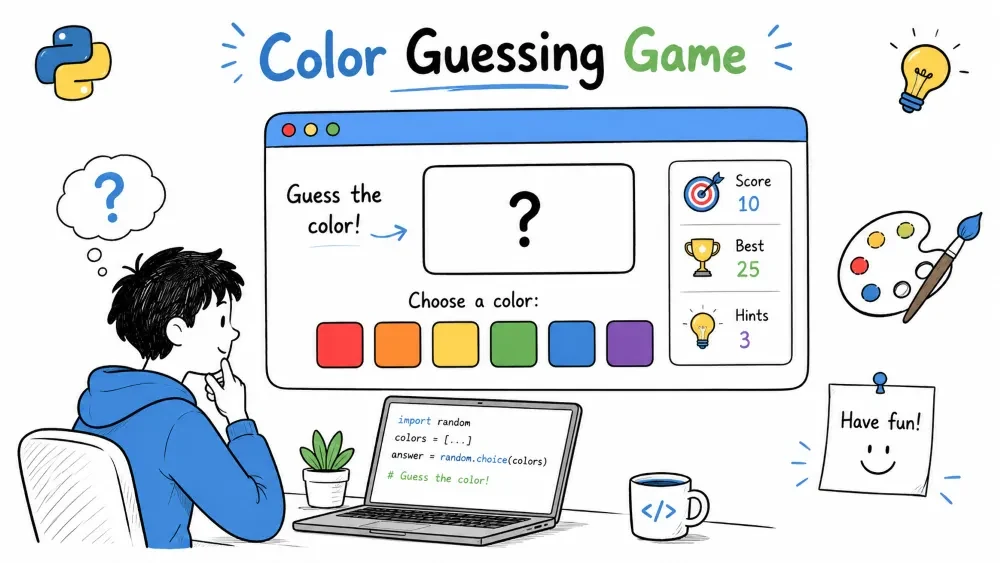
A game where the player sees an RGB color value and must guess which color name it matches from a list of options. This project teaches you how RGB color encoding works, how to use dictionaries for data lookup, how to generate random multiple-choice options without duplicates, and how to build a multi-round quiz game.
The program picks a random color from a predefined list, shows the player its RGB value (e.g., rgb(255, 0, 0)), and presents 4 color name options. The player must pick the correct name. After each round the score updates and a new color appears. A final rating is shown after 10 rounds.
Where this is used in the real world: RGB color understanding is essential for web design, graphic design, digital art, and front-end development. Color guessing games are used in design education to train the eye for color recognition.
rgb(255, 165, 0))Knowledge needed
random functionsfor loops with range()input()Software needed
ColorGuessingGame/
│
├── main.py      # The game program
└── README.md    # This tutorial
mkdir ColorGuessingGame
cd ColorGuessingGame
Create main.py.
Every color on a screen is made by mixing three colors of light: Red, Green, and Blue. Each component is a number from 0 (none) to 255 (maximum).
RGB(255, 0, 0)    → Pure red       → 100% red, 0% green, 0% blue
RGB(0, 255, 0)    → Pure green     → 0% red, 100% green, 0% blue
RGB(0, 0, 255)    → Pure blue      → 0% red, 0% green, 100% blue
RGB(255, 255, 0)  → Yellow         → red + green (no blue)
RGB(0, 0, 0)      → Black          → no light at all
RGB(255, 255, 255)→ White          → all light at maximum
Visual mixing diagram:
       RED (255,0,0)
       /      \
      /        \
  Yellow     Magenta
  (255,255,0)  (255,0,255)
      |          |
  GREEN ------+------ BLUE
  (0,255,0)   |    (0,0,255)
           Cyan
         (0,255,255)
When you add two primary colors, you get a secondary color. All three at max = white. None = black.
Each color has a name and its RGB values. Store them as a dictionary where the key is the color name and the value is a tuple of (R, G, B).
colors = {
    "Red": (255, 0, 0),
    "Green": (0, 128, 0),
    "Blue": (0, 0, 255),
    "Yellow": (255, 255, 0),
    "Orange": (255, 165, 0),
    "Purple": (128, 0, 128),
    "Pink": (255, 192, 203),
    "Brown": (165, 42, 42),
    "Black": (0, 0, 0),
    "White": (255, 255, 255),
    "Gray": (128, 128, 128),
    "Cyan": (0, 255, 255),
    "Magenta": (255, 0, 255),
    "Lime": (0, 255, 0),
    "Maroon": (128, 0, 0),
    "Navy": (0, 0, 128),
    "Olive": (128, 128, 0),
    "Teal": (0, 128, 128)
}
Why tuples for RGB values: A tuple (R, G, B) stores three integers in a fixed, unchangeable order. colors["Red"] returns (255, 0, 0). We can unpack this into separate variables:
r, g, b = colors["Orange"]
# r = 255, g = 165, b = 0
Dictionary structure diagram:
colors = {
    "Red"    → (255, 0, 0),        # Key = name, Value = (R,G,B)
    "Green"  → (0, 128, 0),
    "Blue"   → (0, 0, 255),
    ...      → ...
    "Teal"   → (0, 128, 128)
}
We have 18 colors. Each round picks one as the correct answer and three as wrong options.
Pick one color from the dictionary as the correct answer.
import random

def pick_target_color(colors):
    name = random.choice(list(colors.keys()))
    rgb = colors[name]
    return name, rgb
list(colors.keys()) — colors.keys() returns a view of all dictionary keys. random.choice() needs a sequence (like a list). Converting to a list gives us ["Red", "Green", "Blue", "Yellow", ...].
Returns a tuple: The function returns (name, rgb) — both pieces of information the caller needs: the correct name (to check the answer) and its RGB value (to display as the question).
We need 3 wrong color names. They must be different from each other and different from the correct answer.
def pick_wrong_options(colors, correct_name, count=3):
    wrong = []
    all_names = list(colors.keys())

    while len(wrong) < count:
        pick = random.choice(all_names)
        if pick != correct_name and pick not in wrong:
            wrong.append(pick)

    return wrong
How the while loop guarantees uniqueness:
Available colors: Red, Green, Blue, Yellow, Orange, Purple, ... (18 total)
Correct answer: "Orange"

Round 1 of while loop:
  Random pick: "Blue"  → "Blue" != "Orange"? Yes. "Blue" not in wrong? Yes (empty). → Add "Blue"
  wrong = ["Blue"]

Round 2:
  Random pick: "Orange" → "Orange" != "Orange"? No. → Skip (correct answer rejected)

Round 3:
  Random pick: "Blue"   → "Blue" != "Orange"? Yes. "Blue" not in wrong? No. → Skip (duplicate rejected)

Round 4:
  Random pick: "Green"  → Both checks pass. → Add "Green"
  wrong = ["Blue", "Green"]

... continues until len(wrong) = 3
pick != correct_name prevents the correct answer from appearing as a wrong option (which would make it impossible to answer correctly).
pick not in wrong prevents duplicate wrong answers (you cannot have "Blue" appear twice).
Combine the correct answer with the wrong ones and shuffle. Without shuffling, the correct answer would always be at position 1 (or always at position 4), making the game trivial.
def build_choices(correct_name, wrong_names):
    choices = [correct_name] + wrong_names
    random.shuffle(choices)
    return choices
Before shuffle: ["Orange", "Blue", "Green", "Red"] (correct always first)
After shuffle (possible outcomes):
["Blue", "Red", "Orange", "Green"] (correct at position 3)["Green", "Orange", "Blue", "Red"] (correct at position 2)["Red", "Green", "Blue", "Orange"] (correct at position 4)The correct answer can end up in any of the 4 positions, with equal probability (25% each).
Print the RGB value and the numbered options.
def display_round(rgb, choices):
    r, g, b = rgb  # tuple unpacking
    print(f"\nWhat color is: rgb({r}, {g}, {b})?\n")

    for i, color_name in enumerate(choices, 1):
        print(f"  {i}. {color_name}")
Tuple unpacking: r, g, b = rgb takes the tuple (255, 165, 0) and assigns each element to a separate variable in one line. Equivalent to:
r = rgb[0]   # 255
g = rgb[1]   # 165
b = rgb[2]   # 0
Output:
What color is: rgb(255, 165, 0)?

  1. Purple
  2. Orange
  3. Green
  4. Red
Ask the player to pick a number (1-4). Validate the input and check if the answer is correct.
def get_player_guess(choices, correct_name):
    try:
        guess = int(input("\nYour choice (1-4): "))
        if guess < 1 or guess > 4:
            print("Please enter a number between 1 and 4.")
            return get_player_guess(choices, correct_name)

        chosen = choices[guess - 1]

        if chosen == correct_name:
            print("✅ Correct!")
            return True
        else:
            print(f"❌ Wrong! The answer was {correct_name}.")
            return False

    except ValueError:
        print("Please enter a valid number.")
        return get_player_guess(choices, correct_name)
Validation loop: The function uses a continue statement to loop back when the input is invalid, rather than using recursion. This keeps asking until valid input is received. (The final source code in Step 11 uses a while True loop with continue.)
How choices[guess - 1] converts display numbers to list indices:
User sees:    1          2          3          4
             "Purple"  "Orange"   "Green"    "Red"
              index 0   index 1   index 2   index 3

User types: "3" → guess = 3 → choices[2] = "Green"
User types: "2" → guess = 2 → choices[1] = "Orange"
Return values: True for correct, False for wrong. The caller uses this to update the score.
Simple counter: increment for correct, leave unchanged for incorrect.
score = 0

# Inside the game loop
if get_player_guess(choices, correct_name):
    score += 1
if get_player_guess(...): — The function returns a boolean. If True (correct), score += 1. If False (incorrect), score is unchanged.
Run 10 rounds, then show the final score with a rating.
def play_game():
    print("=== Color Guessing Game ===\n")
    print("Guess the color name from its RGB value.\n")

    score = 0
    total_rounds = 10

    for round_num in range(1, total_rounds + 1):
        print(f"\n--- Round {round_num} of {total_rounds} ---")

        correct_name, rgb = pick_target_color(colors)
        wrong_names = pick_wrong_options(colors, correct_name, 3)
        choices = build_choices(correct_name, wrong_names)

        display_round(rgb, choices)

        if get_player_guess(choices, correct_name):
            score += 1

    # Display final results
    print(f"\n{'=' * 30}")
    print(f"  Final Score: {score}/{total_rounds}")
    print(f"  Percentage:  {(score/total_rounds)*100:.0f}%")

    if score == total_rounds:
        print("  Rating: Perfect!")
    elif score >= 7:
        print("  Rating: Great job!")
    elif score >= 5:
        print("  Rating: Not bad!")
    else:
        print("  Rating: Keep practicing!")
    print(f"{'=' * 30}")
range(1, total_rounds + 1) — Produces 1, 2, 3, ..., 10. This gives us human-readable round numbers.
Rating thresholds:
| Score | Rating | Meaning |
|---|---|---|
| 10/10 | Perfect | Knows all colors |
| 7-9 | Great job | Strong knowledge |
| 5-6 | Not bad | Some work needed |
| 0-4 | Keep practicing | Needs more study |
Output after 10 rounds:
==============================
  Final Score: 8/10
  Percentage:  80%
  Rating: Great job!
==============================
Screenshot Suggestion: Terminal showing round 5 of 10 with an RGB value like
rgb(128, 0, 128)and four options.
Here is the complete game structure:
import random

colors = { ... }  # 18 colors

def pick_target_color(colors): ...
def pick_wrong_options(colors, correct_name, count=3): ...
def build_choices(correct_name, wrong_names): ...
def display_round(rgb, choices): ...
def get_player_guess(choices, correct_name): ...

def play_game():
    score = 0
    for _ in range(10):
        # pick target, pick wrong options, shuffle, display, guess
        # if correct: score += 1
    # show final score and rating

if __name__ == "__main__":
    play_game()
import random

colors = {
    "Red": (255, 0, 0),
    "Green": (0, 128, 0),
    "Blue": (0, 0, 255),
    "Yellow": (255, 255, 0),
    "Orange": (255, 165, 0),
    "Purple": (128, 0, 128),
    "Pink": (255, 192, 203),
    "Brown": (165, 42, 42),
    "Black": (0, 0, 0),
    "White": (255, 255, 255),
    "Gray": (128, 128, 128),
    "Cyan": (0, 255, 255),
    "Magenta": (255, 0, 255),
    "Lime": (0, 255, 0),
    "Maroon": (128, 0, 0),
    "Navy": (0, 0, 128),
    "Olive": (128, 128, 0),
    "Teal": (0, 128, 128)
}

def pick_target_color(colors):
    """Pick one random color as the correct answer."""
    name = random.choice(list(colors.keys()))
    rgb = colors[name]
    return name, rgb

def pick_wrong_options(colors, correct_name, count=3):
    """Pick wrong answers that are unique and not the correct one."""
    wrong = []
    all_names = list(colors.keys())
    while len(wrong) < count:
        pick = random.choice(all_names)
        if pick != correct_name and pick not in wrong:
            wrong.append(pick)
    return wrong

def build_choices(correct_name, wrong_names):
    """Combine correct + wrong, shuffle, return."""
    choices = [correct_name] + wrong_names
    random.shuffle(choices)
    return choices

def display_round(rgb, choices):
    """Print the RGB question and the 4 options."""
    r, g, b = rgb
    print(f"\nWhat color is: rgb({r}, {g}, {b})?\n")
    for i, name in enumerate(choices, 1):
        print(f"  {i}. {name}")

def get_player_guess(choices, correct_name):
    """Get and validate player input. Return True if correct."""
    while True:
        try:
            guess = int(input("\nYour choice (1-4): "))
            if guess < 1 or guess > 4:
                print("Please enter a number between 1 and 4.")
                continue

            chosen = choices[guess - 1]
            if chosen == correct_name:
                print("✅ Correct!")
                return True
            else:
                print(f"❌ Wrong! The answer was {correct_name}.")
                return False
        except ValueError:
            print("Please enter a valid number.")

def play_game():
    """Run a full 10-round game with final rating."""
    print("=== Color Guessing Game ===\n")
    print("Guess the color name from its RGB value.\n")

    score = 0
    total_rounds = 10

    for round_num in range(1, total_rounds + 1):
        print(f"\n--- Round {round_num} of {total_rounds} ---")
        correct_name, rgb = pick_target_color(colors)
        wrong_names = pick_wrong_options(colors, correct_name, 3)
        choices = build_choices(correct_name, wrong_names)
        display_round(rgb, choices)

        if get_player_guess(choices, correct_name):
            score += 1

    print(f"\n{'=' * 30}")
    print(f"  Final Score: {score}/{total_rounds}")
    print(f"  Percentage:  {(score/total_rounds)*100:.0f}%")
    if score == total_rounds:
        print("  Rating: Perfect!")
    elif score >= 7:
        print("  Rating: Great job!")
    elif score >= 5:
        print("  Rating: Not bad!")
    else:
        print("  Rating: Keep practicing!")
    print(f"{'=' * 30}")

if __name__ == "__main__":
    play_game()
Run the file:
python main.py
Test 1 – Correct answer
Identify the correct color and choose the matching number.
Expected: "✅ Correct!" Score increments by 1.
Test 2 – Wrong answer
Choose any wrong option deliberately.
Expected: "❌ Wrong! The answer was [correct color]." Score unchanged.
Test 3 – Invalid input (text)
Type "abc" at the number prompt.
Expected: "Please enter a valid number." Prompt repeats.
Test 4 – Invalid input (out of range)
Type "7" at the number prompt (only 1-4 valid).
Expected: "Please enter a number between 1 and 4." Prompt repeats.
Test 5 – All 10 rounds completed
Play through all 10 rounds.
Expected: Final score out of 10, percentage, and rating.
Test 6 – Correct answer position varies
Play multiple rounds. The correct answer should appear in different positions.
Expected: Not always position 1 or 4. Varies due to shuffle.
KeyError when accessing colors dict
Trigger: Typo in the color name string — "Ornage" instead of "Orange".
Why: Dictionary lookup fails when the key does not match exactly.
Fix: Ensure all color names are spelled identically in the dictionary and wherever they are referenced.
Same options every round
Trigger: The choices list is built once outside the round loop and reused.
Why: `pick_wrong_options()` is called once, then the same list is shown every round.
Fix: Generate fresh wrong options inside each loop iteration (as shown in `play_game()`).
Correct answer always in position 4
Trigger: Forgot `random.shuffle(choices)`.
Why: The correct answer is always appended last (index 3).
Fix: Add `random.shuffle(choices)` after combining correct and wrong names.
Infinite loop when picking wrong options
Trigger: `correct_name` is accidentally included in the wrong options pool, or there are not enough unique color names.
Why: With 18 colors available and only 3 wrong picks needed, this should not happen unless `count` exceeds available colors - 1.
Fix: Verify `len(colors) > count`. Add a safety break in the while loop.
#FFA500) alongside RGB\033[48;2;R;G;Bm)time.time()Hex Mode – Add a toggle at the start: "Show colors as hex codes? (yes/no)". If yes, display #FFA500 instead of rgb(255, 165, 0). Convert R, G, B to hex with f"#{r:02x}{g:02x}{b:02x}".
Terminal Color Preview – Use ANSI escape codes to print a small colored block next to each option name. Example: \033[48;2;255;0;0m \033[0m Red shows a red block.
Hard Mode – Add 10 more color names with very similar shades (Crimson, Scarlet, Ruby, Maroon, Burgundy, etc.) and increase the options to 6 per round with 5 wrong answers.
Score History – Keep a list of all colors the player got wrong across rounds. At the end, print the list: "Colors to review: Red, Orange, Teal".
Timed Mode – Give the player 5 seconds to answer each question using the time module. If time.time() - start > 5, count it as wrong and move to the next round.
Save your progress and earn XP for completing tutorials.
Technology
Python
Lesson group
Mini Projects
Progress
82% complete

