Preparing your learning space...
73% through Mini Projects tutorials
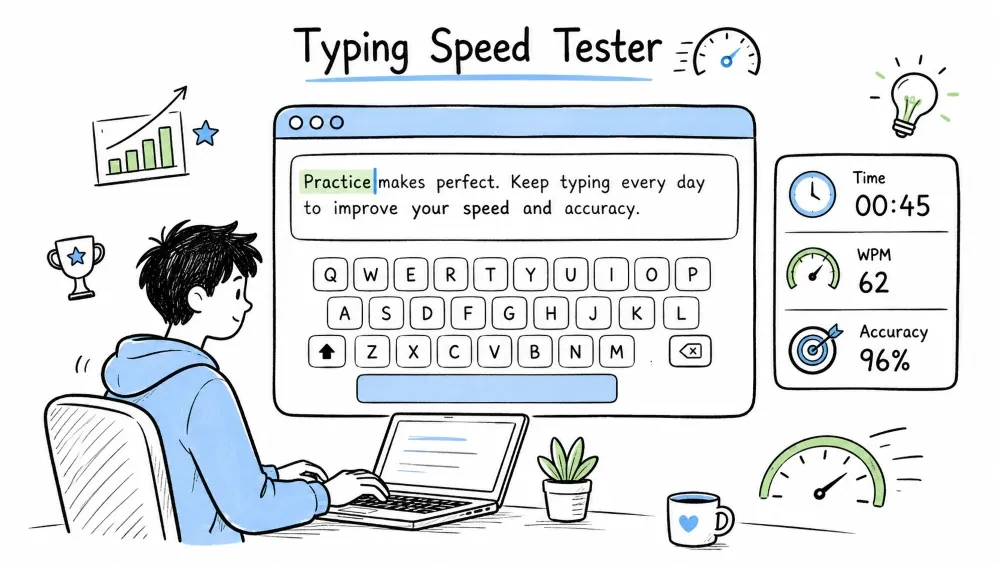
A terminal-based program that measures how fast you can type. It shows a random sentence, times how long you take to type it correctly, and calculates your speed in words per minute (WPM) and accuracy percentage. You will learn how to work with the time module, compare strings character by character, and build a multi-round testing tool.
This program shows the user a sentence, waits for them to type it back exactly, and measures how long it took. It then calculates words per minute (WPM) and accuracy percentage. Typing speed testers are used by anyone who wants to improve their keyboard skills — programmers, writers, data entry workers, and transcriptionists.
Where this is used in the real world: Online typing tests (Monkeytype, 10fastfingers, Typing.com) use the exact same WPM and accuracy formulas. Employers use typing tests during hiring for data entry and transcription roles.
Knowledge needed
random.choice()input() functionwhile loopsSoftware needed
TypingSpeedTester/
│
├── main.py      # The complete typing tester
└── README.md    # This tutorial
mkdir TypingSpeedTester
cd TypingSpeedTester
Create main.py.
We need time for the timer and random for picking sentences.
import time
import random
time.time() — Returns the current time in seconds since January 1, 1970 (the Unix epoch) as a float. Example: 1690123456.789. The actual number is meaningless by itself, but the difference between two calls gives the elapsed time in seconds with microsecond precision.
        ┌─────────────────────────────┐
        │    Show random sentence      │
        └─────────────┬───────────────┘
                      ↓
        ┌─────────────────────────────┐
        │  "Press Enter to start..."  │
        │  (user reads sentence here) │
        └─────────────┬───────────────┘
                      ↓
        ┌─────────────────────────────┐
        │   start_time = time.time()  │
        └─────────────┬───────────────┘
                      ↓
        ┌─────────────────────────────┐
        │  User types sentence        │
        │  typed = input()            │
        └─────────────┬───────────────┘
                      ↓
        ┌─────────────────────────────┐
        │   end_time = time.time()    │
        └─────────────┬───────────────┘
                      ↓
        ┌─────────────────────────────┐
        │  Calculate:                 │
        │  elapsed = end - start      │
        │  WPM = (chars/5) / min      │
        │  accuracy = correct / total │
        └─────────────┬───────────────┘
                      ↓
        ┌─────────────────────────────┐
        │  Display results            │
        │  "Try again? (yes/no)"      │
        └─────────────┬───────────────┘
                      ↓
                 ┌────┴────┐
                 │ yes     │ no
                 │ repeat  │ → exit
Store several sentences in a list. These are the prompts the user will type.
sentences = [
    "The quick brown fox jumps over the lazy dog.",
    "Python is a powerful programming language.",
    "Practice makes perfect every single day.",
    "A journey of a thousand miles begins with a single step.",
    "The sun set behind the mountains in a blaze of orange and red.",
    "Coding is not just about writing code, it is about solving problems.",
    "She opened the book and began to read the first chapter.",
    "The rain fell softly on the roof all night long.",
    "He ran as fast as he could to catch the bus.",
    "Learning new things keeps the mind sharp and active."
]
Why 10 sentences: A variety of sentences prevents memorization. Each sentence should be a different length and topic so the test feels fresh each time.
Sentence characteristics for a good test:
| Sentence | Length (chars) | Word count | Difficulty |
|---|---|---|---|
| "The quick brown fox..." | 44 | 8 | Easy (common words) |
| "Coding is not just about..." | 70 | 12 | Medium |
| "The sun set behind..." | 58 | 12 | Easy |
| "She opened the book..." | 52 | 11 | Easy |
A mix of short, medium, and long sentences keeps the test varied.
def get_random_sentence():
    return random.choice(sentences)
random.choice(sentences) picks one string from the list at random. Each call may return a different sentence.
Show the sentence, then record the start time. The key design decision is that the timer starts AFTER the user reads the sentence, not before.
print("=== Typing Speed Tester ===\n")
print("Type the following sentence as fast and accurately as you can:\n")

sentence = get_random_sentence()
print(sentence)

input("\nPress Enter when you are ready to start...")

start_time = time.time()
input("\nPress Enter when you are ready to start...") — This line does two things:
This is important. If we started the timer when the sentence appeared, the user would be penalized for reading. By letting them "start" the timer, we measure only their typing speed, not their reading speed.
Now ask the user to type the sentence.
print("\nType the sentence below:")
typed = input()
What happens here: The cursor waits at a blank line. The user types the sentence from memory (or by looking back at it). When they press Enter, the typed text is stored in typed.
Stop the timer and calculate words per minute.
end_time = time.time()
elapsed = end_time - start_time

# WPM standard: 1 "word" = 5 characters (including spaces)
word_count = len(sentence) / 5
wpm = (word_count / elapsed) * 60
Why divide by 5: The industry standard for typing tests defines one "word" as 5 characters, including spaces and punctuation. This standard comes from the days of typewriters where 5 keystrokes = 1 word.
Example calculation:
Sentence: "Python is a powerful programming language."
Length:   47 characters (including spaces and period)
Words:    47 / 5 = 9.4 "standard words"
Time:     14.2 seconds

WPM = (9.4 / 14.2) × 60 = 39.7 WPM
(word_count / elapsed) * 60 breaks down:
word_count / elapsed = words per second (e.g., 9.4 / 14.2 = 0.66 words/sec)Compare the typed string to the original sentence character by character.
def calculate_accuracy(original, typed):
    if not original:
        return 0.0
    correct = 0
    min_len = min(len(original), len(typed))

    for i in range(min_len):
        if original[i] == typed[i]:
            correct += 1

    accuracy = (correct / len(original)) * 100
    return accuracy
How the character-by-character comparison works:
Original: "The quick brown fox"
Typed:    "The quack brown fox"
           ↑↑↑ ↑↑↑↑
           T-h-e- -q-u-i-c-k → matched (10 correct so far)
                        ↓
           Position 10: original[10]="k", typed[10]="a" → NOT correct

Final: correct = 19 (out of 20 characters in original)
Accuracy = 19/20 × 100 = 95%
min(len(original), len(typed)) — Prevents index errors. If the user types 40 characters but the original is 50, we only compare the first 40 positions. Extra characters are ignored. Missing characters are counted as incorrect.
Why divide by len(original) and not len(typed): The original sentence is the fixed reference. A user who types only 1 character correctly out of 50 should get 2%, not 100%.
Show the results in a clean formatted output.
accuracy = calculate_accuracy(sentence, typed)

print("\n" + "=" * 40)
print("           RESULTS")
print("=" * 40)
print(f"Time:      {elapsed:.2f} seconds")
print(f"Speed:     {wpm:.1f} WPM")
print(f"Accuracy:  {accuracy:.1f}%")
print("=" * 40)
{elapsed:.2f} — Formats the float to 2 decimal places. 14.2 (a clean number) becomes 14.20. 14.234567 becomes 14.23.
{accuracy:.1f} — 1 decimal place. 95.23 becomes 95.2. 100.0 becomes 100.0.
Output:
========================================
              RESULTS
========================================
Time:      14.23 seconds
Speed:     39.7 WPM
Accuracy:  95.2%
========================================
Screenshot Suggestion: Terminal showing a completed test with speed around 35-45 WPM and accuracy above 90%.
Wrap the whole test in a loop so the user can take multiple tests without restarting the program.
while True:
    print("\n" + "=" * 50)
    print("           TYPING SPEED TESTER")
    print("=" * 50)

    sentence = get_random_sentence()
    print("\nType this sentence:\n")
    print(f"  \"{sentence}\"\n")

    input("Press Enter to START the timer...")
    start_time = time.time()

    typed = input("\nType here: ")
    end_time = time.time()

    elapsed = end_time - start_time

    if elapsed <= 0:
        elapsed = 0.01  # prevent division by zero

    word_count = len(sentence) / 5
    wpm = (word_count / elapsed) * 60
    accuracy = calculate_accuracy(sentence, typed)

    print("\n" + "-" * 40)
    print(f"Time:     {elapsed:.2f} seconds")
    print(f"Speed:    {wpm:.1f} WPM")
    print(f"Accuracy: {accuracy:.1f}%")
    print("-" * 40)

    again = input("\nTry again? (yes/no): ").lower()
    if again not in ("yes", "y"):
        print("Thanks for playing! Keep practicing.")
        break
if elapsed <= 0: elapsed = 0.01 — This guard prevents a division-by-zero error. On some systems, time.time() may return the same value for two consecutive calls if they happen within a single clock tick. 0.01 seconds is a negligible time that prevents the crash.
if again not in ("yes", "y"): break — If the user types anything other than "yes" or "y", the loop breaks and the program ends. This accepts common abbreviations while requiring an explicit affirmative to continue.
Here is the full program structure before the final assembly:
import time
import random

sentences = [ ... ]  # 10+ sentences

def get_random_sentence():
    return random.choice(sentences)

def calculate_accuracy(original, typed):
    if not original:
        return 0.0
    correct = 0
    min_len = min(len(original), len(typed))
    for i in range(min_len):
        if original[i] == typed[i]:
            correct += 1
    return (correct / len(original)) * 100

# Main loop:
#   pick sentence → show → wait → start timer → get input → stop timer
#   → calculate WPM & accuracy → display → ask "Try again?" → repeat/exit
import time
import random

sentences = [
    "The quick brown fox jumps over the lazy dog.",
    "Python is a powerful programming language.",
    "Practice makes perfect every single day.",
    "A journey of a thousand miles begins with a single step.",
    "The sun set behind the mountains in a blaze of orange and red.",
    "Coding is not just about writing code, it is about solving problems.",
    "She opened the book and began to read the first chapter.",
    "The rain fell softly on the roof all night long.",
    "He ran as fast as he could to catch the bus.",
    "Learning new things keeps the mind sharp and active."
]

def get_random_sentence():
    """Return a random sentence from the bank."""
    return random.choice(sentences)

def calculate_accuracy(original, typed):
    """
    Compare original and typed strings character by character.
    Returns percentage of correctly typed characters.
    """
    if not original:
        return 0.0

    correct = 0
    min_len = min(len(original), len(typed))

    for i in range(min_len):
        if original[i] == typed[i]:
            correct += 1

    accuracy = (correct / len(original)) * 100
    return accuracy

print("=== Typing Speed Tester ===\n")
print("Test your typing speed and accuracy!\n")

while True:
    # Show a fresh sentence
    sentence = get_random_sentence()
    print("\nType this sentence exactly:\n")
    print(f"  \"{sentence}\"\n")

    # Ready check — timer excludes reading time
    input("Press Enter when you are ready...")
    start_time = time.time()

    # User types the sentence
    typed = input("\nYour typing: ")
    end_time = time.time()

    # Calculate metrics
    elapsed = end_time - start_time
    if elapsed <= 0:
        elapsed = 0.01  # guard against division by zero

    word_count = len(sentence) / 5          # standard word = 5 chars
    wpm = (word_count / elapsed) * 60       # convert to per-minute
    accuracy = calculate_accuracy(sentence, typed)

    # Display results
    print("\n" + "-" * 40)
    print("           RESULTS")
    print("-" * 40)
    print(f"Time:     {elapsed:.2f} seconds")
    print(f"Speed:    {wpm:.1f} WPM")
    print(f"Accuracy: {accuracy:.1f}%")
    print("-" * 40)

    # Ask to repeat
    again = input("\nTry again? (yes/no): ").lower()
    if again not in ("yes", "y"):
        print("\nThanks for playing! Keep practicing.")
        break
Run the file:
python main.py
Test 1 – Exact match (100% accuracy)
Type the sentence exactly as shown, including punctuation and case.
Expected: Speed ≈ your actual typing speed, Accuracy = 100.0%
Test 2 – One typo
Type the sentence with one wrong character, everything else correct.
Expected: Accuracy ≈ 97-99% depending on sentence length.
Example: "The quick brown fox" → "The quack brown fox"
  Original length = 20 chars, 19 correct → 95.0%
Test 3 – Shorter typed text (missing words)
Type only the first 3-4 words and press Enter.
Expected: Low accuracy. Only matching characters count as correct.
Test 4 – Longer typed text (extra characters)
Type the entire sentence correctly plus extra characters at the end.
Expected: Extra characters are ignored. Accuracy = 100%.
Test 5 – Multiple rounds
Play 3 rounds, answering "yes" after each.
Expected: Different sentence each round. Scores vary.
After the 3rd round, answer "no" → program exits.
Division by zero or WPM shows "inf"
Trigger: `elapsed` is 0.0 because the timer calls were too fast.
Why: On some systems, `time.time()` has limited precision (~16ms on Windows). Two consecutive calls may return the same value.
Fix: The guard `if elapsed <= 0: elapsed = 0.01` prevents division by zero.
Accuracy over 100%
Trigger: Using `len(typed)` as the denominator in the accuracy fraction.
Why: If `typed` is shorter than `original`, `correct/len(typed)` could be >100%.
Fix: Always divide by `len(original)` — the fixed reference.
Accuracy shows 0% even though the user typed correctly
Trigger: Case mismatch — the user typed "the" but the original starts with "The".
Why: `"t" == "T"` is False in Python. Case matters in string comparison.
Fix: This is intentional — accuracy is strict. To be lenient, add `.lower()` to both strings before comparing.
Wrong WPM compared to online typing tests
Trigger: Different definitions of "word" (5 chars vs actual words).
Why: Some tests count actual words (sentence split by spaces). We use 5-char standard.
Fix: Either approach is valid. The 5-char standard is more consistent across languages.
Error Highlighting – After the test, show the original sentence and underline the positions where the user typed the wrong character. Use ^ characters beneath each error position.
Multi-Round Average – Run 3 tests automatically (without asking "try again" between them) and then show the average WPM and accuracy for all 3 rounds.
Best Score Persistence – Save the highest WPM to a text file. On each round, compare the current WPM to the saved high score. If beaten, display "New High Score!" and update the file.
Custom Sentences – Before the test loop starts, let the user add their own sentences to the bank. Keep asking "Add a sentence? (yes/no)" until they say no.
Character-Level Feedback – For each character position, print whether it was correct (✓), incorrect (✗), extra (+), or missing (-) compared to the original. Use zip() to pair up characters.
Save your progress and earn XP for completing tutorials.
Technology
Python
Lesson group
Mini Projects
Progress
73% complete

