Preparing your learning space...
9% through Mini Projects tutorials
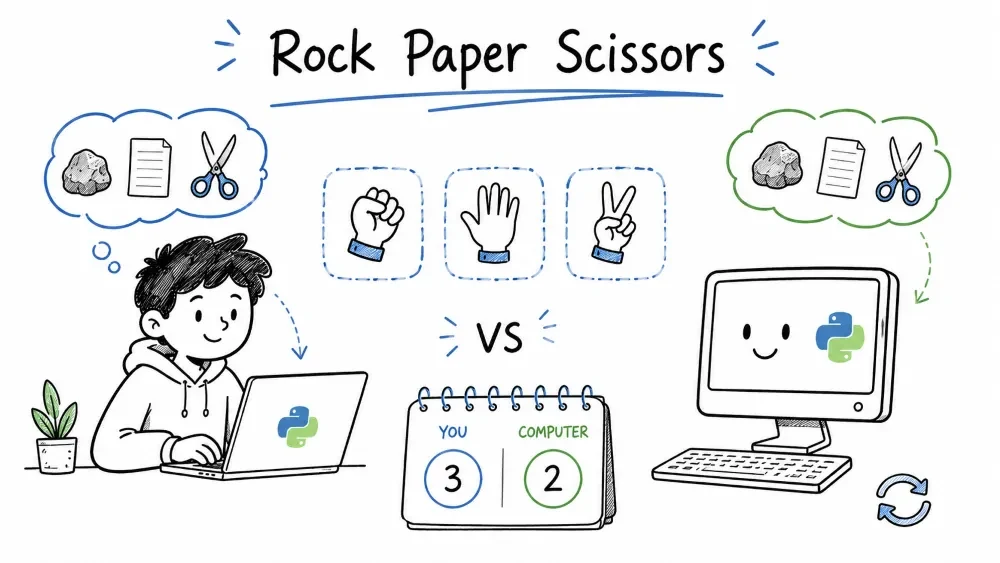
A beginner-friendly Python project that builds a classic hand game where the player competes against the computer. You will learn how to take user input, generate random choices, apply game logic using conditionals, and track scores across multiple rounds. This exact game logic appears in everything from simple mobile apps to multiplayer game servers.
Rock Paper Scissors is a hand game usually played between two people. Each player picks rock, paper, or scissors. Rock beats scissors, scissors beats paper, and paper beats rock. In this project the computer randomly picks one option and the player types their choice. The program compares both and announces the winner. The game runs for multiple rounds and keeps score.
Where this is used in the real world: The core of this project — comparing player input against a random computer choice — is the same pattern used in game AI, A/B testing systems, and decision-making simulations.
random.choice()Knowledge needed
input() functionif/elif/else conditionalswhile loopsSoftware needed
python --version)RockPaperScissors/ │ ├── main.py # The complete game program └── README.md # This tutorial
Everything lives in one file. This keeps the project simple so you can focus on the logic rather than navigating multiple files.
Open your terminal or command prompt and create a new folder for the project.
mkdir RockPaperScissors
cd RockPaperScissors
Why create a folder per project: Every Python project should live in its own folder. This keeps files organised, prevents name collisions with other projects, and makes it easy to delete or share the whole project later.
Inside this folder create a file called main.py. All code goes into this single file.
The computer needs to pick randomly from rock, paper, or scissors. Python's random module gives us the choice() function that picks a random item from a list.
import random
What this does: import random loads the built-in random module into memory. Think of it like checking out a toolbox from a library — you now have access to functions like random.choice(), random.randint(), and random.shuffle(). Without this line, Python would throw a NameError when you try to use random.choice() later.
To verify the import worked, you can add a quick test:
import random
print(random.choice(["apple", "banana", "cherry"]))
Run this. Each time you run it, it prints a different fruit. If you see a fruit name, the module is working.
Create a list that holds the three valid options.
choices = ["rock", "paper", "scissors"]
Why a list: A list stores multiple values in a specific order. Storing the options in a list lets us pass it directly to random.choice(). It also makes the code easy to change later — to add "lizard" and "Spock", you just edit one line:
choices = ["rock", "paper", "scissors", "lizard", "spock"]
The list index diagram:
choices = ["rock", "paper", "scissors"]
Index:       0        1          2

random.choice(choices) picks one index at random:
  Index 0 → "rock"
  Index 1 → "paper"
  Index 2 → "scissors"
Ask the player what they want to play. Store their answer in a variable.
player_choice = input("Enter rock, paper, or scissors: ").lower()
input("...") prints the prompt text and waits for the user to type something and press Enter. Whatever they type is returned as a string.
.lower() converts the typed string to lowercase. This is a defensive programming technique — it means "Rock", "ROCK", "rOcK", or "rock" all map to the same string "rock". Without .lower(), the comparison player_choice == "rock" would fail if the user typed "Rock".
Output when run:
Enter rock, paper, or scissors:
The program pauses here and waits. Nothing happens until the user types and presses Enter.
Use random.choice() to pick one item from the choices list.
computer_choice = random.choice(choices)
What happens inside random.choice():
choices = ["rock", "paper", "scissors"]
               ↑        ↑          ↑
               |   random picks one   |
               └─── index 1, say ────┘
                        ↓
               computer_choice = "paper"
Python internally generates a random index between 0 and 2, then returns the element at that index. We store the result in computer_choice but do not print it yet — the computer keeps it hidden until we reveal it alongside the player choice.
Before writing the comparison code, map out all possible outcomes. This is called "thinking like a programmer" — plan before you code.
Outcome matrix:
Player \ Computer |  rock   |  paper   | scissors
------------------|---------|----------|----------
     rock         |  tie    | lose     |  win
     paper        |  win    | tie      |  lose
     scissors     |  lose   | win      |  tie
The winning rule in plain English:
Everything else is a loss for the player. This makes the logic simple: we only need to check the three win conditions and the tie condition. Everything else defaults to "you lose".
ASCII decision flow:
                                ┌──────────────┐
                                │  Get player  │
                                │  choice      │
                                └──────┬───────┘
                                       ↓
                                ┌───────────────┐
                                │  Get random   │
                                │  computer     │
                                └──────┬────────┘
                                       ↓
                                ┌───────────────┐
                                │ Compare both  │
                                └──────┬────────┘
                                       ↓
                             ┌─────────┴──────────┐
                             │                    │
                        ┌────┴────┐          ┌────┴───────┐
                        │  Same?  │          │ Different  │
                        └────┬────┘          └────┬───────┘
                             │ (tie)              │
                        ┌────┴────┐         ┌─────┴───────┐
                        │ "Tie!"  │         │  Check win  │
                        └─────────┘         │ conditions  │
                                            └─────┬───────┘
                                                  │
                                   ┌──────────────┴───┐
                                   │                  │
                              ┌────┴────┐      ┌──────┴──┐
                              │   Win   │      │   Else  │
                              └────┬────┘      └────┬────┘
                                   │ "You win!"     │ "You lose!"
Study this diagram. Every game follows this same flow, round after round.
Now code the comparison logic we planned above. Print both choices and the result.
print(f"\nYou chose: {player_choice}")
print(f"Computer chose: {computer_choice}\n")

if player_choice == computer_choice:
    print("It's a tie!")
elif player_choice == "rock" and computer_choice == "scissors":
    print("You win! Rock beats scissors.")
elif player_choice == "paper" and computer_choice == "rock":
    print("You win! Paper beats rock.")
elif player_choice == "scissors" and computer_choice == "paper":
    print("You win! Scissors beat paper.")
else:
    print("You lose! Better luck next time.")
Line-by-line breakdown:
print(f"\nYou chose: {player_choice}") — The f before the string makes it an f-string (formatted string). The {player_choice} is replaced with the actual value of the variable. So if player_choice = "rock", it prints You chose: rock. The \n adds a blank line before the text for readability.
if player_choice == computer_choice: — The == operator compares two values. If they are equal, the condition is True and the indented print() runs.
elif — Short for "else if". Python checks each elif in order. The first one that is True runs its block. Once any condition matches, Python skips all remaining elif and else blocks.
else: — This runs when none of the above conditions were True. Since we checked tie + all three win conditions, else means the player lost.
Why we only check three win conditions: There are 9 possible (player, computer) pairs. One is a tie (both same). Three are player wins. The remaining five are losses. But we only need to check three losses? No — we only check the three wins. Because else catches everything that is not a tie and not a win. That covers all five loss combinations with one word: else.
Example output when player wins:
You chose: rock
Computer chose: scissors

You win! Rock beats scissors.
After Step 7, here is the complete code so far:
import random

choices = ["rock", "paper", "scissors"]

player_choice = input("Enter rock, paper, or scissors: ").lower()
computer_choice = random.choice(choices)

print(f"\nYou chose: {player_choice}")
print(f"Computer chose: {computer_choice}\n")

if player_choice == computer_choice:
    print("It's a tie!")
elif player_choice == "rock" and computer_choice == "scissors":
    print("You win! Rock beats scissors.")
elif player_choice == "paper" and computer_choice == "rock":
    print("You win! Paper beats rock.")
elif player_choice == "scissors" and computer_choice == "paper":
    print("You win! Scissors beat paper.")
else:
    print("You lose! Better luck next time.")
Run this. It plays exactly one round and exits. Next we add score tracking and multiple rounds.
Create two variables to hold scores and update them after each round. Scores need to live outside the round loop so they accumulate across rounds.
player_score = 0
computer_score = 0

# After determining the winner, add to the appropriate score
if player_choice == computer_choice:
    print("It's a tie!")
    # no score change — both get 0 this round
elif player_choice == "rock" and computer_choice == "scissors":
    print("You win! Rock beats scissors.")
    player_score += 1
elif player_choice == "paper" and computer_choice == "rock":
    print("You win! Paper beats rock.")
    player_score += 1
elif player_choice == "scissors" and computer_choice == "paper":
    print("You win! Scissors beat paper.")
    player_score += 1
else:
    print("You lose!")
    computer_score += 1

print(f"\nScore — You: {player_score}  Computer: {computer_score}")
player_score += 1 is a compound assignment operator. It is short for player_score = player_score + 1. The += operator reads the current value, adds 1 to it, and stores the result back. There are similar operators: -=, *=, /=.
Why scores start at 0: We set player_score = 0 and computer_score = 0 before the game loop. These variables are "initialized" — they have a known starting value. Forgetting to initialize a variable and then trying player_score += 1 would cause a NameError because Python does not know what player_score is yet.
Wrap the whole game logic inside a while loop so the player can keep playing until they want to stop.
import random

choices = ["rock", "paper", "scissors"]
player_score = 0
computer_score = 0

print("=== Rock Paper Scissors ===\n")

while True:
    player_choice = input("Enter rock, paper, or scissors: ").lower()
    computer_choice = random.choice(choices)

    print(f"\nYou chose: {player_choice}")
    print(f"Computer chose: {computer_choice}\n")

    if player_choice == computer_choice:
        print("It's a tie!")
    elif player_choice == "rock" and computer_choice == "scissors":
        print("You win! Rock beats scissors.")
        player_score += 1
    elif player_choice == "paper" and computer_choice == "rock":
        print("You win! Paper beats rock.")
        player_score += 1
    elif player_choice == "scissors" and computer_choice == "paper":
        print("You win! Scissors beat paper.")
        player_score += 1
    else:
        print("You lose!")
        computer_score += 1

    print(f"\nScore — You: {player_score}  Computer: {computer_score}")

    play_again = input("\nPlay again? (yes/no): ").lower()
    if play_again != "yes":
        print("\nThanks for playing!")
        break
How the loop works, step by step:
        ┌──────────────────────────────────────┐
        │                                      │
        ↓                                      │
  ┌──────────┐    ┌──────────┐    ┌──────────┐ │
  │ Show     │ →  │ Get      │ →  │ Compare  │ │
  │ prompt   │    │ input    │    │ & score  │ │
  └──────────┘    └──────────┘    └─────┬────┘ │
                                        │       │
                                   ┌────┴────┐  │
                                   │ Play    │──┘
                                   │ again?  │
                                   └────┬────┘
                                        │
                                   ┌────┴────┐
                                   │ "Thanks"│
                                   │ break   │
                                   └─────────┘
while True: creates an infinite loop. The condition True is always... true. So the loop never stops on its own.
break is the escape hatch. When Python hits break, it immediately jumps out of the innermost loop, no matter where in the loop body it is. The program continues with whatever code comes after the loop.
The play_again check: input("\nPlay again? (yes/no): ").lower() asks the user. If the answer is not "yes", we break. If the user types "YES", "Yes", or "yeS", .lower() normalises it to "yes" and the condition play_again != "yes" is False, so the loop continues.
If the player types something that is not "rock", "paper", or "scissors", the program should ask again instead of crashing or counting it as a loss.
while True:
    player_choice = input("Enter rock, paper, or scissors: ").lower()

    if player_choice not in choices:
        print("Invalid choice. Please type rock, paper, or scissors.")
        continue

    # ... rest of game logic ...
if player_choice not in choices — The not in operator checks whether a value is absent from a list. It returns True if player_choice is NOT found in choices. This is the opposite of in.
continue — When Python hits continue, it skips the rest of the current loop iteration and jumps back to the top of the loop. The play_again question is never shown, no score is updated, and the computer_choice is never generated. The player simply gets asked again.
Why validate early: Notice the validation happens before we generate computer_choice. This is intentional — generating the computer choice is unnecessary work if the input is bad. By validating first, we save that computation and keep the logic clean.
import random

choices = ["rock", "paper", "scissors"]
player_score = 0
computer_score = 0

print("=== Rock Paper Scissors ===")
print("Best of luck!\n")

while True:
    # Get and validate player input
    player_choice = input("Enter rock, paper, or scissors: ").lower()

    if player_choice not in choices:
        print("Invalid choice. Please type rock, paper, or scissors.")
        continue

    # Generate computer choice
    computer_choice = random.choice(choices)

    # Reveal both choices
    print(f"\nYou chose: {player_choice}")
    print(f"Computer chose: {computer_choice}\n")

    # Determine winner and update score
    if player_choice == computer_choice:
        print("It's a tie!")
    elif player_choice == "rock" and computer_choice == "scissors":
        print("You win! Rock beats scissors.")
        player_score += 1
    elif player_choice == "paper" and computer_choice == "rock":
        print("You win! Paper beats rock.")
        player_score += 1
    elif player_choice == "scissors" and computer_choice == "paper":
        print("You win! Scissors beat paper.")
        player_score += 1
    else:
        print("You lose!")
        computer_score += 1

    # Show current score
    print(f"\nScore — You: {player_score}  Computer: {computer_score}")

    # Ask to play again
    play_again = input("\nPlay again? (yes/no): ").lower()
    if play_again != "yes":
        print("\nThanks for playing!")
        break
Final code structure:
main.py
│
├── imports (line 1)
├── constants (lines 3-4)
├── initialisation (lines 6-8)
├── game loop (while True):
│   ├── input & validation
│   ├── generate computer choice
│   ├── display choices
│   ├── determine winner (if/elif/else)
│   ├── update score
│   ├── display score
│   └── play again check (break)
└── exit message
Run the file:
python main.py
Test 1 – Single round with win
Input: rock
Computer generated: scissors (random)
Expected: "You win! Rock beats scissors." Score: You 1 - Computer 0
Test 2 – Invalid input then valid
Input: banana
Expected: "Invalid choice. Please type rock, paper, or scissors."
Input: rock
Expected: Normal round plays.
Test 3 – Play again flow
Input after first round: yes
Expected: New round starts, score carries over.
Input after second round: no
Expected: "Thanks for playing!" and program exits.
Test 4 – Score tracking across 3 rounds
Round 1: Player wins  → Score: 1-0
Round 2: Computer wins → Score: 1-1
Round 3: Tie           → Score: 1-1
Test 5 – Capitalisation robustness
Input: ROCK
Expected: Treated same as "rock". Valid choice.
Screenshot Suggestion: Terminal showing two rounds of play with the scoreboard at the bottom.
NameError: name 'random' is not defined
Trigger: You typed `random.choice(choices)` but wrote `import random` after it, or forgot it entirely.
Why: Python reads the file top to bottom. The `import` must come before any code that uses the module.
Fix: Put `import random` at the very top of your file, before any other code.
Infinite loop (program never stops)
Trigger: Missing `break` statement or missing `play_again` question.
Why: `while True` has no natural exit — it relies on `break` to stop.
Fix: Make sure there is a `play_again = input(...)` line followed by `if play_again != "yes": break`.
Diagnose: Add `print("DEBUG: loop top")` at the start of the loop. If it prints forever, the break is missing.
Computer always picks the same thing (not random)
Trigger: Running the program multiple times and seeing the same result.
Why: `random.choice()` is random, but with only 3 options, streaks happen. This is probability, not a bug.
Test: Add `for _ in range(10): print(random.choice(choices))` and verify you see variety.
"You lose!" on every round even when you should win
Trigger: Typo in the condition, e.g., `"scisors"` instead of `"scissors"`.
Why: The condition `player_choice == "rock" and computer_choice == "scisors"` never matches because the list says "scissors".
Fix: Check spelling in both the input list and every condition. Use the same strings everywhere.
ValueError: empty string comparison
Trigger: User presses Enter without typing anything.
Why: `input()` returns an empty string `""`. `"".lower()` is still `""`. This is not in `choices`, so validation catches it.
Fix: (Already handled — the `not in choices` validation catches empty input.)
O, paper ___, scissors 8<)winsound (Windows) or playsound libraryBest of 3 Mode – End the game when either player reaches 3 wins instead of asking "Play again?" after every round.
Grand Leaderboard – Save the final score to a text file called scores.txt each time the player quits. Use with open("scores.txt", "a") as f: f.write(...).
Multiplayer Mode – Let two human players play against each other without showing the second player the first player's choice. Hint: clear the screen or use a delay.
Countdown Timer – Give the player 5 seconds to enter their choice using the time module, or the round is forfeited. Use time.time() to measure elapsed seconds.
ASCII Art Display – Print a visual representation of rock (a circle), paper (a flat hand), or scissors (two fingers) alongside the text result, like:
Save your progress and earn XP for completing tutorials.
Technology
Python
Lesson group
Mini Projects
Progress
9% complete

