Preparing your learning space...
40% through Digital Safety tutorials
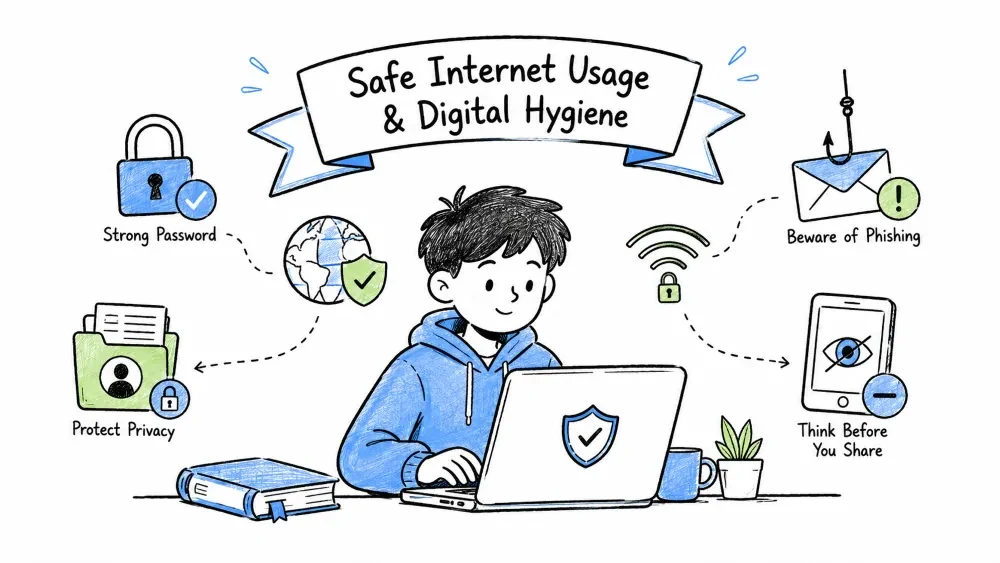
By the end of this tutorial, you will be able to:
Data Economy / Online Tracking: The ecosystem where companies collect, aggregate, analyze, and monetize your personal data (identifiers, behavior, location, demographics) through first-party tracking, third-party trackers, and data brokers — often without explicit informed consent.
| Category | Examples | Collection Method |
|---|---|---|
| Identifiers | IP, device ID, browser fingerprint, cookies | Automatic |
| Behavioral | Clicks, scroll depth, time on page, searches | JavaScript trackers |
| Demographic | Age, gender, interests, income bracket | Inferred + third-party |
| Location | GPS, WiFi triangulation, IP geolocation | App permissions, browser API |
| Social | Contacts, connections, messages, likes | Platform APIs, address book access |
| Biometric | Face ID, voice, typing rhythm, gait | Device sensors |
Tracking Ecosystem: The layered data supply chain — websites (first-party) → ad networks/analytics/social widgets (third-party) → data brokers (aggregators) → buyers (advertisers, insurers, employers, governments) — each layer extracting more value from your digital exhaust.
┌─────────────────────────────────────────────────────────────┐
│                    FIRST-PARTY TRACKING                     │
│  Site you visit → Sets cookies, logs your activity          │
│  (Necessary for login, cart, preferences)                   │
└─────────────────────────────────────────────────────────────┘
                              ↓
┌─────────────────────────────────────────────────────────────┐
│                    THIRD-PARTY TRACKING                     │
│  Ad networks, analytics, social widgets → Follow you        │
│  across sites via cookies, fingerprinting, pixels           │
│  (Google Analytics, Meta Pixel, Taboola, Outbrain, etc.)    │
└─────────────────────────────────────────────────────────────┘
                              ↓
┌─────────────────────────────────────────────────────────────┐
│                    DATA BROKERS                             │
│  Aggregate → Profile → Sell to advertisers, insurers,       │
│  employers, political campaigns, law enforcement            │
│  (Acxiom, Experian, Equifax, Oracle Data Cloud, etc.)       │
└─────────────────────────────────────────────────────────────┘
Browser Fingerprinting: A stateless tracking technique that identifies users by combining unique browser/device characteristics (canvas rendering, fonts, WebGL, audio stack, screen specs, battery, sensors) into a persistent identifier — works even with cookies blocked or in private mode. Even without cookies, you can be identified by:
Test your fingerprint: amiunique.org | coveryourtracks.eff.org
Digital Footprint: The total trail of data you leave online — active (what you post), passive (what's collected), inferred (algorithmic profiles), and third-party (what others post about you) — that persists indefinitely and can be aggregated into detailed dossiers.
Footprint Types: Active (intentional posts), Passive (background collection), Inferred (algorithmic profiles), Third-Party (others' posts about you) — each with different control levels and removal difficulty. | Type | Description | Control Level | |------|-------------|---------------| | Active | What you intentionally post (social media, reviews, forums) | High — you choose | | Passive | What's collected without explicit action (tracking, logs, metadata) | Low — requires tools | | Inferred | Profiles built from combining data points | Very Low — algorithmic | | Third-Party | What others post about you (tags, mentions, photos, records) | Medium — request removal |
Footprint Audit: Systematic search for your personal information across search engines, data broker sites, breach databases, and public records using advanced search operators (site:, filetype:, quotes) to map what's publicly exposed.
# Step 1: Search yourself
# Use multiple engines + operators
"First Last"                    # Exact name
"First Last" city               # Location
"First Last" email              # Email exposure
"First Last" phone              # Phone exposure
"First Last" site:linkedin.com  # Platform-specific
"First Last" filetype:pdf       # Documents

# Step 2: Check data broker sites
# Major US: Whitepages, Spokeo, BeenVerified, PeopleFinders, Intelius
# EU/UK: 192.com, UKPhoneBook
# Automated: Incogni, DeleteMe, Optery (paid services)

# Step 3: Check breach exposure
# haveibeenpwned.com — email/phone
# dehashed.com — more detailed (paid)
# Firefox Monitor / Google Password Checkup — free alerts
Footprint Reduction: Actionable steps to minimize your digital exposure — removing unused accounts, tightening privacy settings, opting out of data brokers, using aliases/email masks, and deleting old content — prioritized by impact (high/medium/ongoing).
## High Impact (Do First)
- Remove unused accounts — justdelete.me has direct links
- Set social profiles to private/friends-only
- Remove personal info from public profiles (birthdate, phone, address)
- Opt out of data brokers (see automated tools below)
- Request Google removal of personal info (support.google.com/websearch/answer/1175176)

## Medium Impact
- Use aliases/email masks for signups (SimpleLogin, AnonAddy, Firefox Relay)
- Remove EXIF data from photos before sharing (ExifCleaner, ImageOptim)
- Use pseudonyms for non-essential forums/comments
- Delete old posts — tools: Redact.dev, TweetDelete, Social Analyzer

## Ongoing
- Monitor with Google Alerts for your name
- Quarterly footprint audit
- Use privacy-focused services going forward
Platform Privacy Hardening: Step-by-step configuration of privacy settings on major platforms (Google, Meta, Microsoft, Apple, LinkedIn) to disable tracking, limit data sharing, restrict ad personalization, and minimize data retention — the 'privacy by default' setup.
- Data & Privacy → Web & App Activity → TURN OFF
- Data & Privacy → Location History → TURN OFF
- Data & Privacy → YouTube History → TURN OFF
- Data & Privacy → Ad Personalization → TURN OFF
- Security → 2-Step Verification → ON (Authenticator app)
- Security → Third-party apps with account access → REVIEW/REMOVE
- People & Sharing → Contact info shared with others → MINIMIZE
- Settings → Privacy → Who can see future posts → Friends
- Settings → Privacy → Limit past posts → APPLY
- Settings → Profile → Edit → Remove phone, email, birthdate from public
- Settings → Ads → Ad Preferences → Data about your activity from partners → OFF
- Settings → Ads → Ad Preferences → Categories used to reach you → REMOVE ALL
- Settings → Security → Two-Factor Authentication → ON (Authenticator)
- Settings → Apps and Websites → REMOVE unused
- Instagram → Settings → Privacy → Account Privacy → Private Account
- Privacy → Activity History → Clear + Turn OFF
- Privacy → Location → Clear history + Turn OFF
- Privacy → Speech → Turn OFF
- Privacy → Ink & Typing → Turn OFF
- Privacy → Advertising ID → Turn OFF
- Security → Advanced Security Options → 2FA ON
- Sign-In & Security → Two-Factor Authentication → ON
- Privacy & Security → Tracking → Allow Apps to Request to Track → OFF
- Privacy & Security → Analytics & Improvements → Share iPhone Analytics → OFF
- Privacy & Security → Apple Advertising → Personalized Ads → OFF
- Privacy & Security → Location Services → System Services →
   - Significant Locations → OFF
   - iPhone Analytics → OFF
   - Routing & Traffic → OFF
- Settings → Visibility → Profile viewing options → Private mode
- Settings → Visibility → Who can see your email → Only me
- Settings → Data Privacy → How LinkedIn uses your data →
   - Salary data → OFF
   - Social actions → OFF
   - Profile data for ads → OFF
- Settings → Advertising Data → Third-party data → OFF
Privacy Alternatives: Services that replace mainstream surveillance-based products with privacy-first architectures — no tracking, minimal data collection, E2E encryption, transparent business models (subscriptions/donations), and open-source code where possible.
| Engine | Privacy Model | Notes |
|---|---|---|
| DuckDuckGo | No tracking, bangs (!g, !w) | Bing-based, good for most |
| Startpage | Google results, no tracking | European, proxy view |
| Brave Search | Independent index, no tracking | Growing index, AI summaries |
| Kagi | Paid ($5-10/mo), no ads, customizable | Best quality, supports creators |
| SearXNG | Self-hosted metasearch | Maximum control, technical |
| Browser | Base | Privacy Features |
|---|---|---|
| Firefox | Gecko | Enhanced Tracking Protection, containers, DNS over HTTPS |
| LibreWolf | Firefox | Hardened, no telemetry, uBlock built-in |
| Brave | Chromium | Shields, Tor windows, crypto wallet (optional) |
| Tor Browser | Firefox | Maximum anonymity, slow, breaks some sites |
| Mullvad Browser | Firefox | Fingerprint resistance, no Tor network |
| Service | Encryption | Jurisdiction | Cost |
|---|---|---|---|
| Proton Mail | E2E + zero-access | Switzerland | Free / €48/yr |
| Tuta Mail | E2E + zero-access | Germany | Free / €36/yr |
| Mailfence | OpenPGP + E2E | Belgium | Free / €42/yr |
| SimpleLogin/AnonAddy | Aliasing/forwarding | Various | Free tiers |
| App | E2E Default | Metadata | Open Source |
|---|---|---|---|
| Signal | Yes | Minimal | Yes |
| Session | Yes | None (onion routing) | Yes |
| Threema | Yes | Minimal | Partial |
| Wire | Yes | Some | Yes |
| Yes | Significant (Meta) | No | |
| Telegram | No (opt-in only) | Significant | Partial |
| Service | E2E Encryption | Jurisdiction |
|---|---|---|
| Sync.com | Zero-knowledge | Canada |
| pCloud | Optional (Crypto) | Switzerland |
| Tresorit | Zero-knowledge | Switzerland |
| Proton Drive | Zero-knowledge | Switzerland |
| Nextcloud | Self-hosted | You choose |
Advanced Privacy Techniques: Proactive strategies beyond settings — email aliasing (compartmentalization), DNS-level blocking (network-wide), and virtual machines/containers (isolation) — that structurally reduce your attack surface and data leakage.
Email Aliasing: Using unique forwarding addresses (via SimpleLogin, AnonAddy, Firefox Relay) for each service — breaches stay isolated, you track who sells your data, and you can disable spammy aliases instantly without changing your real email.
Real Email: john.doe@gmail.com

Aliases:
├── banking@aleeas.simplelogin.co     → Forwards to real, bank only
├── shopping@aleeas.simplelogin.co    → Forwards to real, retailers only
├── social@aleeas.simplelogin.co      → Forwards to real, social media only
├── newsletters@aleeas.simplelogin.co → Forwards to real, newsletters only
├── throwaway@aleeas.simplelogin.co   → Disable after use
└── work@aleeas.simplelogin.co        → Forwards to work email

Benefits:
Breach at one site ≠ compromise others
Track who sells your email
Disable spammy aliases instantly
No "real" email in data broker databases
DNS-Level Blocking: Filtering tracking/malware domains at the DNS layer (NextDNS, Pi-hole, AdGuard Home, Quad9) — blocks requests before they leave your network, works across all devices/apps, no client software needed, provides logging/analytics.
# NextDNS (Recommended — Cloud-based, configurable)
# Setup: nextdns.io → Get config ID → Set in router/device
# Features: Blocklists, logs, analytics, parental controls, Tailscale integration

# Pi-hole / AdGuard Home (Self-hosted — Maximum control)
# Hardware: Raspberry Pi, old laptop, VM
# Features: Network-wide, custom blocklists, local DNS, DHCP

# Public Privacy DNS (No config needed)
# Quad9: 9.9.9.9 / 149.112.112.112 (blocks malware, no logs)
# Cloudflare: 1.1.1.1 / 1.0.0.1 (fast, minimal logs)
# NextDNS Public: 45.90.28.0 / 45.90.30.0 (blocks ads/trackers)
VM/Container Isolation: Running risky activities (unknown downloads, sketchy sites, testing) in disposable environments (Windows Sandbox, VirtualBox, Qubes OS, Firefox Containers) that reset on close — malware/tracking stays contained, real identity protected.
# For risky activities (unknown downloads, sketchy sites, testing)

Option 1: Windows Sandbox (Built into Win 10/11 Pro)
- Lightweight, disposable, resets on close
- Start Menu → Windows Sandbox

Option 2: VirtualBox + Linux Mint/Ubuntu
- Full OS isolation, snapshots for rollback
- Shared folders for file transfer

Option 3: Qubes OS (Advanced)
- Security-focused OS, everything in VMs
- High learning curve, maximum isolation

Option 4: Browser Containers (Firefox Multi-Account Containers)
- Color-coded tabs, separate cookies/storage per container
- Banking container, Shopping container, Social container, Personal container
Privacy Rights (GDPR/CCPA): Legal frameworks granting you rights to access, correct, delete, port, restrict, and object to processing of your personal data — plus automated decision-making protections — with enforcement via regulators and private action.
GDPR Rights: Access (get your data), Rectification (fix errors), Erasure (right to be forgotten), Restriction (limit processing), Portability (machine-readable export), Objection (stop marketing/profiling), Automated Decisions (human review) — enforceable via DSARs and regulators. | Right | What It Means | How to Exercise | |-------|---------------|-----------------| | Access | Get copy of all data held | DSAR (Data Subject Access Request) | | Rectification | Fix inaccurate data | Contact DPO/privacy@company.com | | Erasure | "Right to be forgotten" | Request deletion (some exceptions) | | Restriction | Limit processing | While disputing accuracy | | Portability | Get data in machine-readable format | Request JSON/CSV export | | Objection | Stop direct marketing/profiling | Unsubscribe + formal objection | | Automated Decisions | Human review of algorithmic decisions | Request human intervention |
CCPA/CPRA Rights: Right to Know, Delete, Opt-Out of Sale, Non-Discrimination — plus "Do Not Sell My Personal Information" links on websites and authorized agent provisions for bulk opt-outs.
Automated Data Broker Removal: Services (Incogni, DeleteMe, Optery, Kanary) that continuously submit opt-out requests to 100+ data brokers on your behalf — paid but effective vs. manual quarterly effort across dozens of sites.
# Automated Data Broker Removal (Paid but effective)
- Incogni ($7/mo) — Covers 180+ brokers, GDPR/CCPA
- DeleteMe ($129/yr) — US-focused, detailed reports
- Optery — Free tier + paid, good coverage
- Kanary — Family plans available

# Manual Opt-Out (Free, time-consuming)
# Major brokers have opt-out pages:
# - Whitepages.com/suppression
# - Spokeo.com/optout
# - BeenVerified.com/optout
# - PeopleFinders.com/manage
# - Intelius.com/optout
# - MyLife.com/optout
# - Radaris.com/control/privacy
Practice Exercise: A realistic scenario (your address/phone on 5 people-search sites) requiring you to create a removal plan — identify brokers, choose method (auto vs manual), prevent re-listing, and set up monitoring.
Scenario: You discover your home address and phone number listed on 5 people-search sites.
Task: Create a removal plan.
Save your progress and earn XP for completing tutorials.
Technology
Cyber Security & Networking
Lesson group
Digital Safety
Progress
40% complete

