Preparing your learning space...
40% through Network Security tutorials
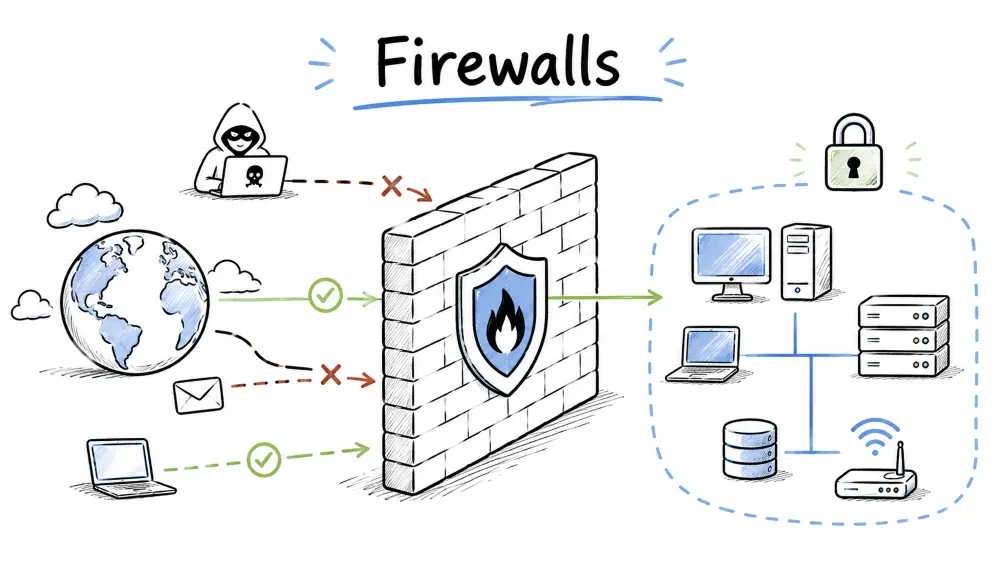
Firewalls, Intrusion Detection Systems (IDS), and Intrusion Prevention Systems (IPS) are the core building blocks of network perimeter security. Together, they form a layered defense that filters traffic, detects threats, and stops attacks — often working in tandem to protect the network.
A firewall is the first line of defense in network security — it monitors and controls incoming and outgoing traffic based on a defined set of security rules.
A firewall is a network security device that monitors and controls incoming and outgoing network traffic based on predetermined security rules. It acts as a barrier between a trusted internal network and untrusted external networks (like the internet). Firewalls can be implemented as hardware, software, or a combination of both.
Firewalls are categorized by how they inspect traffic — from basic packet-level checks to advanced application-level analysis. Each type offers a different balance of security and performance.
Operates at Layer 3 (Network) and Layer 4 (Transport) of the OSI model.
Incoming Packet → Check Source IP → Check Dest IP → Check Port → Allow/Deny
Checks:
Pros: Fast, low resource usage Cons: No application-level inspection, vulnerable to IP spoofing
Tracks the state of active connections and makes decisions based on the context of traffic.
| Feature | How It Works |
|---|---|
| State Table | Records all active connections |
| Context Awareness | Knows if a packet is part of an established connection |
| Dynamic Rules | Automatically allows return traffic for established sessions |
Pros: More secure than packet filtering Cons: More resource-intensive
Operates at Layer 7 (Application) and inspects the contents of traffic.
Client → Proxy Firewall (inspects) → Server
Pros: Highest security, content filtering Cons: Slower, can create latency
Combines traditional firewall capabilities with advanced features — this is where firewalls and IDS/IPS converge:
NGFWs blur the line between firewalls and IDS/IPS — most modern deployments use NGFWs that include all three capabilities.
Firewall-as-a-Service — cloud-based firewall protection.
Deployment architectures define how firewalls are positioned within the network topology to segment traffic and protect resources. The right architecture depends on your network size and security requirements.
The simplest architecture — a single firewall sits between the internet and the internal network, filtering all traffic that passes through.
[Internet] ←→ [Firewall] ←→ [Internal Network]
A DMZ (Demilitarized Zone) places public-facing servers between two firewalls so external users can access them without exposing the internal network.
                    ┌─ [Web Server]
[Internet] ←→ [Firewall] ── [Mail Server]
                    └─ [Internal Network]
A single computer with two network interfaces acting as a firewall between two networks.
A firewall with three interfaces:
Firewall rules define which traffic is allowed or denied based on criteria like IP addresses, ports, and protocols. Together, these rules form the firewall's policy — the blueprint for how traffic is handled.
A rule structure is the standard format used to define each firewall entry — specifying the action, source, destination, and protocol for matching traffic.
[Order] [Action] [Source IP] [Source Port] [Dest IP] [Dest Port] [Protocol] [Log]
| # | Action | Source IP | S Port | Dest IP | D Port | Protocol | Notes |
|---|---|---|---|---|---|---|---|
| 1 | ALLOW | 10.0.0.0/24 | ANY | 10.0.1.10 | 443 | TCP | Internal web access |
| 2 | ALLOW | ANY | ANY | Web Server | 80,443 | TCP | Public web traffic |
| 3 | DENY | ANY | ANY | 10.0.0.0/8 | ANY | ANY | Block internal access |
| 4 | ALLOW | 10.0.0.0/24 | ANY | ANY | 53 | UDP | DNS resolution |
Placement principles are best practices for ordering firewall rules to ensure maximum security, performance, and ease of management.
These are practical command-line examples for configuring firewalls on Linux (iptables) and Windows (PowerShell) systems.
# Allow established connections
iptables -A INPUT -m state --state ESTABLISHED,RELATED -j ACCEPT

# Allow SSH on port 22
iptables -A INPUT -p tcp --dport 22 -j ACCEPT

# Allow HTTP and HTTPS
iptables -A INPUT -p tcp --dport 80 -j ACCEPT
iptables -A INPUT -p tcp --dport 443 -j ACCEPT

# Drop all other traffic
iptables -A INPUT -j DROP
# Allow inbound port 443
New-NetFirewallRule -DisplayName "Allow HTTPS" `
  -Direction Inbound -Protocol TCP -LocalPort 443 -Action Allow
Firewalls are essential but they are not a complete security solution — they have inherent weaknesses that must be addressed with additional layers of defense.
| Limitation | Explanation |
|---|---|
| Cannot block internal threats | Once inside, a firewall cannot protect |
| Cannot prevent physical attacks | Physical access bypasses firewall |
| Vulnerable to misconfiguration | Poorly configured = false sense of security |
| Encrypted traffic bypass | Unless SSL inspection is enabled |
| Performance impact | Deep inspection can slow throughput |
While firewalls filter traffic by rules, IDS and IPS go deeper — they analyze traffic patterns and content to detect and stop known and unknown threats.
An Intrusion Detection System (IDS) monitors network traffic for suspicious activity and policy violations, then generates alerts. It is a passive system — it monitors but does not take action.
[Network Traffic] → [Sensor/Monitor] → [Analysis Engine] → [Alert] → [Security Team]
| Method | Description | Example |
|---|---|---|
| Signature-Based | Matches traffic against known attack patterns | Detecting a known malware hash |
| Anomaly-Based | Compares traffic against a baseline of normal behavior | Sudden spike in outbound traffic |
| Heuristic-Based | Uses algorithms to detect unknown threats | Behavior resembling a worm |
| Policy-Based | Alerts on violations of configured rules | Unauthorized protocol usage |
An Intrusion Prevention System (IPS) is an active security system that monitors traffic AND takes action to block or prevent detected threats. It is placed inline in the network path.
[Network Traffic] → [Inline Sensor] → [Analysis Engine]
                                          ↓
[Block/Prevent] ← [Action Taken] ← [Threat Detected?]
| Action | Description |
|---|---|
| DROP | Block the malicious packet |
| REJECT | Block and send RST/ICMP unreachable |
| RESET | Terminate the TCP connection |
| QUARANTINE | Isolate the affected system |
| SHUN | Block all traffic from the source |
| LOG | Record the event |
| Feature | IDS | IPS |
|---|---|---|
| Position | Out-of-band (monitoring port) | Inline (in the traffic path) |
| Action | Alerts only | Blocks/prevents in real-time |
| Latency Impact | None | Adds minimal latency |
| Risk | May miss blocking an attack | May block legitimate traffic (false positive) |
| Deployment | Easier, less risky | Requires careful tuning |
| Analogy | Security camera | Security guard who stops intruders |
[Internet] → [Firewall] → [IPS] → [Internal Network]
                                ↑
                            [IDS] (monitoring mirror port)
IDS/IPS systems are classified by their deployment scope — whether they monitor an entire network segment, a single host, or wireless traffic.
Monitors traffic for an entire network segment.
Installed on individual hosts/servers.
Monitors wireless network traffic for rogue APs, deauth attacks.
Focuses on traffic patterns and anomalies rather than signatures.
These are widely-used open-source and commercial tools for detecting and preventing network intrusions — each with different strengths and use cases.
| Tool | Type | Features |
|---|---|---|
| Snort | NIDS/NIPS | Open-source, rule-based, widely used |
| Suricata | NIDS/NIPS | Multi-threaded, GPU acceleration, file extraction |
| Zeek (formerly Bro) | NIDS | Event-based, deep analysis, scripting |
| OSSEC | HIDS | Log analysis, file integrity, rootkit detection |
| Security Onion | Distro | Full suite — Snort, Suricata, Zeek, Elastic Stack |
# Alert on inbound TCP traffic to port 80 from external IPs
alert tcp $EXTERNAL_NET any -> $HTTP_SERVERS 80
(msg:"HTTP Traffic Detected"; flow:to_server;
sid:1000001; rev:1;)
# Detect DNS tunneling attempt
alert dns $HOME_NET any -> $EXTERNAL_NET any
(msg:"Possible DNS Tunnel - Large TXT Query";
dns.query_len > 200; classtype:policy-violation;
sid:2000001; rev:1;)
| Feature | Firewall | IDS | IPS |
|---|---|---|---|
| Primary Role | Block/Allow by rule | Detect & Alert | Detect & Block |
| Traffic Position | Inline | Out-of-band (mirror) | Inline |
| OSI Layers | 3-4 (7 for NGFW) | 3-7 | 3-7 |
| Action on Threat | Blocks by rule | Alerts | Blocks in real-time |
| False Positive Risk | Low (rules are clear) | Medium | High (can block legit traffic) |
| Performance Impact | Low-Medium | None | Medium |
| Deployment | Every network edge | Behind firewall | Behind firewall |
IDS/IPS systems are designed to recognize patterns and behaviors associated with specific attack types — from reconnaissance to exploitation.
| Attack Type | How It's Detected |
|---|---|
| Port Scan | Multiple connection attempts to different ports |
| Buffer Overflow | Exploit signatures in packet payload |
| SQL Injection | Suspicious SQL keywords in HTTP requests |
| DDoS | Traffic volume anomalies |
| ARP Spoofing | Duplicate MAC-IP associations |
| Malware Beaconing | Periodic outbound connections to known bad IPs |
| Brute Force | Multiple failed login attempts in short time |
Evasion techniques are methods attackers use to bypass IDS/IPS detection by altering how their malicious traffic looks or behaves.
| Technique | Description | Countermeasure |
|---|---|---|
| Fragmentation | Splitting payload across multiple packets | Reassembly before inspection |
| Encryption | Hiding malicious content in TLS | SSL/TLS inspection |
| Polymorphism | Changing attack code each time | Heuristic/behavioral analysis |
| IP Spoofing | Faking source IP | Ingress/egress filtering |
| Slow Drip | Sending data very slowly over time | Time-based analysis |
Tuning is the process of adjusting IDS/IPS rules and thresholds to minimize false alerts while maintaining effective threat detection — it is the most critical ongoing task for any IDS/IPS administrator.
| Alert Type | Meaning | Action |
|---|---|---|
| True Positive | Legitimate attack detected | Investigate and respond |
| False Positive | Benign traffic flagged as attack | Tune the rule |
| True Negative | Benign traffic correctly ignored | Expected behavior |
| False Negative | Attack missed by the system | Update signatures/heuristics |
Objective: Create a practical firewall policy for a small business network.
Scenario: You are the network admin for a company with the following setup:
Task: Write a firewall rule set (use iptables syntax or a table) that:
Write your rules in this table:
| # | Action | Source | S Port | Dest | D Port | Protocol | Reason |
|---|---|---|---|---|---|---|---|
| 1 | |||||||
| 2 | |||||||
| ... |
Bonus: Add a rule to log and block any IP that attempts more than 10 connections per minute.
Objective: Practice analyzing IDS alerts to distinguish real threats from false positives.
Task: For each alert below, decide if it's a True Positive or False Positive and explain your reasoning.
| # | Alert Message | Source IP | Dest IP | Details | TP or FP? |
|---|---|---|---|---|---|
| 1 | ET POLICY Outbound DNS Query to Known Malware Domain | 192.168.1.50 | 5.5.5.5 | Employee's workstation; domain "malware-tracker.com" | |
| 2 | ET SCAN Potential SSH Brute Force Attempt | 203.0.113.50 | 192.168.1.10 | 500 failed SSH attempts in 30 seconds from external IP | |
| 3 | ET WEB_SERVER Possible SQL Injection Attempt | 192.168.1.100 | 10.0.0.10 | URL contains "?id=1 OR 1=1--" from internal admin tool | |
| 4 | ET POLICY Google DNS Query | 192.168.1.20 | 8.8.8.8 | Normal DNS lookup to Google's public DNS | |
| 5 | ET MALWARE Possible C2 Beaconing | 192.168.1.30 | 198.51.100.10 | Connection every 60 seconds to unknown IP on port 4444 |
Follow-up questions:
Save your progress and earn XP for completing tutorials.
Technology
Cyber Security & Networking
Lesson group
Network Security
Progress
40% complete

