Preparing your learning space...
80% through Network Security tutorials
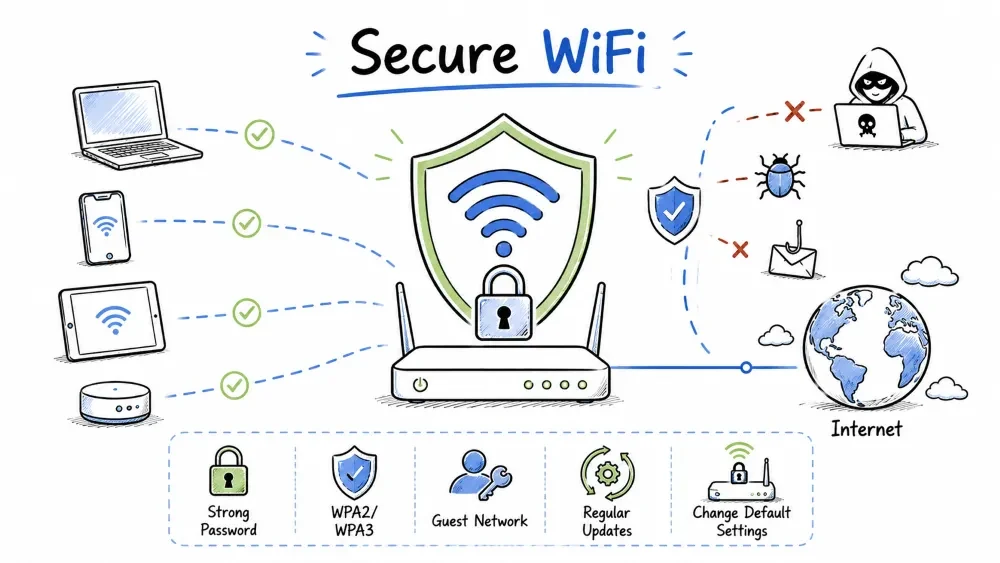
WiFi security is critical because wireless signals extend beyond physical walls and can be intercepted by anyone within range. This tutorial covers wireless security standards (WPA2, WPA3), MAC filtering, and guest network configuration — everything you need to secure a wireless network.
WiFi security is different from wired network security because wireless signals cannot be physically contained — they travel through walls and air, making them accessible to anyone within range.
WEP (1997)  ─→ WPA  (2003)  ─→ WPA2  (2004)  ─→ WPA3  (2018)
   ✗              ✗               ✓                ✓
Deprecated     Deprecated      Current          Modern
(Known weak)   (TKIP weak)     Standard         Standard
WPA2 is the most widely used WiFi security standard, mandatory for all WiFi-certified devices since 2006. It uses AES encryption and CCMP protocol.
| Mode | Description | Use Case |
|---|---|---|
| WPA2-PSK (Personal) | Pre-Shared Key — single password | Home networks |
| WPA2-Enterprise | 802.1X authentication with RADIUS server | Business networks |
Client (Supplicant)                    Access Point (Authenticator)
       │                                        │
       │───── 1. AP sends ANonce ──────────────→│
       │←─ 2. Client sends SNonde + MIC ────────│
       │───── 3. AP sends GTK + MIC ───────────→│
       │←─ 4. Client sends ACK ─────────────────│
       │                                        │
PTK = PRF (PMK + ANonce + SNonce + MACs) — Pairwise Transient Key
Despite being the industry standard, WPA2 has several known vulnerabilities that attackers can exploit to crack passwords or intercept data.
| Attack | Description | Mitigation |
|---|---|---|
| KRACK | Key Reinstallation Attack on 4-way handshake | Patch devices, use WPA3 if possible |
| Dictionary Attack | Offline brute-force of PSK | Use strong password (16+ chars) |
| PMKID Attack | Attack on RSN IE in EAPOL frames | Use WPA2-Enterprise or WPA3 |
| Deauth Attack | Force disconnection to capture handshake | Use WPA3 or 802.11w (MFP) |
Security Mode: WPA2-PSK
Encryption: AES (NOT TKIP)
Passphrase: MyC0mpl3x!P@ssw0rd#2024
Group Key Rotation: 3600 seconds
WPA3 is the next-generation WiFi security standard, introduced in 2018. It addresses WPA2 weaknesses and adds stronger encryption.
| Feature | WPA2 | WPA3 |
|---|---|---|
| Handshake | 4-Way Handshake | SAE (Simultaneous Authentication of Equals) |
| Brute Force Protection | None | Dragonfly handshake — resistant to offline dictionary attacks |
| Encryption | AES-CCMP 128-bit | AES-GCMP 128-bit (Personal), 192-bit (Enterprise) |
| Forward Secrecy | No | Yes — past traffic stays secure even if password is compromised |
| Open Network | No encryption | OWE (Opportunistic Wireless Encryption) |
| Mode | Description |
|---|---|
| WPA3-Personal (SAE) | Uses Dragonfly handshake instead of 4-way handshake |
| WPA3-Enterprise | 192-bit security suite, CNSA-compliant |
| WPA3-Transition | Mixed mode — supports WPA2 and WPA3 devices |
| WiFi Enhanced Open (OWE) | Encrypts traffic even on open networks |
[Client] ←→ [AP]
    │          │
    ├─ Commit ─→  (public key exchange)
    ←─ Commit ─┤
    ├─ Confirm →  (mutual authentication)
    ←─ Confirm ─┤
    │          │
  Session key established
Security Mode: WPA3-Personal
Encryption: AES-GCMP-256
SAE Password: Secure!P@ss#2024
SAE Anti-Clogging Threshold: Enabled
Transition Mode: Disabled (preferred) or Enabled (for older devices)
MAC (Media Access Control) filtering is often promoted as a security feature, but its actual security value is minimal. Understanding its limitations is important.
MAC (Media Access Control) filtering is an access control method that allows or denies network access based on a device's MAC address.
[Device MAC: AA:BB:CC:DD:EE:FF]

┌─────────────────────────────────┐
│  Is MAC in Allow List?          │
│  ├─ YES → Permit Access         │
│  └─ NO  → Deny Access           │
└─────────────────────────────────┘
| Type | Description |
|---|---|
| Allow List (Whitelist) | Only listed MACs can connect |
| Deny List (Blacklist) | Listed MACs are blocked, all others allowed |
Wireless → MAC Filter → Enable

Allow List:
AA:BB:CC:11:22:33 - Office Desktop
AA:BB:CC:44:55:66 - Marketing Laptop

OR

Deny List:
DD:EE:FF:00:11:22 - Suspicious Device
| Weakness | Explanation |
|---|---|
| MAC Spoofing is Trivial | MAC addresses can be changed with a single command |
| Not Encryption | It does not encrypt traffic |
| Management Overhead | Every new device must be manually added |
| Sniffable | MAC addresses are visible in captured packets |
Real Security Value: None as a standalone measure. MAC filtering is a minor inconvenience for attackers, not a security boundary.
# Spoofing a MAC address in Linux
sudo ip link set dev wlan0 down
sudo macchanger -m AA:BB:CC:DD:EE:FF wlan0
sudo ip link set dev wlan0 up

# Spoofing a MAC address in Windows (PowerShell)
# Via Device Manager → Network Adapter → Advanced → Network Address
A guest network is one of the simplest and most effective security measures for any WiFi network — it keeps visitors separate from your trusted devices.
A guest network is a separate WiFi SSID that provides internet access but isolates guest devices from the main (trusted) network.
[Internet]
     │
     ▼
   [Router/Firewall]
     │           │
     ▼           ▼
[Main LAN]   [Guest VLAN]
192.168.1.0/24  192.168.10.0/24
     │               │
  Trusted         Guests,
  Devices         Visitors
| Risk Without Guest Network | Consequence |
|---|---|
| Guest device infected with malware | Malware can spread to your devices |
| Guest accesses file shares | Sensitive files exposed |
| Guest runs a packet sniffer | Captures your unencrypted traffic |
| Legal liability | Guest does something illegal from your IP |
| Setting | Recommendation |
|---|---|
| SSID | Clearly label (e.g., "Home-Guest") |
| Password | Separate from main network password |
| Band | 2.4 GHz only (wider compatibility) |
| Client Isolation | ENABLED — guests can't talk to each other |
| LAN Access | DISABLED — internet only |
| Bandwidth Limit | Set a cap (e.g., 10 Mbps per device) |
| Time Limit | Optional — auto-disable during off-hours |
Router Admin → Wireless → Guest Network → Enable

SSID: "Office-Guest-5G"
Security: WPA2-PSK
Password: Guest@2024!

[✅] Enable Client Isolation
[✅] Disable Access to Local Network
[✅] Limit Bandwidth (10 Mbps)
| # | Action | Priority |
|---|---|---|
| 1 | Use WPA3 if all devices support it | High |
| 2 | Use WPA2-AES (never TKIP) as fallback | High |
| 3 | Set a strong password (16+ random characters) | High |
| 4 | Disable WPS (WiFi Protected Setup) | High |
| 5 | Disable SSID broadcast (minor security by obscurity) | Low |
| 6 | Change default admin credentials | High |
| 7 | Keep router firmware updated | High |
| 8 | Enable guest network for visitors | Medium |
| 9 | Reduce WiFi signal strength if possible | Low |
| 10 | Enable 802.11w (Management Frame Protection) | Medium |
Objective: Conduct a security assessment of a real WiFi network (your own or a friend's with permission).
Task: Walk through your router's admin panel and fill out this audit checklist:
| Setting | Current Value | Secure? (Yes/No) | Recommended Value |
|---|---|---|---|
| Security Mode (WPA2/WPA3) | WPA2-AES or WPA3 | ||
| Encryption Type | AES (NOT TKIP) | ||
| WiFi Password | 16+ random characters | ||
| SSID Broadcast | Disabled (optional) | ||
| WPS (WiFi Protected Setup) | Disabled | ||
| Admin Username (default?) | Changed from default | ||
| Admin Password | Strong, unique | ||
| Firmware Version | Latest | ||
| Guest Network Enabled? | Yes | ||
| Client Isolation (Guest) | Enabled | ||
| DHCP Range | Limited to needed devices | ||
| Remote Management | Disabled |
How to find your router admin page:
# Find your gateway IP
ipconfig (Windows)    # Look for "Default Gateway"
ip route              # Linux
Then visit http://<gateway-ip> in a browser.
Action Items: List the top 3 changes you need to make based on this audit.
Objective: Understand the practical difference between WPA2 and WPA3 by analyzing network traffic.
Analyze Your Network: Use a WiFi analyzer tool to see what security standards nearby networks use:
netsh wlan show networks mode=bssidsudo iw dev wlan0 scan | grep -E "SSID|RSN|group|cipher"Record your findings:
| SSID (Network Name) | Security Type (WPA2/WPA3/Open) | Signal Strength | Channel |
|---|---|---|---|
| Network 1 | |||
| Network 2 | |||
| Network 3 |
Identify Weak Networks:
Test WPA2 Vulnerability (Conceptual):
# WPA2 dictionary attack simulation (educational use only on YOUR network)
# 1. Capture the 4-way handshake:
#    sudo airodump-ng -c <channel> --bssid <AP-MAC> -w capture wlan0mon
# 2. Wait for a device to connect (or send deauth)
# 3. Run dictionary attack:
#    sudo aircrack-ng -w /usr/share/wordlists/rockyou.txt capture-01.cap
⚠️ IMPORTANT: Run this ONLY on your own network. Unauthorized WiFi cracking is illegal.
Discussion Questions:
Save your progress and earn XP for completing tutorials.
Technology
Cyber Security & Networking
Lesson group
Network Security
Progress
80% complete

