Preparing your learning space...
83% through Customer Problem Discovery tutorials
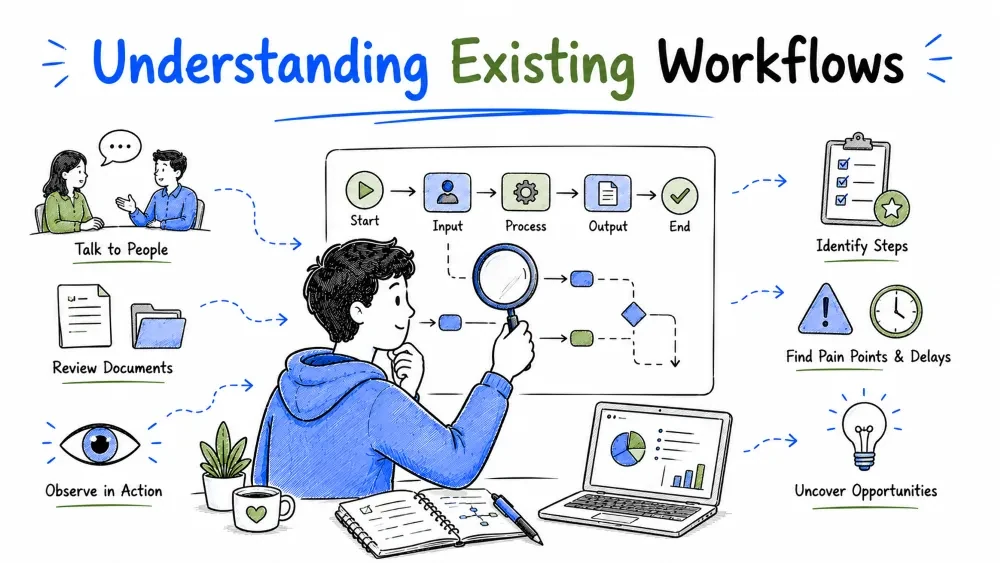
Before you build anything, you have to know precisely how the customer does the work today — the copy-pastes, the wait states, the spreadsheets holding it all together. This tutorial shows how to study the current workflow, draw it as a process map, and hunt for automation opportunities without breaking what already works.
A workflow is the ordered sequence of steps and decisions a person or team follows to finish a job. Understanding it means knowing each step, who does it, what tool they use, and how long it takes.
You can't reliably automate or replace a process you can't describe. And there's an extra trap: the documented process and the real one are usually different. The understanding has to come from what people actually do.
Three reasons make the current process worth studying even when it's being replaced:
There are two strong ways to learn a workflow, and you'll usually use both:
Best Practice: re-use the "last time" habit from the interviews tutorial — have them show you the real thing rather than describe the ideal. Ask to see the artifacts: the shared spreadsheet, the ticket, the approval email.
A process map turns the workflow you learned into a visual sequence of steps, decisions, and handoffs. Once it's visible, everyone — you, the customer, engineers — can look at the same picture and argue about the same friction points instead of talking past each other.
Note: maps are for thinking, not for art. A whiteboard sketch or a simple diagram tool is enough. The value isn't the drawing; it's that the invisible process finally became discussable.
Every map is built from the same few elements — steps, decisions, handoffs, waits — arranged in order. A simple text version for one job:
[New order received]
        |
        v
[Agent checks stock across 3 systems]   <-- 10 min, tab-hopping
        |
        v
[Order typed into the ERP by hand]      <-- pain: 15 min, typos, no audit
        |
        v
[Order confirmed -> confirmation emailed manually]
The steps to draw one:
Best Practice: stop when the map is accurate enough to reason about. Perfect maps never ship; useful maps get to the point and stay there.
Once the map exists, scan it for five smells:
| Smell | What it looks like on the map |
|---|---|
| Handoffs | Work passed between people or tools — each is a drop point |
| Wait states | "Waiting for approval / for the IT ticket / for Friday" |
| Rework loops | Arrows pointing backwards ("fix it again") |
| Manual entry | The same data typed in more than once |
| Spreadsheet glue | An unofficial tool quietly holding the process together |
Each smell is a candidate problem. Handoffs and waits are almost always where hours leak; manual entry is where errors live.
The whole point of studying and mapping the workflow is to find steps worth automating. You're not automating everything — you're ranking the opportunities by what they save and what risk they carry.
A step is a candidate when it matches any of these:
Then rank the candidates. A good first automation hits the sweet spot: frequent × boring × low-risk-if-it-gets-wrong.
| Step | Time now | Frequency | Automatable? | Verdict |
|---|---|---|---|---|
| Re-enter order into the ERP | 15 min | 40/day | Yes — API | High priority |
| Copy stock numbers into the email | 5 min | 40/day | Yes — template | High priority |
| Approve orders over $1,000 | 30 min | 3/day | Partial — rule + human check | Medium |
| Investigate disputed charges | 60 min | 2/day | No — judgment needed | Leave manual |
Best Practice: start with the frequent, rule-based, safe-to-automate steps and keep a human in the loop where a mistake is expensive or judgment is required. Automating the dispute-handling first would produce chaos; automating invoice entry first produces an easy, visible win.
Common Mistake: automating the whole process in one go. Good FDEs land step-shaped automations, prove each one with the customer, and expand outward. Customers adopt automation they can still supervise — and reject the black box that did everything overnight.
Save your progress and earn XP for completing tutorials.
4 questions · Pass with 70%+
1Why study the current workflow even when replacing it?
2A homemade spreadsheet propping up a process is usually evidence of…
3What makes the best first automation candidate?
4On a process map, arrows pointing backwards signal…
Technology
Forward Deployed Engineer
Lesson group
Customer Problem Discovery
Progress
83% complete

