Preparing your learning space...
83% through FDE with AI Coding Tools tutorials
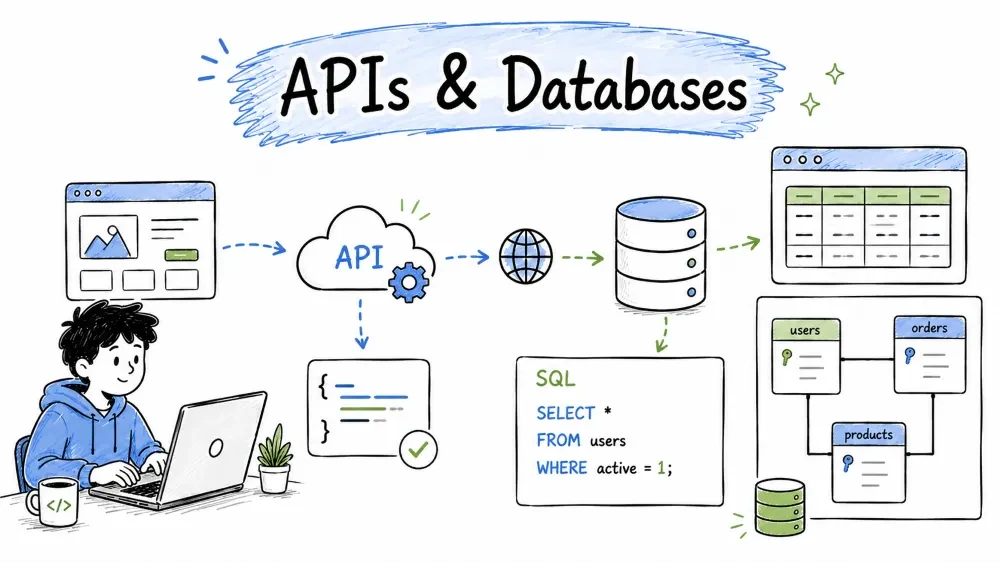
Most real applications need to talk to other software (APIs) and to store data (databases). These are the two skills that take your app from a demo to something useful. AI makes the fiddly parts — the right endpoint, the exact query, the correct syntax — fast to get right. This tutorial shows you how to connect to external services and work with data, using AI at every step.
An API (Application Programming Interface) is how different software talks to each other — your app sends a request to a service (like a weather, payment, or mapping service) and gets data back. Integrating an API means writing code that: calls the service with a request, receives a response (usually JSON), converts that response into something your app can use, and handles errors. The request/response pattern is very structured, and the AI has seen the docs for thousands of popular APIs — so it can scaffold the whole connection for you.
A GET request fetches data. Here's a classic example — fetch a user from a public API.
Prompt:
Write Python code using `requests` to fetch a user from the public
JSONPlaceholder API: GET https://jsonplaceholder.typicode.com/users/1
Print the user's name and email.
import requests

response = requests.get("https://jsonplaceholder.typicode.com/users/1")
response.raise_for_status()          # raise an error if the request failed
user = response.json()               # parse the JSON response

print(user["name"])                  # e.g. "Leanne Graham"
print(user["email"])                 # e.g. "Sincere@april.biz"
requests.get performs the call, .json() turns the response into a Python dictionary, and we print two fields from it. Four lines of integration done.
Real APIs return large, nested data. Ask the AI to navigate it for you.
Prompt:
The response looks like this (paste a sample of the JSON). Extract a
list of all "id" values from the "items" array and print their sum.
The AI inspects the structure you pasted and writes the exact code to pull out the fields — no guessing at key names or nesting.
Real integrations need parameters (like filters) and headers (like API keys).
Prompt:
Write Python to search the OpenLibrary API for books by author
"Tolkien". Pass the search string as a query parameter and an
Accept: application/json header.
import requests

params = {"q": "Tolkien", "fields": "title,author_name"}
headers = {"Accept": "application/json"}

resp = requests.get("https://openlibrary.org/search.json",
                    params=params, headers=headers)
for doc in resp.json().get("docs", [])[:3]:
    print(doc.get("title"))
The AI passes the search as a query parameter and the header quietly. When the service needs an API key, the same pattern applies — you add it to the headers (never hard-code it into code; see Notes and Tutorial 06).
APIs fail and rate-limit. Ask the AI to make your integration robust.
Prompt:
Add error handling: timeout after 10 seconds, retry once on a 500
error, and print a friendly message if the API returns a 404.
The AI adds timeouts and retry logic so a slow or failing service doesn't crash your app — the difference between a demo and production-ready.
Before you write integration code, ask the AI to translate the documentation.
Prompt:
I'm new to this API. Explain what this endpoint does, what it expects,
and what it returns, in plain language. Then show me a minimal example.
(paste the API's endpoint/params)
API docs are often terse. The AI turns them into a clear "here's what to send, here's what you get" summary — exactly what you need to write the integration.
Think of a database as a set of spreadsheets (tables) where each table holds rows of a specific thing — users, orders, products. SQL is the language you use to add, read, update, and delete those rows. AI removes the need to memorize SQL by writing it from plain English — and it spots design problems and fixes errors you paste back.
The simplest operation is reading data back with a SELECT query.
Prompt:
Write a SQL query: get the name and email of all users whose email
ends with '@company.com', ordered by name alphabetically.
SELECT name, email
FROM users
WHERE email LIKE '%@company.com'
ORDER BY name ASC;
The AI translated your English description into a correct SELECT with a WHERE filter and an ORDER BY. Whatever your sentence, the AI produces the matching SQL.
Before you query, you need tables. Design is where beginners stumble — AI is a great guide.
Prompt:
Design a schema for a small blog. I need a table for posts and a table
for comments. A comment belongs to one post. Show the SQL CREATE
statements with sensible data types.
CREATE TABLE posts (
    id INTEGER PRIMARY KEY,
    title TEXT NOT NULL,
    body TEXT NOT NULL,
    created_at TEXT DEFAULT (datetime('now'))
);

CREATE TABLE comments (
    id INTEGER PRIMARY KEY,
    post_id INTEGER NOT NULL,
    author TEXT NOT NULL,
    text TEXT NOT NULL,
    FOREIGN KEY (post_id) REFERENCES posts(id)
);
Two clean tables with a FOREIGN KEY linking each comment to its post — the standard "one-to-many" relationship. The AI chose types and a foreign key so your data stays consistent.
The real value: describe what you want in English, get the SQL instantly.
Prompt:
Give me the 10 most recent posts, each with the count of its comments.
Only include posts that have at least one comment.
SELECT p.title, COUNT(c.id) AS comment_count
FROM posts p
JOIN comments c ON c.post_id = p.id
GROUP BY p.id
HAVING COUNT(c.id) >= 1
ORDER BY p.created_at DESC
LIMIT 10;
The AI built a JOIN, a GROUP BY for counting, a HAVING to filter groups, and LIMIT — exactly the pattern, without you memorizing joins.
Databases misbehave in two common ways: errors and slow performance. Paste the problem to the AI.
Prompt:
This query is slow. Show me how to speed it up (add an index or fix it)
and explain why.
-- slow: filtering on a column with no index
SELECT * FROM orders WHERE customer_id = 42;
AI suggestion: add an index on customer_id so the database finds matching rows without scanning every order:
CREATE INDEX idx_orders_customer ON orders(customer_id);
For error messages, just paste them (Tutorial 03 approach) — SQL errors like "column not found" or "syntax error near 'x'" are quickly diagnosed.
Queries are only half the job — your code needs to talk to the database.
Prompt:
Write Python that connects to a SQLite file 'app.db', inserts a new
user, and then fetches and prints all users. Use a safe parameterized
query (not string formatting).
import sqlite3

conn = sqlite3.connect("app.db")
cur = conn.cursor()

cur.execute("INSERT INTO users (name, email) VALUES (?, ?)",
            ("Sam", "sam@example.com"))
conn.commit()

for row in cur.execute("SELECT name, email FROM users"):
    print(row)
conn.close()
A full connect → insert → fetch → close round-trip. Note the ? placeholders — the AI used parameterized queries automatically, which is the safe way to handle user input (see Notes and Tutorial 06).
APIs and databases usually work together: your API reads and writes the database, and your app talks to both. Ask the AI to combine them into a real feature.
Prompt:
Build a small web API endpoint (Node Express) that: accepts a book
search via query param, calls a book API, and stores the top 5 results
in a SQLite table 'searches' before returning them.
The AI wires the external call and the database write into one flow — showing how the two halves of this tutorial connect in a real system.
Save your progress and earn XP for completing tutorials.
4 questions · Pass with 70%+
1What does an API do?
2How do you safely insert user data into a database query?
3Which SQL clause links the comments table to the posts table?
4An API request fails or times out. What should production code do?
Technology
Forward Deployed Engineer
Lesson group
FDE with AI Coding Tools
Progress
83% complete

