Preparing your learning space...
75% through Rapid Prototyping tutorials
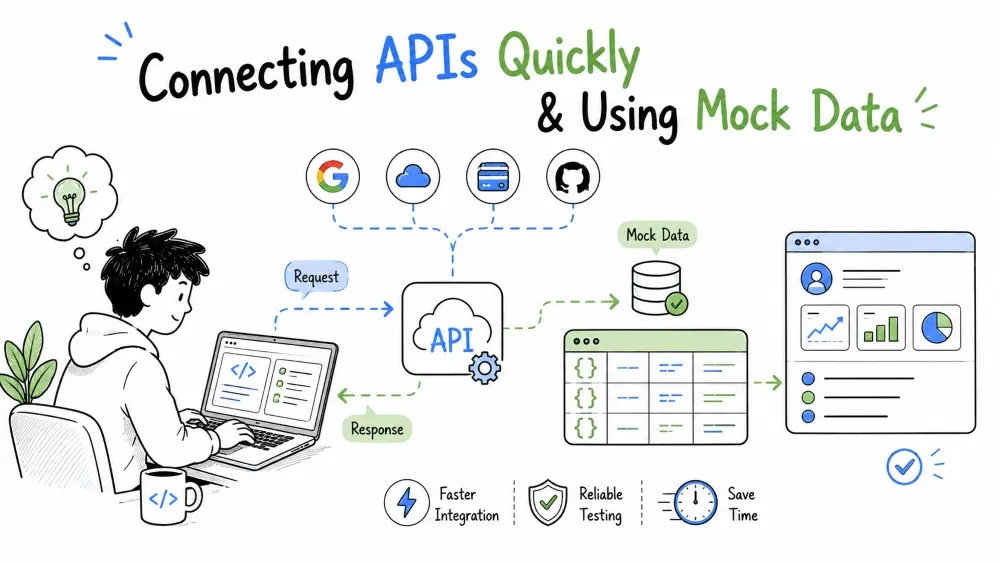
Almost every FDE prototype gets its power from data that lives somewhere else — a CRM, a database, a third-party service. But wiring your prototype to real data too early slows you down and blocks feedback. The two techniques in this tutorial are the fix: connect APIs fast when you need something real, and use mock data when you just need something convincing. Both are about the same goal — getting to a testable prototype in the shortest possible time.
Everything your prototype shows is data. The faster you get convincing data onto the screen, the faster the customer reacts — and most of the time you don't need the real data to get that reaction.
So this tutorial's operating rule is blunt: wire the real API only when the prototype truly depends on it. For proving a concept, a believable mock is often faster and better — it lets you shape the experience before you fight the data source's quirks.
The rhythm to build with:
Before you write a single request, spend two minutes reading the API's docs as a contract (you learned this shape in the Integrations tutorials). You want four things:
Authorization header).Note: scanning the API for its data shape is worth more than reading every paragraph. One sample response tells you the field names to build against.
Connect the smallest real call that earns your loop: one endpoint, one record, no pagination gymnastics. You're not integrating the whole system — you're proving the pipe works with the minimum viable request.
import requests

resp = requests.get(
    "https://api.crm.example.com/v1/accounts/42",
    headers={"Authorization": "Bearer TOKEN", "Accept": "application/json"},
    timeout=30,
)
resp.raise_for_status()          # loud failure if not 2xx
print(resp.json())               # the record's real shape
Explanation: one call, real auth, a timeout so it can't hang forever, and raise_for_status() so a 4xx/5xx surfaces immediately instead of silently returning junk. Simple enough that you know exactly where it can fail.
Best Practice: print the raw JSON once before you build any UI around it. If the field names you guessed are wrong, better to learn that now than after a day of UI code.
APIs will not return what you expect — keys vanish, types change, the endpoint 5xxs. A prototype runs on assumptions; a validated assumption is a much safer foundation.
resp = requests.get("https://api.crm.example.com/v1/accounts/42", headers=AUTH, timeout=30)
resp.raise_for_status()

data = resp.json()
if not isinstance(data.get("account"), dict):        # doesn't match the contract?
    raise ValueError(f"Unexpected response shape: {data}")

name = data["account"].get("name", "Unnamed")
print(f"{data['account']['id']}: {name}")
Explanation: we check the status, then check the shape we need is actually there before trusting it. The .get(..., default) keeps a missing name from crashing the whole prototype — a deliberate, readable fallback instead of a random traceback.
Hard-coding real credentials and URLs is exactly how a "quick prototype" leaks secrets or becomes a pain to repoint. Keep the connection details out of the file:
import os
import requests

TOKEN = os.environ["CRM_API_TOKEN"]           # a secret, never in the code
BASE = os.environ.get("CRM_BASE", "https://api.crm.example.com/v1")

resp = requests.get(f"{BASE}/accounts/42", headers={
    "Authorization": f"Bearer {TOKEN}", "Accept": "application/json",
}, timeout=30)
print(resp.json())
Explanation: token comes from the environment (set it once, per-machine, per-secret), base URL is configurable with a sane default. When the prototype becomes production (Tutorial 8), the same imports keep working — you've already separated infrastructure from logic.
Mock data is fake data that looks and behaves like real data, used to develop and demo before the real thing is wired in. It is a prototyping tool, not a production one. It earns its keep three ways:
The single biggest mock-data mistake: a = 1, b = 2 in a list — perfectly simple, instantly fake. Real people reject data that doesn't look real, and that rejection poisons their feedback. Be realistic:
Don't hand-type it — generate it. The Faker library produces realistic people, companies, amounts, and dates in seconds:
from faker import Faker
import json, random, copy

fake = Faker()
SEGMENTS = ["enterprise", "mid", "sme"]

def make_account(i: int):
    acct = {"id": i, "name": fake.company(), "segment": random.choice(SEGMENTS),
            "last_activity_days": random.randint(1, 200), "region": fake.state()}
    if i % 12 == 0:                  # a deliberately empty account for edge-testing
        acct["orders"] = []
    else:
        acct["orders"] = [{"id": i*1000+k, "amount": round(random.uniform(200, 8000), 2),
                           "date": fake.date_between(start_date="-1y", end_date="today")}
                          for k in range(random.randint(1, 6))]
    return acct

data = [make_account(i) for i in range(1, 51)]
with open("mock_accounts.json", "w") as f:
    json.dump(data, f, indent=2)
Explanation: fifty accounts with realistic company names, chosen segments, varied activity, regions, and a deliberate empty-account edge case — all in seconds. The result is believable enough that a customer engages with it, and controllable enough that you can hard-code specific cases you want to demo next.
The trick that keeps prototypes painless: one access point, two sources, switched by a flag — so you move from mock to real without rewriting your screens.
import os, json
from data_real import fetch_accounts as real   # your real API code

def fetch_accounts():
    if os.environ.get("USE_MOCK") == "1":      # flip the flag to switch
        with open("mock_accounts.json") as f:
            return json.load(f)
    return real()

# your UI code calls fetch_accounts() and cares nothing about the source
for acct in fetch_accounts()[:5]:
    print(acct["name"])
Explanation: the screen sees one function; a single environment variable decides mock vs real. Demo with USE_MOCK=1, test the real pipe with it off. Structure stays identical when this becomes production — you just delete the mock branch.
Mock data is right when you need speed, shape, or isolation. It's a trap when it hides the truth. Watch for:
The balancer: mock for shaping and demos, real for proof. When your prototype is about to be adopted (Tutorial 8), the mock stitches come out and the real data takes over — smoothly, because you separated the access layer.
Save your progress and earn XP for completing tutorials.
4 questions · Pass with 70%+
1When should you wire the real API?
2How should you read an API before using it?
3Why use the same access point for mock and real data?
4When is mock data a trap?
Technology
Forward Deployed Engineer
Lesson group
Rapid Prototyping
Progress
75% complete

